


Introduction
In modern enterprise operations, order fulfillment serves as the critical intersection between customer expectations, financial compliance, and logistical execution. When departments operate in silos or when workflow documentation lacks technical precision, organizations frequently experience bottlenecks, misrouted exceptions, and delayed revenue realization. Business Process Model and Notation (BPMN) 2.0 provides a globally recognized standard for mapping these workflows, yet many initial process models fall short of capturing real-world complexity with the clarity required for automation and cross-departmental alignment.
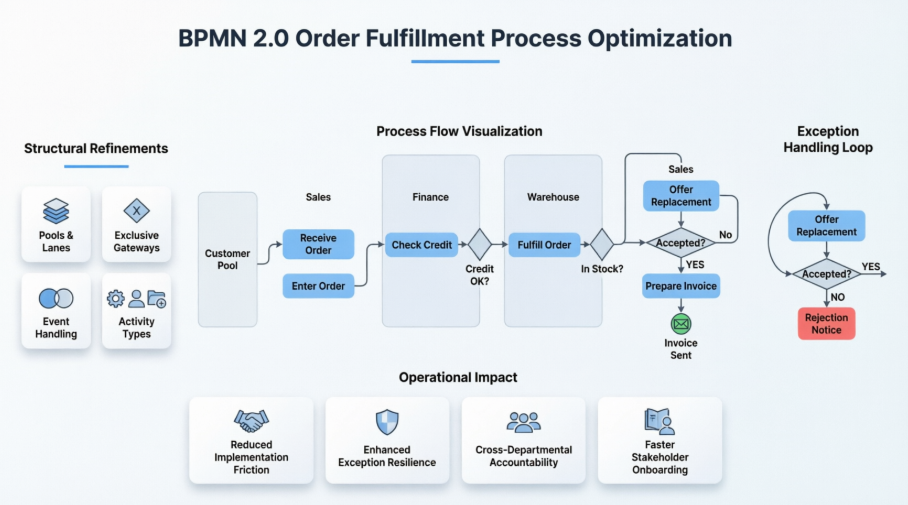
This case study examines the systematic refinement of a foundational order fulfillment workflow. By applying structural standardization, explicit decision logic, precise event mapping, and intentional visual design, the revised model demonstrates how disciplined BPMN practices transform ambiguous process drafts into enterprise-ready, exception-resilient workflows.
Initial Challenge: Bridging Conceptual Flow and Technical Execution
The original order process model established a functional baseline but exhibited several limitations that hindered operational scalability. Cross-departmental responsibilities were loosely defined, decision pathways lacked explicit routing labels, and exception handling was implicitly woven into linear sequences. Furthermore, the diagram did not distinguish between automated system checks and manual user interventions, nor did it clearly delineate internal organizational boundaries from external customer interactions. These gaps created ambiguity for developers, process owners, and stakeholders attempting to translate the diagram into executable automation or standard operating procedures.
Structural Refinements: Aligning BPMN Syntax with Business Reality
To elevate the model from a conceptual sketch to a technically robust workflow, four core structural improvements were implemented:
Pools and Lanes Architecture
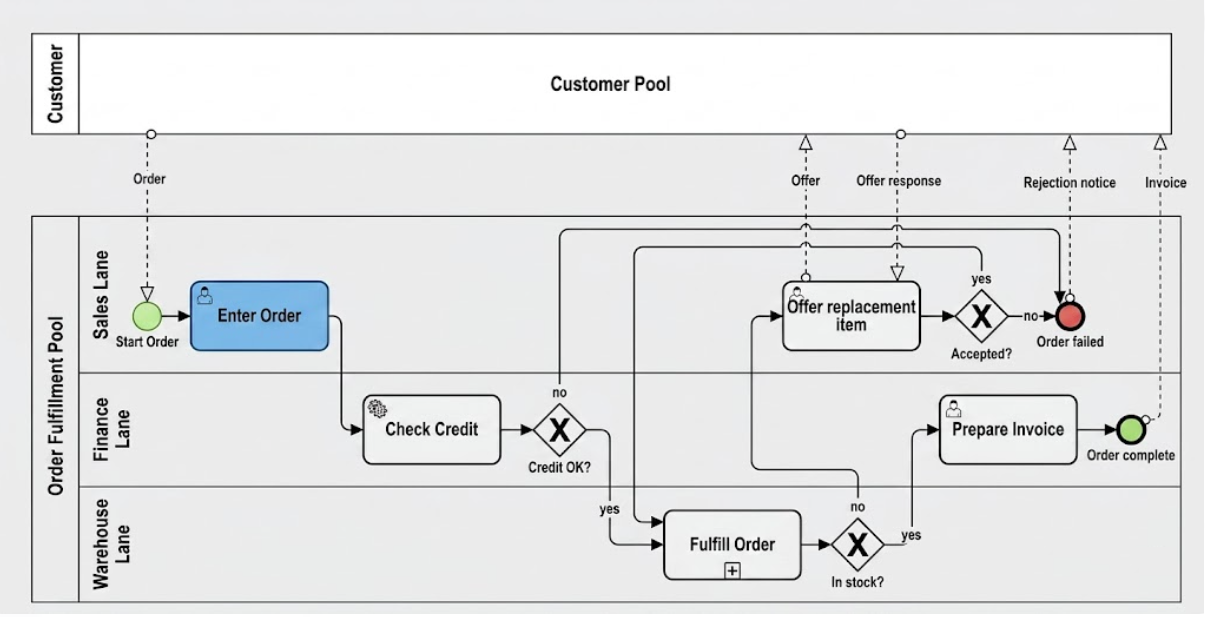
The Customer entity was formally modeled as a black-box pool. This intentional boundary isolates external interactions, allowing the internal “Order Process” pool to remain tightly focused on organizational accountability. Within the internal pool, Sales, Finance, and Warehouse functions are assigned to distinct lanes. This lane-based segregation enforces clear ownership, simplifies compliance auditing, and ensures that every task is traceable to a specific department.
Explicit Gateway Standardization
Ambiguous decision points were replaced with explicit Exclusive Gateways (marked with an “X”). This syntactical shift prevents misinterpretation as parallel or event-driven flows. Every decision path is now explicitly labeled (“Yes”/”No”), and sequence flows are routed to avoid visual cross-contamination, ensuring that conditional logic is immediately apparent to both business analysts and technical implementers.
Event-Driven Process Boundaries
The workflow initiation was redefined using a Message Start Event, accurately representing the asynchronous receipt of an external “Order” from the customer. On the completion side, a Message End Event was applied to the success path, explicitly triggering an automated “Invoice” transmission. This event-driven framing aligns the diagram with real-world system integrations and API-based messaging patterns.
Activity Type Precision
Task classifications were standardized to reflect execution methods. “Check Credit” was designated as a Service Task, signaling an automated, system-driven validation against financial databases. “Enter Order” and “Prepare Invoice” were marked as User Tasks, highlighting required human interaction within enterprise systems. “Fulfill Order” was structured as a Collapsed Sub-Process, acknowledging the complex, multi-step nature of warehouse operations while maintaining high-level diagram readability.
Process Logic and Exception Handling
The refined workflow introduces a resilient, closed-loop logic that proactively manages failures and alternative fulfillment paths. The updated sequence ensures that no order reaches completion without passing through validation checkpoints, and that exceptions are routed to appropriate stakeholders for resolution.
| Lane | Element | Type | Description |
|---|---|---|---|
| Sales | Receive Order | Message Start | Initiated by “Order” message from Customer. |
| Sales | Enter Order | User Task | Manual entry into the ERP system. |
| Finance | Check Credit | Service Task | Automated check against financial records. |
| Finance | Credit OK? | Exclusive Gateway | If “No,” route to Sales for replacement; If “Yes,” route to Warehouse. |
| Warehouse | Fulfill Order | Sub-Process | Internal picking and packing logic. |
| Warehouse | In Stock? | Exclusive Gateway | If “No,” route to Sales for replacement; If “Yes,” route to Finance. |
| Sales | Offer Replacement | User Task | Negotiate alternate items via “Offer” and “Offer Response.” |
| Sales | Accepted? | Exclusive Gateway | If “Yes,” return to Fulfillment; If “No,” route to Failure. |
| Finance | Prepare Invoice | User Task | Final billing step after fulfillment. |
| Sales | Order Failed | End Event | Process termination with “Rejection Notice.” |
| Finance | Order Complete | Message End | Success state with “Invoice” sent to Customer. |
This logic table reveals a highly controlled exception framework. Rather than allowing credit rejections or stock shortages to terminate the process abruptly, the workflow introduces a structured replacement negotiation loop. If the customer declines the alternative, the process gracefully concludes with a formal rejection notice. If approved, fulfillment resumes. This approach minimizes abandoned orders, preserves customer relationships, and maintains clear audit trails for compliance teams.
Visual Standardization and Readability
Technical accuracy must be paired with intuitive visual design to ensure stakeholder adoption. The refined diagram implements a professional, high-contrast styling framework: soft blue tones are applied to standard tasks to create visual cohesion, while distinct green and red palettes highlight start and end events respectively. This color-coding strategy establishes an immediate visual hierarchy, allowing executives, analysts, and developers to quickly trace process boundaries, identify work phases, and recognize terminal states without deciphering dense notation. Consistent spacing, aligned swimlanes, and orthogonal sequence flows further eliminate visual clutter, transforming the diagram into a universally comprehensible operational blueprint.
Operational Impact and Key Outcomes
The transition from a baseline workflow to a rigorously structured BPMN model delivers measurable operational advantages:
- Reduced Implementation Friction: Clear task typing and explicit gateway labels provide developers with unambiguous requirements for system integration and RPA deployment.
- Enhanced Exception Resilience: Proactive routing for credit and inventory failures prevents process dead-ends and reduces manual intervention during peak order volumes.
- Improved Cross-Departmental Accountability: Lane-based segregation clarifies ownership, streamlining handoffs and reducing inter-departmental friction.
- Faster Stakeholder Onboarding: The standardized visual language and logical flow enable new team members, auditors, and external partners to comprehend the end-to-end process within minutes rather than hours.
AI-Enhanced Tooling with Visual Paradigm
Key AI-Powered BPMN Features
BPMN Capabilities (Non-AI)
Seamless Deployment Across Environments
Conclusion
Effective process modeling extends far beyond drawing interconnected shapes; it requires a deliberate synthesis of business intent, technical precision, and visual clarity. By restructuring the foundational order process with explicit gateways, standardized task classifications, message-driven boundaries, and a disciplined exception-handling loop, the organization transforms a static diagram into a dynamic operational asset. This case study demonstrates that when BPMN 2.0 is applied with rigor and intentionality, it becomes more than a documentation tool—it serves as a strategic blueprint for automation, compliance, and continuous process improvement. As enterprises continue to scale and integrate complex digital ecosystems, maintaining such structural discipline in process modeling will remain essential for achieving agility, transparency, and sustained customer satisfaction.
References
- AI BPMN Business Process Diagram Generator Update: Announcement detailing the integration of advanced AI directly into Visual Paradigm Desktop for generating BPMN diagrams from text descriptions.
- Comprehensive Review: Visual Paradigm’s AI Diagram Generation Features: Independent review evaluating the capabilities, usability, and practical applications of Visual Paradigm’s AI-powered diagram generation tools.
- BPMN Diagram and Tools Feature Overview: Official feature page describing Visual Paradigm’s BPMN 2.0 modeling capabilities, including process drill-down, working procedure editor, and AI-powered business process mapping.
- Visual Paradigm Knowledge Base: Central resource for tutorials, how-to guides, and technical documentation on using Visual Paradigm Desktop and Online, including AI feature setup and integration instructions.
- AI BPMN Diagram Generation Demo (YouTube Short): Brief video demonstration showcasing the text-to-diagram generation workflow and output quality for BPMN models.
- AI-Powered Flowchart Creation in Visual Paradigm: Article exploring how AI transforms natural language prompts into professional flowcharts and BPMN diagrams, with emphasis on seamless integration into modeling workflows.
- Visual Paradigm Editions Comparison: Overview of available product editions, highlighting which BPMN analysis features—such as As-Is/To-Be modeling, RACI charts, and process simulation—are included in each tier.
- What is BPMN? Beginner’s Guide: Foundational guide explaining BPMN 2.0 notation, core elements, and best practices for creating clear, effective business process diagrams.
This post is also available in Deutsch, Español, فارسی, Français, English, Bahasa Indonesia, 日本語, Polski, Portuguese, Ру́сский, Việt Nam, 简体中文 and 繁體中文.
Related posts:
 How Visual Paradigm’s AI Diagram Generation Turns Your Ideas into Professional UML & BPMN Diagrams in Seconds
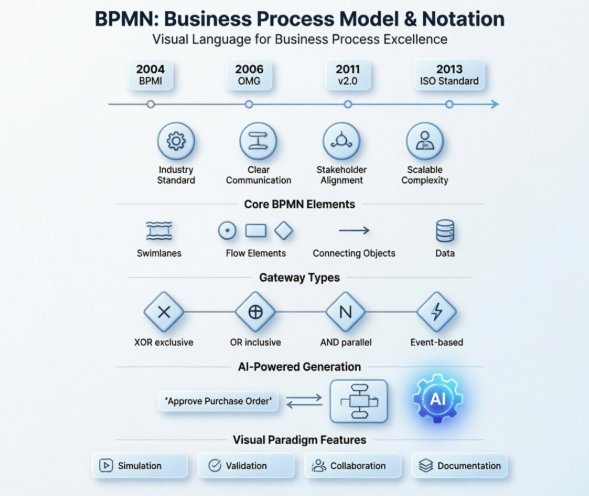 Mastering Business Process Modeling: A Hands-On Review of BPMN and Visual Paradigm’s AI-Powered Tools
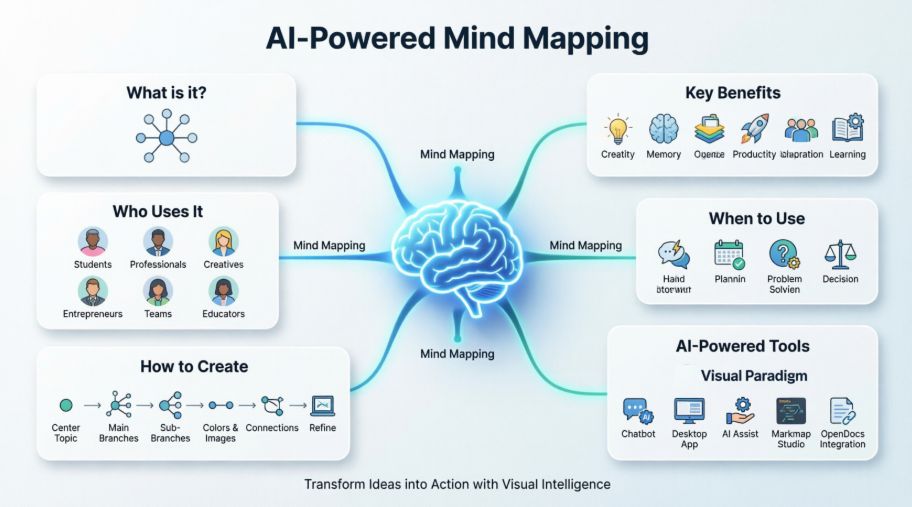 Mastering AI-Powered Mind Mapping with Visual Paradigm
 A Software Engineer’s Field Guide to UML, BPMN, and SysML