


Introduction
As an enterprise architect who has spent over a decade manually crafting ArchiMate diagrams, I’ll admit I was skeptical when I first heard about AI-powered viewpoint generation. Would it truly understand the nuances of stakeholder concerns? Could it respect the structural integrity of the ArchiMate specification? After three months of hands-on evaluation with Visual Paradigm’s AI ArchiMate Generator, I’m ready to share my unfiltered experience—covering what impressed me, what surprised me, and what still requires human oversight. This review is written from the perspective of a practitioner who values both innovation and architectural rigor.
First Impressions: Setting Up for Success
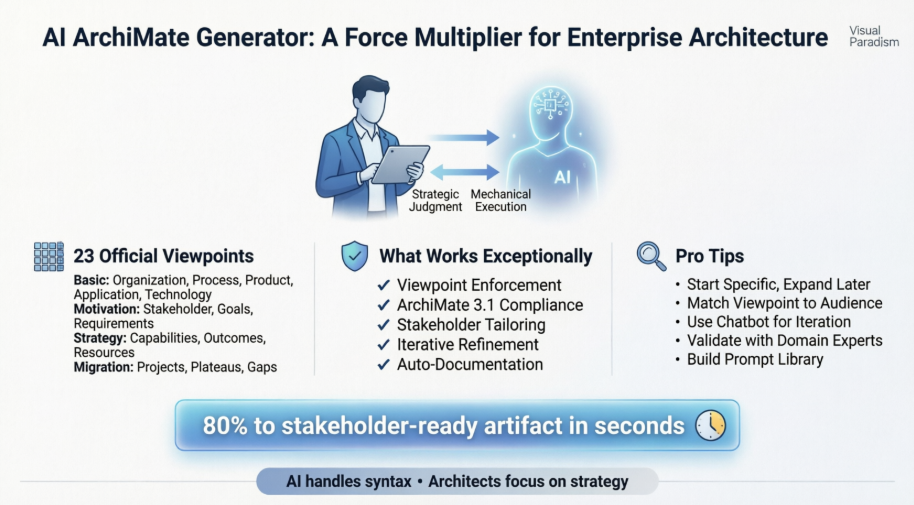
Getting started was refreshingly straightforward. Within Visual Paradigm Desktop, navigating to Tools > AI Diagram opened the generator interface. The ability to select from all 23 official ArchiMate viewpoints right from the dropdown menu immediately signaled that this wasn’t a superficial add-on—it was built with the specification in mind.
My first test prompt was deliberately simple: “Generate a Product Viewpoint for a customer onboarding service in retail banking.” Within seconds, the AI produced a structured diagram featuring Business Actors, Business Services, Application Components, and Technology Services—all correctly connected with realization and serving relationships. The initial output wasn’t perfect, but it was 80% of the way to a stakeholder-ready artifact. That efficiency alone changed my workflow.
Exploring the 23 Official Viewpoints: Depth and Flexibility
Basic Viewpoints: The Foundation of Daily Work
The Basic Viewpoints category proved most valuable for my day-to-day modeling tasks.
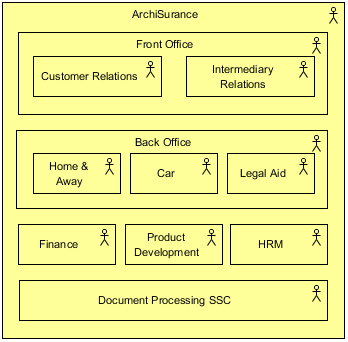
Organization Viewpoint helped me quickly map departmental responsibilities for a cloud migration initiative. The AI correctly nested Business Roles under Business Actors and linked them to Locations—saving me at least two hours of manual arrangement.
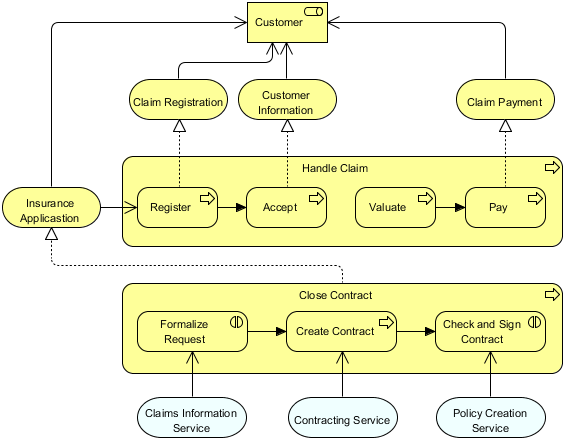
Business Process Cooperation Viewpoint was particularly useful for documenting cross-functional workflows. When I prompted the AI with “Show cooperation between order fulfillment, inventory management, and shipping processes,” it generated a clean diagram with trigger events, data objects, and application service dependencies.
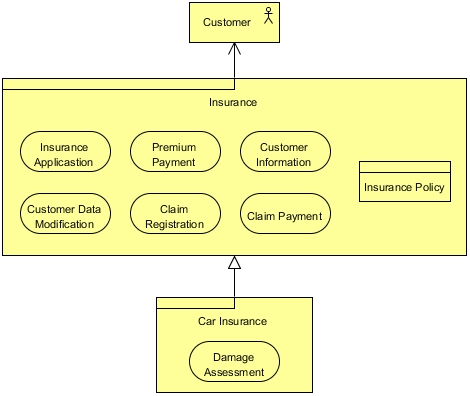
Product Viewpoint allowed me to articulate value propositions to product managers. The AI included Contracts, Business Interfaces, and Value elements—elements I sometimes overlook when drafting manually.
Application Cooperation and Application Usage viewpoints accelerated my application portfolio reviews. The AI correctly modeled service dependencies and data flows, making it easier to identify redundant components.
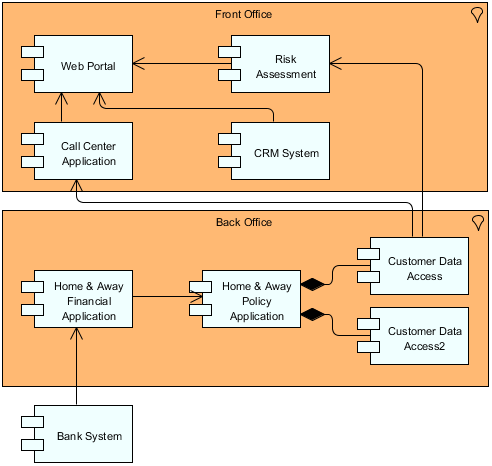
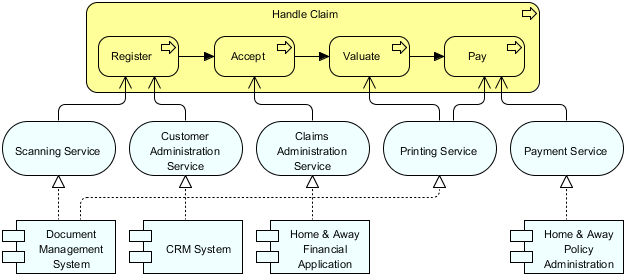
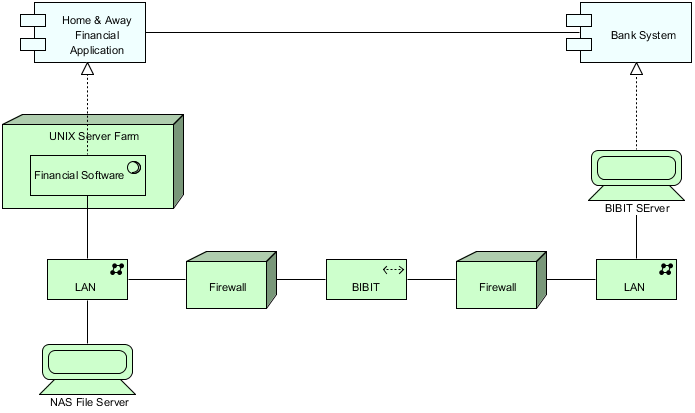
Implementation and Deployment and Technology Usage viewpoints helped me bridge the gap between logical architecture and infrastructure planning. The AI’s mapping of Application Components to Nodes and Artifacts was logically sound and ready for technical review.
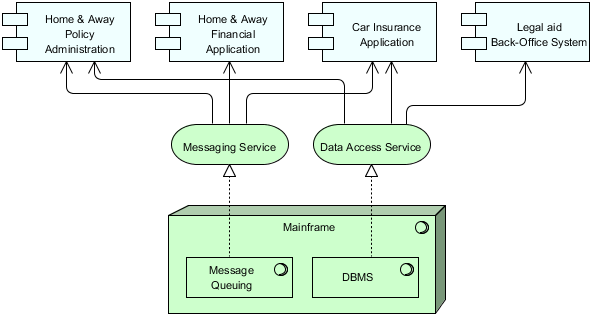
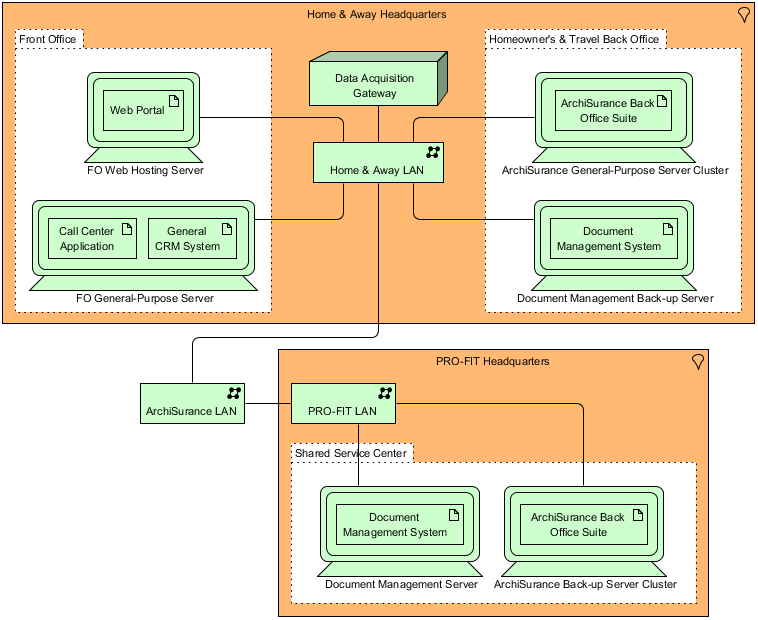
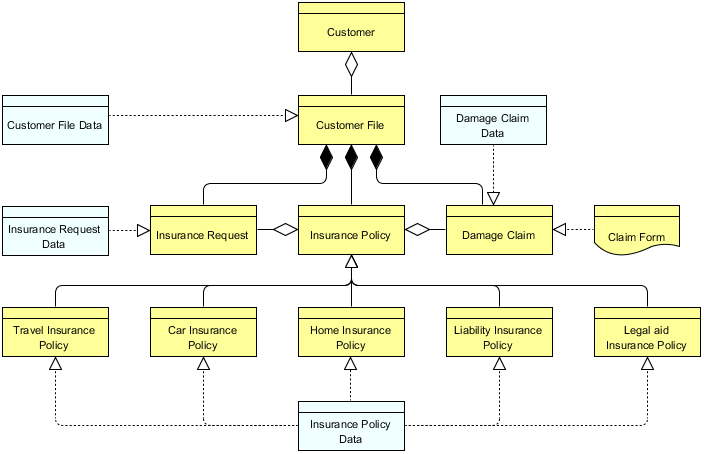
Information Structure Viewpoint generated clean data models with Business Objects, Data Objects, and Artifacts properly linked—ideal for collaborating with data architects.
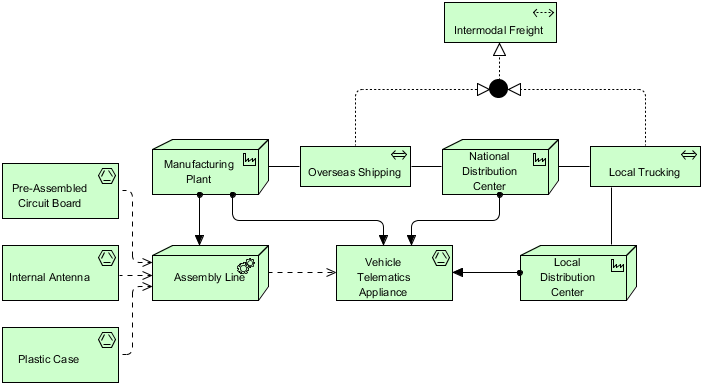
Service Realization and Physical Viewpoint completed my basic toolkit, enabling end-to-end traceability from business services to physical infrastructure.
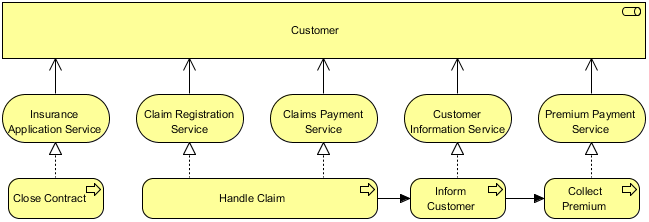
Finally, the Layered Viewpoint provided the executive summary view I needed for steering committee presentations—showing strategy, business, application, and technology layers in one coherent diagram.
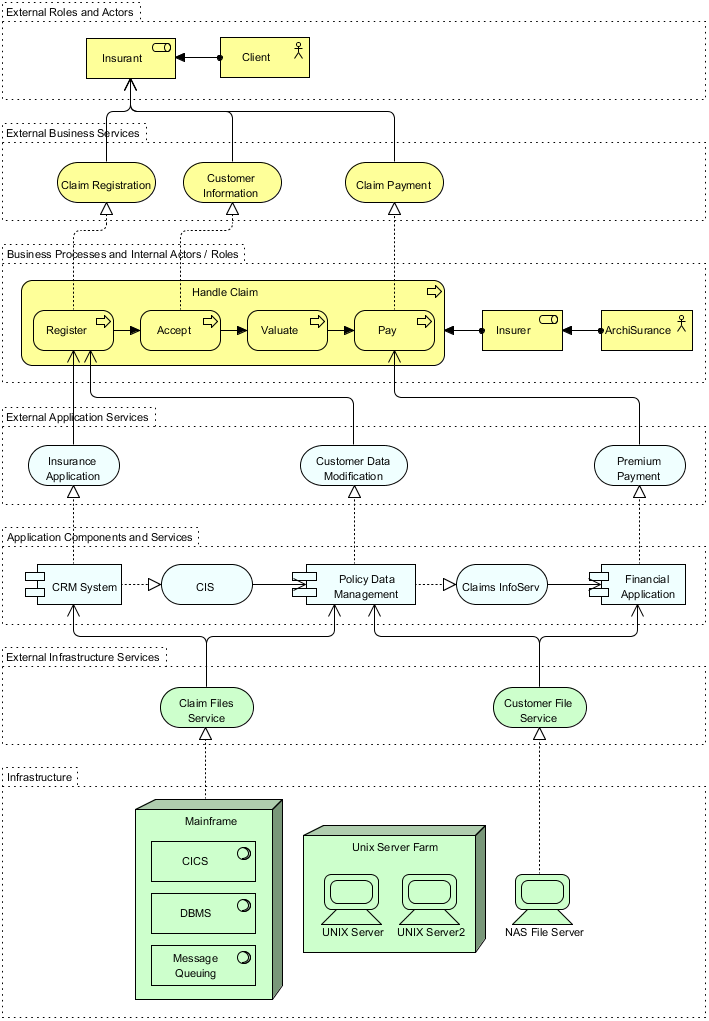
Motivation Viewpoints: Connecting Strategy to Execution
When preparing for architecture governance sessions, the Motivation Viewpoints became indispensable.
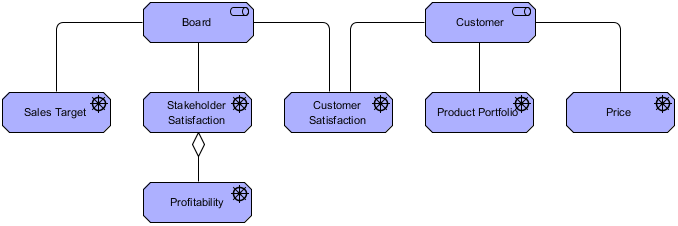
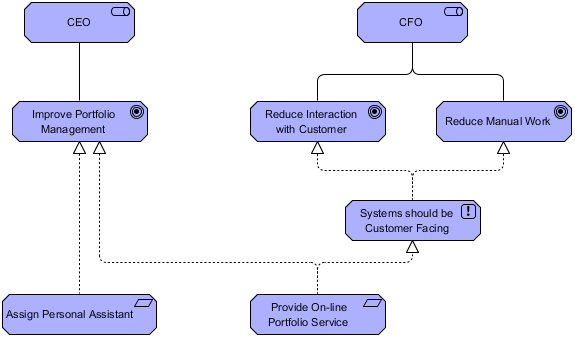
Stakeholder Viewpoint helped me document who cared about what, linking Drivers to Assessments and Goals. The AI’s inclusion of SWOT-style Assessments added strategic depth I hadn’t explicitly requested.
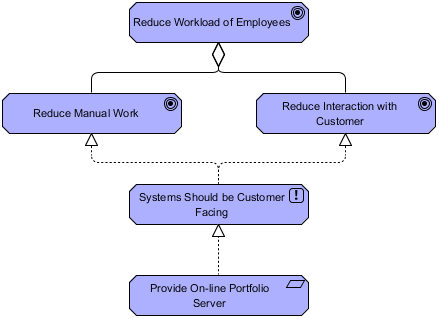
Goal Realization and Requirements Realization viewpoints enabled me to trace high-level objectives down to concrete architectural requirements—a critical capability for compliance-focused projects.
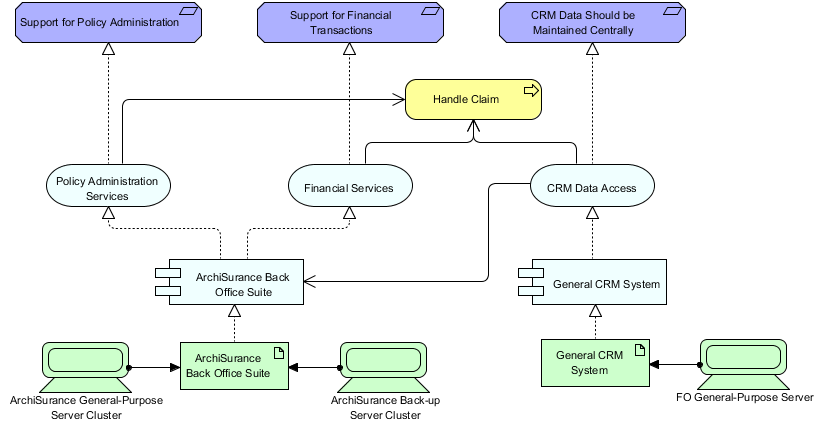
The comprehensive Motivation Viewpoint tied everything together, creating a single artifact that communicated the “why” behind architectural decisions to both technical and non-technical audiences.
Strategy Viewpoints: Speaking the Language of Leadership
For C-level presentations, Strategy Viewpoints proved exceptionally valuable.
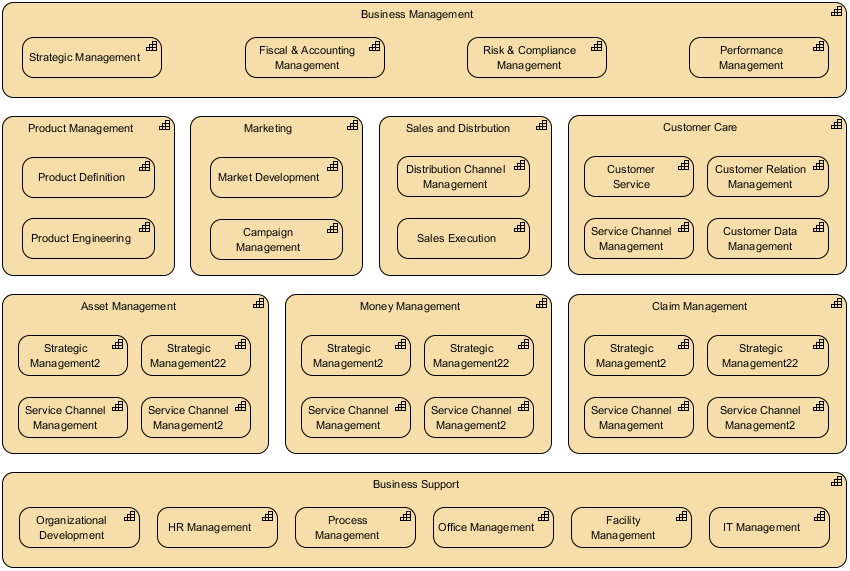
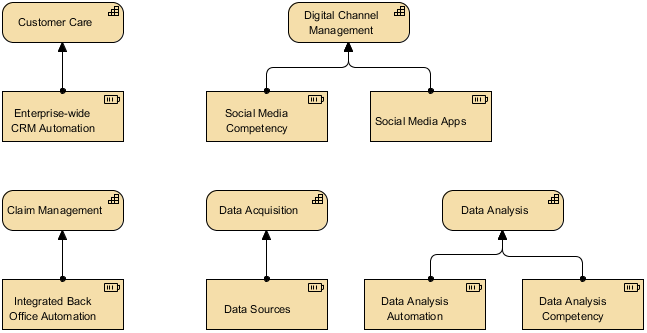
Strategy Viewpoint and Capability Map Viewpoint allowed me to visualize enterprise capabilities as heat maps, highlighting investment priorities. The AI’s ability to nest Capabilities and link them to Outcomes made strategic planning discussions more data-driven.
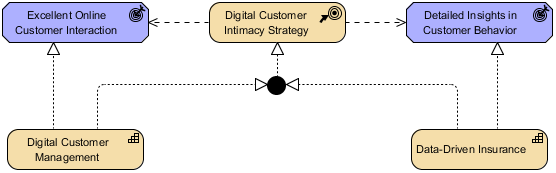
Outcome Realization and Resource Map Viewpoint completed the strategic picture, showing how capabilities deliver business value and what resources enable them.
Implementation and Migration Viewpoints: Managing Change
During transformation programs, the Implementation and Migration Viewpoints kept projects aligned with architectural intent.
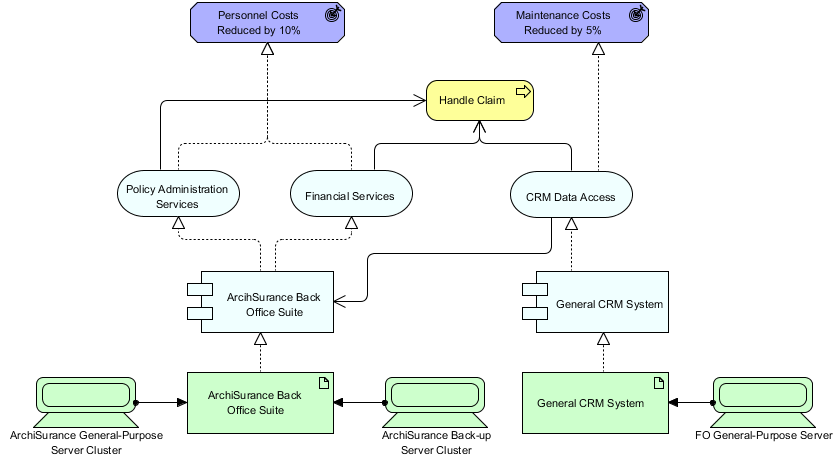
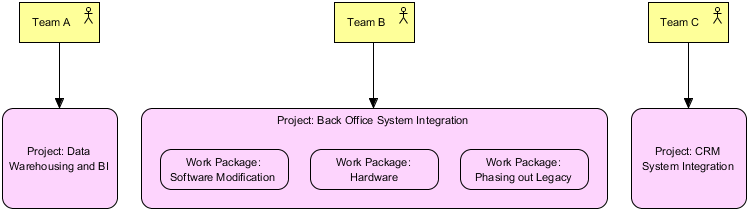
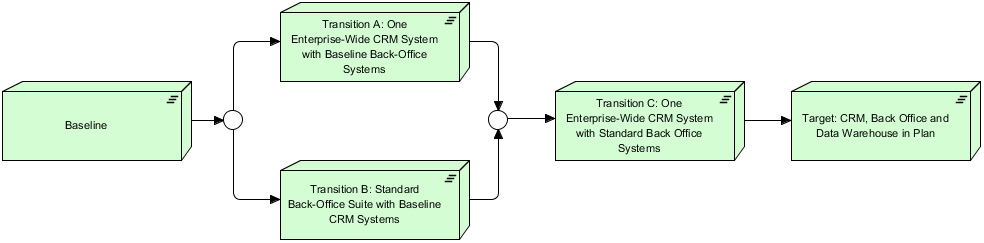
Project Viewpoint helped me scope work packages against architectural deliverables, while Migration Viewpoint visualized the journey from baseline to target state using Plateaus and Gaps.
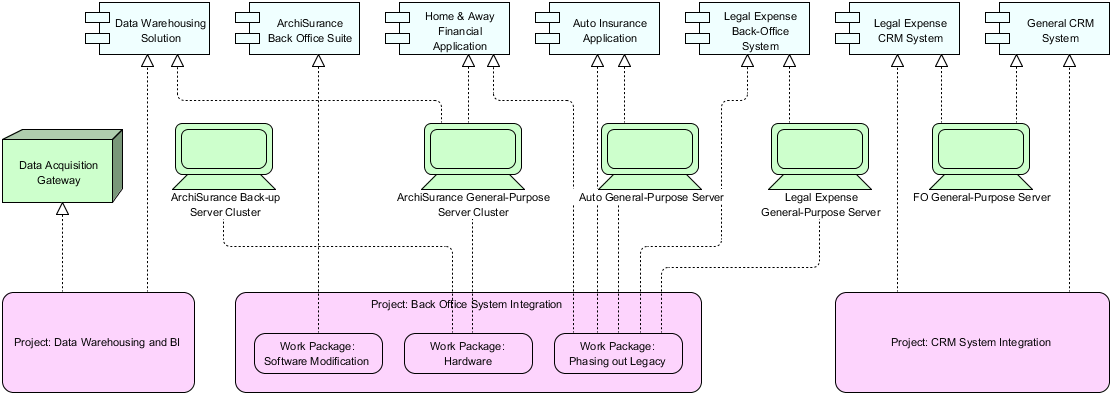
The comprehensive Implementation and Migration Viewpoint tied programs, projects, and architectural elements together—essential for portfolio-level governance.
AI in Action: Real-World Generation Examples
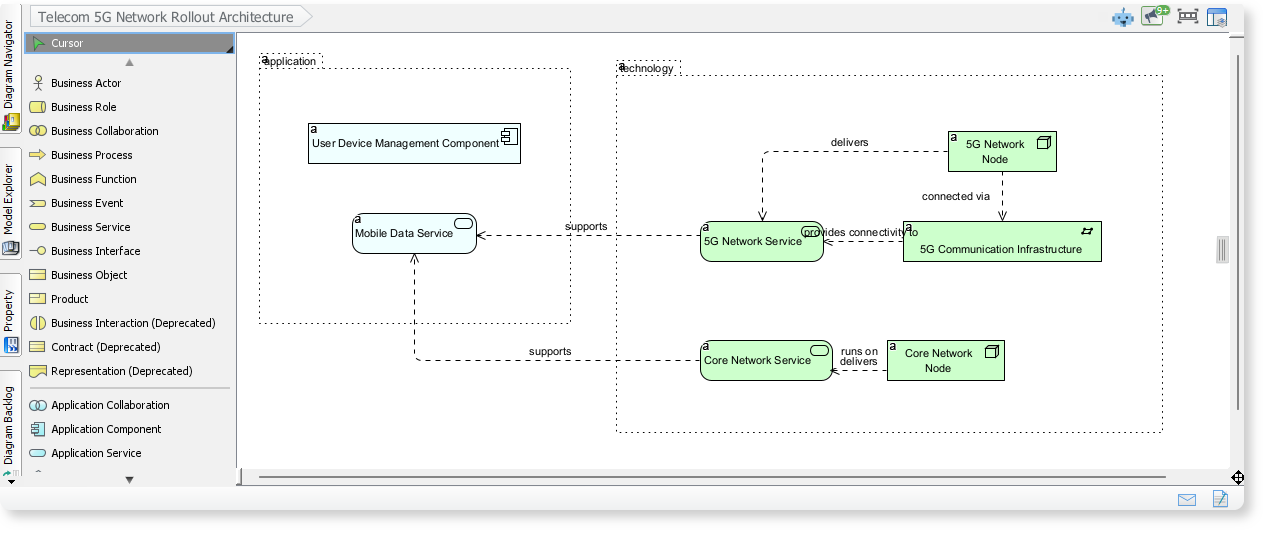
Telecom 5G Network Rollout
Prompt: “Generate an ArchiMate diagram for a 5G network rollout using the Layered Viewpoint.”
Result: A comprehensive model showing Strategy capabilities (network coverage goals), Business processes (customer provisioning), Application services (network orchestration), and Technology infrastructure (edge computing nodes). The AI correctly used realization relationships to show how lower layers enable higher-layer services.
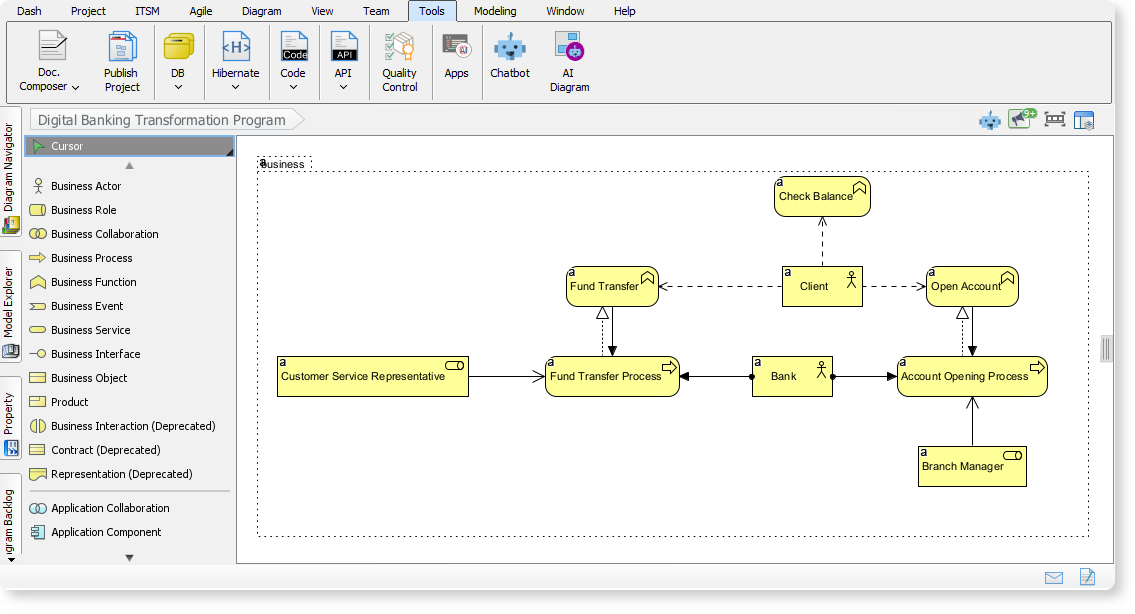
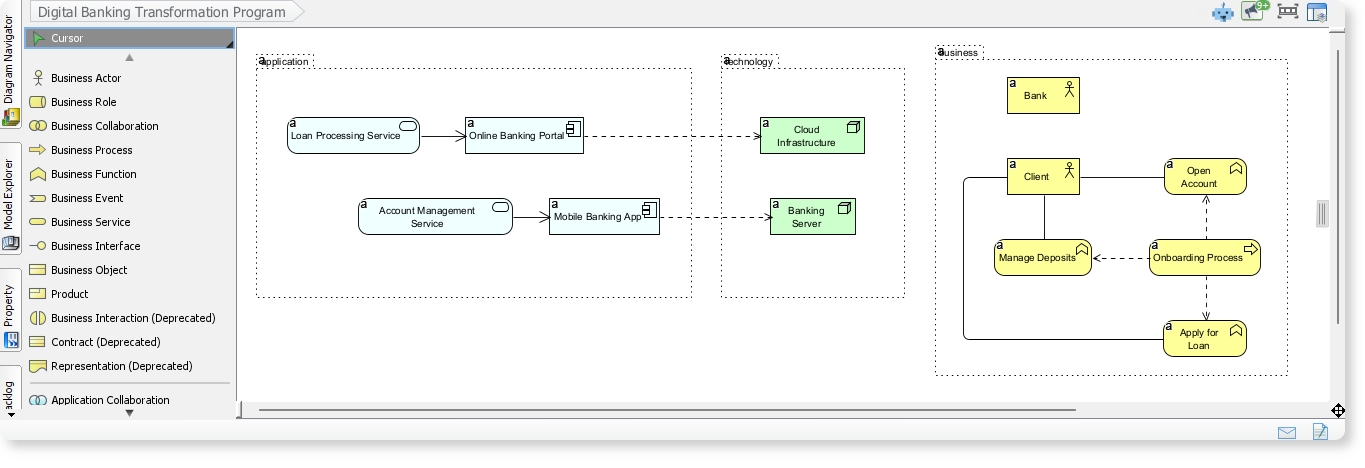
Digital Banking Transformation
Prompt: “Create a Product Viewpoint for a digital banking transformation program.”
Result: A customer-centric model linking Banking Products to underlying Business Services, Application Components, and Technology Services. The AI included Contracts and Value elements, making it immediately useful for product management workshops.
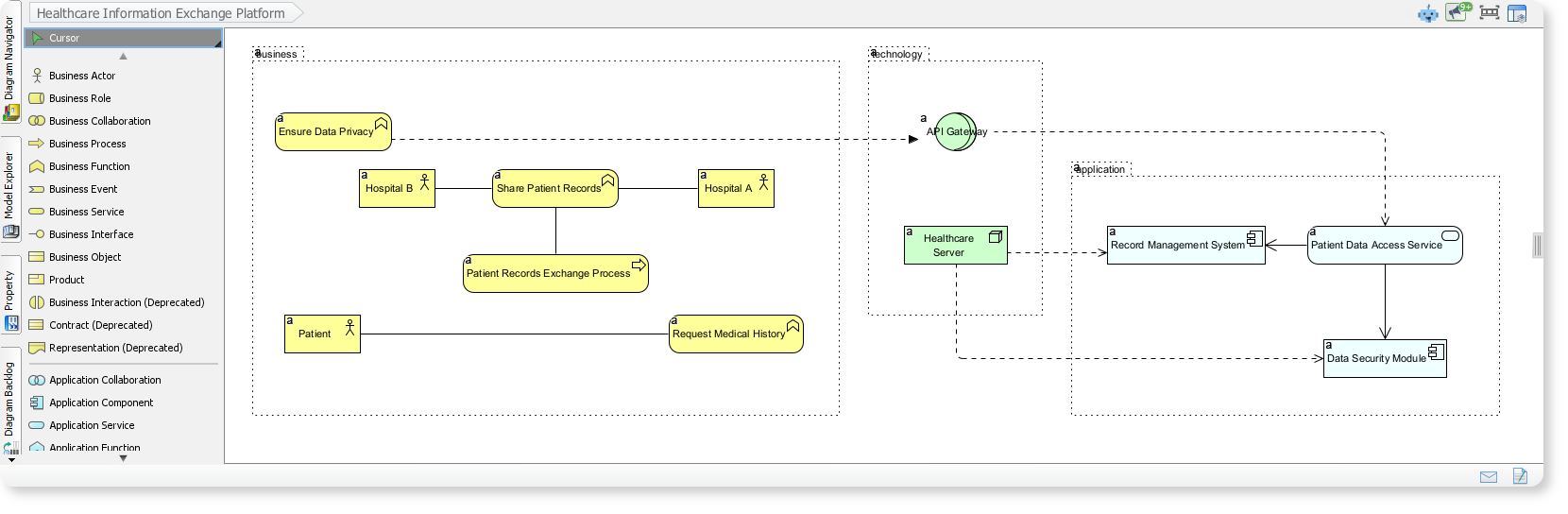
Healthcare Information Exchange
Prompt: “Model a healthcare information exchange platform using Application Cooperation Viewpoint.”
Result: A secure data-sharing architecture showing how Hospital Systems, Patient Portals, and Regulatory Services interact. The AI correctly modeled data privacy constraints and authentication flows—critical for healthcare compliance.
What Works Exceptionally Well
✅ Viewpoint Enforcement: The AI respects viewpoint boundaries. When I selected “Technology Usage,” it didn’t clutter the diagram with Business Layer elements unless explicitly relevant.
✅ Specification Compliance: Generated diagrams follow ArchiMate 3.1 syntax. Relationships like realization, assignment, and serving are used appropriately.
✅ Stakeholder Tailoring: The ability to specify audience (e.g., “for CIO presentation”) adjusts the level of detail and terminology automatically.
✅ Iterative Refinement: Using the AI Chatbot, I could say “Add a security layer to this diagram” or “Show the migration path” and get updated models without starting over.
✅ Documentation Generation: One-click reports summarizing elements, relationships, and viewpoint rationale saved hours of manual documentation.
Areas Requiring Human Oversight
⚠️ Business Logic Validation: The AI generates structurally correct models, but you must verify that relationships reflect actual business processes. I caught a few instances where service dependencies were technically valid but organizationally inaccurate.
⚠️ Custom Terminology: If your organization uses non-standard terms (e.g., “Value Stream” instead of “Business Process”), you’ll need to manually rename elements post-generation.
⚠️ Complex Constraint Modeling: Advanced rules (e.g., “This application can only serve processes in Region A”) require manual addition of constraints or notes.
⚠️ Visual Layout Polish: While the AI produces logically sound diagrams, you may want to adjust element positioning for presentation clarity.
Practical Tips for Getting the Most Value
-
Start Specific, Then Expand: Begin with focused prompts like “Show Application Cooperation for order management” before scaling to enterprise-wide models.
-
Leverage Viewpoint Selection: Always choose the viewpoint that matches your stakeholder audience—it dramatically improves relevance.
-
Use the Chatbot for Iteration: After initial generation, converse with the AI to refine: “Add risk elements to this Motivation Viewpoint” or “Highlight migration gaps.”
-
Validate with Domain Experts: Share AI-generated drafts with business analysts and technical leads early to catch logic gaps.
-
Maintain a Prompt Library: Save successful prompts for recurring scenarios (e.g., “cloud migration,” “product launch”) to accelerate future work.
The Bigger Picture: AI as a Collaborative Partner
After three months of use, I no longer view the AI ArchiMate Generator as a replacement for architectural thinking—it’s a force multiplier. It handles the mechanical aspects of diagram creation (element selection, relationship typing, viewpoint filtering) so I can focus on what humans do best: strategic judgment, stakeholder negotiation, and contextual adaptation.
The tool’s greatest strength isn’t speed alone; it’s consistency. Every generated diagram adheres to ArchiMate standards, reducing the cognitive load of remembering syntax rules. This consistency also improves collaboration—when every team member uses the same viewpoint conventions, communication friction decreases.
Conclusion
Visual Paradigm’s AI ArchiMate Generator represents a meaningful evolution in enterprise architecture tooling. For practitioners willing to embrace AI as a collaborative partner rather than a black-box solution, it delivers substantial productivity gains without sacrificing architectural rigor. The comprehensive support for all 23 official viewpoints, combined with intuitive prompt-based generation and iterative refinement capabilities, makes it a compelling choice for teams seeking to scale their architecture practice.
My recommendation: Start with a pilot project using one or two viewpoints. Measure time savings and stakeholder feedback. Then expand gradually, always maintaining human oversight for business logic validation. When used thoughtfully, this tool doesn’t just create diagrams faster—it helps architects communicate more effectively, align stakeholders more clearly, and deliver architectural value more consistently.
References
- AI ArchiMate Viewpoints Generator Release: Announcement of Visual Paradigm’s AI-powered ArchiMate diagram and viewpoints generation feature.
- Visual Modeling Tool Features: Overview of Visual Paradigm’s comprehensive visual modeling capabilities.
- ArchiMate Tools & Features: Detailed information about Visual Paradigm’s Open Group-certified ArchiMate modeling tools.
- AI ArchiMate Diagram Chat: Interactive AI chatbot interface for generating ArchiMate diagrams through natural language prompts.
- Enhanced AI Diagram Generator Update: Release notes covering improvements to AI diagram generation for ArchiMate and SysML.
- AI-Generated Cloud Migration ArchiMate Example: Practical example demonstrating AI-generated ArchiMate diagrams for cloud migration initiatives.
- What Makes Visual Paradigm’s AI Chatbot Different: Blog post explaining the unique capabilities of Visual Paradigm’s AI assistant compared to other diagram tools.
- Using ArchiMate Tool with TOGAF ADM: Guide on integrating Visual Paradigm’s ArchiMate tools with TOGAF Architecture Development Method.
This post is also available in Deutsch, Español, فارسی, Français, English, Bahasa Indonesia, 日本語, Polski, Portuguese, Ру́сский, Việt Nam, 简体中文 and 繁體中文.
Related posts:
 Automating Enterprise Architecture: AI-Powered TOGAF Success with Visual Paradigm
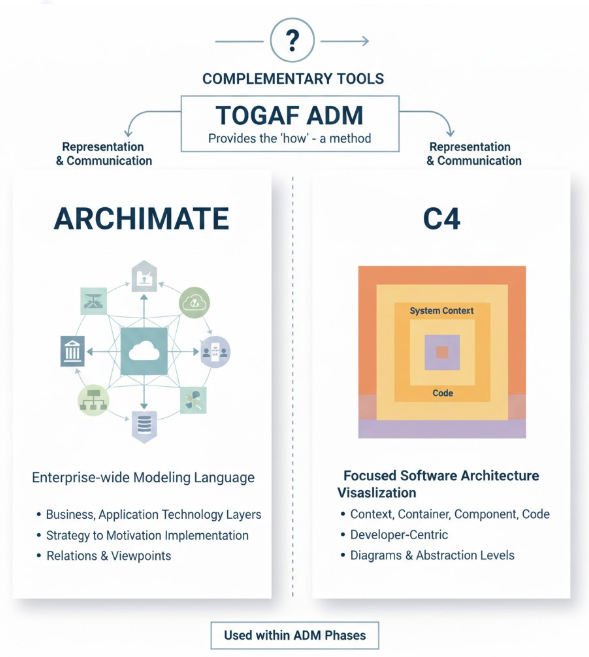 Unifying Enterprise Architecture: How Visual Paradigm Empowers TOGAF ADM, ArchiMate, and C4 with AI-Powered Intelligence
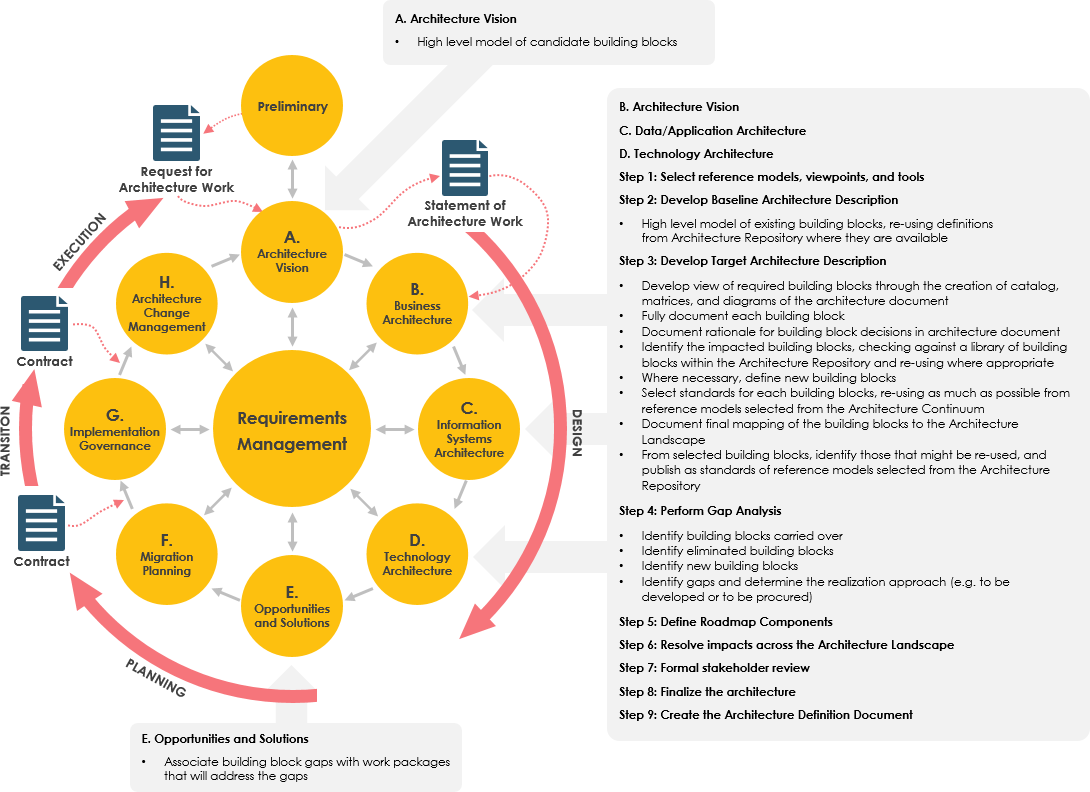 Streamline Enterprise Architecture with Visual Paradigm’s Intelligent AI TOGAF and ArchiMate Support
 Tutorial: Generating and Importing ArchiMate 4 Diagrams with Visual Paradigm’s AI Chatbot – A User Experience Review