


Introduction: Why Real-Time Collaboration Matters for Modern Teams
As someone who has tested dozens of documentation and collaboration platforms over the years, I’ve learned that the difference between a good tool and a great one often comes down to one thing: how seamlessly it handles multiple people working together. Too many platforms promise “real-time collaboration” but deliver laggy sync, confusing conflict resolution, or worse—lost work.
When I heard about the latest updates to Visual Paradigm OpenDocs, I was skeptical but intrigued. Could a documentation platform truly deliver frictionless, real-time teamwork without sacrificing structure or security? After spending two weeks putting the new features through their paces with my remote product team, I’m ready to share my honest experience. Spoiler: Visual Paradigm OpenDocs has raised the bar.
What Is Visual Paradigm OpenDocs? A Quick Refresher
Before diving into the new collaboration features, let’s clarify what OpenDocs actually is. In my experience, it’s best described as a “visual knowledge engine” that merges traditional documentation with professional diagramming capabilities. Instead of juggling separate tools for writing specs, creating flowcharts, and managing requirements, OpenDocs brings everything into a single, intuitive web interface.
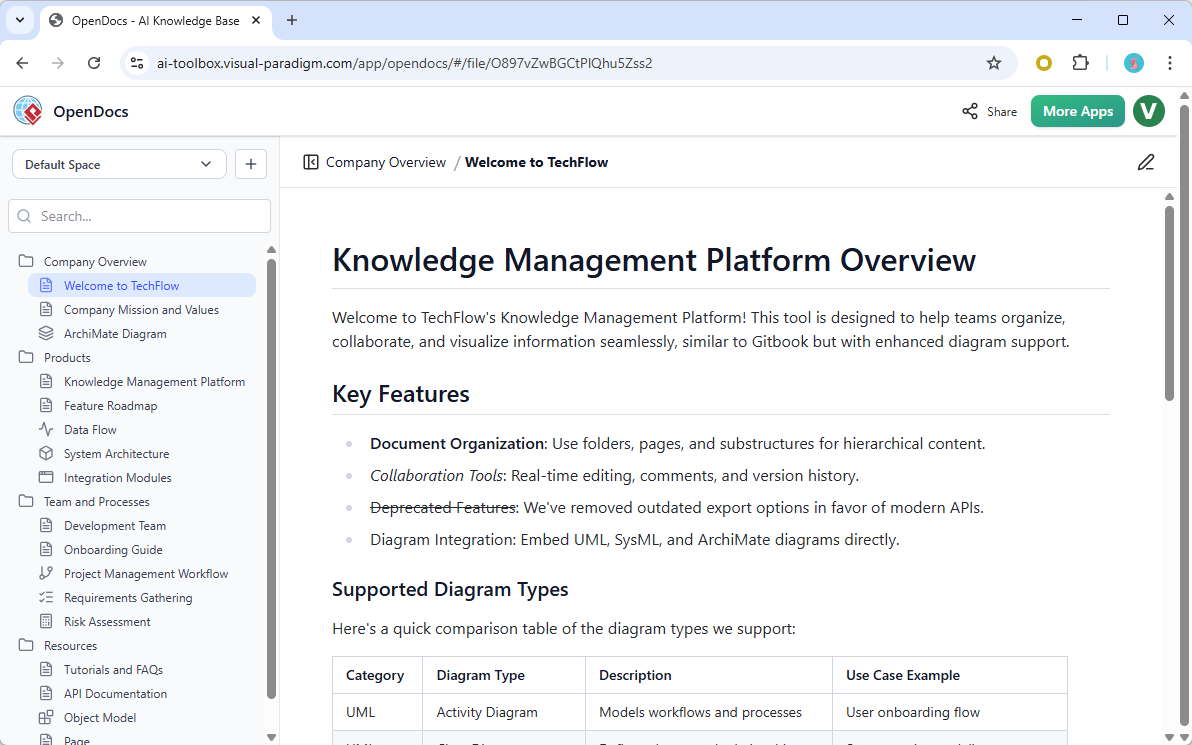
What sets it apart is the tight integration with Visual Paradigm’s modeling ecosystem. You can embed UML diagrams, mind maps, BPMN workflows, and more directly into your documentation—and even generate many of them using plain-language AI prompts. For teams managing complex projects, this eliminates the constant context-switching that drains productivity.
Extended Readings:
-
How to output the diagrams you created in Visual Paradigm Desktop to OpenDocs?
-
How to send your Visual Paradigm Online creations directly to OpenDocs?
What’s New: A User’s Perspective on the Latest Enhancements
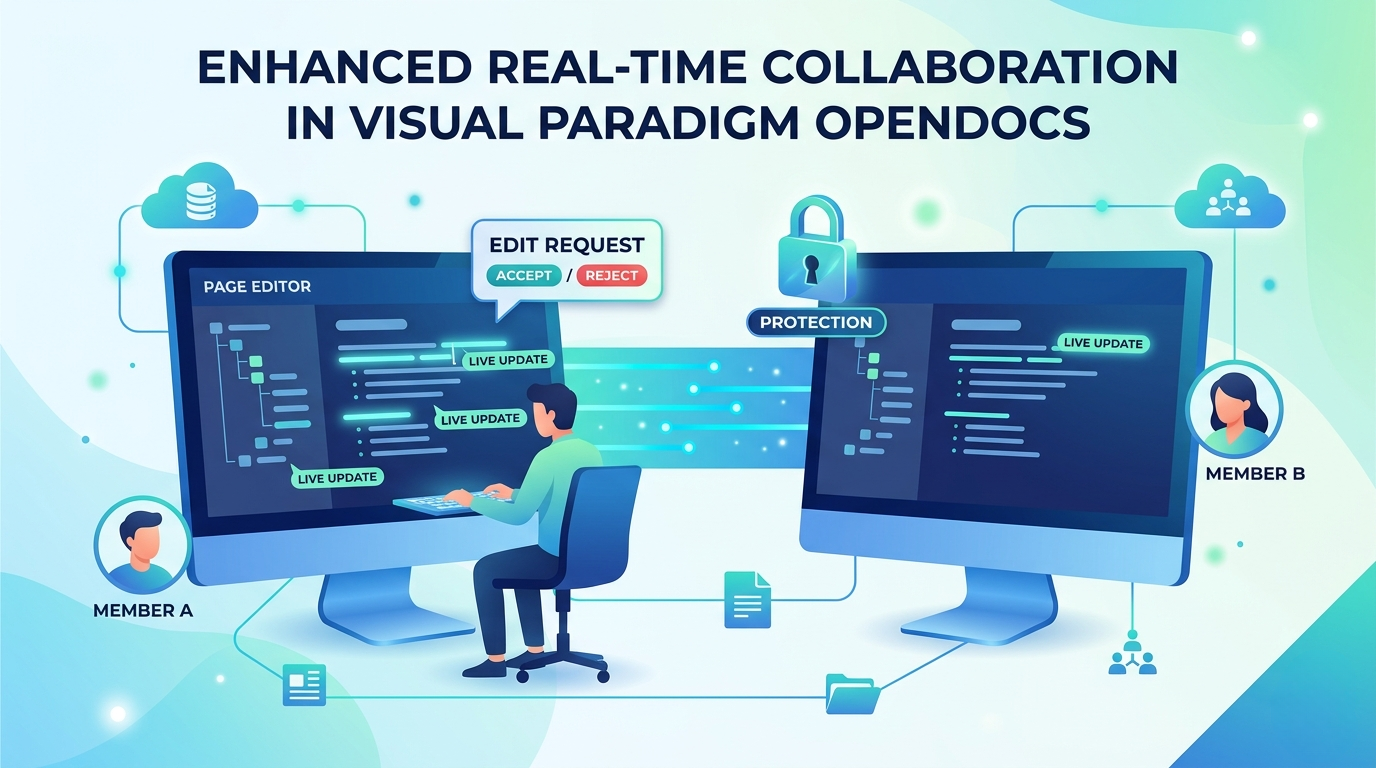
1. Instant Page-Level Synchronization: No More “Did You Save?”
The moment I opened a shared documentation page with two teammates, I noticed the difference. As one colleague added a bullet point, it appeared on my screen within seconds—no refresh button needed. When another teammate reformatted a section, the changes flowed in smoothly without disrupting my own edits elsewhere on the page.
This isn’t just a minor quality-of-life improvement. In past projects, I’ve lost hours reconciling “final_v3_revised_FINAL.docx” versions. With OpenDocs’ real-time sync, everyone sees the same living document. It feels less like passing notes and more like standing around a shared whiteboard.
2. Dynamic Structure and Tree Updates: Keeping Everyone on the Same Page
One of my favorite workflow improvements is how structural changes propagate instantly. When our team lead reorganized the project documentation tree—adding a new “Sprint Retrospectives” folder and moving user stories into epics—those changes appeared in my sidebar immediately. No need to manually refresh or wonder if I’m looking at an outdated hierarchy.
For distributed teams working across time zones, this eliminates a subtle but real source of confusion. Everyone navigates the same up-to-date project map, reducing miscommunication and redundant work.
3. Advanced Editing Protection: Smart Conflict Resolution That Respects Your Work
Perhaps the most thoughtful addition is the editing rights protection system. Here’s how it worked in practice:
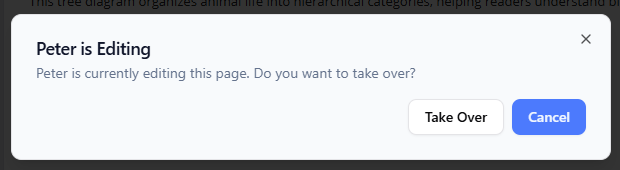
When I tried to edit a page that a teammate was already working on, OpenDocs didn’t just block me or create a chaotic merge conflict. Instead, I saw a clear prompt to request access.
My teammate received a non-intrusive notification asking whether to grant me editing rights. They could accept immediately, decline with a note, or ask me to check back in 30 seconds—giving them time to finish a thought or save their progress.
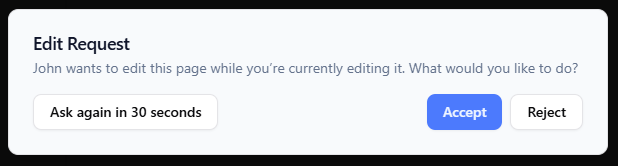
This workflow strikes an excellent balance between collaboration and control. It prevents accidental overwrites while maintaining team fluidity. In my testing, the entire request-grant cycle took less than 15 seconds, and the clear visual cues made the process feel collaborative rather than bureaucratic.
4. Unified Workspace Integrity: Confidence That Your Work Is Safe
Under the hood, OpenDocs now tracks changes at a granular level—by page and by structural element. What this means for users: you can confidently work on Section A while a colleague updates Section B, and neither of you will interfere with the other’s progress. The system intelligently isolates concurrent edits, preserving workspace stability.
For teams managing large, evolving documentation sets, this architectural improvement translates to fewer surprises and more trust in the platform. I no longer hesitate to make edits knowing the system has my back.
My Verdict: Who Should Consider OpenDocs?
After two weeks of daily use, here’s my honest assessment:
OpenDocs shines for:
-
Remote or hybrid teams documenting complex systems, software requirements, or business processes
-
Organizations already using Visual Paradigm’s modeling tools who want a unified knowledge hub
-
Teams that value visual communication and want diagrams deeply integrated with narrative content
-
Projects where documentation accuracy and version control are non-negotiable
Consider alternatives if:
-
Your team primarily needs simple text docs without visual modeling capabilities
-
You require advanced version branching or audit trails beyond what OpenDocs currently offers
-
Your workflow depends heavily on third-party integrations not yet supported
The learning curve is gentle, especially for users familiar with Visual Paradigm’s ecosystem. New users may need a short onboarding session to leverage the AI diagram generation features fully, but the core documentation experience is intuitive from day one.
Conclusion: A Meaningful Step Forward for Collaborative Documentation
Visual Paradigm OpenDocs’ latest updates aren’t just incremental tweaks—they represent a thoughtful reimagining of how teams can co-create documentation without friction. The real-time synchronization feels genuinely instantaneous, the structural updates keep everyone aligned, and the editing protection system handles concurrency with grace and respect for individual workflow.
What impressed me most wasn’t any single feature, but how they work together to create a cohesive experience. OpenDocs doesn’t just let multiple people edit a document; it fosters a shared sense of ownership and momentum. For teams tired of version chaos and collaboration bottlenecks, this platform deserves serious consideration.
If you’re evaluating documentation tools for your next project, I recommend giving OpenDocs a hands-on trial. The future of team knowledge management isn’t just about storing information—it’s about enabling people to build understanding together, in real time. OpenDocs is moving decisively in that direction.
Ready to explore it yourself?
Launch Visual Paradigm OpenDocs Now
References
- Visual Paradigm OpenDocs Features: Official overview of OpenDocs capabilities, including AI-powered diagramming, structured knowledge trees, and team collaboration tools.
- Visual Paradigm OpenDocs Demo Video: YouTube walkthrough demonstrating key OpenDocs workflows and interface features.
- The Complete Guide to AI-Powered Knowledge Management with OpenDocs: In-depth third-party guide covering setup, best practices, and advanced use cases for OpenDocs.
- Beyond Notes and Diagrams: A Hands-On Review of OpenDocs: Practical review evaluating OpenDocs as a unified knowledge hub for technical and business teams.
- OpenDocs Tool Page: Direct access point for launching the OpenDocs application and exploring its AI-powered documentation environment.
- Sync AI Diagrams to OpenDocs: Pipeline Guide: Step-by-step tutorial for exporting and synchronizing diagrams from Visual Paradigm Desktop into OpenDocs.
- Real-Time Collaboration Update Release Notes: Official announcement detailing the new synchronization, structure updates, and editing protection features covered in this review.
- OpenDocs: AI-Powered Knowledge Platform Announcement: Foundational release post introducing OpenDocs’ vision as a central repository for visual knowledge management.
This post is also available in Deutsch, Español, فارسی, Français, English, Bahasa Indonesia, 日本語, Polski, Portuguese, Ру́сский, Việt Nam, 简体中文 and 繁體中文.
Related posts:
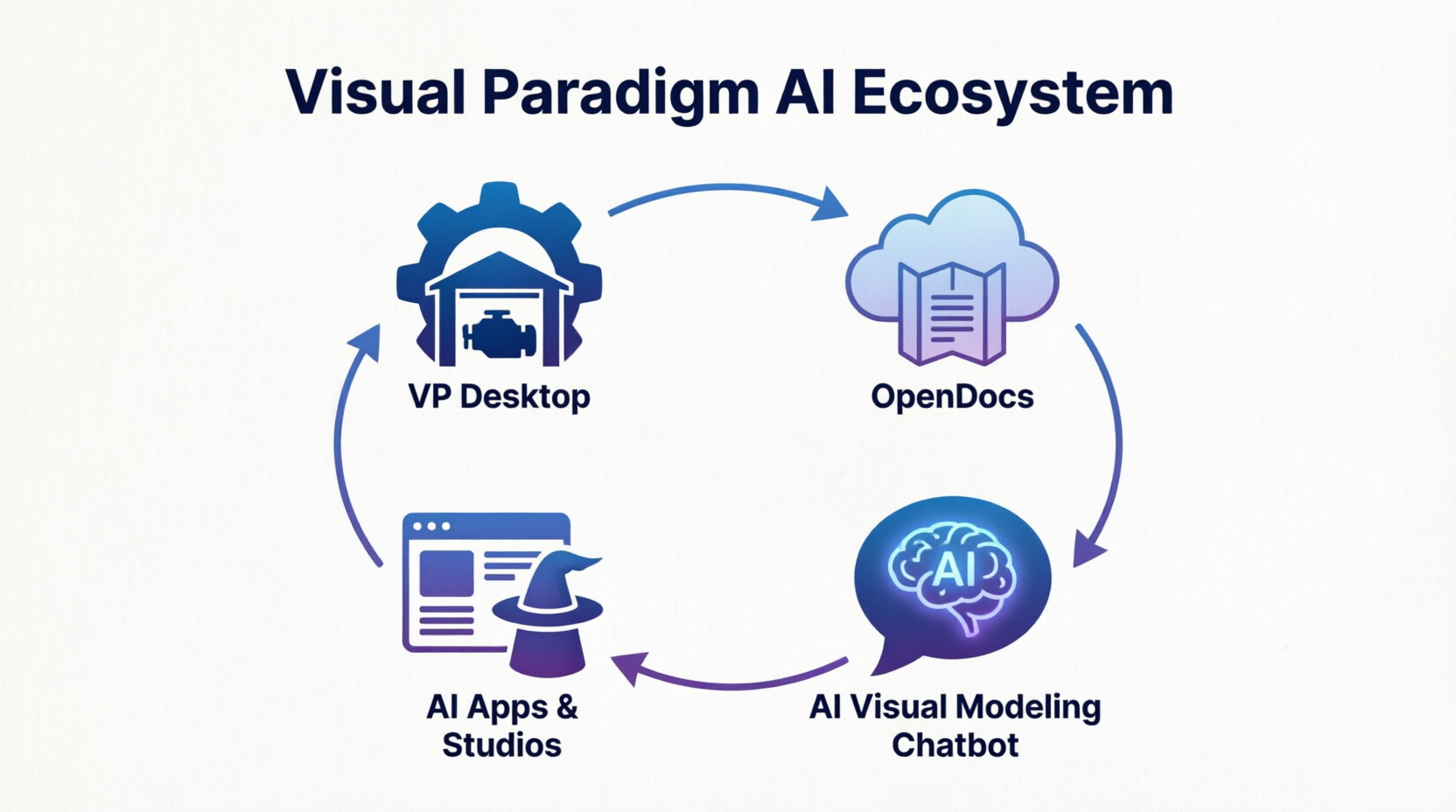 The Visual Paradigm AI Ecosystem: A Comprehensive Guide to the Four Pillars of Modern Modeling
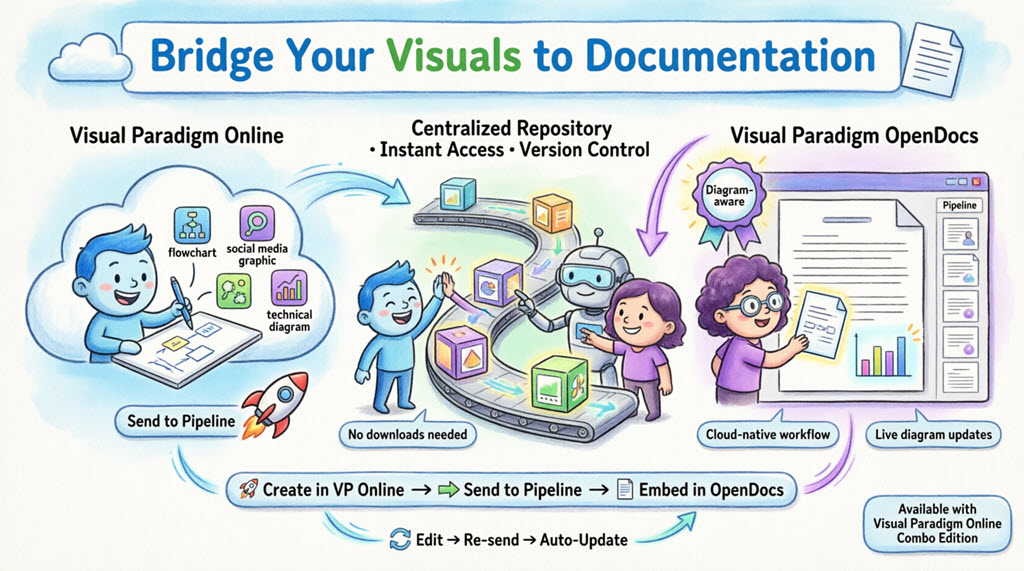 Complete Guide: Sending Visual Paradigm Creations to OpenDocs via Pipeline
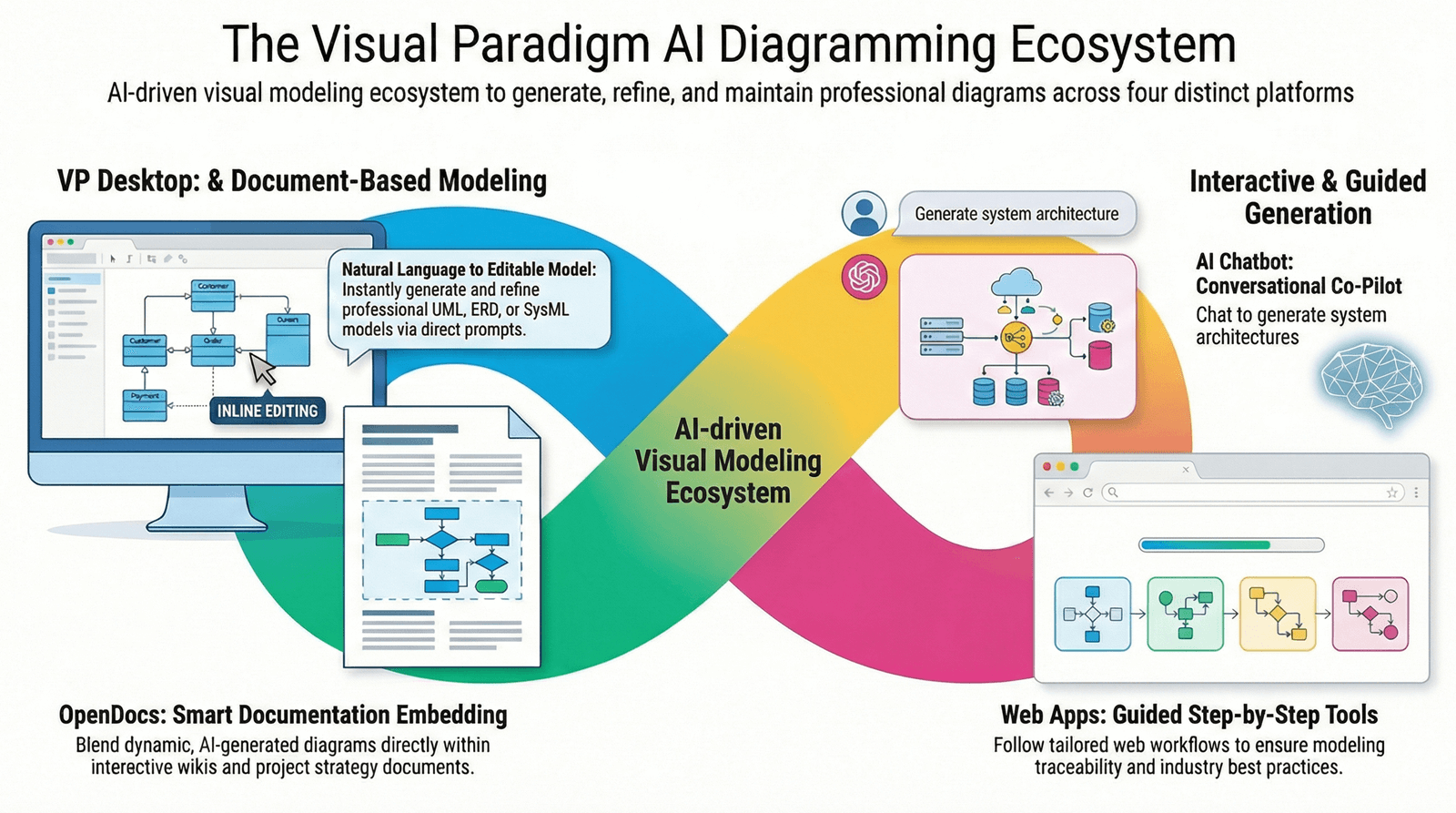 Visual Paradigm OpenDocs: The Complete Guide to AI-Powered Knowledge Management
 & Documentation
Visual Paradigm OpenDocs: The Complete Guide to AI-Powered Knowledge Management
Visual Paradigm OpenDocs: The Complete Guide to AI-Powered Knowledge Management & Documentation