Introduction
In modern software engineering, documentation often lags behind implementation. Traditional drag-and-drop diagramming tools create static artifacts that become obsolete the moment code changes, leading to a disconnect between architectural intent and actual system behavior. VPasCode, developed by Visual Paradigm, addresses this friction by bringing Diagram-as-Code (DaC) directly into the browser.
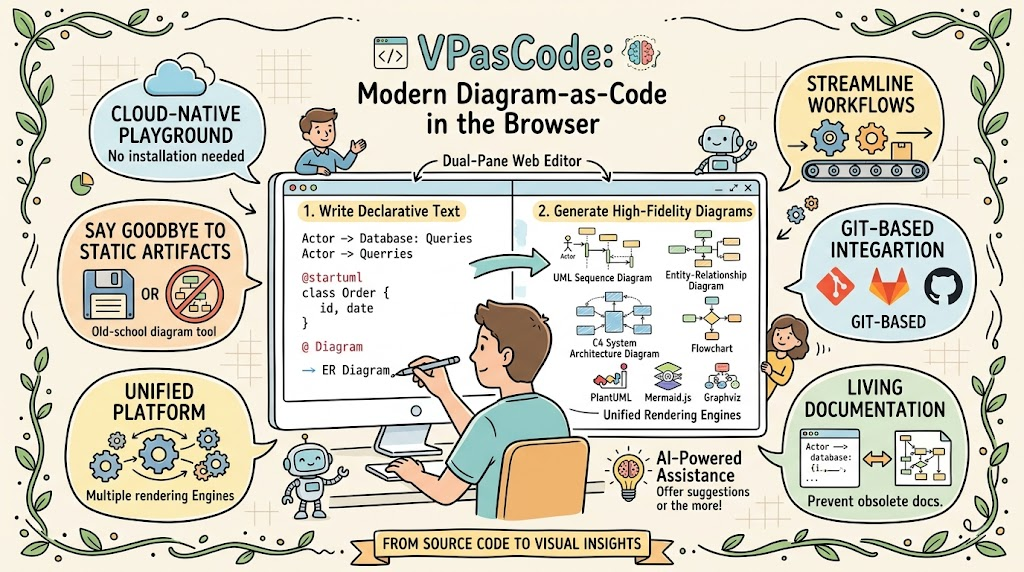
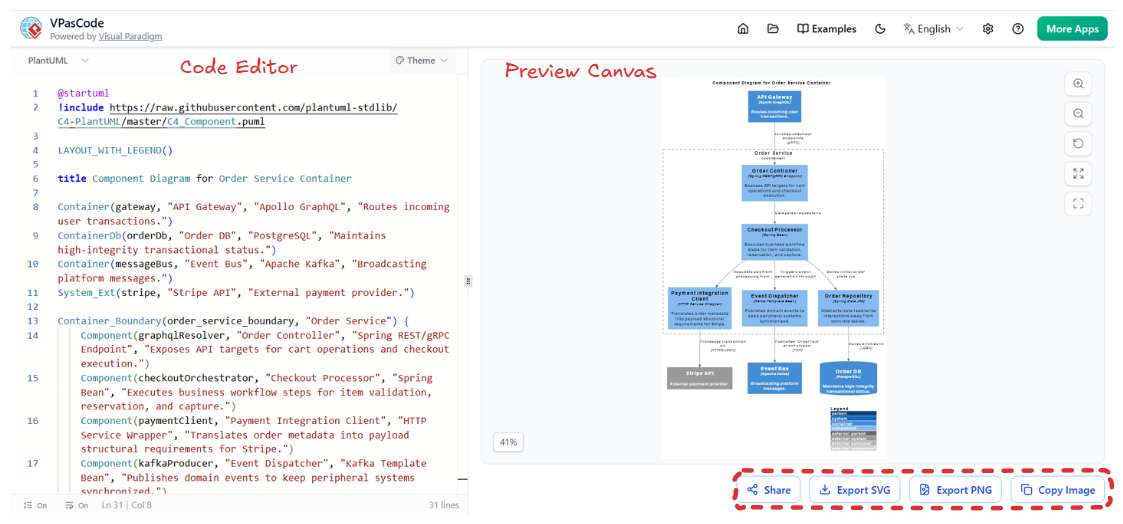
VPasCode is a zero-installation, cloud-native playground that allows engineers to generate high-fidelity UML, ERDs, and system architecture diagrams using declarative text. Unlike legacy tools requiring local Java runtimes or complex IDE plugins, VPasCode unifies multiple rendering engines (PlantUML, Mermaid.js, Graphviz) and adds AI-powered assistance into a single dual-pane interface. This guide explores how VPasCode transforms source code into living documentation, streamlines database modeling, and integrates seamlessly into Git-based workflows.
Key Concepts
Before diving into specific workflows, it is essential to understand the core pillars that differentiate VPasCode from standard text-to-diagram converters:
-
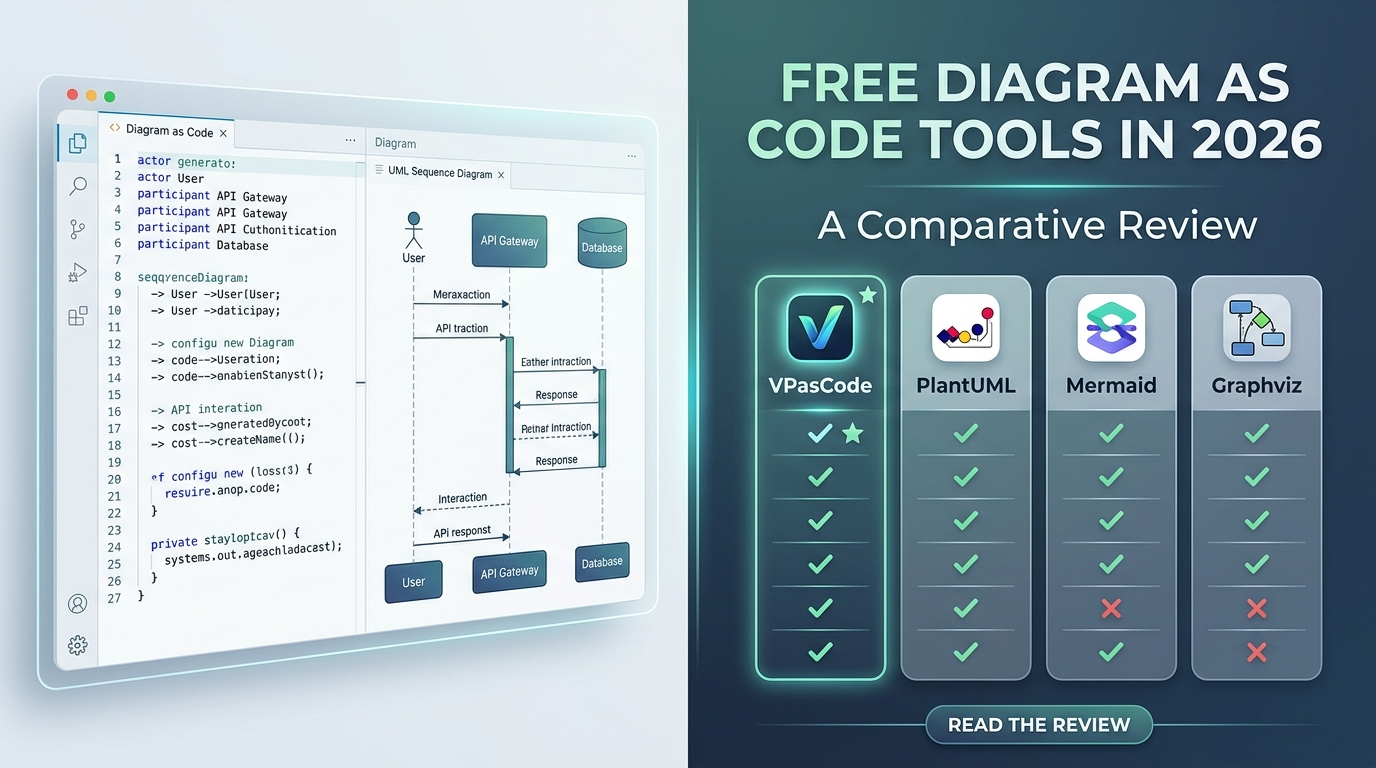
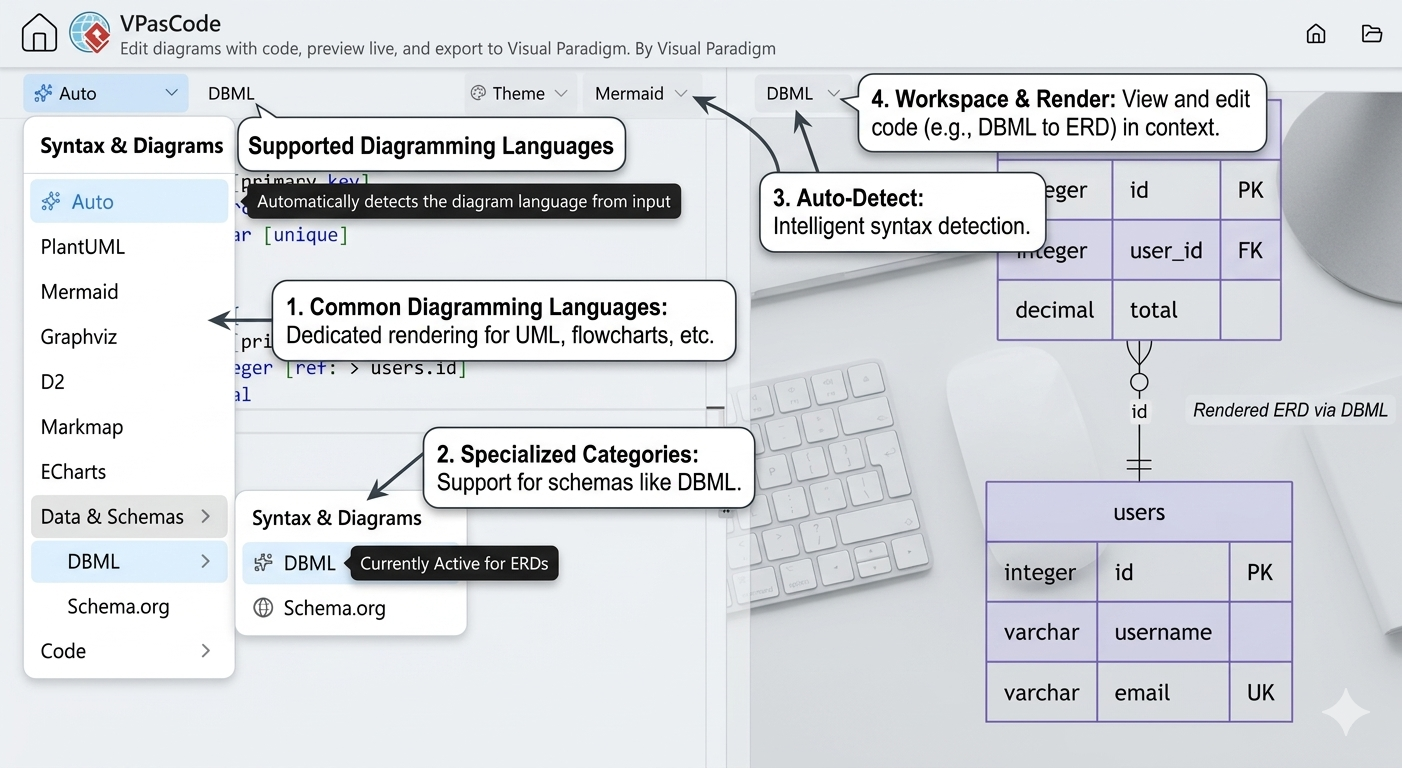
True Multi-Engine Unity: Rather than forcing a single syntax, VPasCode acts as a universal host for PlantUML, Mermaid.js, and Graphviz. It includes smart auto-detection that identifies mismatched syntax and prompts users to switch engines instantly without breaking execution.
-
Reverse Engineering as a First-Class Feature: The platform does not just render markup; it parses raw source code (Java, C#, Python, Go, etc.) and SQL/DBML scripts to automatically generate visual class diagrams and entity-relationship models.
-
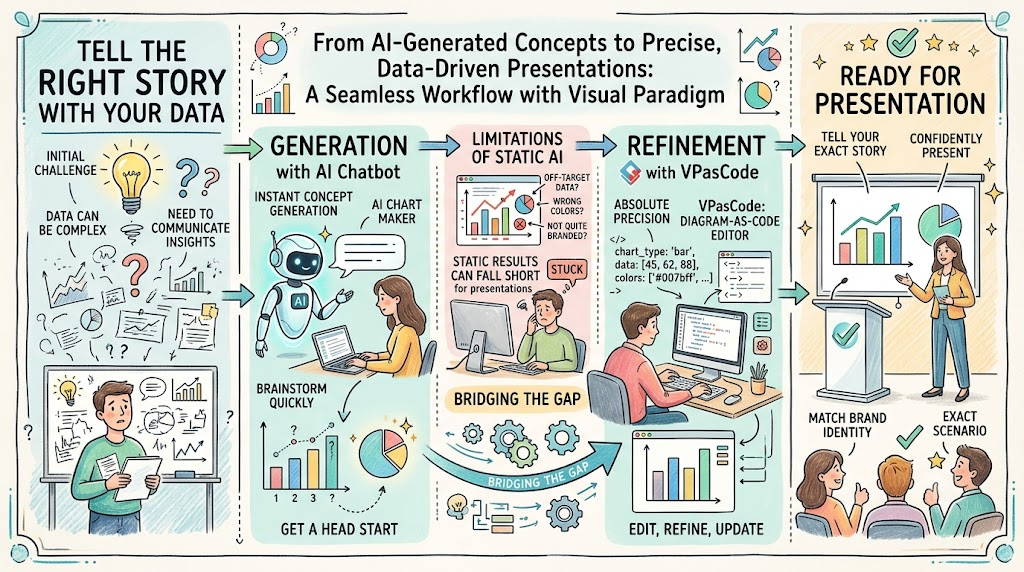
AI-Augmented Editing Loop: Integrated AI handles syntax healing (auto-fixing broken code) and label translation, reducing the cognitive load of memorizing engine-specific grammar and enabling cross-border team collaboration.
-
Living Documentation via Git: Because diagrams are plain text, they can be version-controlled, peer-reviewed in pull requests, and stored alongside application code, ensuring documentation evolves synchronously with the software.
-
Zero-Friction Sharing: Outputs are not locked in proprietary formats. Users can export to SVG/PNG or generate shareable web URLs containing encoded diagram state for instant embedding in Jira, Slack, or wikis.
Comprehensive Guide to VPasCode Workflows
1. Unified Text-to-Diagram Editing
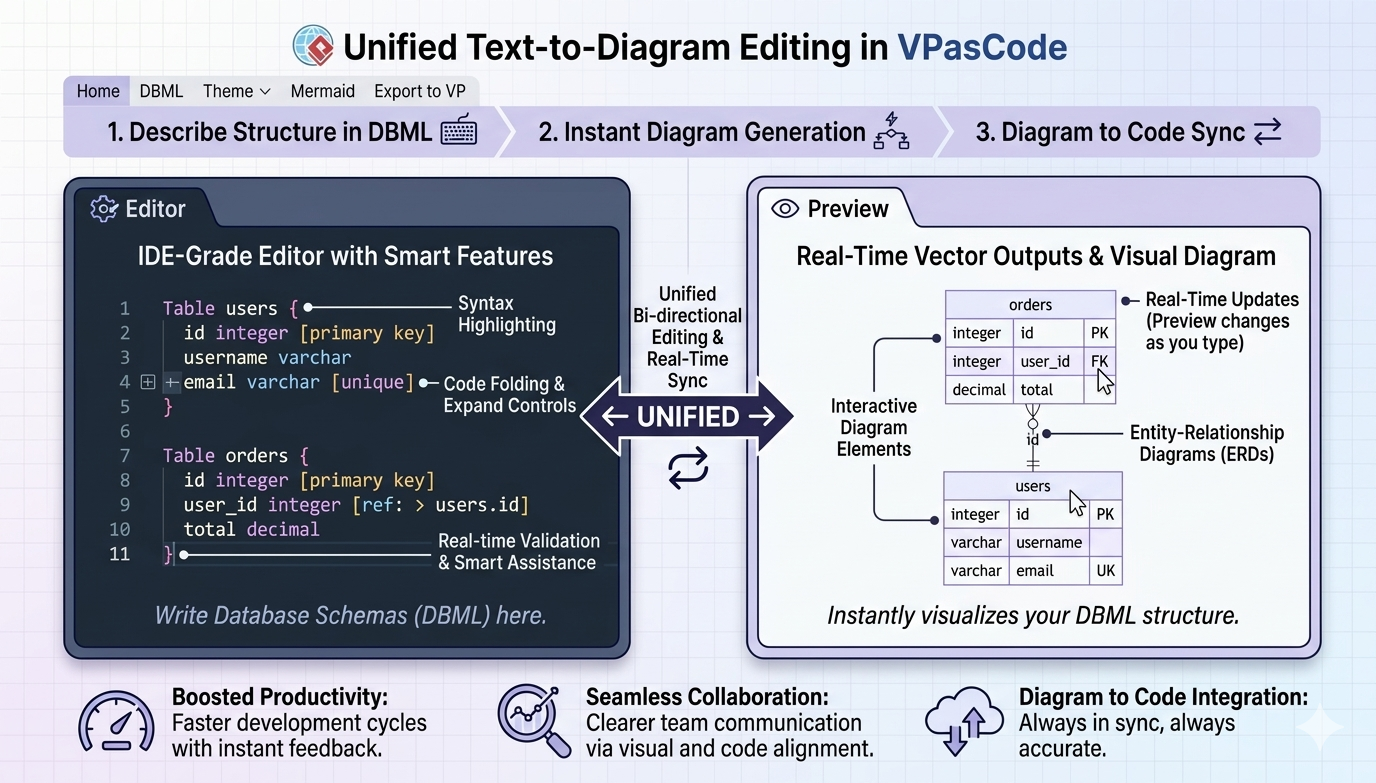
The core editing experience uses a responsive dual-panel layout. The left pane provides an IDE-grade editor with syntax highlighting, folding, and validation, while the right pane renders vector outputs in real-time.
Example: Smart Engine Auto-Detection
If you paste a Mermaid flowchart while the editor is set to PlantUML, VPasCode detects the syntax mismatch. Instead of throwing a cryptic error, it displays a contextual “Wrong Diagram Type?” warning. A single click switches the compiler to Mermaid.js and renders the diagram correctly.
2. Reverse Engineering Source Code to UML
VPasCode eliminates manual transcription of code structures. You can paste raw object-oriented source code directly into the playground to generate UML Class Diagrams.
-
Supported Languages: Java, TypeScript, C#, Python, C++, PHP, Go, Rust, Kotlin, Swift.
-
Mechanism: The parser isolates classes, interfaces, methods, variables, and inheritance relationships, then automatically wires them into a spatially organized diagram.
Example: C# to Class Diagram
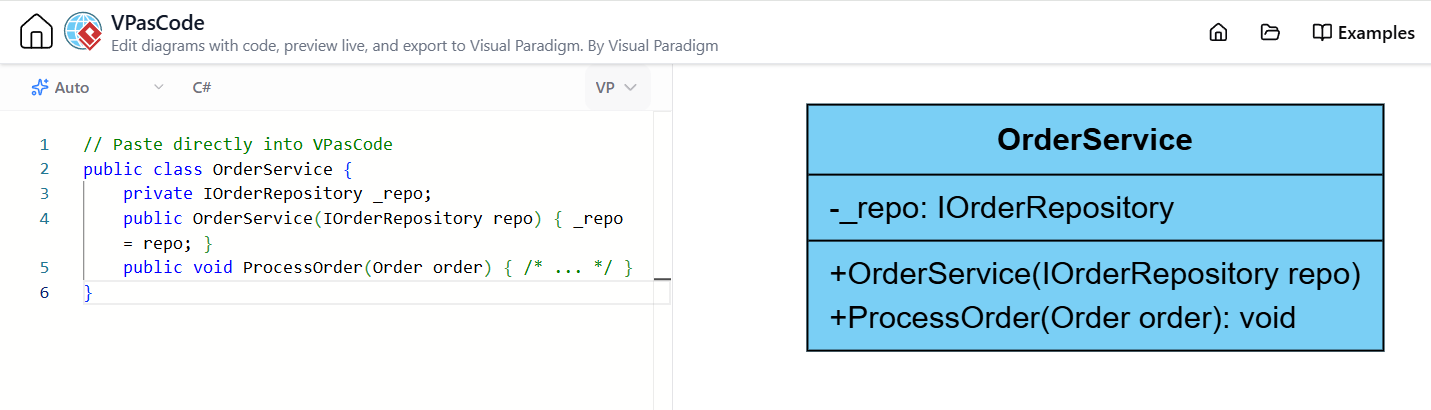
// Paste directly into VPasCode
public class OrderService {
    private IOrderRepository _repo;
    public OrderService(IOrderRepository repo) { _repo = repo; }
    public void ProcessOrder(Order order) { /* ... */ }
}
Result: VPasCode generates a UML class box for OrderService showing the dependency on IOrderRepository and the ProcessOrder method, complete with visibility modifiers.
3. Database Visualization via DBML and SQL
Data architecture is often buried in migration scripts. VPasCode converts database definitions into interactive Entity-Relationship Diagrams (ERDs).
-
DBML Support: Native rendering of Database Markup Language for clean schema visualization.
-
Live SQL Rendering: Paste DDL statements to visualize tables, foreign keys, and cardinalities instantly.
Example: DBML Schema
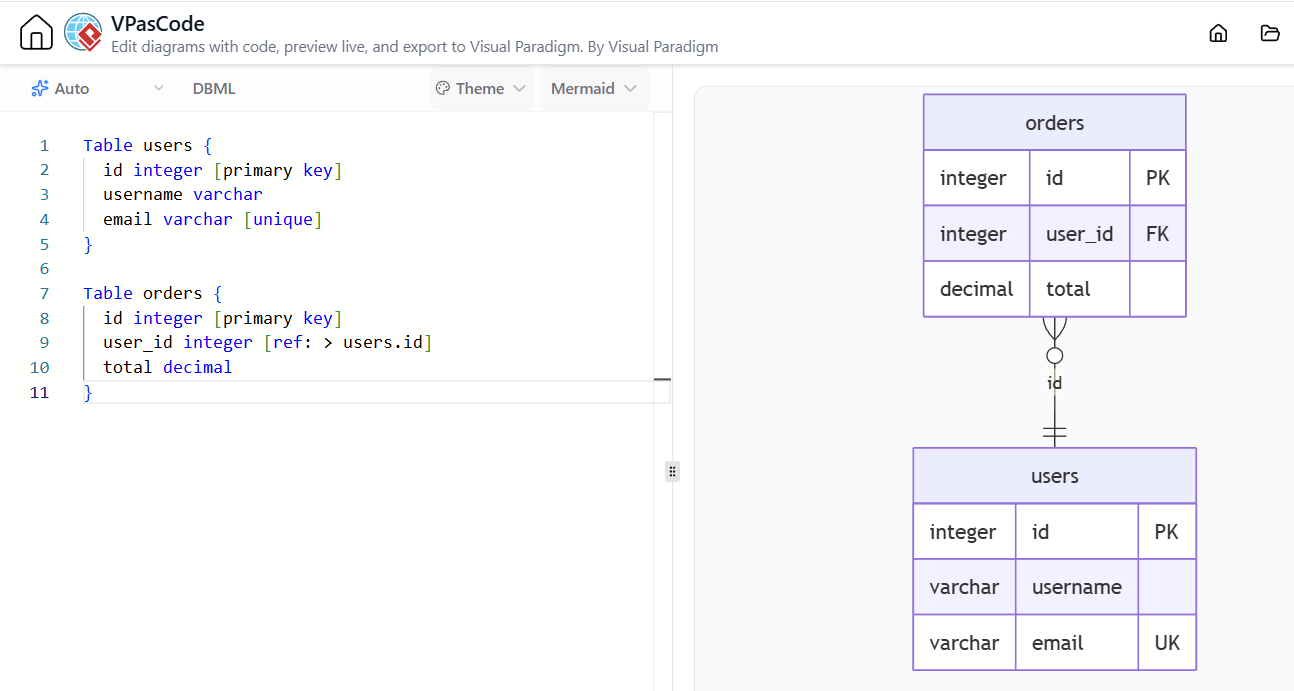
Table users {
  id integer [primary key]
  username varchar
  email varchar [unique]
}

Table orders {
  id integer [primary key]
  user_id integer [ref: > users.id]
  total decimal
}
Result: An ERD showing users and orders tables with a one-to-many relationship line connecting user_id to users.id.
4. AI-Powered Assistance and Localization
VPasCode integrates AI directly into the editing workflow to reduce syntax friction:
-
Syntax Healing: If you mistype a PlantUML arrow (
-->vs->) or miss a closing bracket, the AI diagnostic framework suggests one-click fixes.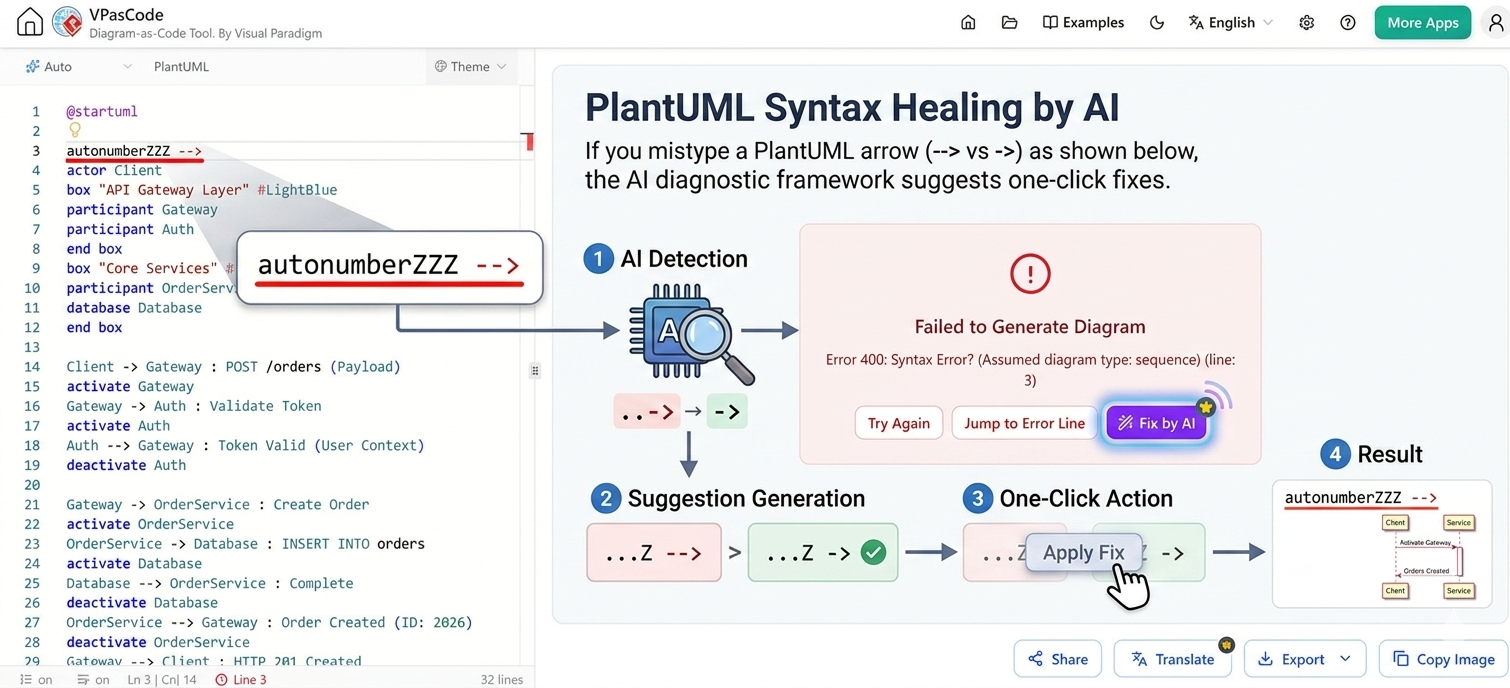
-
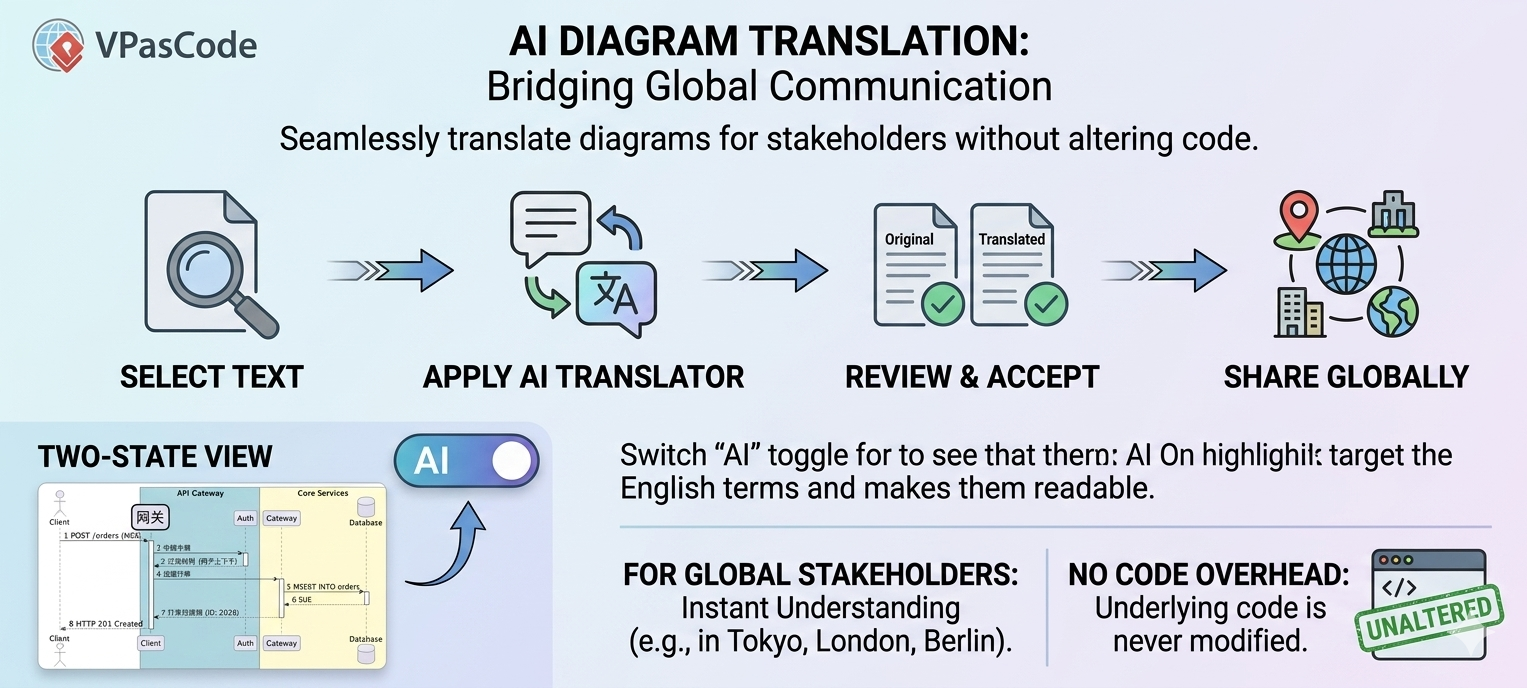
Label Translation: Select diagram text and use the AI translator to convert labels into foreign languages, facilitating documentation for global stakeholders without altering the underlying code structure.
5. Export and Integration
Diagrams created in VPasCode are designed for distribution:
-
Shareable Links: Generate a URL encoding the diagram state. Recipients can view and edit the diagram without creating an account.
-
Vector Exports: Download SVG files for infinite scaling in technical documentation or PNG for quick chat/presentation use.
-
Git Compatibility: Store
.puml,.mmd, or.dbmlfiles in your repository. Use CI/CD pipelines to auto-generate updated diagram images on every commit.
Conclusion
VPasCode represents a shift from treating diagrams as disposable artifacts to treating them as maintainable, version-controlled assets. By combining multi-engine support, direct source-code reverse engineering, and AI-assisted editing in a browser-based environment, it removes the traditional barriers to entry for Diagram-as-Code. Whether you are documenting a legacy monolith, designing a new microservice architecture, or mapping database schemas, VPasCode provides a unified, frictionless platform that keeps your visual documentation synchronized with your codebase.
References
- Comprehensive Guide to VPasCode by Visual Paradigm: Official in-depth guide covering all VPasCode features, syntax support, and use cases.
- Visual Paradigm Unified Platform: Overview of the cloud-native ecosystem hosting VPasCode and related modeling tools.
- VPasCode Feature Review: Ultimate DaC Solution: Third-party review analyzing VPasCode’s multi-engine architecture and team collaboration benefits.
- Welcome to VPasCode Documentation: Official getting-started documentation explaining the dual-pane interface and engine support.
- Redefining Diagram-as-Code in 2026: Blog post discussing VPasCode’s role in modern DevOps and documentation workflows.
- 60-Second VPasCode Quickstart Guide: Rapid onboarding tutorial for generating first diagrams in under a minute.
- VPasCode Official Playground: Direct link to the browser-based editor for live testing and diagram generation.
- Visualize C# Code as UML Class Diagram: Release notes detailing C# reverse engineering capabilities and parser improvements.
- Visualize Go Code as UML Class Diagram: Update announcement for Go language support in source-to-diagram conversion.
- C# to UML Class Diagram Update: Specific feature update enhancing C# parsing accuracy and relationship mapping.
- VPasCode Features Overview: Product page summarizing key capabilities including AI tools and export options.
- VPasCode Code Documentation: Technical reference for supported code syntaxes and reverse engineering parameters.
- VPasCode Knowledge Base: Centralized knowledge base with tutorials, troubleshooting, and best practices.
- From Concept to Code: AI-Enhanced ERD Tools: External guide focusing on VPasCode’s database modeling and AI-assisted ERD generation.
- Java Code to UML Class Diagram Release: Release notes covering Java source code parsing and class diagram automation.
This post is also available in Deutsch.