


Introduction
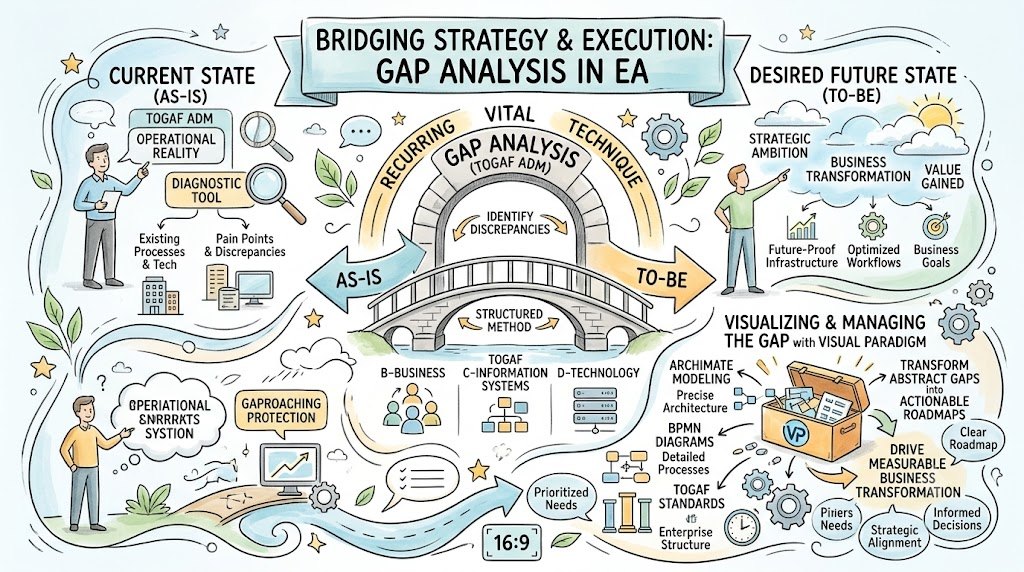
While TOGAF provides the overarching framework, Business Process Management (BPM) offers the tactical methodology for improving specific workflows. The standard BPM lifecycle follows the DMEMO model:
-
Design: Define “As-Is” and “To-Be” processes.
-
Model: Analyze processes, perform simulations, and compare options.
-
Execute: Implement improvements.
-
Monitor: Track metrics (SLAs, defect rates).
-
Optimize: Iterate for continuous improvement.
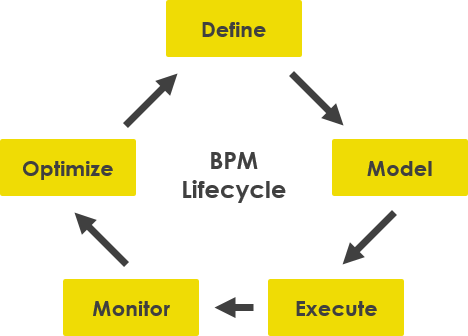
How to Define “As-is” and “To-be” Modeling with BPMN?
Business Process Modeling Notation (BPMN) is the standard for illustrating processes. It allows both business and IT stakeholders to visualize workflows clearly.
-
As-Is Model: Represents the current state, including inefficiencies and manual steps.
-
To-Be Model: Represents the future state with improvements, automation, or new roles incorporated.
Comparing these two models reveals process gaps, which are critical for business process reengineering.
How to Apply “As-is” and “To-be” Analysis: An Online Shop Example
1. Capture the Current Process (As-Is)
Consider an online shop where a sales representative manually handles orders.
Process Flow:
-
Sales rep receives purchase order.
-
Checks stock level manually.
-
If stock is sufficient: Packs items and ships with invoice.
-
If stock is insufficient: Contacts customer to amend order.
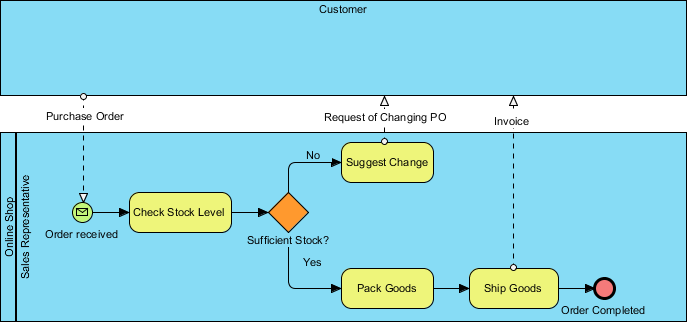
Gap Identified: Manual stock checking is slow and error-prone. No automated warehouse integration.
2. Create Improvement Actions (To-Be)
As the business grows, a warehouse is introduced. The process is redesigned to leverage this new resource.
Improved Process Flow:
-
Order received via web portal.
-
System automatically checks warehouse inventory.
-
If stock is sufficient: Warehouse system generates pick-list; items are packed and shipped automatically.
-
If stock is insufficient: System automatically notifies customer and suggests alternatives.
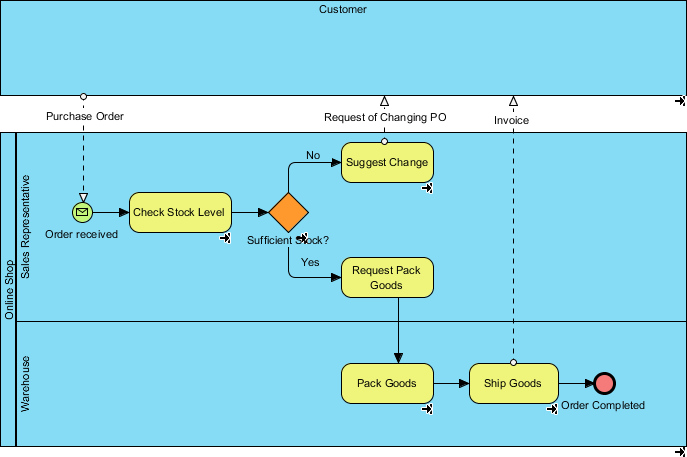
Gap Closed: Automation reduces manual effort, speeds up fulfillment, and improves accuracy.
Leveraging Visual Paradigm for TOGAF, BPMN, ArchiMate, and Gap Analysis
Visual Paradigm is a comprehensive modeling tool that supports multiple standards, making it ideal for executing TOGAF ADM with integrated Gap Analysis.
Key Features for Gap Analysis
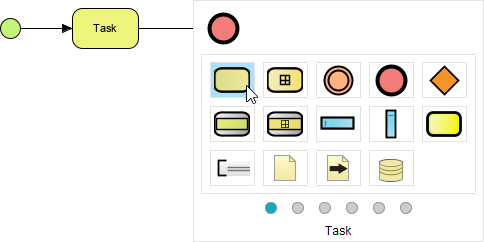
1. Resource Catalog
Quickly create accurate shapes for BPMN, ArchiMate, or TOGAF artifacts via drag-and-drop.
2. Expandable Sub-Process
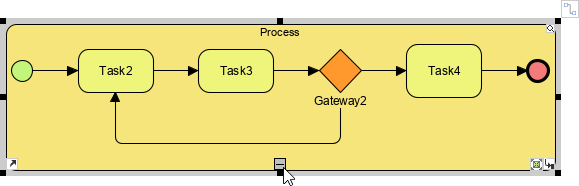
Manage complexity by collapsing or expanding sub-processes to view high-level or detailed flows as needed.
3. Nested Pools and Lanes
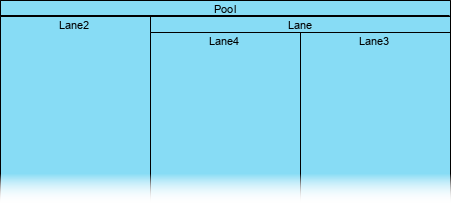
Reflect complex organizational structures by nesting pools and lanes, ensuring clarity in role responsibilities.
4. User Story Integration
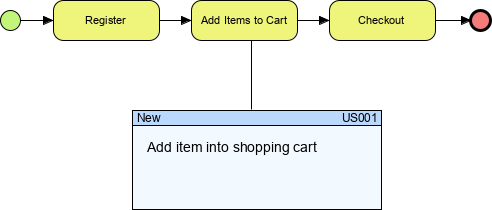
Link business processes directly to requirements by integrating user stories with tasks. This ensures that every process step traces back to a business need.
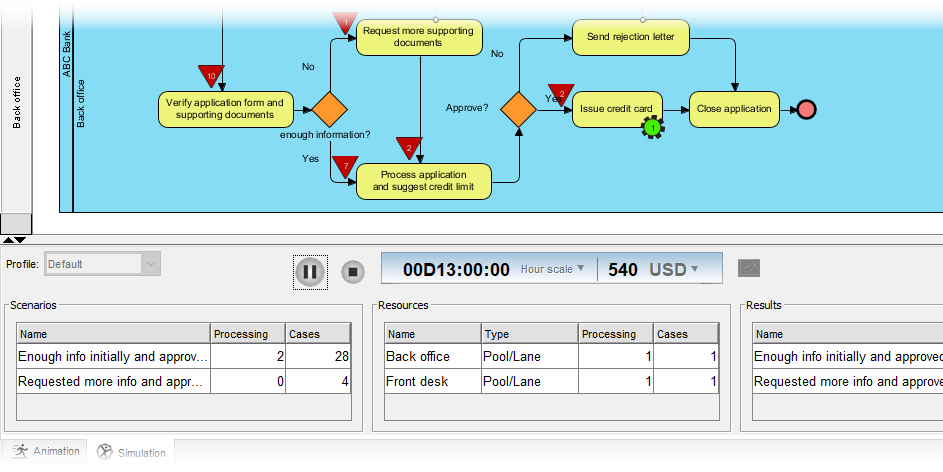
5. BPMN Process Simulation
Simulate process execution to analyze resource consumption (human, device, time) before implementation. This helps quantify the impact of closing gaps.
Integrating ArchiMate and TOGAF
Visual Paradigm allows you to model ArchiMate views alongside TOGAF artifacts. You can:
-
Map ArchiMate elements to TOGAF deliverables.
-
Perform Gap Analysis by comparing ArchiMate “As-Is” and “To-Be” models.
-
Generate reports that highlight gaps in business, application, and technology layers simultaneously.
Conclusion
Gap Analysis is the cornerstone of effective enterprise architecture within the TOGAF framework. By systematically identifying the differences between the current and desired states, organizations can prioritize initiatives, allocate resources wisely, and ensure that architectural changes deliver tangible business value.
From the high-level Architecture Vision in Phase A to the detailed Business Process Modeling using BPMN, Gap Analysis provides continuity and focus. Tools like Visual Paradigm enhance this process by offering integrated support for TOGAF, ArchiMate, and BPMN, allowing architects to visualize, simulate, and manage gaps efficiently.
By adopting a structured approach to Gap Analysis, enterprises can transform strategic visions into executable realities, ensuring agility, efficiency, and sustained competitive advantage.
This post is also available in Deutsch, Español, فارسی, Français, English, Bahasa Indonesia, 日本語, Polski, Portuguese, Ру́сский, Việt Nam, 简体中文 and 繁體中文.