


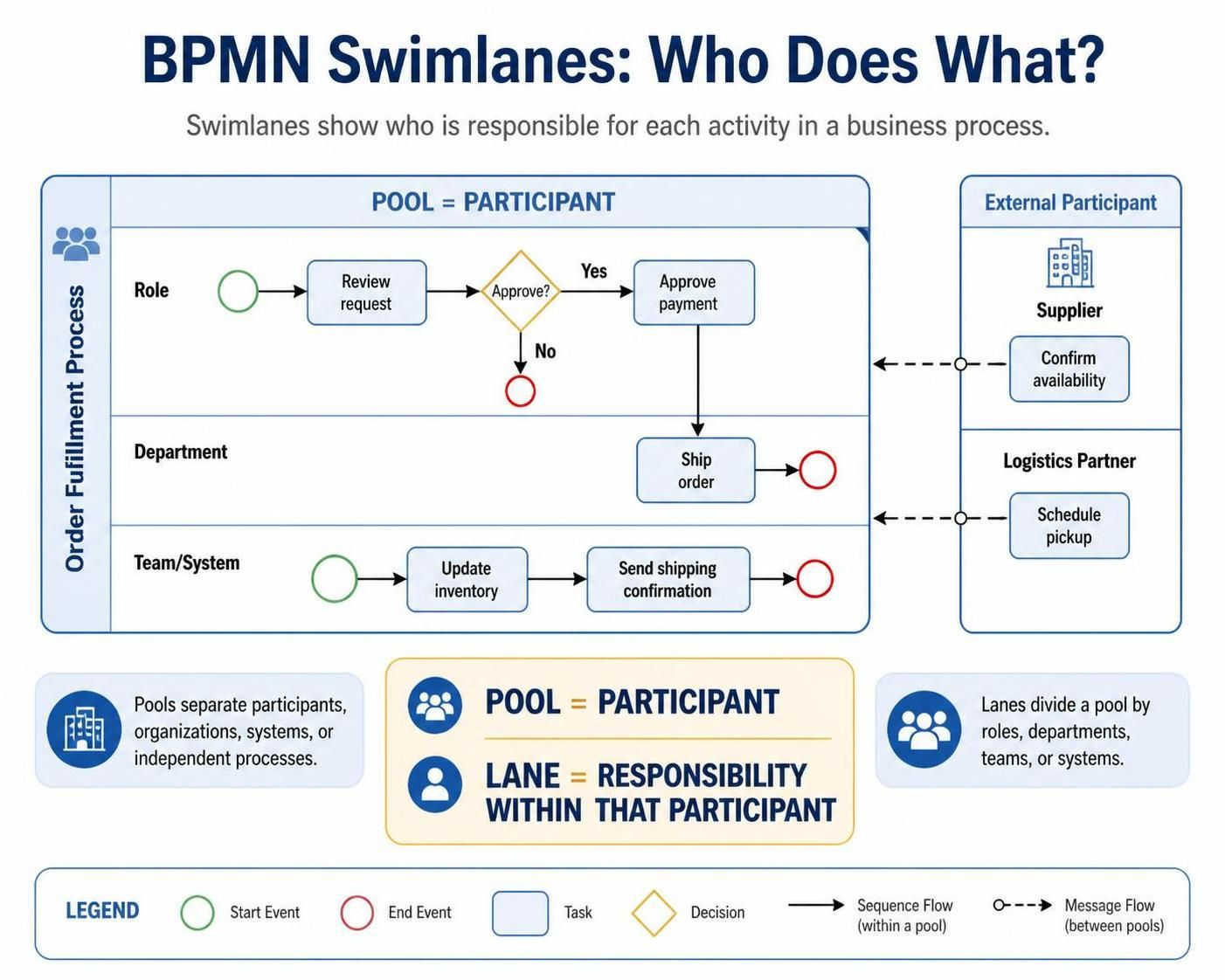
Swimlanes in BPMN help you show who is responsible for each activity in a business process. They are divided into:
-
Pools: Separate participants, organizations, systems, or independent processes.
-
Lanes: Divide a pool by roles, departments, teams, or systems.
A useful rule is: pool = participant; lane = responsibility within that participant.
Example Process: Processing an Online Order
We’ll model this simple process:
-
A customer places an order.
-
Customer Service checks the order.
-
Finance confirms payment.
-
Warehouse ships the order.
-
Customer receives a shipping notification.
Step 1: Define the process scope
Before drawing anything, decide what process you are modeling.
For this tutorial, the process scope is:
Process online customer order
The main participant is the company handling the order. The customer is external to the company, so you may represent the customer as a separate pool.
Step 2: Identify the participants
List the people, departments, or systems involved.
| Participant | BPMN element |
|---|---|
| Customer | Separate pool |
| Online Store Company | Main pool |
| Customer Service | Lane |
| Finance | Lane |
| Warehouse | Lane |
| Order Management System | Optional lane |
Pools represent participants, while lanes organize activities within a participant.
Step 3: Create the main pool
Draw a large rectangle and label it:
Online Order Process
This is the main pool containing the process you want to analyze.
A pool may show the internal process in detail, or it may be collapsed when you only need to show that a participant exists. A collapsed pool is often useful for external participants whose internal actions are outside your process scope.
Step 4: Add lanes to the pool
Divide the main pool into horizontal or vertical sections.
For this example, add these lanes:
-
Customer Service
-
Finance
-
Warehouse
A horizontal layout might look like this:
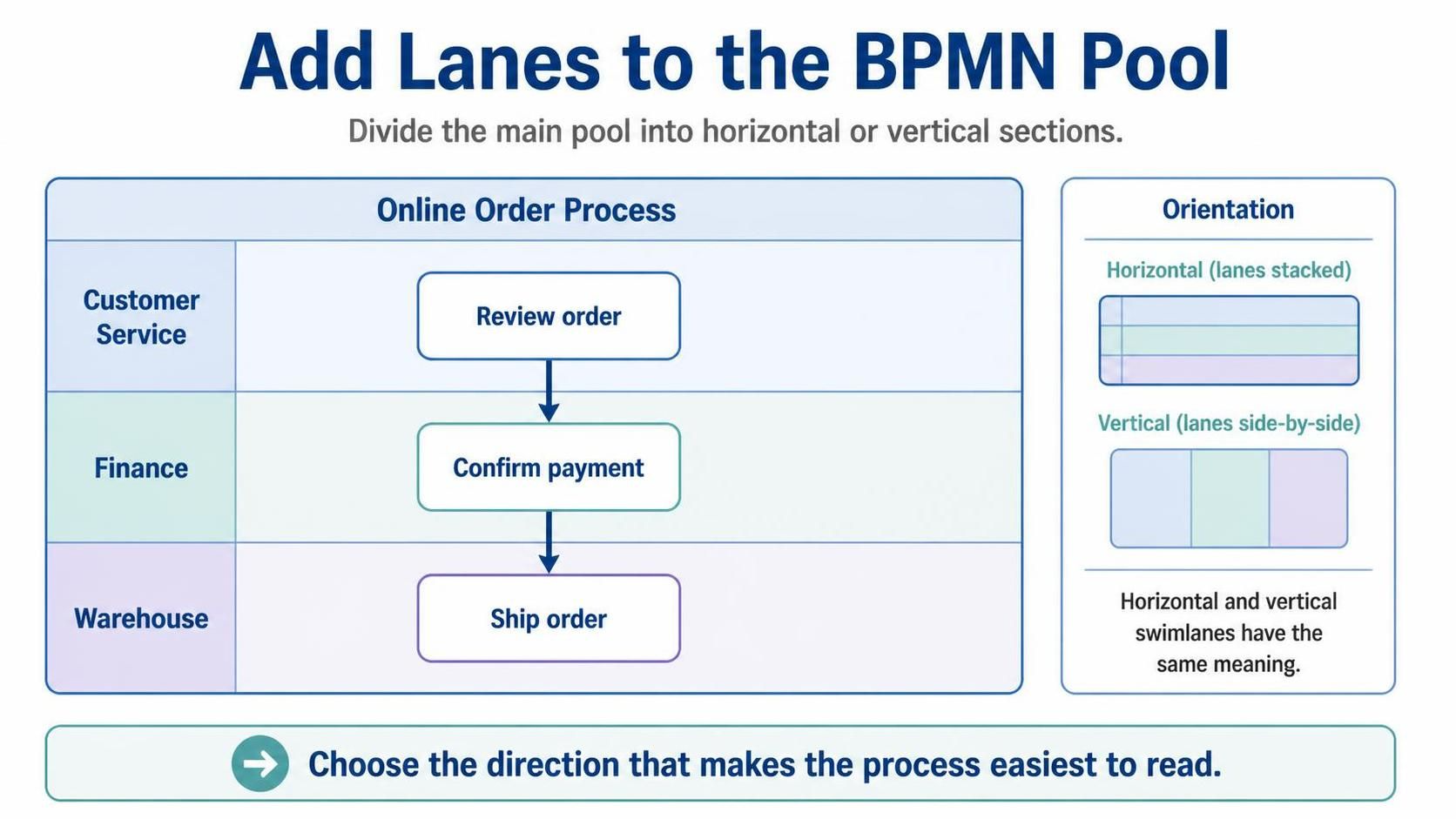
Horizontal and vertical swimlanes have the same meaning; choose the direction that makes the process easiest to read.
Step 5: Add the start event
Place a start event in the lane responsible for receiving the first request.
If the order is received by Customer Service, place a start event in that lane:
Customer Service: (Start)
A BPMN start event is usually drawn as a thin circle.
Label it clearly, for example:
Order received
Step 6: Add the activities
Add tasks to the lane of the person, department, or system performing them.
For this example:
| Lane | Task |
|---|---|
| Customer Service | Review order |
| Finance | Confirm payment |
| Warehouse | Pick and pack order |
| Warehouse | Ship order |
Tasks are usually shown as rounded rectangles.
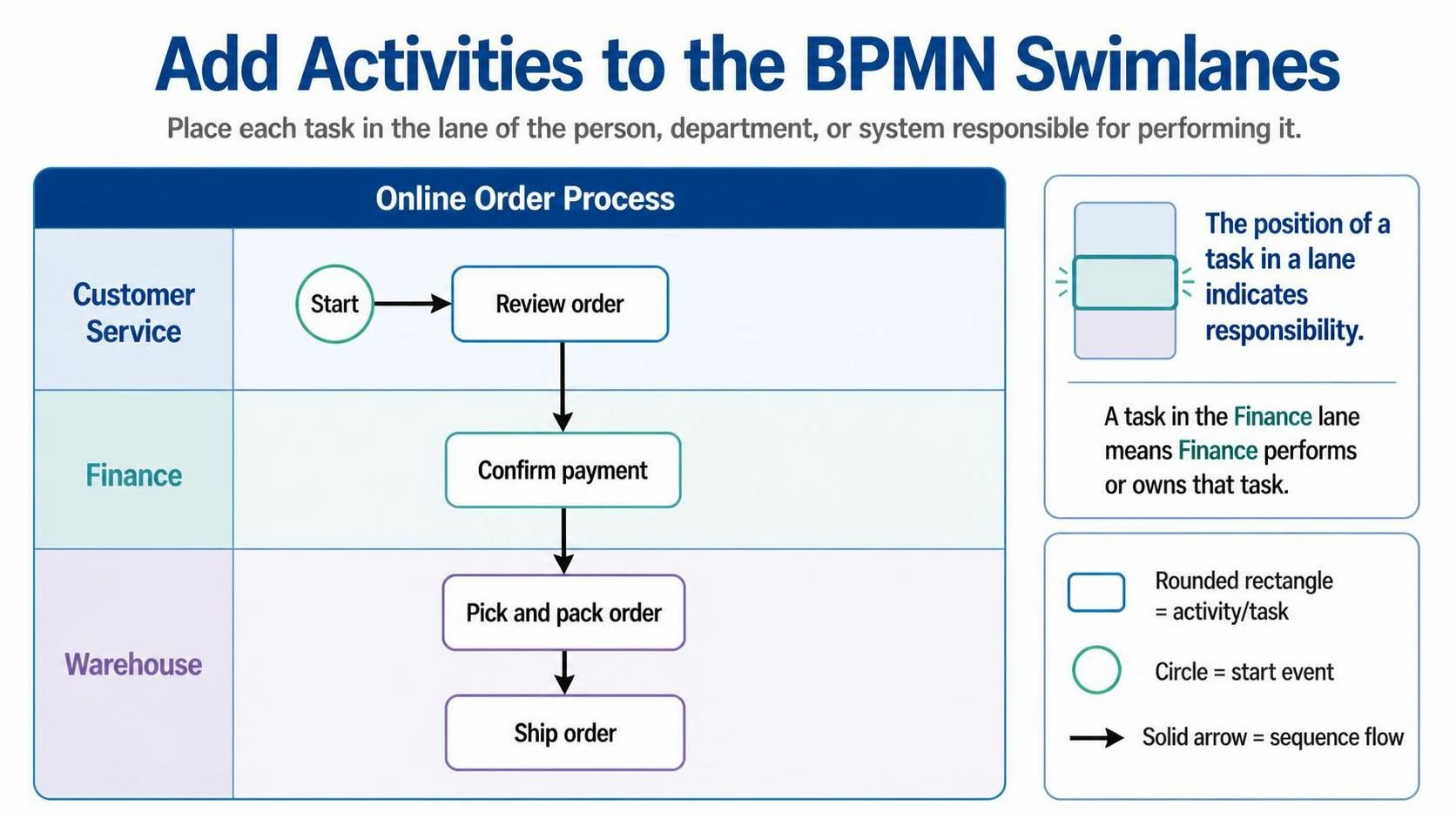
The position of a task in a lane indicates responsibility. A task placed in the Finance lane means Finance performs or owns that task.
Step 7: Connect activities with sequence flows
Connect tasks within the same pool using sequence flows, represented by solid arrows:
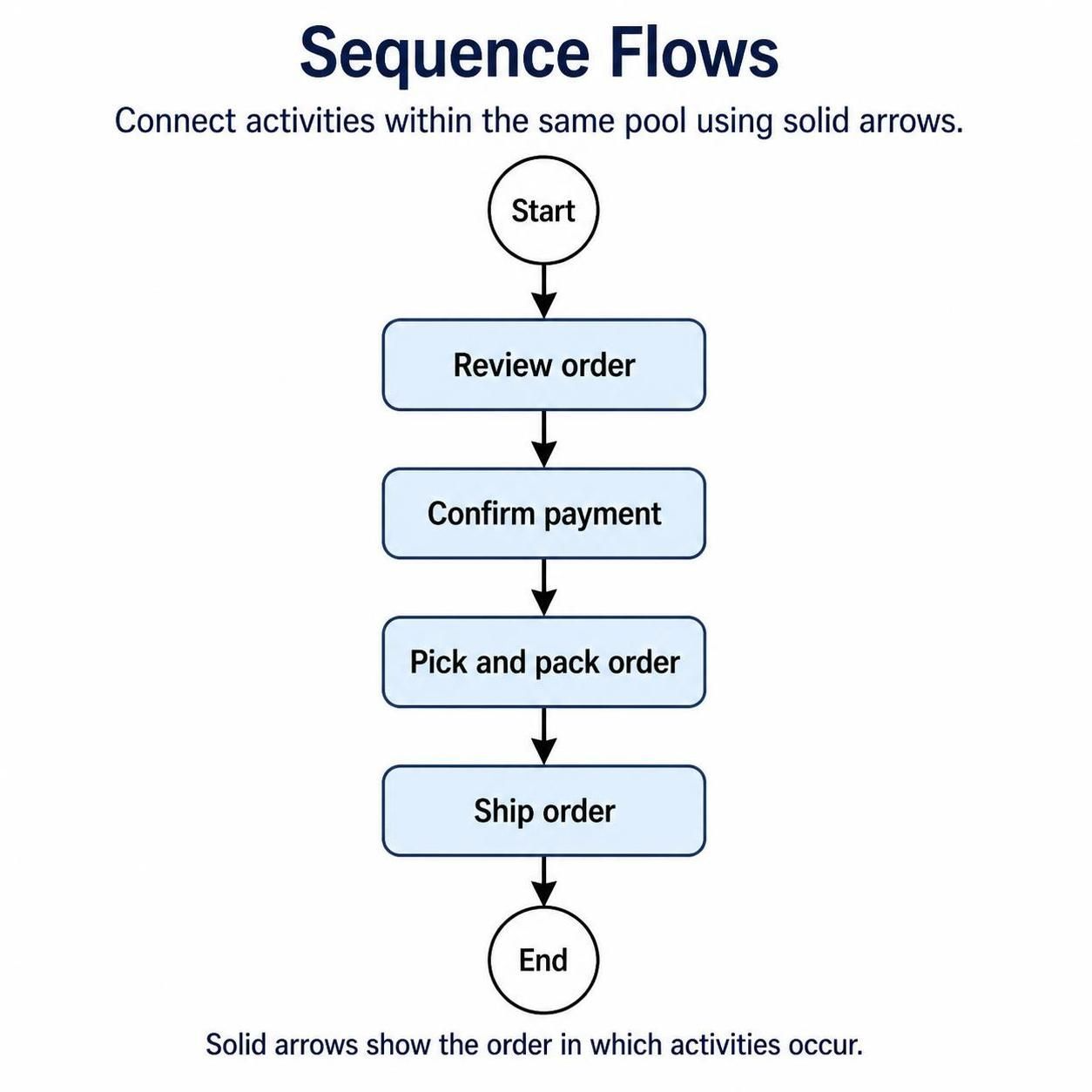
The arrows show the order in which activities occur. Sequence flows stay within the same pool.
When the flow moves from one lane to another within the same pool, continue using a sequence flow. Changing lanes does not mean that you need a message flow.
Step 8: Add gateways when decisions are needed
Suppose Finance must decide whether payment was approved.
Add an exclusive gateway after the payment check:
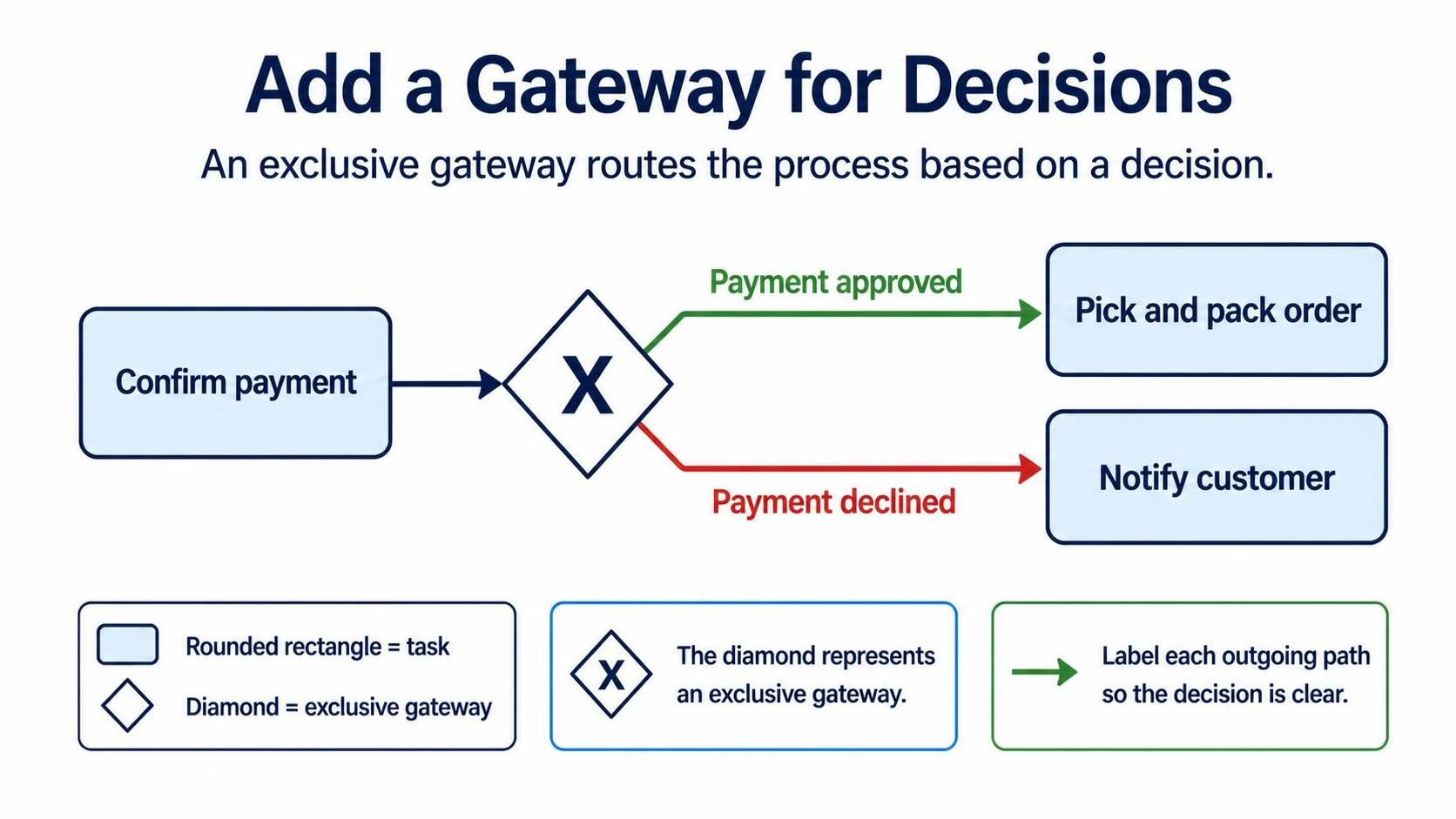 The diamond represents a gateway. Label each outgoing path so the decision is clear.
A possible layout is:
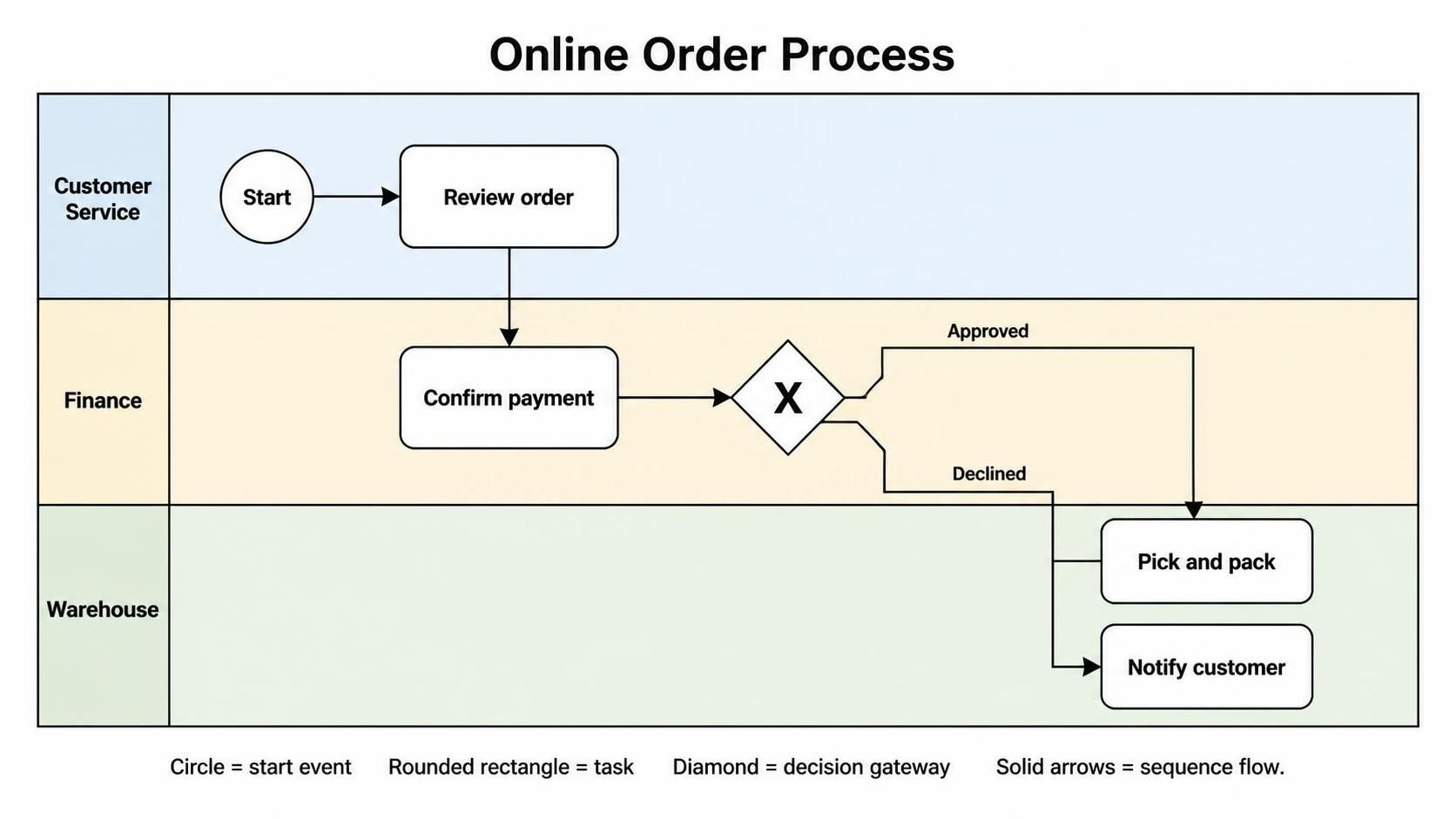
Step 9: Add the end event
Place an end event after the final activity.
For a successful order:
[Ship order] → (Order completed)
For a declined payment:
[Notify customer] → (Order cancelled)
If the process has multiple possible outcomes, use separate end events with meaningful labels.
Step 10: Add the customer as a separate pool
If you want to show communication with the customer, create a second pool:
+-----------------------------+
| Customer                    |
|                             |
+-----------------------------+

+------------------------------------------------------+
| Online Order Process                                 |
| Customer Service | Finance | Warehouse              |
+------------------------------------------------------+
Connect the pools with message flows, shown as dashed arrows. Use message flows for communication between separate participants, not for the internal order of activities.
Example:
Customer
  [Submit order]
       - - - - - - - - - - - >
Company
  (Order received)
Later:
Company
  [Send shipping notification]
       - - - - - - - - - - - >
Customer
  (Receive notification)
Completed simplified model
A text version of the completed process looks like this:
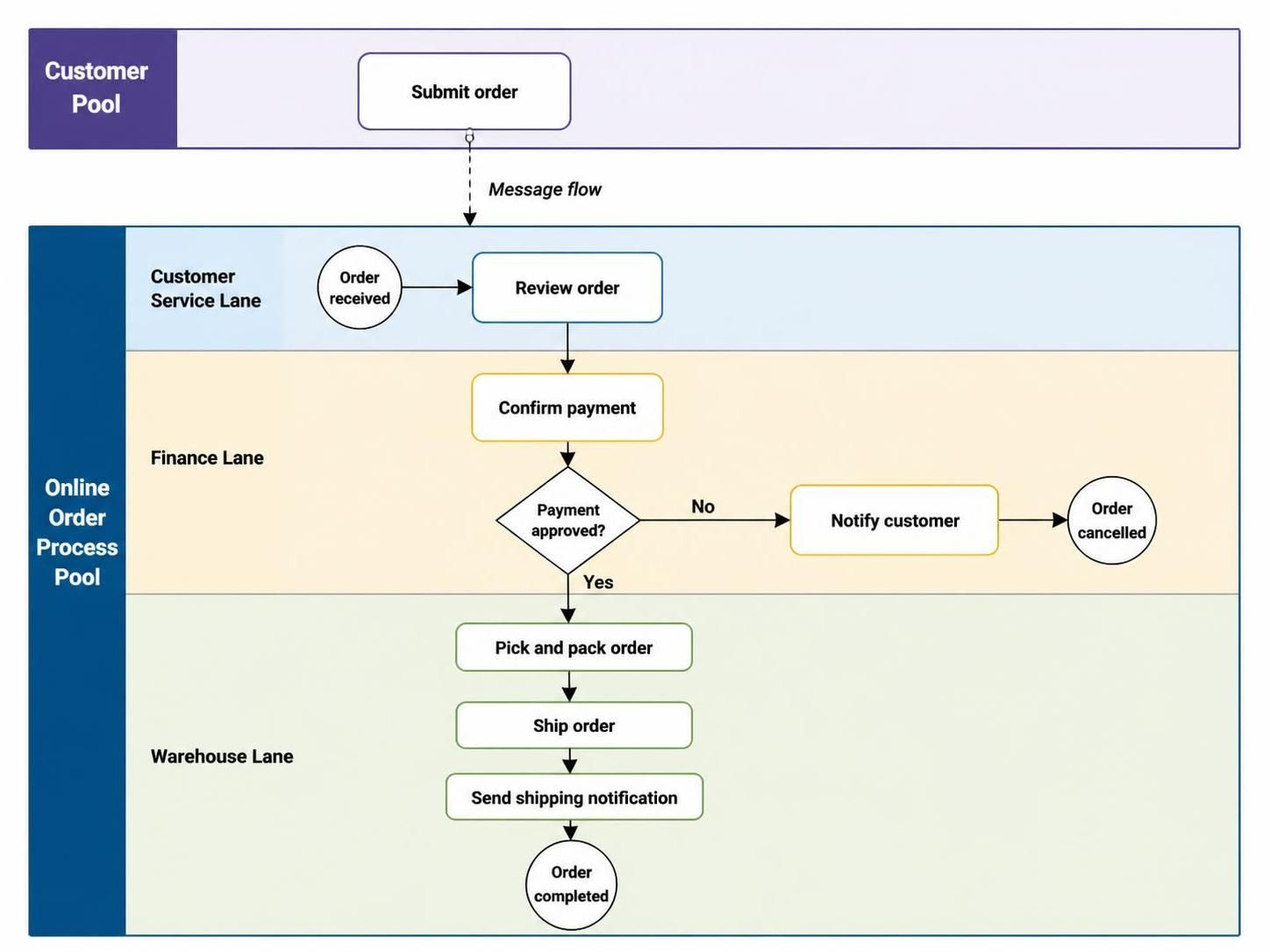
Common beginner mistakes
Using lanes for external participants
If the customer is an independent participant, use a separate pool rather than placing the customer in a company lane. Communication between separate participants is represented with message flows.
Using sequence flows between pools
Do not connect tasks in different pools with sequence flows. Use message flows instead. Sequence flows are for the internal progression of a process within a pool.
Naming lanes after individuals
Prefer role or department names such as:
-
Customer Service Representative
-
Finance Department
-
Warehouse Staff
-
Order Management System
Avoid names such as “Alex” or “Jordan,” because the diagram may become inaccurate when responsibilities change.
Creating too many lanes
Create a lane only when the distinction adds useful information. Combining every individual, application, and department into separate lanes can make the diagram difficult to read.
Confusing responsibility with sequence
A lane tells you who performs an activity. The arrows tell you when it happens. A lane itself does not indicate order.
Drawing message flows inside one pool
Message flows are intended for communication between separate pools. For handoffs between lanes inside one pool, use sequence flows.
A quick checklist
Before finalizing your diagram, check that:
-
The process scope is clear.
-
Pools represent separate participants.
-
Lanes represent roles, departments, or systems.
-
Every task is placed in the lane responsible for it.
-
Sequence flows connect activities within a pool.
-
Message flows connect separate pools.
-
Gateways have clearly labeled paths.
-
Start and end events are included.
-
Lane names describe roles rather than individual employees.
-
The diagram can be understood from left to right or top to bottom.
This post is also available in Deutsch, Español, فارسی, Français, English, Bahasa Indonesia, 日本語, Polski, Portuguese, Ру́сский, Việt Nam, 简体中文 and 繁體中文.