


Introduction
Business Process Model and Notation (BPMN) has become the global standard for mapping out complex workflows, yet many professionals find themselves overwhelmed by its extensive library of symbols and rules. Whether you are a business analyst trying to streamline an onboarding process or a developer looking to automate invoice generation, understanding the nuances of BPMN is critical for clear communication and efficient execution.
In this guide, we will break down the core components of BPMN—activities, markers, task types, and connecting flows—using a practical, user-experience-focused approach. We will also explore how modern tools like Visual Paradigm can transform these static diagrams into dynamic, interactive models that drive real business value. By the end of this article, you’ll have a clear roadmap for selecting the right elements for your specific workflow needs.
BPMN Core Activities
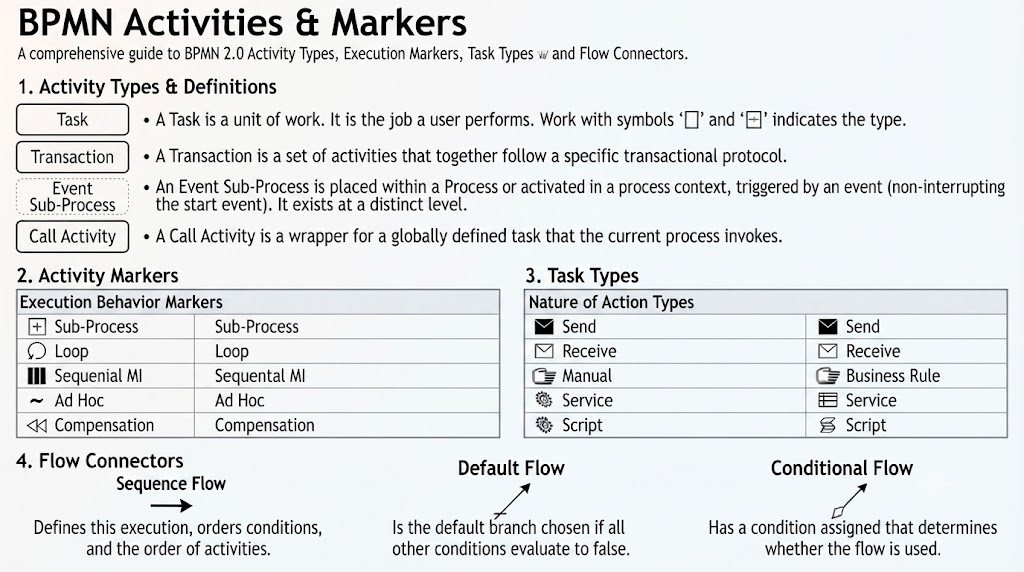
Activities represent work performed within a business process. They are the building blocks of any process model. Understanding the distinction between different activity types is the first step toward creating accurate and actionable diagrams.
🟩 Main Activity Types
- Task: A single, atomic unit of work that cannot be broken down further.
- Visual: A single-line rounded rectangle.
- Example: “Check credit score.”
- Transaction: A set of logically grouped activities that must follow a specific protocol (e.g., all succeed or all fail).
- Visual: A double-bordered rounded rectangle.
- Example: “Process credit card payment” (where the authorized hold and final capture must happen together).
- Event Sub-Process: A specialized sub-process placed inside another process. It triggers only when a specific event happens and can either interrupt or run parallel to the main flow.
- Visual: A dotted/dashed rounded rectangle.
- Example: An “Order Cancelled” event that stops the main fulfillment process.
- Call Activity: A reusable, globally defined task or sub-process referenced in the current process.
- Visual: A thick, bold-bordered rounded rectangle.
- Example: “Run standard identity verification check.”
Activity Markers
Markers are small icons placed at the bottom center of an activity shape to dictate how it executes. These subtle additions provide crucial context about the behavior of a task without cluttering the diagram.
- ➕ Sub-Process: Indicates the activity contains a nested, hidden process flow that can be expanded.
- 🔄 Loop: The activity repeats sequentially until a specific condition evaluates to true.
- ║║║ Parallel MI (Multi-Instance): Creates multiple instances of the task that run at the same time (e.g., sending parallel review requests to three managers).
- ☰ Sequential MI (Multi-Instance): Creates multiple instances of the task that run one after another.
- ~ Ad Hoc: The activities inside have no required order and can be completed as the user sees fit.
- ◀◀ Compensation: Used to undo or roll back work completed in a previous step if a failure occurs later.
Task Types
Task types use icons in the top-left corner to clarify exactly how or by whom the work is being performed. This distinction is vital for determining automation potential and resource allocation.
- ✉️ Send Task: Sends a message or notification to an external participant.
- 📥 Receive Task: Waits for an incoming message from an external participant to arrive before continuing.
- 👤 User Task: A human task managed via a software workflow system (e.g., a manager approving a request in an HR portal).
- ✍️ Manual Task: A physical human task done completely outside of any software system (e.g., physically loading boxes onto a truck).
- 📋 Business Rule Task: Passes data to an automated rules engine to make a decision based on set logic (e.g., calculating a tax rate).
- ⚙️ Service Task: An automated step executed by an internal application or web service without human input (e.g., fetching user data from a CRM database).
- 📜 Script Task: Executes a piece of code directly written into the process engine.
Connecting Flows
Flows are arrow lines that establish the execution order and decision logic between activities. Proper use of flow types ensures that the logical path of the process is unambiguous.
- Sequence Flow: A standard solid arrow defining the basic chronological progression of work.
- Default Flow: Marked with a slash (/). This path is chosen automatically if all other conditional paths evaluate to false.
- Conditional Flow: Marked with a diamond at the start (🔸). This path is only followed if a specific condition or rule is met.
Designing Your Workflow: A Practical Approach
If you are designing a specific workflow, consider the following questions to select the exact combinations of task types and markers:
- What business process are you modeling? (e.g., onboarding, invoicing, customer support)
- Which systems or humans are involved? Identify where automation ends and human intervention begins.
By answering these questions, you can determine whether a Service Task is appropriate for automated data retrieval or if a User Task is needed for managerial approval. Similarly, deciding between Parallel Multi-Instance and Sequential Multi-Instance markers depends on whether tasks can be performed simultaneously or must follow a strict order.
Modern tools like Visual Paradigm simplify this selection process by offering smart connection rules and AI-driven diagram generation. These features help prevent invalid sequence paths and allow non-technical stakeholders to visualize processes through animation and gap analysis.
Conclusion
Mastering BPMN is not just about memorizing symbols; it’s about understanding the logic behind business operations and communicating that logic clearly. By leveraging the core activities, markers, task types, and connecting flows outlined in this guide, you can create precise and effective process models.
Furthermore, utilizing advanced modeling platforms like Visual Paradigm enhances this experience by providing tools for simulation, version comparison, and Agile integration. Whether you are optimizing existing workflows or designing new ones, a well-structured BPMN diagram serves as a universal language that bridges the gap between business goals and technical implementation.
References
- Visual Paradigm Features: Visual Paradigm provides a fully comprehensive, standards-compliant BPMN 2.0 modeling platform tailored for business analysts and developers alike, blending traditional diagramming with advanced automation and simulation.
- BP Modeling Solution: Offers smart connection rules, flexible swimlane editing, and resource-centric modeling to optimize operational workflows and prevent invalid sequence paths.
- AI BPMN Generator Guide: Explains how the AI BPMN Diagram Generator automatically translates plain-English process narratives into fully interactive, standard-compliant BPMN 2.0 layouts.
- BPMN Made Easy: Highlights tools for simplifying BPMN modeling, including process animation and gap analysis for non-technical stakeholders.
- BPMN Tutorial 1: Provides foundational tutorials on BPMN notations, including events, specialized task types, gateways, and data objects.
- BPMN Tutorial PDF: A downloadable PDF version of the foundational BPMN tutorial for offline reference.
- BPMN Activity Types Explained: Detailed guide on different BPMN activity types, helping users choose between Service, User, Manual, and Script tasks.
- Visual Paradigm YouTube Demo: Video demonstration of Visual Paradigm’s features, including swimlane editing and process drill-down capabilities.
- SysML Modeling Guide: Discusses resource-centric modeling where elements are created as reusable model components rather than static shapes.
- BPMN Swimlanes Tutorial: Focuses on partitioning processes using interactive horizontal or vertical pools and lanes.
- BPMN Diagram Tools Overview: Reiterates the comprehensive feature set for BPMN diagramming, including full notation support and AI integration.
- Visual Paradigm Blog: Discusses Visual Paradigm as an all-in-one software solution, emphasizing its role in software development and process modeling.
- Business Process Modeling Guide: Covers best practices for business process modeling, including As-Is and To-Be gap analysis.
- BPMN Features List: Lists key features such as process simulation, animation, and matrix transformation for RACI/CRUD outputs.
- Visual-Diff Feature: Explains the version comparison tool that tracks operational revisions by visually comparing different workflow versions.
- REST API Design Solution: Highlights Agile integration features, synchronizing workflow components into user stories and development backlogs.
This post is also available in Deutsch, Español, فارسی, Français, English, Bahasa Indonesia, 日本語, Polski, Portuguese, Ру́сский, Việt Nam, 简体中文 and 繁體中文.
Related posts:
 How Visual Paradigm’s AI Diagram Generation Turns Your Ideas into Professional UML & BPMN Diagrams in Seconds
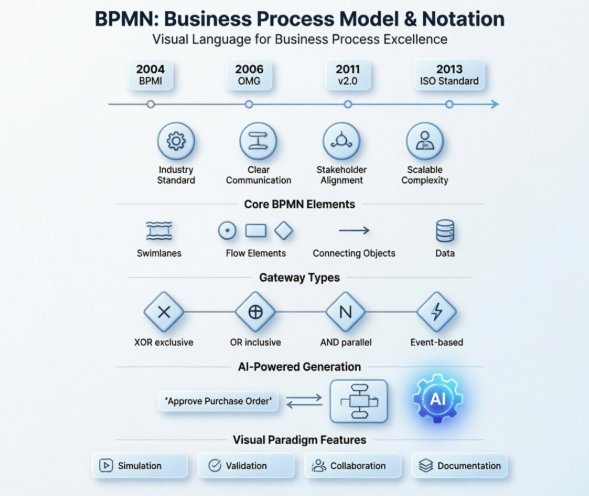 Mastering Business Process Modeling: A Hands-On Review of BPMN and Visual Paradigm’s AI-Powered Tools
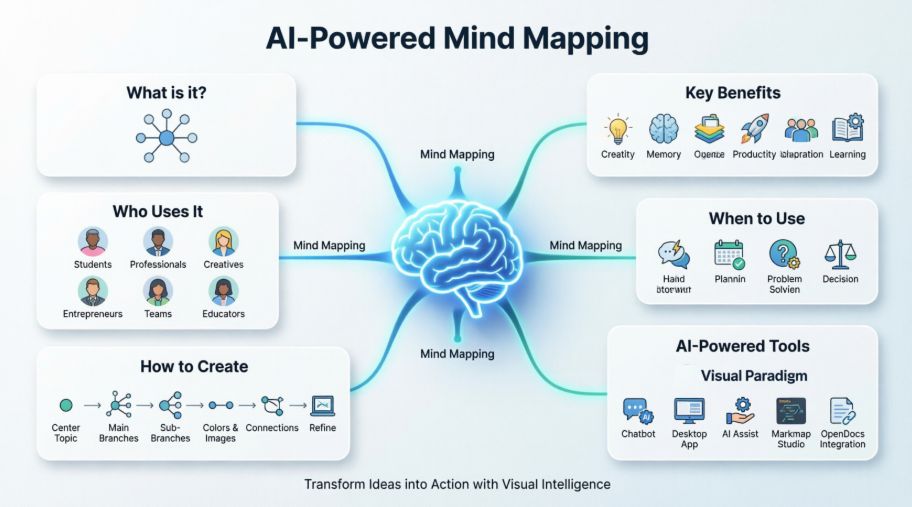 Mastering AI-Powered Mind Mapping with Visual Paradigm
 A Software Engineer’s Field Guide to UML, BPMN, and SysML