


Modern software teams need more than code editors. They also need architecture diagrams, technical documentation, system maps, and a reliable way to keep those artifacts aligned with implementation. Visual Paradigm VPasCode addresses this need through a browser-based diagram-as-code workflow: developers describe diagrams with text-based syntax, preview the result in real time, and use AI to accelerate creation, correction, and refinement.
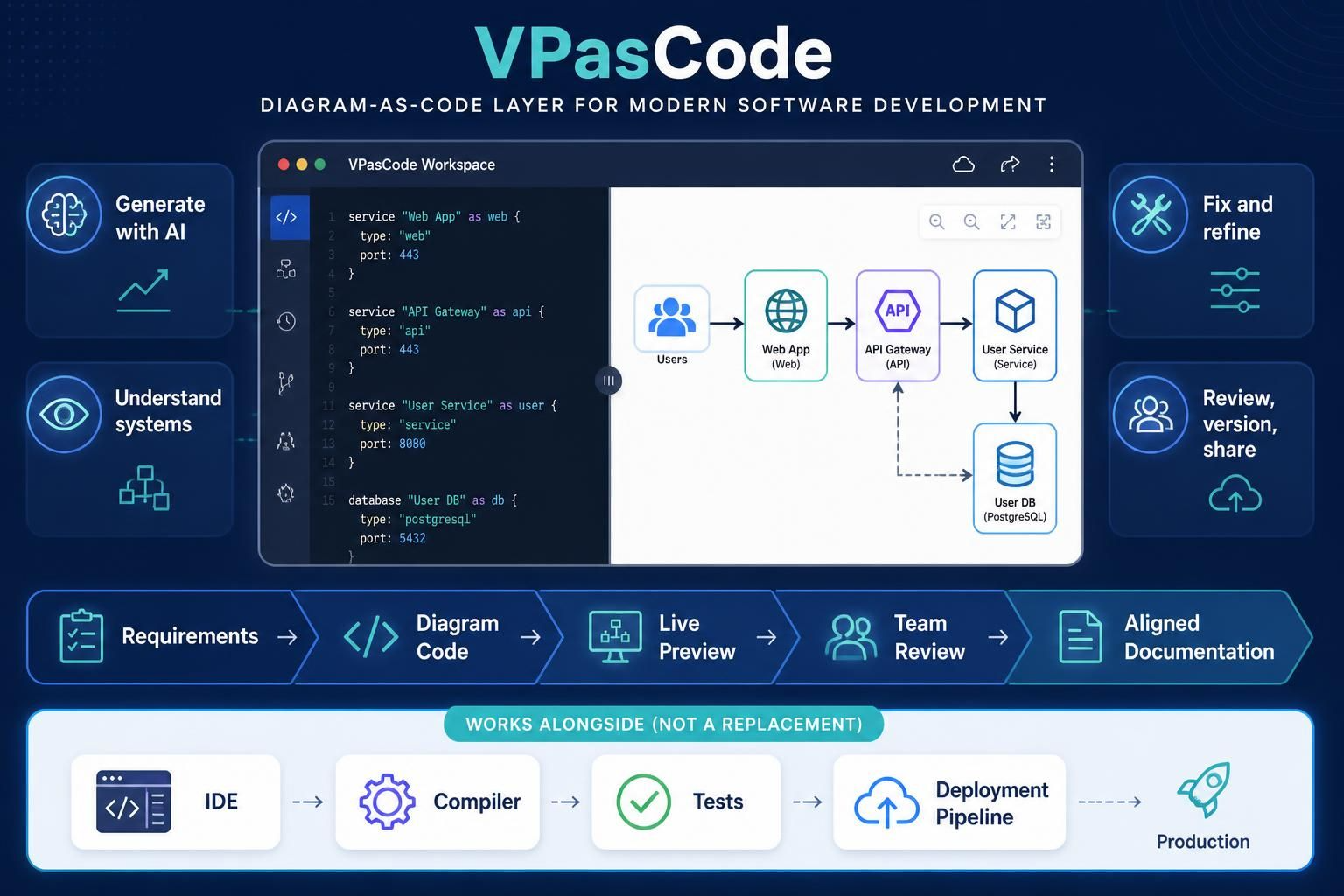
Although VPasCode is not a replacement for an IDE, compiler, test suite, or deployment pipeline, it can become a valuable layer around the development process. It helps turn requirements and architectural ideas into diagrams that are easier to review, update, version, and share.
What Is Visual Paradigm VPasCode?
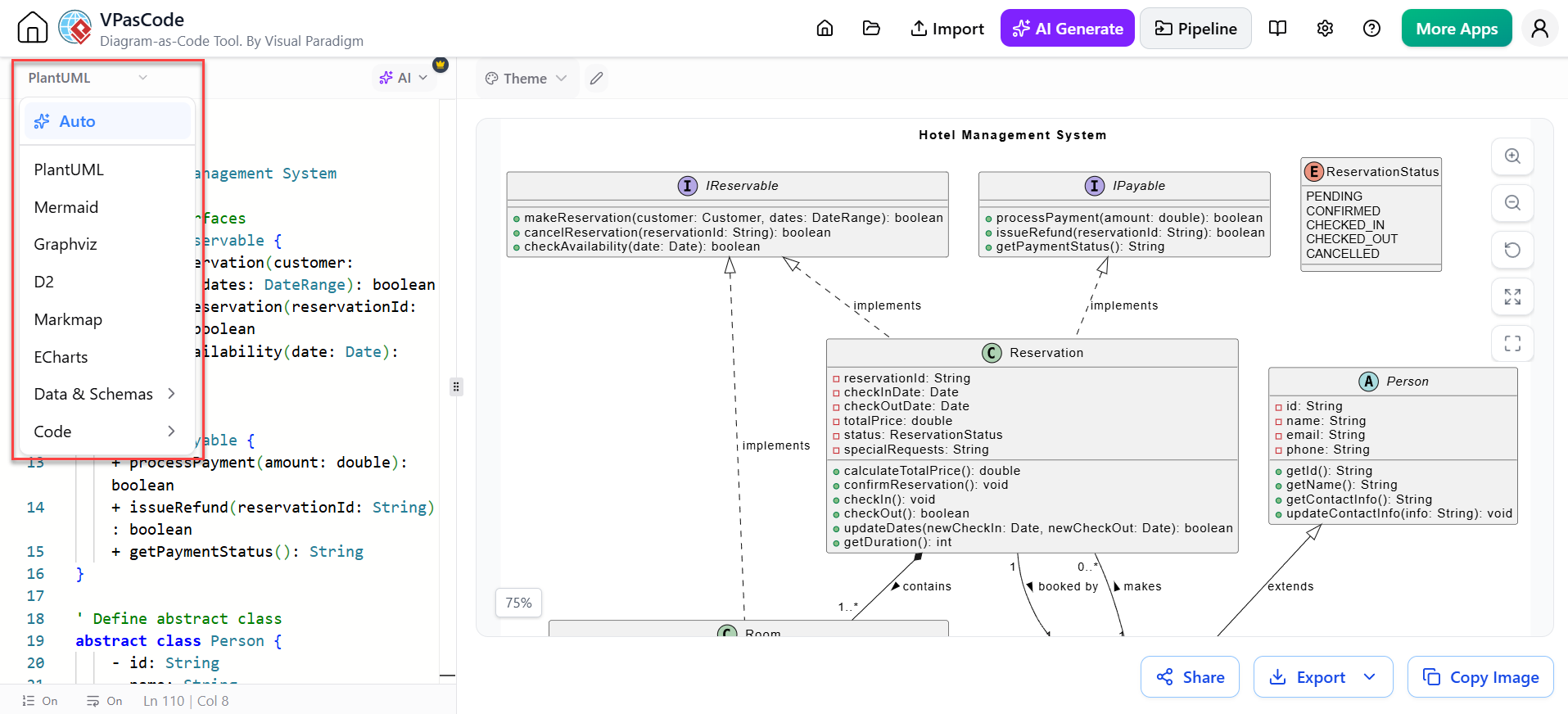
VPasCode is a cloud-based text-to-diagram editor from Visual Paradigm. Instead of constructing every diagram manually with drag-and-drop elements, users write diagram definitions as code and see the rendered result immediately.
The platform supports major diagramming syntaxes such as:
- PlantUML
- Mermaid
- Graphviz
These engines can be used to create many diagram types, including sequence diagrams, entity-relationship diagrams, flowcharts, mind maps, C4 architecture diagrams, and work-breakdown structures.
The central idea is simple:
- Describe a system, process, or relationship in text.
- Render it as a visual diagram.
- Review and refine the result.
- Export or share the diagram.
- Keep the source text with the rest of the project documentation or source repository.
This approach makes diagrams more similar to source code: they are editable text artifacts rather than static images.
Why Diagram-as-Code Matters
Traditional diagrams often become outdated because updating them takes time. A developer may change an API, service boundary, or database relationship but forget to update the corresponding architecture diagram.
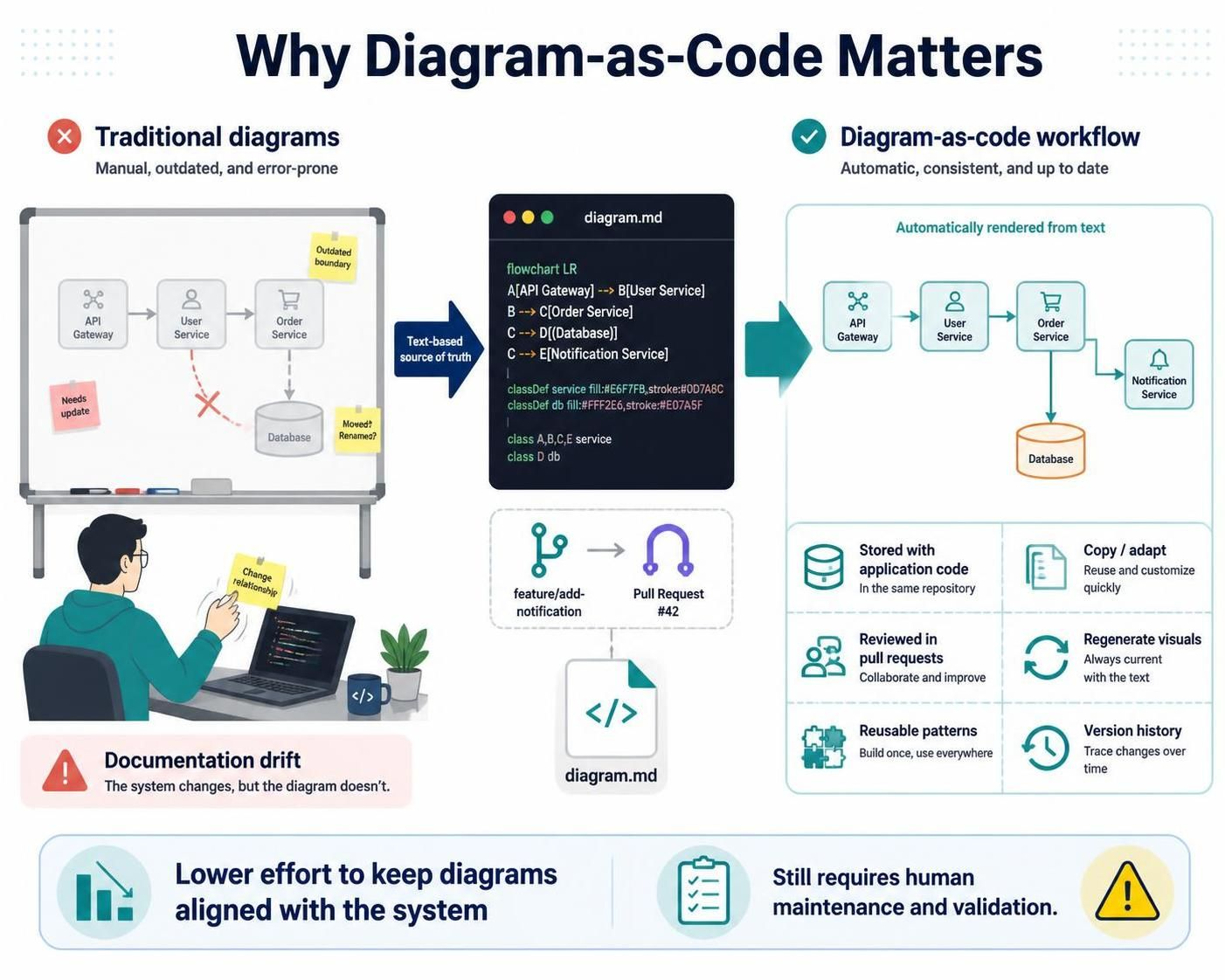
Diagram-as-code helps reduce that gap. Since the diagram is represented as text, teams can:
- Store diagram definitions alongside application code
- Review diagram changes through pull requests
- Reuse components and patterns
- Copy and adapt existing diagrams
- Regenerate visuals after modifying relationships
- Avoid repeatedly rebuilding diagrams from scratch
For example, a Mermaid or PlantUML file can be updated when a new service is introduced. The rendered architecture diagram then reflects the edited definition instead of requiring someone to manually reposition every shape.
This does not automatically guarantee accurate documentation. Developers still need to maintain the source and validate the model. However, the text-based workflow lowers the effort required to make those updates.
Key Features of VPasCode
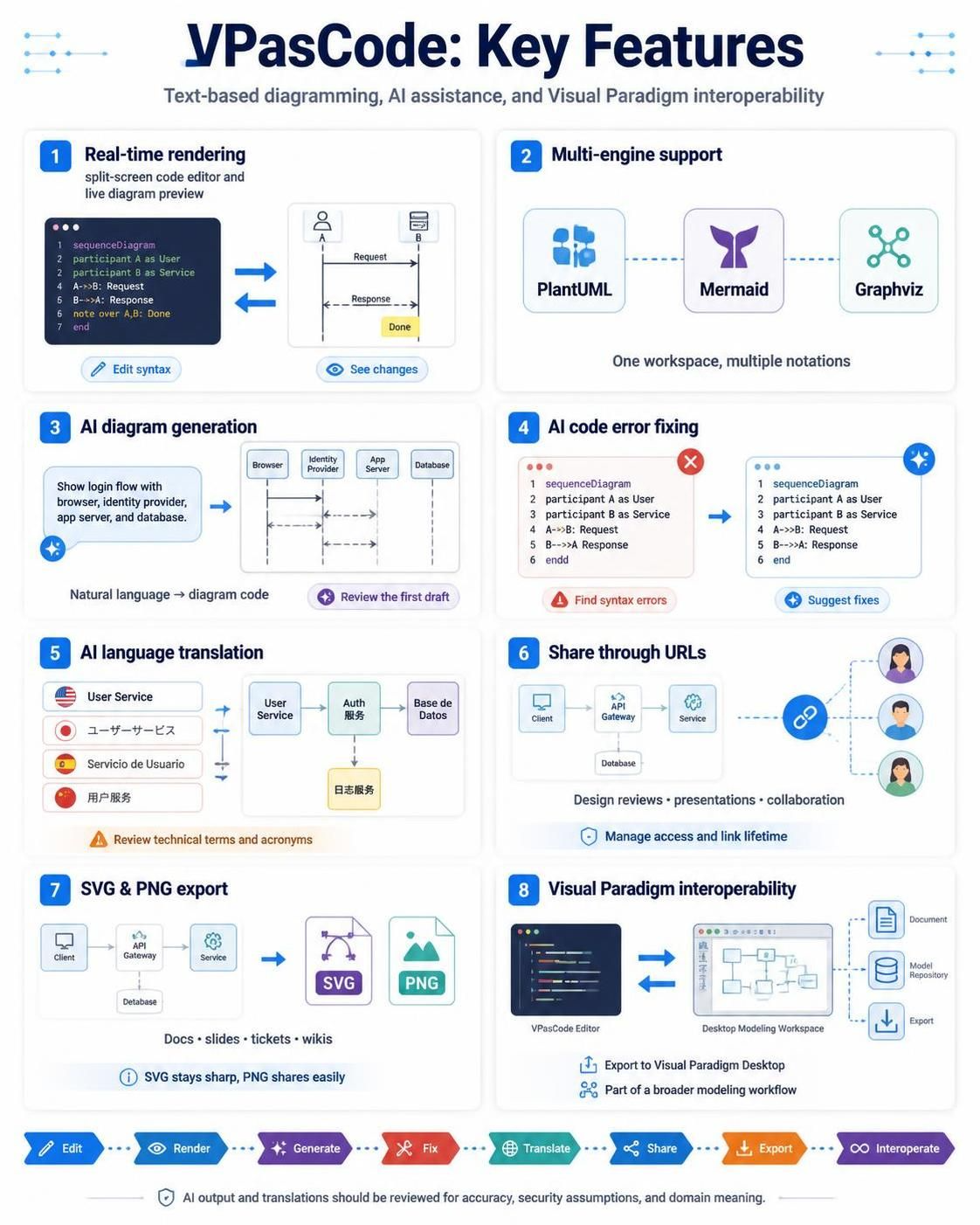
1. Real-time text-to-diagram rendering
VPasCode combines a code editor with a live visual preview. As users modify the diagram syntax, they can immediately see how the rendered output changes.
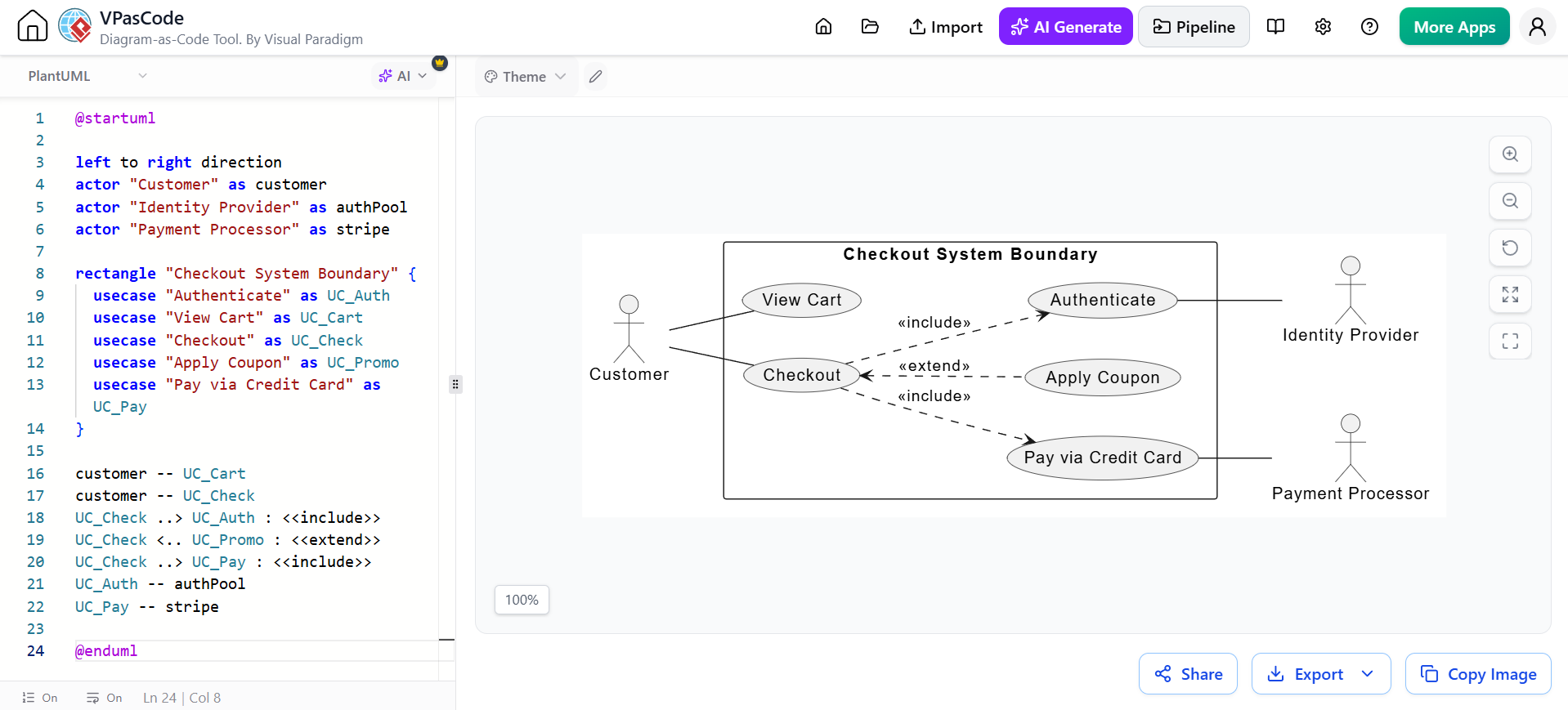
This is useful for:
- Testing relationships between components
- Finding layout problems
- Experimenting with different diagram structures
- Learning diagramming syntax
- Reviewing architectural alternatives
The immediate feedback loop is faster than editing code in one tool and switching to another tool to render or inspect the result.
2. Multi-engine support
Many diagram-as-code tools focus primarily on one syntax. VPasCode brings multiple engines into one workspace, allowing users to choose the notation that best fits the task.
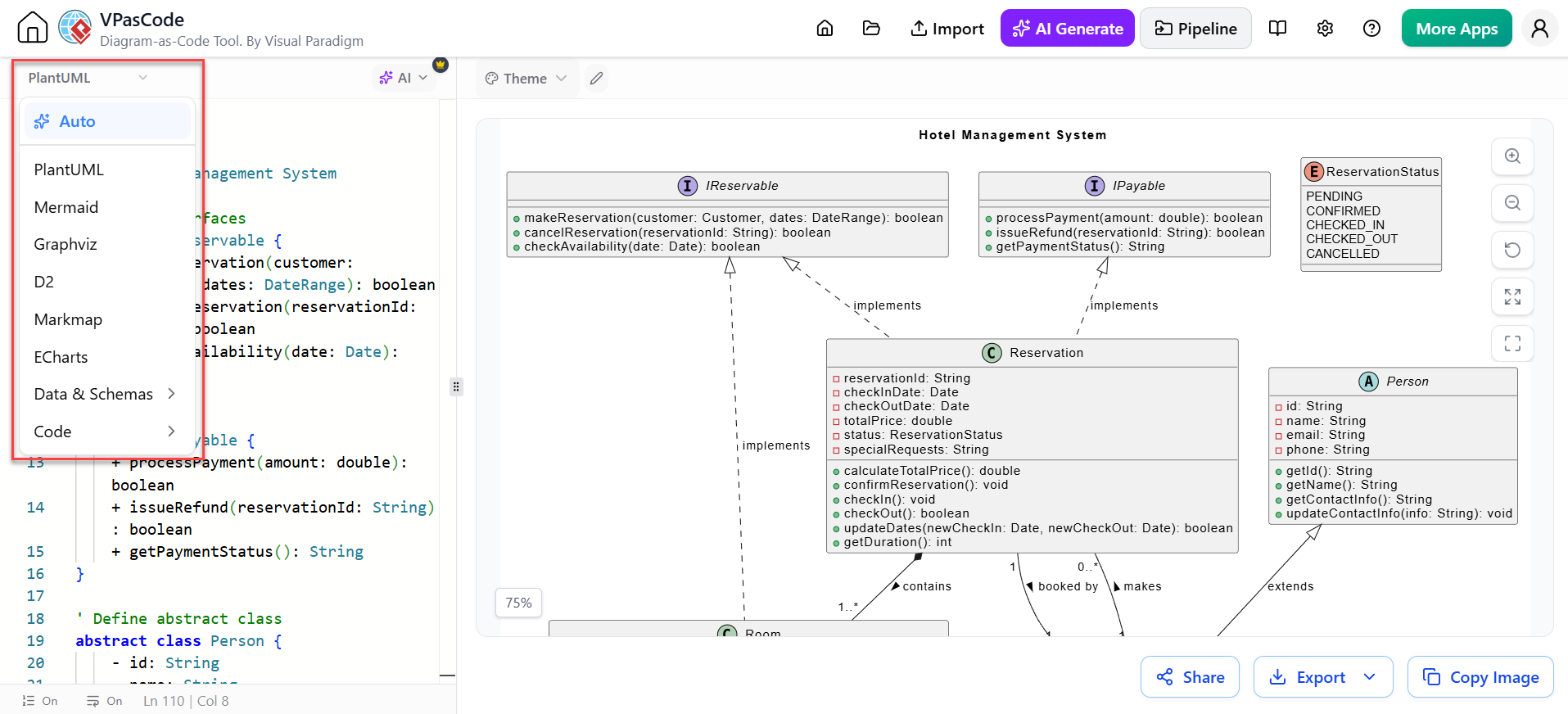
PlantUML is well suited to UML and software architecture diagrams. Mermaid is convenient for lightweight diagrams embedded in Markdown and developer documentation. Graphviz is useful for graph-oriented structures, dependency maps, and network-style visualizations.
A multi-engine workspace can also help teams avoid maintaining separate browser tools for each syntax. VPasCode’s current feature descriptions identify PlantUML, Mermaid, and Graphviz as supported frameworks.
3. AI-assisted diagram generation
One of VPasCode’s most important capabilities is its connection with Visual Paradigm’s AI tools. Users can describe a desired diagram in natural language, and the AI can generate diagram code that can then be reviewed and edited.
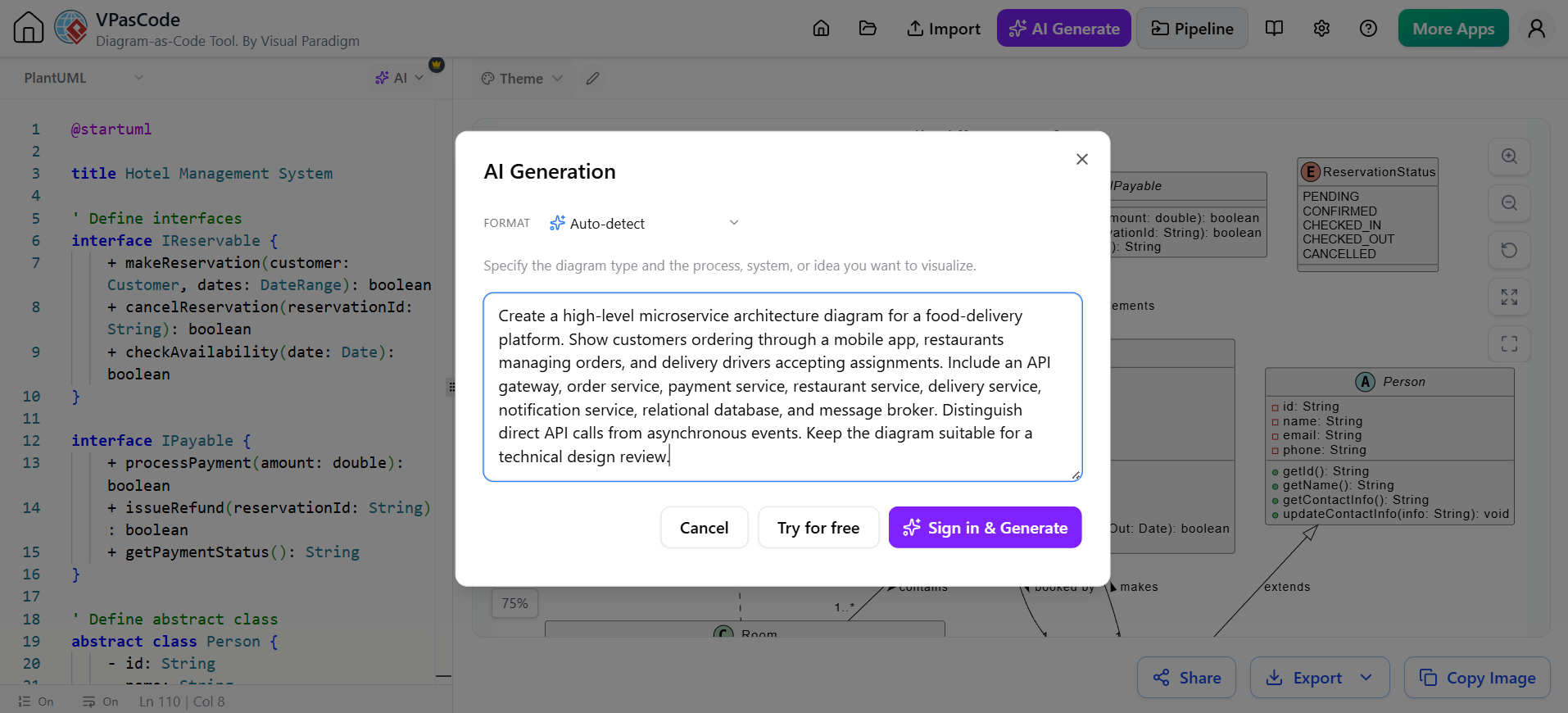
A prompt might be:
Create a sequence diagram for a user signing in with OAuth 2.0. Include the browser, identity provider, authorization server, application server, and database.
The generated output may include:
- Participants or components
- Message flows
- Authentication steps
- Conditional branches
- Relationships
- Labels and annotations
The AI-generated result should be treated as a first draft. Developers should check whether the flow reflects the actual system, whether security assumptions are correct, and whether the diagram contains unnecessary detail.
4. AI code error fixing
Diagram syntax errors can prevent rendering or produce incomplete diagrams. Premium AI capabilities include AI-assisted code error fixing, which can help identify and correct syntax problems more quickly.
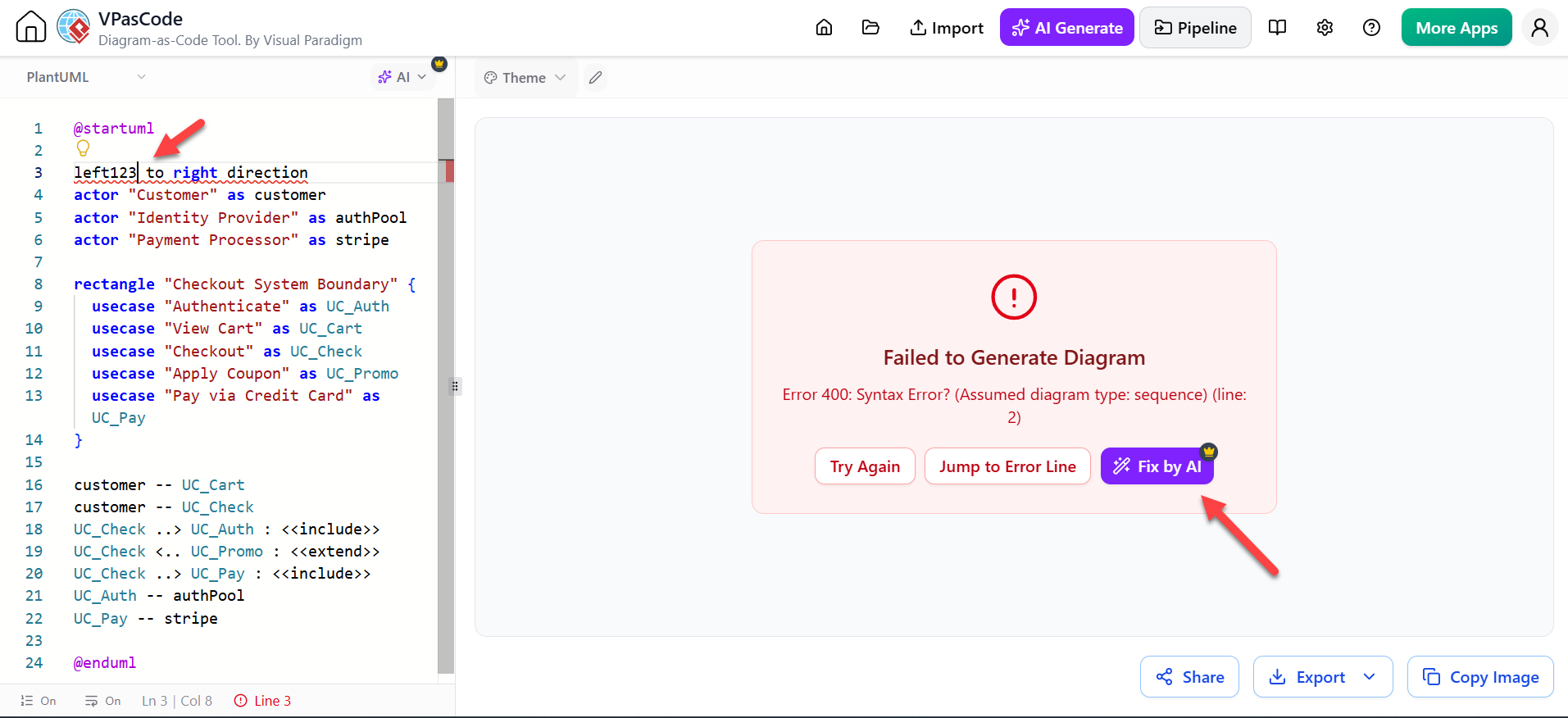
This is particularly useful when:
- A diagram contains a missing delimiter
- A participant name is malformed
- A relationship uses invalid syntax
- A copied example does not work in the selected engine
- A generated diagram mixes incompatible conventions
AI correction is most effective when the user understands the intended result and reviews the proposed fix rather than accepting it blindly.
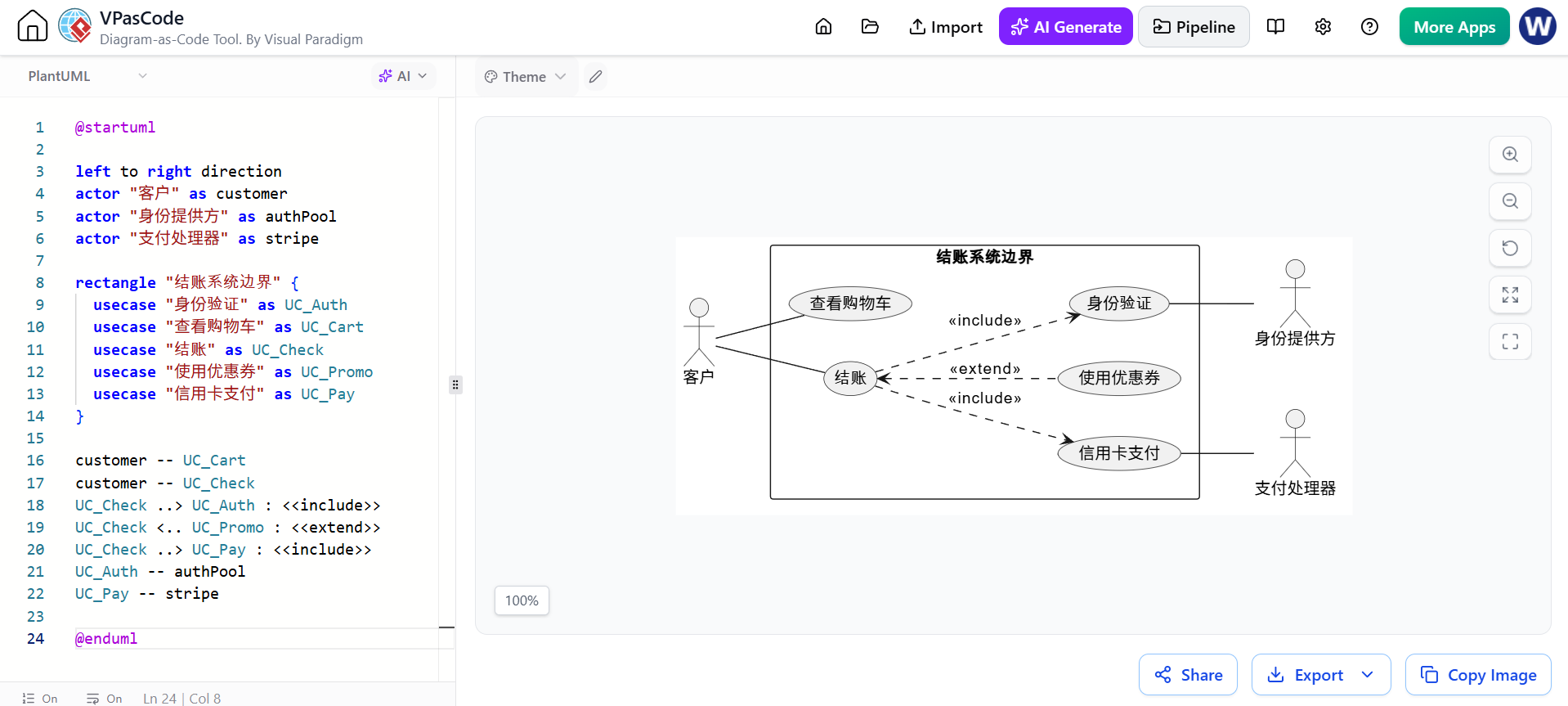
5. AI language translation
VPasCode also identifies instant AI language translation as a premium capability. This can help teams adapt diagram text for multilingual stakeholders or convert labels and descriptions into another language.
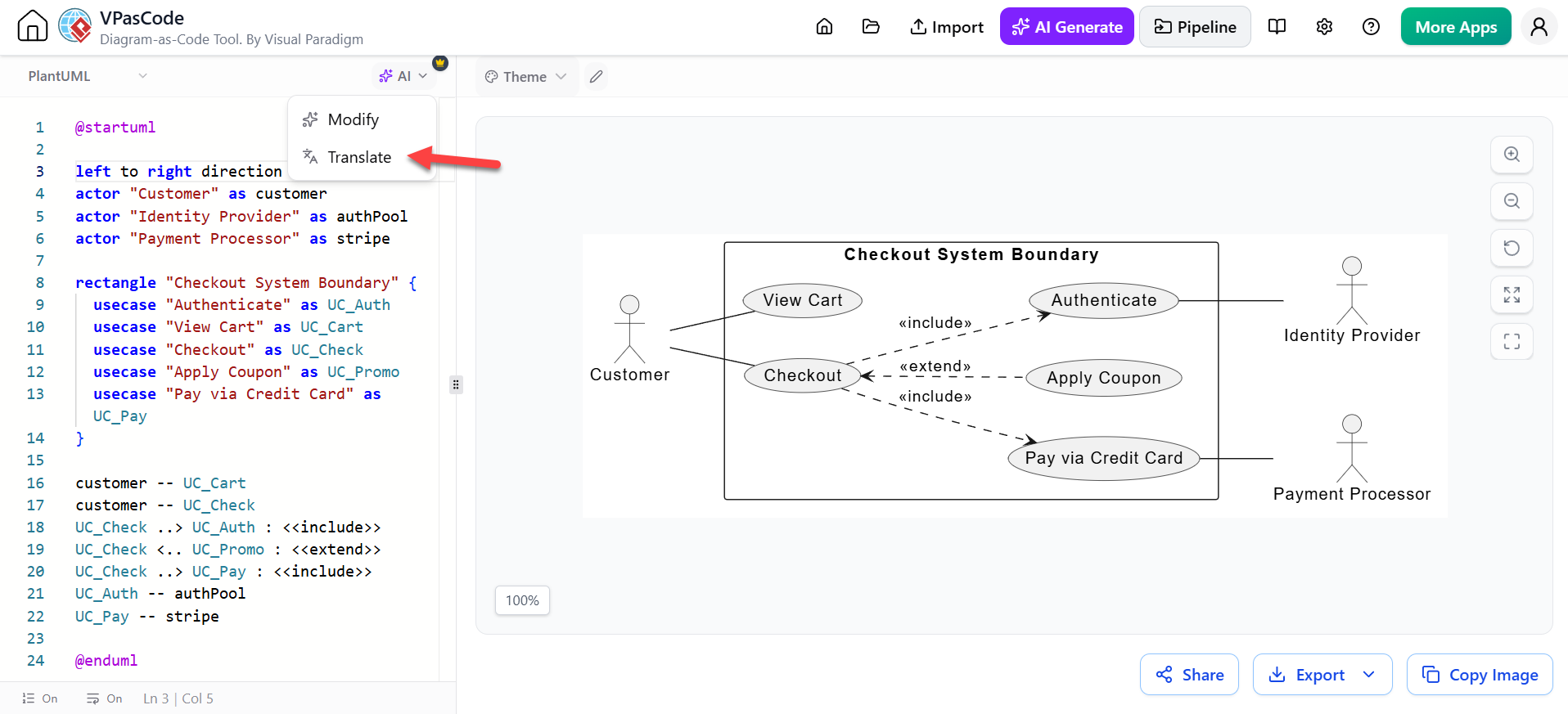
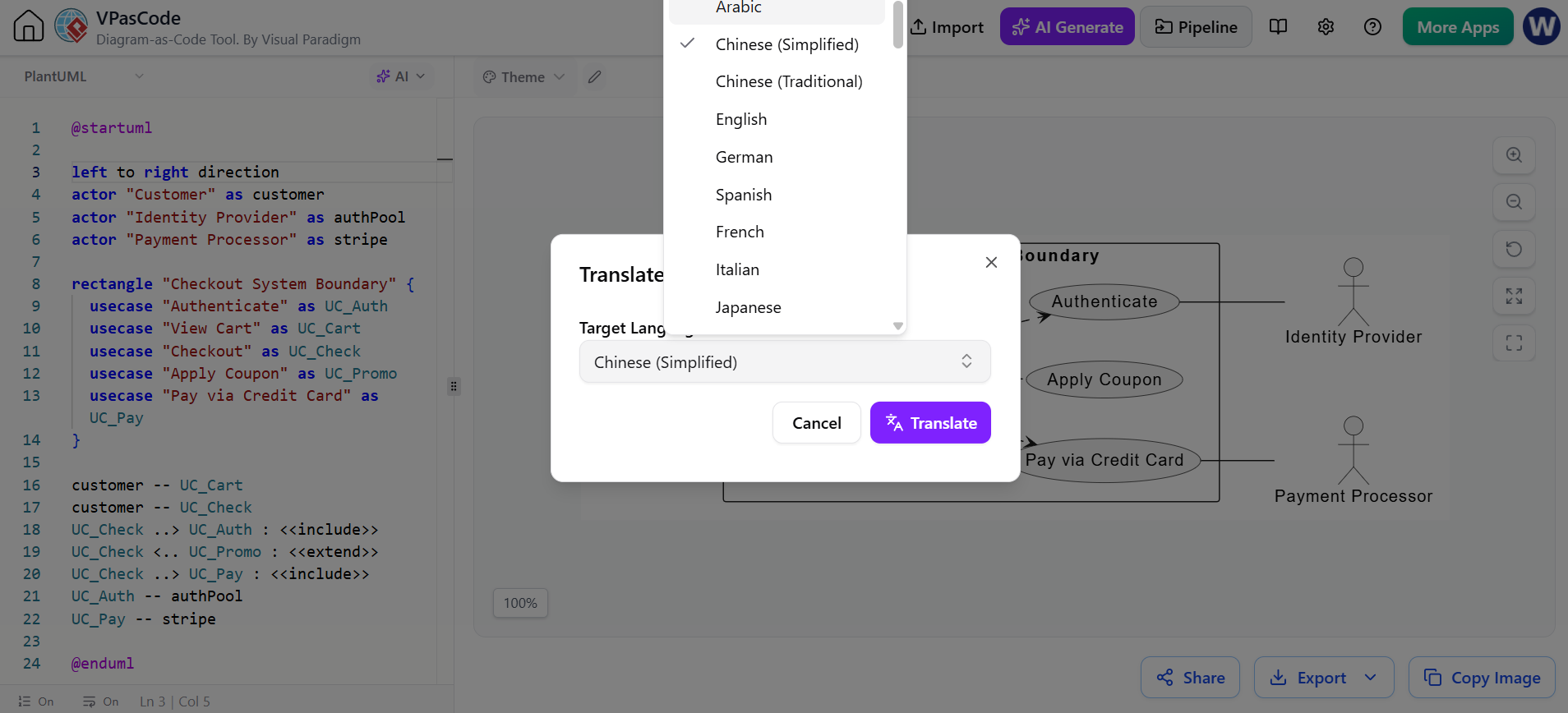
Translation should be reviewed carefully for:
- Technical terms
- Acronyms
- Domain-specific language
- Product names
- Security and compliance terminology
In software architecture, a literal translation may be grammatically correct but still misleading if it changes the meaning of a domain term.
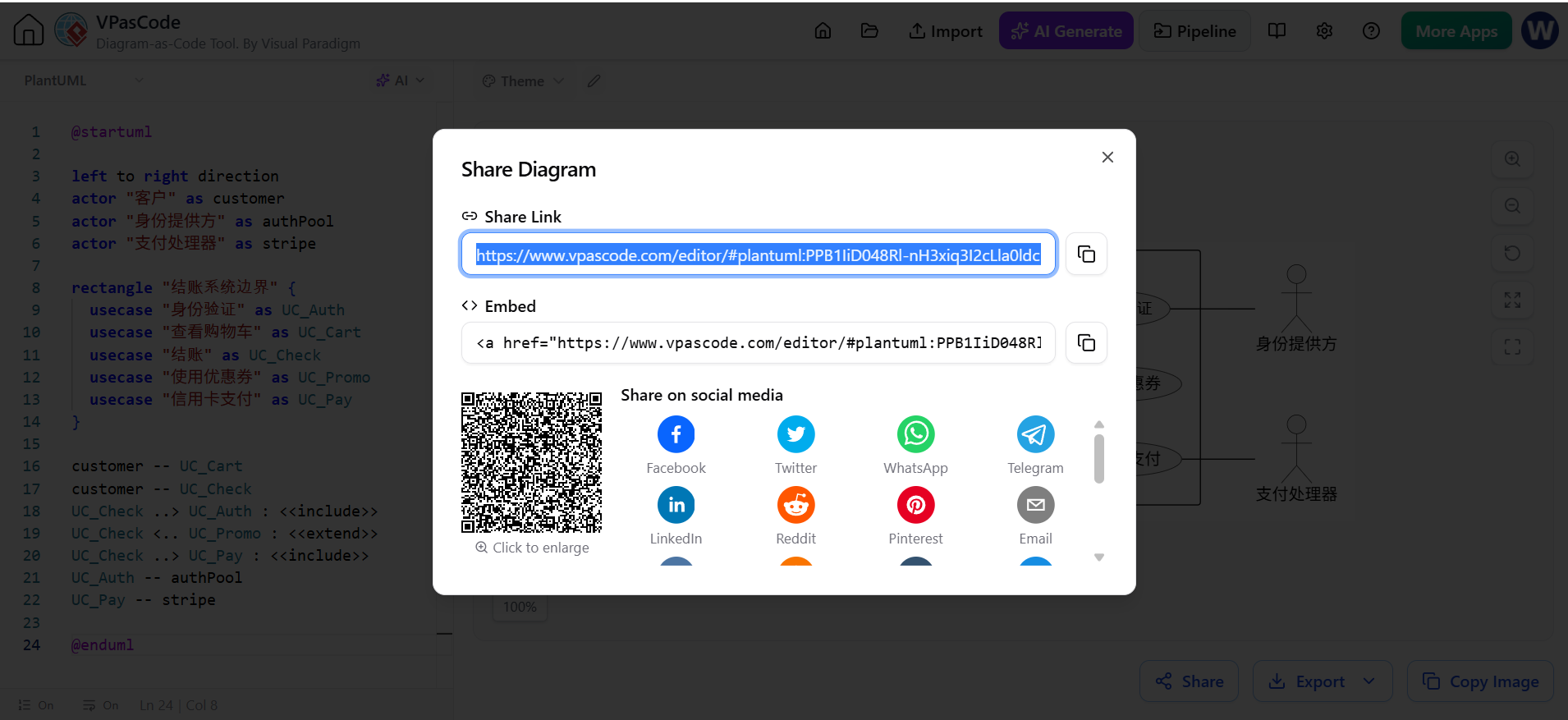
6. Sharing through URLs
VPasCode supports shareable URLs, allowing users to distribute diagrams without sending screenshots or large project files. This is practical for:
- Design reviews
- Architecture discussions
- Client presentations
- Code-review comments
- Training materials
- Cross-functional collaboration
Teams should still establish an internal policy for who can access shared diagrams and how long links should remain active.
7. SVG and PNG export
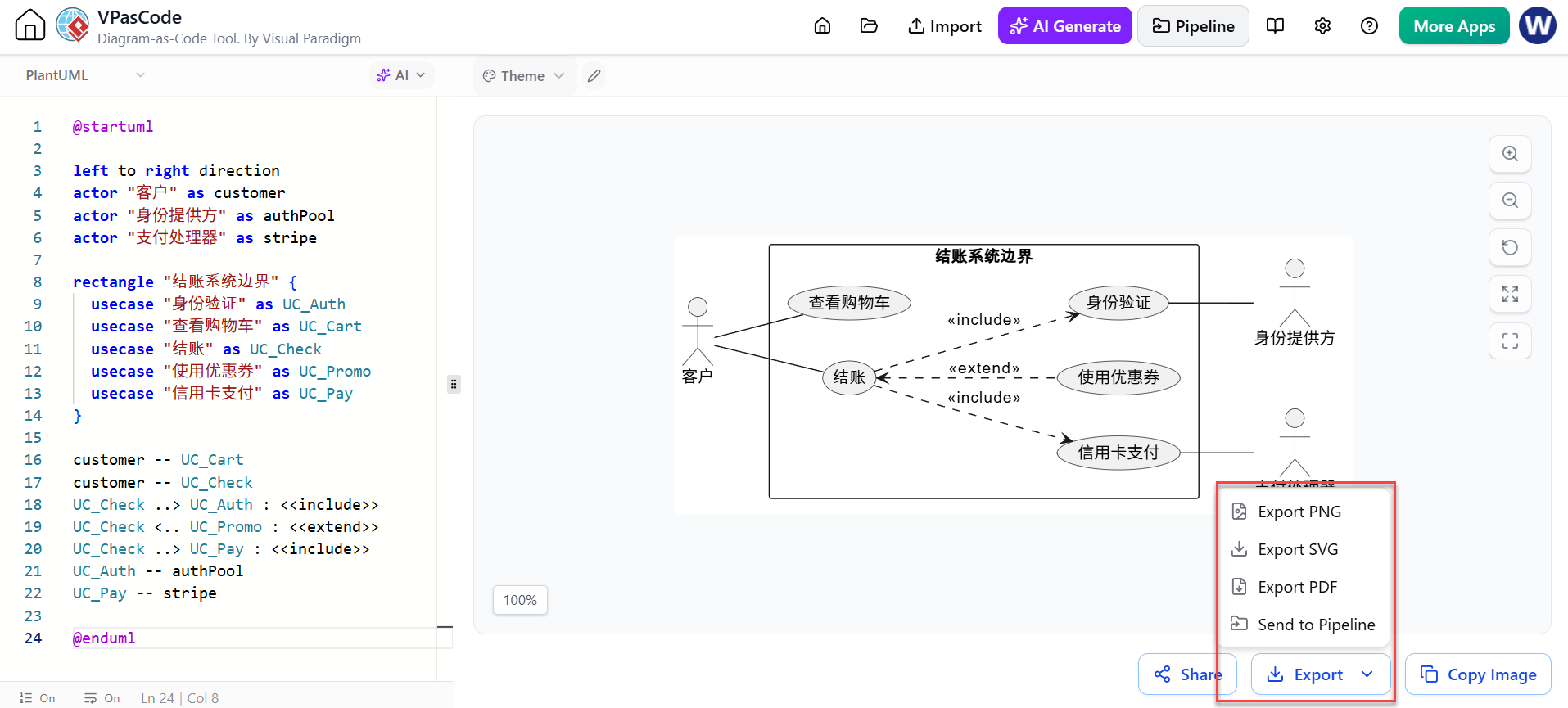
Diagrams can be exported for use in technical documents, slide decks, tickets, wikis, and presentations. The listed free capabilities include SVG and PNG export. SVG is generally preferable for documentation that needs to remain sharp at different sizes, while PNG is convenient for quick sharing and broad compatibility.
8. Import and interoperability with Visual Paradigm
VPasCode fits into the broader Visual Paradigm ecosystem. The platform’s feature listings include exporting diagrams to Visual Paradigm Desktop, while the wider toolset includes AI-assisted modeling and software-development features such as use-case analysis, sequence-diagram refinement, MVC architecture generation, and PlantUML builders.
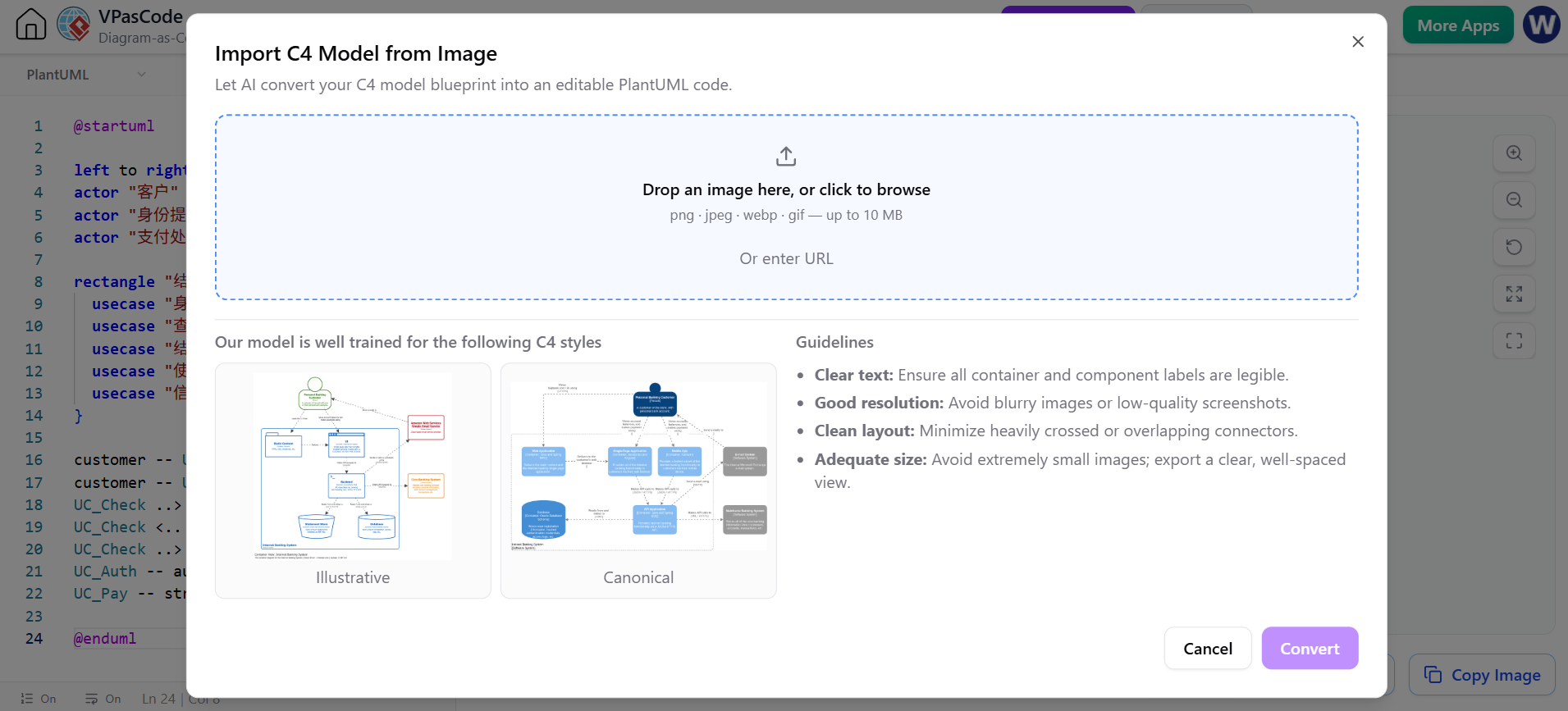
This makes VPasCode useful both as a standalone text-based editor and as part of a larger modeling workflow.
How VPasCode Supports Software Development
VPasCode contributes to several stages of the software development lifecycle.
Requirements analysis
Teams can translate written requirements into visual representations such as:
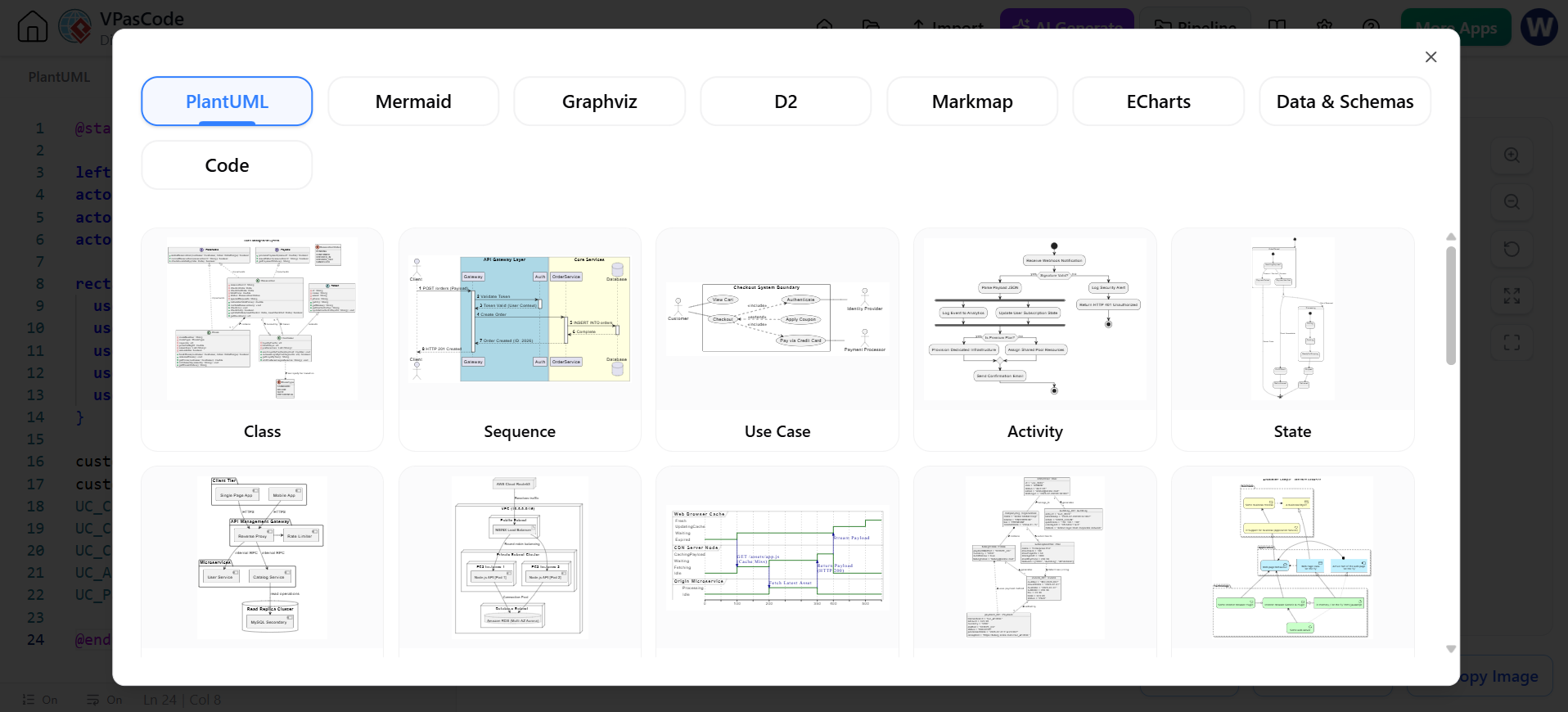
A product manager might describe a checkout process in plain language. The team can use that description to create an initial activity or sequence diagram, then review missing scenarios and edge cases.
System and solution architecture
Architecture diagrams help teams reason about boundaries and dependencies before implementation begins. VPasCode can be used to document:
- Microservices
- APIs
- Web applications
- Event-driven systems
- Cloud components
- Databases
- External integrations
- Deployment environments
A useful workflow is to start with a high-level C4 context diagram, expand it into containers, and then create component or sequence diagrams for the most important interactions.
API and interaction design
Sequence diagrams are valuable when designing or reviewing API behavior. They can show:
- Request and response order
- Authentication
- Retries
- Timeouts
- Error paths
- Asynchronous events
- Communication between services
For example, an order-processing sequence can make it easier to identify whether payment authorization occurs before inventory reservation, what happens after a timeout, and which service owns the final order state.
Database and data modeling
Entity-relationship diagrams help developers discuss:
- Entities and attributes
- Primary and foreign keys
- Cardinality
- Data ownership
- Service boundaries
- Reporting relationships
AI can generate a starting model from a textual description, but database professionals should validate normalization, indexing, constraints, lifecycle rules, and privacy requirements independently.
Documentation and knowledge transfer
A consistent collection of diagrams can shorten onboarding time and preserve architectural knowledge. Diagrams are especially helpful when:
- A system has many services
- Team ownership changes
- Legacy code lacks documentation
- New developers need a conceptual overview
- Nontechnical stakeholders need a visual explanation
The greatest benefit comes when diagrams are maintained as part of normal engineering work rather than created only for a one-time presentation.
A Practical VPasCode Workflow
Step 1: Define the objective
Before opening the editor, decide what the diagram should explain.
Examples include:
- “Show how a customer places an order.”
- “Explain service dependencies.”
- “Document the deployment topology.”
- “Model the relationships in the reporting database.”
- “Illustrate the authentication flow.”
A clear objective prevents the diagram from becoming an undirected collection of components.
Step 2: Choose the diagram type and engine
Select the notation that matches the problem:
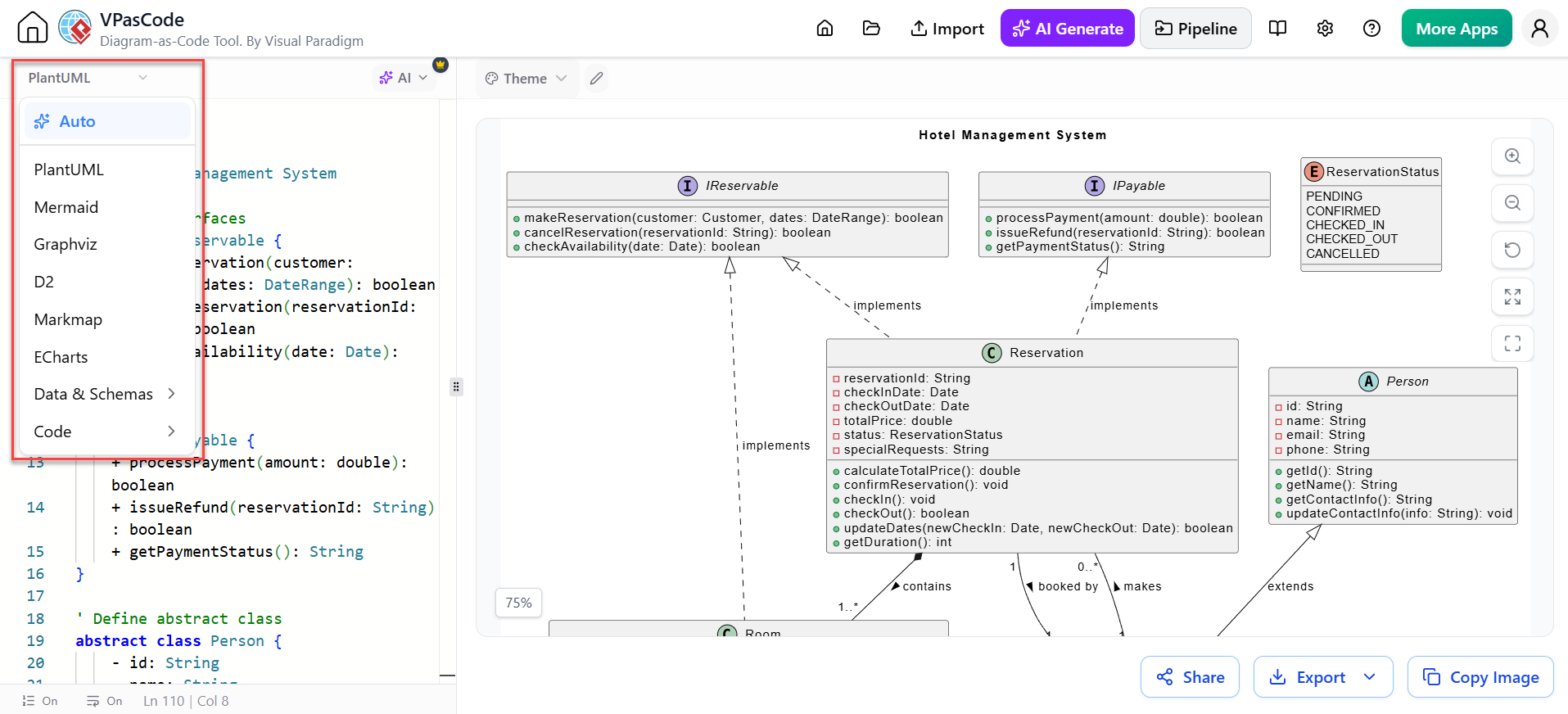
- PlantUML: UML, sequence, deployment, component, and architecture diagrams
- Mermaid: Markdown-friendly flowcharts, sequences, state diagrams, and lightweight documentation
- Graphviz: Graphs, dependency relationships, network structures, and automatically arranged nodes
The best choice is often the syntax already used by the team’s documentation and source-control workflow.
Step 3: Write a focused prompt or initial definition
If using AI, describe:
- The system or process
- Important actors and components
- The relationships between them
- The desired diagram type
- Key success and failure paths
- The level of detail required
For example:
Create a component diagram for a subscription platform. Include the web client, API gateway, billing service, subscription service, notification service, PostgreSQL database, and external payment provider. Show synchronous calls and asynchronous notification events.
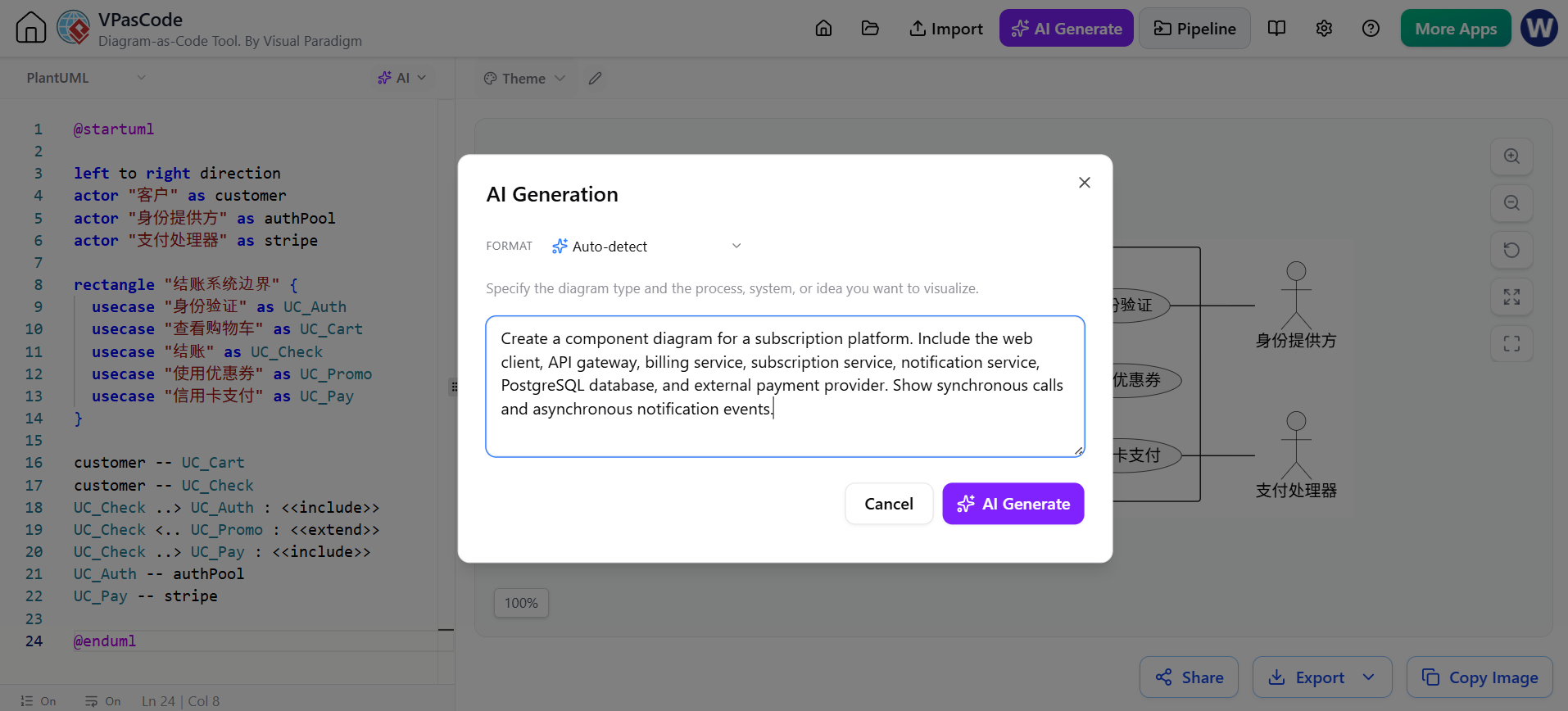
Specific prompts usually produce more useful output than broad requests such as “make an architecture diagram.”
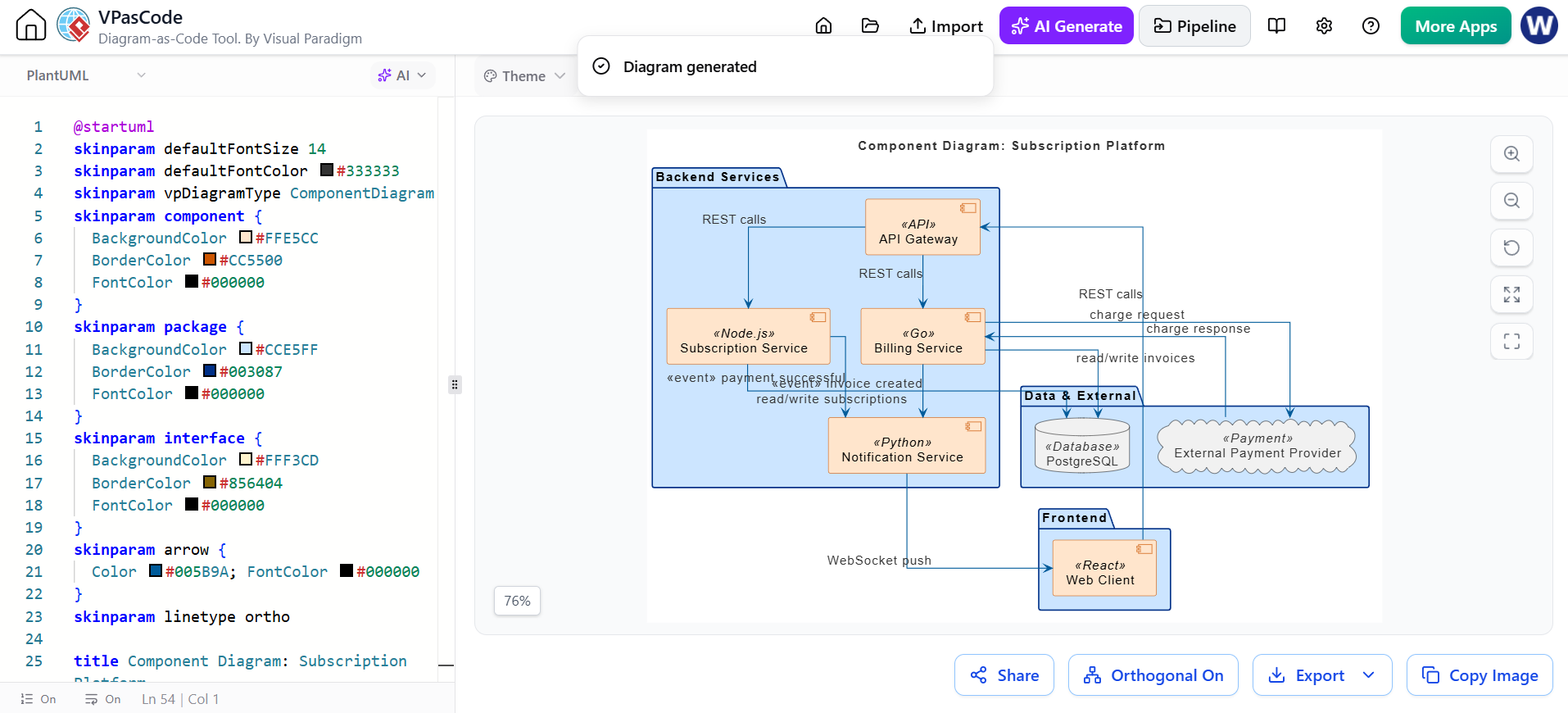
Modify using AI for Refinement
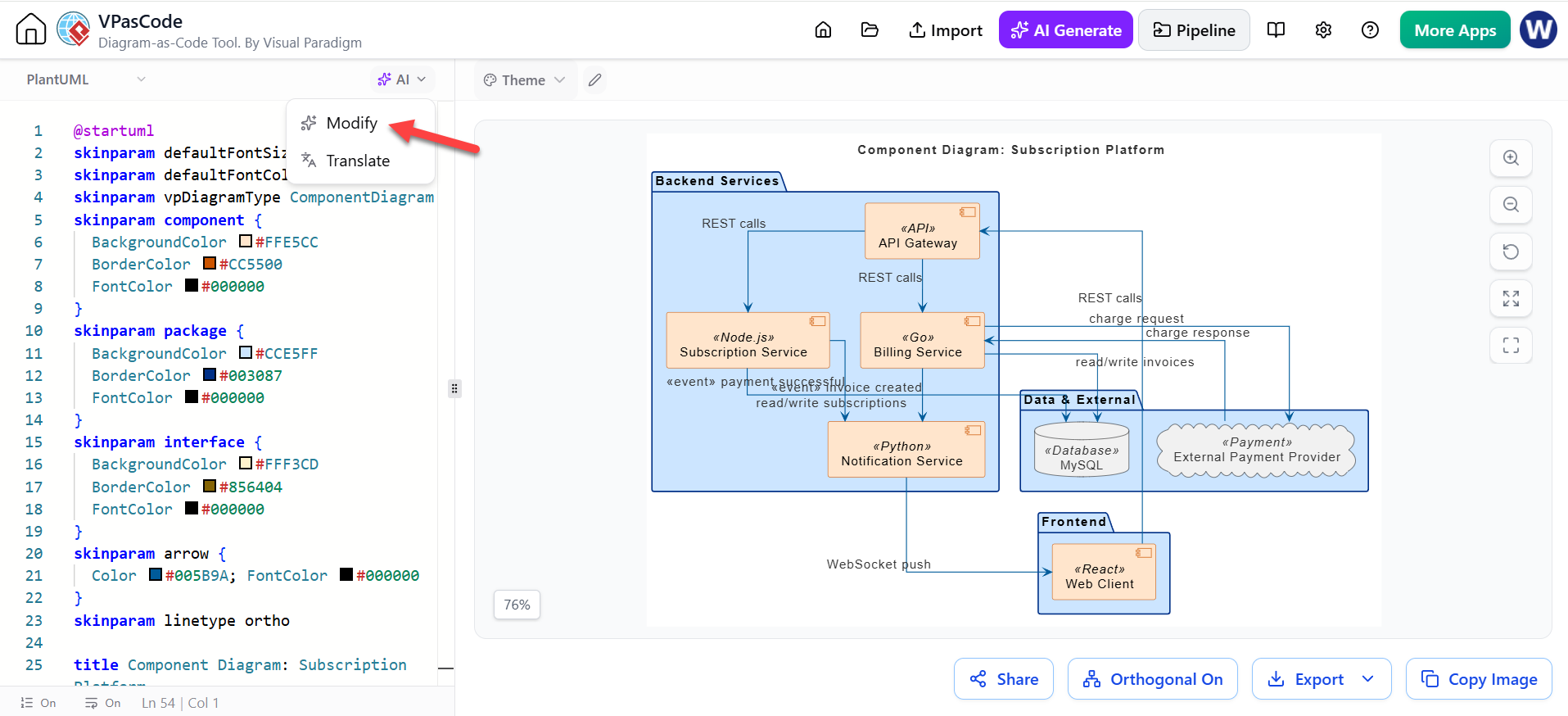
Enter the refinement prompt:
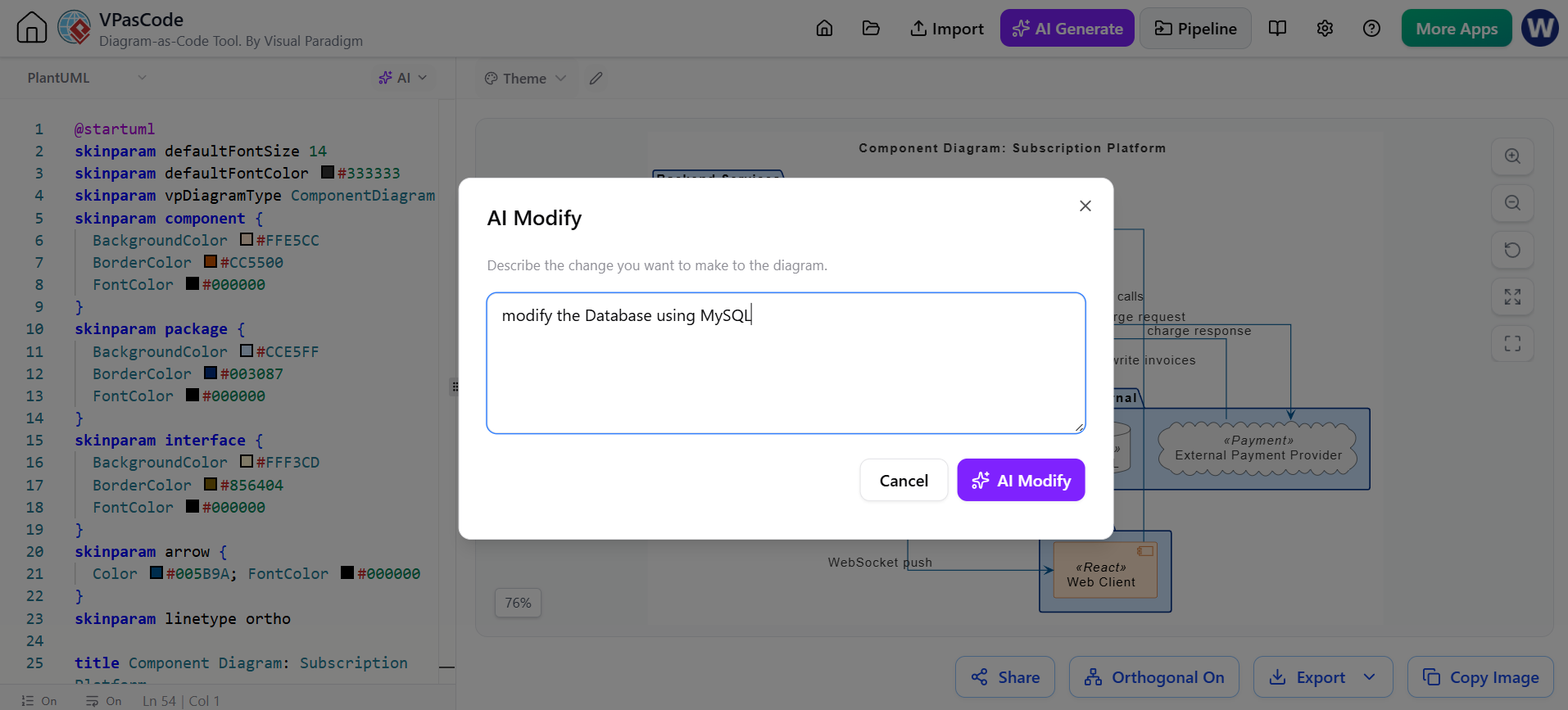
Regenerate the Modified Result:
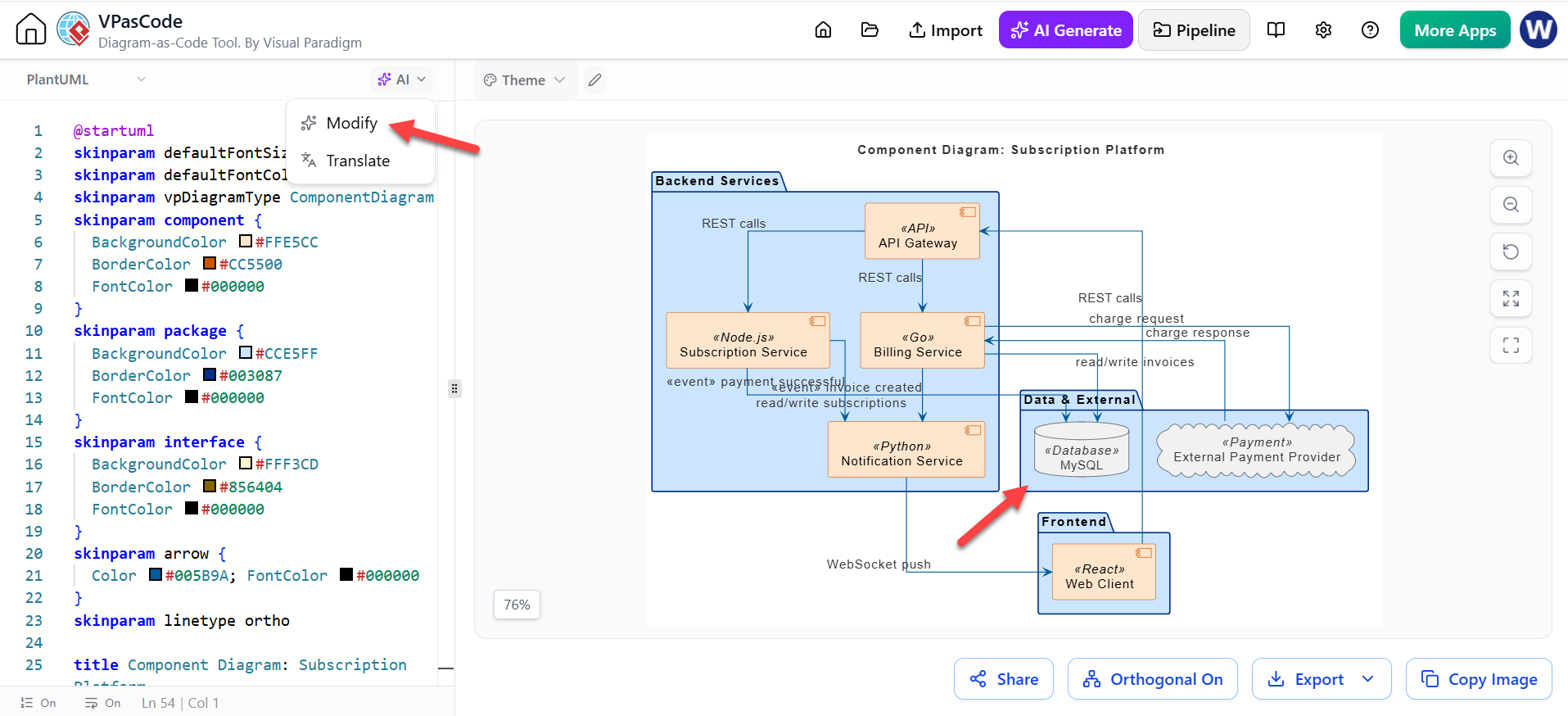
Step 4: Inspect the generated result
Review both the diagram and its source text. Check:
- Are all major components present?
- Are relationships pointing in the correct direction?
- Does the sequence reflect actual runtime behavior?
- Are external systems clearly identified?
- Are synchronous and asynchronous interactions distinguished?
- Is the diagram too detailed for its audience?
- Are any components invented by the AI?
This is the most important step. AI can produce syntactically valid but architecturally incorrect diagrams.
Step 5: Refine manually
Use the text editor to:
- Rename components
- Remove irrelevant details
- Add missing paths
- Group related services
- Clarify labels
- Separate normal and exceptional flows
- Improve readability
- Apply consistent naming and styling
Manual refinement transforms a generic AI draft into documentation that reflects the actual system.
Step 6: Validate against implementation
Compare the diagram with:
- Application code
- API specifications
- Database schemas
- Infrastructure definitions
- Test cases
- Operational runbooks
- Existing architecture decisions
For an existing system, diagrams should describe observed or intended behavior—not assumptions generated from a prompt.
Step 7: Share, export, and preserve the source
Use URL sharing for collaborative review and export SVG or PNG for documents and presentations. Preserve the source definition in a repository or approved documentation location so the diagram can be updated later.
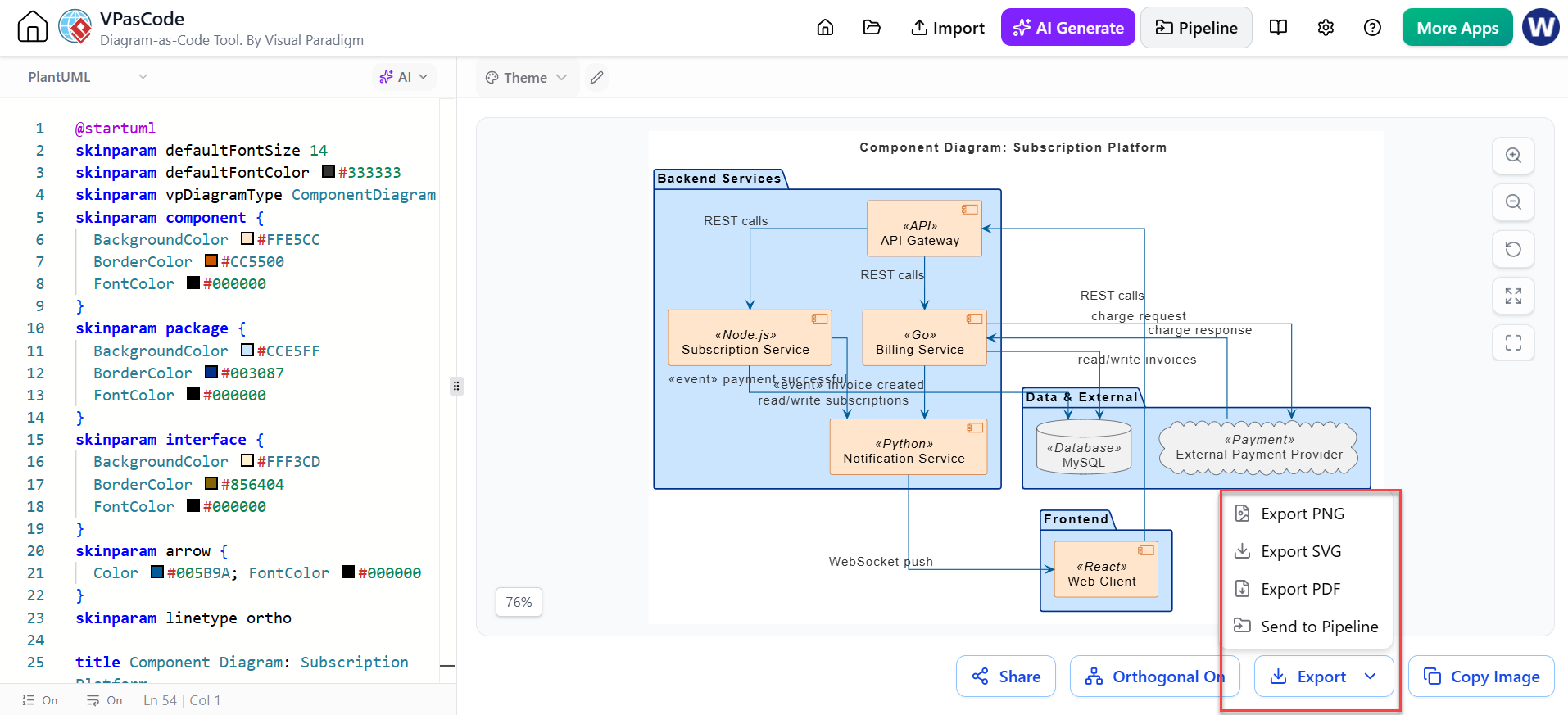
Example: Generating a Microservice Architecture
Suppose a team is building a food-delivery platform. The core actors and services are:
- Customers
- Restaurants
- Delivery drivers
- Mobile and web clients
- Order service
- Payment service
- Restaurant service
- Delivery service
- Notification service
- Database and message broker
A useful AI prompt could be:
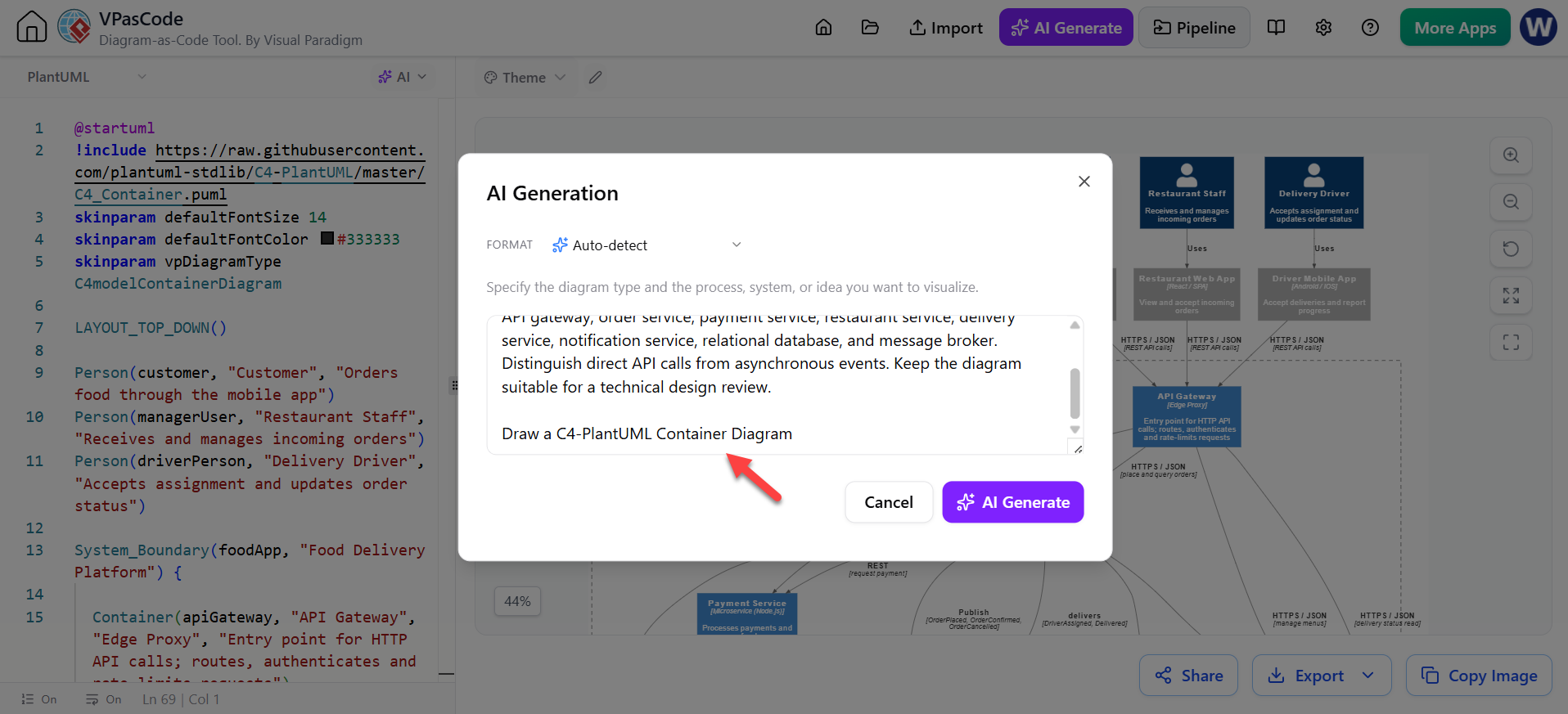
Create a high-level microservice architecture diagram for a food-delivery platform. Show customers ordering through a mobile app, restaurants managing orders, and delivery drivers accepting assignments. Include an API gateway, order service, payment service, restaurant service, delivery service, notification service, relational database, and message broker. Distinguish direct API calls from asynchronous events. Keep the diagram suitable for a technical design review.
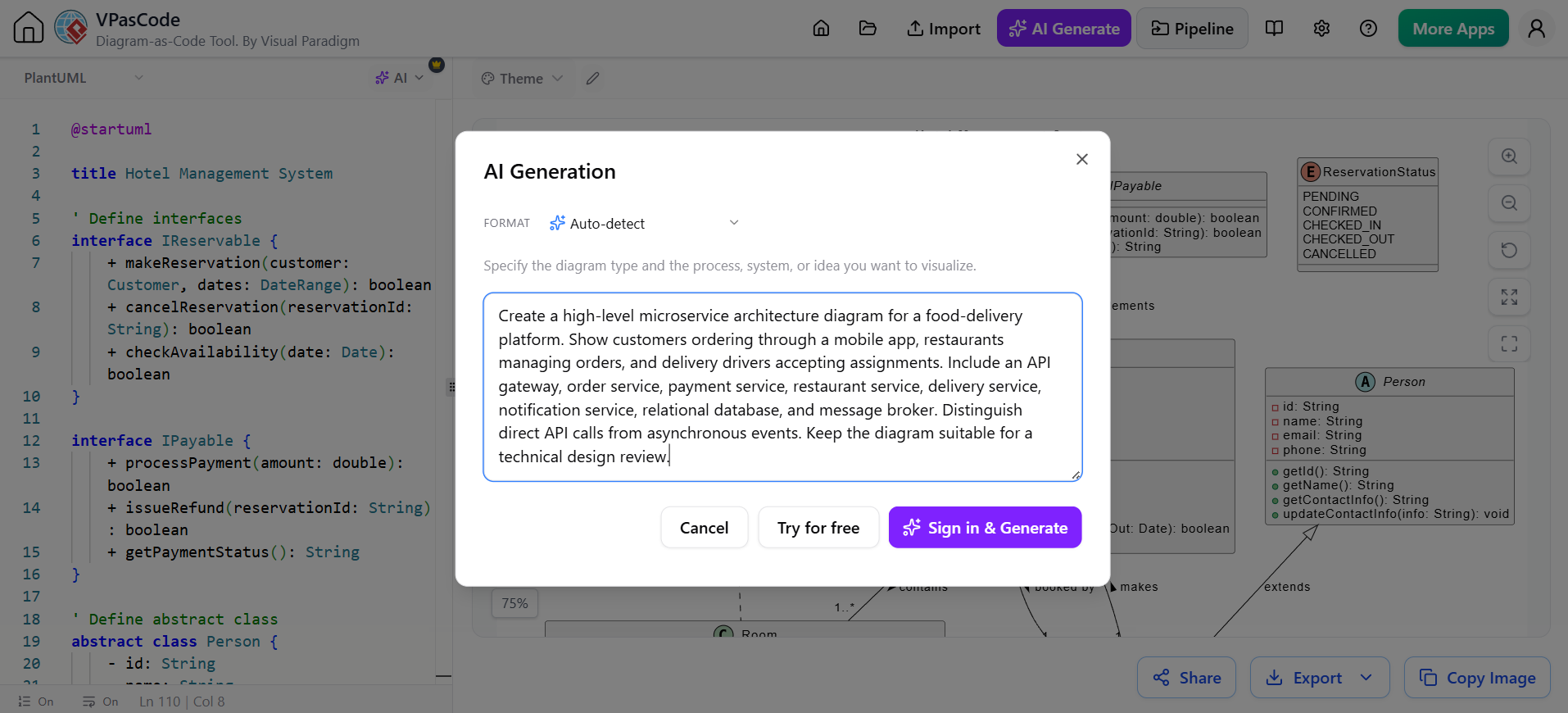
After generation, the team should confirm:
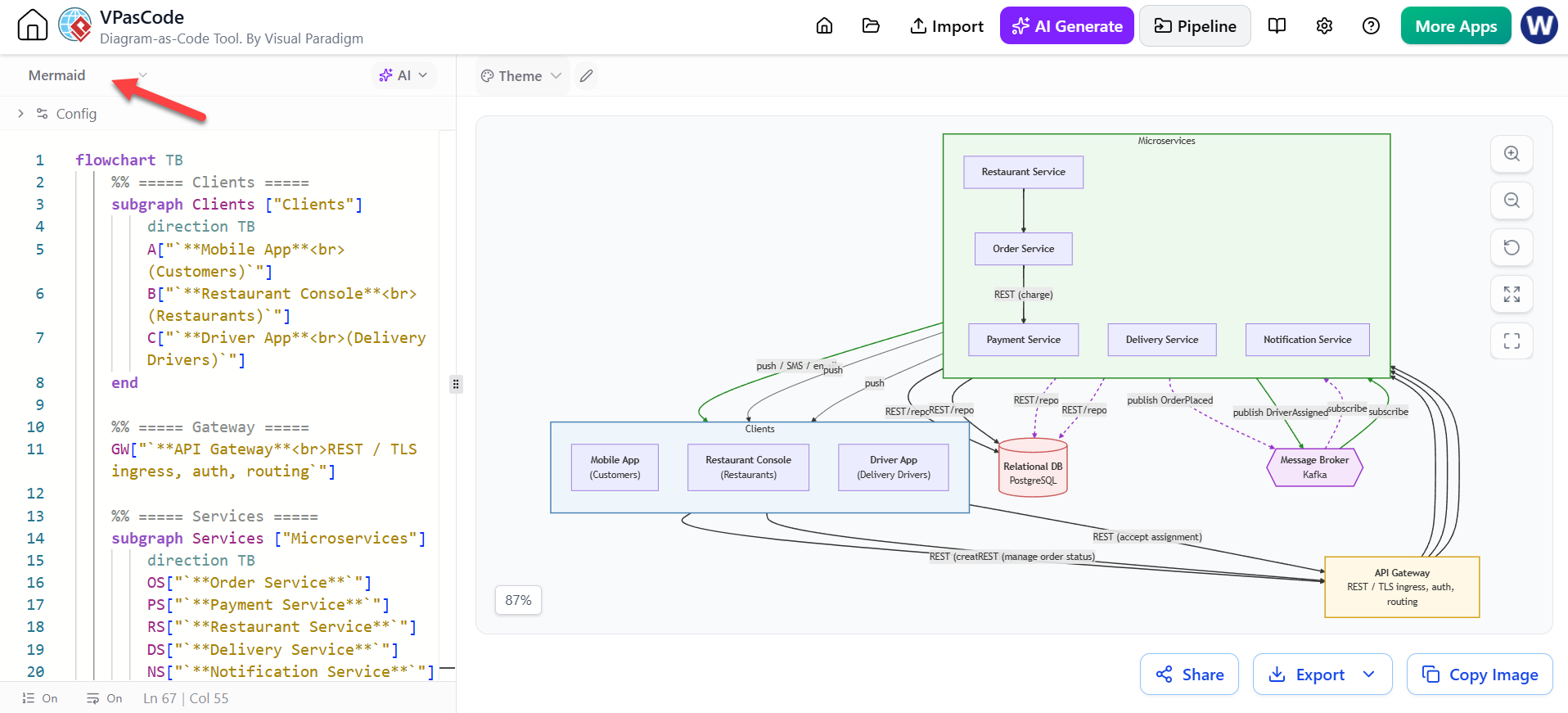
- Specify what type of Diagram you want to create – in this case a C4 Model in PlantUML
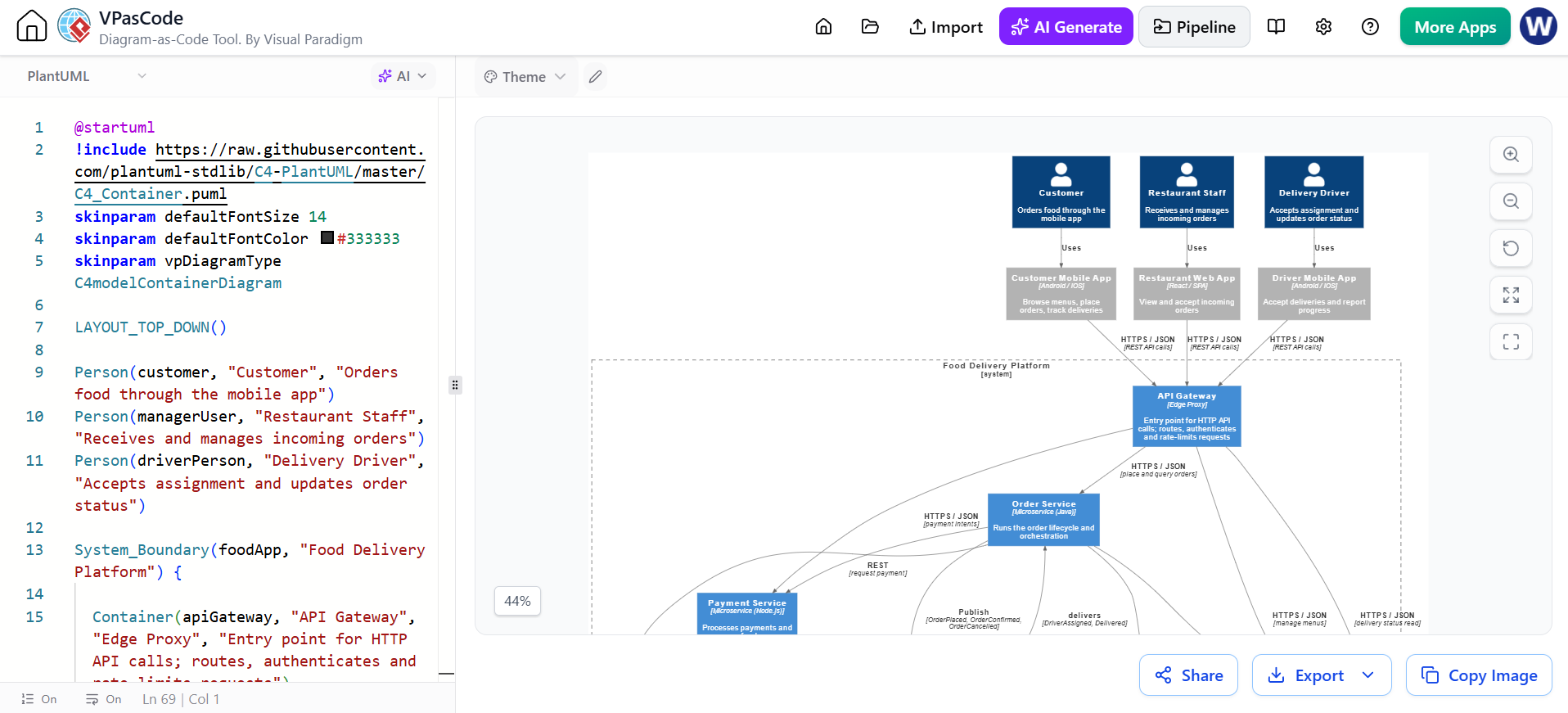
The C4 Model in PlantuML: A Container Diagram is generated:
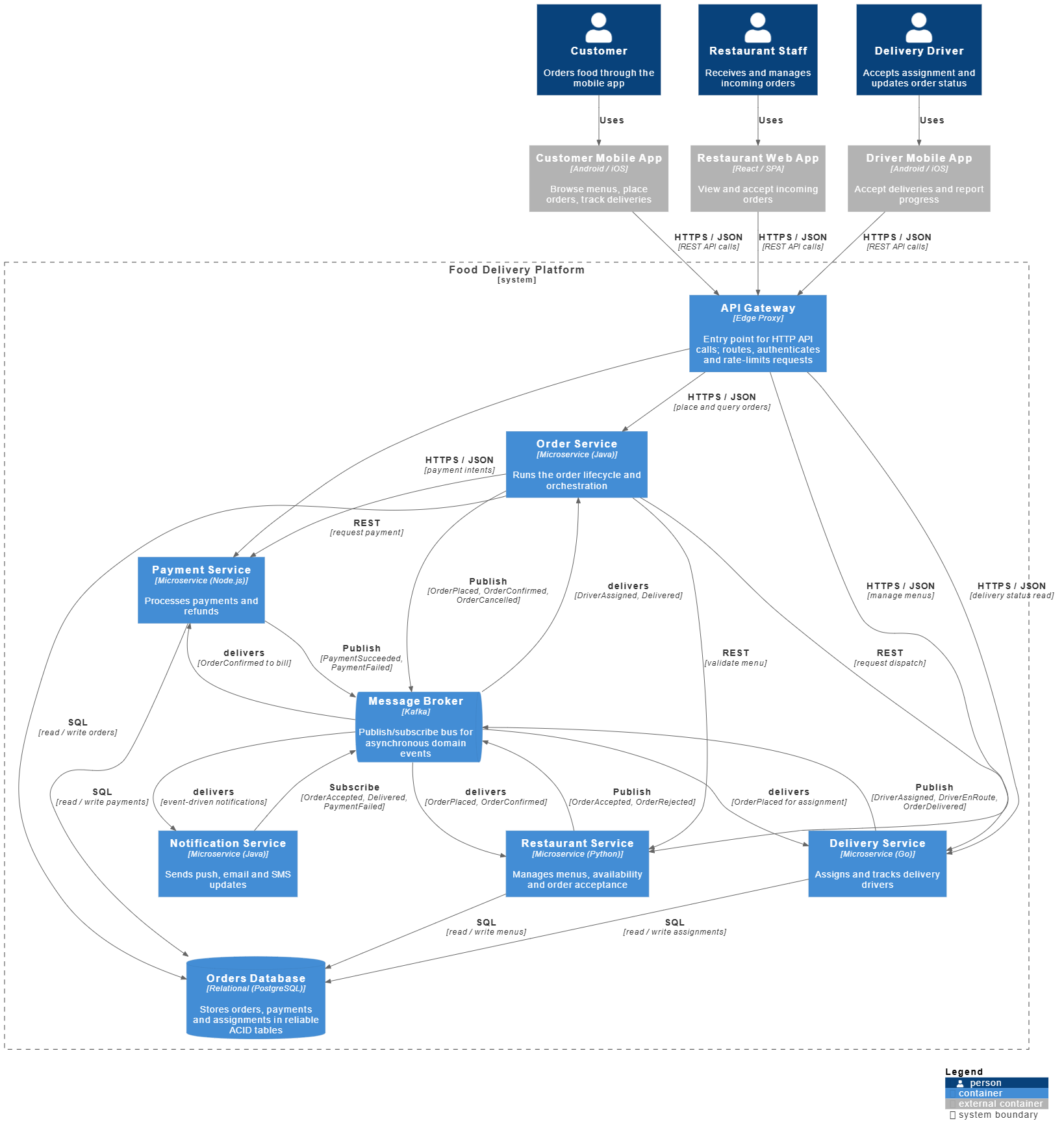
The Full C4 Container Diagram for the Problem:
Example: Using VPasCode for an Authentication Flow
A sequence diagram for authentication might include:
- User opens the application.
- Application redirects the user to an identity provider.
- User authenticates.
- Identity provider returns an authorization code.
- Application exchanges the code for tokens.
- Application validates the identity.
- Application creates or retrieves the user session.
- User receives access to protected resources.
The team can then add failure scenarios:
- Invalid credentials
- Expired authorization code
- Missing consent
- Token validation failure
- Provider outage
- Session expiration
AI can quickly create the initial sequence, while developers ensure that token handling, redirects, scopes, and error behavior match the actual implementation.
Benefits for Different Roles
| Role | How VPasCode can help |
|---|---|
| Software developers | Document APIs, dependencies, flows, and service interactions |
| Solution architects | Explore alternatives and communicate architecture |
| Technical leads | Review system boundaries and identify coupling |
| Product managers | Turn requirements into understandable process diagrams |
| QA engineers | Derive test scenarios from flows and alternate paths |
| DevOps engineers | Document deployment and infrastructure relationships |
| Technical writers | Produce editable diagrams for manuals and knowledge bases |
| Students and learners | Practice diagram syntax with immediate visual feedback |
VPasCode Compared with Traditional Diagramming
VPasCode and conventional visual modeling tools serve related but different purposes.
Traditional drag-and-drop tools are often preferable when users need:
- Precise manual layout
- Rich model repositories
- Formal UML or enterprise architecture modeling
- Extensive visual styling
- Detailed element metadata
- Traceability across large models
VPasCode is especially attractive when users need:
- Fast text-based authoring
- Real-time rendering
- AI-generated starting points
- Multiple diagram syntaxes
- Source-control-friendly definitions
- Easy sharing through links
- Lightweight documentation
Many teams can use both approaches. VPasCode is effective for fast, code-adjacent diagrams, while a full modeling environment may be better for governed enterprise models.
Limitations to Keep in Mind
AI output may be inaccurate
AI can misunderstand requirements, omit important relationships, or invent components. Generated diagrams must be reviewed by someone who understands the system.
Diagram quality depends on input quality
Vague prompts tend to produce generic diagrams. Include actors, components, relationships, constraints, and desired detail level.
Rendering is not architecture validation
A diagram that renders successfully is not necessarily correct. Syntax validation only confirms that the selected engine can interpret the definition.
Large diagrams can become difficult to read
Adding every class, service, endpoint, and database table to one diagram usually reduces its value. Prefer multiple diagrams at different levels of abstraction.
Engine syntax differs
PlantUML, Mermaid, and Graphviz have different capabilities, syntax rules, and layout behavior. A diagram may not transfer perfectly between engines.
Licensing and feature availability vary
The available feature set depends on the edition and subscription. Current product information distinguishes free capabilities such as editing, previewing, URL sharing, and SVG/PNG export from premium features such as AI error fixing and language translation. Teams should check the applicable plan before standardizing on a feature.
Best Practices for Teams
- Keep diagrams small enough to explain one idea.
- Use consistent names for services, databases, and actors.
- Separate overview diagrams from detailed interaction diagrams.
- Label important relationships with verbs or protocols.
- Distinguish synchronous calls, asynchronous events, and data stores.
- Include failure paths when they affect system behavior.
- Store diagram source with the related code or documentation.
- Review diagram changes during pull requests or architecture reviews.
- Add a title, scope, and last-reviewed date.
- Treat AI output as a draft, not an authority.
- Avoid placing secrets, credentials, or unnecessary sensitive data in prompts or diagram labels.
- Regenerate or update diagrams whenever major interfaces or service boundaries change.
A Suggested Documentation Structure
A mature project might organize diagrams into the following layers:
- System context: Users, external systems, and the product boundary
- Container or service view: Major applications, services, databases, and queues
- Component view: Internal modules within a service
- Sequence view: Important runtime interactions
- Data view: Entities, schemas, and ownership
- Deployment view: Infrastructure, environments, and network boundaries
- Process view: Business workflows and exception paths
This layered approach prevents a single diagram from trying to explain the entire system.
Is VPasCode Suitable for Production Teams?
VPasCode can be a strong fit for teams that want fast, editable, shareable diagrams integrated with software-development documentation. Its greatest value is not that it automatically designs a complete production system. Rather, it reduces the friction involved in expressing and maintaining technical ideas visually.
It is particularly suitable for:
- Agile teams documenting evolving systems
- Architecture and design reviews
- API and integration planning
- Developer onboarding
- AI-assisted prototyping
- Markdown-based documentation workflows
- Teams using PlantUML, Mermaid, or Graphviz
- Projects that want diagrams managed alongside source code
For regulated or highly complex environments, teams should complement VPasCode with modeling standards, review procedures, access controls, repository policies, and formal architecture governance.
Final Verdict
Visual Paradigm VPasCode brings together text-based diagramming, real-time rendering, multiple diagram engines, AI-assisted generation, error correction, translation, sharing, and export. Its main contribution to software development is making architecture and process documentation faster to create and easier to maintain.
Used responsibly, VPasCode can help teams move from vague requirements to concrete visual models, communicate technical decisions more clearly, and keep diagrams closer to the code and systems they represent. The best results come from combining AI speed with human architectural judgment: let the tool create the first draft, then let developers validate, refine, and maintain the final design.
References
- VPasCode – Text-to-Diagram Platform: Overview of live rendering, AI tools, multiple diagram engines, sharing, and exports.
- VPasCode: Unified Diagram-as-Code Tool for PlantUML, Mermaid, and Graphviz: Explains VPasCode’s unified editor, automatic format detection, AI generation, and Visual Paradigm integration.
- Comprehensive Guide to VPasCode by Visual Paradigm: Covers supported engines, live preview, templates, code validation, sharing, and SVG/PNG export.
- What Is Better Than PlantUML? Top Diagram-as-Code Alternatives & Upgrades: Compares VPasCode with PlantUML, Mermaid, Graphviz, and other diagram-as-code tools.
- From Code to Clarity: A Beginner’s Guide to Seamless Diagramming with VPasCode and OpenDocs: Tutorial on creating diagrams in VPasCode and sending them to OpenDocs for documentation.
- VPasCode Deep Dive: Unifying Mermaid, PlantUML, and AI in One Platform: Related article covering VPasCode’s multi-engine workflow and AI-assisted diagramming.
- Case Study: Accelerating Software Architecture Documentation with VPasCode: Discusses how diagram-as-code can improve architecture documentation and collaboration.
- Beyond Pretty Pictures: Analysis and Design with AI, Diagram-as-Code, and Visual Paradigm: Explores the relationship between AI-assisted modeling, diagram-as-code, and software design workflows.
This post is also available in Deutsch, Español, فارسی, Français, English, Bahasa Indonesia, 日本語, Polski, Portuguese, Ру́сский, Việt Nam, 简体中文 and 繁體中文.