
Introduction
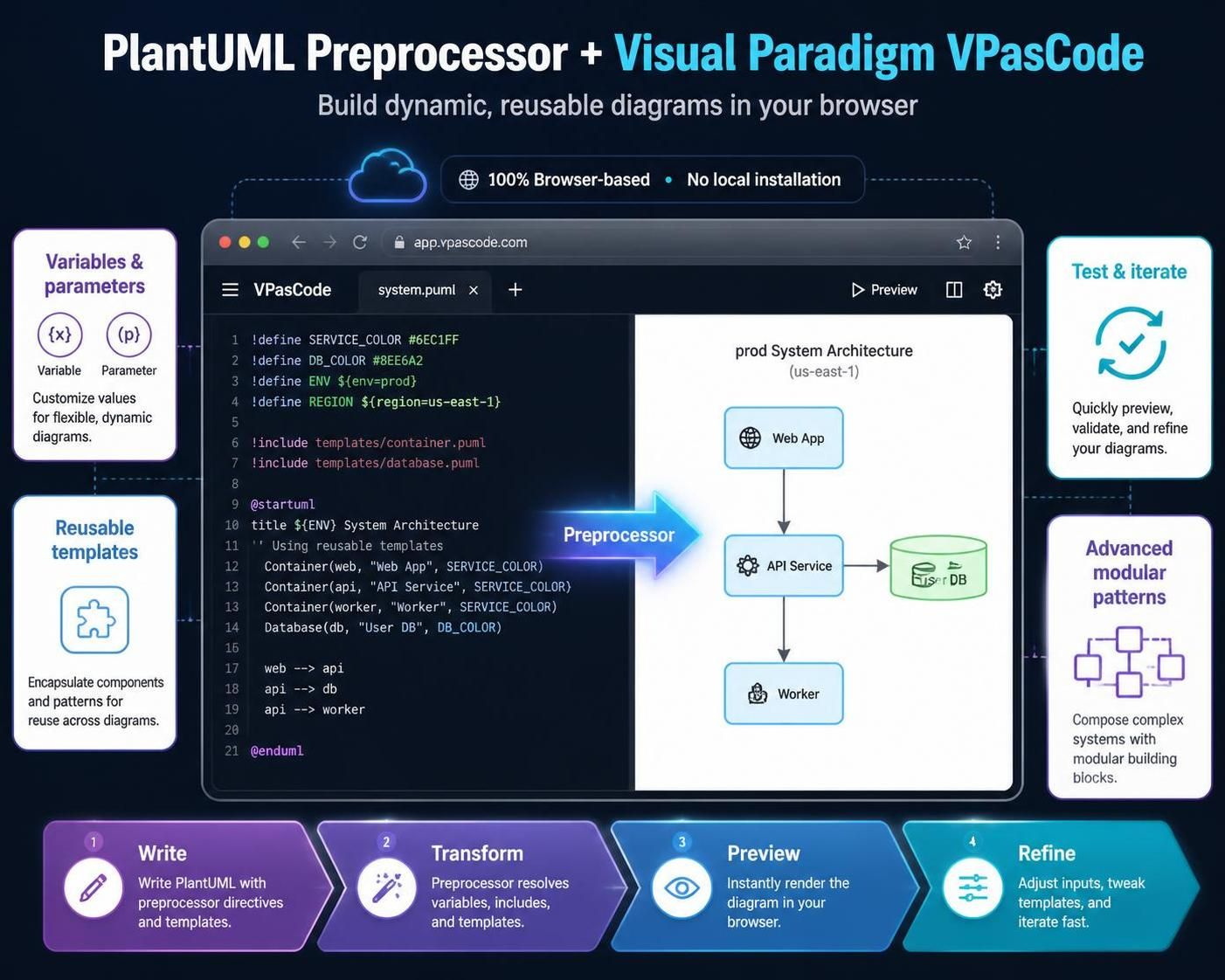
PlantUML’s preprocessor engine transforms static diagram code into dynamic, reusable templates. When combined with Visual Paradigm VPasCode—a browser-based, AI-enhanced workspace for diagram-as-code—you gain the ability to write, test, and iterate on complex architectures without local installations. This guide covers everything from basic variable syntax to advanced modular patterns, optimized specifically for the VPasCode workflow.
1. Why Use Variables in PlantUML?
Hardcoding values leads to maintenance nightmares. Variables allow you to:
-
Centralize Configuration: Change a database name or timeout value in one place, and it updates everywhere.
-
Enable Modularity: Create shared template files that adapt based on context (e.g., Development vs. Production).
-
Reduce Repetition: Use loops and macros to generate repetitive structures like microservice clusters or API endpoints.
In VPasCode, these benefits are amplified by live preview, meaning you see the impact of your variable changes instantly as you type.
2. Variable Syntax and Declaration
Modern PlantUML uses the !$ prefix for variables, offering better scoping and type safety than the legacy !define approach.
Basic Assignment (=)
Use = to assign or reassign a value.
!$appName = "OrderService"
!$maxRetries = 5
Conditional Assignment (?=)
Use ?= to set a default value only if the variable hasn’t been defined yet. This is crucial for creating flexible templates that can be overridden by including files.
!$Environment ?= "Staging"
// If $Environment was already set by an include file, this line is skipped.
Scope Rules
-
Variables declared at the top level are global within the script.
-
Variables inside
!functionor!procedureblocks are local to that scope unless explicitly managed.
3. Data Types and Handling
PlantUML supports three primary data types:
| Type | Description | Example |
|---|---|---|
| String | Text enclosed in quotes. | !$host = "api.example.com" |
| Integer | Whole numbers for math/loops. | !$port = 8080 |
| JSON | Structured data for complex configs. | !$config = %str2json("{ 'debug': true }") |
Note on Booleans: PlantUML treats
0as false and any non-zero number or non-empty string as true. Use%true()and%false()for clarity.
4. Practical Implementation: Dynamic Sequence Diagrams
Variables shine when defining actors and messages. Below is a complete example ready for VPasCode.
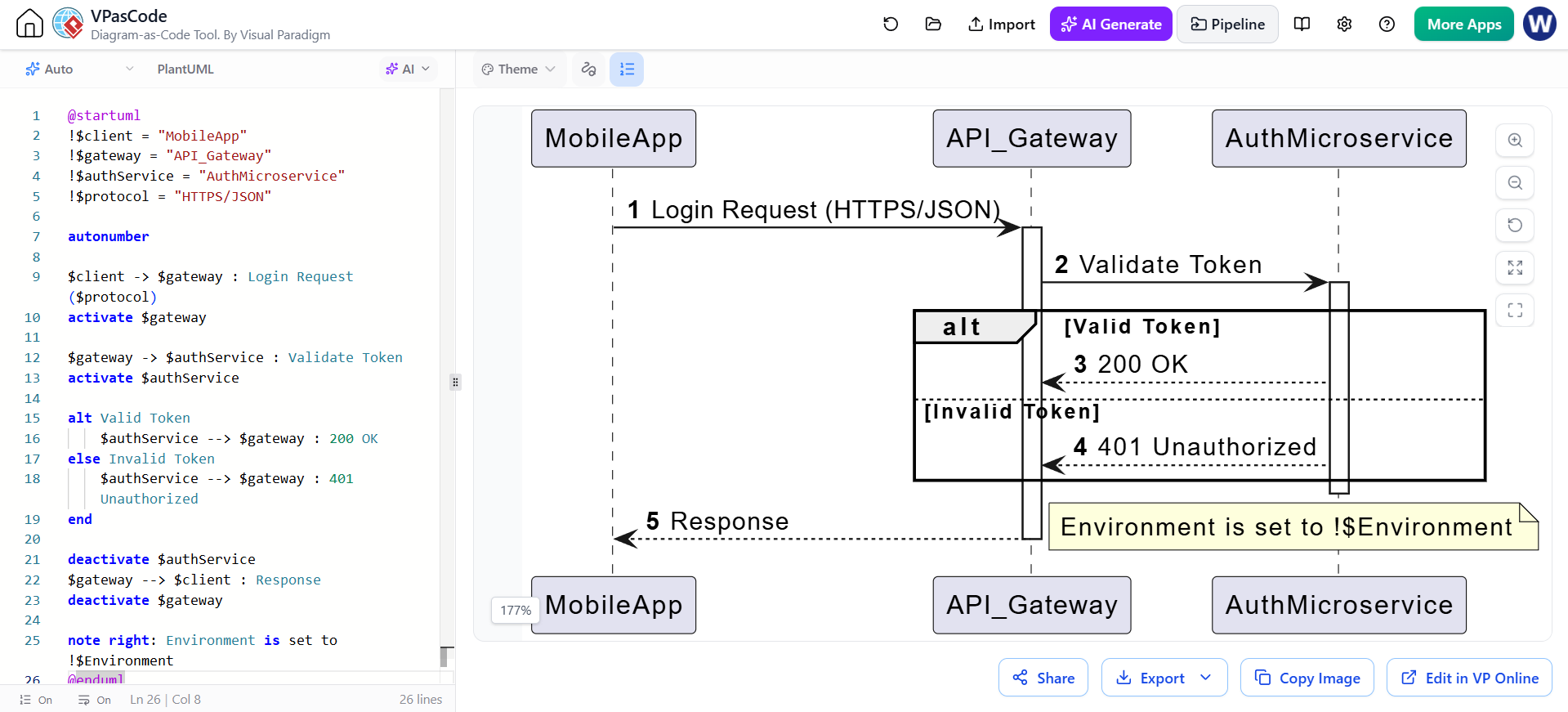
@startuml
!$client = "MobileApp"
!$gateway = "API_Gateway"
!$authService = "AuthMicroservice"
!$protocol = "HTTPS/JSON"

autonumber

$client -> $gateway : Login Request ($protocol)
activate $gateway

$gateway -> $authService : Validate Token
activate $authService

alt Valid Token
    $authService --> $gateway : 200 OK
else Invalid Token
    $authService --> $gateway : 401 Unauthorized
end

deactivate $authService
$gateway --> $client : Response
deactivate $gateway

note right: Environment is set to !$Environment
@enduml
VPasCode Tip: As you change $client to "WebDashboard", the diagram updates in real-time, allowing you to verify layout adjustments immediately.
5. Advanced Features: Functions and Built-ins
Custom Functions (!function)
Functions allow you to perform calculations or string manipulation and return results directly into diagram labels.
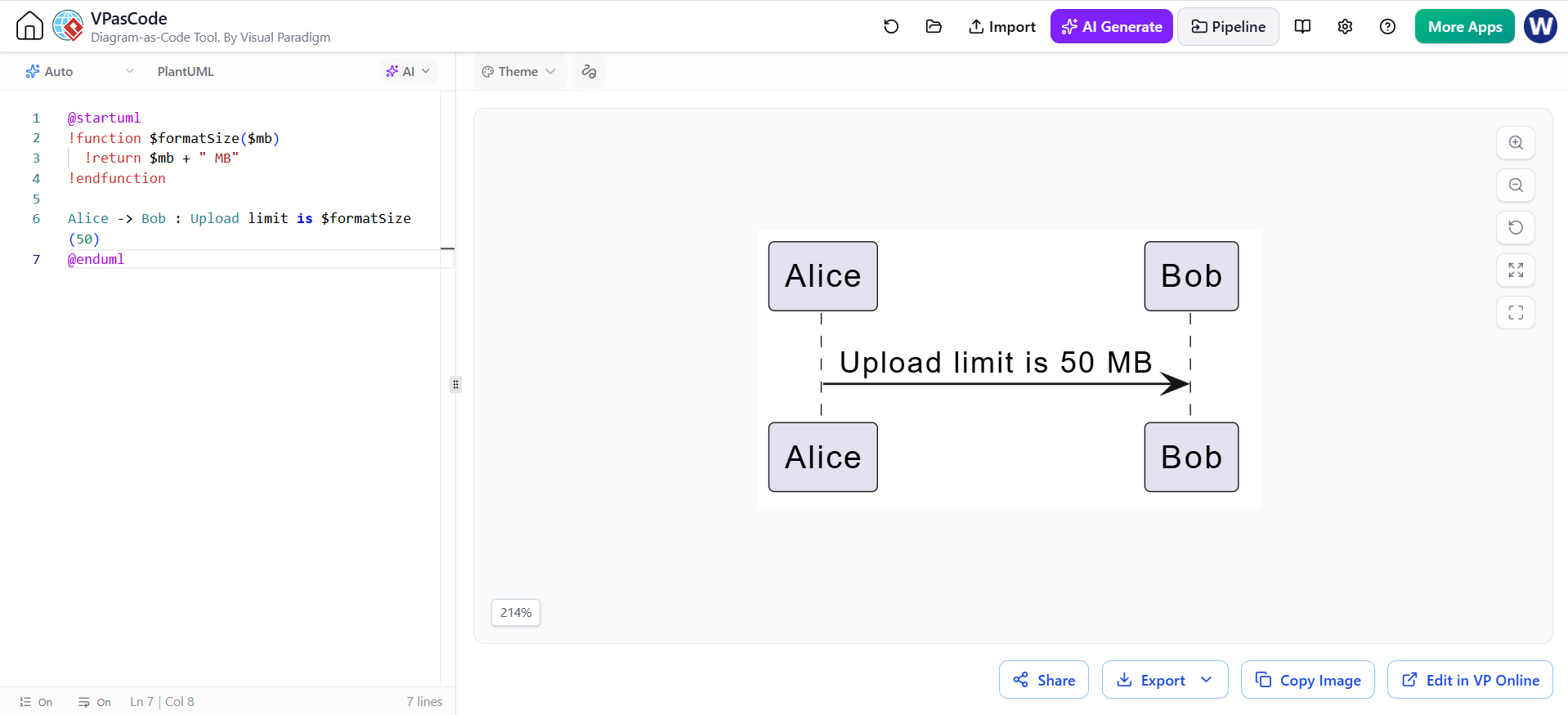
@startuml
!function $formatSize($mb)
  !return $mb + " MB"
!endfunction

Alice -> Bob : Upload limit is $formatSize(50)
@enduml
Useful Built-in Functions
-
%variable_exists("$varName"): Check if a variable is defined before using it to prevent errors. -
%get_variable_value("$varName"): Retrieve a variable’s value dynamically, useful for debugging. -
%strlen("$text"): Get the length of a string for conditional formatting.
6. Optimizing Your Workflow in VPasCode
VPasCode provides specific tools to enhance the variable-driven development experience:
1. Live Preview & Error Detection
-
Instant Feedback: Modify a variable’s value in the editor pane and watch the diagram re-render instantly.
-
AI-Assisted Debugging: If you miss a
$prefix or have a scope error, use the AI Code Fixer button. It analyzes the preprocessor logic and suggests corrections automatically.
2. Modular Design with Includes
While VPasCode is browser-based, you can simulate modularity by organizing your code into logical blocks. For local workflows, you would use !include, but in VPasCode, you can keep shared variables at the top of your script for easy access.
3. Exporting for Documentation
Once your dynamic diagram is finalized:
-
SVG: Best for technical documentation where scalability and text-searchability are required.
-
PNG: Ideal for quick sharing in Slack, Teams, or email communications.
7. Best Practices for Maintainable Code
-
Naming Conventions: Use camelCase or snake_case consistently (e.g.,
$dbNameor$db_name). -
Default Values: Always use
?=for variables that might be overridden in different environments. -
Commenting: Add comments above variable blocks to explain their purpose, especially for JSON configurations.
-
Keep Logic Simple: While PlantUML supports loops and conditionals, overly complex logic can make diagrams hard to read. Use variables for configuration, not for building entire application logic.
Conclusion
By mastering variables and preprocessor directives in PlantUML, you transform your diagrams from static images into living documentation. Using VPasCode streamlines this process with its AI-enhanced editing and live preview capabilities, allowing you to focus on architecture rather than syntax. Start experimenting with conditional assignments and custom functions today to build more resilient and reusable diagram templates.