


Introduction
As someone who has managed cross-functional teams across three different companies, I’ve created more organization charts than I can count. Whether onboarding new hires, planning departmental restructures, or simply clarifying reporting lines for stakeholders, a well-designed org chart is indispensable. Yet, for years, the process felt unnecessarily tedious: manually dragging boxes, aligning connectors, and reformatting layouts every time someone changed roles.
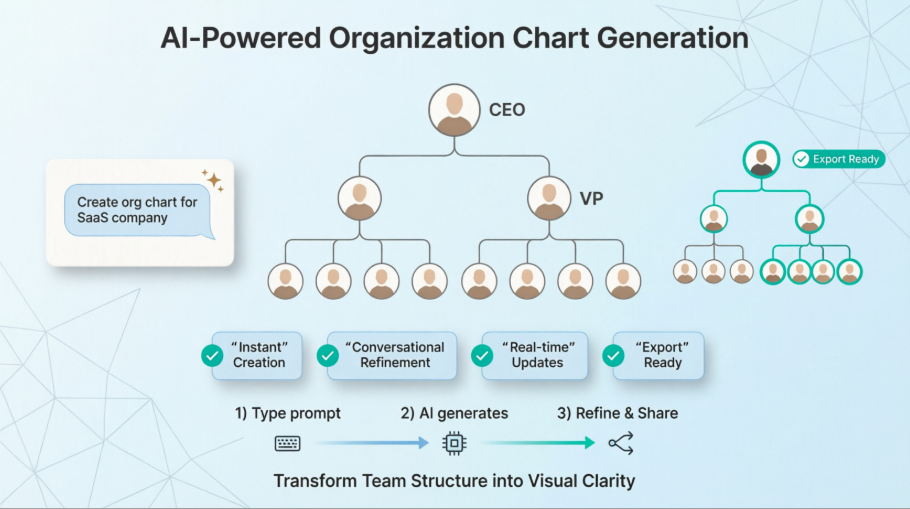
When I first heard about Visual Paradigm’s AI-powered organization chart generator, I was skeptical. Could a chatbot really understand the nuances of my team structure? Would the output be presentation-ready, or just another rough draft requiring hours of cleanup? After putting the tool through its paces over several real-world projects, I’m ready to share my honest, third-party review of what works, what surprises, and whether it’s worth adding to your workflow.
Organization Chart
Organization charts turn complex team structures into clear visual hierarchies, showing roles, reporting lines, and departmental relationships at a glance.
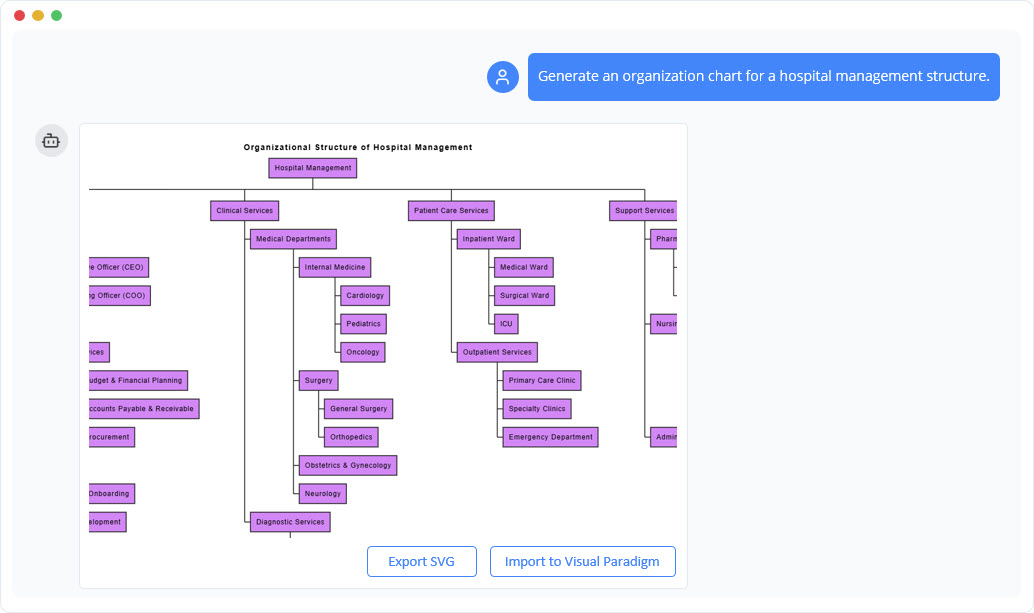
Instant Organization Chart Creation
With the AI chatbot, you can convert team information into a polished organization chart instantly. Simply describe your departments, roles, or reporting structure, and the AI arranges everything into a clean visual hierarchy. Instead of manually aligning boxes, drawing connectors, or restructuring layouts, you receive an organized, presentation-ready chart in seconds.
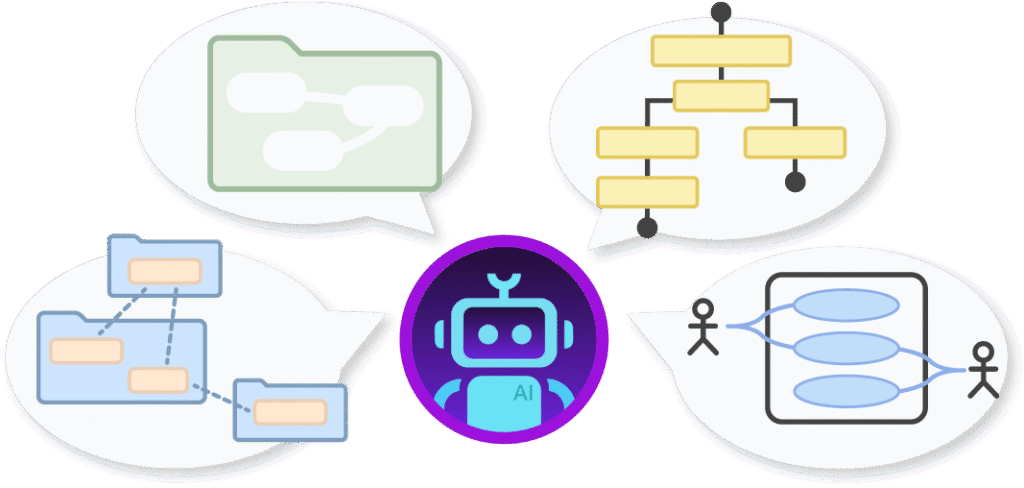
Refine and Explore Structure Through Conversation
After the chart is generated, you can continue shaping it naturally through follow-up prompts. Add new team members, adjust reporting lines, reorganize departments, or request alternative layout styles—all through simple conversational instructions. The AI updates the chart immediately, allowing your organizational structure to evolve as your team grows or plans change.

Benefits of Creating Organization Charts with the AI Chatbot
 Turn written team descriptions into structured org charts instantly
Add or modify roles, teams, and reporting lines through conversation
Visualize hierarchies and departmental relationships clearly
Save time on manual formatting and diagram adjustments
Explore alternative structures for planning or restructuring
Improve communication with clear, shareable team diagrams
Keep organizational information updated with minimal effort
Examples of Generating Organization Chart
Use simple text prompts to generate this diagram in seconds. Here are a few examples to get you started:
Retail Store
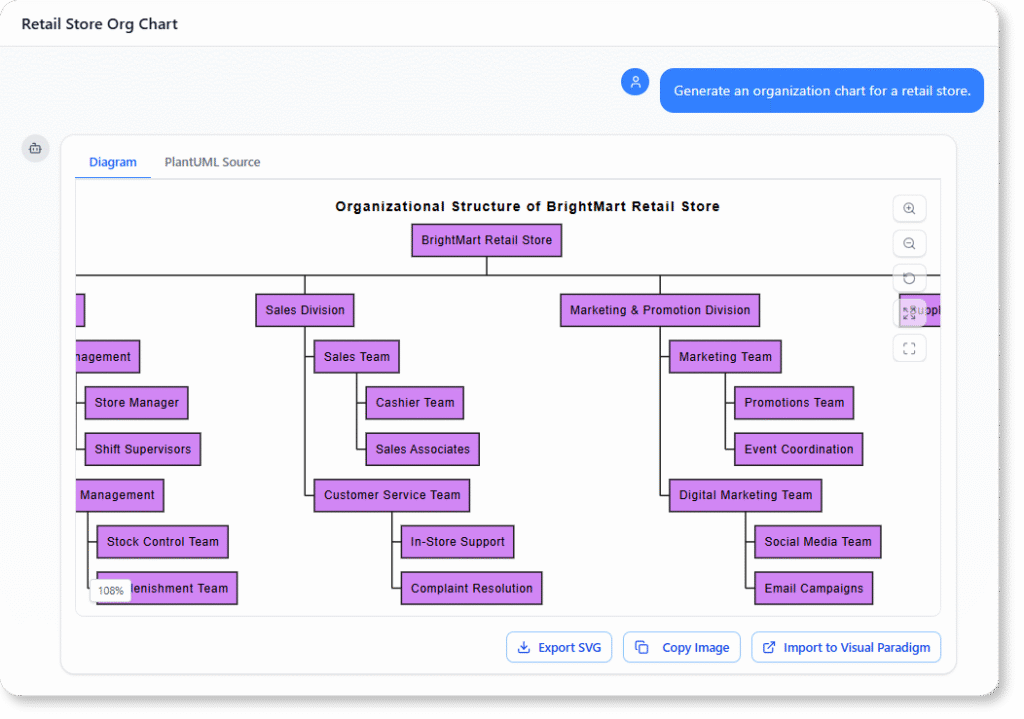
“Generate an organization chart for a retail store.”
Hospital Department
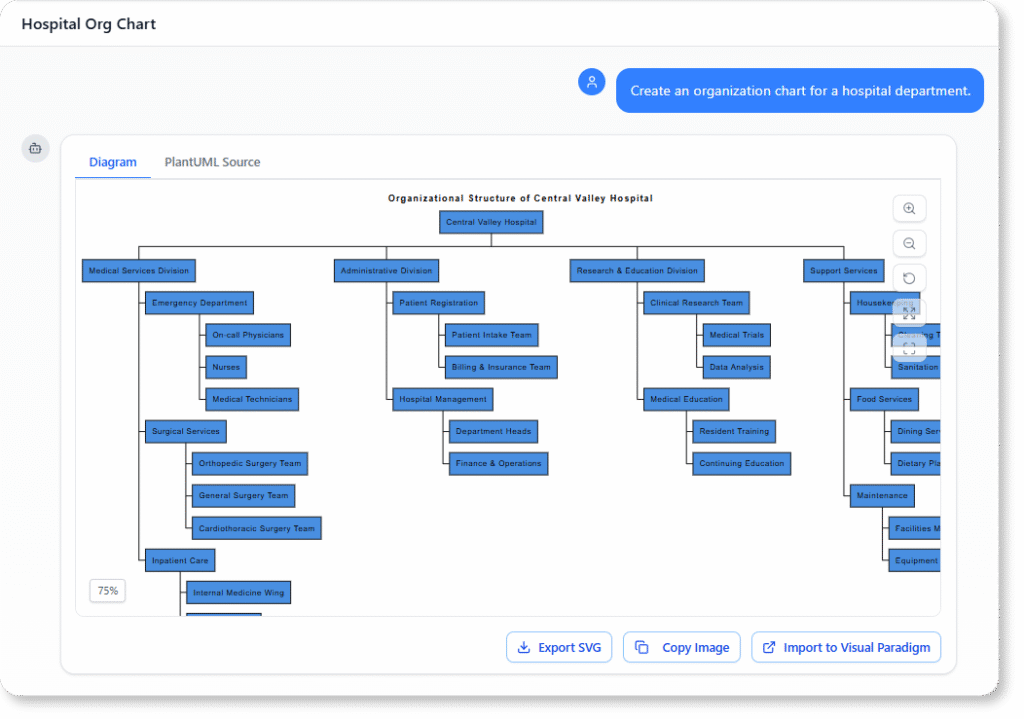
“Create an organization chart for a hospital department.”
Read Chat History →
Marketing Agency
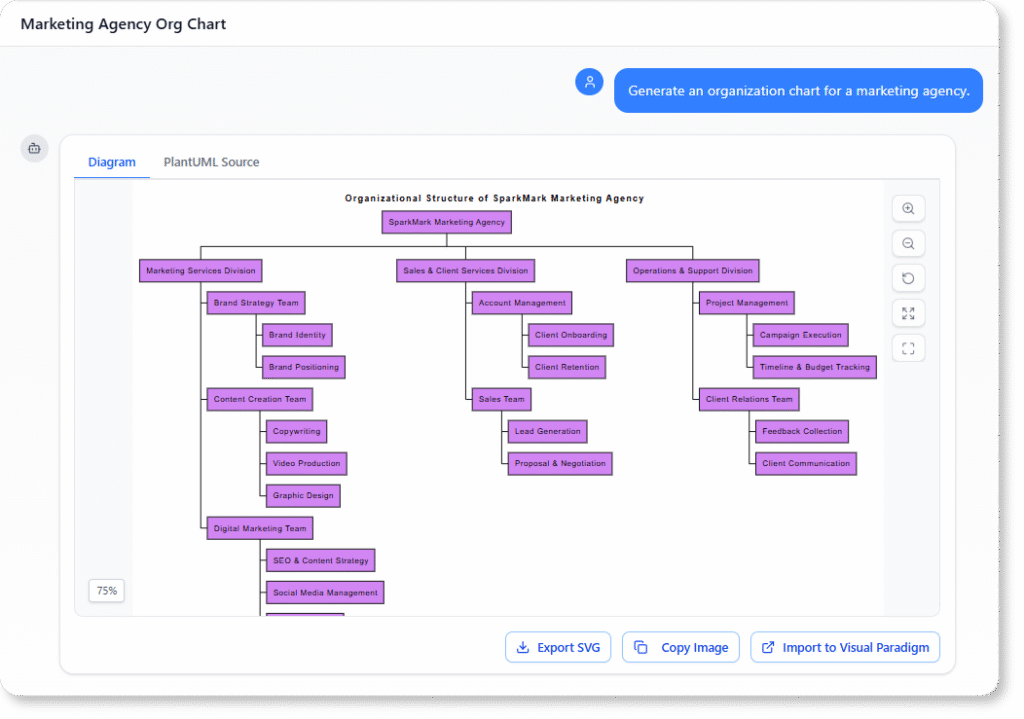
“Generate an organization chart for a marketing agency.”
Read Chat History →
What Is an Organization Chart?
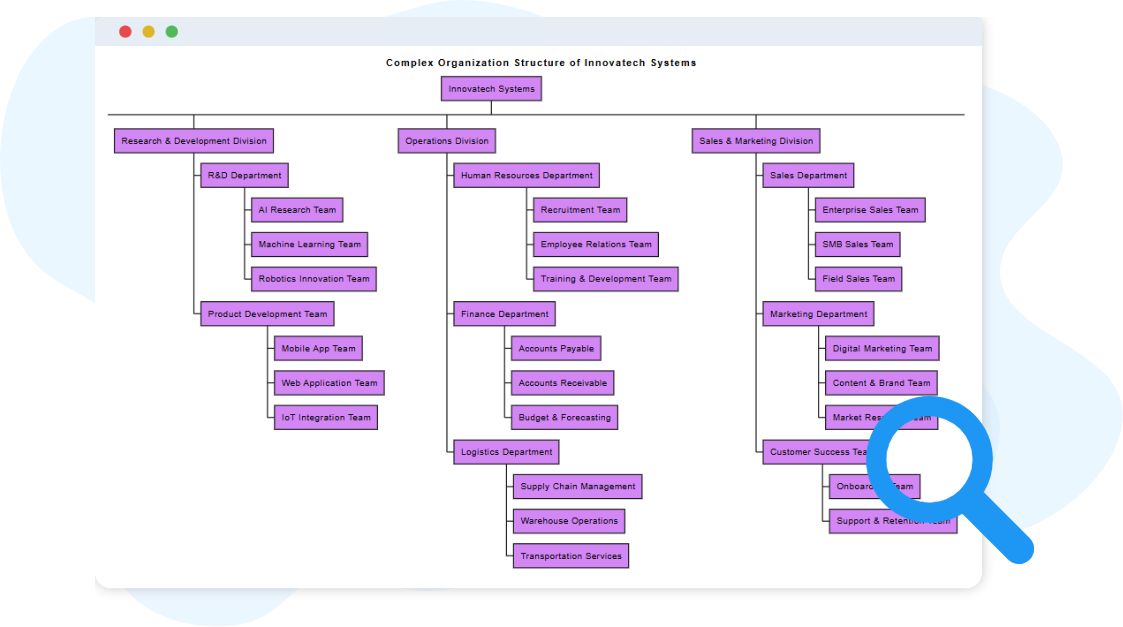
An organization chart is a visual map that shows how people, teams, and departments are arranged within a company. It illustrates reporting relationships—from executives to managers to individual contributors—making it easy to understand how responsibilities and decision-making flow through the organization.
Organization charts help employees, managers, and stakeholders understand who does what, who supervises whom, and how different units connect. They support onboarding, resource planning, team restructuring, and communication by presenting the organization’s structure in a simple, hierarchical format that is easy to reference and update.
Key Concepts
Organization Chart
An Organization Chart visually represents the hierarchical structure of an organization, showing reporting relationships between positions, departments, or individuals. It helps clarify roles, responsibilities, and the chain of command, making it easier to understand how the organization is structured and managed.
Organization Unit
An Organization Unit represents a specific division, department, or team within the organizational hierarchy. Each unit typically has a defined function, a leader or manager, and relationships to other units. These units together form the overall organizational framework.
My Hands-On Experience: Testing Visual Paradigm’s Dual Approach
The AI Chatbot: Where Magic Meets Practicality
What impressed me most was the conversational workflow. I started with a simple prompt: “Create an org chart for a mid-size SaaS company with CEO, then Product, Engineering, Marketing, and Sales VPs reporting in, with teams under each.” Within seconds, a clean, logically structured chart appeared—no dragging, no alignment headaches.
The real test came during refinement. I asked the AI to “Add a Customer Success team under the VP of Product, and make the Engineering branch horizontal instead of vertical.” The chart updated instantly, preserving all existing relationships while applying the new layout. For someone who’s spent hours manually reformatting diagrams in other tools, this felt like a genuine productivity leap.
What Worked Well:
-
Natural language understanding handled ambiguous prompts gracefully
-
Real-time updates eliminated the edit-preview-edit cycle
-
Cross-platform import to Visual Paradigm Desktop enabled deeper customization when needed
Minor Limitations:
-
Highly complex matrix reporting structures required a couple of iterative prompts
-
Custom branding elements (like specific color codes) were easier to apply in the desktop editor
Traditional Tools: When You Need Pixel-Perfect Control
For scenarios demanding precise visual control—like executive presentations or branded internal documents—I switched to Visual Paradigm’s Smart Board editor. The keyboard shortcuts (Tab for child nodes, Enter for siblings) made building hierarchies surprisingly fast. The theme palettes and photo-upload features let me match our company’s visual identity without CSS knowledge.
Collaboration was seamless: I shared a cloud link with my HR partner, and we edited the same chart simultaneously, with changes syncing in real time. Export options covered every use case: PNG for Slack, PDF for board decks, and JSON for integrating with our HRIS.
Ready to Revolutionize Your Workflow with AI?
Stop wrestling with tools. Embrace AI-powered visual modeling. Let our AI handle the visualization so you can focus on solving the bigger problems.
Get Started with AI Chat
Visual Paradigm provides comprehensive support for organization charts through both traditional manual design and AI-powered automated generation. You can use their Online Organization Chart Maker for quick browser-based work or the Visual Paradigm Desktop for advanced enterprise-grade modeling. [1, 2, 3]
Business Service Organization Chart | Organization Chart …
Online Organization Chart Maker
Enhance Your Workflow with Our Free Organizational Chart …
AI-Powered Organization Chart Generation [4]
Visual Paradigm uses a conversational AI chatbot to transform natural language descriptions into professional hierarchies instantly. [3, 5]
-
Instant Creation: Describe your team’s structure (e.g., “CEO, followed by HR and Engineering leads”) to generate a polished chart in seconds. [5, 6]
-
Conversational Refinement: You can ask the AI to “add a car development division” or “rename Technology to Innovation Hub,” and the chart updates in real-time. [3, 7]
-
Detailed Automation: The AI automatically handles complex layouts, relationship connections, and even suggests subdivisions based on the context of your prompt. [7, 8]
-
Cross-Platform Integration: Drafts created in the AI Chatbot can be imported directly into Visual Paradigm Desktop for further formal editing. [3, 9]
Traditional Charting Features
For manual control, the Smart Board and diagram editors offer a high degree of customization. [10, 11]
-
Smart Editing: Use the Tab key to add child nodes and the Enter key for sibling nodes to build hierarchies rapidly without manual alignment. [10, 12]
-
Visual Customization: Access theme palettes for predefined styles, add employee photos, and customize node colors to match your brand. [3, 12]
-
Collaboration: The cloud-based tools allow multiple team members to work on the same chart simultaneously in real-time. [1, 13]
-
Flexible Formats: Export your final charts as high-resolution images (PNG, JPG), vector files (SVG, PDF), or even machine-readable JSON. [1, 12]
-
Pre-Built Templates: A wide variety of Org Chart Templates are available for industries like retail, healthcare, and university administration. [14, 15, 16]
Would you like a step-by-step guide on how to import team data from an external source like Excel to generate your chart?
Conclusion: Is Visual Paradigm’s AI Org Chart Tool Worth Your Time?
After weeks of testing across multiple team structures—from a 12-person startup to a 50+ person department reorganization—I can confidently say Visual Paradigm’s AI-powered organization chart builder delivers on its promise: turning structural complexity into visual clarity with minimal friction.
Who Should Use It:
-
Product managers and team leads who need to quickly visualize reporting structures
-
HR professionals managing onboarding or restructuring workflows
-
Consultants who create org charts for multiple clients and need rapid iteration
-
Anyone tired of manual diagram tools that prioritize form over function
Final Verdict: If you value speed without sacrificing professionalism, Visual Paradigm’s dual approach—AI chatbot for rapid prototyping plus traditional editors for polish—offers a compelling workflow upgrade. The learning curve is shallow, the output is presentation-ready, and the ability to refine through conversation feels like the future of diagramming.
For teams serious about clear communication and agile planning, this isn’t just another charting tool. It’s a strategic asset that grows with your organization.
References
- Online Organization Chart Maker: Visual Paradigm’s browser-based tool for creating professional organization charts with drag-and-drop editing and real-time collaboration.
- Best AI Organization Chart Generator: Visual Paradigm Review: In-depth exploration of Visual Paradigm’s AI-powered features for automated org chart creation and refinement.
- Best AI Organization Chart Generator: Visual Paradigm Review: Comprehensive guide to leveraging conversational AI for instant hierarchy visualization and team structure planning.
- AI-Powered Organizational Chart Generators: ClickUp Features: Overview of how AI technology streamlines the design and continuous updates of organizational charts.
- AI Organization Chart Generator | Visual Paradigm Chat: Interactive AI chatbot interface for generating organization charts through natural language prompts.
- Organization Chart: A Guide to AI-Powered Team Structure Visualization: Documentation explaining how to use Visual Paradigm’s AI to transform team descriptions into visual hierarchies.
- Visual Paradigm AI Demo: Automate Organizational Charts: Video demonstration showcasing the AI chatbot’s ability to create and modify org charts through conversation.
- Automate Your Organizational Charts: Visual Paradigm AI Demo: Blog post highlighting time-saving automation features for org chart creation with AI.
- AI Chatbot Feature | Visual Paradigm: Official feature page describing the AI chatbot’s capabilities for diagram generation and cross-platform integration.
- How to Create Organization Chart Using Visual Paradigm Smart Board: Step-by-step tutorial for manually building org charts with Smart Board’s keyboard shortcuts and editing tools.
- How to Create Organization Chart Using Visual Paradigm Smart Board: Guide to leveraging Smart Board’s rapid hierarchy building features for efficient chart creation.
- How to Create Organization Chart Using Visual Paradigm Smart Board: Detailed instructions on visual customization options including themes, photos, and brand-aligned styling.
- Create Dynamic Organizational Charts with Our Free Mind Map Tool: Article about using Visual Paradigm’s mind mapping features for collaborative, real-time org chart development.
- Organization Chart Maker Features: Feature overview of the online org chart tool including templates, export options, and team collaboration capabilities.
- Organization Chart Templates Library: Collection of pre-built org chart templates for various industries including retail, healthcare, and education.
This post is also available in Deutsch, Español, فارسی, Français, English, Bahasa Indonesia, 日本語, Polski, Portuguese, Ру́сский, Việt Nam, 简体中文 and 繁體中文.