


Introduction
As someone who’s spent years documenting complex software systems, I know the pain of architectural diagrams all too well. You start with a clean whiteboard, ambitious ideas, and then… reality hits. Boxes multiply, arrows cross, stakeholders ask for changes, and suddenly your “simple” system context diagram looks like a bowl of spaghetti.
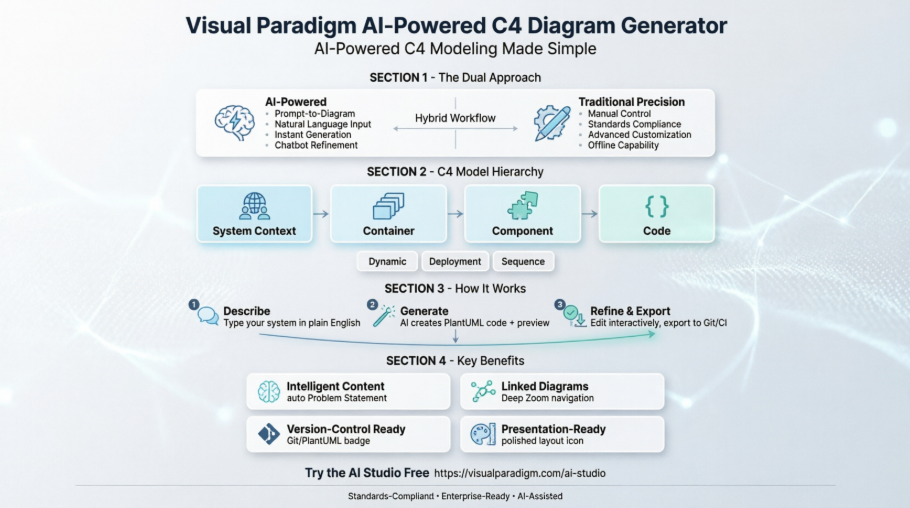
The C4 Model—Simon Brown’s hierarchical approach to visualizing software architecture—promises clarity through its four levels: Context, Container, Component, and Code. But mastering it traditionally requires learning notation rules, PlantUML syntax, or investing hours in manual diagramming tools.
That’s why I was intrigued when I discovered Visual Paradigm’s AI-Powered C4 Diagram Generator. Could an AI really bridge the gap between architectural intent and polished documentation? I spent two weeks testing the platform, putting both its AI capabilities and traditional tooling through real-world scenarios. Here’s my honest, third-party review of what works, what surprises, and who should consider adopting it.
First Impressions: Getting Started with the AI Studio
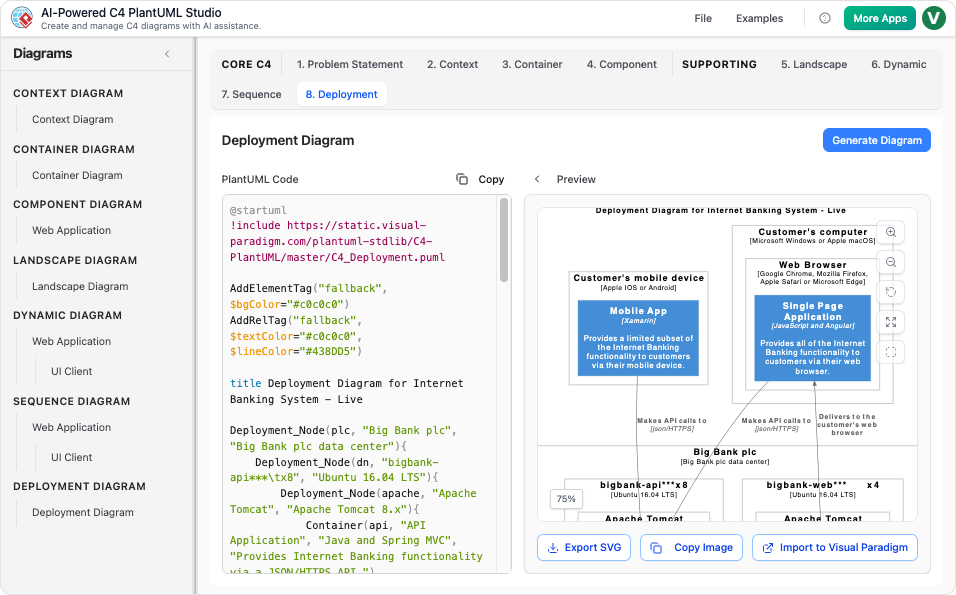
The entry point is refreshingly simple: a clean web interface at ai.visual-paradigm.com that asks just two things:
-
Your project name
-
A plain-English description of what you’re building
No PlantUML knowledge required. No C4 certification needed. Just type something like:
“Generate a C4 Container Diagram for an e-commerce system with user authentication, product catalog, payment processing, and order management.”
Within seconds, the AI returns a structured diagram with properly labeled containers, relationships, and boundaries. The split-screen view shows PlantUML code on the left and the rendered diagram on the right—a thoughtful design that builds trust by making the generation process transparent.
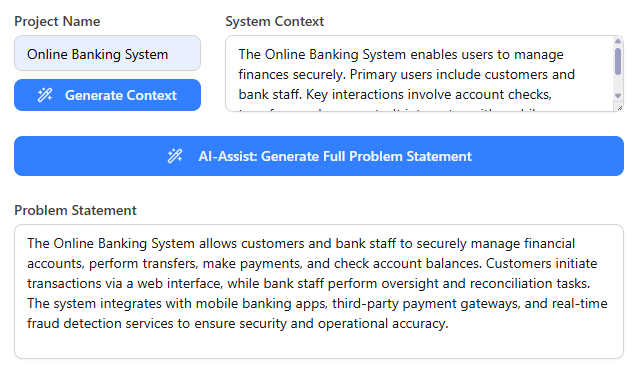

What impressed me first: the AI doesn’t just dump generic boxes. It infers logical dependencies (e.g., “Payment Service” connects to “Order Service”), suggests appropriate stereotypes (<<microservice>>, <<database>>), and even populates a starter Problem Statement and System Context narrative. For teams tired of blank-page syndrome, this is a genuine productivity boost.
The AI-Powered Workflow: Prompt-to-Diagram in Action
✨ Prompt-to-Diagram: Natural Language to Architecture
The core magic lies in the Prompt-to-Diagram capability. During my testing, I experimented with prompts ranging from vague (“Show me a banking app architecture”) to highly specific (“Create a Component Diagram for the notification service, showing Kafka producers, SMS gateway integration, and retry logic”).
Results varied predictably with prompt quality—but even ambiguous inputs yielded usable starting points. The AI asks clarifying questions when needed, and the chatbot-style refinement interface lets you iterate conversationally:
“Add a Redis cache between the API Gateway and User Service”
“Make the payment processor external and mark it as third-party”
“Show async communication with dashed arrows”
🧠 C4-PlantUML Studio: Code-Based, Version-Controllable Output
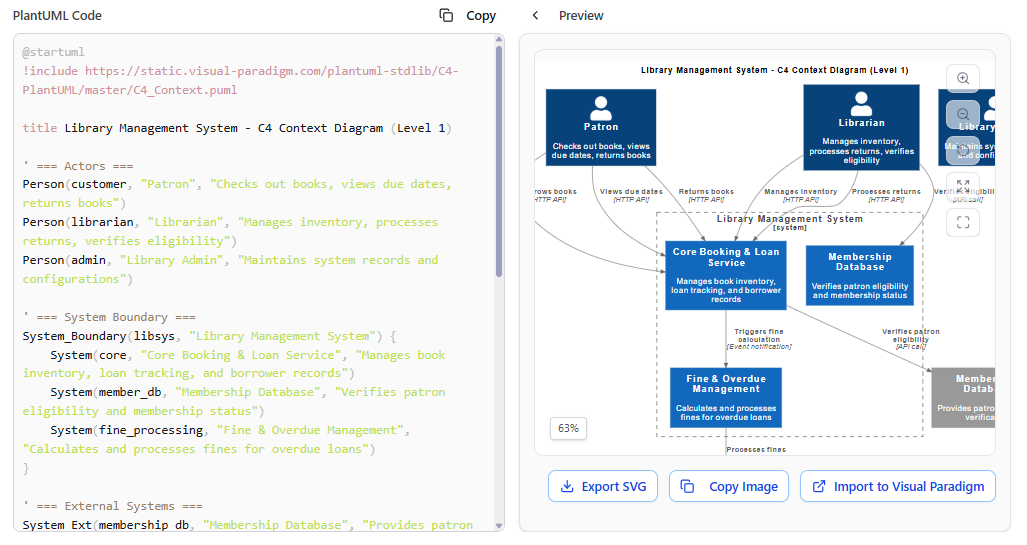
Under the hood, the generator leverages C4-PlantUML, meaning every diagram is backed by declarative code. This isn’t just a pretty picture—it’s documentation you can:
-
Commit to Git
-
Diff across versions
-
Integrate into CI/CD pipelines
-
Share as plain text
For engineering teams practicing docs-as-code, this is non-negotiable. Visual Paradigm doesn’t hide this power behind a GUI-only wall; you can edit the PlantUML directly if you want fine-grained control.
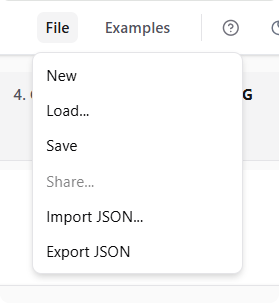
🔄 Interactive Refinement & Full Hierarchy Support
One of the most valuable features is Interactive Refinement. Instead of regenerating from scratch, you can:
-
Request additions (“Add a monitoring service”)
-
Correct misinterpretations (“The search service is internal, not third-party”)
-
Adjust styling (“Use blue for all databases”)
And yes—it supports the full C4 hierarchy:
-
System Context Diagram
-
Container Diagram
-
Component Diagram
-
Plus supporting views: Dynamic, Deployment, Sequence, and Landscape
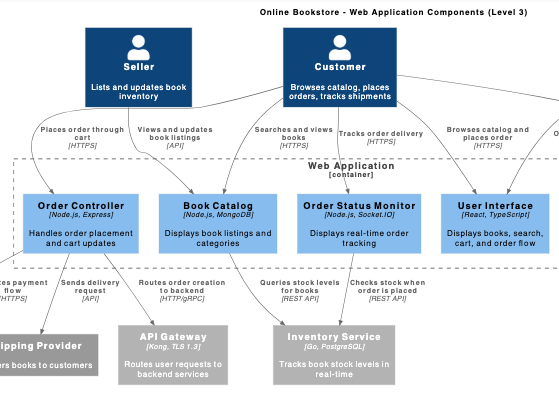
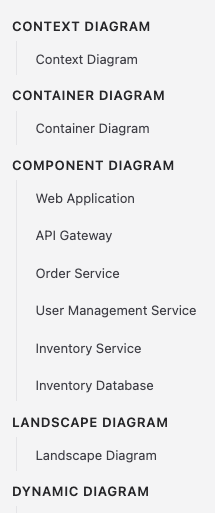
The “Deep Zoom” metaphor isn’t marketing fluff: diagrams are linked. Click a container in your Context diagram, and you can jump directly to its corresponding Container or Component view. This navigability mirrors how architects actually think about systems.
Traditional Diagramming: When You Need Manual Control
Not every scenario suits AI generation. Sometimes you need pixel-perfect alignment, custom stereotypes, or offline access. That’s where Visual Paradigm’s traditional modeling ecosystem shines.
🎯 Standards Compliance & Advanced Customization
The desktop and online tools are built strictly on Simon Brown’s C4 specifications. Every notation element—person, system, container, component—follows the official visual language. This consistency matters when sharing diagrams across teams or with external stakeholders.
Advanced users can add:
-
Custom tagged values (
[availability: 99.99%]) -
Stereotypes (
<<legacy>>,<<experimental>>) -
Metadata fields for governance or compliance tracking
👥 Enterprise Collaboration Features
For larger organizations, the platform offers:
-
Cloud-based project sharing with role-based permissions
-
Version history and change tracking
-
Interactive navigator for jumping between model elements
-
Export to PDF, PNG, SVG, or embedded HTML
🔗 Hybrid Workflow: AI Start, Manual Polish
Here’s the workflow that won me over:
-
Use the AI Studio to rapidly draft a first-pass Container Diagram
-
Export or sync to Visual Paradigm Desktop
-
Fine-tune layout, add annotations, apply brand styling
-
Publish or integrate into Confluence/Notion
This “AI-assisted, human-refined” approach respects both speed and precision.
Key Features That Stood Out
🧩 Intelligent Content Generation
The AI doesn’t just draw boxes—it helps articulate why the architecture exists. Auto-generated Problem Statements and System Context narratives give documentation immediate substance, reducing the “blank page” friction that stalls many architecture initiatives.
🔗 Seamless C4 Workflow Enforcement
The tool guides you through C4’s dependency chain: you can’t create a Component Diagram without first selecting a Container. This isn’t restrictive—it’s protective. It prevents the common mistake of jumping to granular detail before establishing system boundaries.
💻 Effortless PlantUML Output
You focus on architecture; the tool handles syntax. No memorizing Rel_Down(), System_Boundary(), or color codes. Yet the generated code remains clean, readable, and editable—ideal for teams that want AI speed without sacrificing code-based documentation practices.
🔍 Quick Diagram Browser
As projects grow, tab chaos becomes real. The Quick Diagram Browser keeps all your C4 views organized and searchable. One click to switch from Context to Deployment view—no hunting through folders or browser tabs.
🎨 Always Beautiful, Always Clear

AI-generated diagrams aren’t just functionally correct—they’re visually polished. Automatic spacing, alignment, and color coordination mean your diagrams look presentation-ready out of the box. You can still customize, but you’re not starting from a messy canvas.
🤖 AI That Understands Context
The AI interprets intent. If you mention “user login,” it infers authentication flows. If you describe “order processing,” it suggests state transitions. It’s not perfect—but it’s remarkably good at filling in reasonable defaults you can later refine.
Real-World Use Cases & Limitations
✅ Where It Excels
-
Greenfield projects: Rapidly document new system architectures from concept
-
Onboarding: Help new engineers understand system structure through interactive, linked diagrams
-
Stakeholder communication: Generate clean, non-technical Context diagrams for business audiences
-
Documentation sprints: Produce first drafts of architecture docs in minutes, not days
-
Learning C4: Beginners can explore the model by seeing AI-generated examples and reverse-engineering the PlantUML
⚠️ Considerations
-
Complex legacy systems: AI may oversimplify intricate dependencies; manual refinement is essential
-
Highly regulated domains: Financial, healthcare, or aerospace systems may require manual validation of every relationship
-
Offline work: The AI Studio is web-based; desktop tools offer offline capability but lack AI generation
-
Prompt engineering: Output quality correlates with input clarity. Vague prompts yield vague diagrams
💡 Pro Tips From My Testing
-
Start broad, then narrow: Generate a Context Diagram first, then drill into Containers
-
Use explicit relationship language: “sends events to,” “queries,” “depends on”
-
Leverage the chatbot for iterative refinement—don’t expect perfection on the first try
-
Export PlantUML early to version control, even while iterating in the web UI
-
Combine AI speed with manual precision: draft with AI, polish in Desktop
Supported Diagram Types: Beyond C4
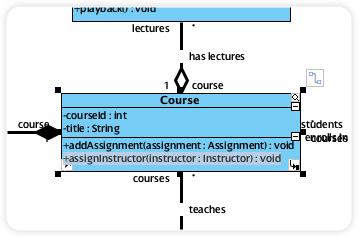
While C4 is the star, the AI engine supports a wide range of diagram types—making it a versatile addition to any architect’s toolkit:
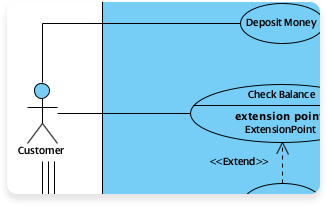
Use Case Diagram
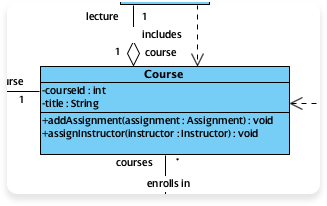
Class Diagram
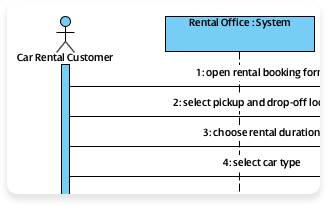
Sequence Diagram
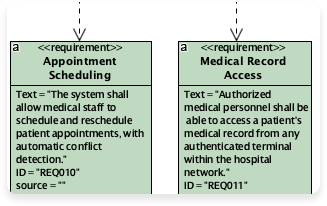
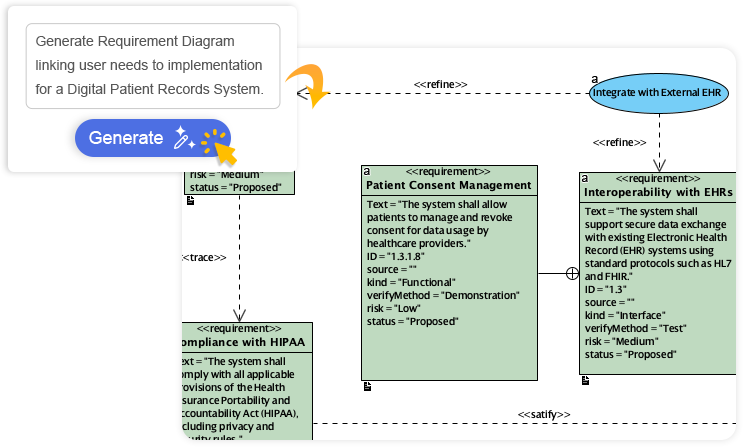
Requirement Diagram
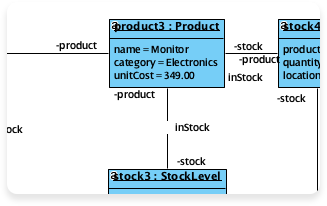
Object Diagram
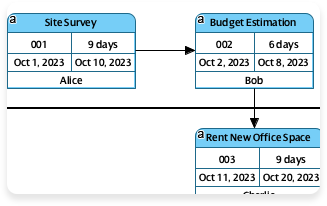
Enhanced PERT Chart
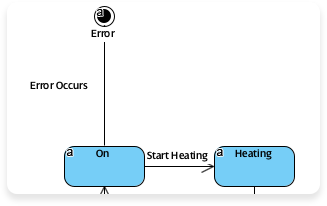
State Diagram
Additional Supported Models: Flowchart, ERD, Activity Diagram, Mind Map, Org Chart, DFD, ArchiMate, BPMN, EPC, Block Definition, Internal Block, Package, Communication, Composite Structure, Timing, Profile, Gane-Sarson DFD, Yourdon DFD, Chen ERD, Decision Table, Breakdown Structure, Implementation Plan, Migration Roadmap, CRC Card, Radar Chart, Conversation Diagram, and more.
Conclusion: Should You Adopt Visual Paradigm’s AI C4 Studio?
After two weeks of hands-on testing, my verdict is clear: Visual Paradigm’s AI-Powered C4 Diagram Generator is a genuine productivity multiplier for software architects, engineering leads, and product teams serious about architectural clarity.
It doesn’t replace deep architectural thinking—but it removes the friction between idea and artifact. The prompt-to-diagram workflow accelerates documentation without sacrificing the rigor of the C4 Model. The hybrid approach (AI generation + manual refinement) respects both speed and precision. And the PlantUML foundation ensures your diagrams remain version-controllable, shareable, and integration-friendly.
Who should try it?
-
✅ Teams adopting C4 for the first time
-
✅ Architects drowning in manual diagram maintenance
-
✅ Engineering managers needing quick stakeholder visuals
-
✅ DevRel or documentation teams producing architecture content
-
✅ Anyone who’s ever thought, “I wish I could just describe my system and get a diagram”
Who might wait?
-
❌ Teams with strict offline-only requirements
-
❌ Projects where every diagram element requires manual governance approval
-
❌ Users uncomfortable with AI-assisted workflows (though the learning curve is minimal)
Final Recommendation: Start with the free AI Studio at ai.visual-paradigm.com. Try generating a Context Diagram for a system you know well. If the output saves you even 30 minutes of manual work—and helps you communicate more clearly—it’s worth exploring further.
In a world where software complexity only grows, tools that turn architectural intent into clear, maintainable documentation aren’t just nice-to-have. They’re essential. Visual Paradigm’s AI-powered approach doesn’t just simplify C4 modeling—it reimagines how we document the systems we build.
Try it yourself: AI-Powered C4 Diagram Studio
References
- The Ultimate Guide to C4 Model Visualization with Visual Paradigm’s AI Tools: A comprehensive third-party guide exploring how Visual Paradigm’s AI tools enhance C4 model visualization and architectural documentation workflows.
- AI-Powered C4 PlantUML Markdown Editor Release Notes: Official release documentation detailing new features for AI-assisted C4 diagram generation with PlantUML and Markdown support.
- AI-Powered C4 Diagram Generator | Create Architecture Diagrams: The official landing page for Visual Paradigm’s AI C4 Studio, featuring tool capabilities, interactive demos, and getting-started resources.
- C4 Diagram Tool Solution | Visual Paradigm: Overview of Visual Paradigm’s enterprise-grade C4 modeling solution, including desktop and online tooling for standards-compliant architecture diagrams.
- C4 PlantUML Studio Features | Visual Paradigm: Detailed feature breakdown of the C4-PlantUML integration, highlighting code-based diagramming, version control, and customization options.
- Visual Paradigm AI C4 Diagram Generator Tutorial Video: Step-by-step video walkthrough demonstrating the AI-powered C4 diagram generation workflow, prompt techniques, and refinement strategies.
- C4 Diagram Tool Features | Visual Paradigm: In-depth exploration of manual C4 diagramming capabilities, including notation compliance, styling options, and collaboration features.
- AI Diagram Generator: Complete C4 Model Support Release: Release announcement covering full C4 hierarchy support (Context, Container, Component, Dynamic, Deployment) in the AI diagram generator.
- C4 Diagram Tool Solution (Chinese) | Visual Paradigm: Localized resource for Chinese-speaking users detailing C4 modeling capabilities and enterprise deployment options.
- AI Process Overview: Diagram Generator Guide: Official user guide explaining the AI diagram generation workflow, best practices, and integration with Visual Paradigm’s broader modeling ecosystem.
- C4 Diagram Tool Solution (Traditional Chinese) | Visual Paradigm: Traditional Chinese language resource covering C4 diagram tool features, use cases, and implementation guidance for enterprise teams.
This post is also available in Deutsch, Español, فارسی, Français, English, Bahasa Indonesia, 日本語, Polski, Portuguese, Ру́сский, Việt Nam, 简体中文 and 繁體中文.