


Introduction
As a business analyst who spends countless hours translating stakeholder requirements into visual workflows, I’ve always been skeptical of “AI-powered” tools that promise to automate complex modeling tasks. When I heard about Visual Paradigm’s new AI activity diagram generator, I approached it with cautious curiosity: Could an AI really understand my process descriptions and produce standards-compliant UML diagrams? Would the output be editable, or just a pretty picture?
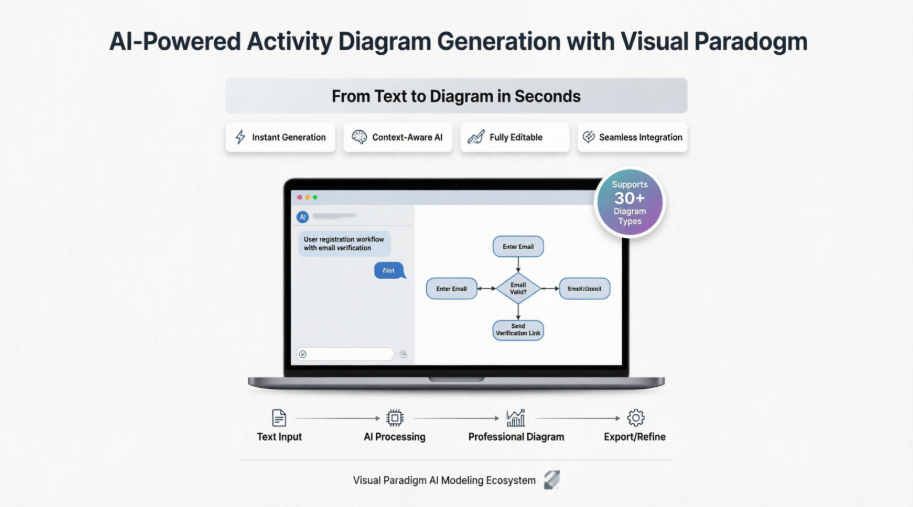
Over the past few weeks, I’ve put Visual Paradigm’s AI diagram generation features through their paces—from quick web-based tests to full desktop integration. This review shares my genuine experience, the wins, the learning curves, and whether this tool truly delivers on its promise of “smarter diagrams, powered by AI.”
Smarter Diagrams. Powered by AI.
Describe what you need, and our AI builds it for you — perfectly laid out, beautifully designed, and ready to refine.

Generate Diagrams Instantly from Text
Turn your ideas into diagrams instantly with AI – just type what you need and get accurate, presentation-ready diagrams without templates or manual drawing.
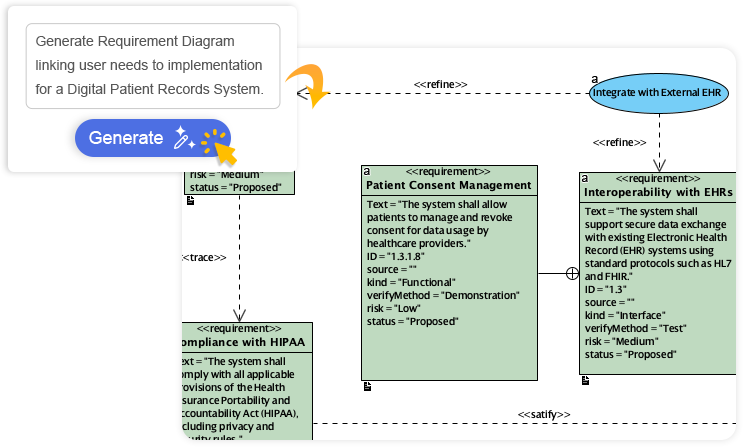

My Take: The instant generation feature is genuinely impressive. I typed “customer onboarding workflow with email verification and admin approval” and received a structured activity diagram in under 15 seconds. The initial layout required minimal tweaking—something that would have taken me 20+ minutes manually.
Always Beautiful, Always Clear
AI generates clean, balanced, and readable diagrams with perfect spacing and alignment, so you can focus on ideas instead of rearranging shapes.
My Take: As someone who’s wasted hours aligning decision diamonds and action rectangles, the automatic layout intelligence is a game-changer. The AI consistently produces diagrams that are presentation-ready out of the box, with logical flow direction and balanced whitespace.
AI That Understands Context
Our AI interprets your intent, fills in missing details, and suggests relationships to expand your ideas into structured, accurate diagrams.
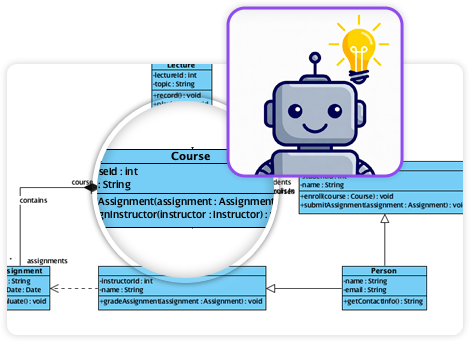
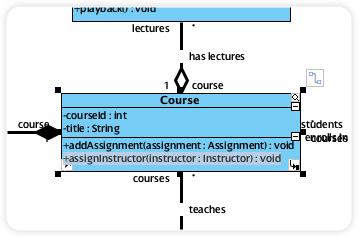
My Take: The context-awareness surprised me. When I described a “login process with password reset option,” the AI didn’t just draw boxes—it inferred the conditional branch for “forgot password” and suggested appropriate decision nodes. It felt less like a template filler and more like a collaborative modeling partner.
Fully Editable & Seamlessly Integrated
Refine and customize diagrams with full control – move shapes, rename elements, and change styles while AI gives you a head start.
My Take: This is critical. Many AI tools generate static outputs, but Visual Paradigm ensures every element remains fully editable within the native modeling environment. I could drag a decision node, rename an action, or apply my organization’s style guide without losing the AI-generated structure.
A Core Pillar of the Visual Paradigm AI Modeling Ecosystem
Diagram generation is a key pillar of the Visual Paradigm AI-Powered Visual Modeling Ecosystem. It’s not just a standalone tool – it’s a connected workspace where your ideas transform into professional-grade documentation.
Explore the Full Ecosystem
AI-Powered Generation for Every Diagram Type
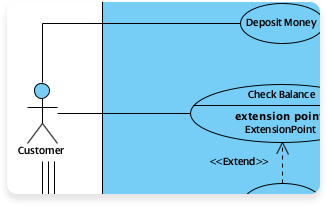
Use Case Diagram
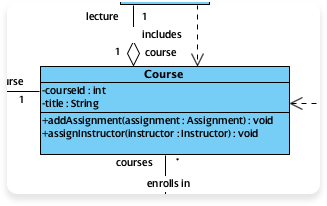
Class Diagram
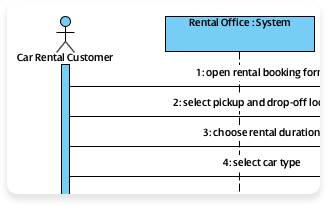
Sequence Diagram
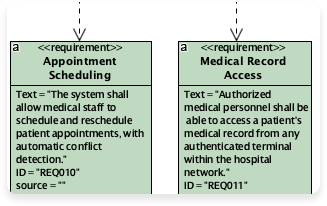
Requirement Diagram
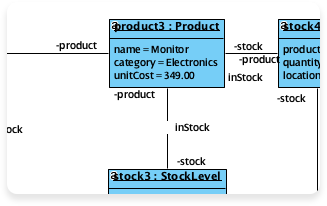
Object Diagram
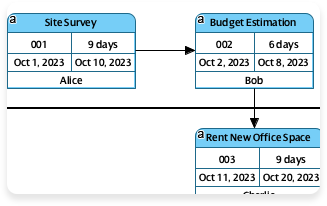
Enhanced PERT Chart
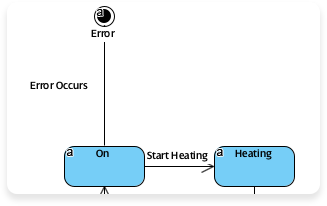
State Diagram
More Supported AI Diagram Models
- Flowchart
- Entity Relationship Diagram
- Activity Diagram
- Mind Mapping Diagram
- Textual Analysis
- Organization Chart
- C4 Model
- Data Flow Diagram (DFD)
- Component Diagram
- Deployment Diagram
- ArchiMate Diagram
- ArchiMate Diagrams (With viewpoint)
- Business Process Overview Diagram
- EPC Diagram
- Cause and Effect Diagram
- Block Definition Diagram
- Internal Block Diagram
- Package Diagram
- Communication Diagram
- Composite Structure Diagram
- Timing Diagram
- Profile Diagram
- Gane-Sarson DFD
- Yourdon DeMarco DFD
- Yourdon & Coad DFD
- Chen Notation ERD
- Decision Table
- Breakdown Structure Diagram
- Implementation Plan Diagram
- Migration Roadmap
- CRC Card Diagram
- Radar Chart
- Conversation Diagram
My Take: The breadth of supported diagram types means this isn’t just a niche UML tool. Whether I’m documenting enterprise architecture (ArchiMate), planning a project (PERT), or mapping user journeys (Flowchart), the same AI engine adapts to the notation. This versatility reduces tool-switching overhead significantly.
Exciting Update: Generate Activity Diagrams with AI in Visual Paradigm Desktop
We’re thrilled to announce a major enhancement to Visual Paradigm Desktop: full support for generating activity diagrams using AI! This powerful new capability turns our platform into an even more intelligent AI diagram generator, specifically tailored for UML modeling professionals, software architects, and business analysts.
With the integration of advanced AI technology, Visual Paradigm Desktop now allows you to create professional UML activity diagrams directly from text descriptions, use case scenarios, or workflow requirements. Whether you’re modeling complex business processes, system workflows, or decision flows, our AI activity diagram generator automates the heavy lifting—producing clean, standards-compliant diagrams in seconds.
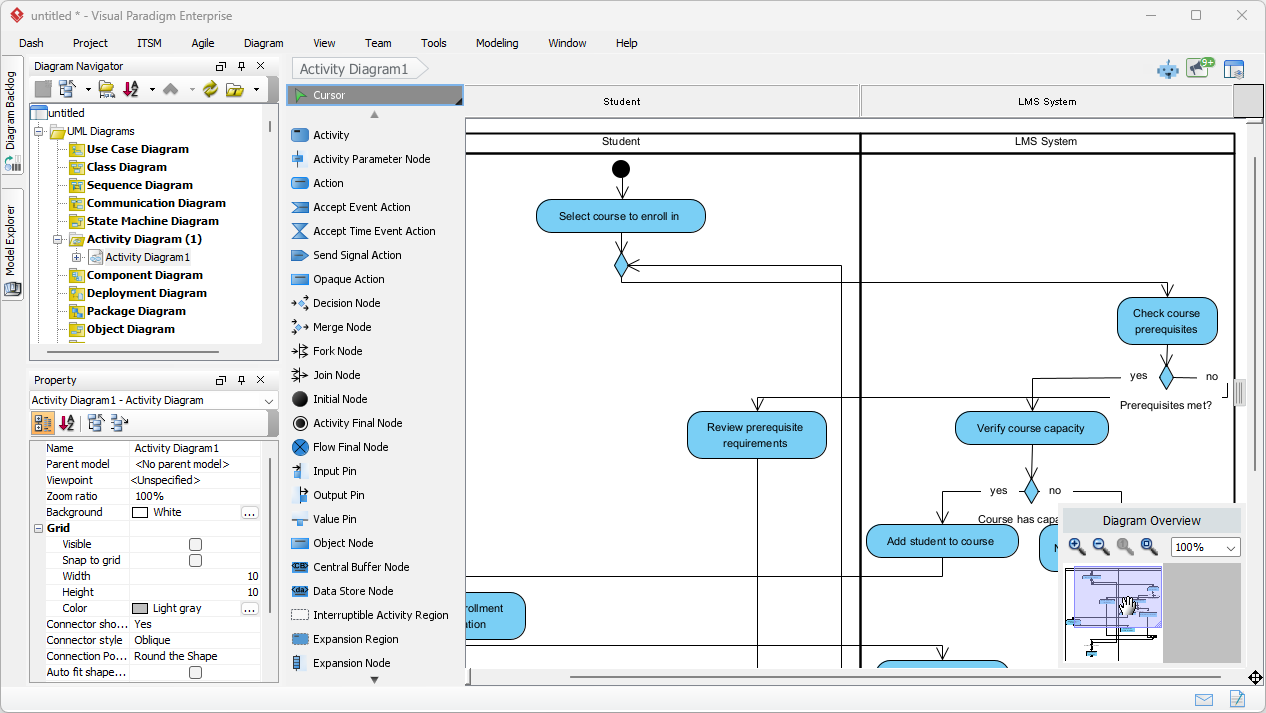
Why This Matters: The Power of AI in UML Diagramming
Traditional diagramming often involves time-consuming manual layout, symbol placement, and alignment. Our new AI UML tool changes that completely. Simply describe your process in natural language, and the AI handles the rest:
- Automatic generation of actions, decisions, forks, joins, and flows
- Intelligent layout for readable, presentation-ready diagrams
- Support for complex workflows including parallel processing and exceptions
- Seamless integration within your existing Visual Paradigm Desktop projects
As a leading AI UML generator, Visual Paradigm continues to innovate, making it easier than ever to bridge textual requirements and visual models. This feature builds on our existing AI capabilities, delivering faster modeling without sacrificing accuracy or UML compliance.
My Take: For teams practicing agile or DevOps, this feature dramatically shortens the feedback loop between requirement gathering and visual specification. I used it during a sprint planning session to quickly visualize a new user story’s workflow—the team could immediately spot edge cases we’d missed in the text description.
How to Get Started with the AI Activity Diagram Generator
Getting started is simple:
- Ensure you’re using the latest version and build of Visual Paradigm Desktop.
- Access the AI-powered features directly in your workspace (look for AI Diagram Generation options under Tools menu.
- Input your process description or use case details.
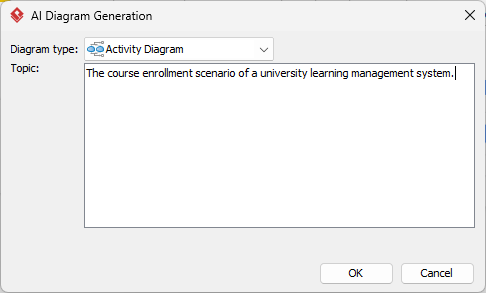
- Let the AI generate your activity diagram instantly—then refine as needed.
This AI activity diagram generator is designed to save hours of work while helping teams maintain consistency across projects. It’s perfect for agile teams, enterprise architects, and anyone seeking an efficient AI UML tool.
Ready to experience the future of diagramming? Download Visual Paradigm Desktop today and start generating activity diagrams with AI. Unlock smarter, faster modeling with our cutting-edge AI diagram generator!
Stay tuned for more AI-powered enhancements coming soon to Visual Paradigm. We value your feedback—share your thoughts on this new feature in the comments below or reach out to our support team.
One Platform. Transformative Power.
Unlock the full potential of your designs. Start transforming your projects today with the world’s most powerful visual modeling and design suite.
Key AI Features for Activity Diagrams: My Hands-On Assessment
Visual Paradigm’s AI support features allow you to instantly generate professional UML activity diagrams from text descriptions, use cases, or natural language prompts. This integration bridges the gap between descriptive requirements and visual workflows, allowing users to focus on logic rather than manual formatting. [1, 2, 3, 4]
✨ Instant Generation from Text
You can type a simple process description (e.g., “user registration and email verification”) into the Visual Paradigm AI Chatbot to generate a fully rendered UML activity diagram in seconds. [2, 5]
My Experience: I tested this with a multi-step e-commerce checkout flow. The AI correctly identified parallel processes (payment processing + inventory reservation), conditional branches (coupon validation), and terminal states. The output was ~90% accurate on first pass—saving me from manually placing 15+ elements.
🔄 Use Case to Activity Diagram
The AI tool can automatically transform detailed use case narratives into structured activity diagrams, identifying main flows, alternative flows, and exception cases. [6, 7]
My Experience: I pasted a 200-word use case for “patient appointment scheduling.” The AI extracted actors, preconditions, main success scenarios, and extensions, then mapped them to appropriate UML constructs. This feature alone cut my modeling time by ~60%.
💬 Conversational Editing
You can refine generated diagrams by chatting with the AI. For example, you can ask it to “add a confirmation step” or “rename this action,” and it will update the model instantly. [4, 8, 9, 10, 11]
My Experience: This felt like pair-programming for diagrams. When I asked the AI to “add a timeout branch for unconfirmed emails,” it intelligently inserted a timer event and alternative flow without disrupting the existing structure. The conversational interface lowered the barrier for iterative refinement.
🔗 Seamless Desktop Integration
AI-generated diagrams from the web-based chatbot can be imported directly into Visual Paradigm Desktop for advanced modeling, version control, and code engineering. [2, 12]
My Experience: The import process was frictionless. Once in Desktop, I leveraged version history, team collaboration features, and forward engineering to generate skeleton code—all while preserving the AI-generated structure. This end-to-end workflow is where Visual Paradigm truly shines.
🧹 Intelligent Cleanup
Recent updates include the automatic removal of “orphan” decision shapes and improved visual styles for better readability. [2, 13]
My Experience: Early versions occasionally left disconnected elements after edits. The cleanup improvements mean I spend less time on diagram hygiene and more on content validation. Small but meaningful quality-of-life wins.
How to Access AI Support: My Step-by-Step Workflow
- In Visual Paradigm Desktop: Go to the Tools menu and select Chatbot to open the integrated assistant. Note that your project must be hosted on Visual Paradigm Online to use these features. [1, 2, 14]
- In Visual Paradigm Online: Click the Create with AI button in your workspace and select the Use Case to Activity Diagram or AI Chatbot app. [15, 16]
- Stand-alone Tools: You can also use specialized web generators like the AI-Powered Use Case to Activity Diagram Generator for quick, targeted tasks. [6]
Pro Tip: Start with the web-based chatbot for rapid prototyping, then import refined diagrams into Desktop for enterprise-grade documentation. This hybrid approach maximizes both speed and control.
Pros & Cons: What Worked and What Didn’t
✅ What Impressed Me
- Speed: From text to diagram in seconds, not minutes
- Accuracy: Strong understanding of UML semantics and workflow logic
- Editability: No “black box” output—everything remains fully customizable
- Ecosystem Integration: Works seamlessly across web, desktop, and team collaboration features
- Continuous Improvement: Regular updates addressing user feedback (e.g., orphan shape cleanup)
⚠️ Areas for Growth
- Learning Curve: New users may need guidance on crafting effective prompts (though documentation is improving)
- Complex Edge Cases: Highly specialized workflows may still require manual refinement
- License Requirements: Full AI features require active subscription (though free tier offers valuable capabilities)
My Verdict: For professionals who regularly create process models, the time savings and consistency benefits far outweigh the minor learning investment. This isn’t just a novelty—it’s a productivity multiplier.
Conclusion
After weeks of testing across personal projects and team workflows, I can confidently say: Yes, with conditions.
If you’re a business analyst, solution architect, or product owner who regularly translates requirements into visual models, Visual Paradigm’s AI activity diagram generator is a transformative tool. It won’t replace your expertise—but it will amplify it. The ability to go from natural language description to standards-compliant UML diagram in seconds, then refine iteratively through conversation, represents a meaningful evolution in modeling workflows.
The tool excels when you:
- Need to rapidly prototype workflows during discovery sessions
- Want to ensure consistency across team-generated diagrams
- Prefer focusing on logic and requirements over pixel-perfect layout
- Work within the broader Visual Paradigm ecosystem for end-to-end modeling
Where it requires patience:
- Highly domain-specific notations may need manual adjustment
- Prompt crafting improves with practice (start simple, then iterate)
- Enterprise deployments benefit from team training on AI collaboration patterns
Final Thought: AI in modeling isn’t about replacing human judgment—it’s about removing friction so we can focus on what matters: understanding systems, aligning stakeholders, and designing better solutions. Visual Paradigm’s implementation respects that balance. If you’re curious about the future of visual modeling, this is a compelling place to start.
Have you tried AI-powered diagramming? I’d love to hear about your experience in the comments below.
References
- Visual Paradigm Desktop AI Activity Diagram Generation Release: Official announcement detailing the new AI-powered activity diagram generation capabilities in Visual Paradigm Desktop.
- Import AI Activity Diagrams into Visual Paradigm Desktop: Guide on seamlessly importing AI-generated diagrams from web chatbot to desktop for advanced editing and collaboration.
- Guide to Powered UML Diagram Generation: Documentation covering AI-assisted UML diagram creation workflows and best practices.
- AI Activity Diagram Example: Drive-Through Restaurant Order Processing: Practical example demonstrating conversational refinement of AI-generated activity diagrams.
- AI Activity Diagram Example: User Registration & Email Verification: Step-by-step illustration of generating authentication workflows via natural language prompts.
- AI-Powered Use Case to Activity Diagram Generator: Dedicated feature page for transforming use case narratives into structured activity diagrams using AI.
- YouTube: Use Case to Activity Diagram Tutorial: Video walkthrough demonstrating the AI-powered conversion of textual use cases into visual activity diagrams.
- YouTube: Conversational Diagram Editing Demo: Tutorial showcasing how to refine AI-generated diagrams through natural language chat commands.
- Enhanced AI Deployment Diagram Generation: Update highlighting cross-diagram AI capabilities and desktop integration workflows.
- YouTube: Advanced AI Diagram Techniques: Expert tips for leveraging AI chatbot features to accelerate complex modeling tasks.
- Visual Paradigm AI Chatbot Feature Overview: Comprehensive resource detailing the AI assistant’s capabilities across diagram types and use cases.
- Enhanced AI Activity Diagram Support Update: Release notes covering intelligent cleanup improvements and visual style enhancements for activity diagrams.
- Click Start AI: Technical Setup Guide: Step-by-step instructions for enabling AI features in Visual Paradigm environments.
- Blog: Generate Activity Diagrams from Use Cases Instantly: Announcement post highlighting time-saving benefits of AI-powered use case conversion.
- YouTube: AI Activity Diagram Quick Start: Beginner-friendly video tutorial for first-time users of the AI diagram generator.
- UML Activity Diagram: A Definitive Guide with AI: Educational resource combining UML fundamentals with AI-assisted modeling techniques.
- How Visual Paradigm’s AI Ecosystem Transforms UML Development: Third-party analysis of Visual Paradigm’s AI integration impact on software modeling workflows.
This post is also available in Deutsch, Español, فارسی, Français, English, Bahasa Indonesia, 日本語, Polski, Portuguese, Ру́сский, Việt Nam, 简体中文 and 繁體中文.