


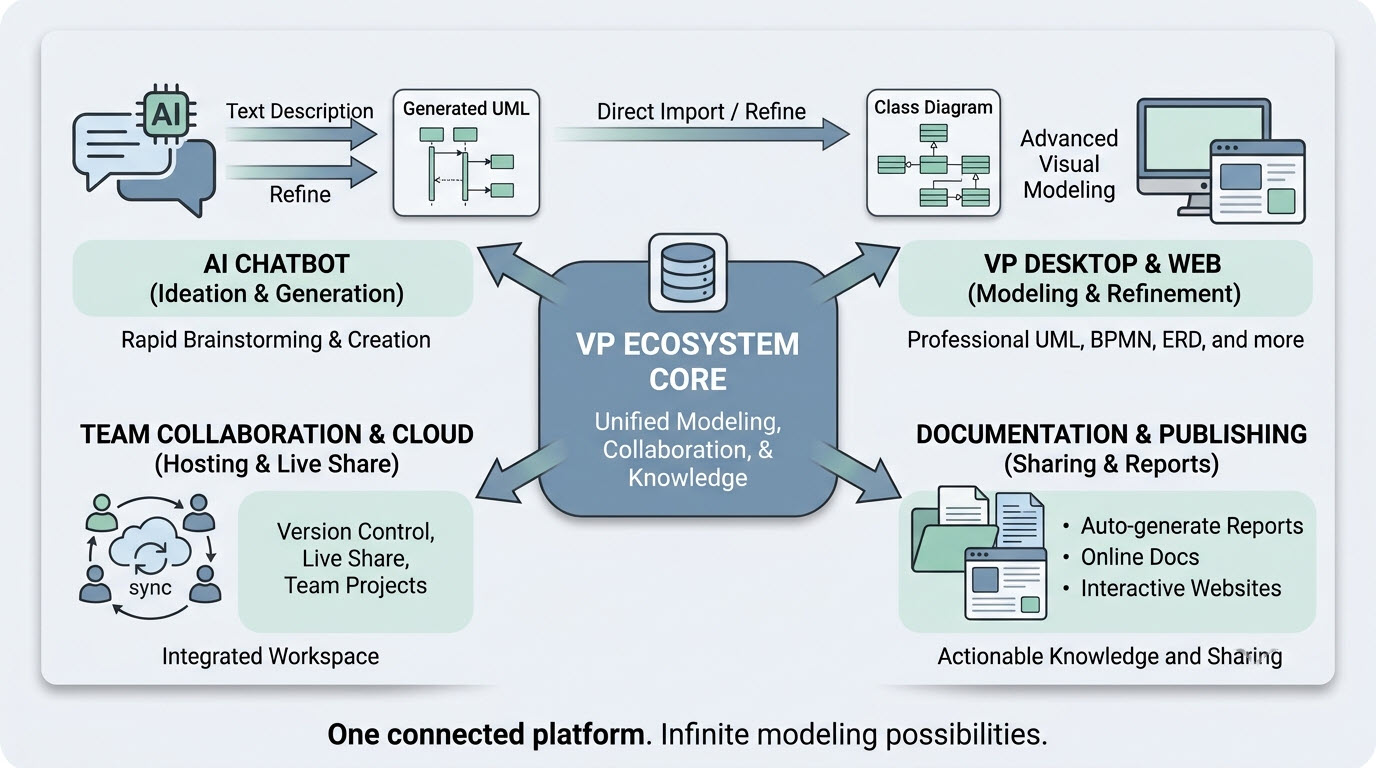
The Visual Paradigm Unified Platform represents a fundamental shift in how professionals approach visual work. It is not merely a new interface or a collection of features; it is a philosophical statement about how productivity tools should work in the modern era. By dissolving the boundaries between desktop and cloud, between specialized applications, and between human creativity and artificial intelligence, Visual Paradigm has created an ecosystem that respects the way people actually work.
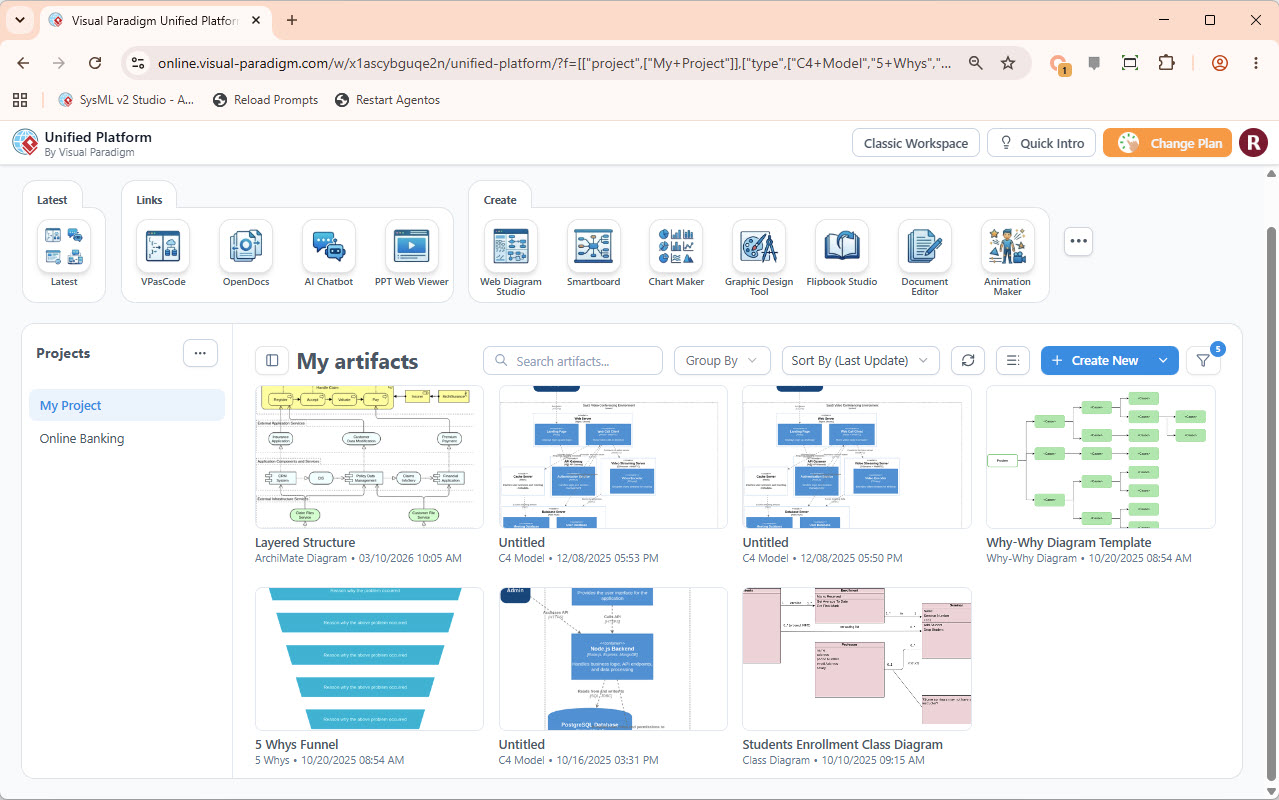
Previously, professionals operated in a fractured digital environment where detailed UML diagrams lived in desktop software, while graphic designs, strategic documents, and ad-hoc charts were created with separate, disconnected web tools. This fragmentation created friction, hindered collaboration, and made a holistic view of projects impossible. The Unified Platform acts as the central nervous system for this workspace, bringing everything into a single, cohesive ecosystem.
A Unified Drive for All Artifacts
At the heart of the platform is the Unified Drive, a centralized, drive-like environment that automatically organizes every artifact, diagram, or project built across separate apps. Everything is indexed, searchable, and accessible from a single interface.
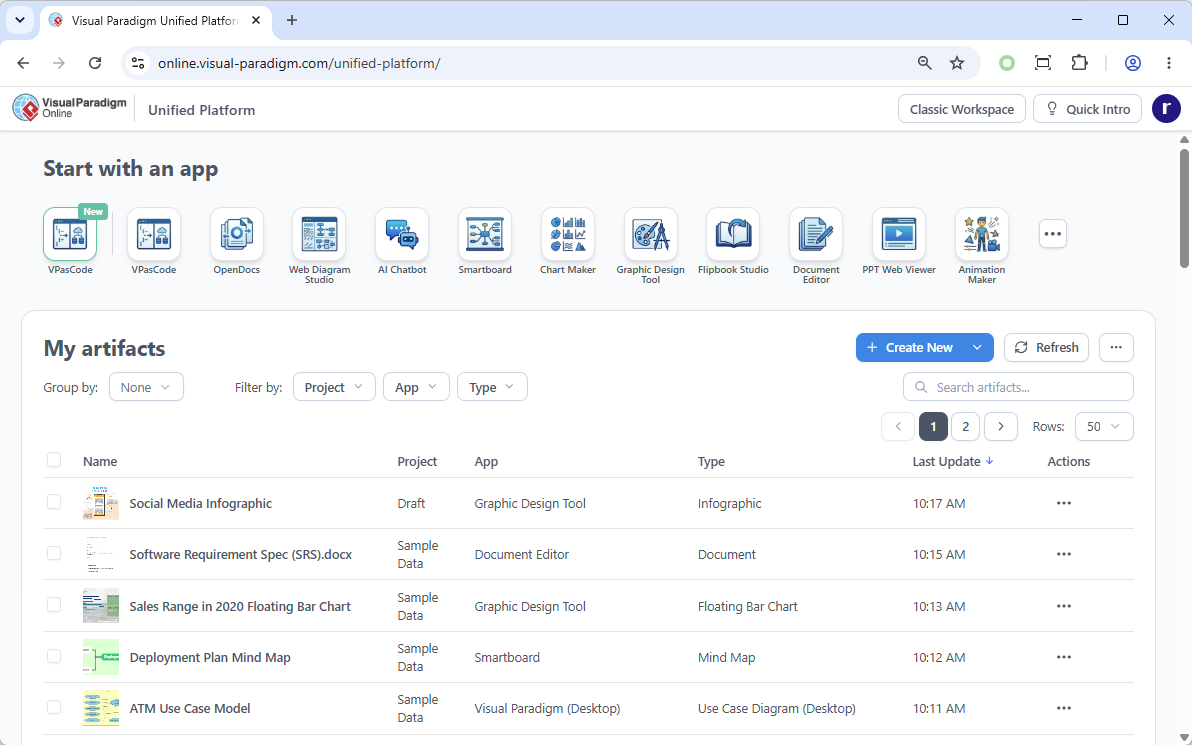
This drive eliminates the need to remember which application created which file or to navigate through scattered folders. Whether you are working with enterprise-grade SysML models in Desktop, generating infographics in the cloud, or drafting strategic plans, all your work appears in a familiar, grid-based view. You can filter by project, app, or type, ensuring that your data is never lost in the silos of disconnected tools.
The Core Pillars of the Platform
The Unified Platform is built on four foundational pillars, each addressing a specific dimension of modern visual productivity:
- Unified Artifact Hub: View and manage everything in one place—diagrams from VP Desktop, designs from web apps, and data from office tools—all organized in a familiar, drive-like interface.
- Centralized App Launcher: A single, organized hub to discover and launch all available Visual Paradigm Online apps (~100 and growing) without ever leaving your workspace.
- Seamless Creation UI: A completely redesigned creation flow allows you to instantly start a new diagram, document, or design from any of the integrated apps, right from your central dashboard.
- AI & Code Integration: Powerful AI tools and code visualization capabilities are woven directly into the platform, accelerating creation wherever visual work happens.
Key Concepts and Usage Scenarios
1. Bridging Desktop Power with Cloud Assets
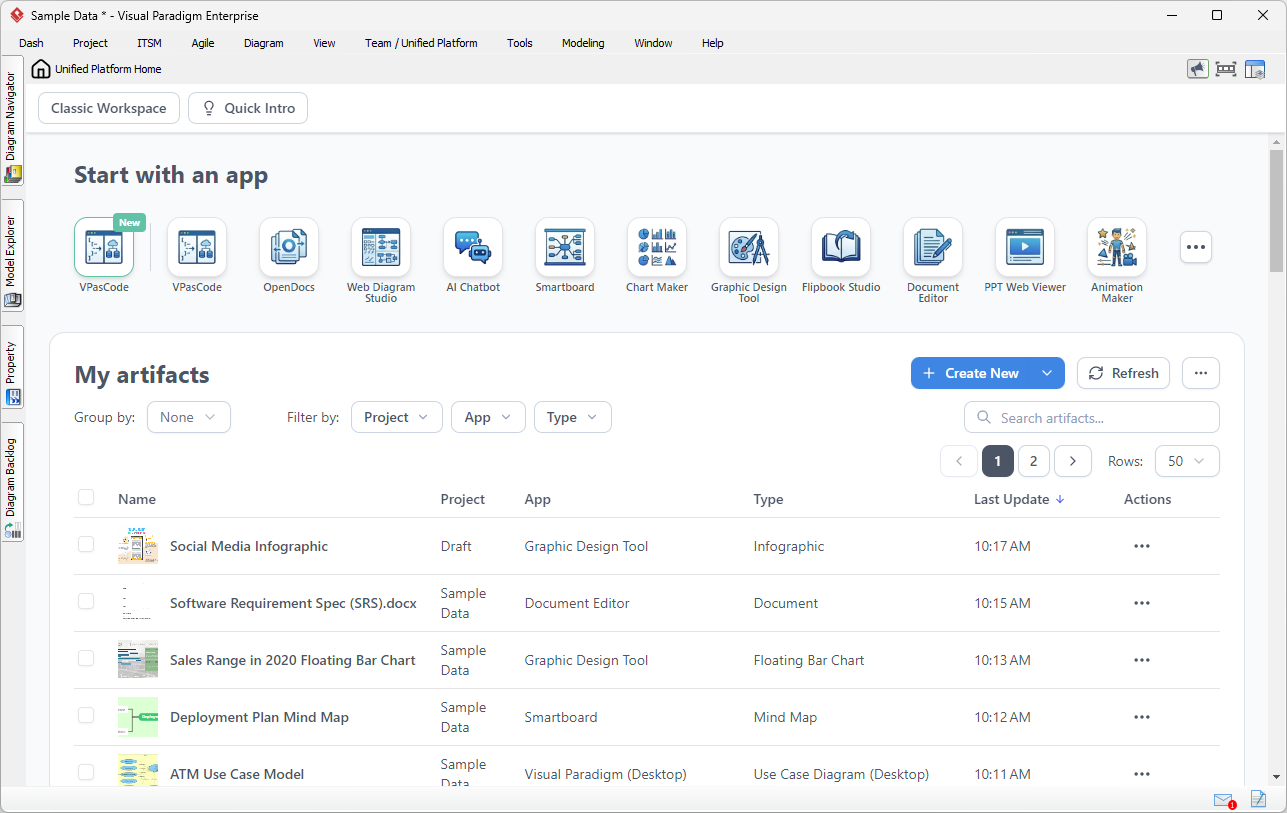
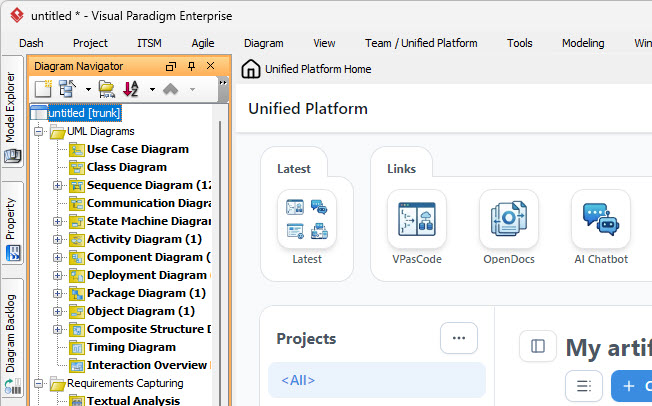
The Unified Platform isn’t just for web users; it is a critical component of the Visual Paradigm Desktop experience. Users can open the Unified Platform inside an embedded browser, allowing local enterprise modeling workflows and cloud assets to coexist flawlessly.
Usage Scenario:
Imagine you are architecting a new software module using UML inside Visual Paradigm Desktop. Once the technical models are complete, you need to write a comprehensive Product Requirement Specification (PRD). In the traditional workflow, you would minimize Visual Paradigm, open a separate word processor, and manually export and import image files. With the Unified Platform, you simply open the embedded workspace and launch the Document Editor app. Your requirements documentation is written right next to your active modeling environment, with everything organized under a single project space.
2. Effortless Documentation via Pipeline
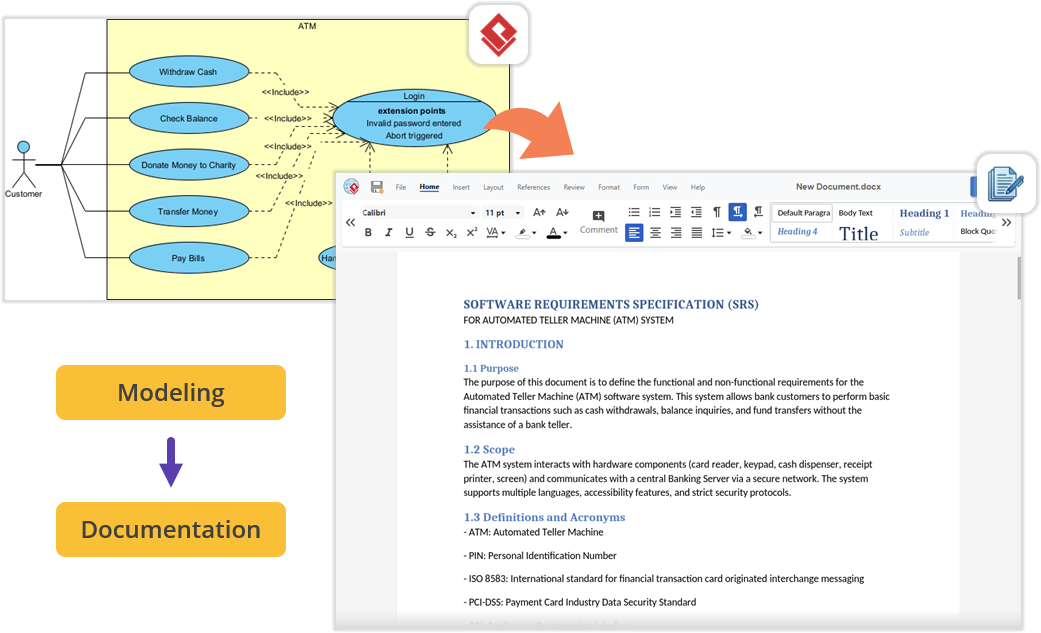
For teams producing technical documentation, the flow between the desktop workspace and cloud documentation features is now frictionless. You can build diagrams locally in VP Desktop and send them to the cloud-based Pipeline. Then, switch to the OpenDocs app within the Unified Platform panel, where your Pipeline pane awaits. You can write manuals or project guides and drag-and-drop desktop-generated diagrams directly into the document canvas—no file exporting, no broken image links, and zero context-switching.
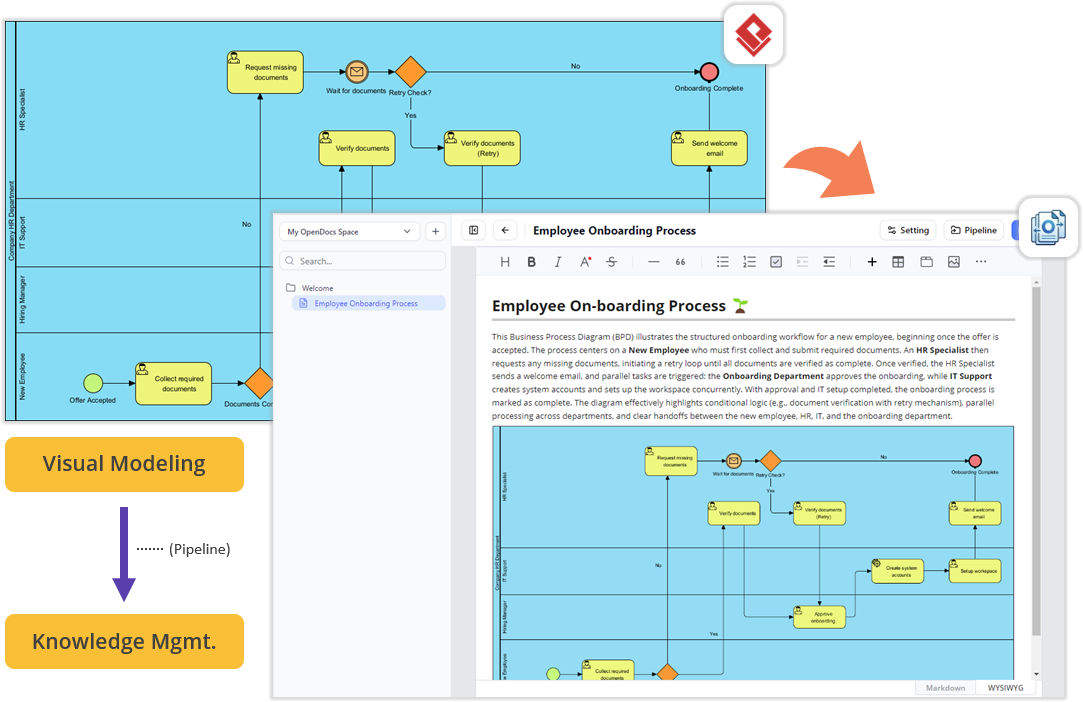
This workflow transforms visual models into structured knowledge assets. An Employee On-boarding process diagram created in Desktop can be instantly embedded into a knowledge management document in OpenDocs, ensuring that your designs are understood, maintained, and shared effectively across your team.
3. Generating Diagrams with AI
The Unified Platform is home to powerful AI tools. Use the VPP Chatbot to generate complex diagrams from natural language. You can describe your problem, and let the AI do the heavy lifting, rapidly brainstorming and creating initial UML diagrams.
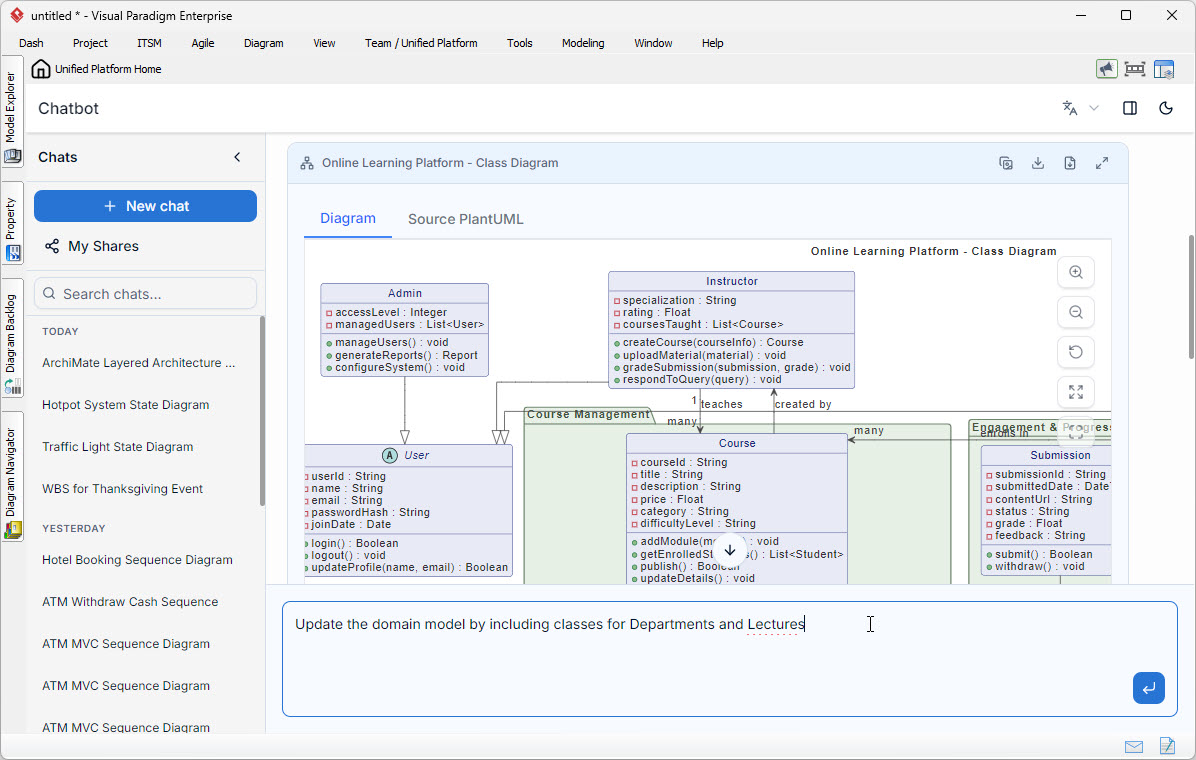
Example Workflow:
A user can prompt the AI Chatbot to “Create a Use Case diagram for an Online Learning Platform.” The AI generates a rough sketch with actors like “Student” and “Instructor” and use cases like “Enroll in Course.” This diagram can be seamlessly imported into Visual Paradigm Desktop as a new diagram for further refinement, adding specific attributes, methods, and relationships.
4. Reverse Engineering Code to UML
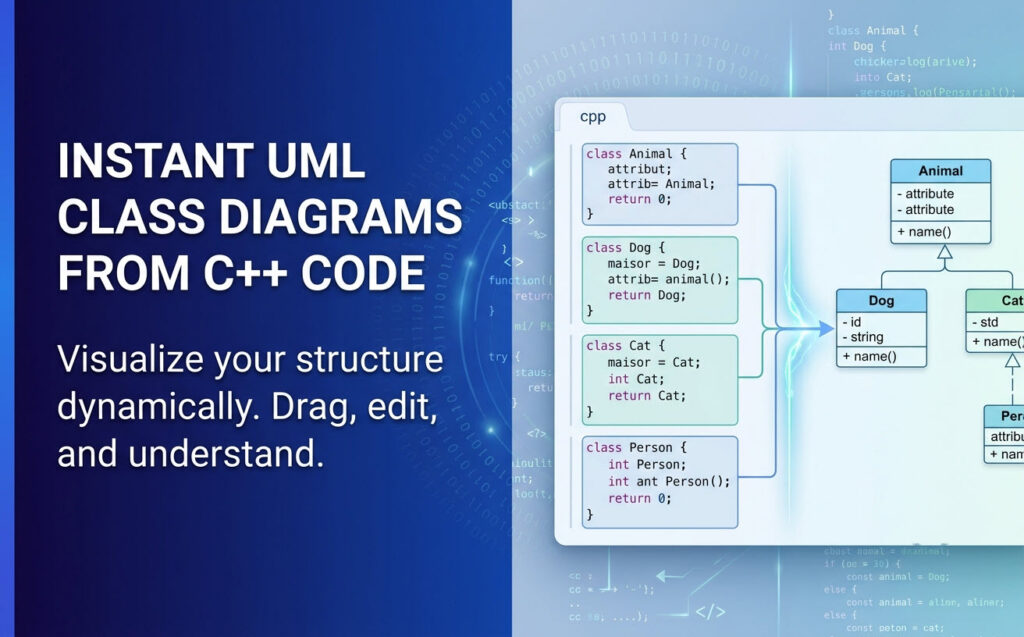
Visual Paradigm 18.1 ushers in a new era of unified ecosystems with massive enhancements for desktop application integration. The platform now supports instant code-to-UML visualization for a wide array of programming languages, allowing developers to reverse-engineer and visualize their codebases seamlessly.
Example:
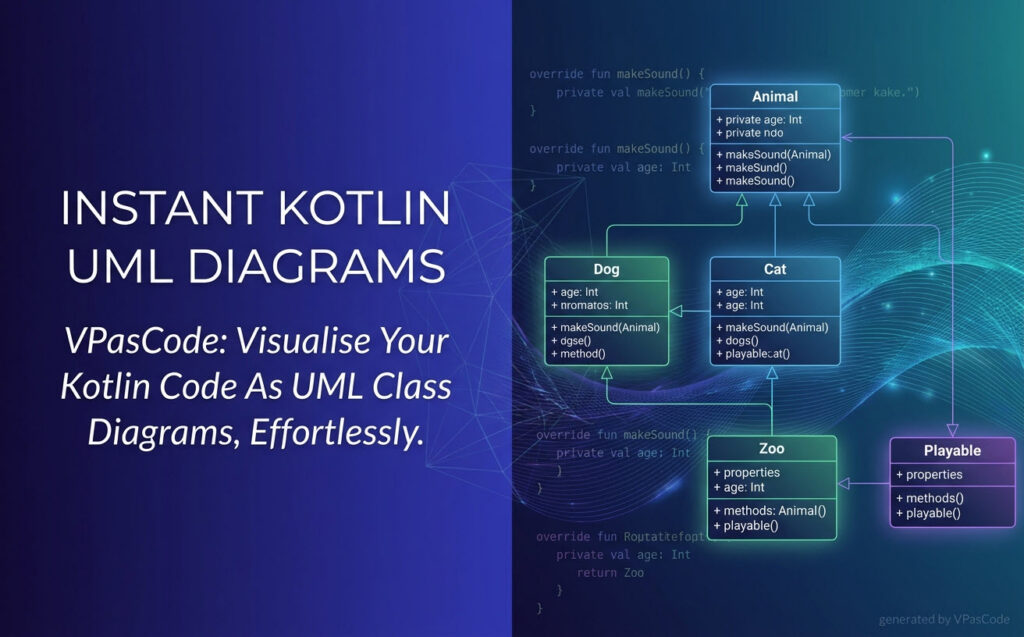
If you have a C++ codebase, the platform can instantly visualize it as a UML Class Diagram. The tool analyzes the source code to identify classes, attributes, and methods, generating a clean diagram with inheritance relationships (solid lines with hollow triangles) and associations (dashed lines).
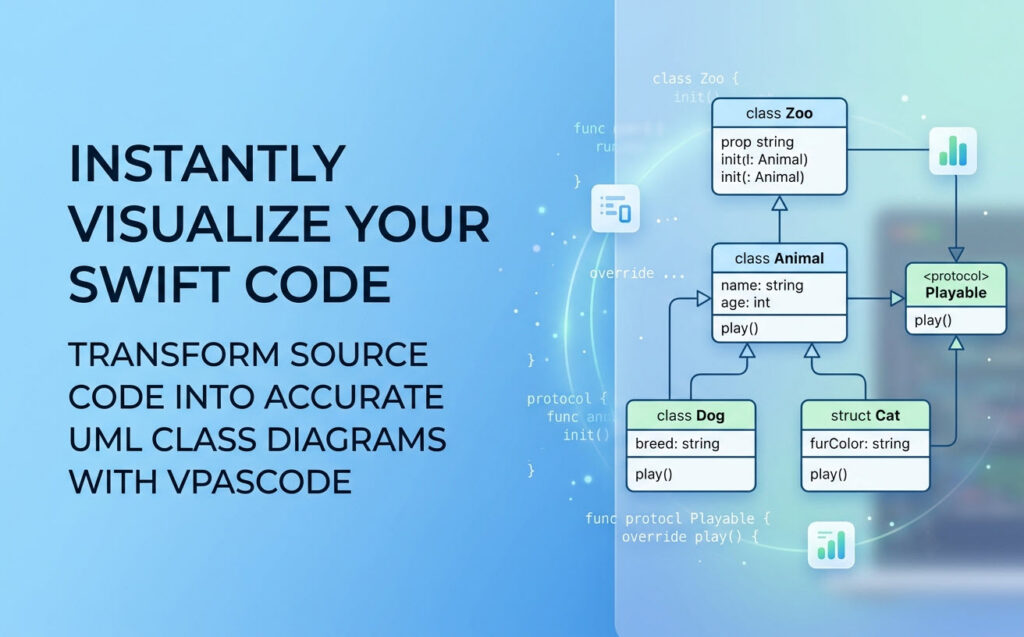
This feature supports multiple languages including C++, C, Swift, Kotlin, Elixir, Zig, Scala, Ruby, and PHP. It transforms opaque source code into clear, hierarchical UML diagrams, helping developers understand complex architectures without manually tracing code.
5. Agile and Project Management Integration
Software development requires far more than architectural diagrams; it requires project management, scheduling, and team alignment. The Unified Platform instantly unlocks access to a massive library of specialized PM and Agile applications for desktop users.
Within the same interface where you manage your codebase models, you can now jump into apps dedicated to Stakeholder Management, generate Development Plans, build interactive Gantt Charts, map out a RACI Matrix, or even design a prototype site using the Website Builder. It bridges the gap between engineering design and project execution.
6. Centralized Application Discovery
The Unified Platform acts as a centralized app store and launcher. Rather than navigating separate URLs or remembering which application handles which task, users access a categorized dashboard where every specialized tool—including Agile planning, infographics, Gantt charts, wireframing, business process modeling, and strategic management applications—is one click away.
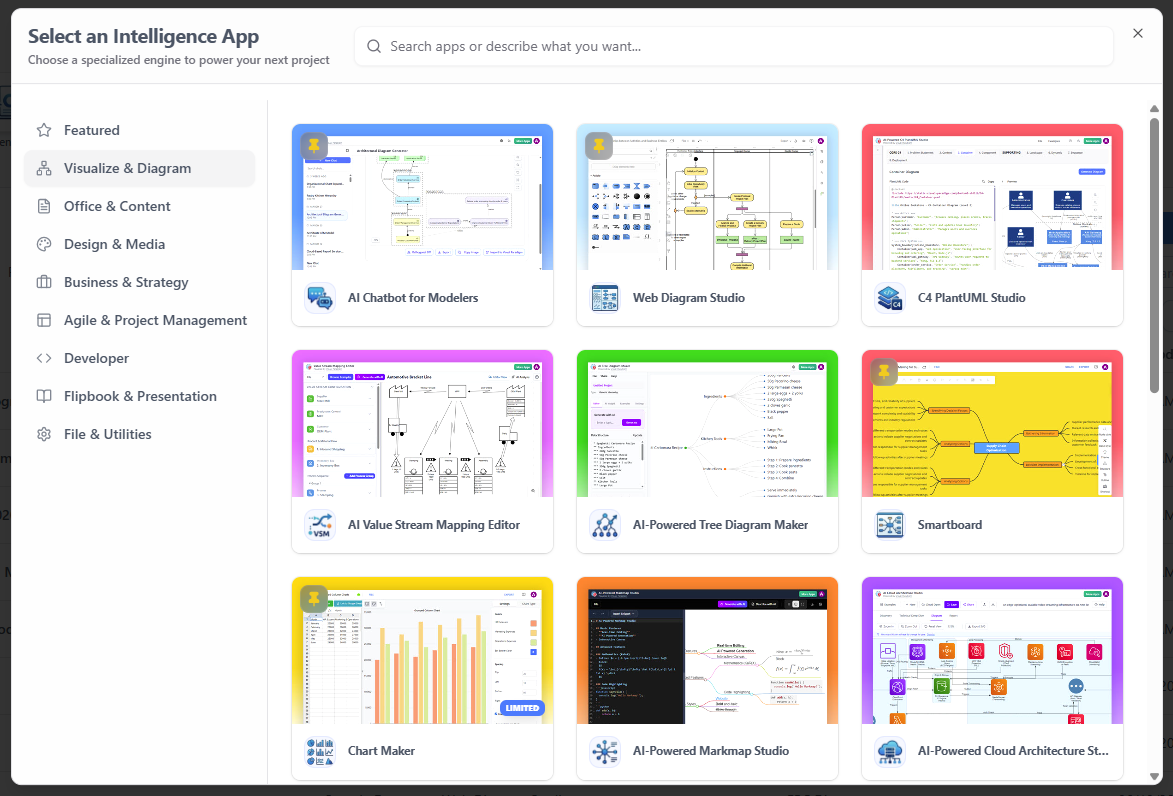
This catalog includes tools like the AI Chatbot for Modelers, Web Diagram Studio, C4 PlantUML Studio, Smartboard, and Chart Maker. The dashboard allows you to “Start with an app” and immediately begin creating artifacts that are automatically saved to your Unified Drive.

Conclusion
The Visual Paradigm Unified Platform represents more than just a new product launch; it is a reimagining of how professionals and teams approach visual work in an increasingly complex digital landscape. By eliminating the artificial boundaries between desktop and cloud, between specialized tools, and between human creativity and artificial intelligence, Visual Paradigm has created an ecosystem that respects the way people actually work.
For individuals, the platform offers the freedom to focus on ideas rather than tool management. For teams, it provides a shared space where collaboration happens naturally, without the friction of incompatible file formats or disconnected workflows. For organizations, it delivers the enterprise-grade capabilities needed for serious system design and architecture work, wrapped in an interface that remains accessible to non-technical stakeholders.
Unified Platform Reference List
- Announcing the All-New Visual Paradigm Unified Platform: Official announcement detailing the launch and core philosophy of the platform.
- Mastering the Visual Paradigm Unified Platform: Comprehensive guide exploring features and practical usage scenarios.
- Visual Paradigm Unified Platform: Quick Introduction: Beginner-friendly introduction to accessing and using the platform.
- Unified Platform: Project Management UI Enhancements: Updates on project management interface improvements and new features.
- What is the Unified Platform in Visual Paradigm?: Official product page explaining the platform’s role and capabilities.
- Ultimate Guide to a Seamless Creative Ecosystem: Deep dive into how the platform unifies desktop and cloud workflows.
- Introducing Visual Paradigm 18.1: A New Era of Unified Ecosystems and AI-Driven Innovation: Overview of version 18.1’s unified ecosystem and AI-driven innovation.
- Visual Paradigm Desktop Product Updates: Latest updates and enhancements specifically for desktop application integration.
- Visual Paradigm Updates Hub: Central repository for all release notes and product updates regarding the platform.
- Visual Paradigm Online: Unified Platform: Direct access to the cloud-based entry point for the Unified Platform experience.
- Sync AI Diagram to OpenDocs Pipeline Guide: Guide on syncing desktop diagrams to cloud documentation.
- How the Visual Paradigm AI Chatbot and Visual Paradigm VPasCode function as an integrated ecosystem: Explains the integration of AI and code tools for diagramming.
This post is also available in Deutsch, Español, فارسی, Français, English, Bahasa Indonesia, 日本語, Polski, Portuguese, Ру́сский, Việt Nam, 简体中文 and 繁體中文.