


Introduction
In the fast-paced world of modern software development, Agile teams are constantly seeking ways to reduce friction between ideation and implementation. Traditional modeling tools often feel heavy and disconnected from the rapid iteration cycles of product management and engineering. However, a new paradigm is emerging—one that leverages Conversational AI for rapid prototyping, Diagram-as-Code for precision and version control, and Living Documentation for seamless stakeholder alignment.
This guide explores how to leverage Visual Paradigm’s Unified Platform to create lightweight, collaborative, and fast-moving design workflows. By integrating tools like the AI Chatbot, VPasCode, and OpenDocs, teams can transform natural language ideas into structured, maintainable, and shareable system models.
1. Key Concepts in the Unified Ecosystem
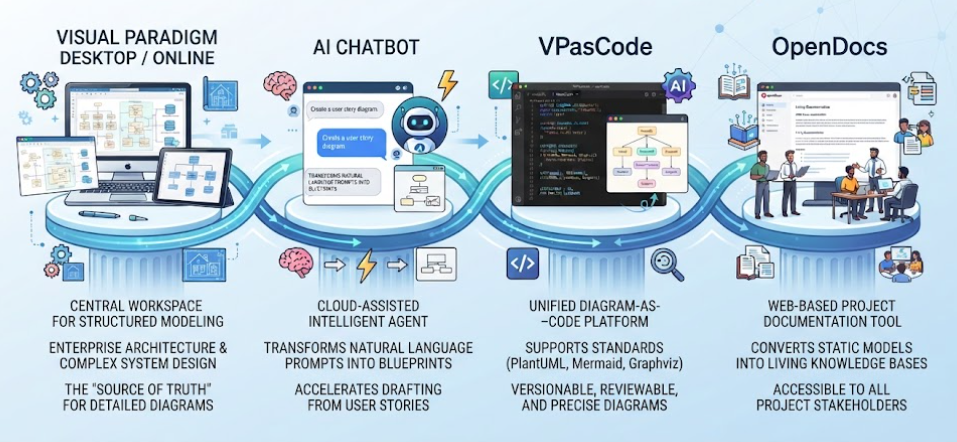
To understand this workflow, it is essential to recognize the four pillars of the Visual Paradigm Unified Platform:
-
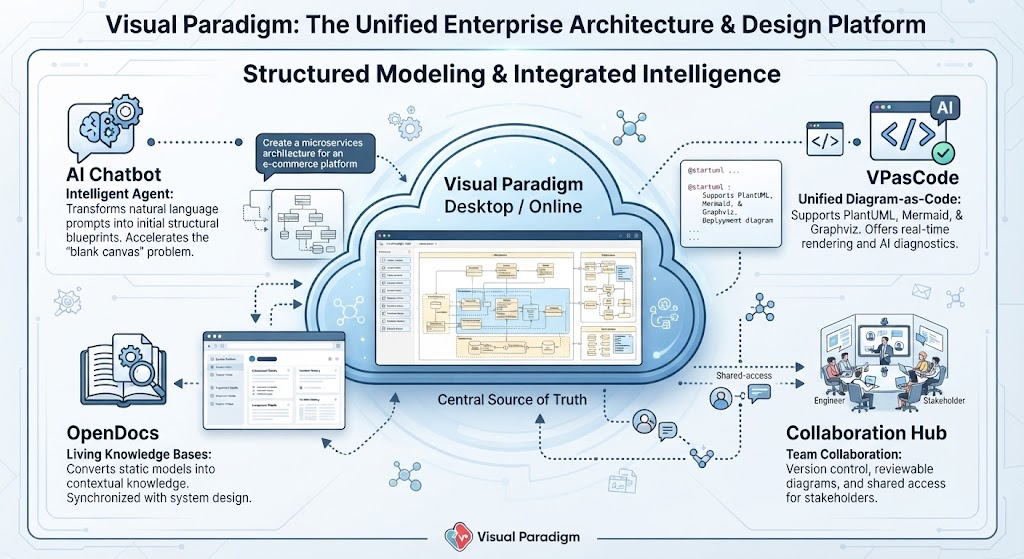
Visual Paradigm Desktop / Online: The central workspace for structured UML modeling, enterprise architecture, and complex system design. It serves as the “source of truth” for detailed architectural diagrams.
-
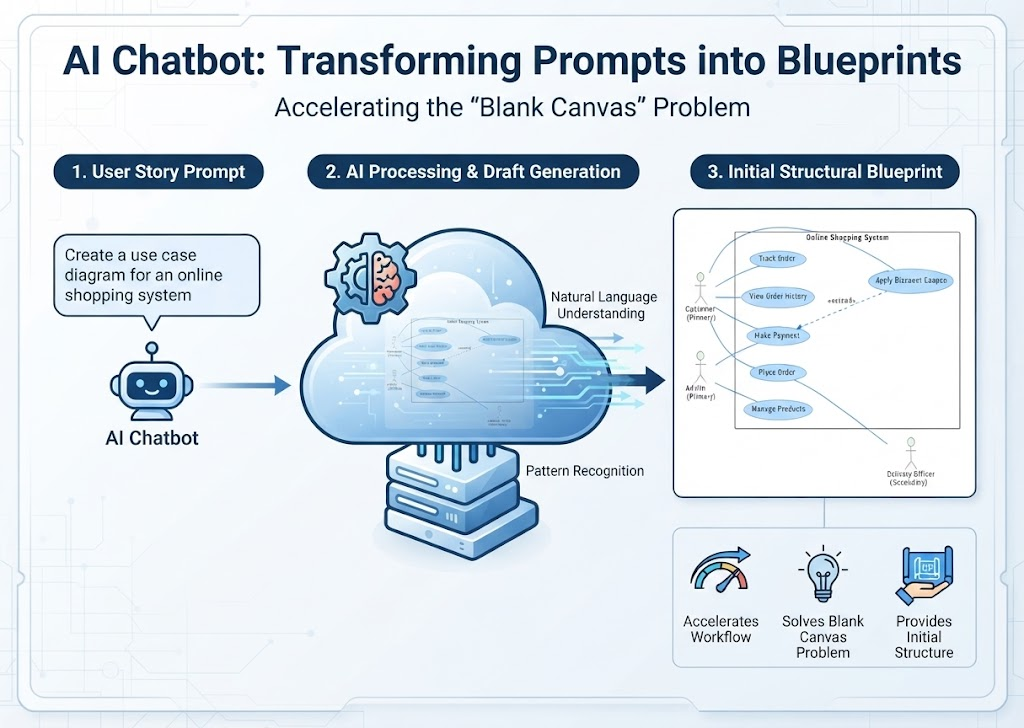
AI Chatbot: A cloud-assisted intelligent agent that transforms natural language prompts into initial structural blueprints. It accelerates the “blank canvas” problem by generating draft diagrams from user stories.
-
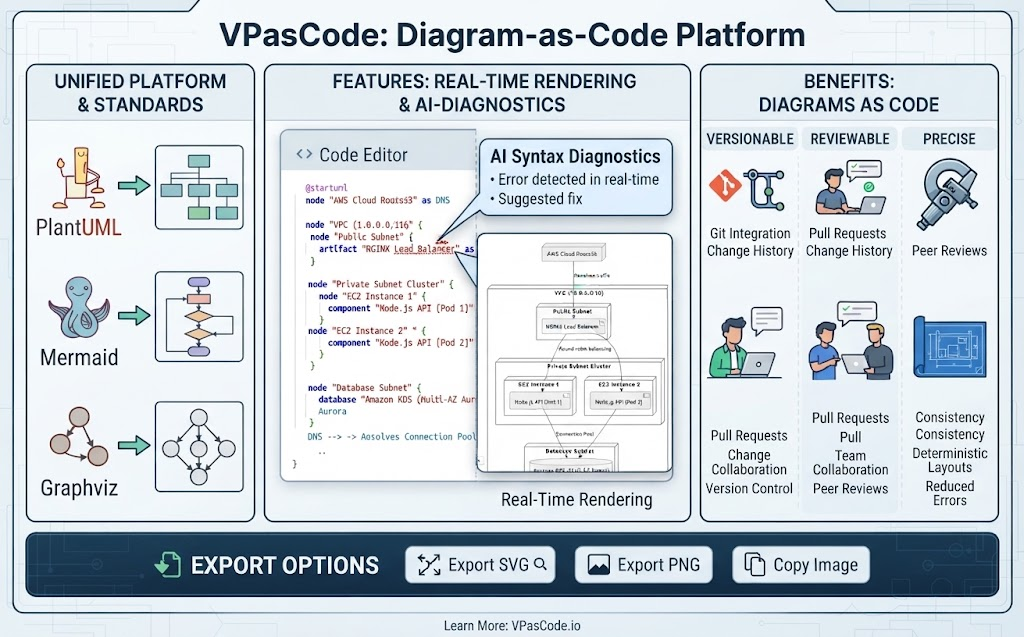
VPasCode: A unified diagram-as-code platform that supports standards like PlantUML, Mermaid, and Graphviz. It offers real-time rendering and AI-powered syntax diagnostics, allowing developers to treat diagrams as code—versionable, reviewable, and precise.
-
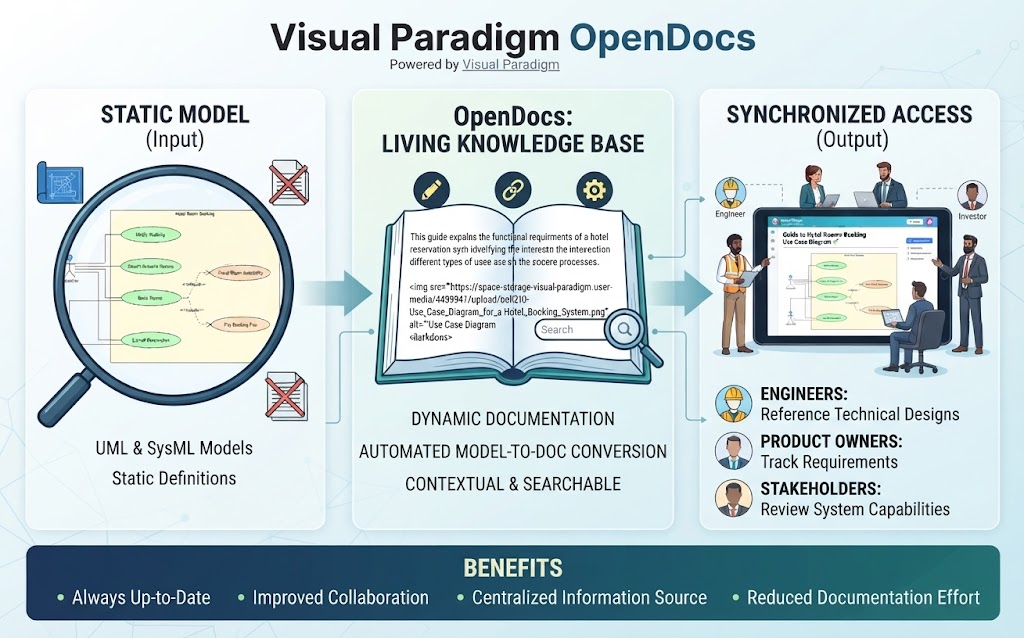
OpenDocs: A web-based project documentation tool that converts static models into living, contextual knowledge bases. It ensures that documentation stays synchronized with the actual system design, accessible to engineers, product owners, and stakeholders alike.
2. Step-by-Step Workflow Guide
Step 1: AI-Powered Generation
The traditional approach of dragging and dropping shapes manually is time-consuming and prone to early-stage ambiguity. Instead, start by invoking the AI Chatbot within the Unified Platform.
Action: Type a natural language prompt defining your user story or system scope.
Example Prompt:
“Generate a use case model for an e-commerce checkout flow including customer, payment gateway, and inventory system.”
Result: The AI outputs the initial model structure, identifying key actors, use cases, and relationships. This provides a rapid starting point that captures the intent of the requirement without getting bogged down in syntax.
Step 2: Refinement via Diagram-as-Code (VPasCode)
Once the initial structure is generated, export or port the model text into VPasCode. This step allows developers and technical product managers to refine the model with total code precision. Using PlantUML syntax, you can tweak actors, define system boundaries, and clarify relationships.
PlantUML Use Case Example:
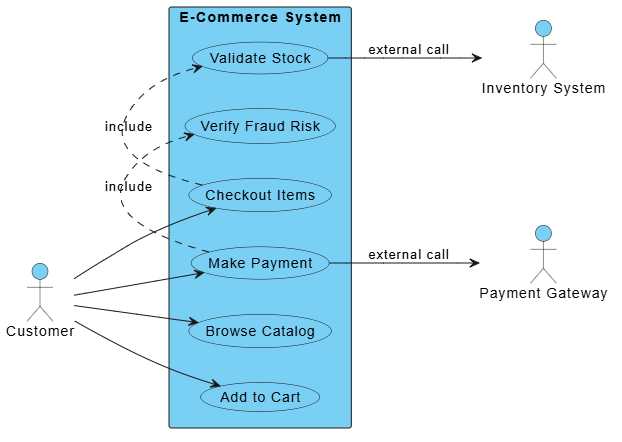
Below is a refined example of an e-commerce checkout flow. Note the use of include relationships for mandatory sub-processes and external actor connections.
@startuml
left to right direction
skinparam packageStyle rectangle

actor Customer
actor "Payment Gateway" as PG
actor "Inventory System" as IS

rectangle "E-Commerce System" {
  Customer --> (Browse Catalog)
  Customer --> (Add to Cart)
  Customer --> (Checkout Items)
  Customer --> (Make Payment)

  (Checkout Items) .> (Validate Stock) : include
  (Validate Stock) --> IS : external call

  (Make Payment) .> (Verify Fraud Risk) : include
  (Make Payment) --> PG : external call
}
@enduml
Why VPasCode?
-
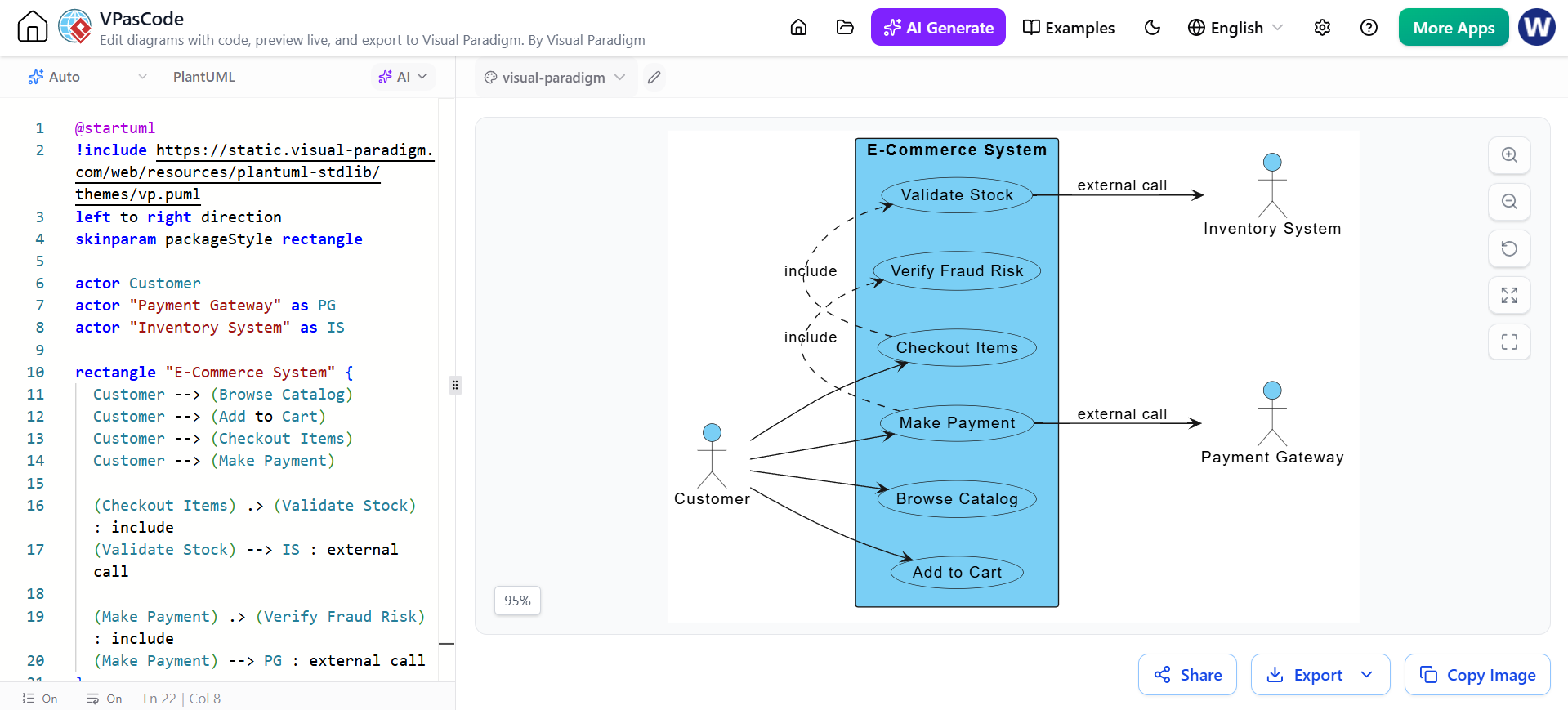
Version Control: Store your diagrams in Git alongside your code.
-
AI Diagnostics: If you make a syntax error, VPasCode’s built-in AI helps identify and fix it instantly.
-
Real-Time Rendering: See changes immediately as you type, ensuring visual fidelity.
Step 3: Collaboration & Sharing
Agile teams thrive on transparency. Once the script is error-free, you don’t need to export static images manually. VPasCode allows you to generate a shareable web link or export high-resolution SVG/PNG assets directly.
Best Practice: Share the live link in your team’s Slack or Microsoft Teams channel. This ensures that everyone is looking at the most recent version of the diagram, eliminating the confusion of outdated screenshots.
Step 4: Publishing to OpenDocs
The final step is to embed these dynamic diagrams into OpenDocs. This transforms your models from isolated files into a centralized, living documentation portal.
Benefits:
-
Contextual Knowledge: Engineers can view up-to-date system behaviors without digging through legacy folders.
-
Stakeholder Alignment: Product owners and business stakeholders can access clear, visual representations of functionality without needing specialized modeling software.
-
Automatic Updates: When the PlantUML code in VPasCode is updated, the documentation in OpenDocs reflects those changes, keeping your knowledge base always current.
Video Resource
For a complete walkthrough of using VPasCode’s live code editing, instant rendering, and AI features alongside Visual Paradigm’s documentation pipelines, watch the following video:
Free PlantUML Editor: VPasCode (AI-Powered Diagram-as-Code)
Conclusion
Modern agile teams require tools that match their speed and collaborative nature. By leveraging Visual Paradigm’s Unified Platform, you can bridge the gap between conversational AI and structured modeling. Starting with AI-generated drafts, refining them through diagram-as-code in VPasCode, and publishing them as living documentation in OpenDocs creates a seamless workflow. This approach not only accelerates design but also ensures that your system models remain accurate, accessible, and aligned with your evolving product requirements.
Reference Articles: Visual Paradigm for UML and Use Case Modeling
Getting Started & Step-by-Step Tutorials
-
How to Create UML Use Case Diagram in Visual Paradigm: A complete walkthrough covering project setup, adding actors and use cases, defining system boundaries, and connecting elements with associations, include, and extend relationships .
-
Use Case Diagram Example: Build Your First App Model: A hands-on tutorial for creating a use case diagram for an e-commerce app, with practical tips on identifying actors and applying include/extend relationships .
-
Practical 2: Hands-on Use Case Modeling: A practical guide covering both manual diagram creation and AI-powered generation, plus documenting flow of events and scenarios .
AI-Powered Features & Advanced Workflows
-
2.3 Visualizing the Model: Explores Visual Paradigm’s AI-powered automatic generation of polished UML Use Case Diagrams from candidate use case tables, with multiple practical examples
-
Module 3: Functional Modeling and Use Case Elaboration: Covers AI-powered use case elaboration, including narrative-to-activity diagram transformation and intelligent relationship suggestions .
-
What is a Base Use Case Diagram Analyzer and How Can It Help You?: Introduces an AI tool that analyzes PlantUML use case diagrams to automatically generate comprehensive reports, scenarios, and test cases .
Conceptual Foundations & Best Practices
-
使用用例建模的全面指南 (A Comprehensive Guide to Use Case Modeling): A thorough explanation of use case modeling concepts, including key terms (actors, use cases, system boundaries) and relationship types (include, extend, generalization) .
-
2.1 Identification of Actors and Use Cases: A guide on brainstorming actors and high-level use cases with an actor-centric, goal-oriented approach, supported by AI-assisted candidate suggestions .
-
3. Use Case Refinement and Relationships: Explains how to refine initial diagrams by intelligently applying
«include»and«extend»relationships using Visual Paradigm’s AI Refinement Tool, with practical examples .
Project Setup, Documentation & Organization
-
UML Modeling Setup: Best Practices for Success: Best practices for structuring Visual Paradigm projects, including package organization, naming conventions, and versioning strategies for long-term maintainability .
-
8.2 Software Design Document (SDD) Generation: Details how to automatically generate professional Software Design Documents (SDD) in PDF or Markdown, compiling use case models, diagrams, and test cases .
This post is also available in Deutsch, Español, فارسی, Français, English, Bahasa Indonesia, 日本語, Polski, Portuguese, Ру́сский, Việt Nam, 简体中文 and 繁體中文.