
Introduction
Business Process Model and Notation (BPMN) is the gold standard for visualizing business processes. However, as workflows grow in complexity, diagrams can quickly become tangled webs of confusion rather than clear maps of operation. For Product Managers, Business Analysts, and Enterprise Architects, the ability to distill complex logic into clean, readable diagrams is a critical skill.
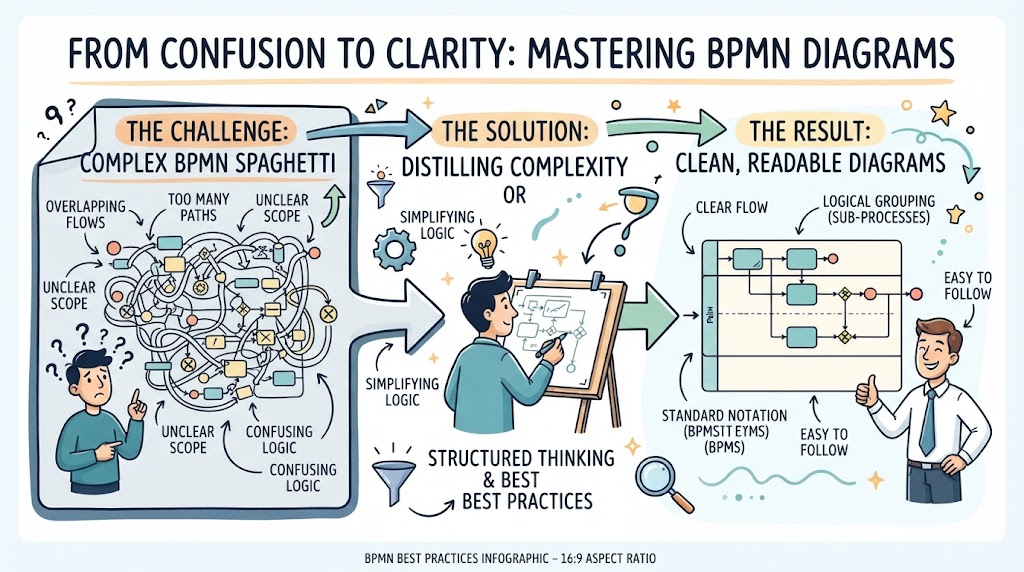
This guide explores ten essential best practices for creating pristine BPMN diagrams, with a specific focus on handling complex workflows using gateways. We will leverage Visual Paradigm, a powerful all-in-one modeling tool, and its AI-assisted features to streamline the creation process. Whether you are mapping a simple approval flow or a multi-layered enterprise service, these principles will ensure your diagrams remain intuitive and actionable.
Key Concepts: The Building Blocks of Clarity
Before diving into the best practices, it is crucial to understand the core elements that drive BPMN clarity, particularly when dealing with complexity.
-
Gateways: These are the decision points in your process. They control the flow of tokens (work items).
-
Exclusive Gateway (XOR): Only one path can be taken.
-
Parallel Gateway (AND): All outgoing paths are triggered simultaneously.
-
Inclusive Gateway (OR): One or more paths can be taken based on conditions.
-
-
Pools and Lanes: Pools represent major participants (e.g., Customer, Company), while lanes subdivide responsibilities within a pool (e.g., Sales Dept, Finance Dept).
-
Events: Start, Intermediate, and End events define the lifecycle of the process.
Tooling Spotlight: Visual Paradigm + AI Assist
Visual Paradigm offers a robust environment for BPMN modeling. Its AI-Assisted Modeling feature allows users to generate initial diagram structures from natural language descriptions, significantly reducing the time spent on manual layout. Additionally, its seamless integration with UML and ArchiMate ensures that your process maps align with broader enterprise architecture goals.
10 BPMN Best Practices for Clean Process Maps
1. Start with a Clear Trigger and End Point
Every process must have a defined start and end. Avoid “floating” activities. Use clear start events (e.g., Message Received, Timer Fired) and explicit end events (e.g., Process Completed, Error Ended). This frames the scope of your diagram immediately.
2. Use Pools and Lanes to Define Responsibility
Clarity comes from knowing who does what. Always use pools to separate different organizations or major entities. Use lanes within pools to distinguish between departments or roles. This visual separation prevents ambiguity about ownership.
[Insert Image: Example of a BPMN diagram with clear Pools and Lanes]
3. Limit the Number of Activities per Diagram
If your diagram requires scrolling horizontally for more than two screens, it’s too complex. Break large processes into sub-processes. A single diagram should ideally fit on one page or screen view to maintain cognitive ease.
4. Master the Exclusive Gateway (XOR)
For decision points where only one path is valid, use the Exclusive Gateway. Clearly label the outgoing flows with the condition that triggers them (e.g., “Approved,” “Rejected”). Avoid leaving conditions implicit.
5. Use Parallel Gateways for Concurrent Tasks
When tasks can happen simultaneously without dependency, use a Parallel Gateway. This reduces the perceived duration of the process and accurately reflects real-world concurrency. Ensure that all parallel branches eventually rejoin using another Parallel Gateway to synchronize the flow.
[Insert Image: BPMN diagram showing Parallel Gateway usage]
6. Avoid Cross-Flow Connections
Lines crossing each other create visual noise. Rearrange your activities and gateways to minimize line crossings. Visual Paradigm’s auto-layout features can help optimize this, but manual tweaking often yields the cleanest results.
7. Label Flows, Not Just Activities
While activities describe what is done, sequence flows describe why the process moves in a certain direction. Labeling flows, especially those exiting gateways, provides critical context for decision logic.
8. Use Sub-Processes for Complexity Hiding
If a set of activities forms a logical unit that is detailed elsewhere, collapse it into a Sub-Process. This keeps the main diagram high-level and readable while allowing stakeholders to drill down into details if needed.
[Insert Image: BPMN diagram illustrating Collapsed vs. Expanded Sub-Processes]
9. Consistent Styling and Color Coding
Use color consistently to denote status or type. For example, use blue for user tasks, green for service tasks, and red for error events. Visual Paradigm allows for custom style sets, ensuring your entire organization’s diagrams look uniform.
10. Validate with Stakeholders Using AI-Generated Summaries
Before finalizing, use Visual Paradigm’s AI features to generate a text-based summary of your diagram. Share this with stakeholders to ensure the logic matches their understanding. This step catches logical errors that visual inspection might miss.
How to Model Complex Workflows Using BPMN Gateways
Complex workflows often involve multiple decision points and concurrent paths. Here is a strategy for modeling them effectively:
-
Identify Decision Points: Map out all places where the process can diverge.
-
Choose the Right Gateway:
-
Use Exclusive for mutually exclusive choices.
-
Use Parallel for independent, simultaneous tasks.
-
Use Inclusive when some paths may be skipped based on conditions.
-
-
Synchronize Paths: Ensure that parallel paths rejoin correctly. Unjoined parallel paths can lead to “token saturation,” where the process never completes.
-
Handle Exceptions: Use Boundary Events on sub-processes to catch errors or interruptions, keeping the main flow clean.
[Insert Image: Complex workflow example using multiple gateway types]
Conclusion
Creating clean, effective BPMN diagrams is not just about drawing boxes and arrows; it’s about communicating logic clearly. By adhering to these ten best practices and leveraging tools like Visual Paradigm with its AI-assisted capabilities, you can transform complex workflows into understandable, actionable maps. Remember, the goal of BPMN is not just documentation, but improvement. A clear diagram reveals inefficiencies, ambiguities, and opportunities for automation.
Start small, validate often, and let your diagrams evolve with your processes.
Recommended Reading & Resources
- Creating Your First BPMN Diagram in Visual Paradigm: A step-by-step tutorial for beginners to create their first BPMN diagram using Visual Paradigm.
- Visual Paradigm UML Tool: A Comprehensive User Review: An in-depth review of Visual Paradigm’s UML capabilities and its position in the market.
- Visual Paradigm: The Ultimate All-in-One Software for Development: Overview of Visual Paradigm as a comprehensive tool for software development and modeling.
- Bridging ArchiMate with BPMN and UML: Guide on integrating ArchiMate models with BPMN and UML for enterprise architecture.
- BPMN Tool Usage, Validation, and Repository Best Practices: Best practices for avoiding common mistakes in BPMN tool usage and validation.