


Introduction
As a professional who has spent years mapping out complex organizational workflows, I’ve always had a love-hate relationship with Business Process Model and Notation (BPMN). On one hand, it’s the gold standard for clarity. On the other, manually dragging and dropping every single gateway and sequence flow is a massive time sink. Recently, I decided to test drive Visual Paradigm’s platform, specifically their newly integrated AI-powered diagram generation tools. In this review, I’ll share my hands-on experience, from brushing up on core BPMN concepts to watching plain text magically transform into professional, BPMN 2.0-compliant diagrams in seconds.
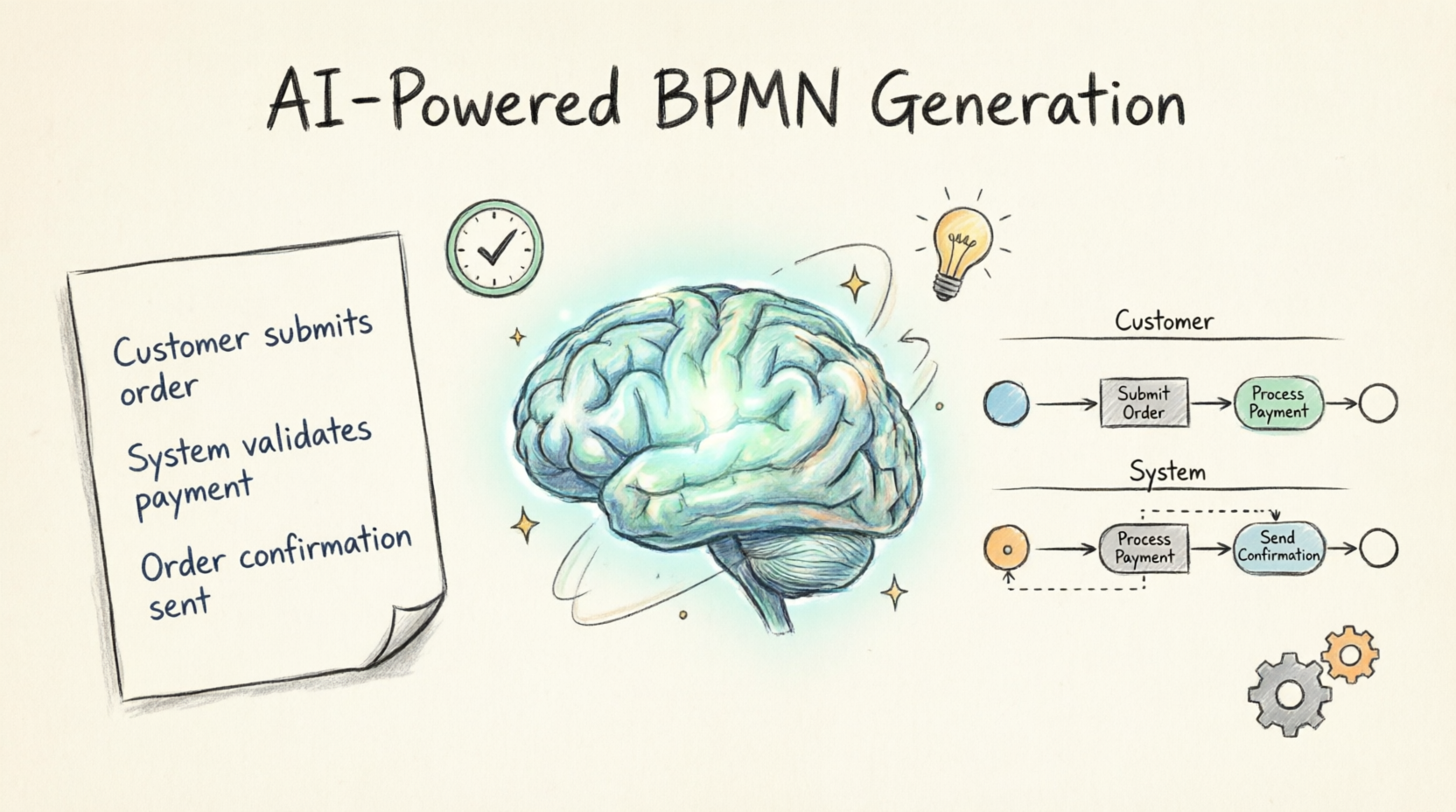
Why I Still Rely on BPMN (and the Core Concepts You Need to Know)
Before diving into the AI features, it’s important to understand why BPMN remains indispensable. In my experience, the biggest hurdle in process improvement is miscommunication between technical and non-technical stakeholders. BPMN solves this by providing a standardized visual language.
When I look at a process, I break it down into:
-
Processes & Activities: The core work steps (tasks) and higher-level sub-processes that transform inputs into outputs.
-
Flow Objects & Connectors: The sequence flows, gateways (decision points), and events (start, intermediate, or end) that dictate the logic of the workflow.
-
Swimlanes: Pools and lanes that clearly show who (which organization or role) is responsible for what.
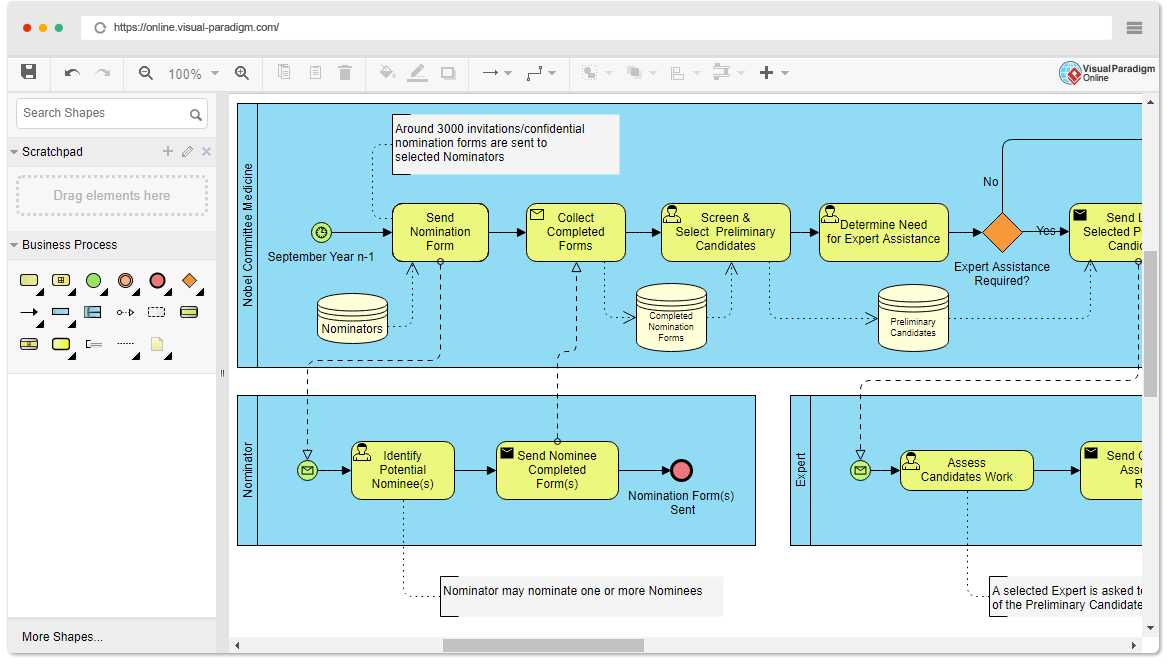
Using standardized symbols ensures everyone is on the same page, making it infinitely easier to identify bottlenecks, improve inefficiencies, or prepare a process for BPM software automation.
My Experience with Visual Paradigm Online
To get a feel for the traditional workflow, I started with Visual Paradigm Online. The web-based interface is surprisingly intuitive. I created a new project, selected “BPMN Diagram,” and simply dragged elements from the toolbar onto the canvas. Connecting them with sequence flows and organizing them into swimlanes took just a few clicks. While the drag-and-drop method is smooth, it still requires a fair bit of manual effort for complex processes. This is exactly where I realized the true value of their new AI integration.
The Game Changer: AI-Powered BPMN Generation
Visual Paradigm has integrated advanced AI directly into its desktop modeling environment, and frankly, it blew me away. Instead of building a flow from scratch, you can now transform plain-English text descriptions into professional-grade diagrams.
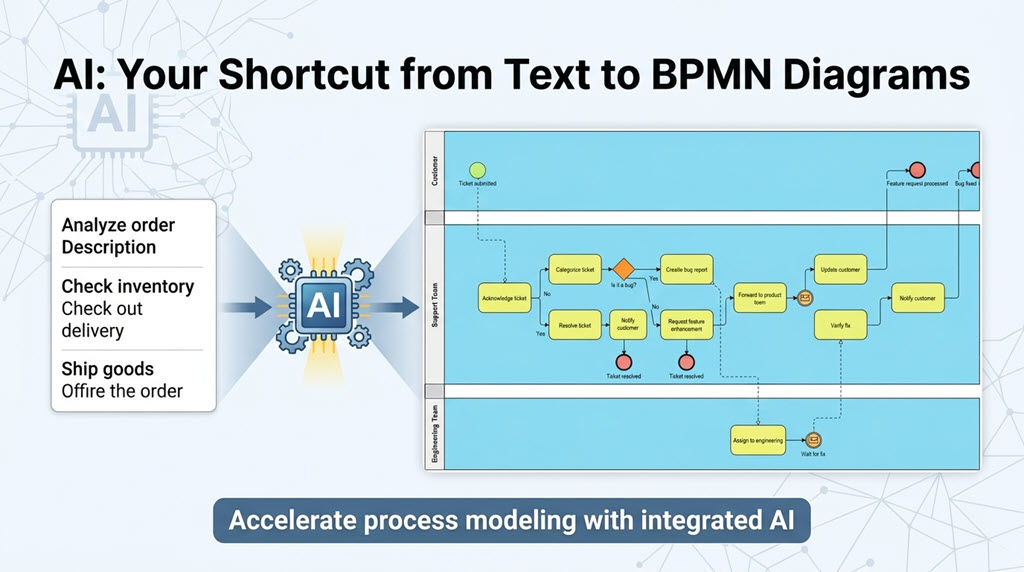
This AI BPMN tool completely eliminates the tedious initial drafting phase. As a business analyst, this means I can spend my time actually analyzing and optimizing the process rather than acting as a digital draftsman.
How I Used the AI Business Process Diagram Generator
Generating my first AI diagram was incredibly straightforward. Here is the exact workflow I followed in Visual Paradigm Desktop:
-
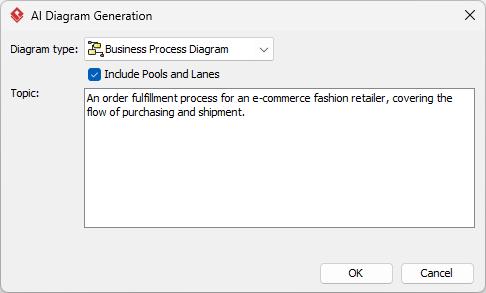
I navigated to Tools > AI Diagram Generation in the main menu.
-
I selected Business Process Diagram as my target diagram type.
-
I checked the “Include Pools and Lanes” box, which I highly recommend for keeping departmental responsibilities clear.
-
I typed my prompt: “An order fulfillment process for an e-commerce fashion retailer, covering the flow of purchasing and shipment.”
-
I clicked OK, and within seconds, the AI constructed the entire model.
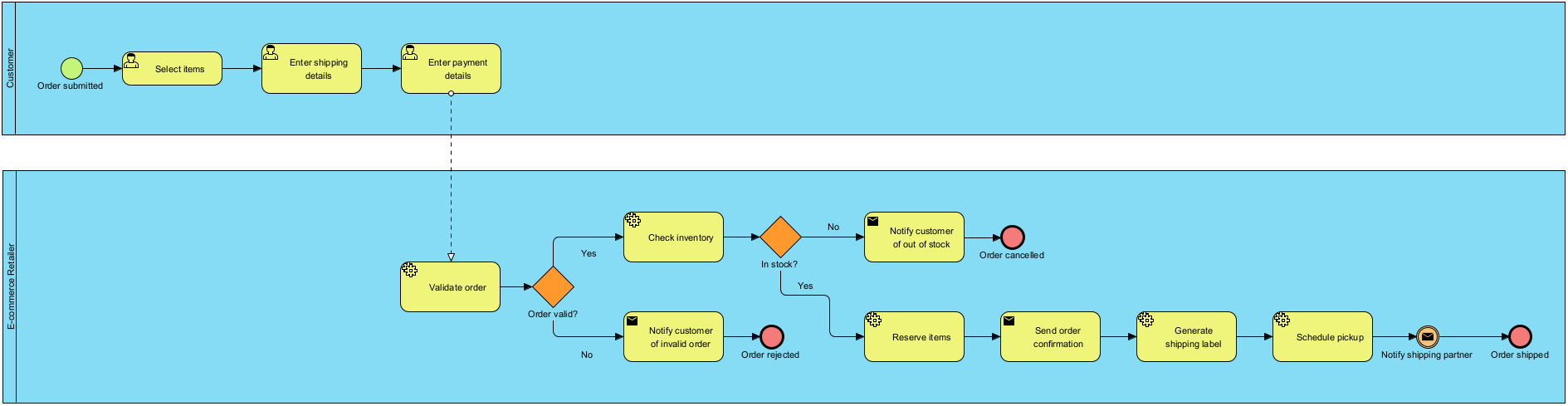
The resulting diagram was logically structured and cleanly balanced. I was then able to use the standard BPMN 2.0 tools to refine and extend the model exactly to my liking.
Testing the AI with Real-World Scenarios
To really push the tool’s capabilities, I explored several other use cases. The AI handles vastly different industries and complexities with ease:
Employee Onboarding
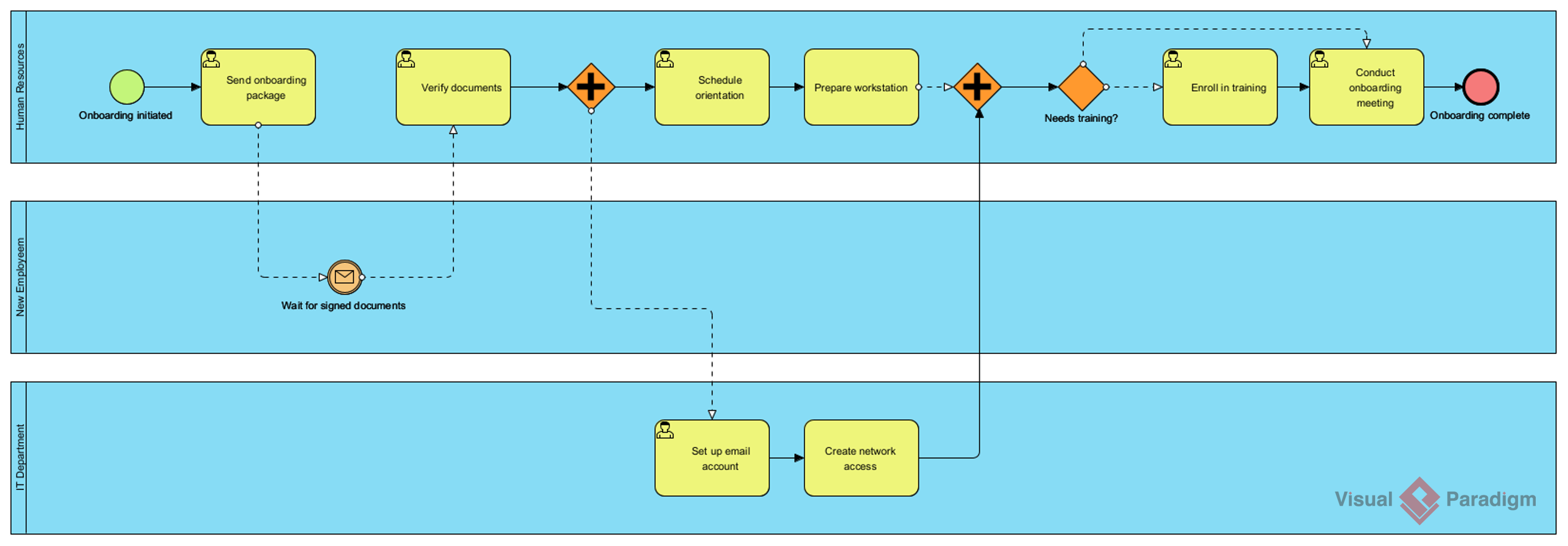
I prompted it with “An employee onboarding process in a mid-sized company.” The AI perfectly mapped out HR, IT, and managerial responsibilities across different swimlanes.
Customer Support Resolution
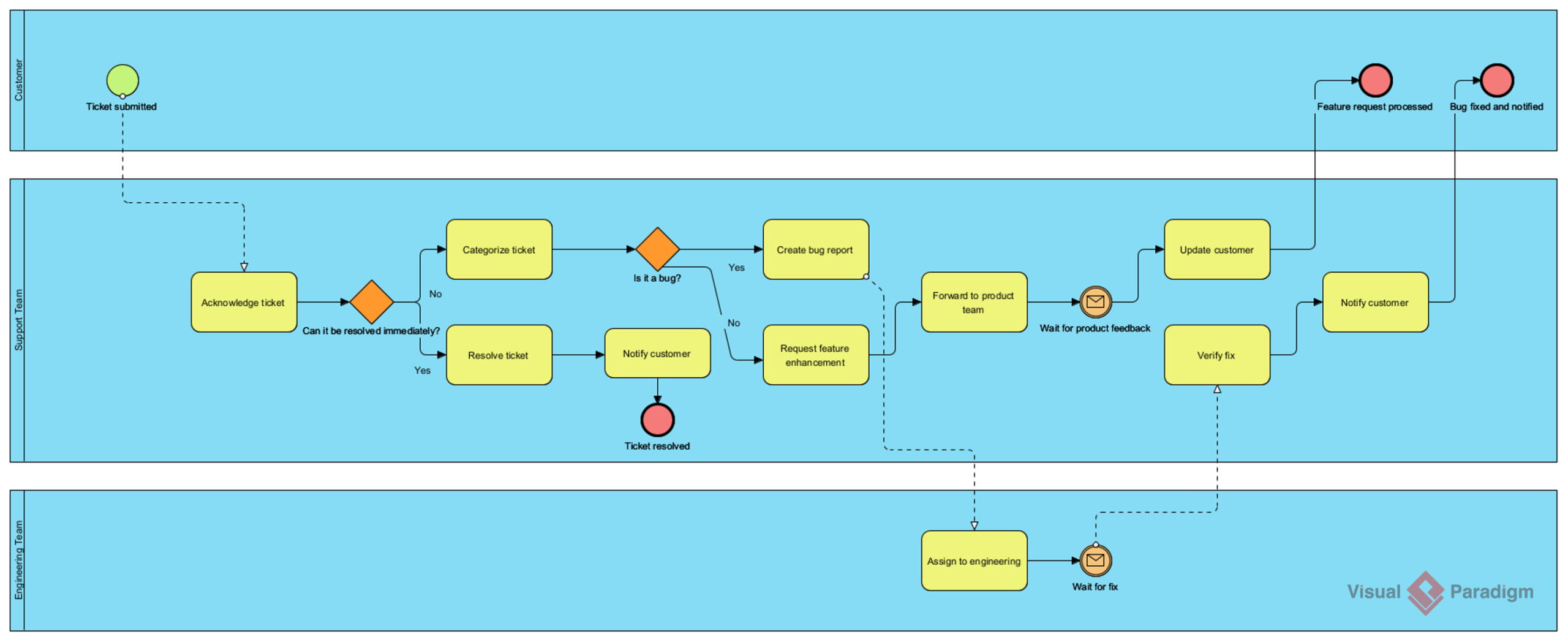
For a SaaS scenario, I used “A customer support ticket resolution process for a SaaS company.” The decision gateways for ticket prioritization and escalation were spot on.
Banking Workflows
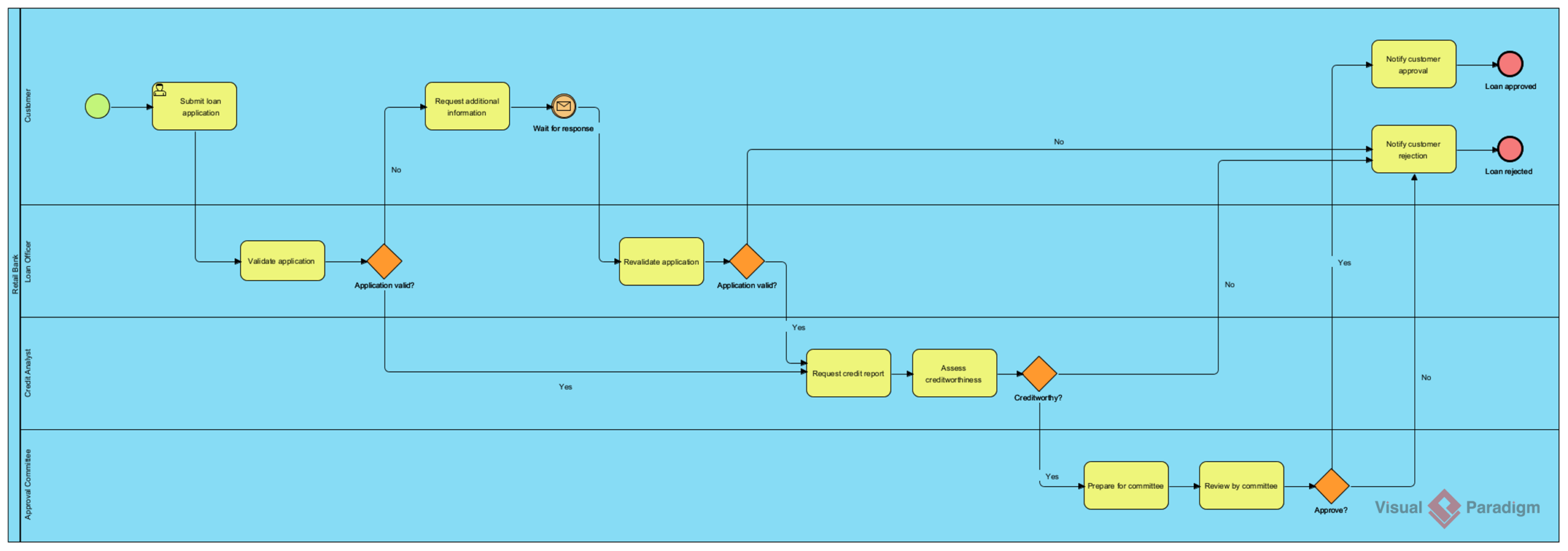
I tested a highly regulated environment with “A loan application and approval process in a retail bank.” The AI correctly included compliance checks and multi-tier approval gateways.
Key Features That Stood Out in My Review
After spending significant time with the platform, here are the AI features that impressed me the most:
-
Text-to-Diagram Generation: The natural language processing is highly accurate, building flows directly from my descriptions.
-
Intelligent BPM and Analysis Suite: It doesn’t just draw; it helps define problems, generate process stories, and even suggests KPIs and reports.
-
Automated Layout & Logic: I didn’t have to manually untangle overlapping arrows. The AI ensures the diagrams are visually balanced.
-
Interactive Refinement: If the initial generation is too simple, I can use the AI to expand it into a detailed model with complex events.
What You Need to Know Before You Start
If you want to replicate my experience, there are a few technical prerequisites to keep in mind for the Desktop version:
-
Version: You must be on the latest version of Visual Paradigm Desktop.
-
Connectivity: The desktop app needs an active connection to Visual Paradigm Online to access the AI service.
-
Project Hosting: Your active project must be hosted on their cloud platform.
-
License: These advanced AI suites typically require a Professional Edition (or higher) with active maintenance.
How It Compares to Traditional Methods
To summarize my findings, here is a quick breakdown of why this AI approach stands out:
| Feature | Visual Paradigm AI | Benefits |
|---|---|---|
| Input Type | Natural Language Text | No deep technical knowledge needed to start. |
| Output Type | BPMN 2.0 Diagrams | Industry-standard compliance for professional use. |
| Analysis | KPI & Report Generation | Moves beyond drawing to process optimization. |
| Ecosystem | Integrated with UML, SysML, etc. | Seamlessly transition between different modeling standards. |
Conclusion
After putting Visual Paradigm through its paces, I can confidently say that the integration of AI into BPMN modeling is a massive leap forward for business analysts and process architects. Business Process Model and Notation remains an indispensable framework, but the barrier to entry has historically been the steep learning curve and the time-consuming nature of manual drafting. By simply describing a process in plain language, Visual Paradigm’s AI generates accurate, standards-compliant diagrams that serve as powerful, editable foundations. Whether you are mapping a simple approval workflow or orchestrating complex, multi-departmental operations, this tool empowers you to work smarter and more strategically. If you are still manually drawing your BPMN diagrams, it is time to embrace the future of process modeling—start with a sentence, refine with your expertise, and deliver impactful results.
References
- BPMN Modeling Software | Visual Paradigm: Professional drag-and-drop tools for creating BPMN 2.0 diagrams.
- AI BPMN Business Process Diagram Generator Update: Release notes on the new AI-powered text-to-BPMN feature.
- AI BPMN Diagram Generator Guide: Comprehensive documentation for generating diagrams via natural language.
- AI Diagram Generation Features: Overview of automated diagram creation across multiple standards.
- AI Business Process Improvement Tool Update: Details on AI-assisted process analysis and KPI optimization.
- Intelligent BPM and Analysis Suite: Advanced toolset for problem definition and AI-powered workflow reporting.
- Getting Started with AI in Visual Paradigm: Technical setup and requirements for accessing AI features.
- Component Architecture in Visual Paradigm AI Ecosystem: Guide on infrastructure modeling within the AI ecosystem.
This post is also available in Deutsch, Español, فارسی, Français, English, Bahasa Indonesia, 日本語, Polski, Portuguese, Ру́сский, Việt Nam, 简体中文 and 繁體中文.