
A UML class diagram describes the structure of a system: the things it models, their properties, and how they relate. For data modeling, it can capture domain concepts and constraints before you commit to tables or application code.
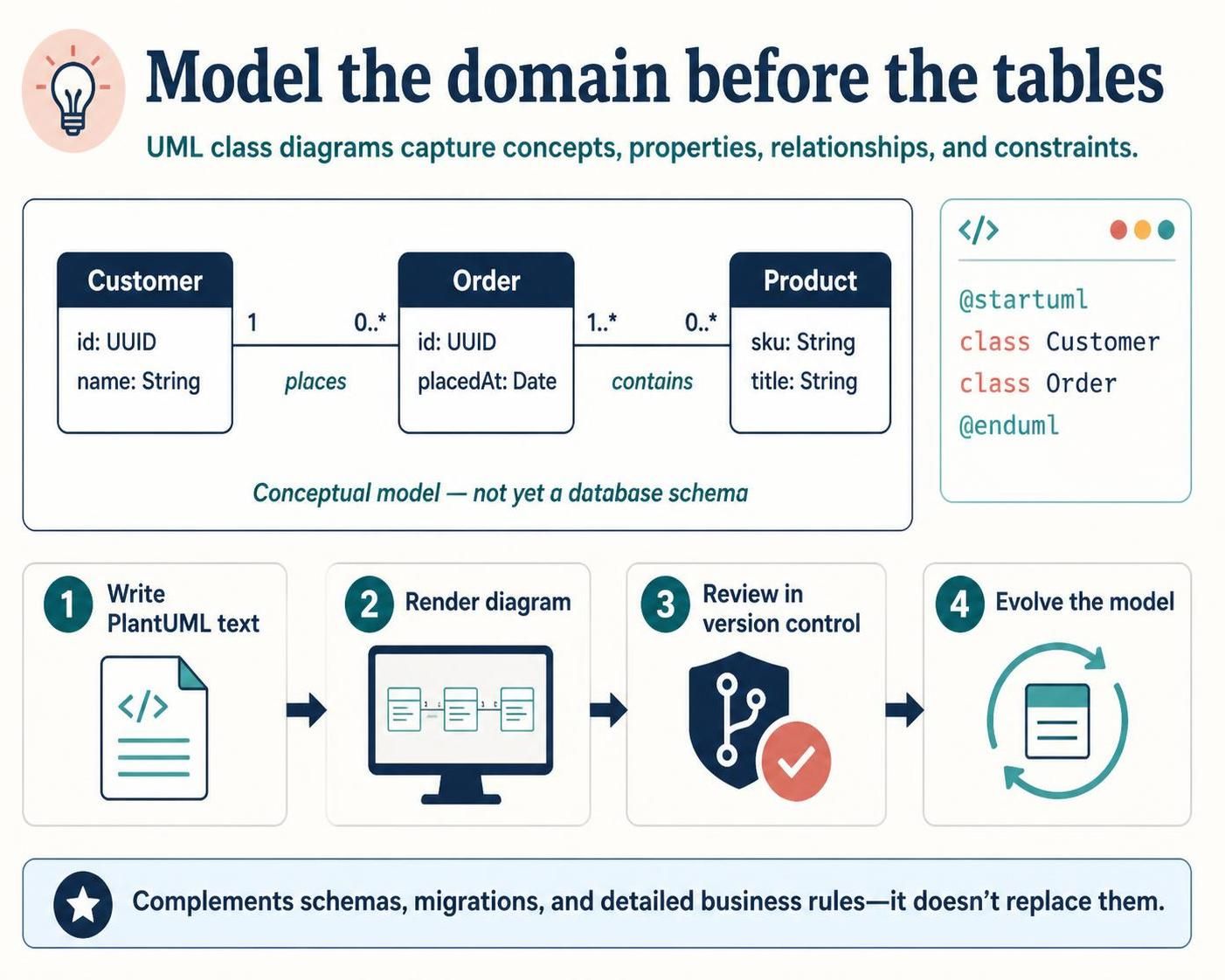
PlantUML makes the diagram reproducible: you write text, render it, review changes in version control, and update it as the model evolves. It complements—not replaces—database schemas, migrations, and detailed business rules.
1. Choose the modeling level
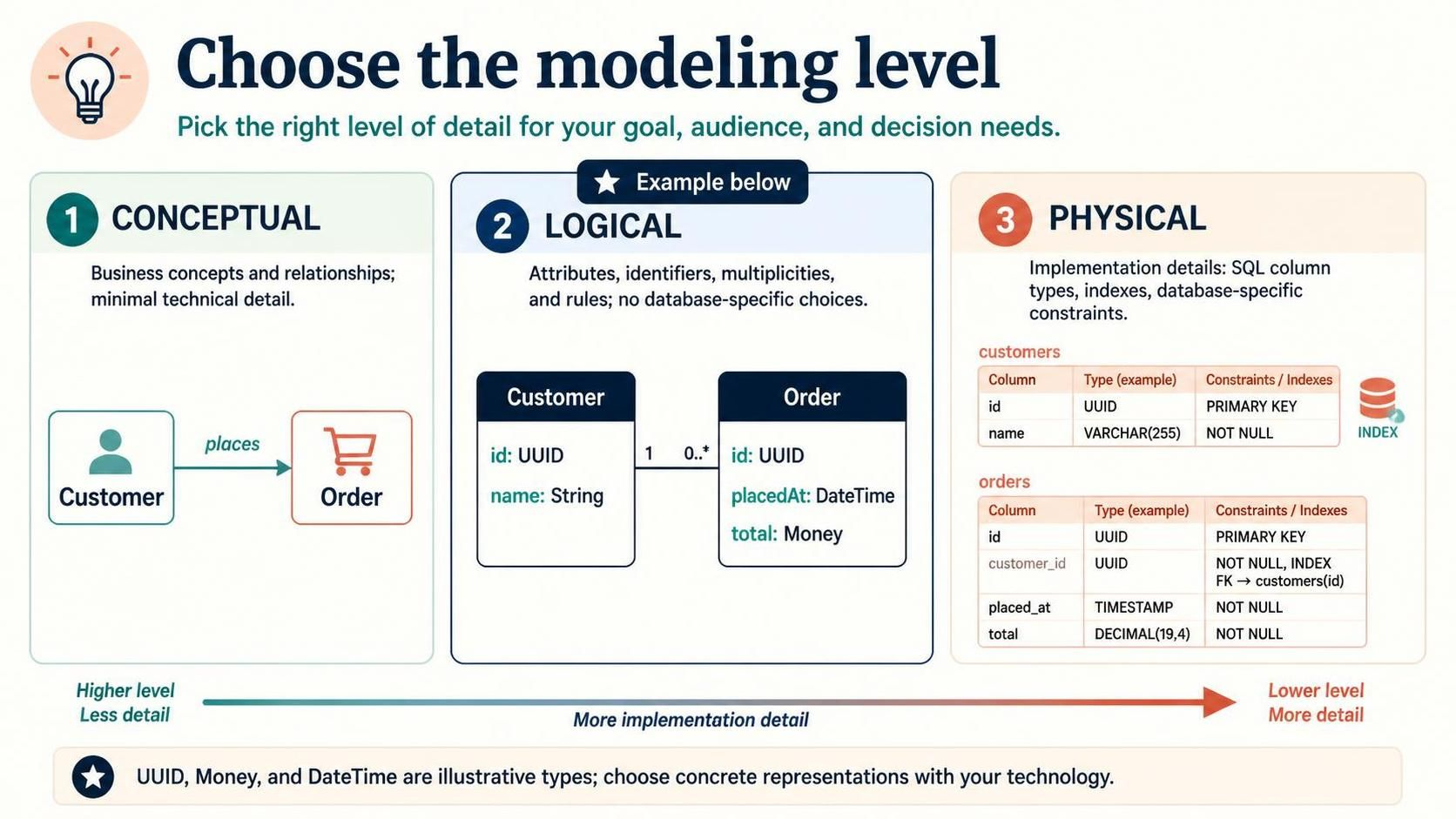
A useful data-modeling diagram usually focuses on one level at a time:
-
Conceptual: business concepts and relationships, with minimal technical detail. Example:
CustomerplacesOrder. -
Logical: attributes, identifiers, multiplicities, and rules, without tying the model to a specific database.
-
Physical: implementation details such as SQL column types, indexes, and database-specific constraints.
The example below is a logical domain model. Types like UUID, Money, and DateTime are illustrative; decide their concrete representations when choosing a technology.
2. PlantUML fundamentals
A class has a name and may list attributes and operations:
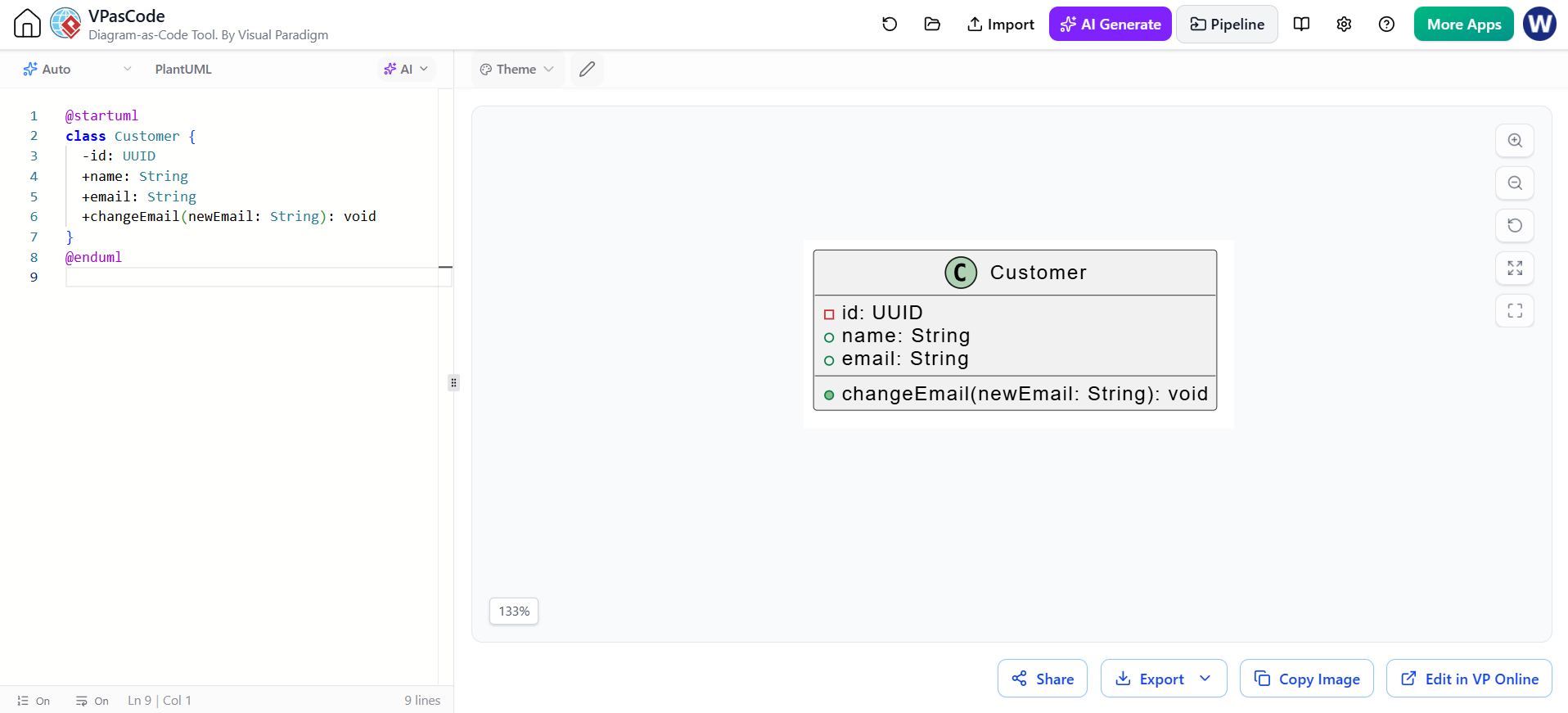
@startuml
class Customer {
  -id: UUID
  +name: String
  +email: String
  +changeEmail(newEmail: String): void
}
@enduml
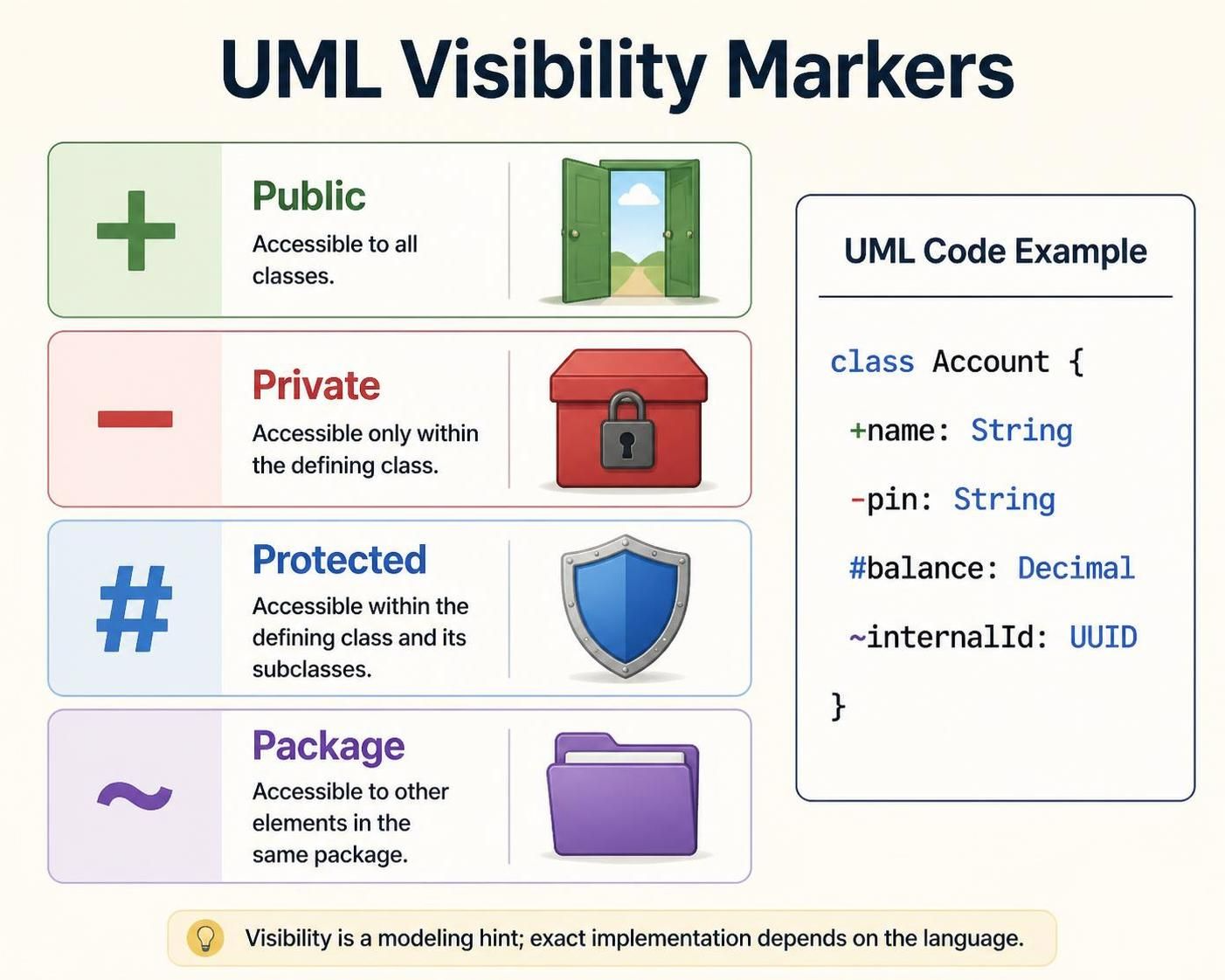
Visibility markers are optional modeling hints:
-
+public -
-private -
#protected -
~package visibility
For a domain or data diagram, attributes matter most. Include operations only when they clarify important behavior; avoid turning the diagram into a full code listing.
3. Relationships and multiplicity
The most useful relationship notations for data modeling are:
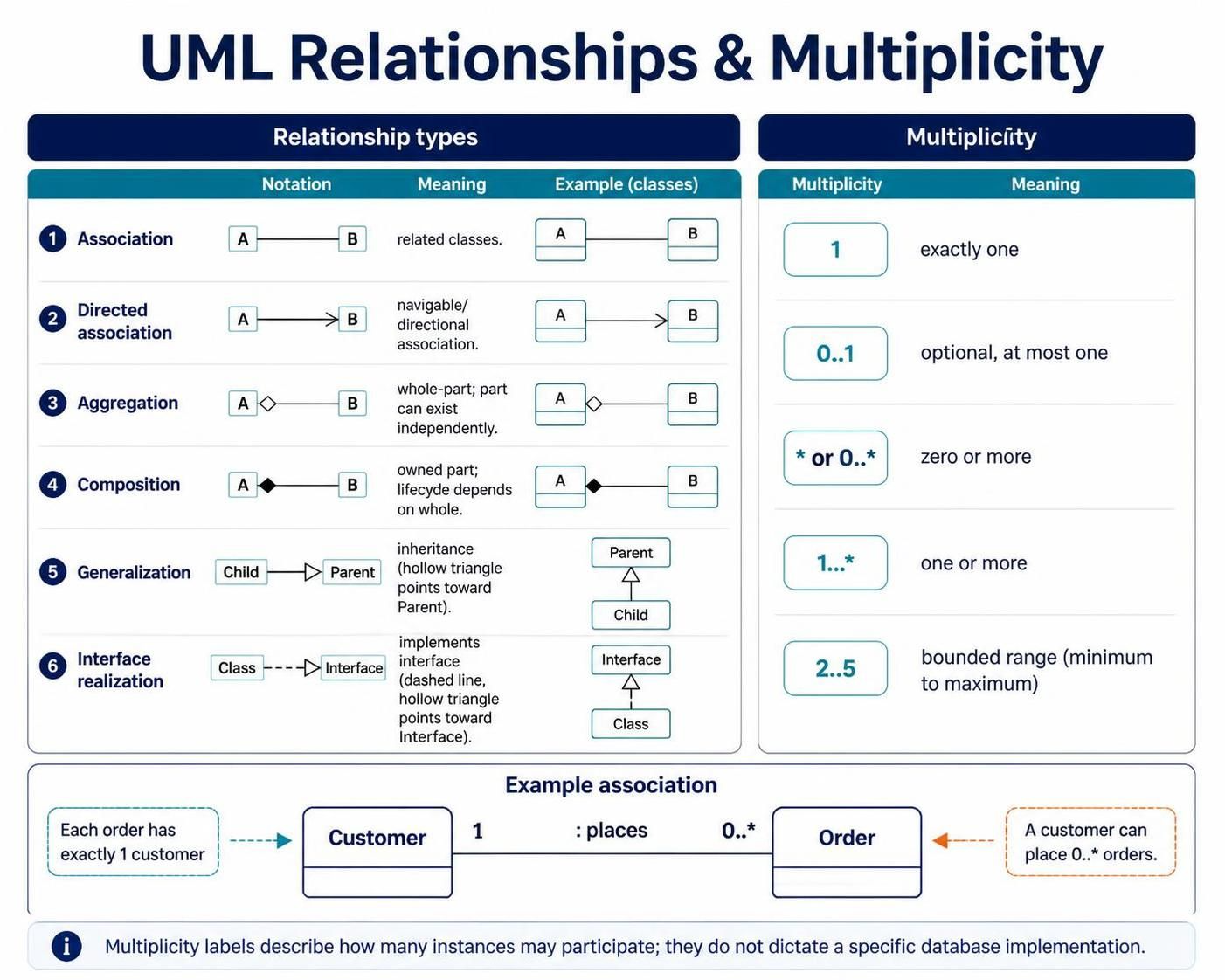
| Relationship | PlantUML | Meaning |
|---|---|---|
| Association | A -- B |
A relationship exists between A and B |
| Directed association | A --> B |
A navigable or directional relationship |
| Aggregation | A o-- B |
A has a part, but the part can exist independently |
| Composition | A *-- B |
A owns a part whose lifecycle depends on it |
| Generalization | `Child — | > Parent` |
| Interface realization | `Class .. | > Interface` |
Multiplicity labels sit near the association ends:
-
1— exactly one -
0..1— optional, at most one -
*or0..*— zero or more -
1..*— one or more -
2..5— a bounded range
For example:
Read the labels at each end carefully: one customer can place zero or more orders; each order is associated with exactly one customer. The labels describe the relationship, not necessarily a particular database’s foreign-key implementation.
4. Worked example: online shop
This model includes customers, orders, line items, products, and payment records. It demonstrates identifiers, value-like types, an enum, composition, and multiplicities.
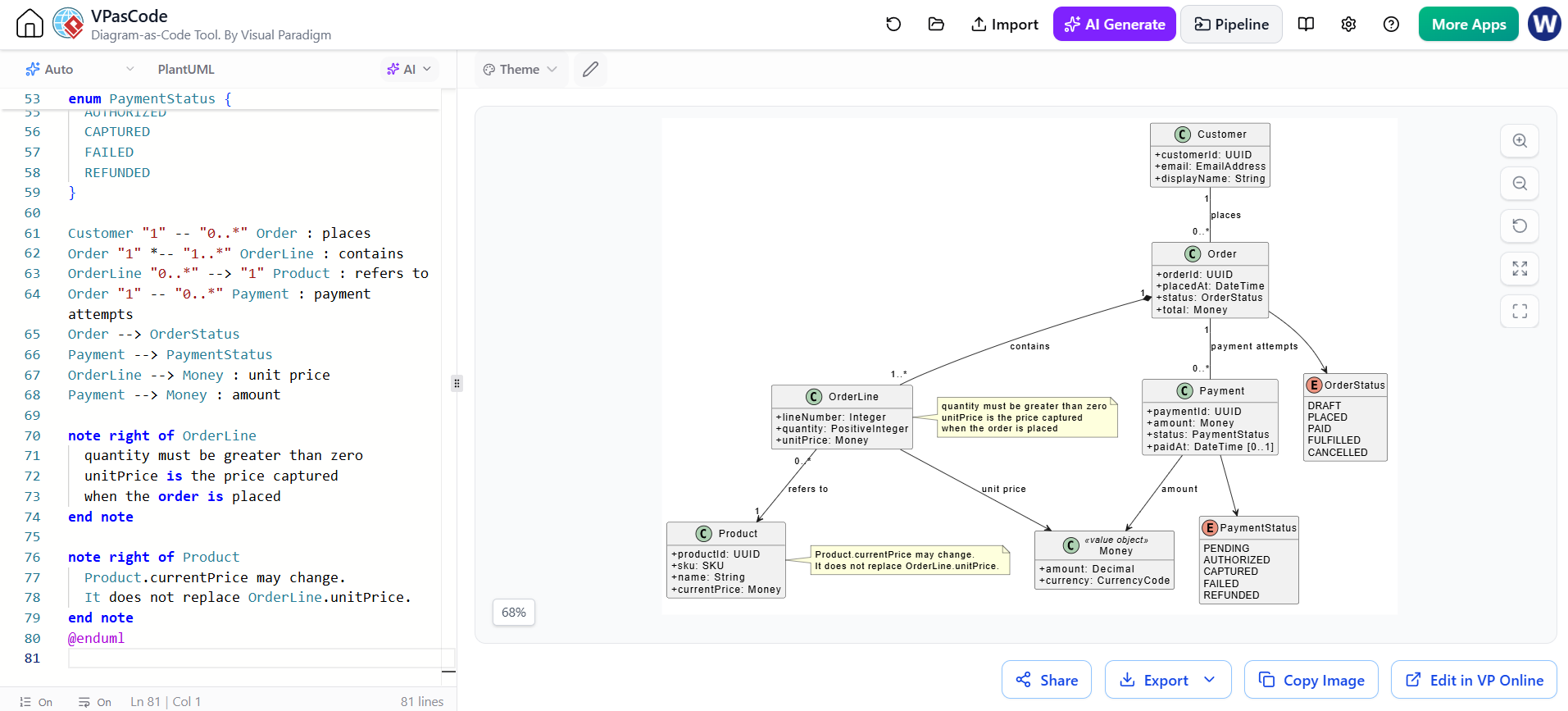
@startuml ShopDomain
skinparam classAttributeIconSize 0
skinparam shadowing false

hide methods

class Customer {
  +customerId: UUID
  +email: EmailAddress
  +displayName: String
}

class Order {
  +orderId: UUID
  +placedAt: DateTime
  +status: OrderStatus
  +total: Money
}

class OrderLine {
  +lineNumber: Integer
  +quantity: PositiveInteger
  +unitPrice: Money
}

class Product {
  +productId: UUID
  +sku: SKU
  +name: String
  +currentPrice: Money
}

class Payment {
  +paymentId: UUID
  +amount: Money
  +status: PaymentStatus
  +paidAt: DateTime [0..1]
}

class Money <<value object>> {
  +amount: Decimal
  +currency: CurrencyCode
}

enum OrderStatus {
  DRAFT
  PLACED
  PAID
  FULFILLED
  CANCELLED
}

enum PaymentStatus {
  PENDING
  AUTHORIZED
  CAPTURED
  FAILED
  REFUNDED
}

Customer "1" -- "0..*" Order : places
Order "1" *-- "1..*" OrderLine : contains
OrderLine "0..*" --> "1" Product : refers to
Order "1" -- "0..*" Payment : payment attempts
Order --> OrderStatus
Payment --> PaymentStatus
OrderLine --> Money : unit price
Payment --> Money : amount

note right of OrderLine
  quantity must be greater than zero
  unitPrice is the price captured
  when the order is placed
end note

note right of Product
  Product.currentPrice may change.
  It does not replace OrderLine.unitPrice.
end note
@enduml
Why model OrderLine explicitly? The relationship between an order and a product has its own data—quantity and the price at purchase time. That makes it a domain concept, not just a plain link.
Why composition from Order to OrderLine? The example assumes an order line belongs to one order and is not independently meaningful. Use composition only when that ownership and lifecycle rule is true in your domain; UML notation does not enforce it in the database.
Why distinguish current and historical prices? A product’s price may change after an order is placed. Keeping a purchase-time price on the order line preserves the historical amount.
5. Modeling decisions that matter
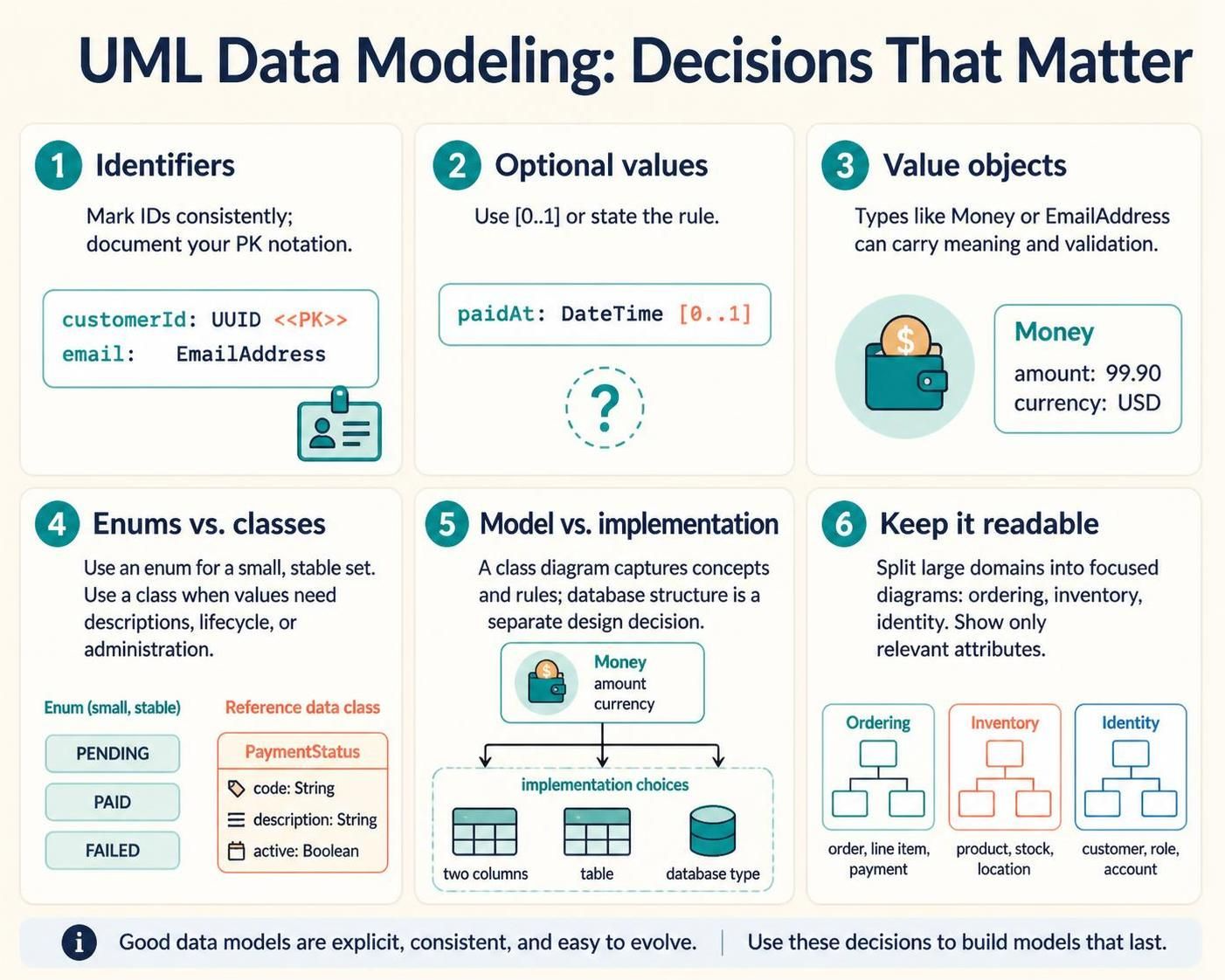
Identifiers: Mark identifiers consistently, such as customerId or orderId. UML doesn’t define a single universal notation for primary keys, so choose a convention and document it. A stereotype or note can make it explicit:
class Customer {
  +customerId: UUID <<PK>>
  +email: EmailAddress
}
Optional values: Use [0..1] for an optional attribute when that is clear to your readers, or note the rule. For example, a payment may have no paidAt timestamp until it succeeds.
Value objects: A type such as Money or EmailAddress can represent a concept with validation or semantics of its own. Decide whether it should appear as a separate class, an attribute type, or a database structure based on the audience and level of detail.
Enums and controlled values: Use an enum when the allowed set is small and relatively stable. If values need independent descriptions, lifecycle, or administration, model them as a class instead.
Normalization and implementation: A class diagram communicates concepts and rules; it does not settle every relational detail. For instance, whether Money becomes two columns, a separate table, or a database-specific type is an implementation decision.
Keep diagrams readable: Split a large domain into focused diagrams—such as ordering, inventory, and identity—and use packages to group related classes. Show only attributes relevant to the question the diagram is meant to answer.
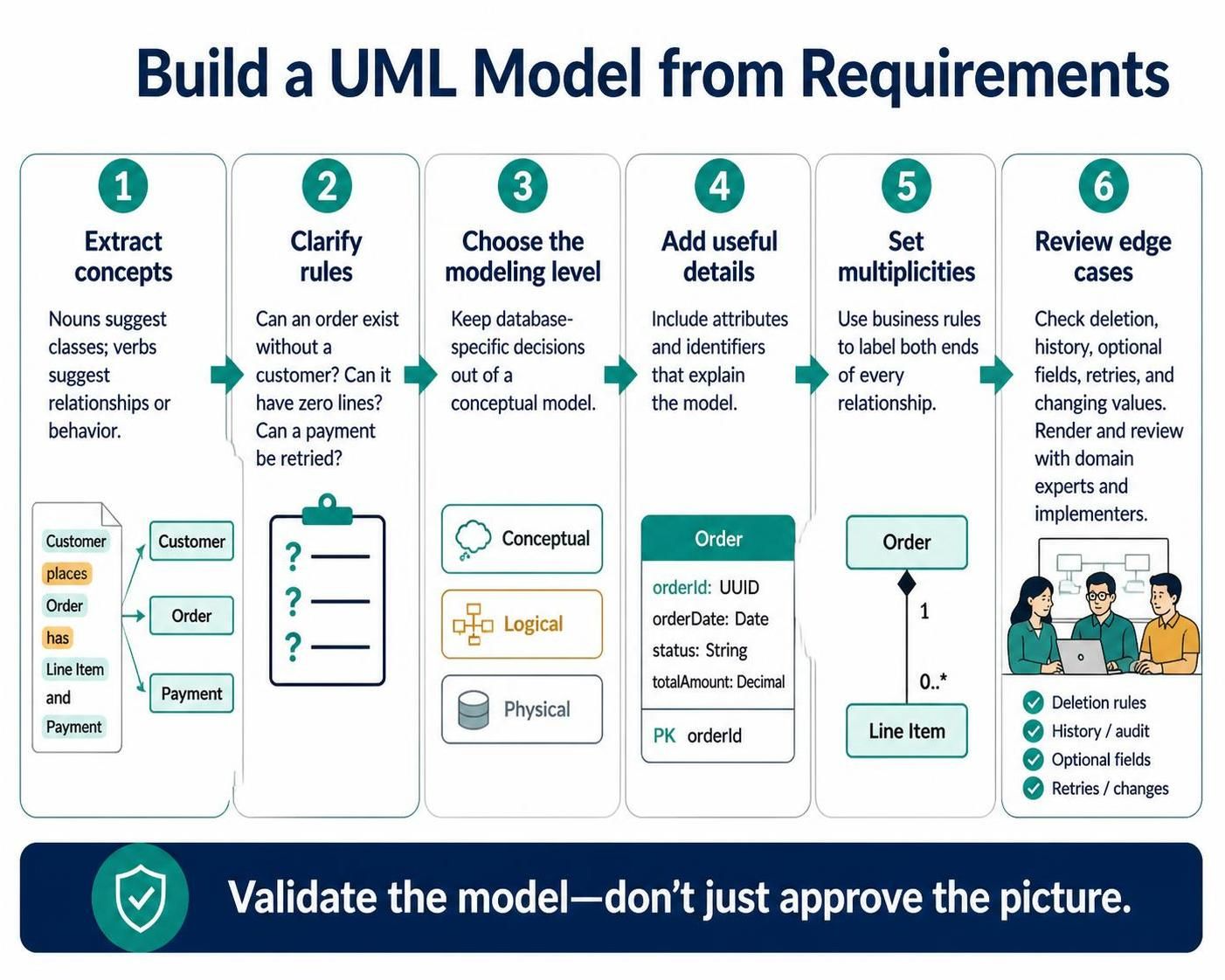
6. Build a model from requirements
-
Extract candidate concepts from the domain language: nouns often suggest classes; verbs often suggest relationships or behavior.
-
Clarify rules with concrete questions: Can an order exist without a customer? Can it have zero lines? Can a payment be retried?
-
Choose a modeling level and keep technical database decisions out of a conceptual diagram.
-
Add attributes and identifiers only when they help explain the model.
-
Set multiplicities from the business rules, checking both ends of every relationship.
-
Review edge cases: deletion, historical records, optional fields, repeated attempts, and changing values.
-
Render and review the diagram with domain experts and implementers. Treat it as a model to validate, not merely a picture to approve.
7. Use VPasCode and Visual Paradigm
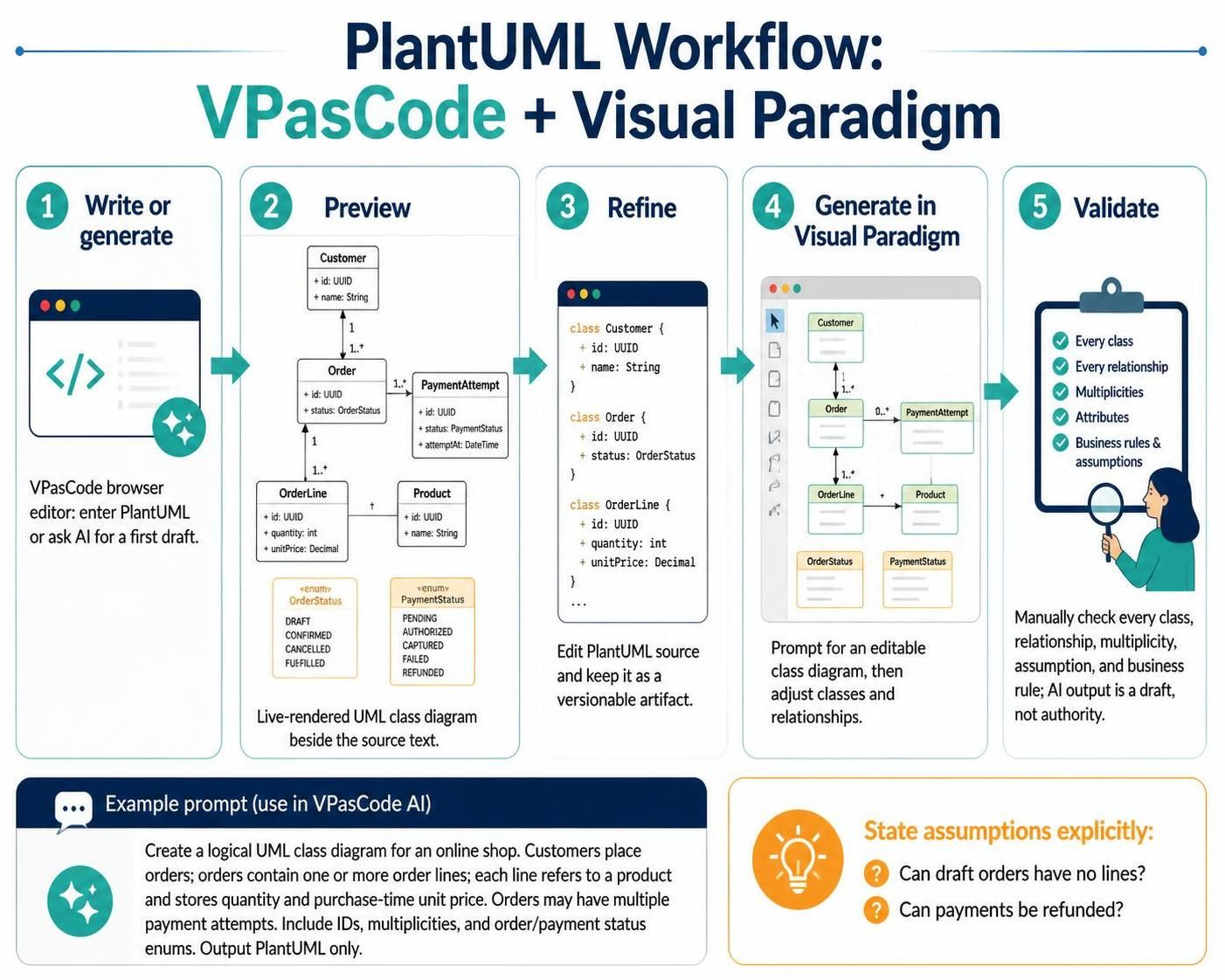
VPasCode is a browser-based text-to-diagram editor with PlantUML support and a live preview. Its feature description also lists AI generation and modification of diagram code, as well as syntax assistance. A practical workflow is:
-
Open VPasCode and select or enter PlantUML.
-
Paste the example above and inspect the rendered diagram.
-
Iterate on the PlantUML source; keep the text as the versionable artifact.
-
Use the AI assistant, if available in your workspace, to draft or revise a first pass.
-
Verify every generated class, relationship, multiplicity, and business rule yourself.
Visual Paradigm’s AI-assisted diagram tools can generate editable diagrams from natural-language descriptions. Its published workflow describes generating a class diagram from a prompt, then refining its elements and relationships. Treat AI output as a draft: it may infer incorrect ownership, missing constraints, or unjustified classes. The model’s correctness still depends on validating it against requirements.
For example, prompt an AI assistant with:
Create a logical UML class diagram for an online shop. Customers place orders. Each order contains one or more order lines. Each order line refers to one product and stores quantity and the unit price at purchase time. Orders can have multiple payment attempts. Include identifiers, multiplicities, and order and payment status enums. Output PlantUML only.
Then review the output against the requirements before accepting it. For better results, specify assumptions explicitly—for example, whether orders can be drafts with no lines, and whether payments can be refunded.
Visual Paradigm describes VPasCode as a PlantUML-capable editor with live rendering and AI-assisted generation or modification. The tools and availability can vary by product version or workspace.
8. A compact review checklist
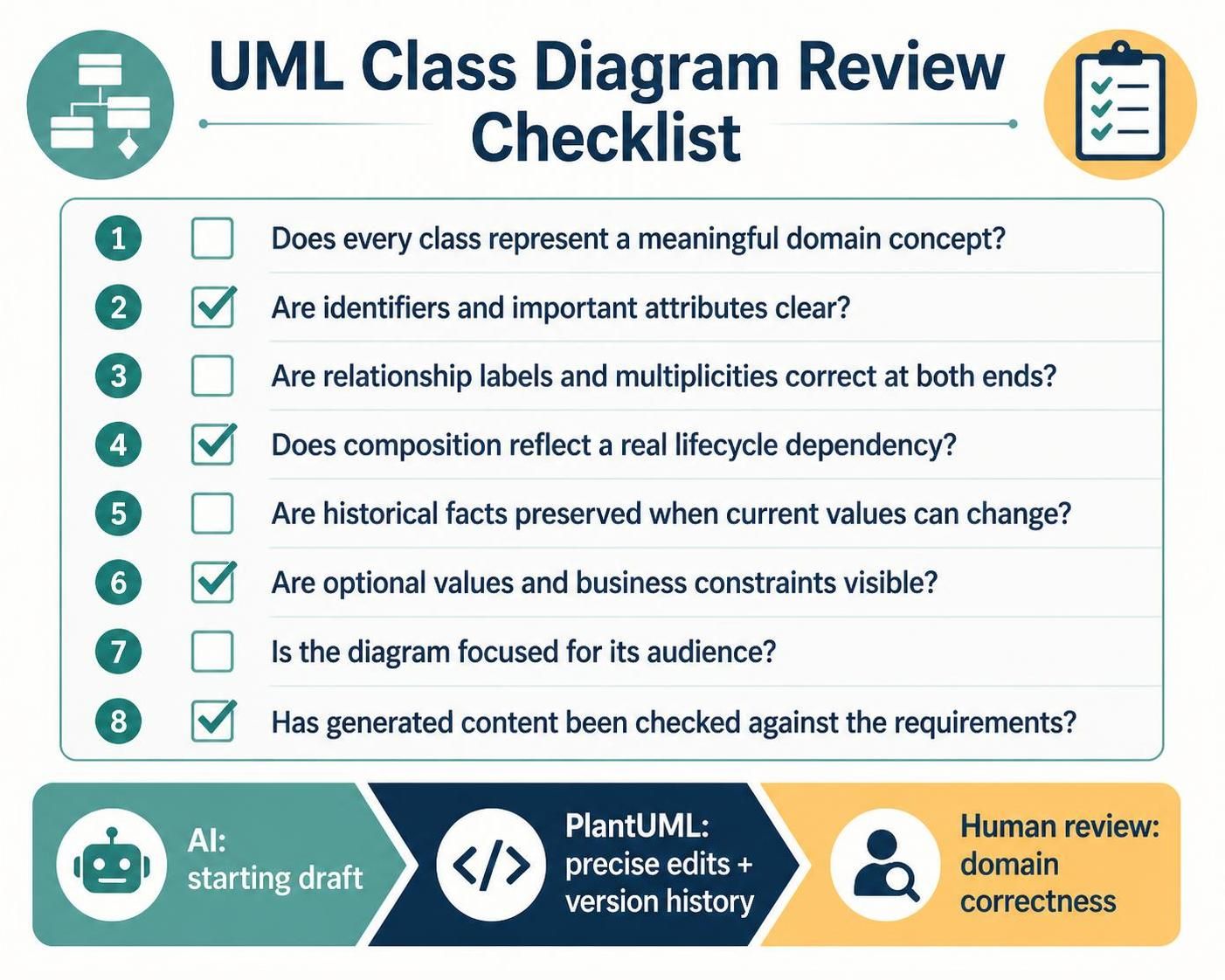
Before sharing or implementing a class diagram, check:
-
Does each class represent a meaningful domain concept?
-
Are identifiers and important attributes clear?
-
Are relationship labels and multiplicities correct at both ends?
-
Does composition reflect a real lifecycle dependency?
-
Are historical facts preserved where current values can change?
-
Are optional values and business constraints visible?
-
Is the diagram focused enough for its audience?
-
Has generated content been checked against the actual requirements?
The best diagram-as-code workflow is AI for a starting draft, PlantUML for precise edits and version history, and human review for domain correctness.