


Introduction
The landscape of technical documentation is undergoing a seismic shift. For years, “Diagram-as-Code” tools like PlantUML and Mermaid offered version control and reproducibility, but they came with a steep learning curve: syntax memorization. The latest major feature update for Visual Paradigm’s VPasCode platform changes this dynamic entirely. By introducing native AI Diagram Generation and Interactive AI Code Modification, Visual Paradigm has transformed its browser-based workspace from a strict text editor into an automated, conversational design environment [1].
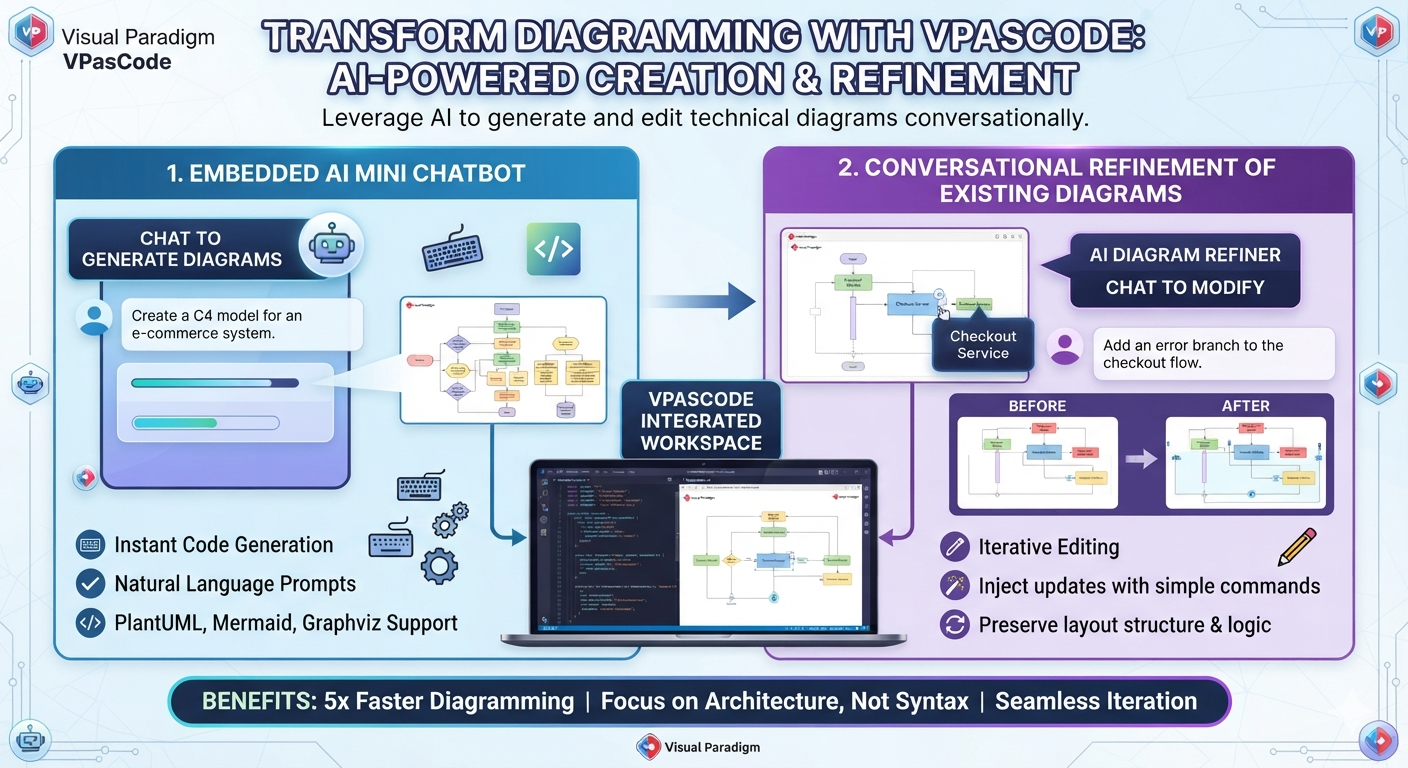
This update bridges the gap between abstract ideas and concrete visual models. Whether you are a software architect mapping out a microservices ecosystem or a product manager defining user flows, VPasCode now allows you to focus on logic rather than syntax. This guide explores how to leverage these new generative AI features, the expanded language support, and the five new advanced diagram types that define this release.
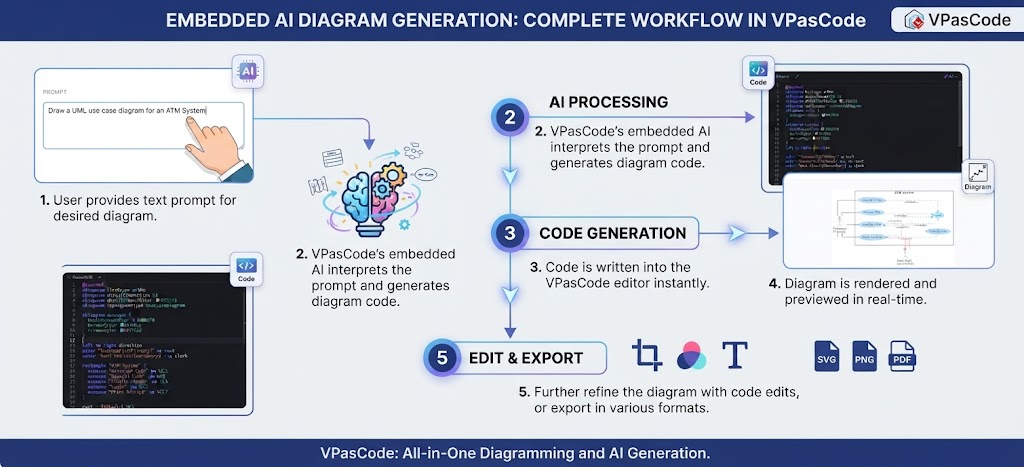
Figure 1: The VPasCode workflow transforms natural language prompts into structured diagrams and allows for iterative conversational refinement.
🤖 Core Feature: Generative AI Expansion
The centerpiece of this update is the integration of a specialized AI engine directly into the coding canvas. Unlike generic LLMs that may hallucinate invalid syntax, the VPasCode AI is fine-tuned on the strict grammatical rules of diagramming languages like PlantUML, Mermaid, and Graphviz [2].
1. Text-to-Model Engine (Instant Generation)
The “blank canvas” problem is solved with the AI Generate feature. You no longer need to recall specific keywords for arrows or containers.
-
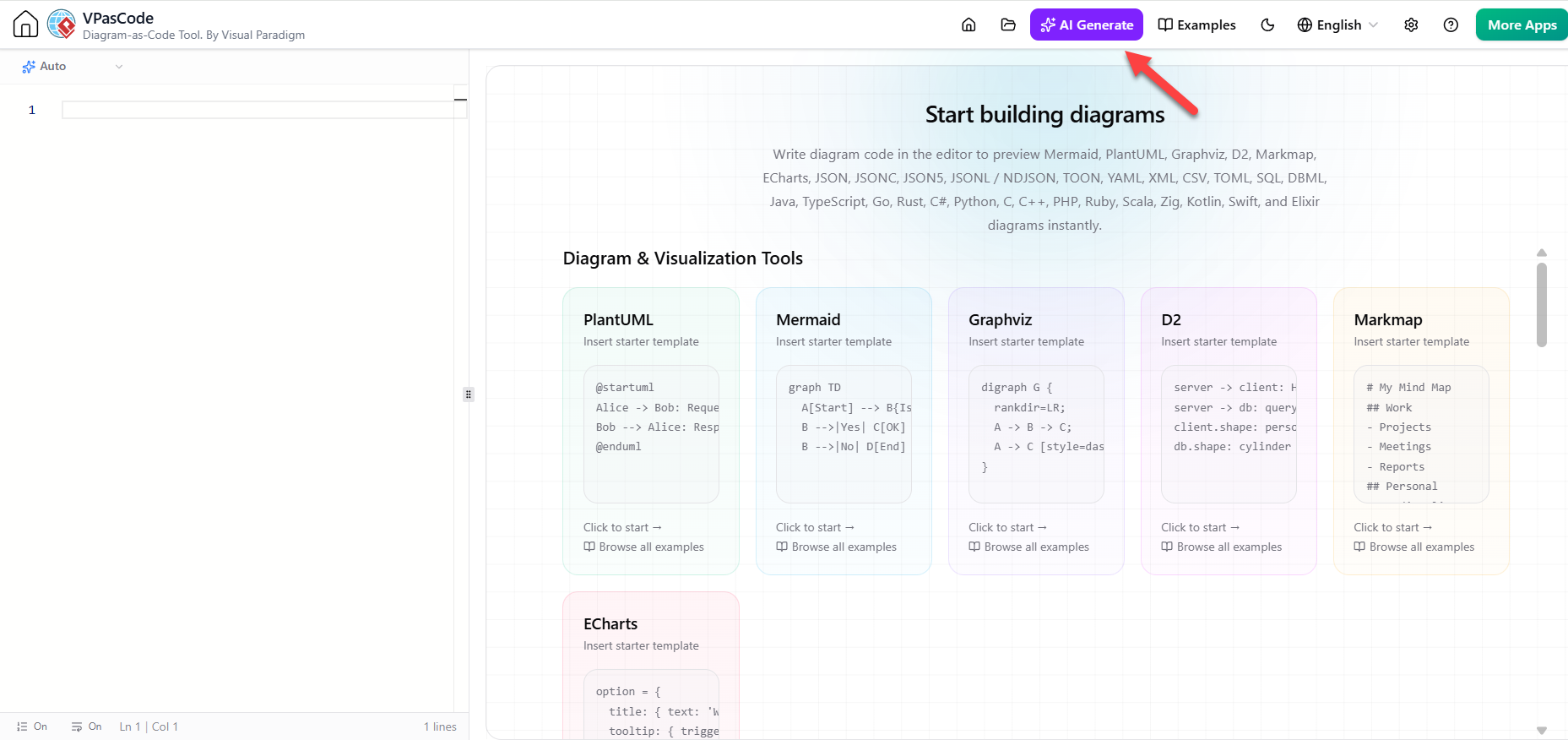
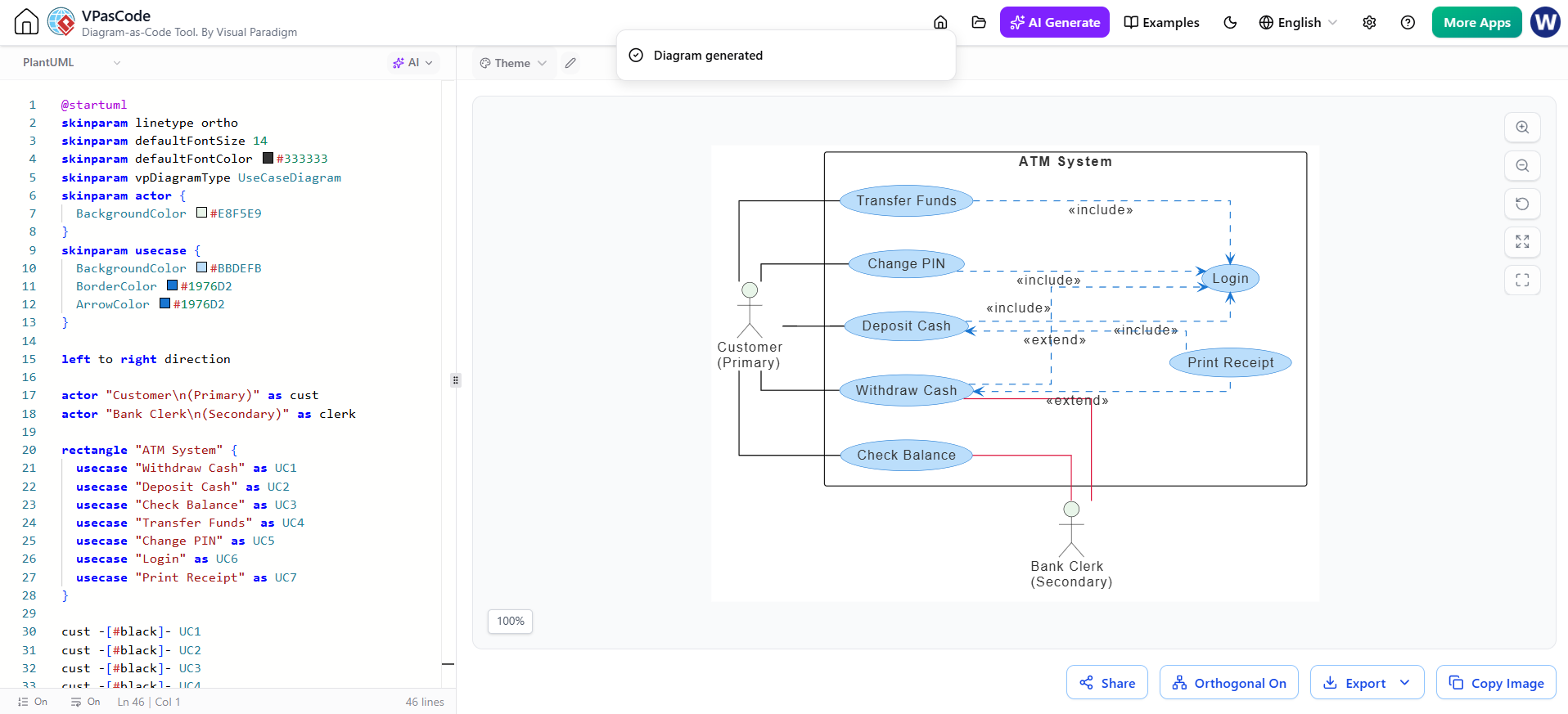
How it works: Click the AI Generate button in the top toolbar. A dialog box appears where you can describe your system in plain English.
-
Format Selection: You can let the AI auto-detect the best format or manually select from PlantUML (C4, Sequence, Class), Mermaid (Flowchart, Mind Map), or Graphviz.
-
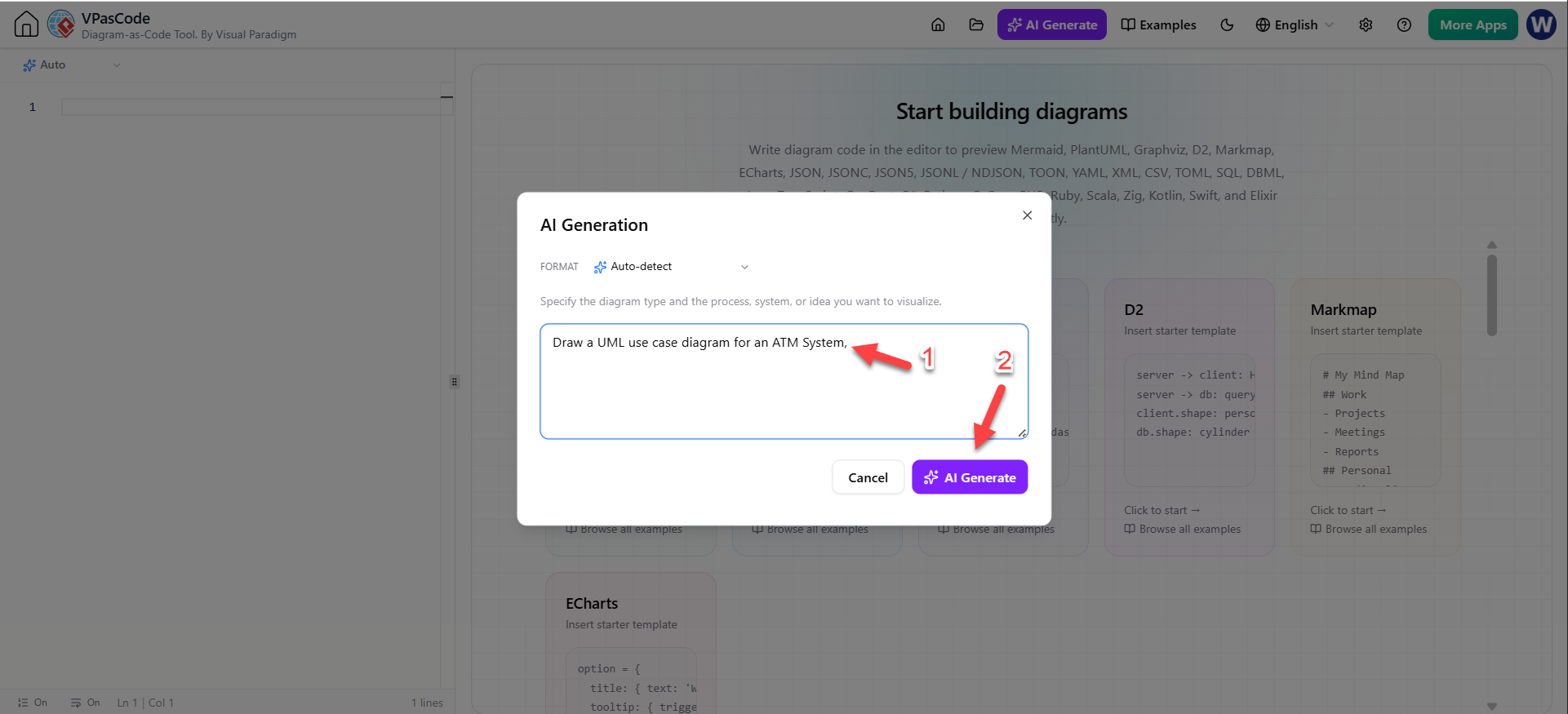
Example Prompt: “Generate a C4 container diagram for an e-commerce platform including a mobile app, API gateway, and PostgreSQL database.”
-
Result: The AI writes the DSL (Domain Specific Language) script and renders the live visual model instantly within the editor [1].
2. Iterative Modification (The “Modify” Tool)
Architecture is rarely static. The Interactive AI Diagram Code Modification tool allows you to refactor existing diagrams without touching the code manually.
-
Workflow: With a diagram open, click the AI button above the code panel and select Modify.
-
Conversational Editing: Type instructions such as:
-
“Add an ‘Payment Failed’ branch to the checkout sequence.”
-
“Group all database interactions into a single box.”
-
“Change the style to use the ‘handwritten’ sketch theme.”
-
-
Safety Net: Before applying changes, you can click View Details to see a side-by-side code diff, ensuring the AI hasn’t altered critical logic unintentionally [1].
3. The VPasCode Bridge
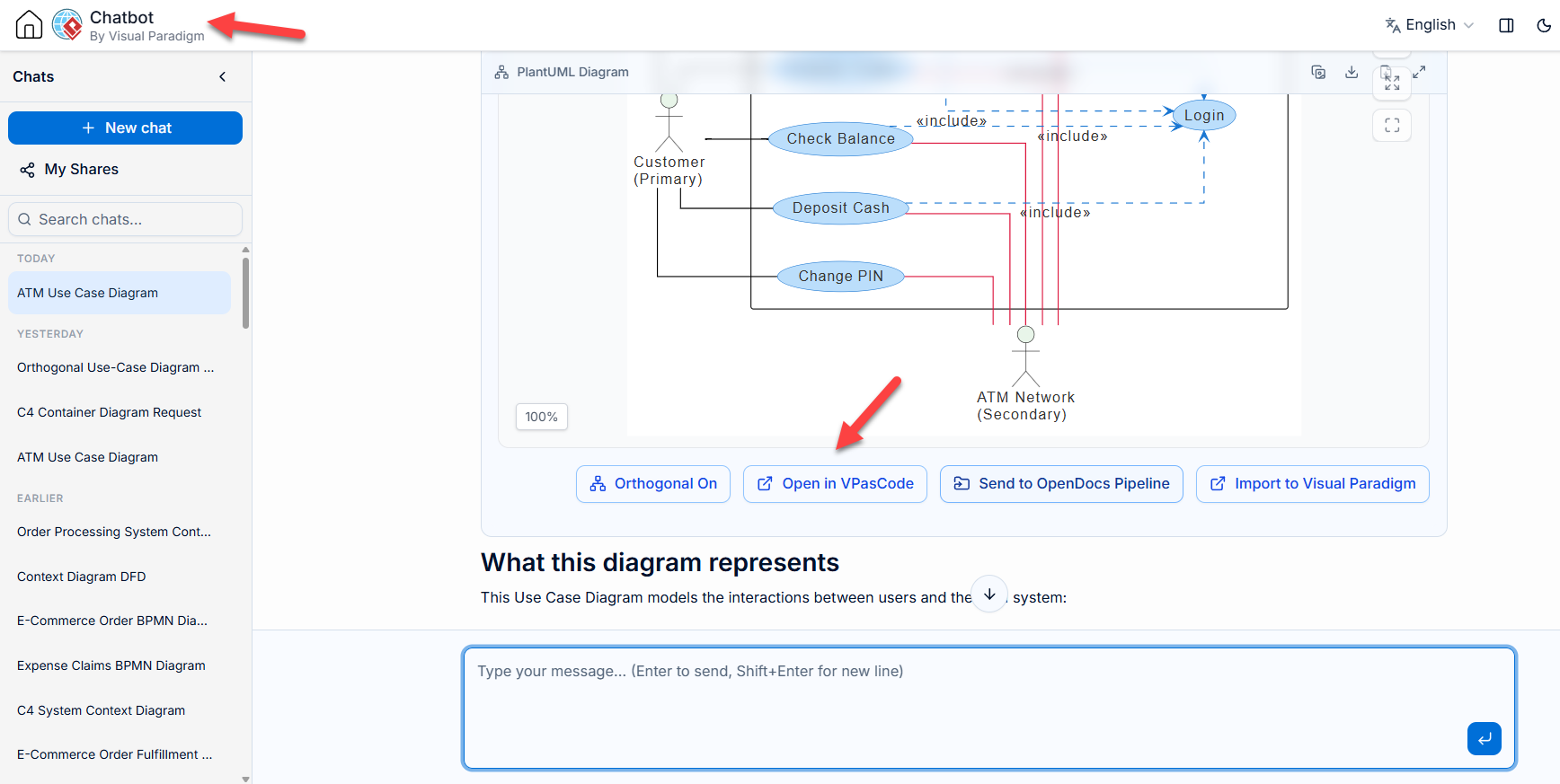
A critical differentiator is the deep link between the AI Diagramming Chatbot and the main editor. If you start a brainstorming session in the standalone AI Chatbot, a dedicated “Open in VPasCode” button transfers the generated script directly into your workspace for fine-tuning, creating a seamless loop between ideation and engineering [3].
💻 Deep Native Language & Format Support
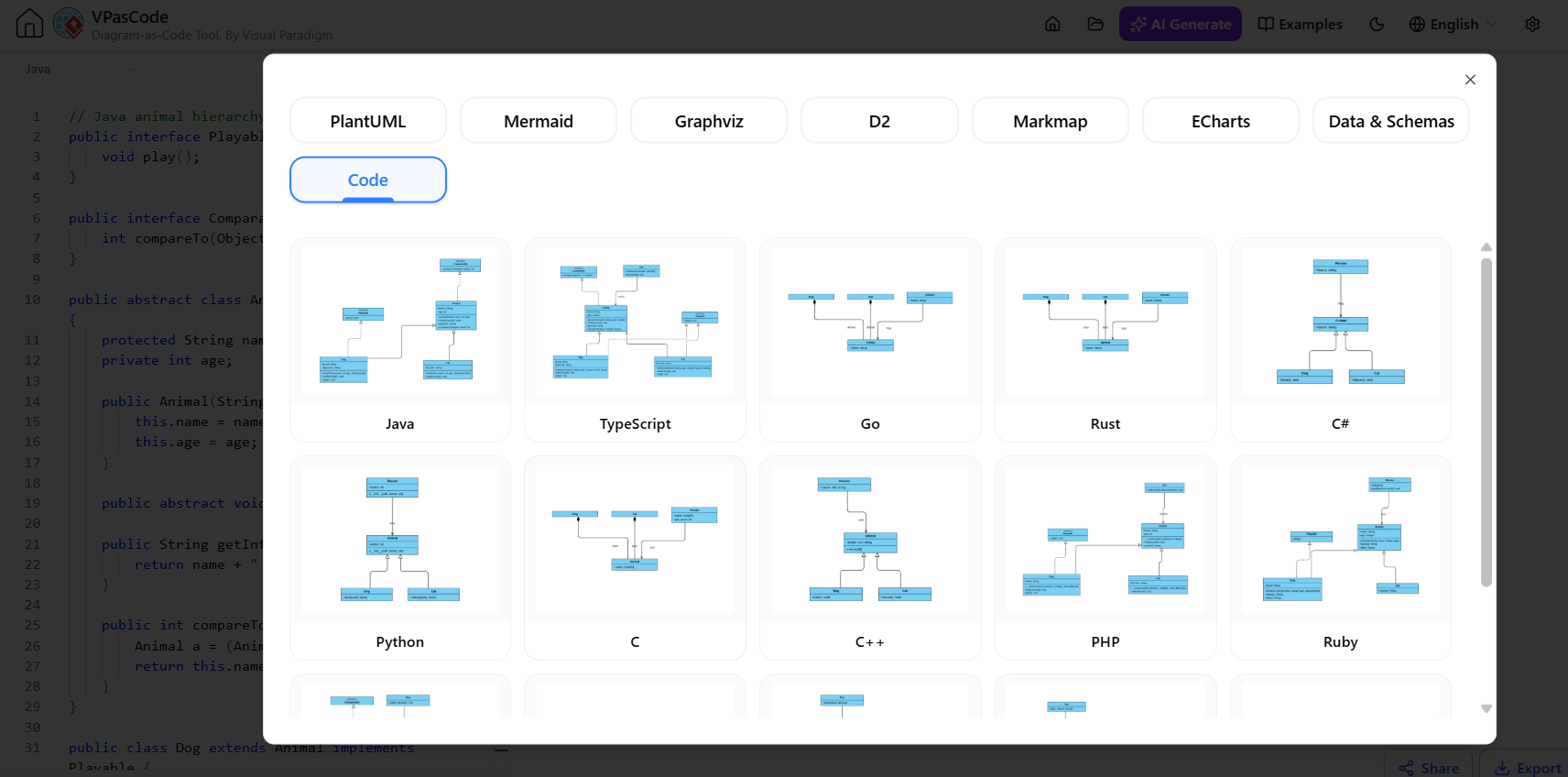
VPasCode continues to solidify its position as a unified hub for all things “text-to-diagram.” This update expands support across three key areas: programming languages, declarative languages, and data structures.
Multi-Language Class Diagrams
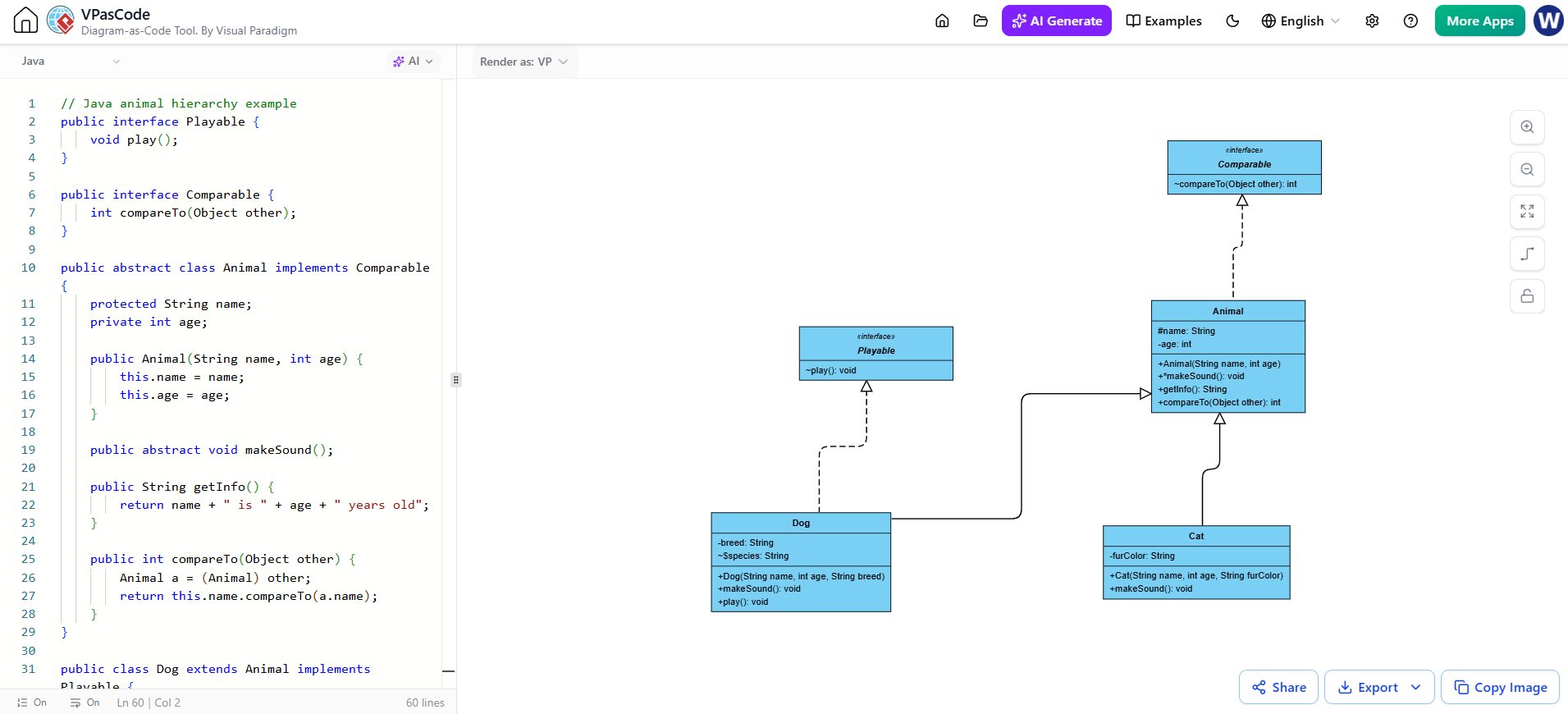
Reverse engineering source code into UML Class Diagrams is now faster and broader. The engine automatically parses application code to visualize relationships, inheritance, and dependencies.
-
Supported Languages: Java, TypeScript, Go, Rust, C#, Python, C, C++, PHP, Ruby, Scala, Kotlin, Swift, and Elixir.
-
New Addition: Zig support has been added, allowing systems programmers to visualize memory-safe code structures instantly [4].
D2 Language Integration
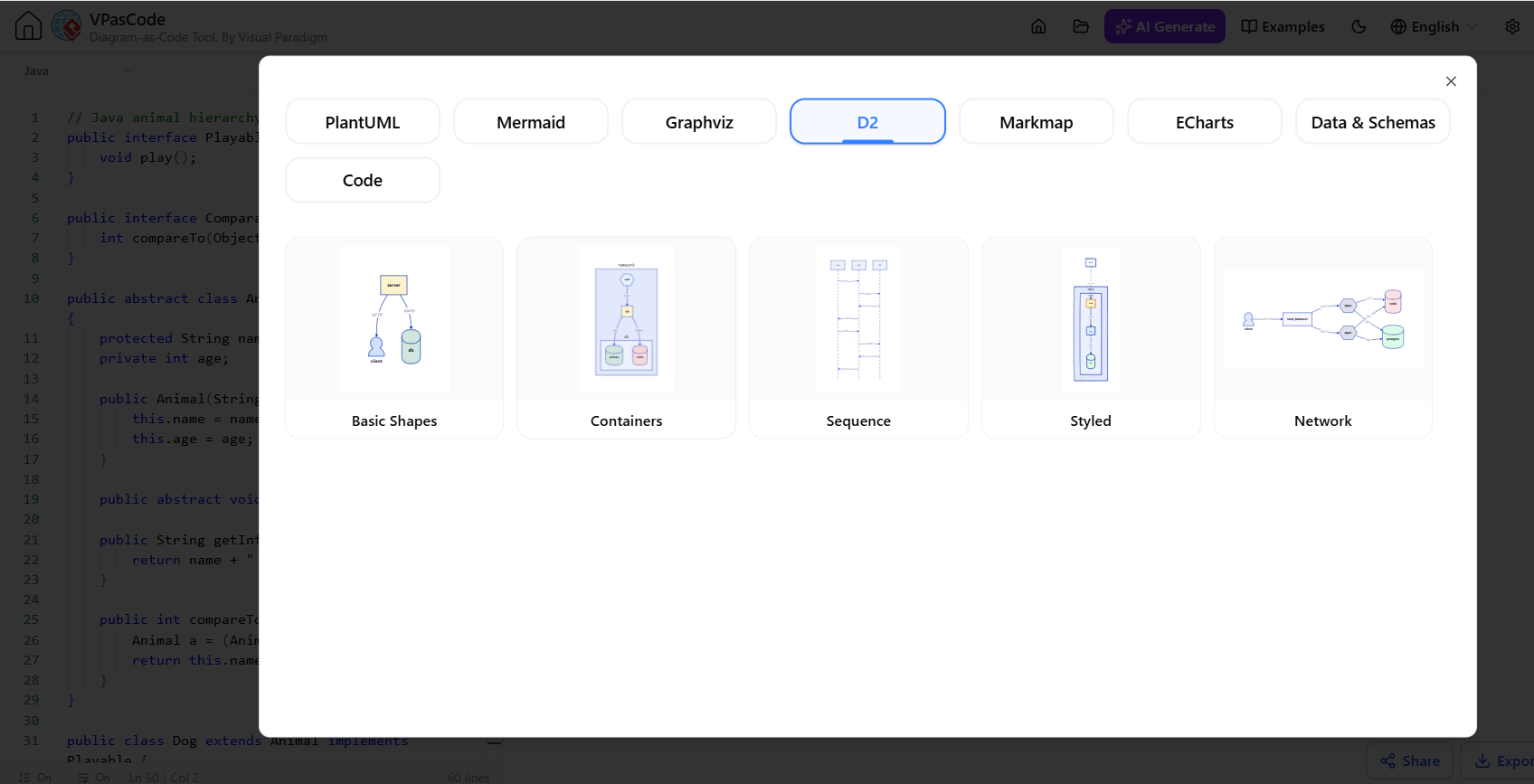
For developers who prefer a modern, declarative approach to diagramming, VPasCode now offers comprehensive support for D2. This allows users to compile D2 scripts into clean visual representations alongside traditional PlantUML and Mermaid workflows [5].
Data Structuring Tools
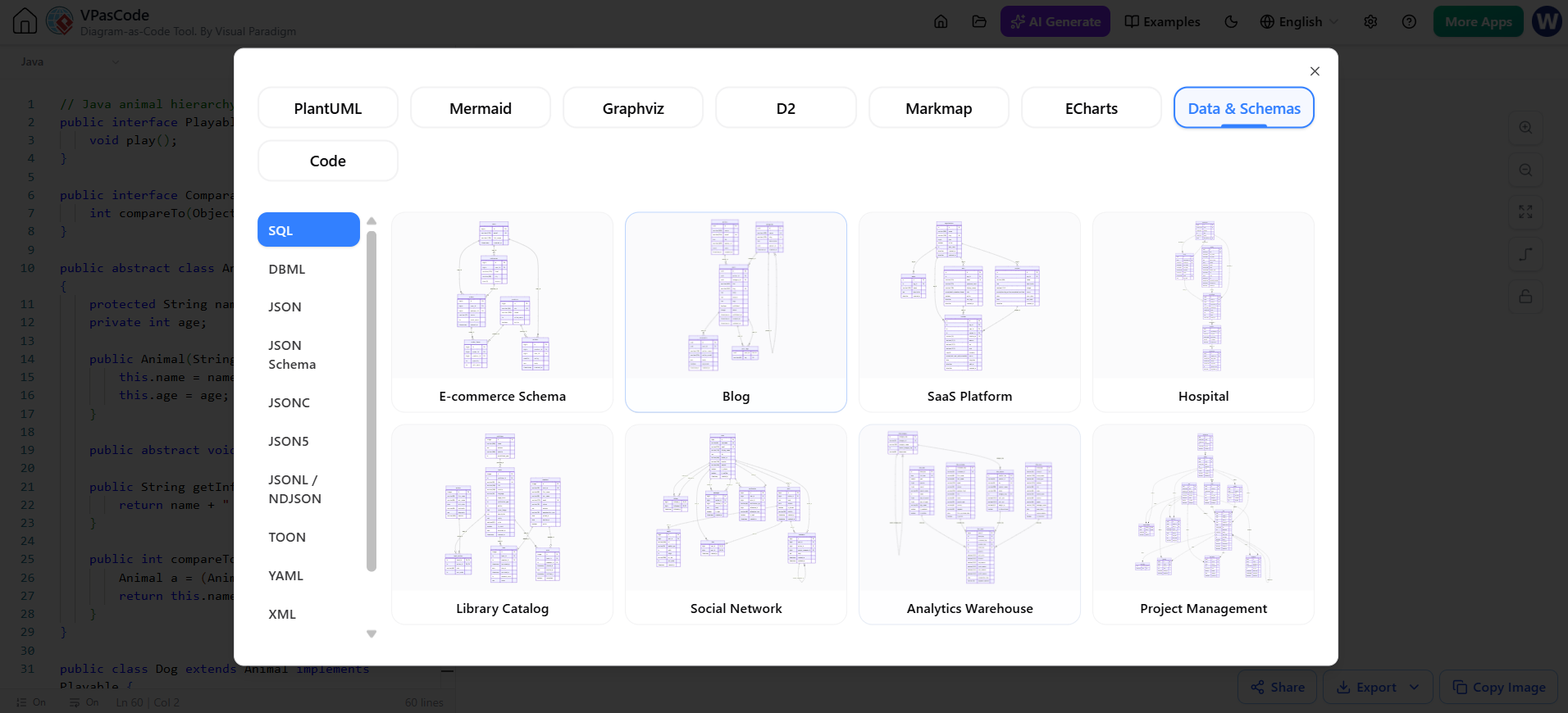
Visualizing data schemas is crucial for backend development. The platform now includes native parsing for:
-
TOML: Ideal for configuration files.
-
Existing Support: JSON Schema, XML, DBML (Database Markup Language), and YAML compilers remain fully supported, allowing you to turn raw data definitions into Entity Relationship Diagrams (ERDs) [6].
📊 Five New Advanced Diagram Types
Beyond standard flowcharts and sequence diagrams, this update introduces five specialized visualization types, enabling engineers and strategists to build complex layouts purely from text.
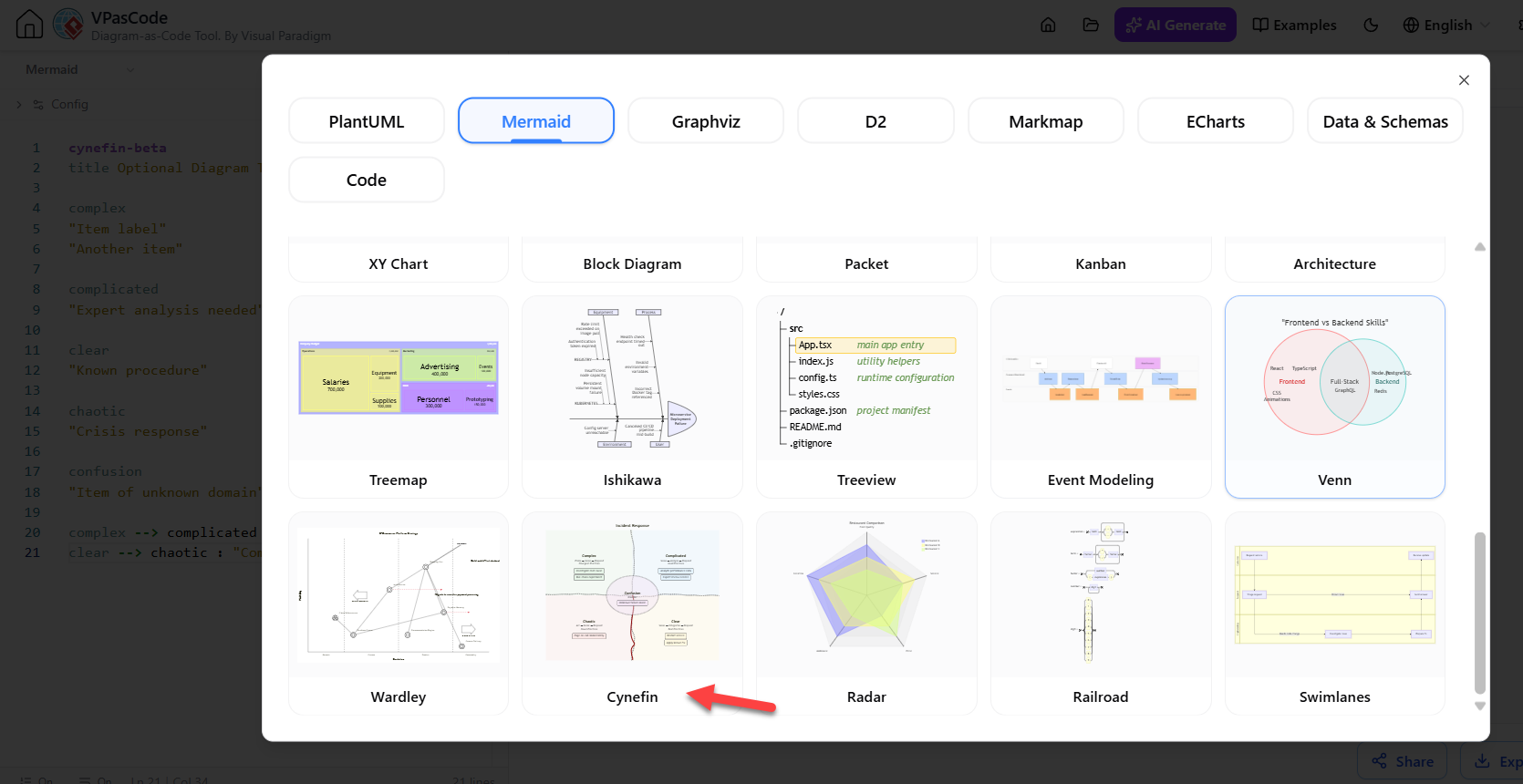
1. Cynefin Framework (written in Mermaid Beta Version)
Used for strategic decision-making, this diagram helps teams deconstruct complex problems into five domains (Clear, Complicated, Complex, Chaotic, Confusion) to determine the appropriate management response.
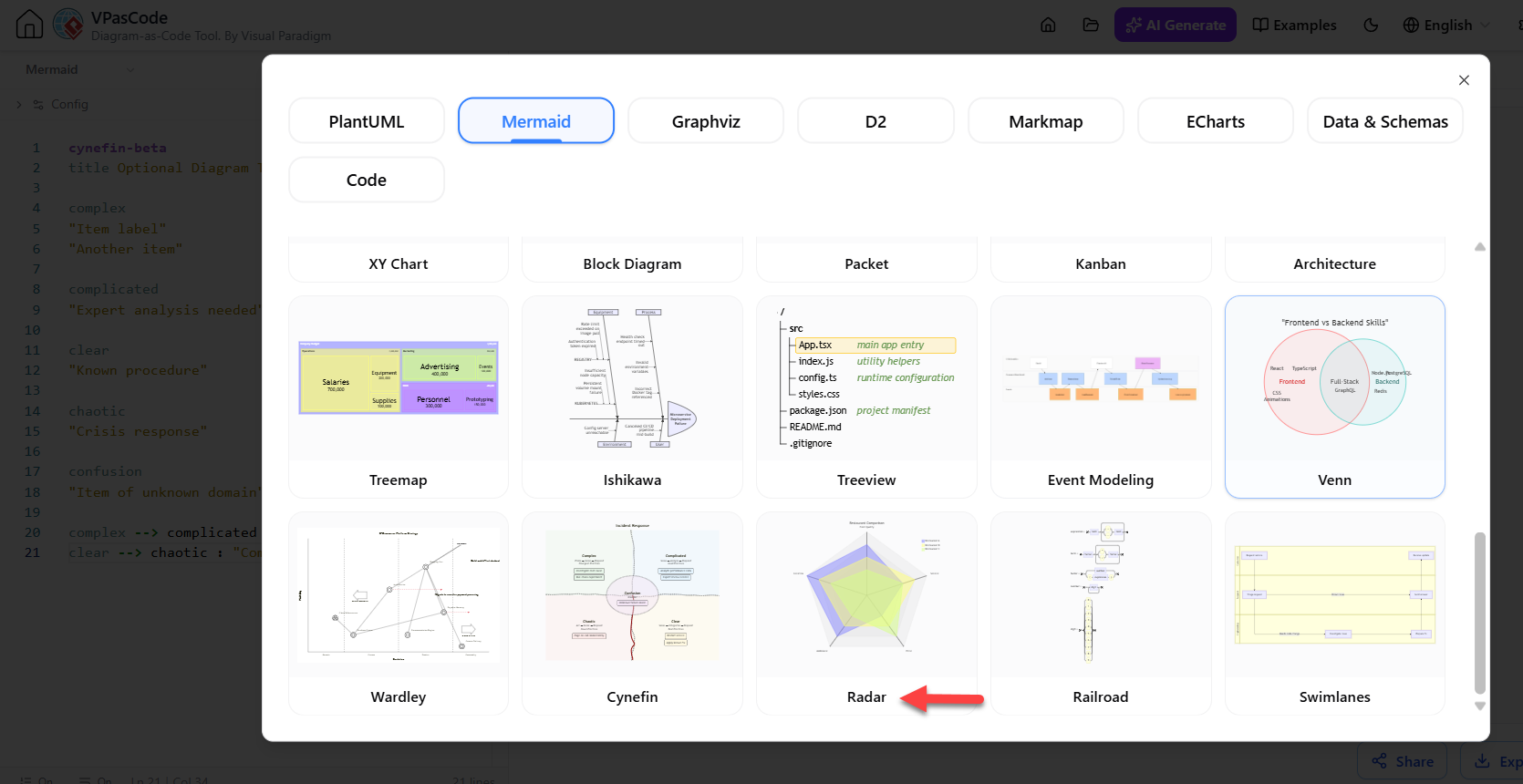
2. Radar Charts (Spider Charts)
Perfect for agile retrospectives or product comparisons, Radar Charts allow you to plot performance metrics across multiple dimensions (e.g., Speed, Cost, Quality, Scalability) simultaneously to identify strengths and weaknesses.
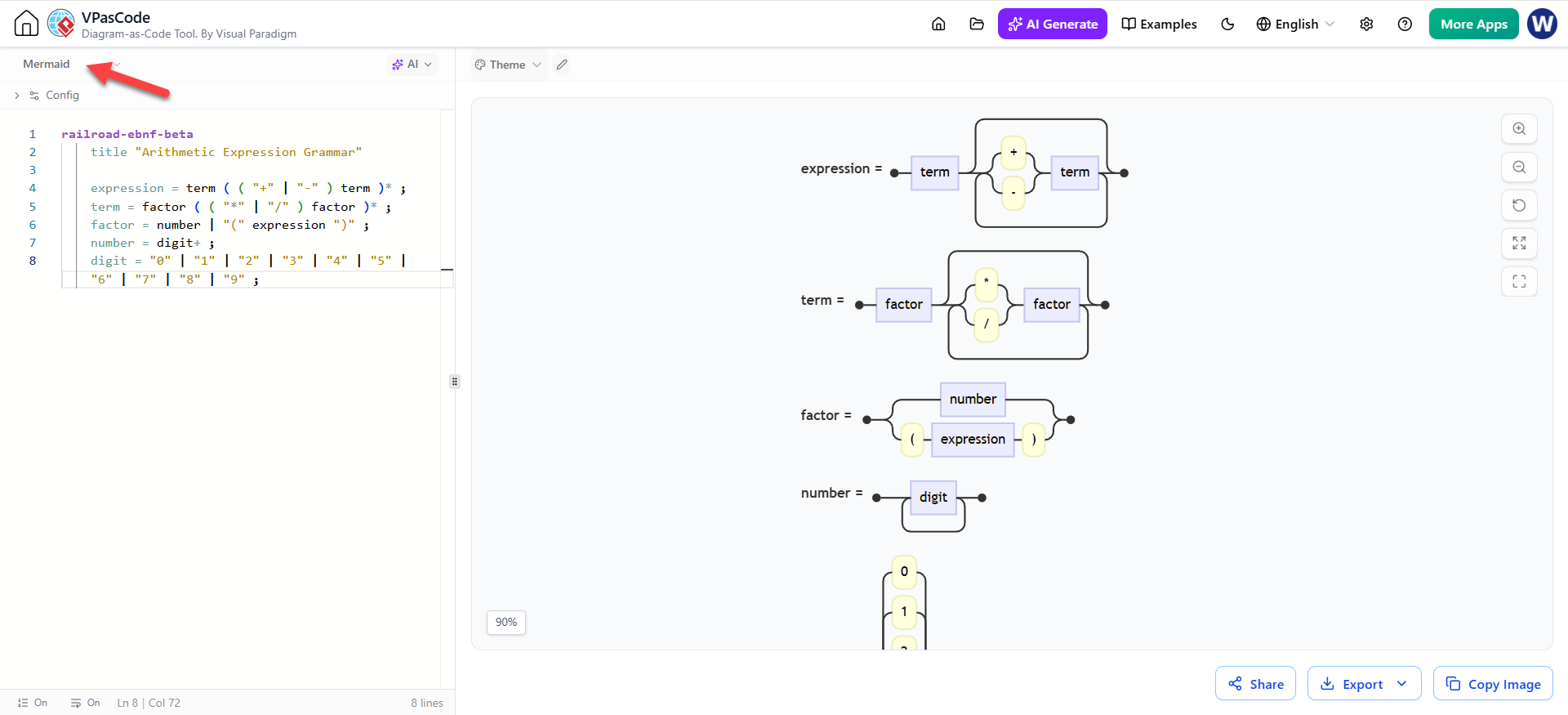
3. Railroad Diagrams
Essential for compiler design and documentation, these diagrams map out syntax rules and structural grammar pathways visually, making complex regex or language specifications readable at a glance.
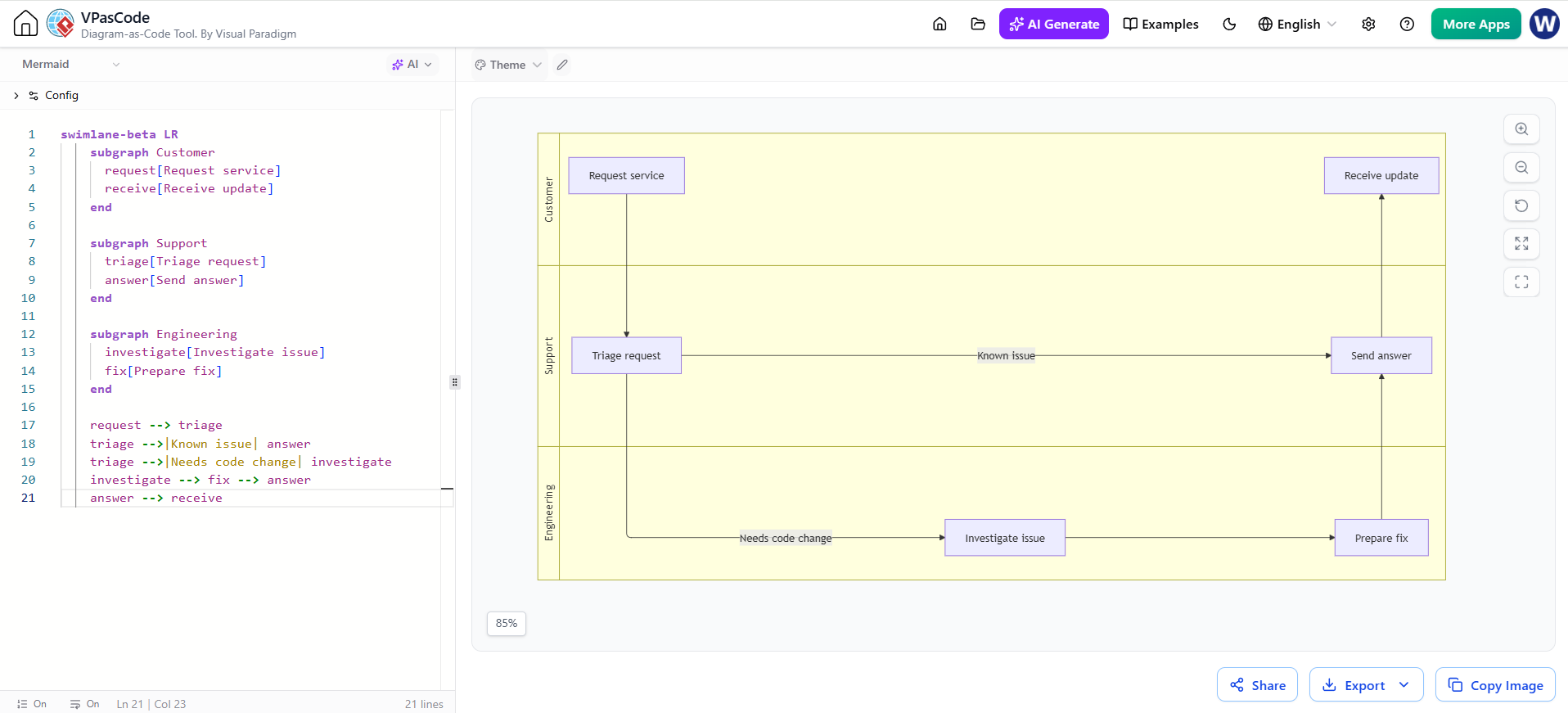
4. Swimlanes Diagrams
While basic flowcharts show what happens, Swimlanes clarify who does it. This update enhances the ability to plot cross-functional workflows, clearly delineating task ownership between departments like “Frontend,” “Backend,” and “DevOps.”
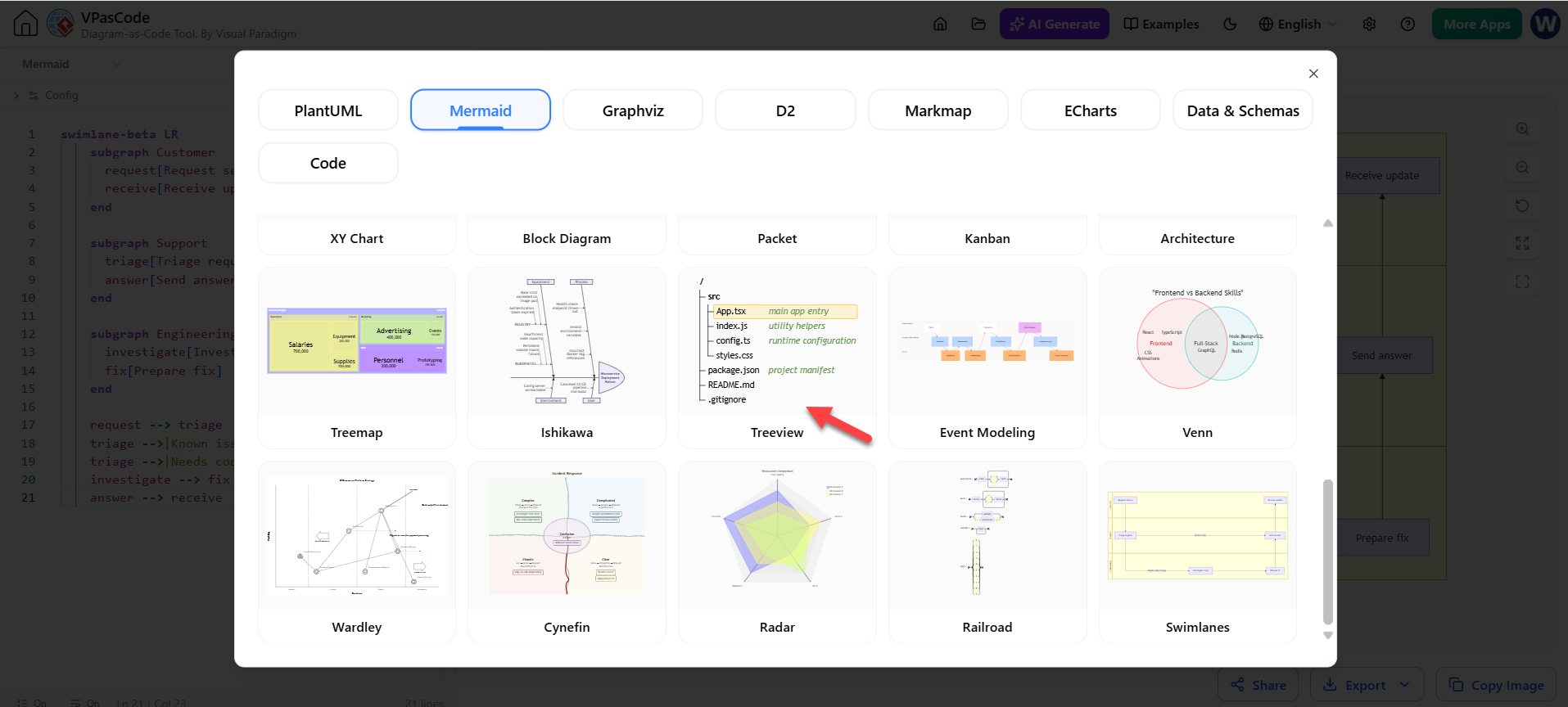
5. Tree View Diagrams
Quickly outline hierarchical structures such as site architectures, file directories, or nested JSON objects. This provides a crisp, linear layout for understanding depth and parent-child relationships [7].
🛠️ Editor Enhancements & User Experience
To support these powerful features, the underlying editor has received significant quality-of-life upgrades.
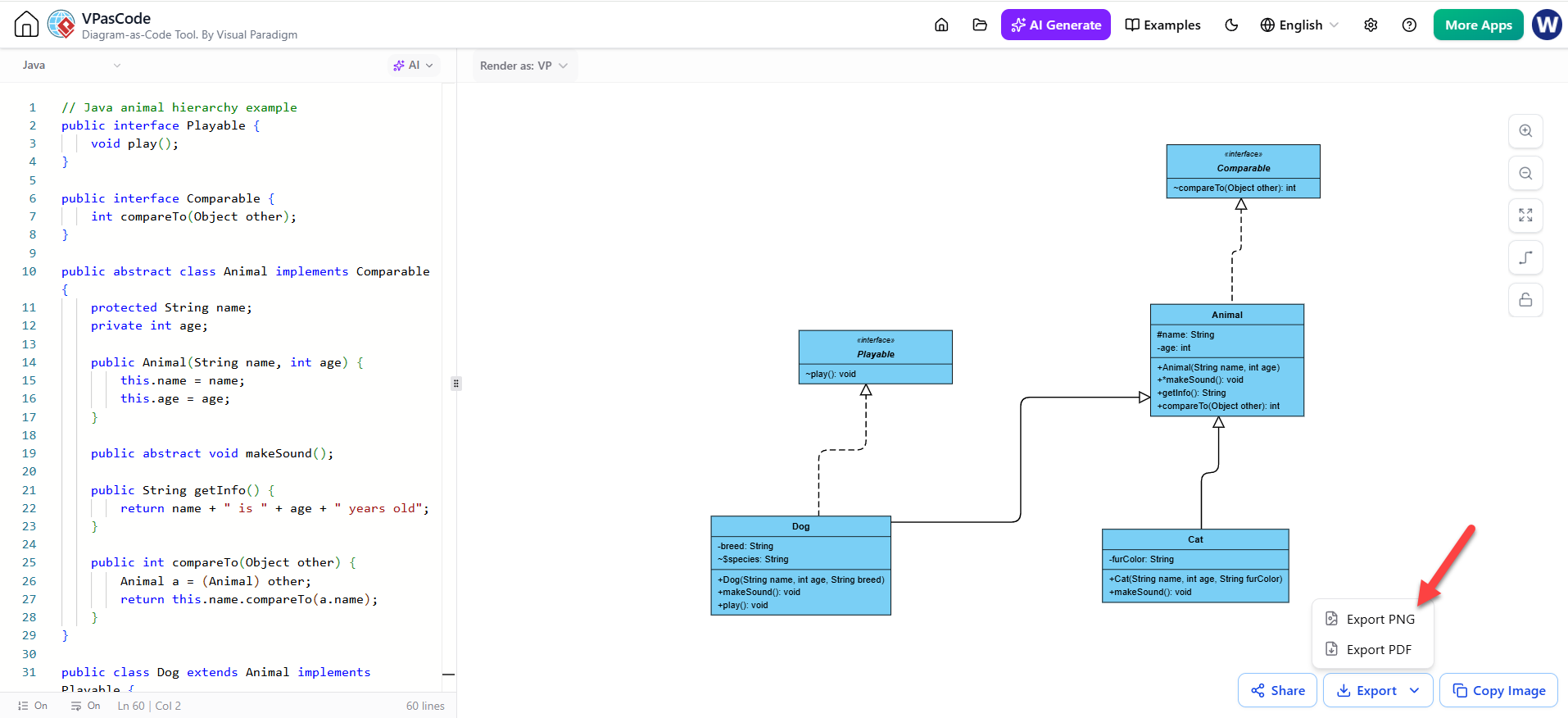
-
High-Quality PDF Exports: Technical documentation often needs to be shared offline. VPasCode now streamlines this with crisp, vector-grade PDF export options, ensuring diagrams look sharp in printed specs or reports.
-
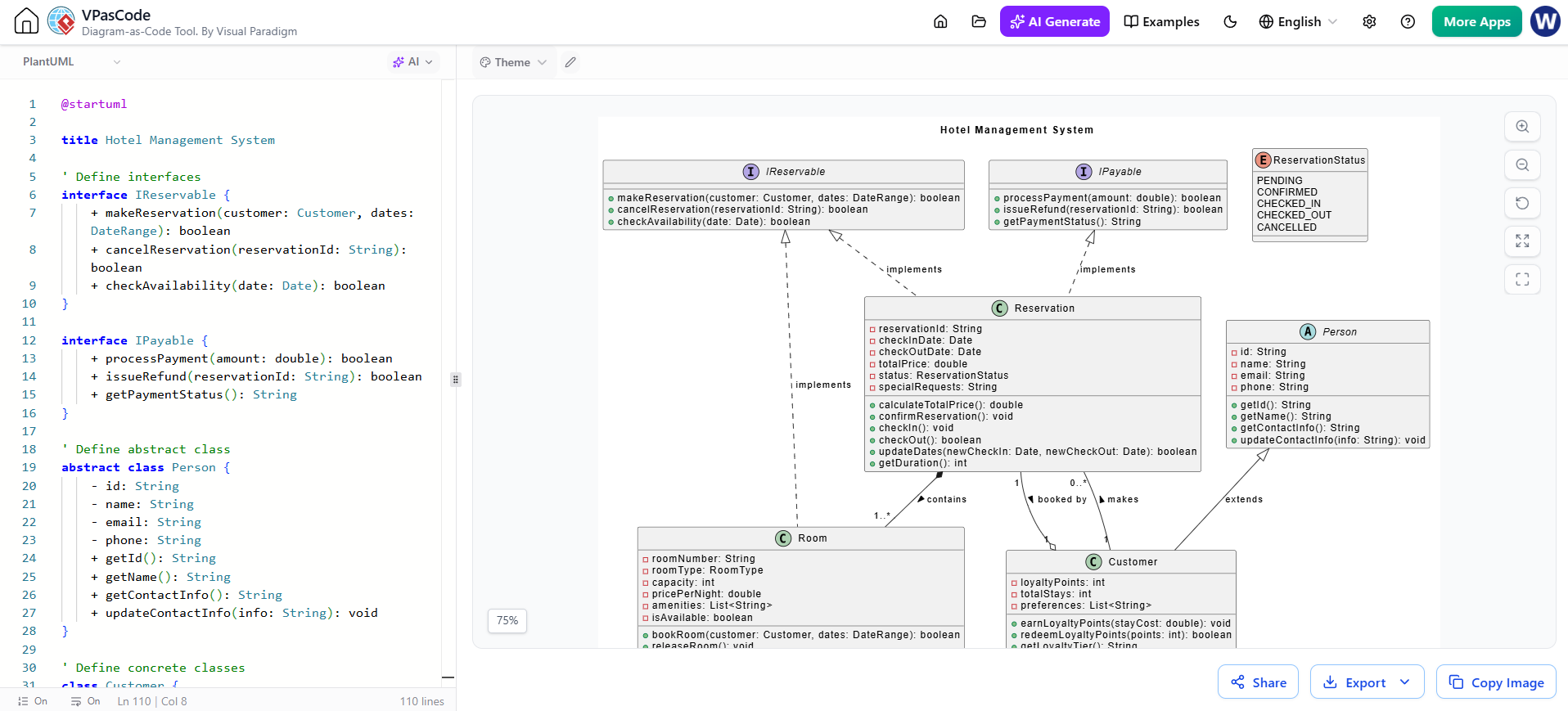
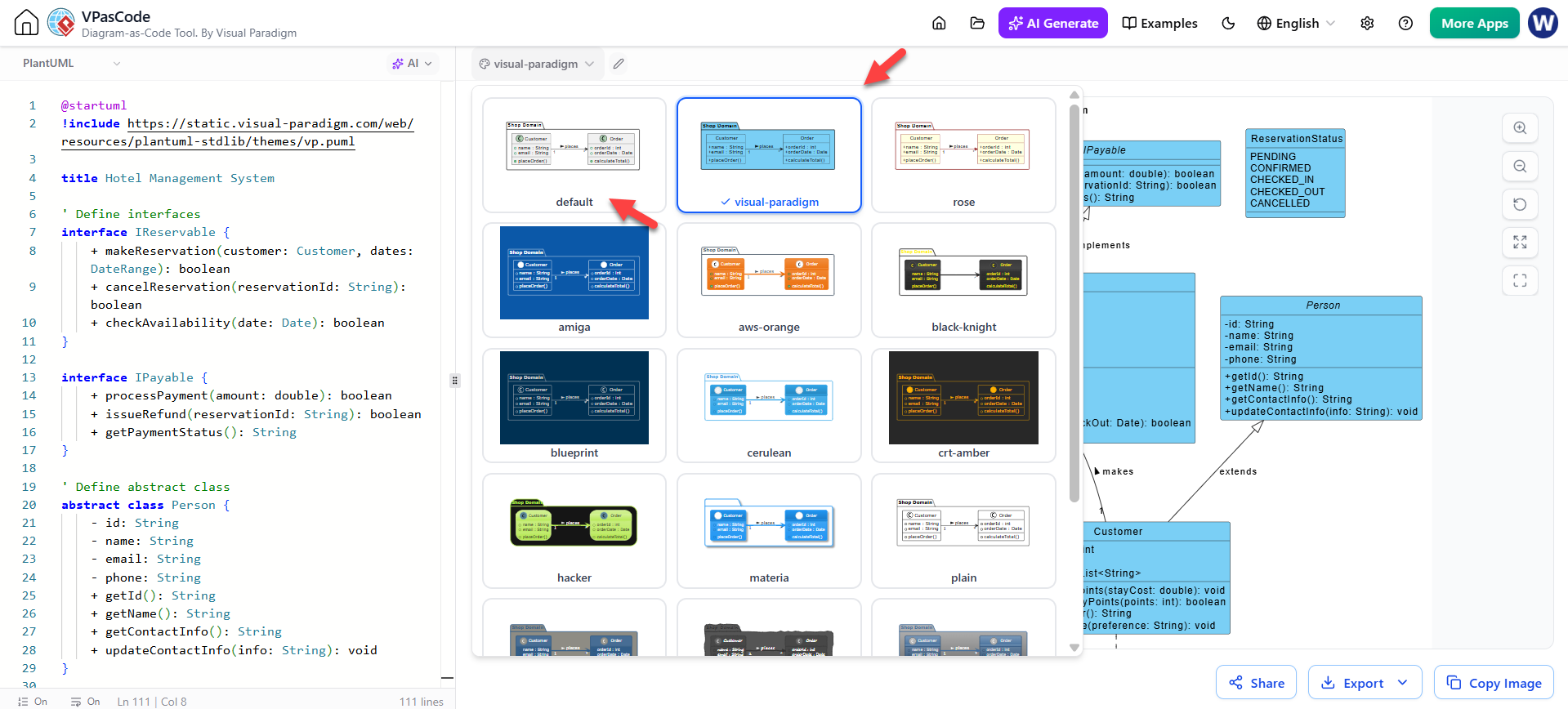
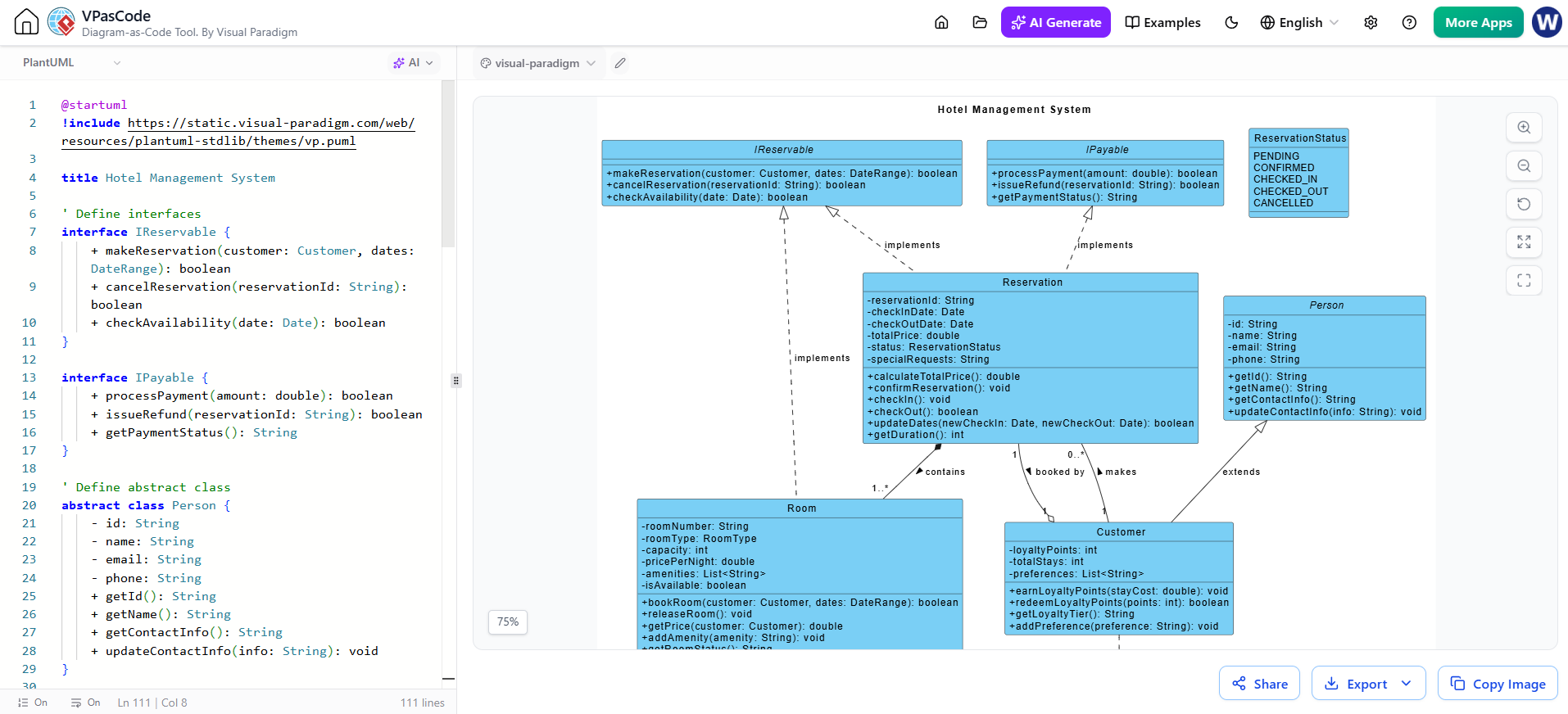
tax Selection UI & Theming: Customizing the look of your diagrams is easier. The updated workspace includes a refined theme selection interface for PlantUML and Mermaid engines. You can switch between themes (e.g., “Plain,” “Sketchy,” “Dark”) via a UI dropdown rather than memorizing skin parameters [2].
PlantUML Default Theme:
- Change to Visual Paradigm Theme:
Visual Paradigm Theme Result:
-
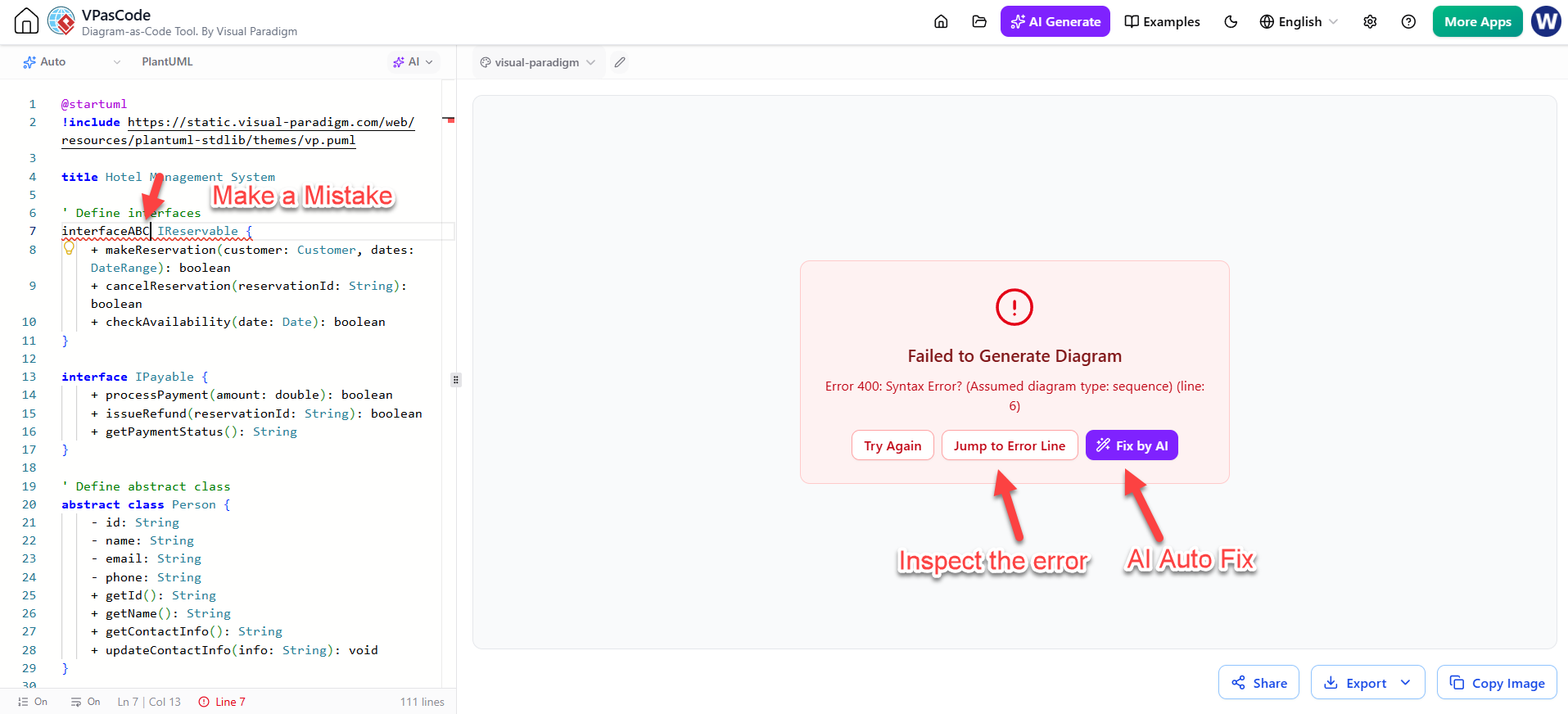
Smart Diagnostics: An AI-powered error fixer runs in the background. If a syntax typo breaks your render, the tool detects the issue and suggests the correct code automatically, preventing workflow interruptions [2].
Key Concepts and Examples
To help you get started, here are practical examples of how to apply these new features.
Example 1: Generating a Microservices Architecture
Goal: Create a high-level overview of a food delivery app.
Action:
-
Open VPasCode.
-
Click AI Generate.
-
Prompt: “Create a C4 Container diagram for a food delivery app. Include a React Native mobile app, a Spring Boot API, a Redis cache, and a MongoDB database. Show the data flow for placing an order.”
-
Outcome: The AI generates the
@startuml…@endumlblock. The preview pane immediately displays the containers and relationships.
Example 2: Refining a Sequence Diagram
Goal: Add error handling to an existing login flow.
Action:
-
Paste your existing Mermaid sequence code into the editor.
-
Click AI -> Modify.
-
Prompt: “Add an alternative fragment where the authentication service returns a 401 error, and the user is prompted to reset their password.”
-
Outcome: The AI injects the
alt/elselogic into the Mermaid script. You review the diff to ensure the logic holds, then accept the change.
Example 3: Visualizing a Config File
Goal: Understand a complex config.toml file.
Action:
-
Select “TOML” from the language dropdown.
-
Paste your configuration code.
-
Outcome: VPasCode parses the structure and renders a tree or schema view, helping you visualize nested tables and key-value pairs without reading raw text.
Conclusion
The latest update to Visual Paradigm’s VPasCode represents a maturation of the “Diagram-as-Code” philosophy. By embedding a context-aware AI directly into the editor, Visual Paradigm has removed the friction of syntax memorization, allowing developers and architects to operate at the speed of thought.
Whether you are utilizing the new Cynefin Framework for strategic planning, reverse-engineering Zig code into UML, or simply asking the AI to “fix the alignment” of a sequence diagram, the workflow is now faster, more iterative, and significantly more accessible. As technical documentation moves towards living, version-controlled assets, VPasCode positions itself not just as an editor, but as an intelligent partner in system design.
Recommended Reading & Resources
- Major VPasCode Update: Generate and Modify Diagrams Instantly with AI: Official release notes detailing the AI generation and modification engine.
- Mastering VPasCode: The Ultimate Guide to AI-Powered Diagram-as-Code: A comprehensive tutorial on leveraging multi-engine support and AI chatbots.
- VPasCode Update: 5 New Advanced Diagram Types Now Available: Detailed examples of Cynefin, Radar, Railroad, Swimlanes, and Tree View diagrams.
- Visualize Zig Code as UML Class Diagrams in VPasCode: Announcement of the new Zig language support for reverse engineering.
- From Prompt to Diagram: How AI Chatbots Are Revolutionizing Diagram-as-Code: An in-depth look at the two-stage workflow bridging natural language and professional diagrams.
- Diagram-as-Code in Your Editor: A Complete Guide to AI Generation in VPasCode: A third-party technical review explaining the underlying AI model improvements.
- What Makes Visual Paradigm’s AI Chatbot Different from Other AI Diagram Tools: Analysis of the specialized training and standards compliance of the VP AI engine.
- VPasCode: Unified Diagram as Code Tool for PlantUML, Mermaid & More: Overview of the core text-to-diagram capabilities and free editor features.
This post is also available in Deutsch, Español, Français, English, Bahasa Indonesia, 日本語, Polski, Portuguese, Ру́сский and Việt Nam.