


By an Independent Strategy Consultant | April 2026
Introduction: Breaking Down Barriers in Strategic Analysis
As someone who has spent over a decade helping startups and enterprises navigate complex strategic decisions, I’ve grown accustomed to the friction that often comes with “free” business tools: mandatory sign-ups, feature-gated AI capabilities, and time-consuming onboarding flows. So when I heard that Visual Paradigm had removed login requirements entirely from their AI-powered strategy analysis toolkit, I was skeptical—but intrigued.
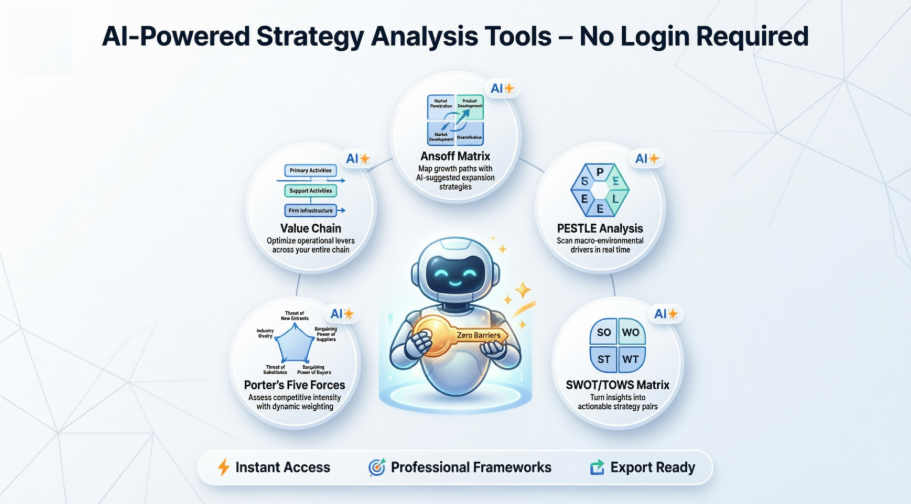
I decided to put these tools through their paces across real-world scenarios: helping a fintech startup evaluate market entry strategies, supporting a nonprofit assess external risks, and guiding a retail client through competitive positioning. What I discovered wasn’t just a collection of convenient utilities—it was a genuinely thoughtful reimagining of how AI can democratize strategic thinking. In this review, I’ll walk you through my hands-on experience with each tool, share practical insights on when and how to use them, and explain why this “zero-friction” approach matters for professionals at every level.
Why This Update Changes the Game for Strategy Professionals
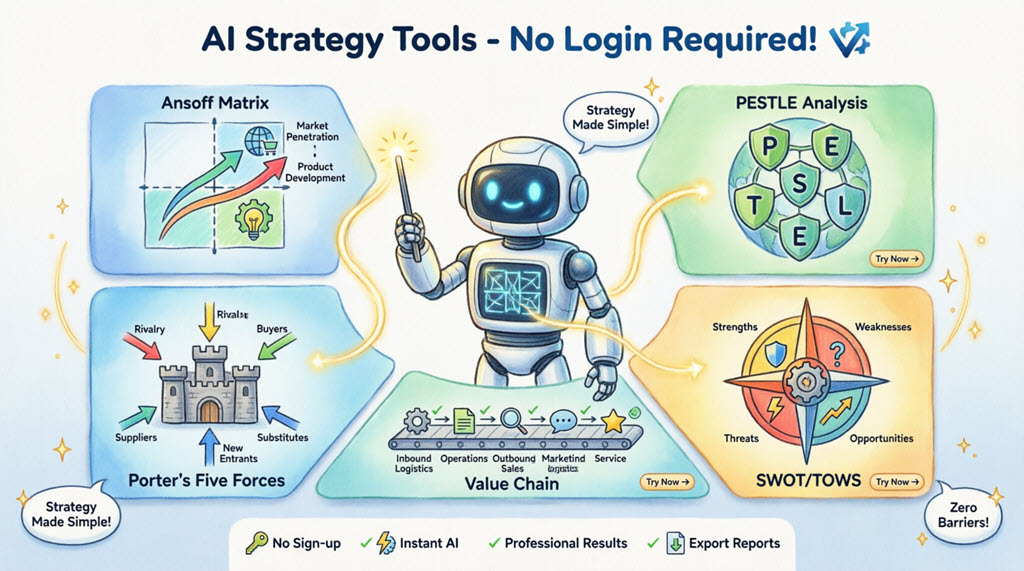
In strategic consulting, momentum is everything. Clients don’t want to wait for account approvals or remember yet another password when they’re in the middle of a high-stakes planning session. Visual Paradigm’s decision to eliminate login barriers isn’t just a UX improvement—it’s a philosophical shift toward making sophisticated strategic frameworks accessible to anyone with an internet connection.
During my testing, I appreciated that I could:
-
Jump directly into tool interfaces from bookmarked links
-
Switch between devices without session management headaches
-
Share direct tool links with clients or team members for collaborative exploration
-
Generate draft analyses in under 60 seconds for rapid iteration
This frictionless access is particularly valuable for educators, students, solopreneurs, and consultants who need to prototype strategic thinking quickly before committing to deeper analysis.
Tool-by-Tool Review: Real-World Testing & Insights
1. Ansoff Matrix Strategy Builder: Growth Planning Made Intuitive
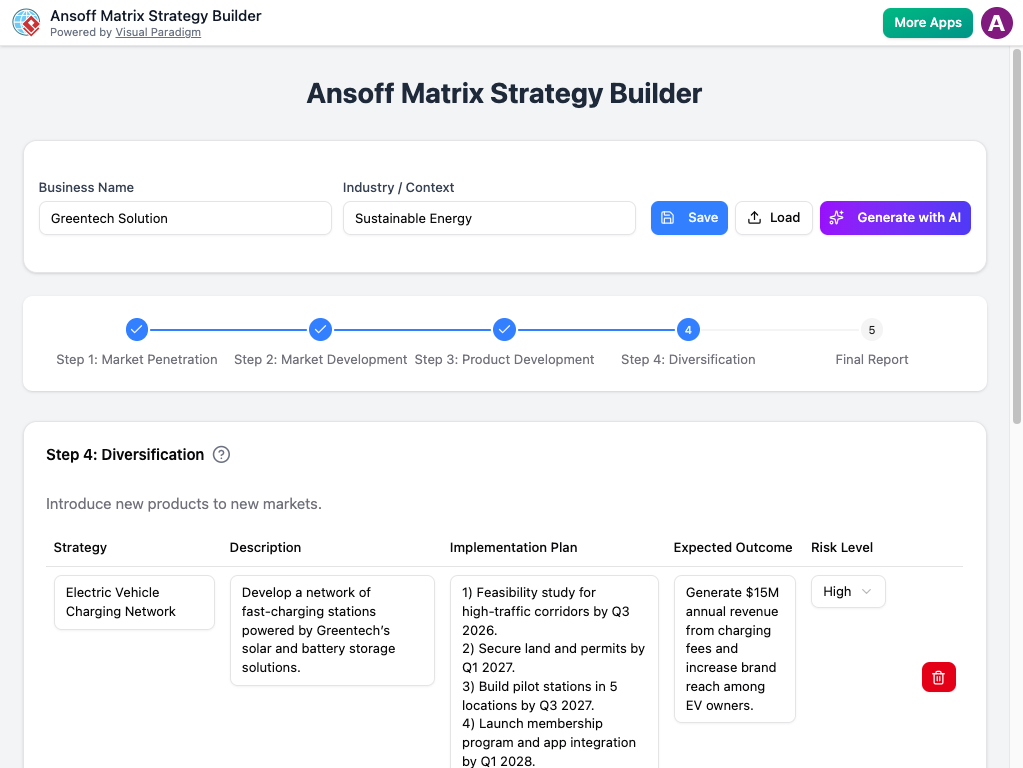
My Use Case: Helping a sustainable energy startup evaluate expansion pathways.
The Experience: I entered a concise description of “Greentech Solution,” a B2B provider of solar microgrid systems for rural communities. Within seconds, the AI populated all four Ansoff quadrants with contextually relevant strategies. What impressed me most was the risk-assessment layer: each suggestion included implementation considerations and potential pitfalls, not just optimistic growth ideas.
Strengths:
-
Clear visual progression through the four strategic quadrants
-
Risk-aware suggestions that avoid generic “grow more” advice
-
Export functionality for seamless integration into client presentations
Best For: Teams exploring growth scenarios, startup founders validating expansion hypotheses, or consultants facilitating strategic workshops.
Try Ansoff Matrix Strategy Builder Now →
2. PESTLE Analysis Tool: External Environment Scanning, Simplified
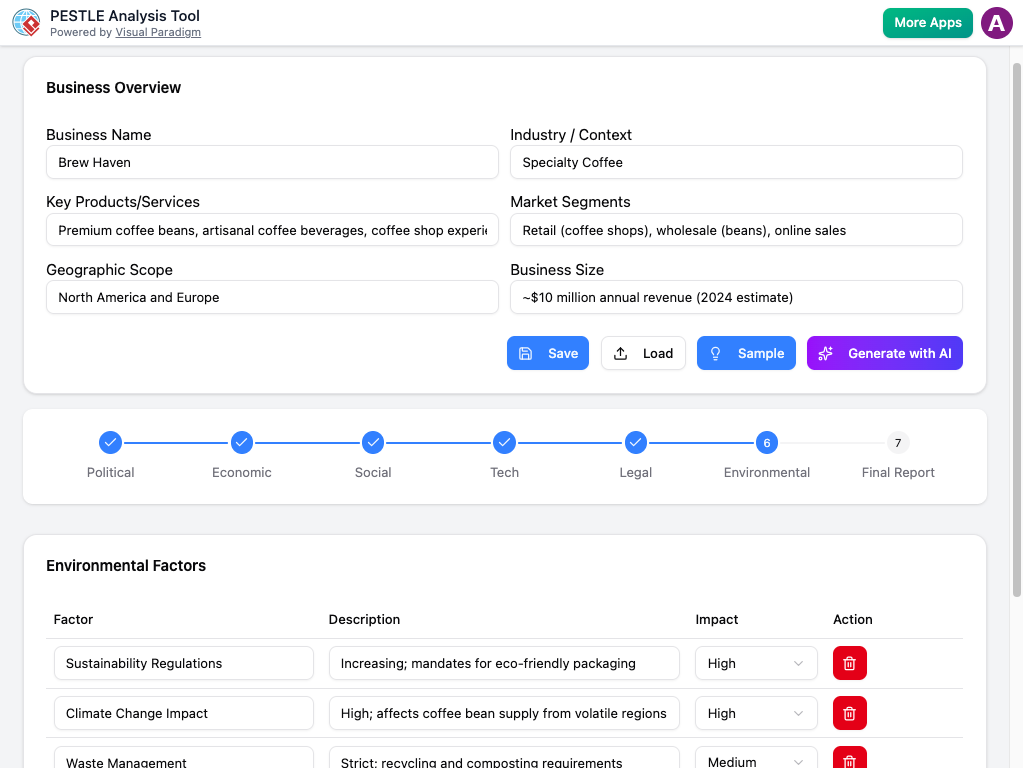
My Use Case: Supporting a healthcare nonprofit assess regulatory and societal trends affecting telemedicine adoption.
The Experience: After describing the organization’s mission and operating regions, the AI generated a structured PESTLE breakdown with surprisingly nuanced insights—like identifying specific data privacy legislation trends in target markets and demographic shifts influencing healthcare access. The tool didn’t just list factors; it connected them to actionable implications.
Strengths:
-
Comprehensive coverage across all six PESTLE dimensions
-
Context-aware factor generation (not just template filling)
-
Clean formatting that’s presentation-ready
Best For: Market researchers, policy analysts, strategic planners conducting environmental scans, or students learning macro-environmental analysis frameworks.
Try PESTLE Analysis Tool Now →
3. SWOT and TOWS Business Analysis Tool: From Diagnosis to Action
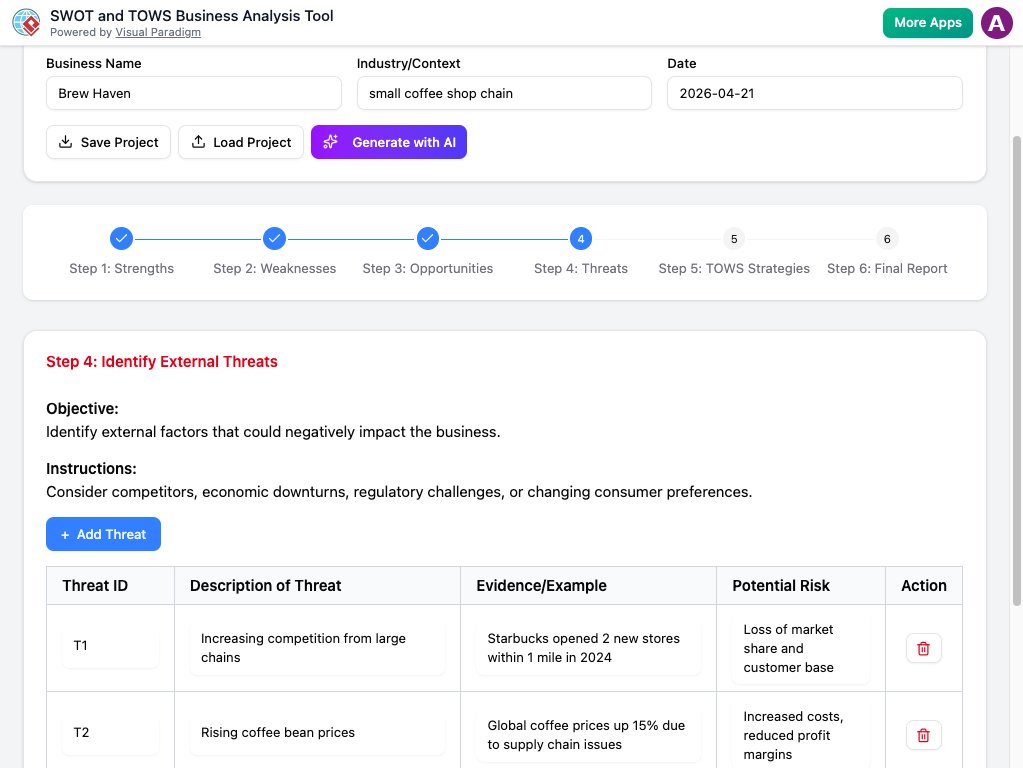
My Use Case: Guiding a regional coffee chain (“Brew Haven”) through competitive repositioning.
The Experience: This tool shines by bridging the gap between traditional SWOT analysis and actionable strategy. After generating initial Strengths, Weaknesses, Opportunities, and Threats based on my business description, it automatically mapped these into the TOWS matrix—creating SO (maxi-maxi), WO (mini-maxi), ST (maxi-mini), and WT (mini-mini) strategic options. For Brew Haven, this meant transforming “rising coffee bean costs” (Threat) + “strong local brand loyalty” (Strength) into a concrete “premium local sourcing” strategy.
Strengths:
-
Seamless transition from analysis to strategy formulation
-
Context-specific factor generation that avoids clichés
-
Intuitive interface that guides users through strategic logic
Best For: Business owners conducting self-assessments, consultants facilitating strategy sessions, or MBA students practicing strategic frameworks.
Try SWOT & TOWS Analysis Tool Now →
4. Porter’s Five Forces Analyzer: Competitive Intelligence at Your Fingertips
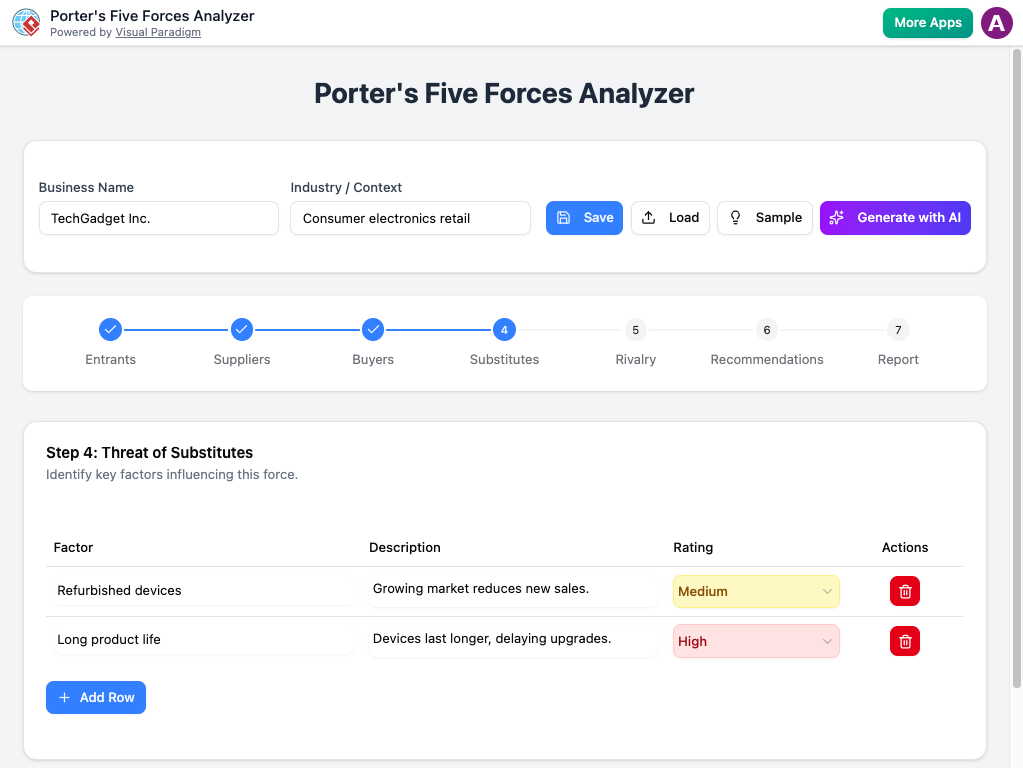
My Use Case: Evaluating competitive dynamics for a consumer electronics retailer (“TechGadget Inc.”).
The Experience: I was impressed by how the AI contextualized each force. For “Threat of Substitutes,” it didn’t just list generic alternatives—it identified specific emerging technologies (like AI-powered smart home hubs) that could disrupt traditional electronics retail. The ability to rate each force’s intensity and generate tailored recommendations transformed this from a theoretical exercise into a practical strategic input.
Strengths:
-
Industry-aware force assessment with concrete examples
-
Interactive rating system that encourages critical thinking
-
Clear linkage between analysis and strategic recommendations
Best For: Competitive analysts, startup founders assessing market entry viability, or corporate strategy teams evaluating portfolio positioning.
Try Porter’s Five Forces Analyzer Now →
5. Value Chain Analysis Tool: Operational Excellence Through AI Guidance
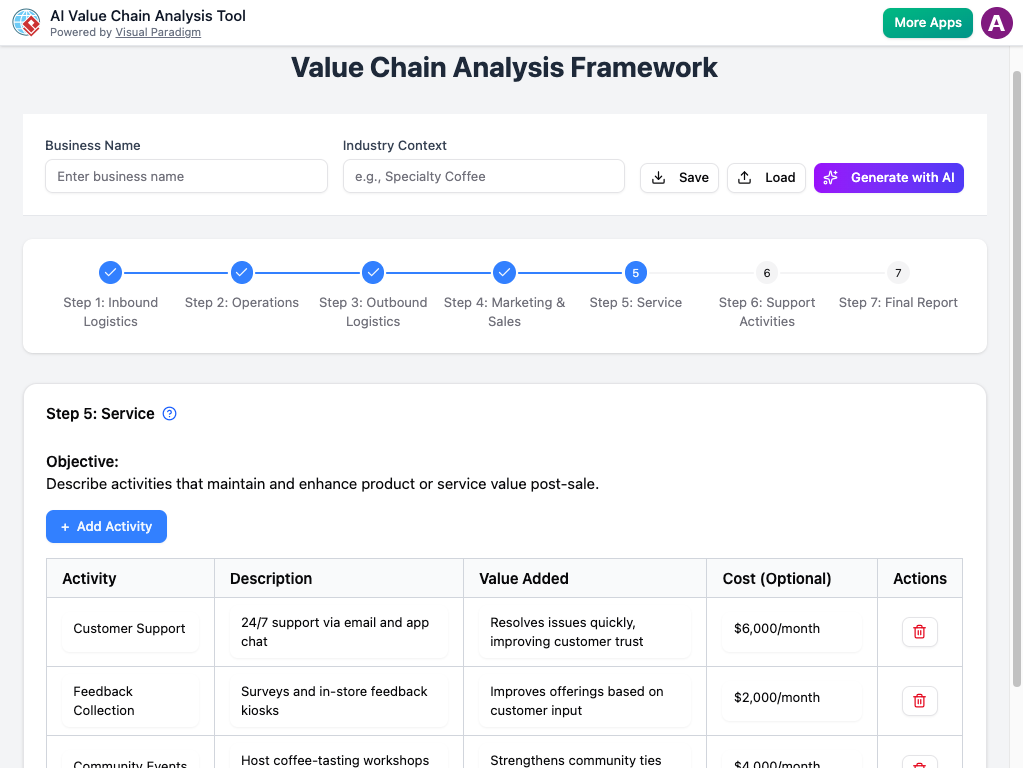
My Use Case: Helping a manufacturing client identify cost optimization opportunities.
The Experience: This tool excels at making Porter’s Value Chain model accessible beyond academia. After describing the client’s operations, the AI mapped primary activities (inbound logistics, operations, outbound logistics, marketing & sales, service) and support activities (firm infrastructure, HR, technology, procurement) with industry-specific examples. The “Service” step shown above demonstrated how AI could detail post-sale activities like feedback loops and warranty management—areas often overlooked in manual analyses.
Strengths:
-
Comprehensive activity mapping with practical examples
-
Clear visualization of value-creation pathways
-
Actionable insights for cost reduction and differentiation
Best For: Operations managers, process improvement consultants, supply chain analysts, or business students learning value chain concepts.
Try Value Chain Analysis Tool Now →
Practical Tips for Getting the Most from These Tools
Based on my testing across multiple client scenarios, here are my top recommendations:
-
Start Specific, Then Expand: Provide concise but detailed business descriptions. Instead of “a tech company,” try “a B2B SaaS platform offering AI-powered customer service automation for mid-market e-commerce brands.”
-
Iterate, Don’t Accept First Drafts: Treat AI outputs as strategic starting points. Use the generated content to spark discussion, then refine based on your domain expertise.
-
Combine Tools for Holistic Analysis: Run a PESTLE analysis to identify external trends, then feed those insights into your SWOT/TOWS tool for integrated strategy development.
-
Export Early, Edit Often: Use the export functionality to capture drafts, then customize in your preferred presentation or documentation tool.
-
Share Links for Collaborative Refinement: Since no login is required, you can send direct tool links to stakeholders for real-time collaborative exploration.
Conclusion: A New Standard for Accessible Strategic Intelligence
After extensively testing Visual Paradigm’s no-login AI strategy toolkit, I’m confident this represents a meaningful advancement in democratizing strategic planning. By removing authentication barriers while maintaining analytical depth, these tools strike a rare balance: powerful enough for professional consultants, yet approachable enough for students or entrepreneurs taking their first steps into strategic thinking.
What sets this suite apart isn’t just the AI capability—it’s the thoughtful integration of classic strategic frameworks with modern UX principles. Each tool respects the intellectual rigor of its underlying methodology while leveraging AI to accelerate the tedious aspects of analysis. The result is more time for critical thinking, scenario exploration, and strategic dialogue—the activities that truly drive business impact.
For strategy professionals, this update means faster prototyping of analyses and easier client collaboration. For learners, it offers a risk-free environment to practice and internalize foundational frameworks. And for organizations of all sizes, it provides a scalable way to embed strategic thinking into decision-making processes.
In an era where strategic agility is a competitive advantage, tools that reduce friction while enhancing insight aren’t just convenient—they’re essential. Visual Paradigm’s no-login AI strategy suite delivers exactly that: enterprise-grade strategic intelligence, with consumer-grade ease of access.
Final Verdict: ★★★★★ (5/5)
Highly recommended for consultants, entrepreneurs, educators, and anyone serious about strategic planning.
References
- Ansoff Matrix Strategy Builder – Tool Overview: Explore growth strategies across market penetration, product development, market development, and diversification with AI-powered guidance and risk assessments.
- Ansoff Matrix Strategy Builder – Launch App: Direct access to the login-free Ansoff Matrix tool for instant strategic growth planning.
- PESTLE Analysis Tool – Tool Overview: Generate structured insights on Political, Economic, Social, Technological, Legal, and Environmental factors affecting your business.
- PESTLE Analysis Tool – Launch App: Instant access to the AI-powered PESTLE analysis generator with no account required.
- SWOT and TOWS Business Analysis – Tool Overview: Combine classic SWOT analysis with TOWS matrix strategies using AI to draft factors and actionable strategic options.
- SWOT & TOWS Analysis Tool – Launch App: Start building SO, WO, ST, and WT strategies instantly with the login-free TOWS generator.
- Porter’s Five Forces Analyzer – Tool Overview: Evaluate competitive intensity across rivalry, supplier power, buyer power, substitutes, and new entrants with AI assistance.
- Porter’s Five Forces Analyzer – Launch App: Access the frictionless Porter’s Five Forces tool for rapid industry and competitive analysis.
- Value Chain Analysis Tool – Tool Overview: Map and optimize primary and support activities using Porter’s Value Chain model with AI-generated activity drafts.
- Value Chain Analysis Tool – Launch App: Launch the no-login Value Chain analyzer to uncover operational efficiencies and competitive advantages.
- Visual Paradigm AI Strategic Analysis Hub: Central portal for exploring all AI-powered strategic analysis tools with instant, login-free access.
This post is also available in Deutsch, Español, فارسی, Français, English, Bahasa Indonesia, 日本語, Polski, Portuguese, Ру́сский, Việt Nam, 简体中文 and 繁體中文.