


Introduction
In today’s fast-paced digital landscape, software professionals and business strategists often find themselves juggling multiple disconnected tools. Detailed UML diagrams live in powerful desktop applications, while strategic documents, graphic designs, and ad-hoc charts are scattered across various web-based silos. This fragmentation creates friction, hinders collaboration, and makes it difficult to maintain a holistic view of your projects.
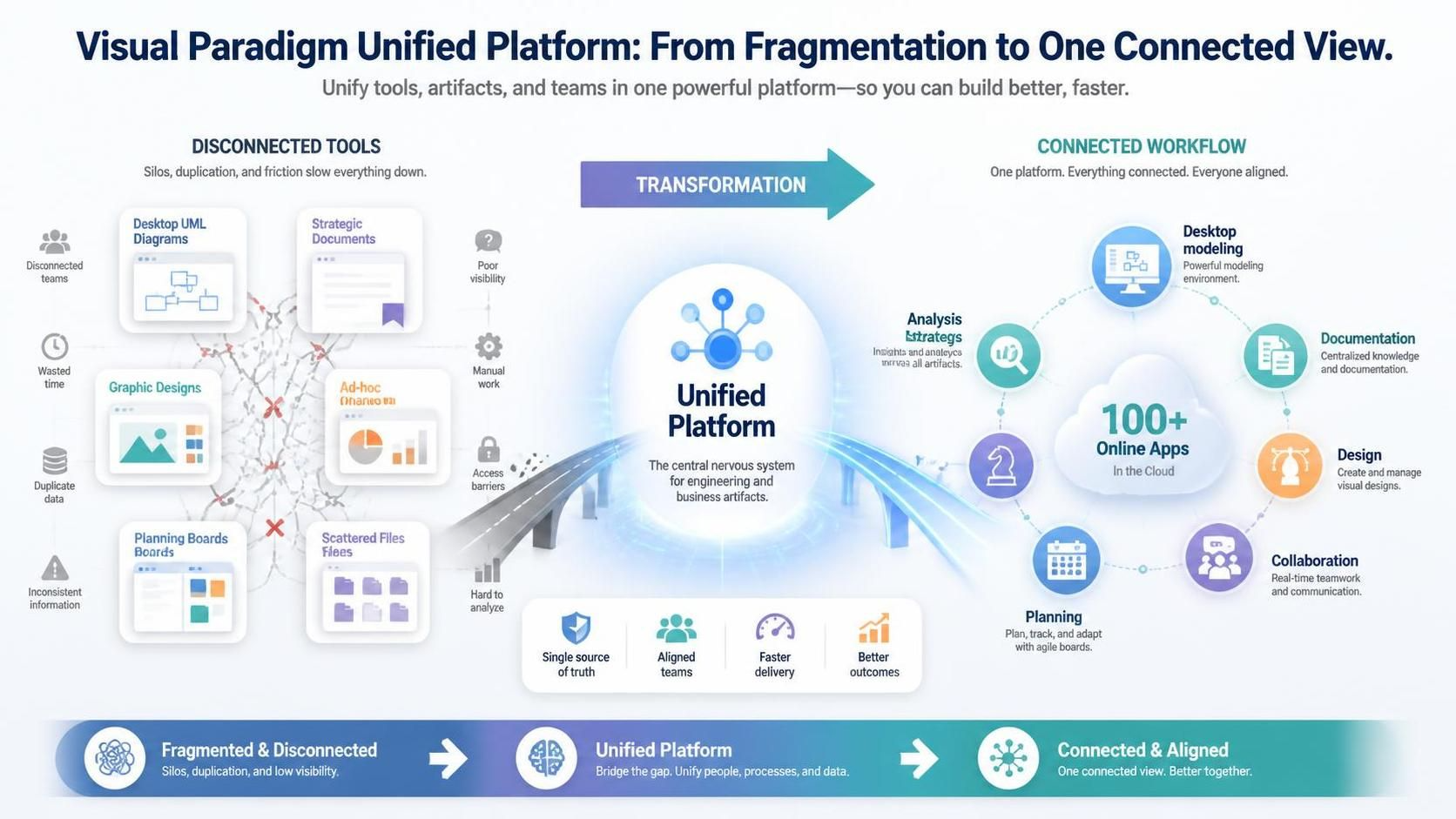
Enter the Visual Paradigm Unified Platform. This isn’t just a UI update; it’s an architectural innovation designed to be the central nervous system of your engineering and business artifacts. By bridging the gap between robust desktop modeling and a suite of over 100 online apps, the Unified Platform offers a single source of truth for all your design, documentation, and strategic planning needs. This guide explores how this platform can transform your workflow, enhance collaboration, and streamline your creative process.
The Problem: Disconnected Tools and Scattered Work
For years, the standard workflow for many teams has been fractured:
-
Desktop Isolation: Powerful modeling tools like Visual Paradigm Desktop keep intricate diagrams locally, making them invisible to cloud-based collaborators.
-
Web Silos: Online apps for documentation or design save data in isolated environments with no central organization.
-
Discovery Friction: Finding the right tool for a specific task—whether it’s a quick brainstorming session or a detailed architectural review—becomes a time-consuming challenge.
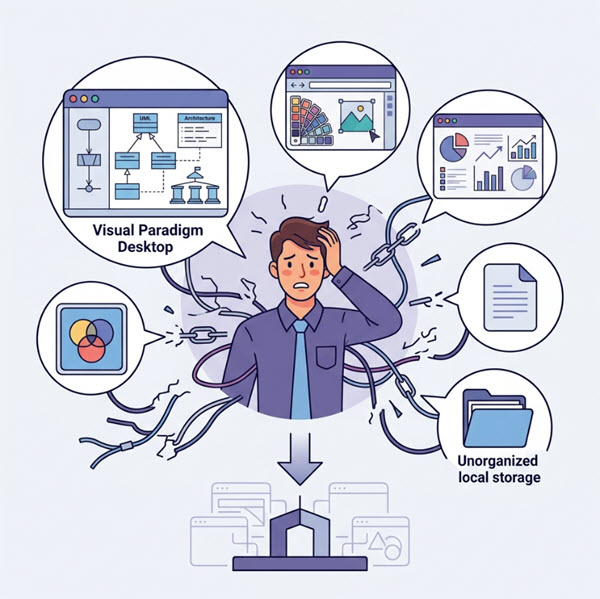
This disconnect leads to version control issues, miscommunication, and a lack of visibility into the broader project context. The Visual Paradigm Unified Platform was built to solve these exact pain points.
The Solution: Your Command Center for Entire Workflows
The Unified Platform fundamentally reimagines how you interact with your tools. It provides a cohesive ecosystem where desktop power meets cloud flexibility.
Key Features of the Unified Platform
1. Unified Artifact Hub
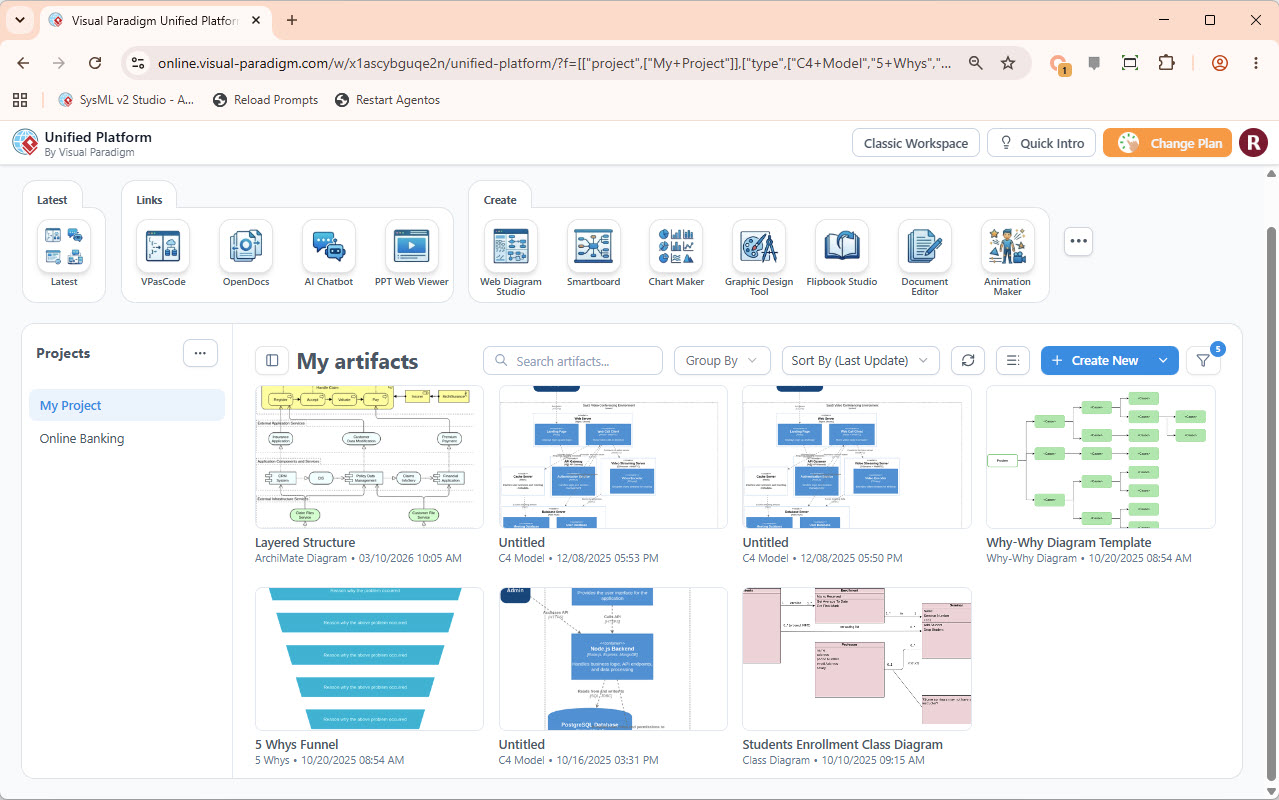
Imagine a drive-like interface where everything lives together. Whether it’s a complex UML diagram from VP Desktop, a marketing infographic from a web app, or a strategic document from OpenDocs, you can view and manage all your artifacts in one place. This centralized hub eliminates the need to switch between different file systems or cloud drives.
2. Centralized App Launcher
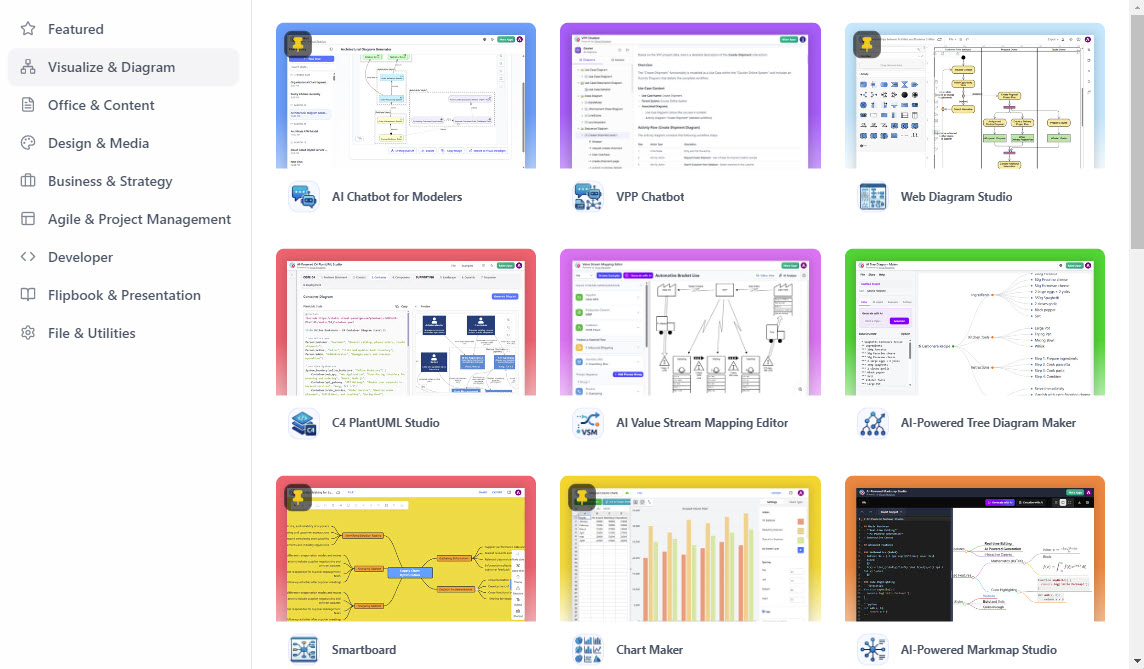
With over 100 apps and growing, finding the right tool is now effortless. The Centralized App Launcher acts as a single hub to discover and launch any Visual Paradigm Online app without leaving your workspace. From AI-powered diagramming to business strategy tools, everything is just a click away.
3. Seamless Creation UI
Starting a new project is faster than ever. The redesigned creation flow allows you to instantly start a new diagram, document, or design from any integrated app directly from your central dashboard. This reduces setup time and lets you focus on content creation rather than tool navigation.
Bridging Desktop Power to the Cloud
One of the most significant advantages of the Unified Platform is its seamless integration with Visual Paradigm Desktop. You don’t have to choose between the power of desktop modeling and the accessibility of the cloud—you get both.
How to Access:
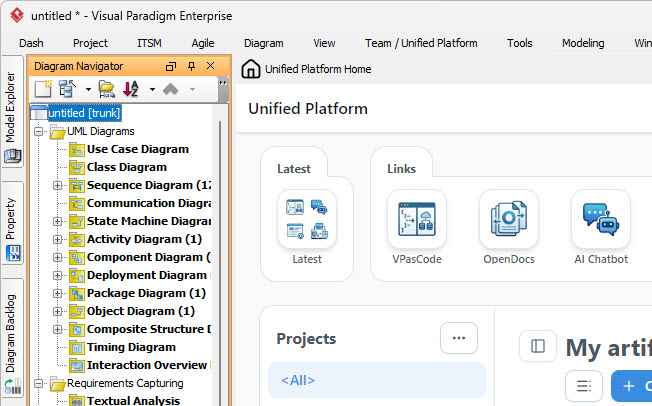
Simply select Team / Unified Platform > Unified Platform from the menu bar in Visual Paradigm Desktop.
Once connected, your locally-saved diagrams instantly appear in the central artifact list alongside your cloud-based files. This means your powerful desktop modeling tool becomes a fully connected citizen of your digital ecosystem, enabling hybrid workflows that leverage the best of both worlds.
Enhancing Creativity with AI
The Unified Platform is home to powerful AI tools that accelerate the design and modeling process.
Generate with AI, Refine on Desktop
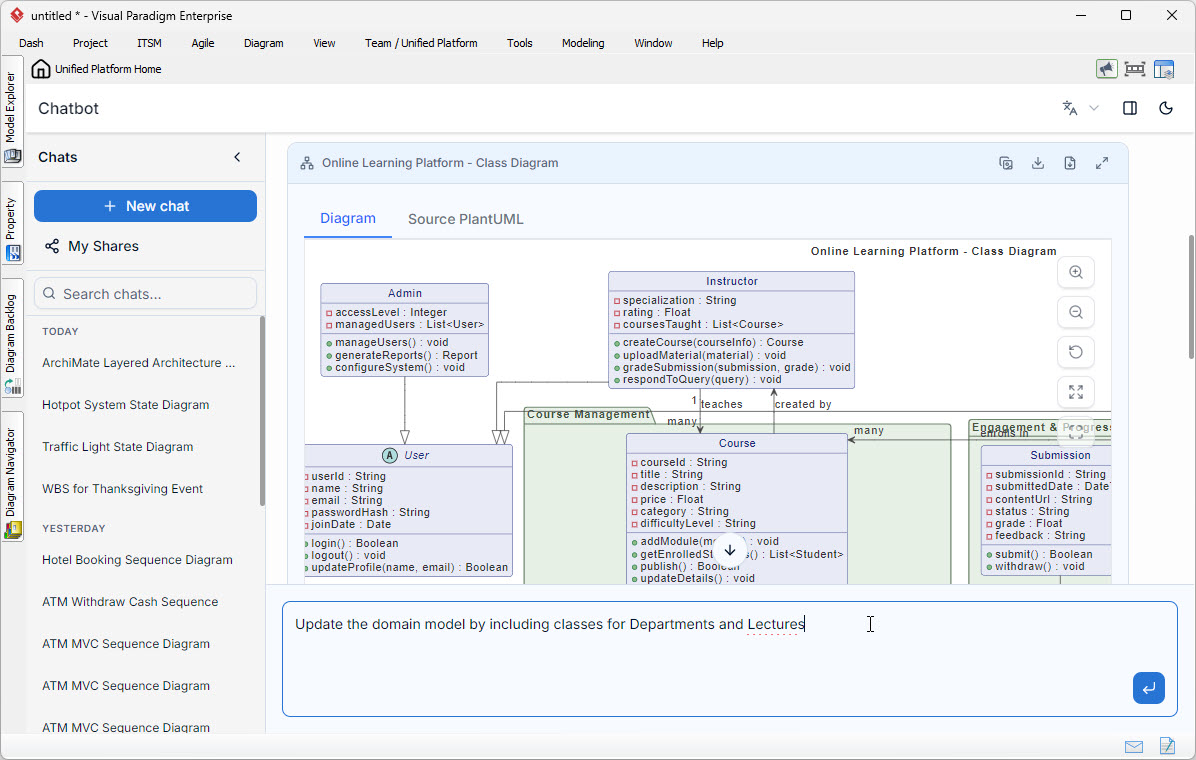
Use the VPP Chatbot to generate complex diagrams from natural language prompts. For example, you can ask the chatbot to “Create a sequence diagram for a user login process,” and it will generate a draft diagram. This diagram can then be seamlessly imported into Visual Paradigm Desktop for further refinement, ensuring accuracy and alignment with your architectural standards.
Try the AI Diagramming Chatbot Now (Online)
From Model to Live Documentation
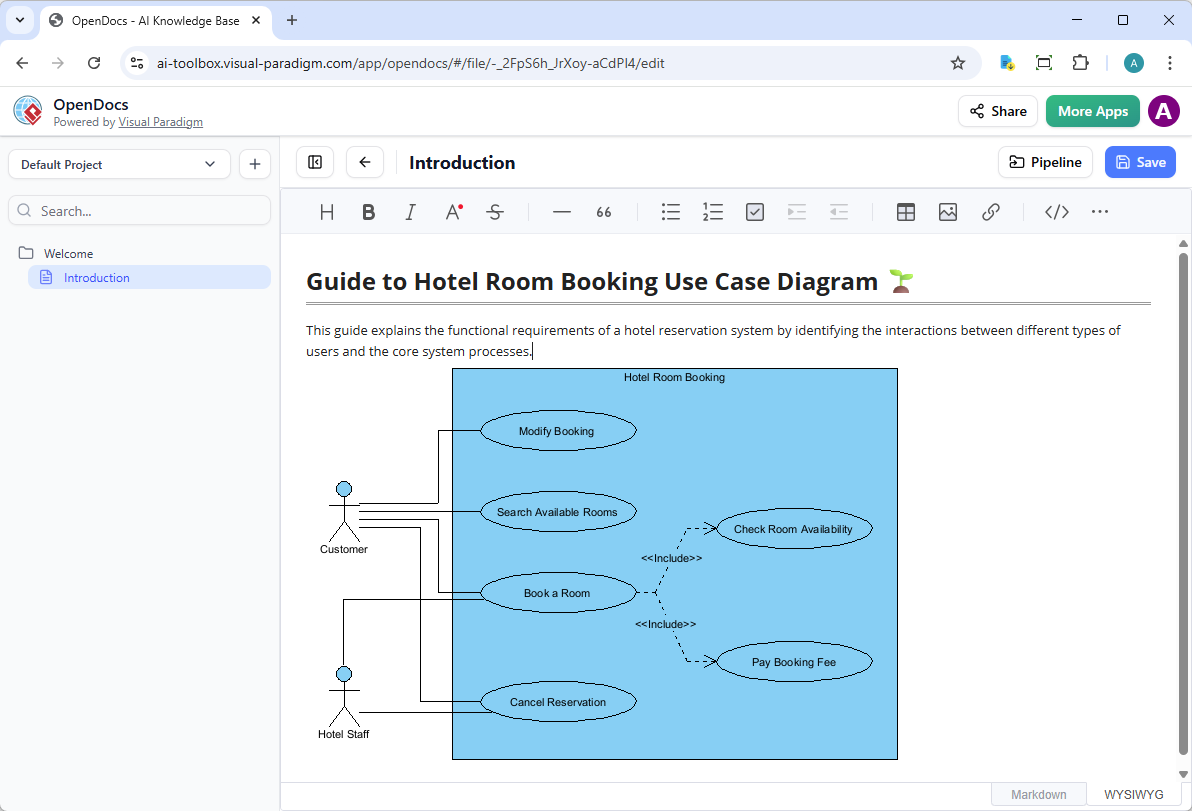
A model’s value multiplies when it’s well-documented and easily accessible. The Unified Platform integrates with OpenDocs, a powerful tool for creating rich, web-based project documentation.
The Workflow:
-
Create detailed diagrams in Visual Paradigm Desktop.
-
Use the built-in pipeline to send them directly to OpenDocs.
-
Add contextual explanations, narratives, and additional media in OpenDocs.
This creates a living document where your models are explained and contextualized, ensuring your designs are understood, maintained, and shared effectively across your team.
A Universe of Applications, Unified
The Unified Platform provides access to a vast array of applications categorized by function. While access to the platform itself is available to all users, many advanced applications require a Visual Paradigm Professional Edition license (or higher) with an active software maintenance or subscription plan.
Key Application Categories
Visualize & Diagram
-
AI Chatbot for Modelers: Generate diagrams from text.
-
C4 PlantUML Studio: Create C4 architecture diagrams using PlantUML.
-
AI Value Stream Mapping Editor: Optimize processes with AI-assisted mapping.
-
Smartboard & Chart Maker: Collaborative whiteboarding and data visualization.
Office & Content
-
OpenDocs: Create living, web-based documentation.
-
Document & Presentation Editors: Full-featured editors for docs and slides.
-
AI Article Writer: Generate content drafts quickly.
Business & Strategy
-
Model Canvas Tool: Build and refine business models.
-
SWOT and TOWS Analysis Tool: Strategic planning and analysis.
-
OKRs Framework Tool: Set and track objectives and key results.
-
Customer Journey Mapping Tool: Visualize and improve customer experiences.
Agile & Project Management
-
Agilien Jira Backlog Planner: AI-powered backlog management.
-
User Story (3Cs) Editor: Craft clear and concise user stories.
-
Gantt Chart Builder: Plan and track project timelines.
-
RACI Matrix: Define roles and responsibilities.
Developer Tools
-
VPasCode: Diagram-as-code capabilities.
-
DB Modeler AI: AI-assisted database modeling.
-
SysML v2 Studio: Systems modeling with the latest standards.
Design & Media
-
Graphic Design Tool: Create professional graphics.
-
AI Image Translator: Translate text within images.
-
AI Animated Banner Generator: Create engaging web banners.
Frequently Asked Questions
What is the Visual Paradigm Unified Platform?
The Unified Platform is a centralized workspace that bridges Visual Paradigm’s powerful desktop modeling with a suite of 100+ online apps. It provides a single, drive-like interface to manage, access, and create all your artifacts—from desktop UML diagrams to online documents and designs.
How does this benefit me if I’m a Visual Paradigm Desktop user?
It seamlessly connects your desktop environment to the cloud. Your local projects become visible within the online platform, and you gain access to the full suite of online apps for documentation, strategic planning, and design, creating a hybrid workflow. You can access it directly from the desktop via the “Team > Unified Platform” menu.
What are the license requirements for the online apps?
Access to the Unified Platform itself is available to all users. However, using many of the advanced online applications requires a Visual Paradigm Professional (or higher) license with an active software maintenance or subscription plan.
Conclusion
The Visual Paradigm Unified Platform represents a new era of integrated design and development. By eliminating the friction between desktop and cloud tools, it empowers teams to work more efficiently, collaborate more effectively, and maintain a clear, holistic view of their projects. Whether you’re a software architect refining complex UML diagrams, a product manager crafting strategic roadmaps, or a designer creating engaging visuals, the Unified Platform provides the centralized command center you need to succeed.
Stop juggling tools and start creating. Download Visual Paradigm Desktop today to experience the full power of the Unified Platform and connect your entire design and development process.
Download Visual Paradigm
Open Unified Platform (Web)
This post is also available in Deutsch, Español, فارسی, Français, English, Bahasa Indonesia, 日本語, Polski, Portuguese, Ру́сский, Việt Nam, 简体中文 and 繁體中文.