


Introduction
In the fast-paced world of software development, the gap between abstract requirements and concrete architectural design has long been a bottleneck. Traditional modeling tools often require extensive manual effort, dragging and dropping elements to visualize system structures that exist only in documentation or developer minds. This friction not only slows down the initial design phase but can also lead to inconsistencies between documented requirements and actual system architecture.
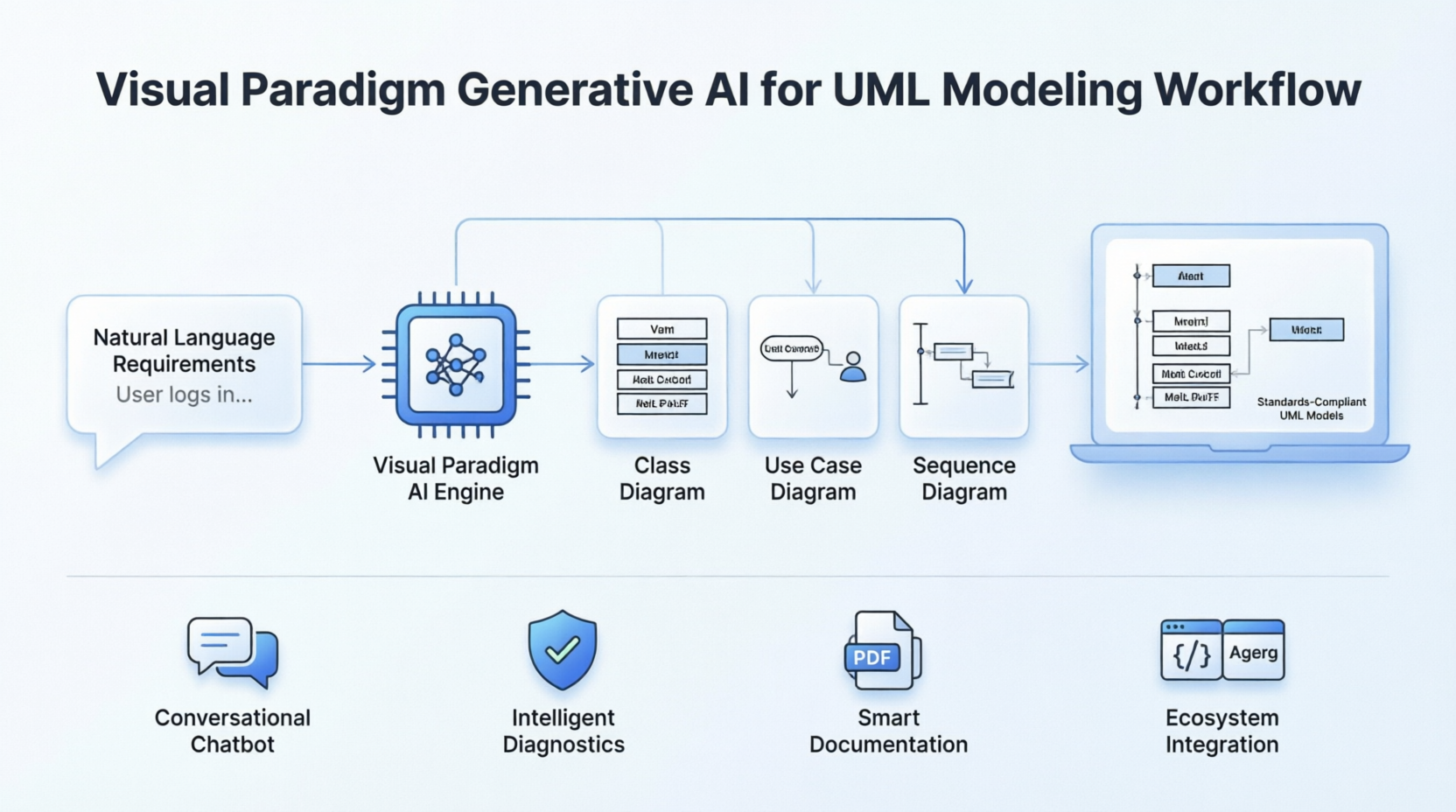
Visual Paradigm has addressed this challenge by embedding Generative AI directly into its core visual modeling ecosystem. By replacing manual mechanics with a prompt-driven engine, it allows software engineers and architects to translate natural language text into fully realized, standards-compliant UML diagrams in seconds. This case study explores how this integration transforms the workflow from system requirements to architectural refinement, offering a suite of tools that span automated generation, conversational refinement, and intelligent diagnostics.
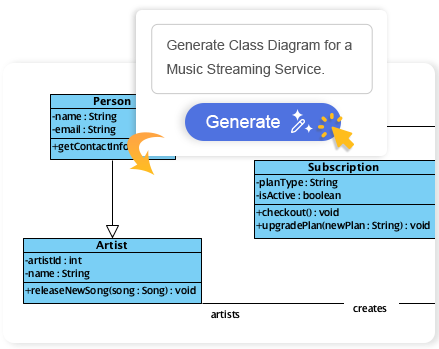
Figure 1: Visual Paradigm’s AI-integrated UML modeling interface allowing natural language input for diagram generation.
Core AI Capabilities for UML
1. Prompt-to-Diagram Generation Engine
At the heart of Visual Paradigm’s AI offering is the ability to type natural language requirements—such as user stories or system process explanations—and have the integrated AI Diagram Generator map out entities, actors, workflows, and logical links. The native architecture handles positioning and node formatting automatically, removing the tedious aspects of layout management.
This engine supports a comprehensive range of UML models, including:
-
Use Case Diagrams
-
Class Diagrams
-
Sequence Diagrams
-
Activity Diagrams
-
State Machine Diagrams
-
Component, Object, Package, and Composite Structure Diagrams
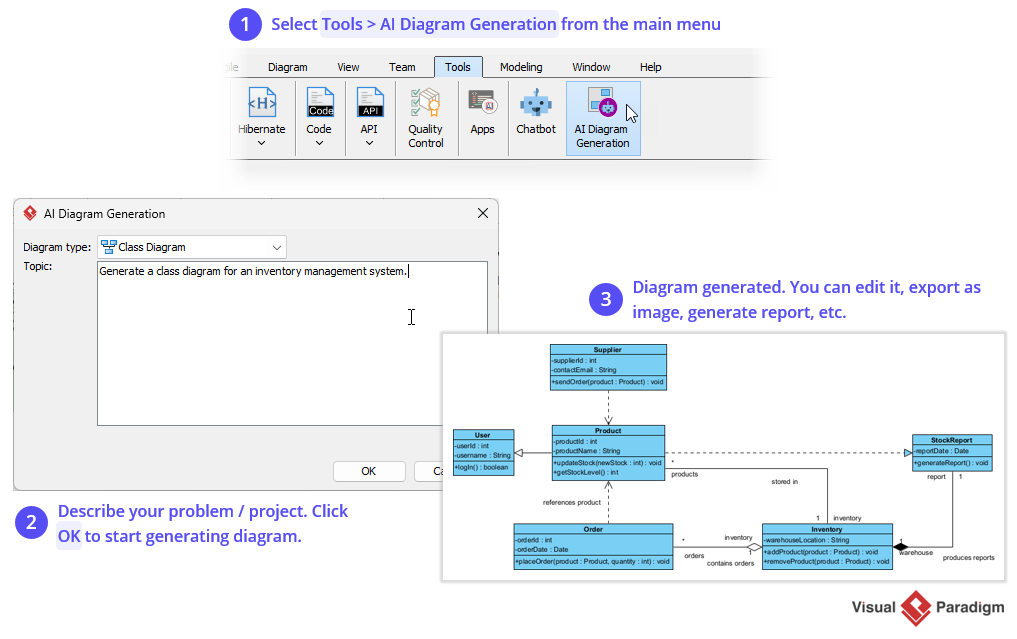
Figure 2: The AI Diagram Generator converting textual prompts into structured UML diagrams automatically.
2. Conversational Chatbot Refinement
Available natively within the desktop ecosystem or via web platforms, the Visual Paradigm AI Chatbot treats diagram edits as a collaborative discussion rather than a series of manual adjustments. This conversational interface allows for dynamic modifiers and cascading updates.
-
Dynamic Modifiers: Users can issue commands like “rename the employee class to staff” or “add a status attribute with getter/setter methods,” which execute instantly across the layout.
-
Cascading Updates: When elements are changed, the AI adjusts all secondary references, relationships, and attributes throughout the active model workspace, ensuring consistency without manual intervention.
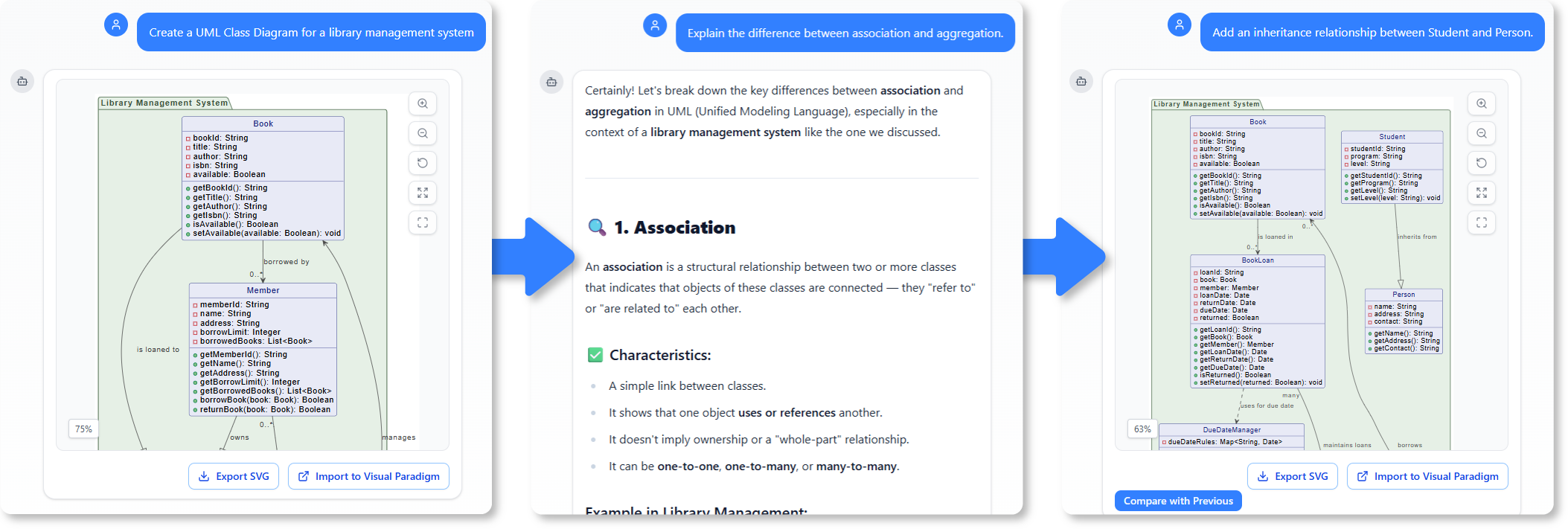
Figure 3: The Visual Paradigm AI Chatbot facilitating conversational refinement of UML models.
3. AI Use Case Modeling Studio
This component automates the jump from raw user requirements to deeper structural behavioral views. It bridges the gap between high-level goals and detailed technical specifications.
-
Automated Use Case Specifications: Inputting a primary system goal prompts the engine to write multi-section documentation detailing pre-conditions, post-conditions, and step-by-step actor interactions.
-
Use Case to Activity Diagram: The tool reviews textual narrative descriptions and generates a functional UML Activity Diagram mapping control flows and decision logic branches.
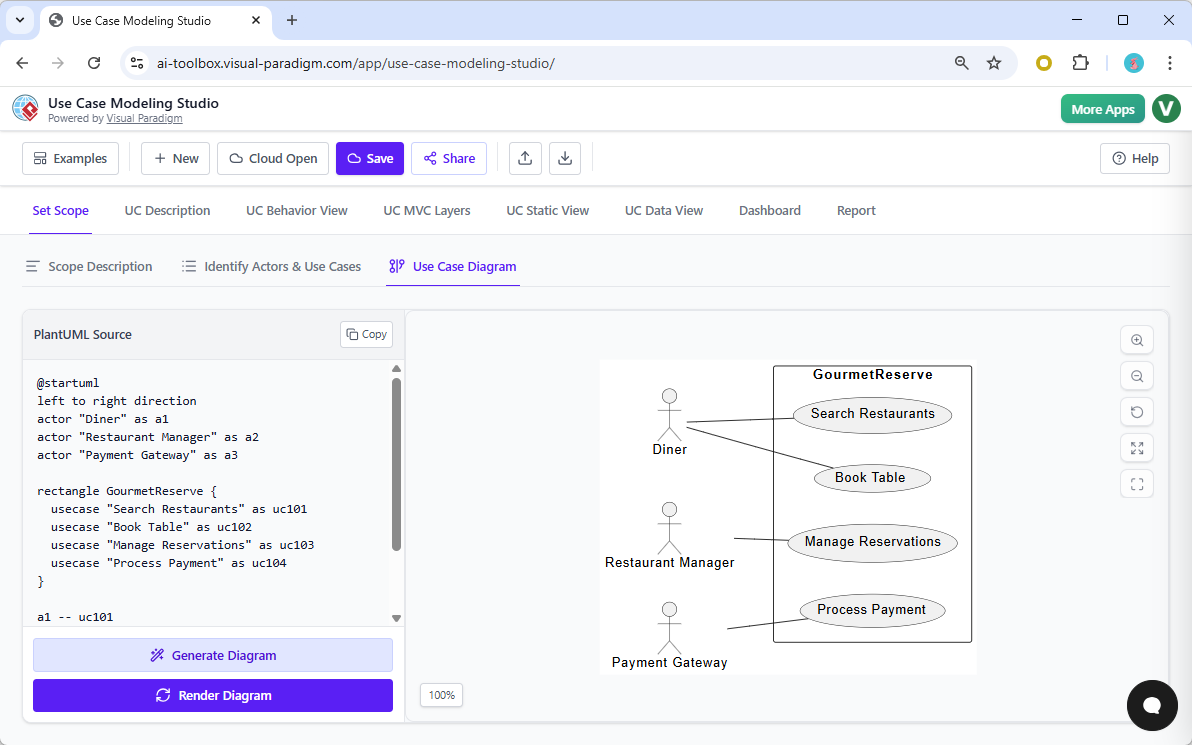
Figure 4: AI Use Case Modeling Studio transforming textual requirements into detailed use case specifications and activity diagrams.
4. Guided AI Class Diagram Generator & Textual Analysis
The platform features an automated AI Textual Analysis tool that scans software specification problem statements to instantly extract candidate domain classes, operations, and multiplicities. This pairs with a guided 10-step software design wizard that asks for the core purpose, defines scopes, isolates distinct components, allows fine-grain item selection, and maps out class relationships sequentially before rendering the model.
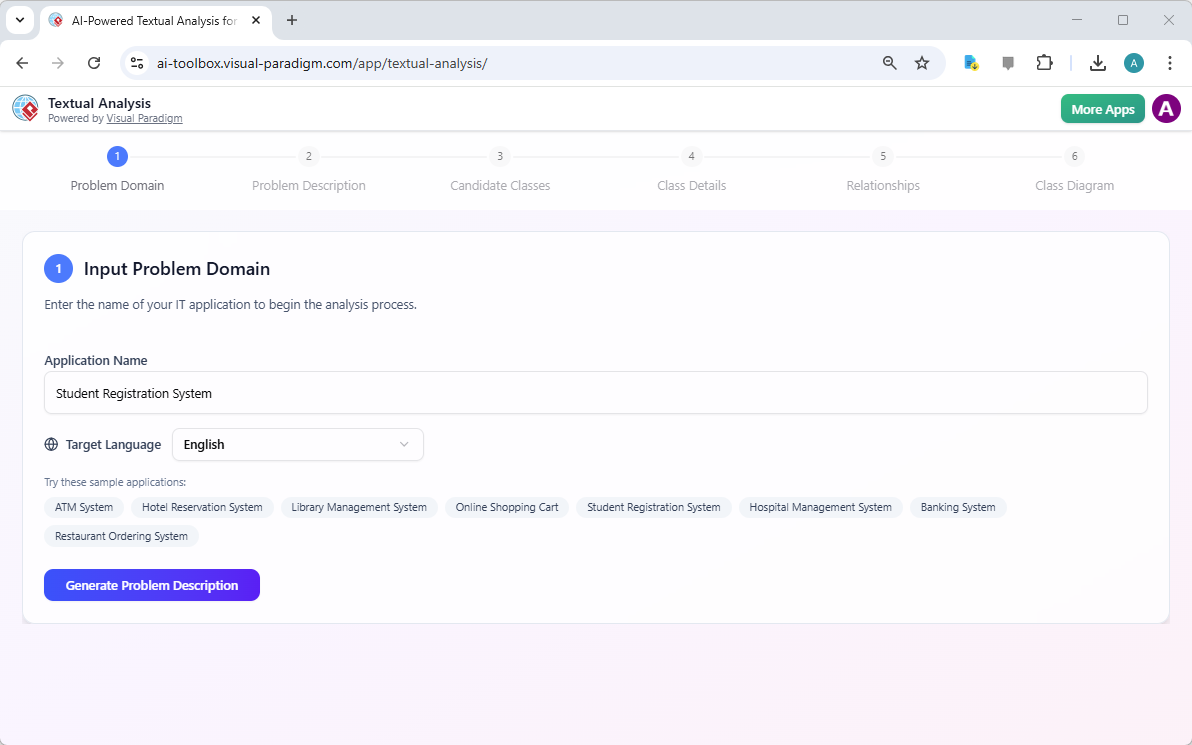
Figure 5: AI Textual Analysis tool extracting domain classes and operations from software specification texts.
5. Intelligent Diagnostics & Structural Refinement
Rather than just drawing boxes, the background engine provides architectural oversight to ensure robustness and completeness.
-
Use Case Expansion: The AI Use Case Diagram Refinement Tool evaluates basic drafts and automatically suggests standard <> and <> connectors to account for edge cases and exceptions.
-
Missing Flow Warnings: It critiques active sequences and activity models to catch missing alternate logic fragments, structural holes, or unmapped data pathways.
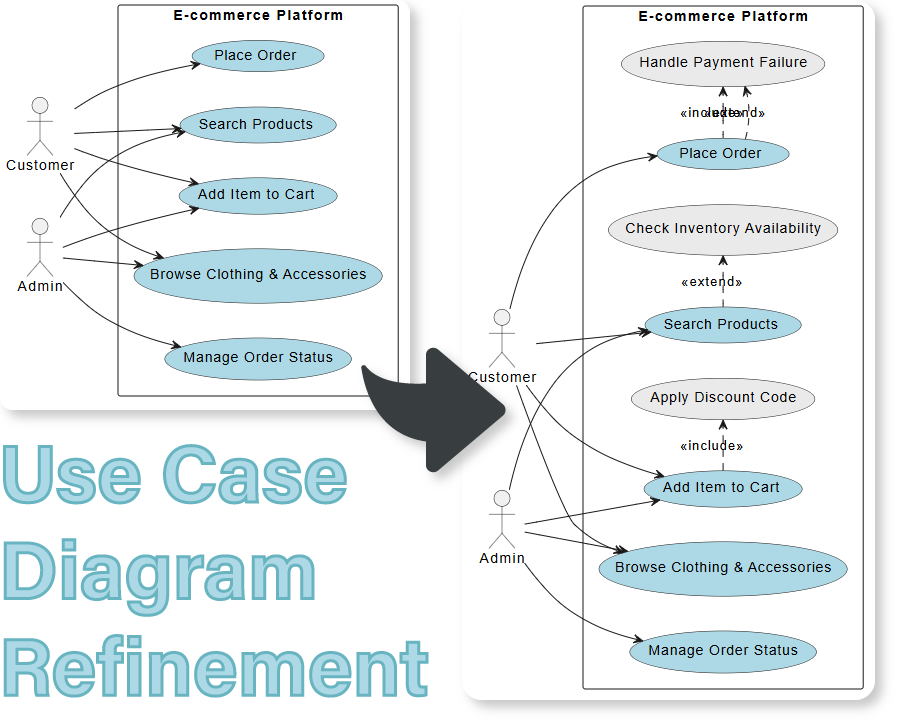
Figure 6: AI Use Case Diagram Refinement Tool suggesting extensions and inclusions for comprehensive modeling.
6. Smart Documentation on Demand
The AI transforms structural layouts into instantly readable data resources, bridging the communication gap between technical and non-technical stakeholders.
-
Reverse Summaries: Non-technical stakeholders can ask the AI to decode or translate highly intricate technical models into plain-English summaries.
-
Software Design Document (SDD) Reports: Generates polished project briefs, scopes, test cases, and comprehensive architectural critique templates directly into exportable Markdown or PDF variants.
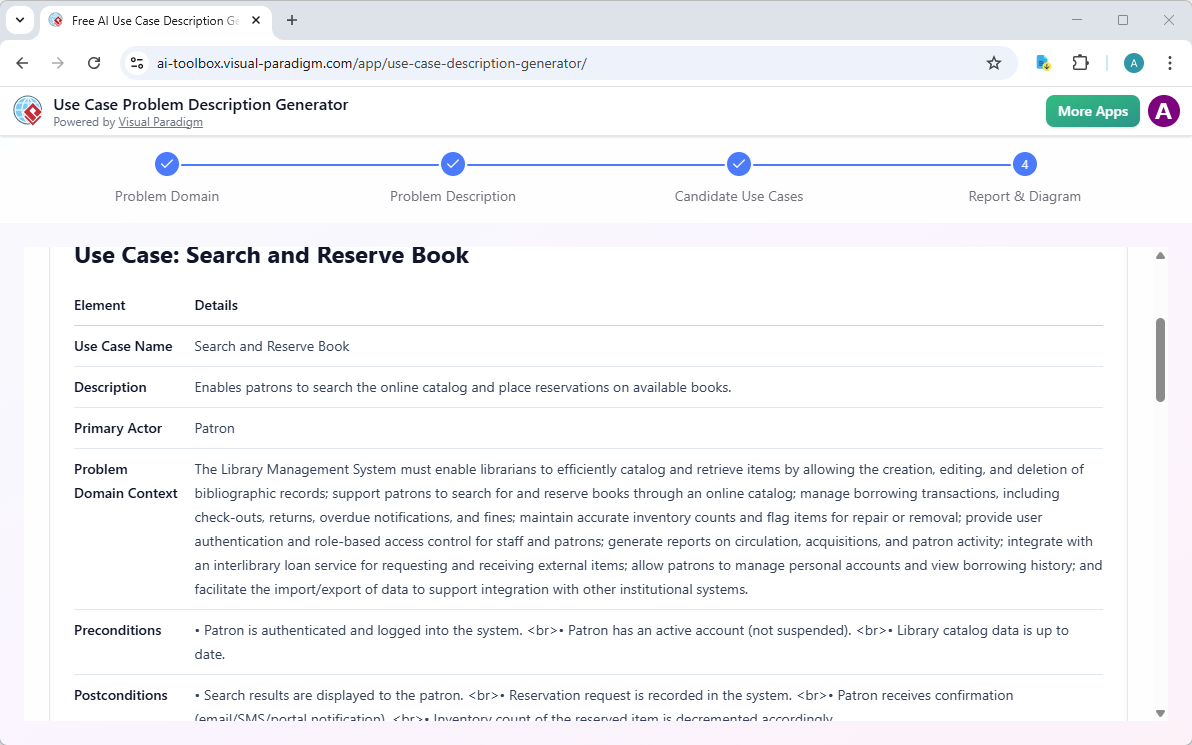
Figure 7: Generating smart documentation and plain-English summaries from complex UML models.
Workflow & Ecosystem Integration
The generated assets remain fully backward-compatible with legacy engineering functions. After an initial structure is configured via the prompt engine, developers can import the model directly into the Visual Paradigm Desktop Application to utilize professional-tier tools.
-
Round-Trip Engineering: Generate ready-to-write source boilerplate (Java, C#, Python) from AI-generated class structures or reverse-engineer existing environments back into visual spaces.
-
Agile Integration: Attach generated diagrams directly to built-in Scrum or Kanban backlogs, pairing user story definitions to active system visual specs.
-
Syntax-Free Exports: Allows quick conversion into raw PlantUML text scripts (.puml), editable scalable vector vectors (.svg), or portable project snapshots (.json).
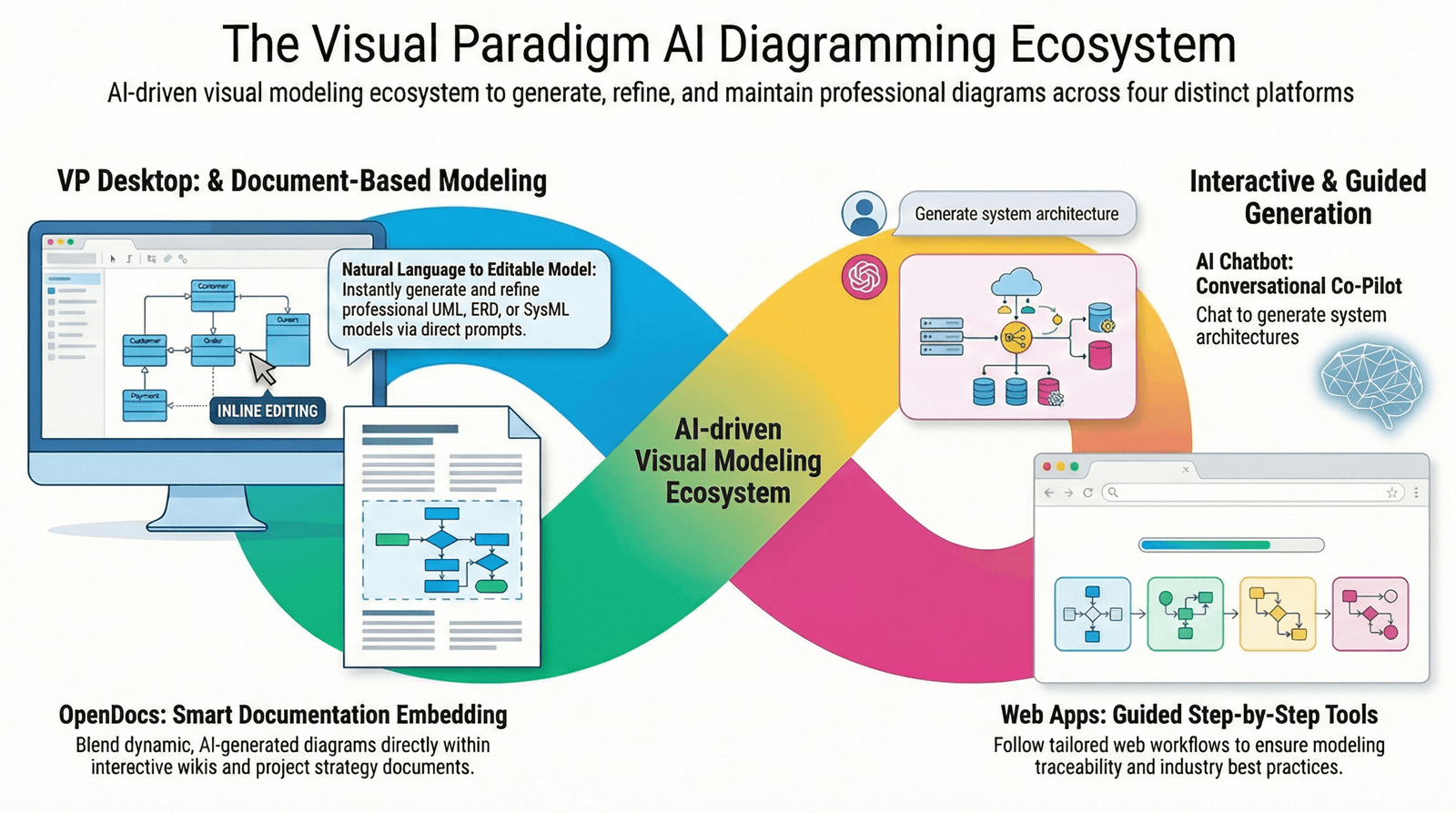
Figure 8: Visual Paradigm Desktop Application integrating AI-generated models with round-trip engineering and agile workflows.
Conclusion
Visual Paradigm’s integration of Generative AI into its UML modeling tools represents a significant leap forward in software architecture design. By automating the translation of natural language requirements into standardized diagrams, it reduces the time and effort required for initial modeling while enhancing accuracy through intelligent diagnostics and refinement. The conversational interface and smart documentation features further bridge the gap between technical and non-technical stakeholders, fostering better collaboration and understanding. As software systems grow in complexity, tools that can rapidly iterate and validate architectural designs will become indispensable, and Visual Paradigm’s AI-driven approach positions it at the forefront of this evolution.
References
- Visual Paradigm UML Tool Features: Overview of Visual Paradigm’s core UML modeling capabilities and AI integration.
- Mastering AI-Powered UML Modeling: A complete guide to Visual Paradigm’s generative AI tools for UML modeling.
- AI-Assisted UML Class Diagram Generator: Features of the AI-assisted generator for creating UML class diagrams.
- Visual Paradigm Ecosystem AI-Supported UML Diagram Features: Analysis of AI-supported features within the Visual Paradigm ecosystem.
- Guide to Powered UML Diagram Generation: Guide to using AI for generating UML diagrams in Visual Paradigm.
- Comprehensive Review: Visual Paradigm’s AI Diagram Generation Features: Review of the AI diagram generation capabilities in Visual Paradigm.
- AI Use Case Modeling Studio: Tool for automating use case modeling and specification generation.
- Create UML Package Diagrams with AI: Article on creating UML package diagrams using AI assistance.
- Generate UML Class Diagrams with AI: Guide to generating UML class diagrams using AI tools.
- AI Chatbot for Diagram Editing: Video demonstration of using the AI chatbot for editing diagrams.
- Use Case to Activity Diagram Conversion: Feature for converting use case descriptions to activity diagrams.
- AI Textual Analysis Tool: Tool for analyzing text to extract UML elements.
- AI-Assisted UML Class Diagram Generator: Detailed look at the AI-assisted class diagram generator.
- ACM Digital Library: AI in UML Modeling: Academic paper on the application of AI in UML modeling.
- AI Class Diagram Generator Release Notes: Release information for the AI class diagram generator.
- AI Use Case Diagram Refinement Tool: Tool for refining and expanding use case diagrams.
- Use Case Diagram Refinement Tool Details: Detailed features of the use case refinement tool.
- Agile Architecture Evolved: Supercharging UML Modeling with AI: Guide on enhancing agile architecture with AI and Visual Paradigm.
This post is also available in Deutsch, Español, فارسی, Français, English, Bahasa Indonesia, 日本語, Polski, Portuguese, Ру́сский, Việt Nam, 简体中文 and 繁體中文.
Related posts:
 Comprehensive Guide: From Problem Statement to Class Diagram, ERD, and Database Modeling with Visual Paradigm
 Visual Paradigm’s AI‑Powered ERD Generator
 How Visual Paradigm’s AI Diagram Generation Turns Your Ideas into Professional UML & BPMN Diagrams in Seconds
 Why Teams Are Switching to Visual Paradigm: Powerful Modeling Meets Cutting-Edge AI