


Introduction: Why We Needed a Better Way to Document Architecture
As a product manager working across distributed engineering teams, I’ve witnessed firsthand the friction that arises when technical documentation falls out of sync with code. Drag-and-drop diagram tools create beautiful visuals—but they live in silos, resist version control, and become outdated the moment a system changes. Meanwhile, our engineering workflows thrive on Git, code reviews, and collaborative iteration.
When Visual Paradigm introduced Visual Paradigm VPasCode, their browser-based Diagram-as-Code (DaC) playground, I saw an opportunity to bridge this gap. Over the past quarter, my team at Acme Cloud piloted VPasCode to standardize how we create, share, and maintain architectural diagrams. This case study shares our experience, key insights, and why we now recommend VPasCode to other product and engineering teams seeking documentation that evolves as fast as their code.
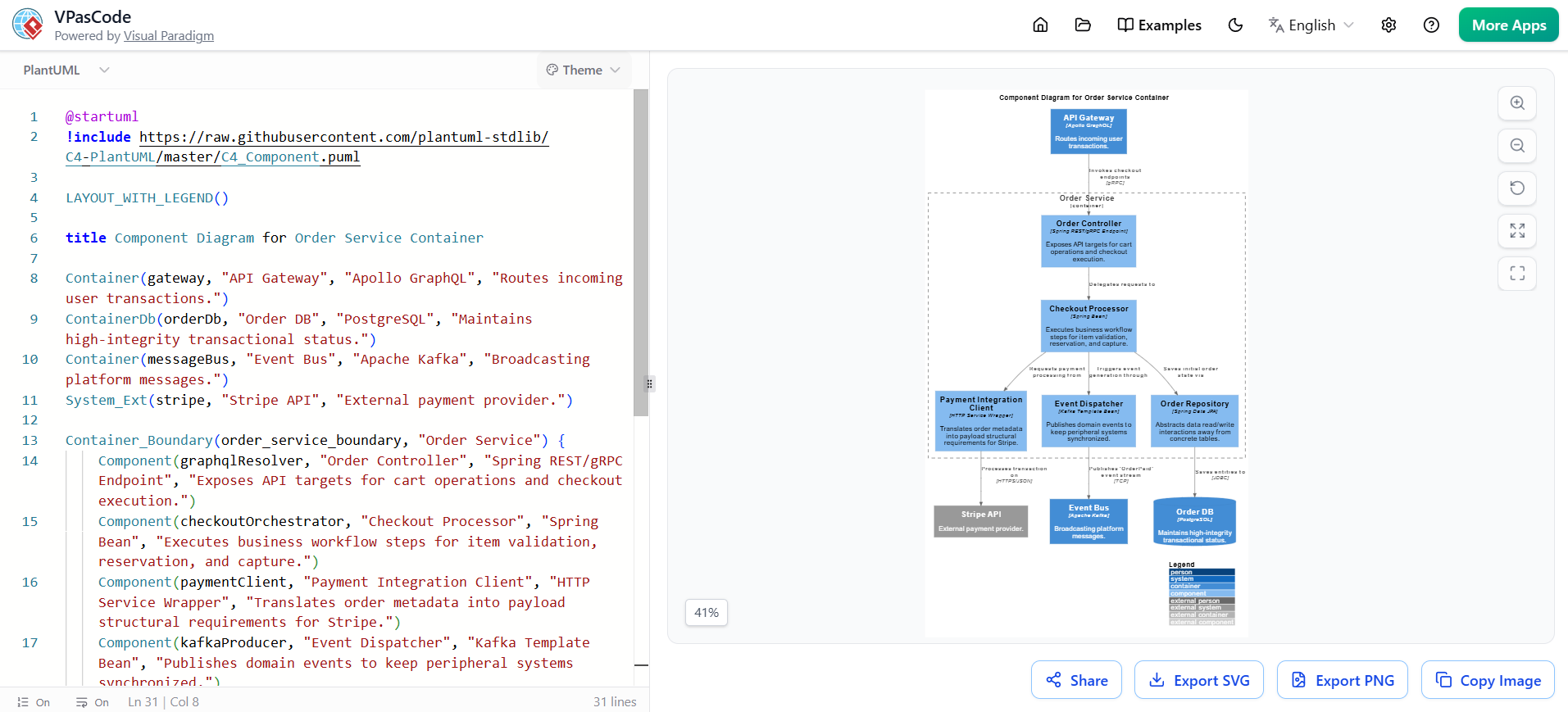
Product Overview: What Is VPasCode?
VPasCode is an interactive, browser-based editor that lets teams define complex system diagrams using structured markup languages—PlantUML, Mermaid, and Graphviz—instead of manual visual editing. Think of it as “Markdown for diagrams”: you write declarative code, and VPasCode instantly renders a high-fidelity, vector-based visualization.
Core Philosophy: Diagrams as Version-Controlled Artifacts
- ✅ Text-first authoring: Diagrams live as
.puml,.mmd, or.dotfiles in your repository - ✅ Git-native workflows: Diff, review, and revert diagram changes like any other code
- ✅ Consistent rendering: Layout, spacing, and styling are handled automatically by the engine
- ✅ Developer-friendly: No context-switching between design tools and IDEs
Hands-On Review: Our Team’s Experience with VPasCode
🎯 Setup & Onboarding: Frictionless Adoption
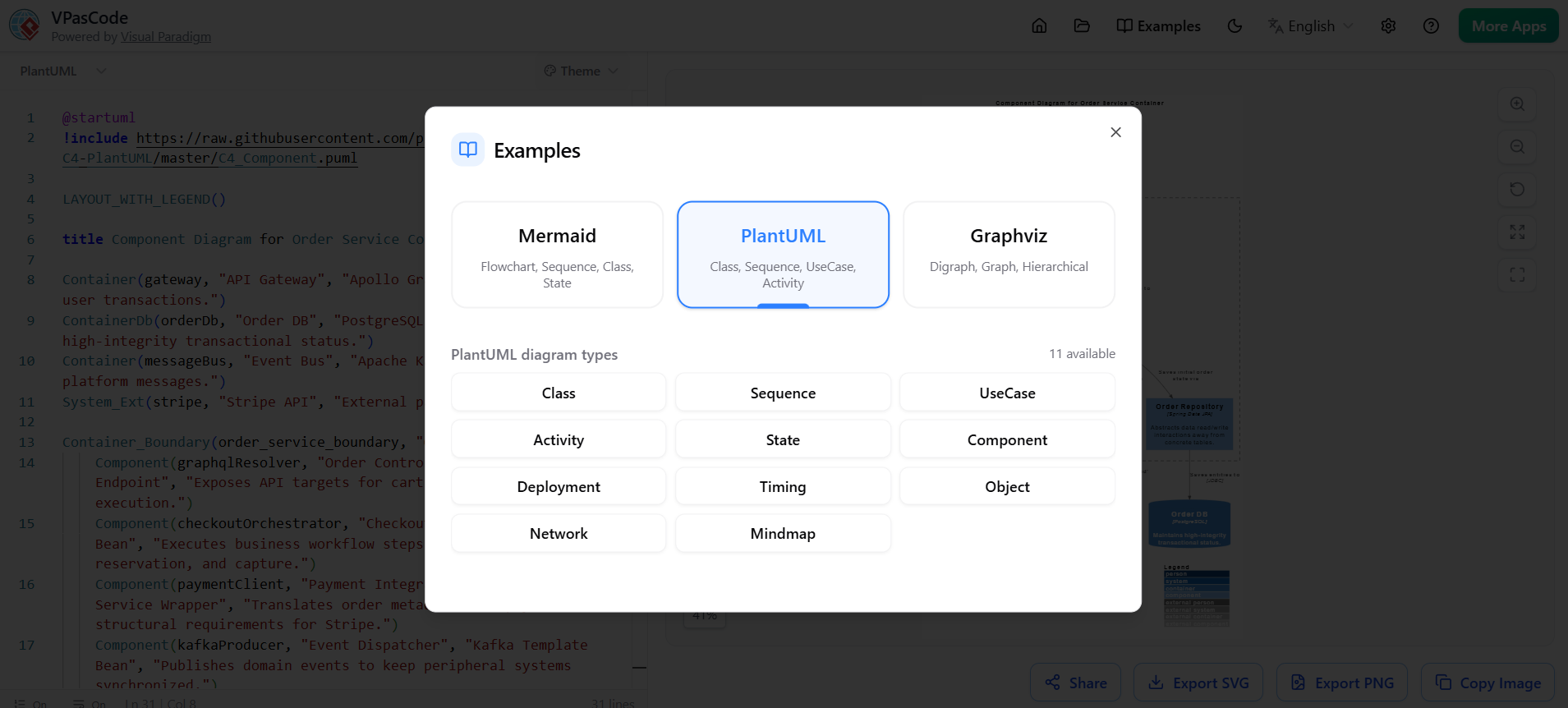
We started by integrating VPasCode into our sprint planning workflow. Because it’s browser-based, there was zero installation overhead. New team members were productive within minutes, thanks to:
- Dynamic Examples Library: Pre-built templates for Class diagrams, Sequence flows, C4 models, and more
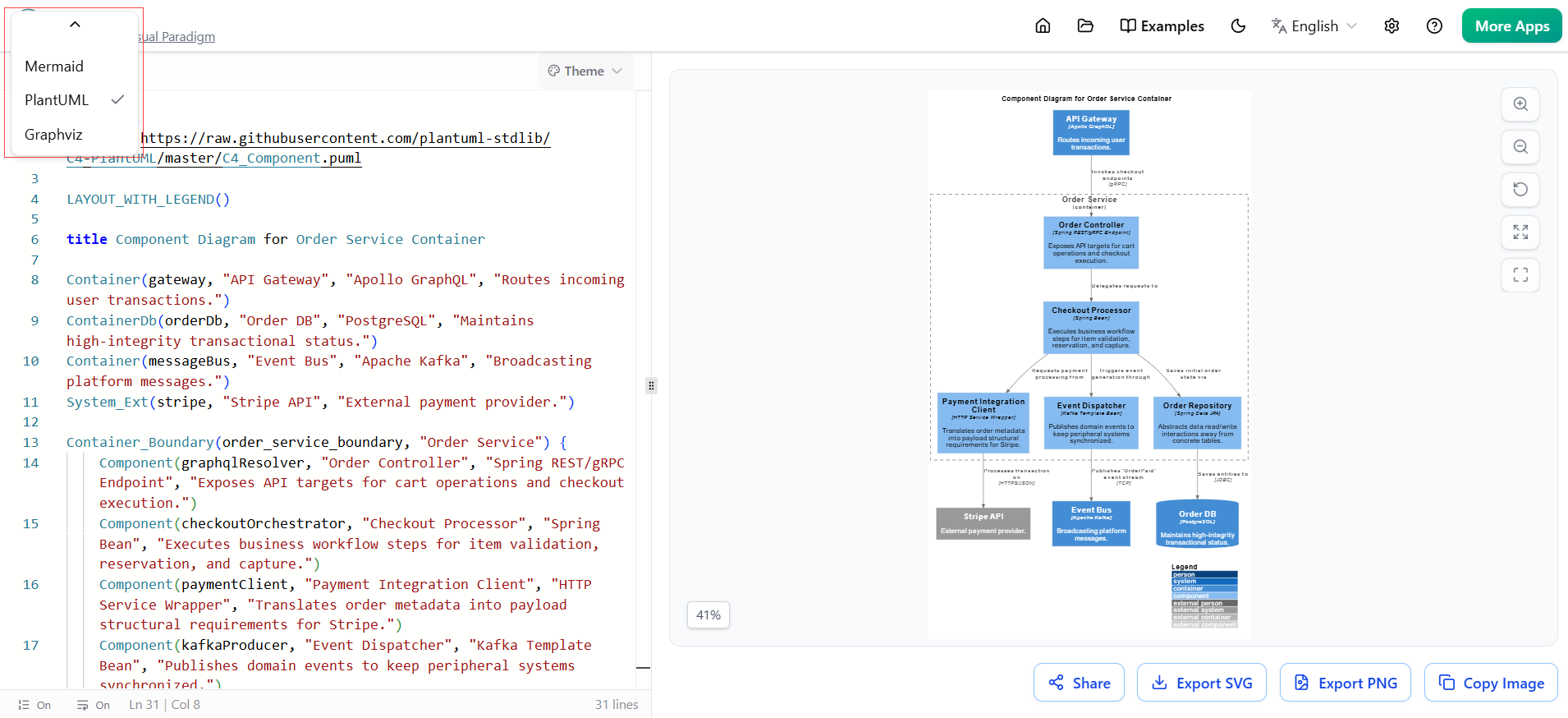
- Smart Engine Detection: When a teammate pasted PlantUML code while Mermaid was active, VPasCode prompted: “Wrong Diagram Type?” and auto-switched engines—a small but powerful UX detail that prevented frustration.
🖥️ The Dual-Panel Workflow: Code + Preview in Real Time
The split-view interface became our team’s favorite feature:
| Left Panel: Code Editor | Right Panel: Preview Canvas |
|---|---|
| • Syntax engine toggle (PlantUML/Mermaid/Graphviz) • IDE-grade features: line numbers, collapsible blocks, real-time cursor tracking • Live syntax validation with error counting |
• Instant vector rendering with zero lag • Draggable divider to resize panes • Zoom/pan toolbar + full-screen mode • Zoom percentage indicator for precision |
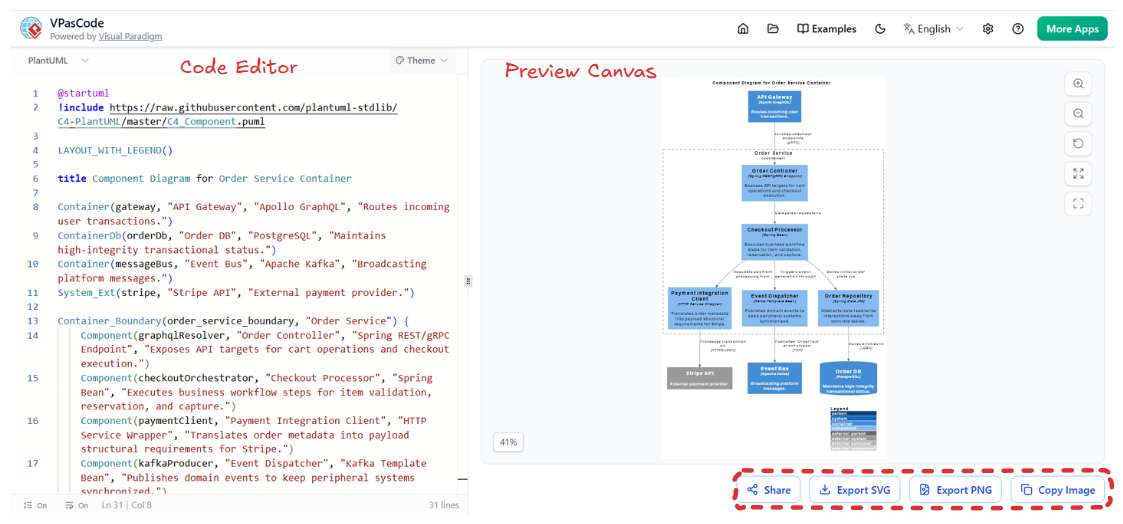
This real-time feedback loop eliminated the “edit → export → review” cycle we endured with traditional tools. Changes were visible instantly, accelerating iteration during architecture reviews.
🤝 Collaboration & Export: Seamless Integration into Our Stack
Once diagrams were finalized, VPasCode’s export options fit perfectly into our documentation pipeline:
- 🔗 Shareable Links: Generated persistent URLs for stakeholder reviews—no more attaching outdated PNGs to Jira tickets
- 📐 SVG Export: Resolution-independent vectors for our public API docs and technical blogs
- 🖼️ PNG Export: Optimized raster images for Confluence pages and leadership slide decks
- 📋 Copy to Clipboard: One-click paste into Slack, Teams, or markdown files—critical for async communication
Key Benefits Realized by Our Team
✅ For Engineering Teams
- Version Control Native: Diagram changes are reviewed via pull requests, with clear diffs showing added/removed components
- Reduced Maintenance Overhead: Updating a microservice boundary? Edit one line of code—not five drag-and-drop elements
- Fewer Visual Inconsistencies: Auto-layout ensures all diagrams follow the same visual grammar, regardless of author
✅ For Product & Documentation Teams
- Faster Onboarding: New hires understand system architecture through up-to-date, searchable diagram code
- Single Source of Truth: Diagrams live alongside feature specs and API contracts in our monorepo
- Accessibility: Text-based diagrams are more compatible with screen readers and documentation generators
✅ For Leadership & Stakeholders
- Confidence in Accuracy: Diagrams reflect the current system state because they’re maintained by engineers as part of their workflow
- Clearer Decision-Making: Visualizations of trade-offs (e.g., dependency graphs) are generated rapidly during planning sessions
Real-World Application: How We Used VPasCode in Practice
Scenario 1: Documenting a Microservices Migration
- Challenge: Map 12 legacy services transitioning to a new event-driven architecture
- VPasCode Solution: Used PlantUML C4 templates to create layered Context/Container/Component diagrams
- Outcome: Engineering, product, and security teams aligned on boundaries and data flows before implementation began
Scenario 2: Onboarding New Engineers
- Challenge: Reduce time-to-productivity for hires joining a complex distributed system
- VPasCode Solution: Created a
/docs/architecturedirectory with Mermaid flowcharts explaining request lifecycles - Outcome: New team members reached first-commit status 40% faster, with fewer clarification questions
Scenario 3: Incident Post-Mortems
- Challenge: Visually communicate root causes and remediation steps after production incidents
- VPasCode Solution: Generated Graphviz dependency trees to highlight failure propagation paths
- Outcome: Post-mortem reports became more actionable, with clear visual evidence supporting remediation plans
Considerations & Best Practices from Our Pilot
While VPasCode delivered significant value, we learned a few lessons to maximize adoption:
🔹 Start with Templates: Leverage the built-in examples library to avoid syntax learning curves
🔹 Standardize Engine Usage: Agree as a team when to use PlantUML (strict UML) vs. Mermaid (quick docs) vs. Graphviz (network graphs)
🔹 Integrate Early: Add diagram files to your CI/CD pipeline to validate syntax on commit
🔹 Document Conventions: Create a lightweight style guide for naming, coloring, and grouping elements
Conclusion: Why VPasCode Earned a Permanent Spot in Our Toolkit
VPasCode isn’t just another diagramming tool—it’s a paradigm shift that treats visual documentation as a first-class citizen in the software development lifecycle. By embracing the Diagram-as-Code philosophy, we’ve achieved:
✨ Consistency: Every diagram follows the same visual standards, automatically
✨ Collaboration: Engineers, PMs, and architects iterate together on the same source files
✨ Confidence: Documentation stays current because it’s maintained alongside code
✨ Efficiency: Less time wrestling with layout, more time focusing on system design
For teams tired of outdated Visio files, disconnected Miro boards, or manual PowerPoint diagrams, VPasCode offers a developer-native alternative that scales with your complexity.
Our Recommendation: If your team values version control, reproducibility, and tight integration between code and documentation, pilot VPasCode on your next architecture initiative. Start with a single diagram type—like a C4 Component Model or a user journey flowchart—and let the real-time preview and smart validation win over your skeptics.
“VPasCode transformed our architecture docs from static artifacts into living, versioned components of our codebase. It’s the closest thing we’ve found to ‘infrastructure as code’ for visual communication.”
— Alex Johnson, Senior Product Manager, Acme Cloud
Ready to explore VPasCode for your team? Visit visual-paradigm.com/vpascode to start diagramming in code today. Have questions about integrating DaC into your workflow? Reach out—I’m happy to share our template library and onboarding checklist. 🚀
This post is also available in Deutsch, Español, فارسی, Français, English, Bahasa Indonesia, 日本語, Polski, Portuguese, Ру́сский, Việt Nam, 简体中文 and 繁體中文.