


Introduction
Database design has transformed from a back-end technical exercise into a strategic differentiator that directly impacts product velocity, system scalability, and team collaboration. In an era where requirements evolve daily and technical debt accumulates quickly, the tools you choose for data modeling can determine whether your project thrives or stalls. Visual Paradigm addresses this challenge through a thoughtfully engineered dual-platform strategy: Visual Paradigm Desktop delivers enterprise-grade precision, offline reliability, and deep engineering capabilities, while Visual Paradigm Online brings cloud-native agility, real-time collaboration, and groundbreaking AI-powered automation to your workflow.
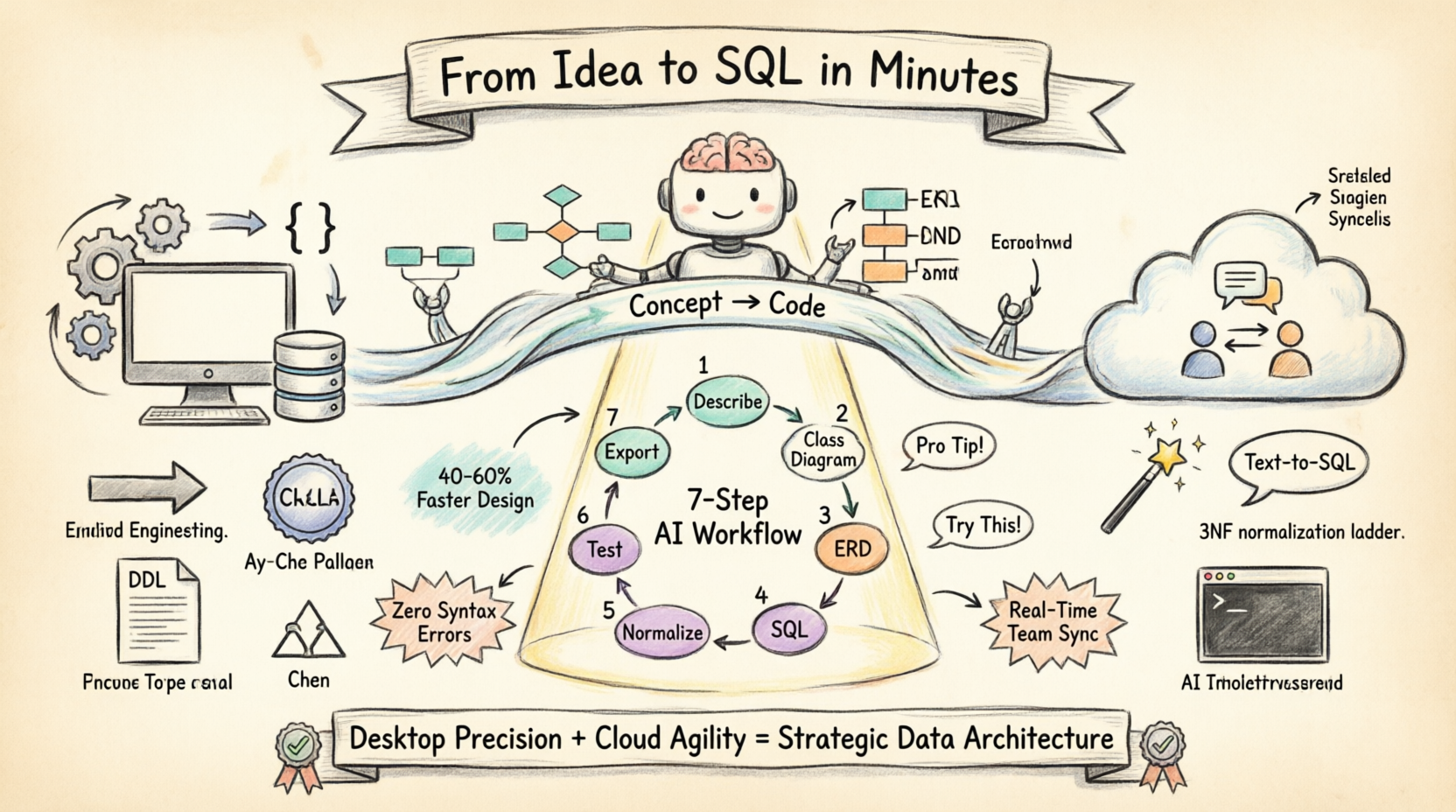
Whether you’re a seasoned enterprise architect modernizing legacy systems or a startup founder rapidly prototyping your MVP, mastering both platforms unlocks a powerful synergy. This comprehensive guide walks you through Visual Paradigm’s complete ERD toolkit—from intelligent AI-assisted schema generation to production-ready SQL export—so you can design databases that are not only technically sound but strategically aligned with your business goals.
Why Modern Database Design Demands AI-Powered Tools
A robust database design tool is the backbone of scalable software architecture. It must seamlessly bridge conceptual SQL Design principles with technical implementation, enforce data integrity through normalization, and support Cloud Modeling for rapid iteration. Whether you’re defining complex enterprise schemas or prototyping with an AI ERD Tool, the right modeling software accelerates development cycles and minimizes architectural debt.
Visual Paradigm offers two powerful platforms unified by one mission: to elevate your data modeling workflow. Choose the solution that aligns with your team’s needs:

Visual Paradigm Desktop
Deep engineering, offline capabilities, and reverse engineering for enterprise systems.

Visual Paradigm Online
Cloud-based diagramming, AI-driven automation, and real-time collaboration.
Visual Paradigm Desktop: The Engineer’s Workbench
Built for complex enterprise systems where deep control, offline reliability, and rigorous forward/reverse engineering are non-negotiable.
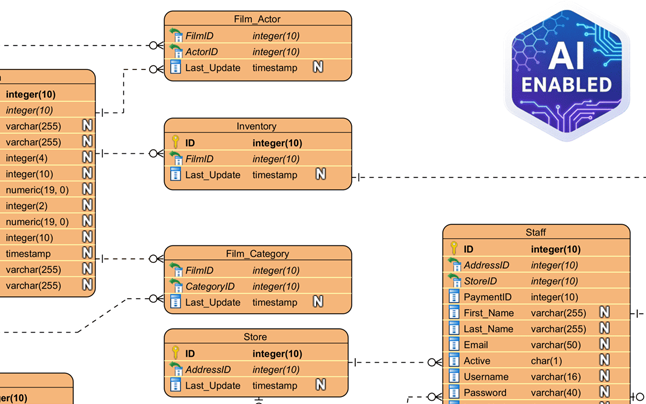
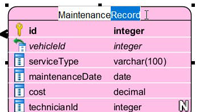
Inline Shape Editing
Edit attribute types, primary keys, and constraints directly on the canvas—no modal popups, no context switching. Maintain flow and focus while refining your schema.
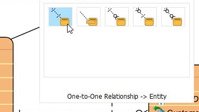
Resource-Centric Design
Create relationships with one click using smart magnetic connectors. The interface anticipates your intent, reducing manual steps and preventing modeling errors.
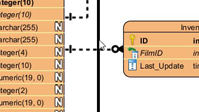
Smart Sweeper
Instantly auto-layout and align cluttered diagrams. Transform messy schemas into clean, presentation-ready visuals with a single command.
Professional Data Modeling
Go beyond simple drawing. Visual Paradigm’s ERD modeler is engineered for speed and precision.
-
Standard & Chen Notation: Full support for conceptual, logical, and physical data models.
-
Sub-Diagrams: Decompose massive schemas into manageable, logically grouped sub-views for better comprehension and maintenance.
Explore Industry-Standard ER Diagram Examples
Click to enlarge
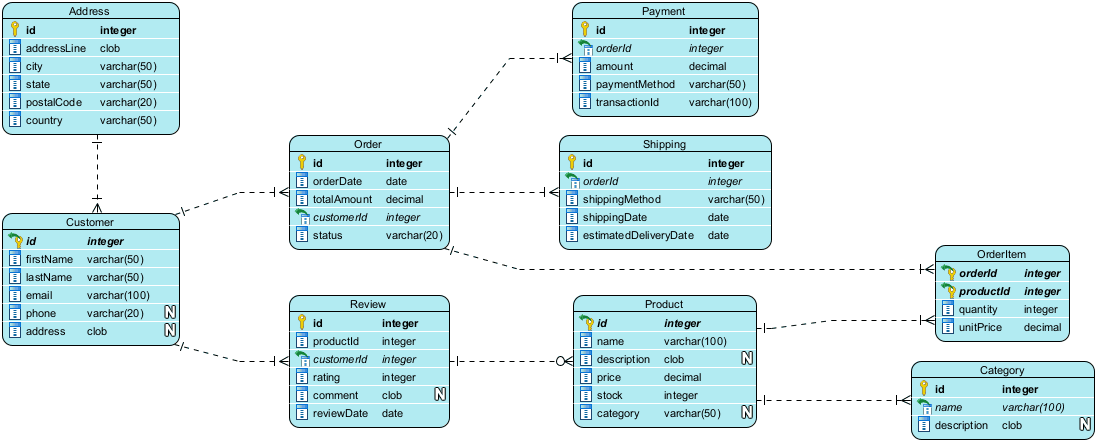
Online Bookstore System
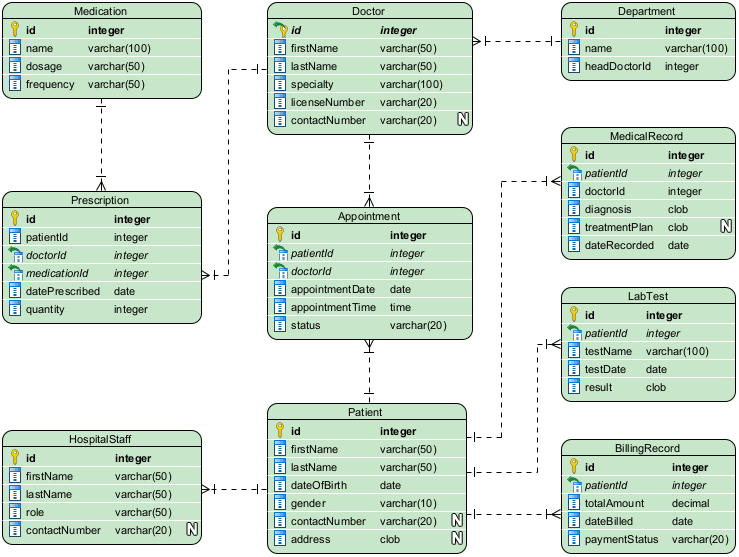
Hospital Management
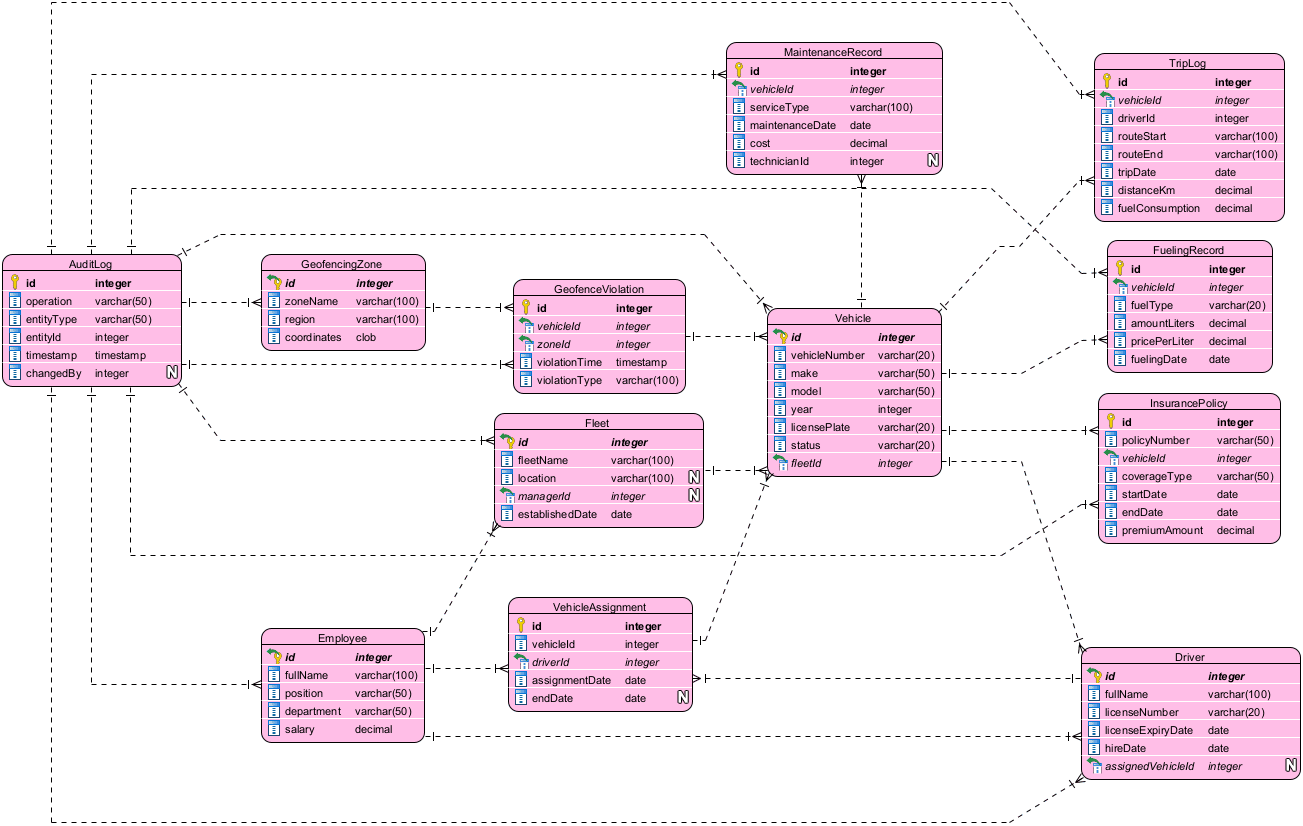
Fleet Management
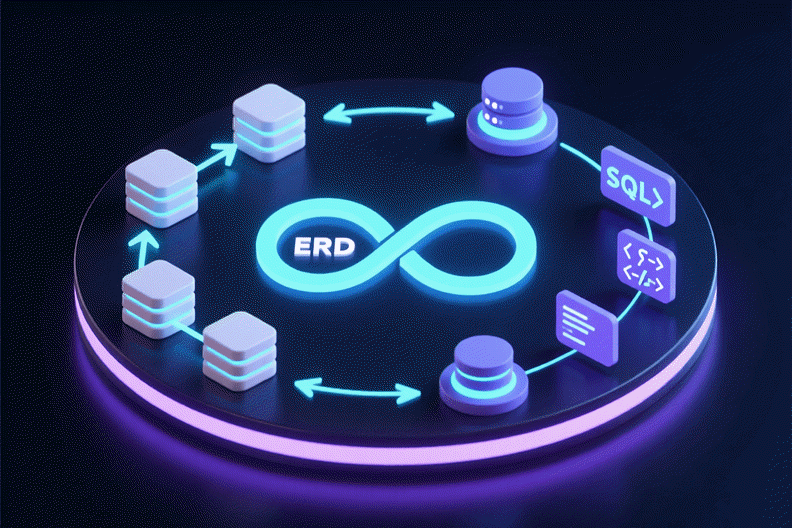
Round-Trip Engineering
Bridge the gap between design and implementation. Keep visual models and live databases in perfect synchronization using Visual Paradigm’s robust engineering engine.
Reverse Engineering
Import existing legacy databases (Oracle, SQL Server, MySQL, PostgreSQL, and more) directly into visual ERDs for analysis, documentation, or modernization.
Forward Engineering (DDL)
Generate syntactically correct, production-ready DDL scripts from your diagrams to create or patch database schemas with confidence.
AI-Powered Modeling on Desktop
Even in offline mode, you’re empowered by intelligent assistance.

“Design a Hospital Management System”
Simply describe your requirements in natural language. The AI generates entities, attributes, relationships, and cardinality suggestions automatically.
-
Instant Entity & Attribute Suggestions
-
Smart Relationship Inferencing with cardinality detection
Bonus Access: VP Desktop users with active maintenance enjoy seamless integration with the cloud-based DB Modeler AI.
Complete Lifecycle Management
Database design doesn’t exist in isolation. VP Desktop supports the entire model lifecycle.
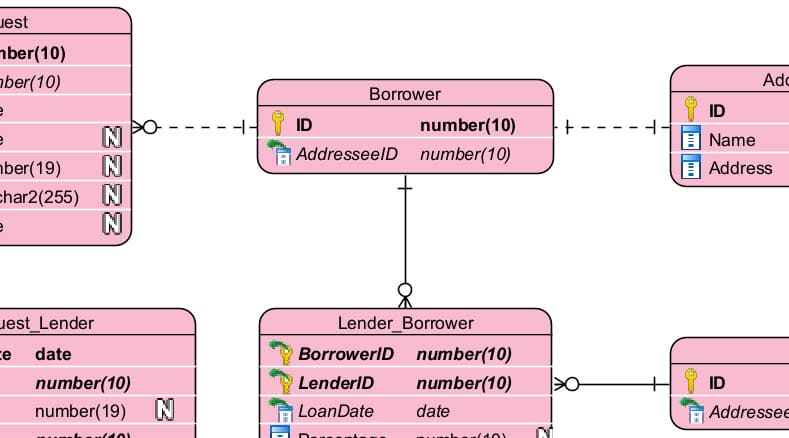
John Doe – Just now
Should we change this Primary Key to UUID?
Doc. Composer
Drag and drop diagrams, notes, and metadata to generate professional PDF or Word specification documents automatically.
Team Collaboration
Commit changes with version control, merge concurrent edits, and discuss design decisions via threaded comments directly on diagram elements.
Project Publisher
Publish your entire project as an interactive, navigable website for stakeholders—no technical setup required.
Visual Paradigm Online: Design at the Speed of AI
Zero installation. Fully collaborative. Powered by an intelligent AI ecosystem designed for modern agile teams.
DB Modeler AI: Your Intelligent Database Architect
A browser-based web application that transforms plain-language descriptions into fully normalized, production-ready SQL database schemas.
Text-to-SQL | Automatic 3NF | Interactive Playground
Try Free in Browser
Dual-View Editors
Switch seamlessly between visual diagram editing and underlying PlantUML code. Ideal for developers who prefer code-first workflows and designers who thrive visually.
SQL Playground
Client-side SQLite environment lets you generate realistic test data and run live SQL queries against your schema—no backend setup required.
The 7-Step AI-Guided Workflow
1. Problem Input
Describe your application domain in plain language. The AI interprets requirements and extracts technical specifications.
2. Domain Class Diagram
Visualize high-level business objects, attributes, and relationships in an editable PlantUML diagram.
3. ER Diagram
Convert your conceptual model into a database-specific ER diagram with primary keys, foreign keys, and relationship cardinality.
4. Initial Schema Generation
Translate your ER diagram into PostgreSQL-compatible SQL DDL statements ready for deployment.
5. Intelligent Normalization
Progressively optimize your schema from 1NF to 3NF, with AI-powered explanations for every structural change.
6. Interactive Playground
Experiment with your schema in an in-browser SQL client, pre-seeded with realistic, AI-generated sample data.
7. Final Report and Export
Export diagrams, documentation, and SQL scripts as a polished PDF report or structured JSON package for handoff.
Cloud Diagramming Essentials
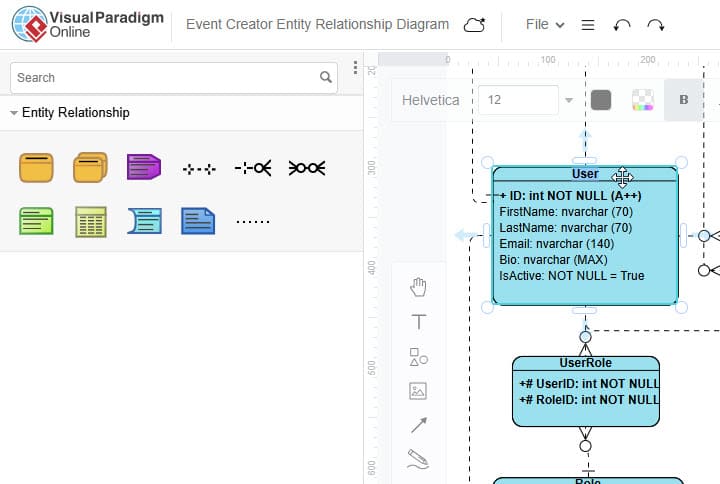
Need to sketch a quick schema or collaborate on a design review? VP Online offers a streamlined, browser-based ERD editor that’s lightweight yet powerful.
-
Zero installation—runs on Mac, Windows, Linux, or ChromeOS
-
Real-time multi-user editing with presence indicators
-
Export to PNG, SVG, PDF, or embed diagrams directly in web pages
Tooling Section: Getting the Most from Visual Paradigm – A User’s Perspective
Setting Up Your Workflow
-
Start with the Right Platform: Use VP Desktop for complex, offline-heavy enterprise projects; choose VP Online for rapid prototyping, remote collaboration, or AI-assisted design.
-
Leverage AI Early: Begin new projects by describing your domain to DB Modeler AI. Use the generated schema as a foundation, then refine manually.
-
Adopt Round-Trip Engineering: For existing systems, reverse-engineer your database into an ERD first. This creates a single source of truth for documentation and future changes.
Pro Tips from Experienced Users
-
Use Sub-Diagrams Strategically: Break large schemas into logical modules (e.g., “User Management,” “Order Processing”) to improve readability and team parallelism.
-
Comment Early, Comment Often: Use VP’s threaded comments to capture design rationale directly on diagram elements—this becomes invaluable during audits or onboarding.
-
Export Incrementally: Generate DDL scripts at key milestones, not just at project end. This catches modeling errors early and keeps DevOps pipelines aligned.
-
Combine Notations: Use Chen notation for stakeholder presentations (clear semantics) and Standard notation for developer handoff (implementation-ready).
Common Pitfalls & How to Avoid Them
| Pitfall | Solution |
|---|---|
| Over-normalizing early | Use AI normalization as a guide, not a mandate. Denormalize intentionally for performance after testing. |
| Ignoring version control | Commit model files (.vpp) to Git alongside code. Use VP’s merge tools for collaborative edits. |
| Skipping documentation | Use Doc. Composer early to generate living specifications—update them as the model evolves. |
| Underutilizing AI suggestions | Review AI-generated relationships critically; validate business logic before accepting. |
Real-World Impact
Teams using Visual Paradigm report:
-
40–60% faster initial schema design when leveraging DB Modeler AI
-
70% reduction in DDL syntax errors through forward engineering
-
Improved stakeholder alignment via interactive, published model websites
-
Seamless modernization of legacy systems through reverse engineering
Feature Comparison: Choosing Your Tool
| Feature | VP Desktop | VP Online |
|---|---|---|
| ERD Modeling (Standard & Chen) | ✓ | – |
| ERD Diagramming (Standard & Chen) | Access via Integration* | ✓ |
| Reverse Engineering (DB to ERD) | ✓ | – |
| DB Modeler AI (GenAI App) | Access via Integration* | ✓ |
| Forward Engineering (DDL) | ✓ | Via DB Modeler AI |
| Offline Mode | ✓ | – |
| Real-Time Collaboration | Via Version Control | ✓ |
| AI-Powered Schema Generation | Via Integration | ✓ (Native) |
| Interactive SQL Playground | – | ✓ |
*Users with VP Desktop Professional/Enterprise + active maintenance get integrated access to VP Online features and DB Modeler AI inside the desktop client.
The Visual Paradigm Ecosystem Advantage
Visual Paradigm is more than a diagramming tool—it’s an all-in-one Enterprise Transformation Suite. Seamlessly integrate your database models with UML diagrams, Agile project boards, Enterprise Architecture frameworks, and Business Process workflows.
Comprehensive Database Modeling Solutions
Visual Paradigm offers a dual-approach to data management, serving both traditional engineering workflows and modern agile development:
-
As a premier database design tool, Visual Paradigm Desktop provides enterprise architects with robust capabilities: complex ERD modeling, reverse engineering of legacy systems, precise code generation, and lifecycle documentation.
-
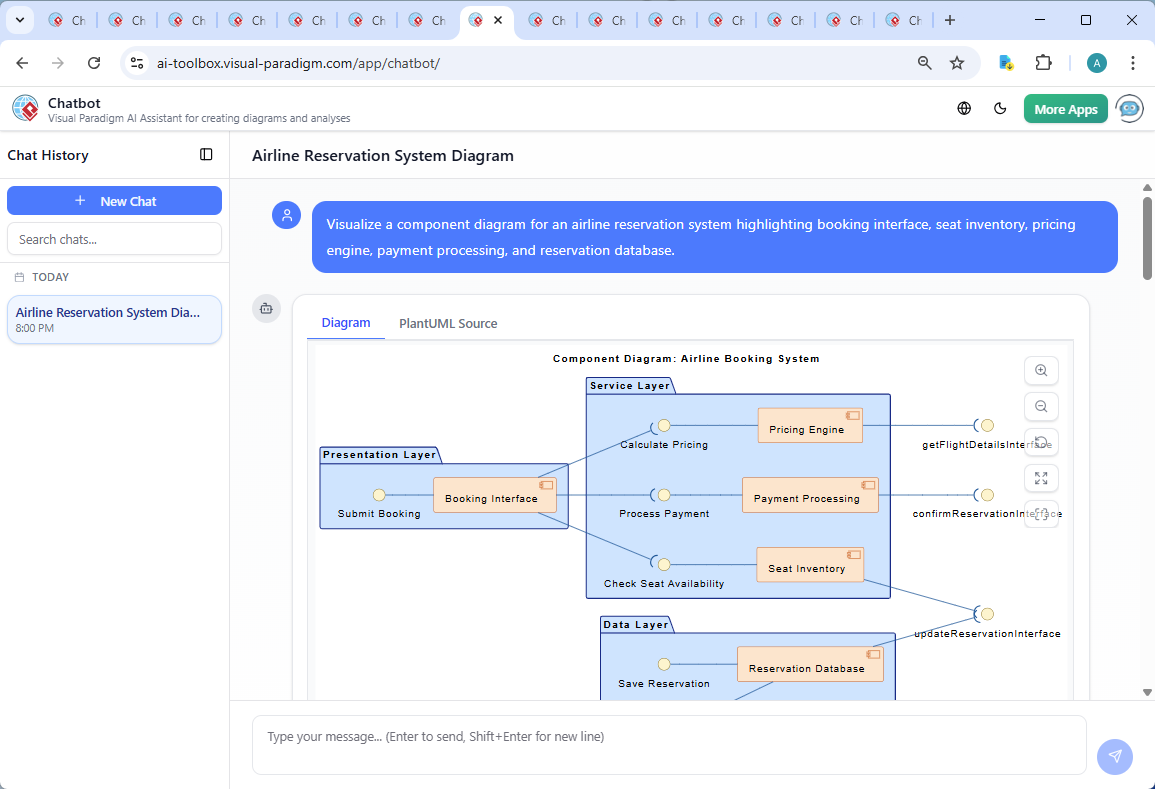
For teams prioritizing cloud agility, Visual Paradigm Online serves as an accessible ERD tool and database modeling software. With the revolutionary DB Modeler AI and AI Chatbot, it acts as an intelligent data design software assistant—transforming plain-text requirements into normalized schemas and live prototypes in minutes.
Whether you need a powerful ERD modeler for offline enterprise work or a collaborative cloud platform for rapid prototyping, Visual Paradigm delivers a unified, scalable solution.
Conclusion
The future of database design lies not in choosing between human expertise and artificial intelligence, but in harmonizing them. Visual Paradigm’s dual-platform strategy acknowledges a fundamental truth: modern development teams require both the rigorous control of desktop-based engineering tools and the adaptive agility of cloud-native AI assistance. By combining Visual Paradigm Desktop’s enterprise-grade reverse engineering, round-trip synchronization, and lifecycle management with Visual Paradigm Online’s revolutionary DB Modeler AI, interactive playground, and real-time collaboration, organizations can eliminate the historical friction between conceptual design and production deployment.
Whether you’re modernizing mission-critical legacy systems or building innovative greenfield applications, Visual Paradigm’s integrated ecosystem ensures your database architecture evolves from a technical requirement into a strategic asset—accelerating time-to-market, enhancing team alignment, and upholding the highest standards of data integrity and normalization. Start designing smarter, not harder.
References
- Visual Paradigm ERD Tool – Create Entity-Relationship Diagrams Online: This web-based tool enables intuitive drag-and-drop design of database schemas for efficient data modeling within a collaborative environment.
- New Diagram Types Added to AI Diagram Generator: DFD & ERD: This release announcement details the expanded capabilities of the AI generator, which now includes support for the automated creation of Entity Relationship Diagrams.
- What is an Entity-Relationship Diagram (ERD)? – Visual Paradigm Guide: An introductory resource explaining the fundamental components and the significance of ERDs in modern database design.
- Database Design with ERD Tools – Visual Paradigm Guide: This guide assists users in building scalable, robust databases using professional ERD tools and established data modeling best practices.
- Reverse Engineering Database to ERD in Visual Paradigm: A technical guide that walks users through the process of transforming an existing database back into a visual ERD for better documentation and analysis.
- How to Model a Relational Database with ERD – Visual Paradigm Tutorial: A practical, step-by-step tutorial covering everything from conceptual data design to final implementation using ERD models.
- Streamlining Entity-Relationship Modeling with Visual Paradigm: This article explores how to simplify the design and implementation of ER models from initial concept to final database deployment.
- Why Visual Paradigm Online is Ideal for ERD Design in Development Teams: A case study highlighting why this platform is suited for real-time, collaborative ERD design within agile software development teams.
- Visual Paradigm’s AI Diagram Generator Expands Instant Creation Capabilities: A resource detailing how the AI diagram generator now supports the instant creation of ERDs and other models to streamline information flow analysis.
- Chen Notation ERD Editor – Advanced Entity-Relationship Modeling: A specialized editor that supports Chen notation, enabling precise modeling of entities, attributes, relationships, and cardinality.
This post is also available in Deutsch, Español, فارسی, Français, English, Bahasa Indonesia, 日本語, Polski, Portuguese, Ру́сский, Việt Nam, 简体中文 and 繁體中文.
Related posts:
 AI State Machine Diagram Case Study for Microwave Lifecycle
Comprehensive Step-by-Step Guide: Creating a 3D Printer UML State Machine Diagram Using Visual Paradigm AI Chatbot
AI State Machine Diagram Case Study for Microwave Lifecycle
Comprehensive Step-by-Step Guide: Creating a 3D Printer UML State Machine Diagram Using Visual Paradigm AI Chatbot
 Best AI-Powered Visual Modeling Software in 2026: Why Visual Paradigm Leads the Way
 GourmetReserve Development Simplified: Transforming Requirements with the Best AI-Powered Use Case Modeling Studio