A Comprehensive Guide to Developing Enterprise Architecture Using TOGAF ADM and Visual Paradigm
Introduction to TOGAF
TOGAF (The Open Group Architecture Framework) is a globally recognized enterprise architecture framework that provides methods and tools for assisting in the acceptance, production, use, and maintenance of an enterprise architecture.
Key Benefits of TOGAF:
-
✅ Iterative process model supported by best practices
-
✅ Re-usable architecture assets to accelerate development
-
✅ Standardized methodology for consistent results
-
✅ Scalable approach suitable for organizations of any size
TOGAF is based on an iterative process model supported by best practices and a re-usable set of existing architecture assets, enabling organizations to transform their enterprises in a controlled manner in response to business goals and opportunities.
TOGAF ADM for EA Development
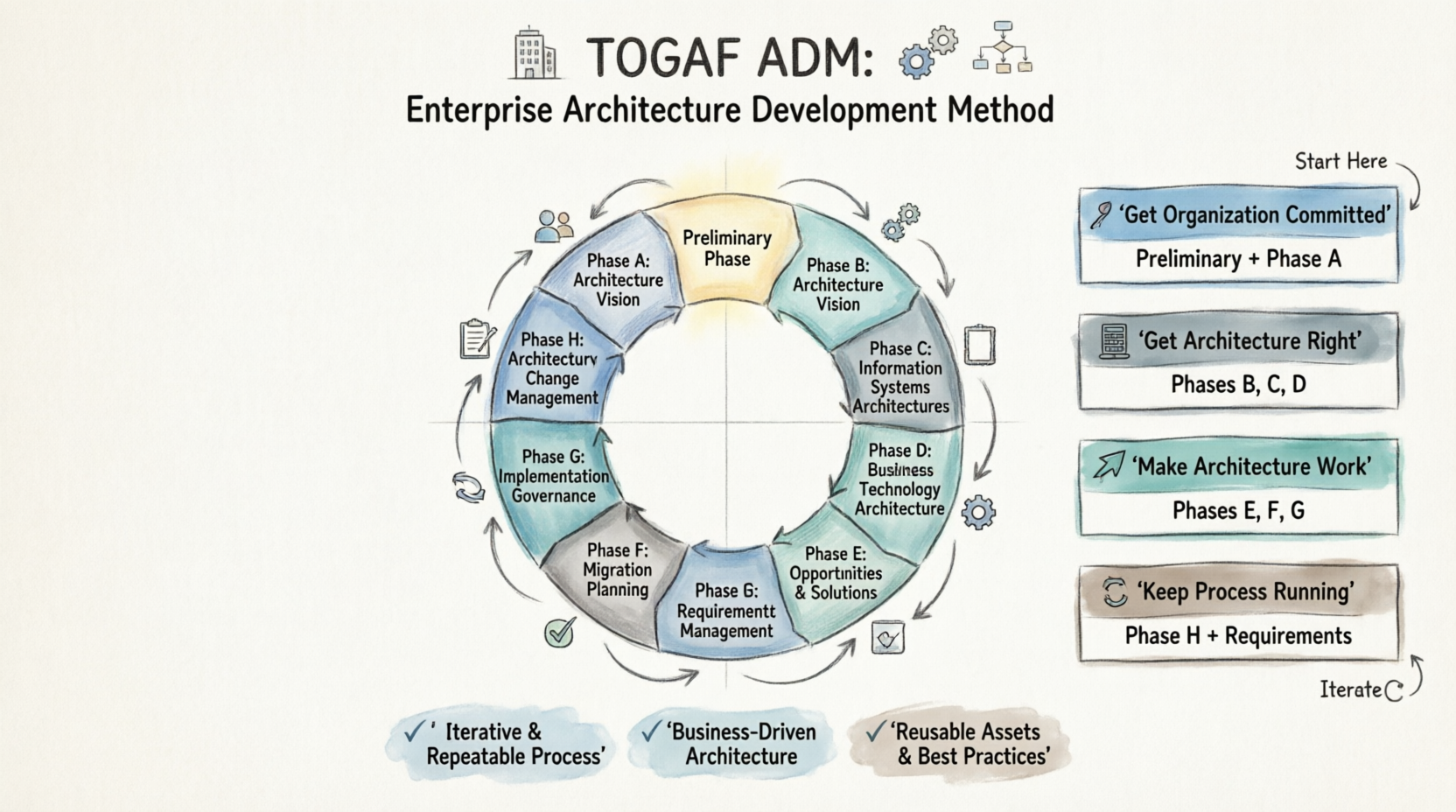
The Architecture Development Method (ADM) is central to TOGAF. It describes a method for developing and managing the lifecycle of enterprise architecture and forms the core of the framework.
The ADM integrates:
-
Elements of TOGAF described in official documentation
-
Other available architectural assets
-
Business and IT needs of the organization
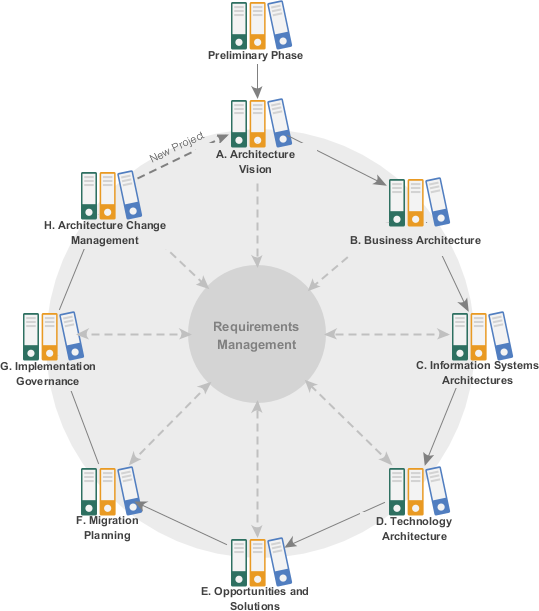
The TOGAF Architecture Development Method (ADM) provides a tested and repeatable process for developing architectures. Each phase contains an iterative (continuous) sequence of steps to develop an enterprise-wide Architecture.
ADM Phase Groupings:
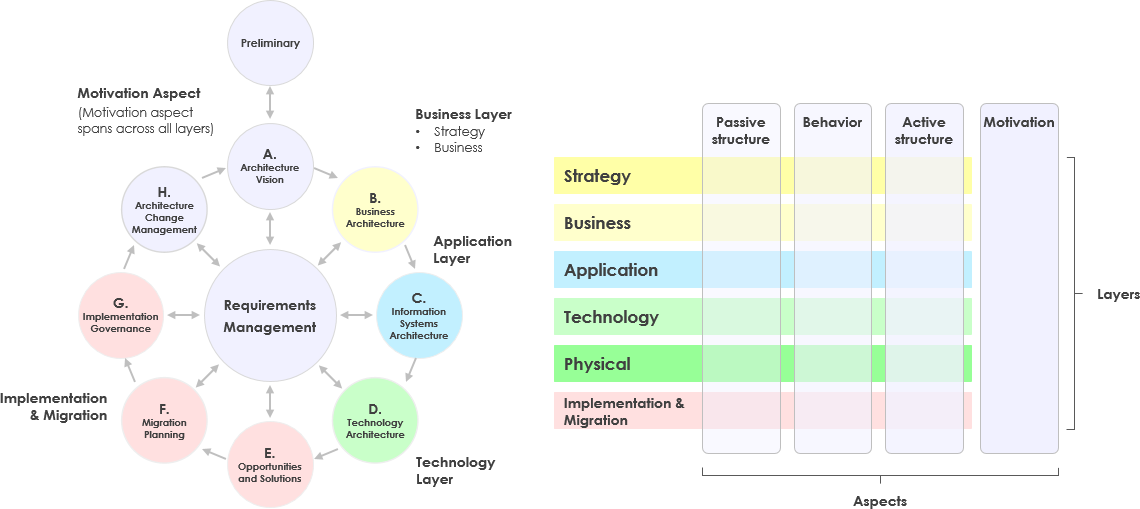
🎯 Getting the Organization Committed and Involved
-
Preliminary Phase: Preparation and framework definition
-
Phase A: Architecture Vision: Scope definition and stakeholder alignment
🏗️ Getting the Architecture Right
-
Phase B: Business Architecture: Business processes and capabilities
-
Phase C: Information Systems Architectures: Data and Application architectures
-
Phase D: Technology Architecture: Infrastructure and technical standards
🚀 Making the Architecture Work
-
Phase E: Opportunities & Solutions: Implementation planning
-
Phase F: Migration Planning: Transition architecture sequencing
-
Phase G: Implementation Governance: Oversight and compliance
🔄 Keeping the Process Running
-
Phase H: Architecture Change Management: Change control procedures
-
Requirements Management: Continuous requirements governance
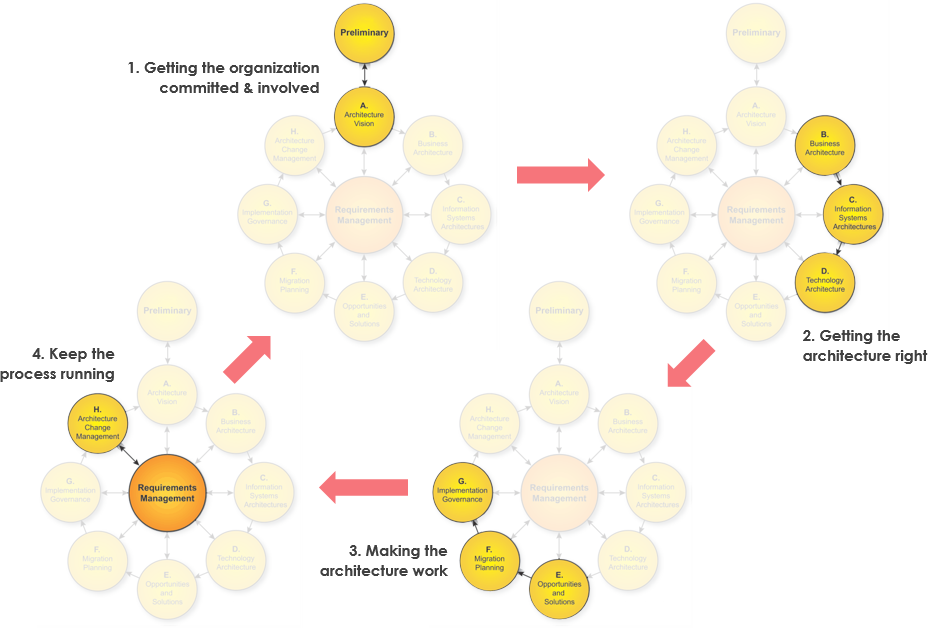
Development Phases of Architecture Development Method
The TOGAF Architecture Development Method (ADM) provides a tested and repeatable process for developing architectures. The ADM includes:
-
Establishing an architecture framework
-
Developing architecture content
-
Transitioning architectures
-
Governing the realization of architecture
All activities are carried out within an iterative cycle of continuous architecture definition and realization.
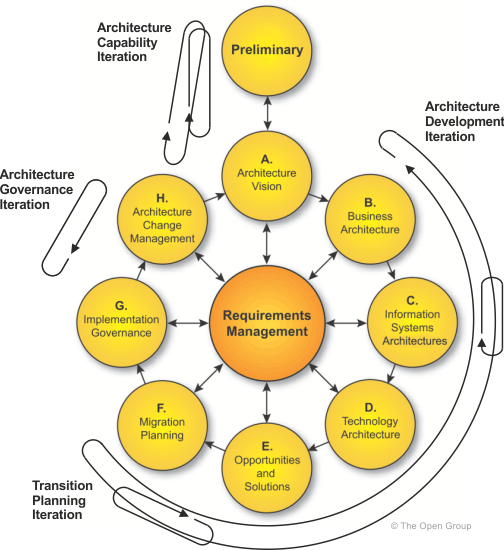
Detailed Phase Descriptions:
| Phase | Name | Primary Focus |
|---|---|---|
| Preliminary | Preparation | Define organization-specific framework and principles |
| A | Architecture Vision | Define scope, stakeholders, and obtain approvals |
| B | Business Architecture | Develop business processes supporting the vision |
| C | Information Systems Architectures | Develop Data and Application architectures |
| D | Technology Architecture | Define infrastructure and technical standards |
| E | Opportunities & Solutions | Identify delivery vehicles and implementation options |
| F | Migration Planning | Create detailed transition sequences and plans |
| G | Implementation Governance | Provide architectural oversight during implementation |
| H | Architecture Change Management | Manage changes to the deployed architecture |
| Requirements Mgmt | Requirements Management | Govern requirements throughout the ADM cycle |
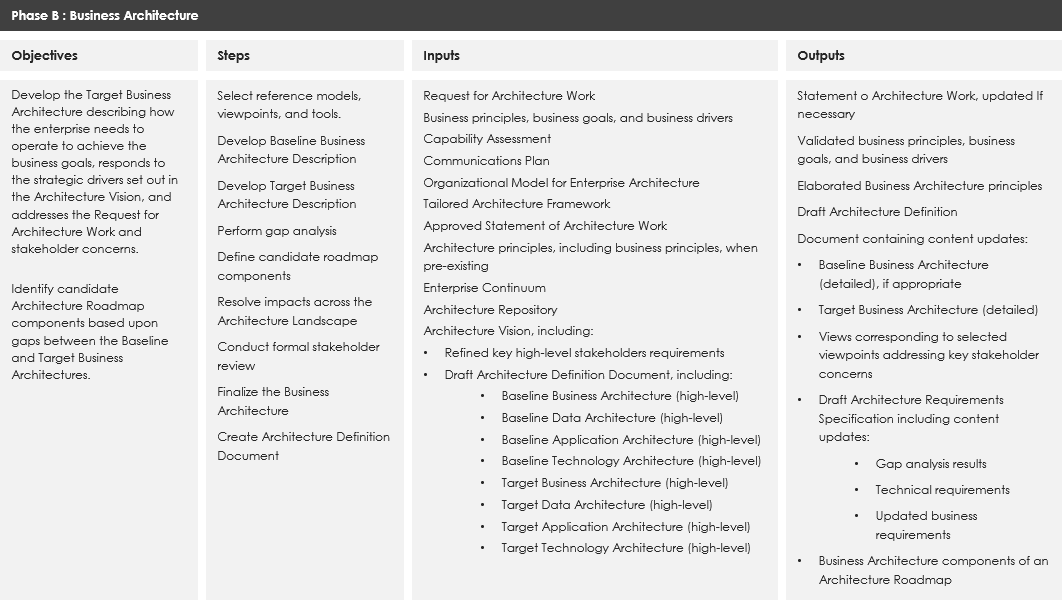
Deep Dive: Phase B – Business Architecture
To understand how to adapt ADM for EA development, let’s examine Phase B: Business Architecture as a practical example.
Phase B Workflow (9 Steps):
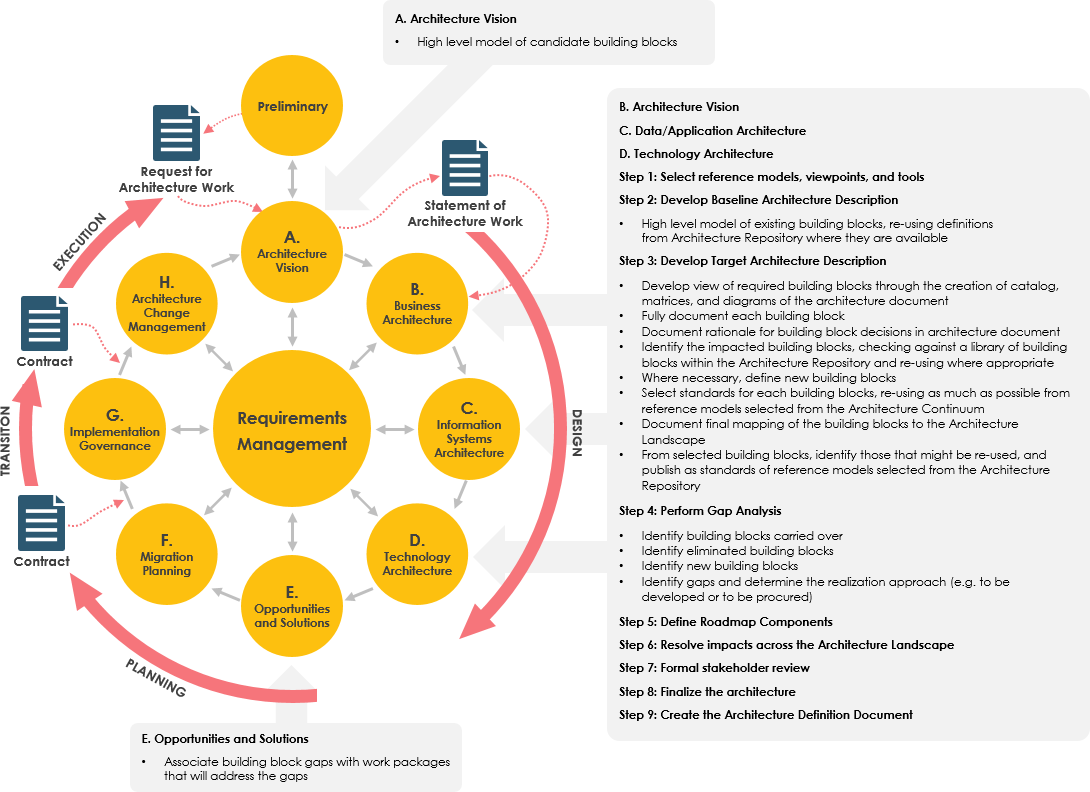
How to Conduct Development Phase B:
-
Review Phase Objectives: Understand the goals of Business Architecture development
-
Reference Prior Work: Consult documentation from Preliminary Phase and Phase A
-
Execute the 9 Steps: Follow the structured workflow shown in the cheatsheet
-
Create/Refine Deliverables: Produce new artifacts or iteratively improve existing documentation
-
Validate Against Objectives: Ensure outputs fulfill the phase’s defined goals
Getting Started with Visual Paradigm
“Enterprise Architecture is essential to every business, yet it’s not easy to master.”
Visual Paradigm provides an intuitive TOGAF ADM process navigator that acts like a personal tutor, guiding you through instructions and ADM examples.
What You’ll Do:
-
Follow on-screen instructions
-
Fill in structured forms
-
Draw ArchiMate 3.0 diagrams
-
Generate professional deliverables automatically
Key Visual Paradigm Features:
🧭 ADM Process Navigator
-
Step-by-step guidance through each ADM activity
-
Activity-by-activity progression with clear instructions
📋 Deliverable Creation
-
Guided creation of artifacts with contextual help
-
Automatic generation upon phase completion
🗄️ Architecture Repository
-
Automatic archiving of deliverables
-
Centralized asset management
🎓 Learning Support
-
Built-in samples and case studies
-
No formal training required
🛠️ Comprehensive Tooling
-
ArchiMate 3 diagram tool (The Open Group certified)
-
Implementation Plan Diagrams
-
Migration Roadmaps
-
Maturity Analysis (Radar Charts)
-
PERT Charts, RACI Charts
-
Implementation Factor Assessment & Deduction Matrix
-
Consolidated Gaps, Solutions, & Dependencies Matrix
Learn more about ArchiMate tools
Working Through the Preliminary Phase
Step 1: Project Preparation
Create a new project to avoid impacting production data:
Project > New
Step 2: Access the ADM Navigator
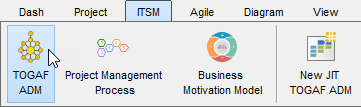
ITSM > TOGAF ADM
You’ll see the ADM cycle interface. Double-click any phase to view its activities.
Step 3: Launch the Preliminary Phase
-
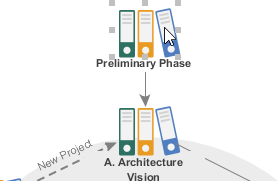
Double-click Preliminary Phase in the ADM cycle
-
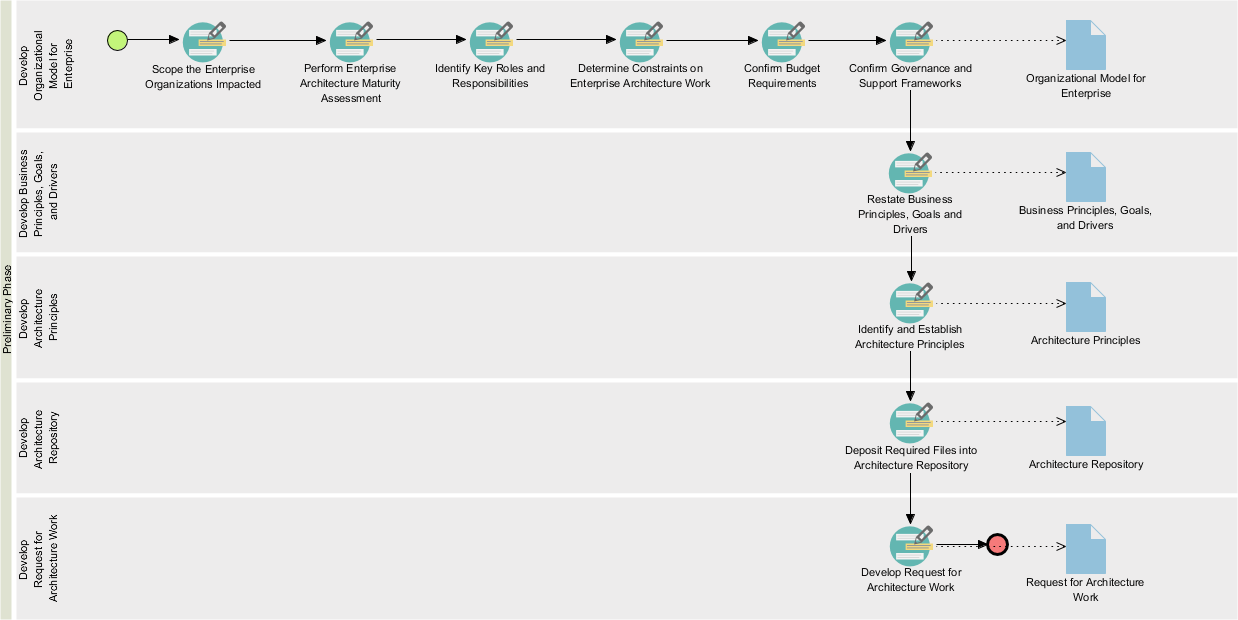
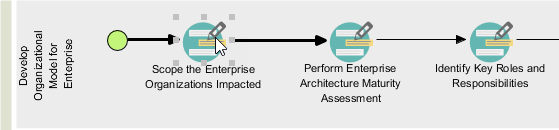
View the process diagram containing required activities:
Understanding the Activity Interface
Each activity contains connected shapes representing the workflow. Follow the arrow connectors to perform activities in the correct sequence.
Open an Activity: Double-click Scope the Enterprise Organizations Impacted
Activity Screen Components:
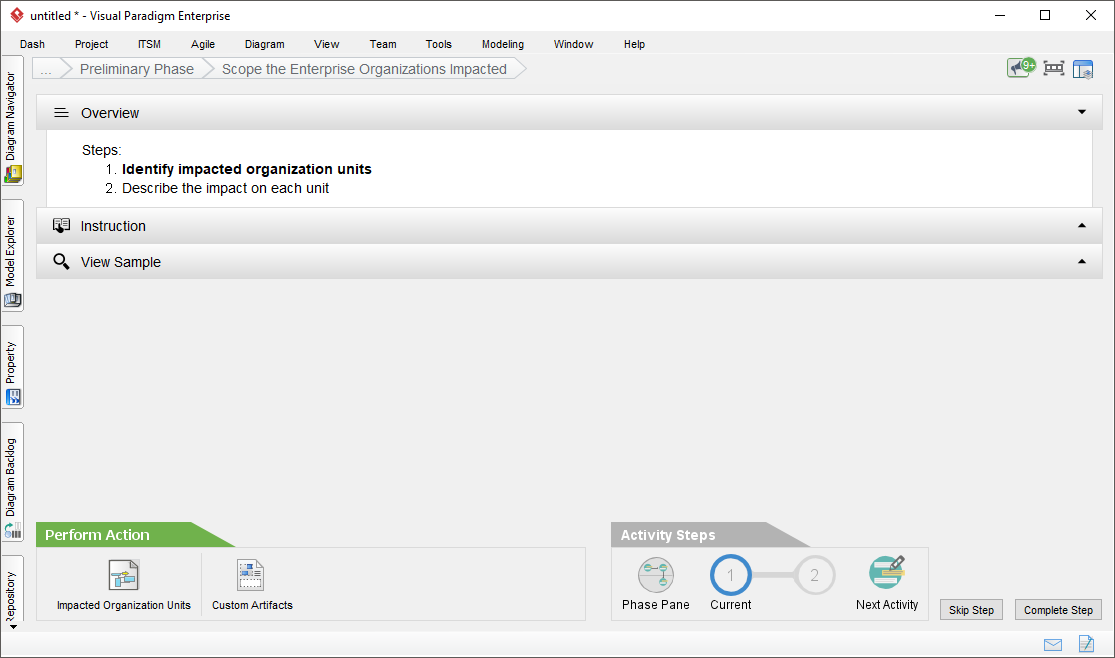
| Component | Description |
|---|---|
| Overview | Lists required steps; bold text indicates current step. Click Complete Step to progress. |
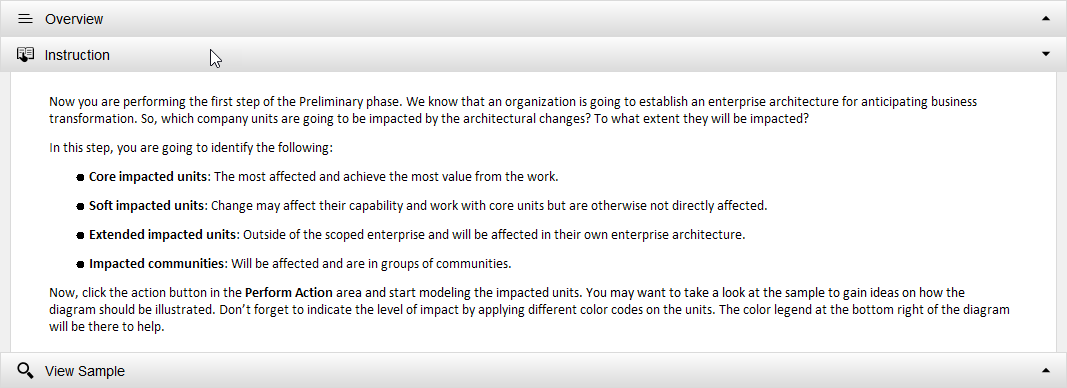
| Instruction | Expandable pane with contextual guidance: purpose, actions, expected outcomes. |
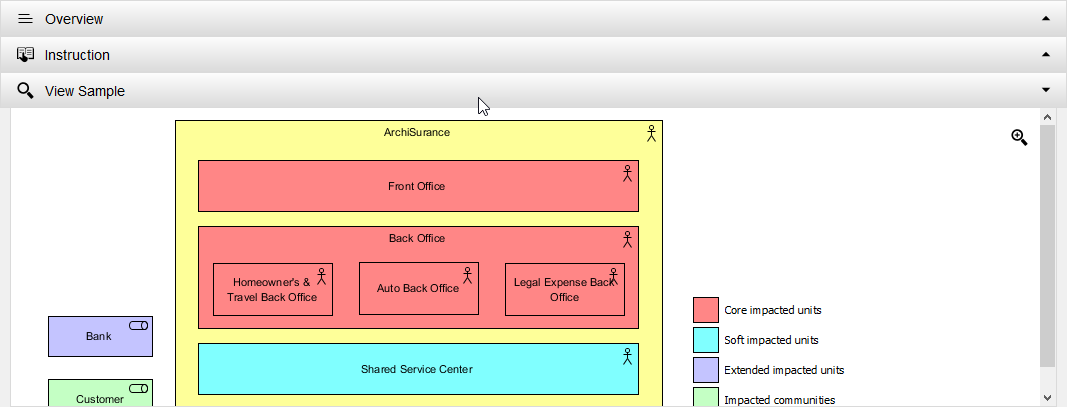
| View Sample | Displays example artifacts (diagrams, forms) for reference and inspiration. |
| Perform Action | Interactive buttons to execute required tasks. Use Custom Artifacts to add supplementary content. |
| Activity Steps | Visual progress tracker showing completion status. |
Step-by-Step Execution Example:
Step 1: Create Impacted Organization Diagram
-
Read Instructions: Expand the Instruction pane for guidance
-
Review Samples: Expand View Sample to see example ArchiMate diagrams
-
Launch Action: Click Impacted Organization Units
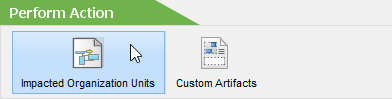
💡 Tip: Use the Custom Artifacts button to add optional diagrams or text that will be included in final deliverables.
-
Draw the Diagram:
-
Select Location from the legend (bottom-right)
-
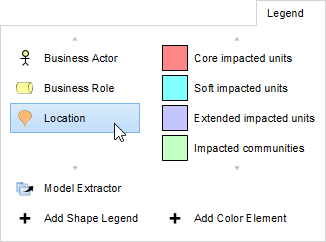
-
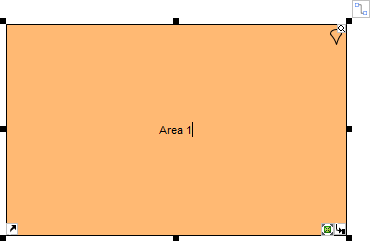
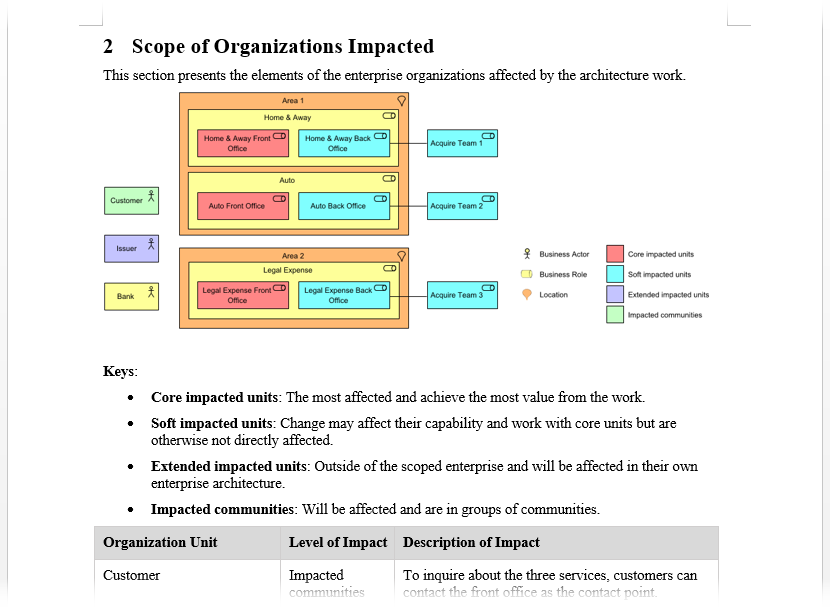
Draw and name your first location (e.g., Area 1)
-
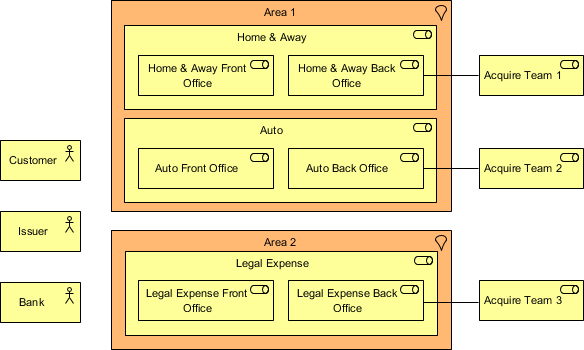
Continue building your organizational structure:
-
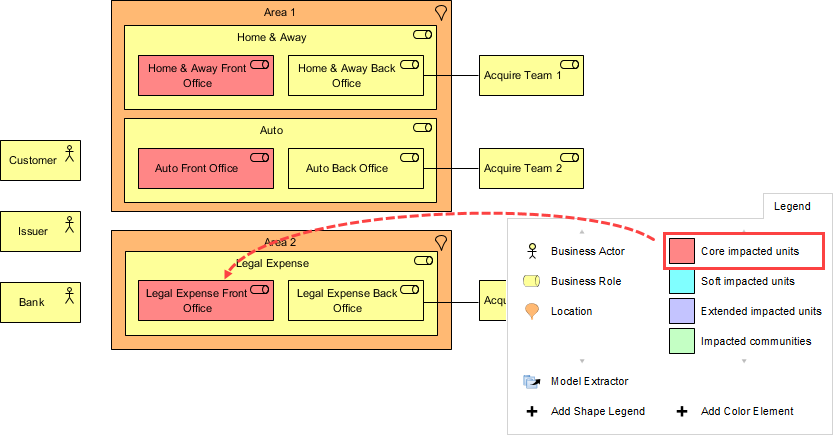
Apply Impact Color Coding:
-
Click Core impacted units in legend
-
Click on units with core impact to apply coloring
-
-
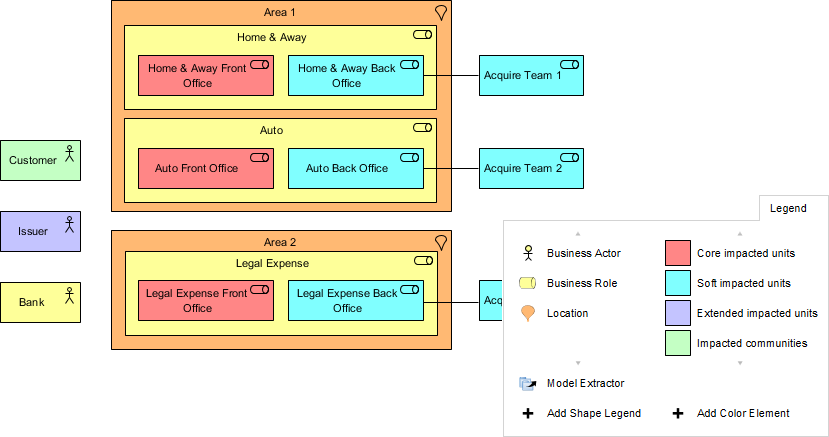
Complete the Diagram:
-
Return to Activity: Click the breadcrumb navigation

-
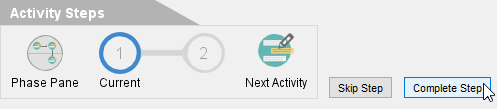
Complete the Step: Click Complete Step at bottom-right
Step 2: Describe Impacts in Detail
-
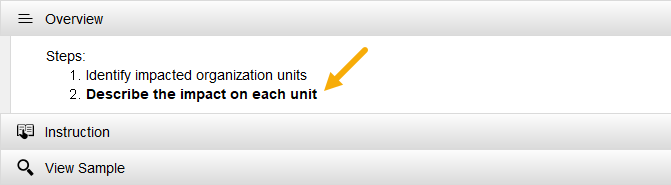
You’ll advance to Step 2 automatically:
-
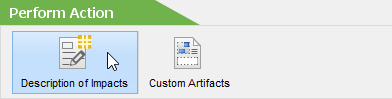
Click Description of Impacts under Perform Action:
-
Complete the impact description form:
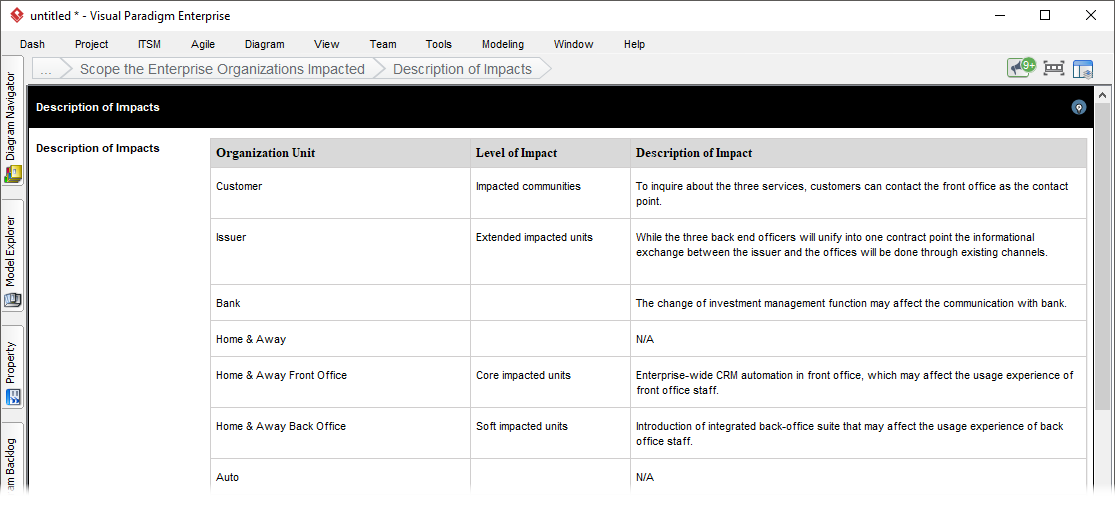
Sample Impact Table:
| Organization Unit | Level of Impact | Description of Impact |
|---|---|---|
| Customer | Impacted communities | To inquire about the three services, customers can contact the front office as the contact point. |
| Issuer | Extended impacted units | While the three back end officers will unify into one contract point the informational exchange between the issuer and the offices will be done through existing channels. |
| Bank | — | The change in investment management function may affect communication with the bank. |
| Home & Away Front Office | Core impacted units | Enterprise-wide CRM automation in the front office, which may affect the user experience of the front office staff. |
| Auto Front Office | Core impacted units | ArchiSurance is going to provide a one-stop-shop solution for its customers by unifying the three front offices into one single point of contact for all three major types of products and services. |
| Legal Expense Back Office | Soft impacted units | Introduction of integrated back-office suite that may affect the user experience of back-office staff. |
-
Return via breadcrumb and click Complete Step:
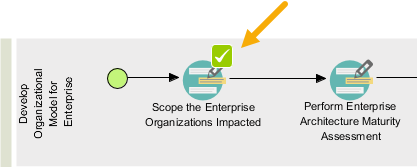
Navigating Between Activities
After completing steps, you have two options:
-
Next Activity: Proceed linearly through the workflow
-
Phase Pane: Return to the phase process map
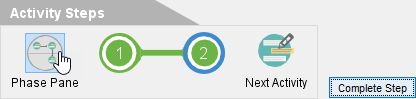
Completed activities display a checkmark ✓ for easy progress tracking:
Performing Maturity Assessment
-
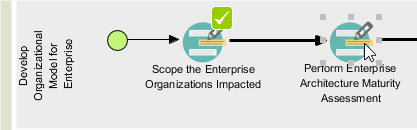
Open Perform Enterprise Architecture Maturity Assessment:
-
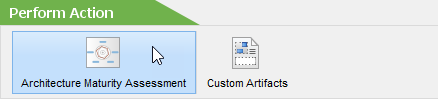
Click Architecture Maturity Assessment:
-
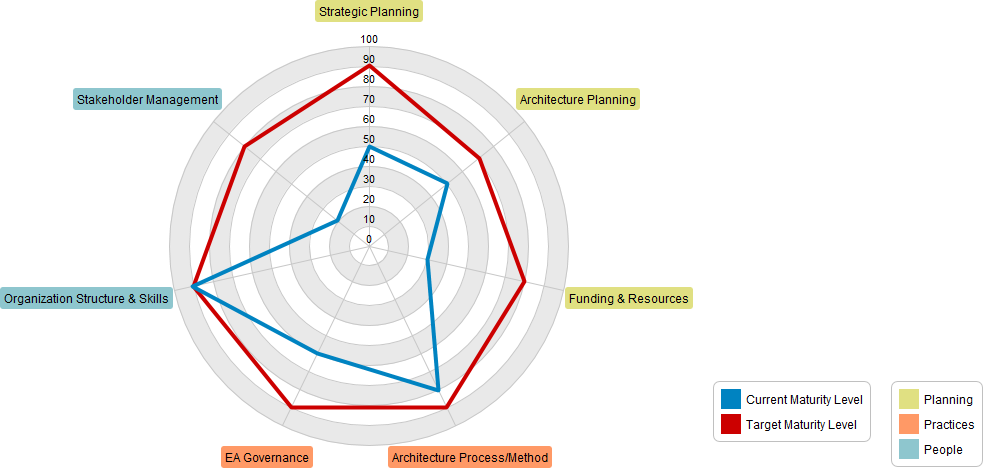
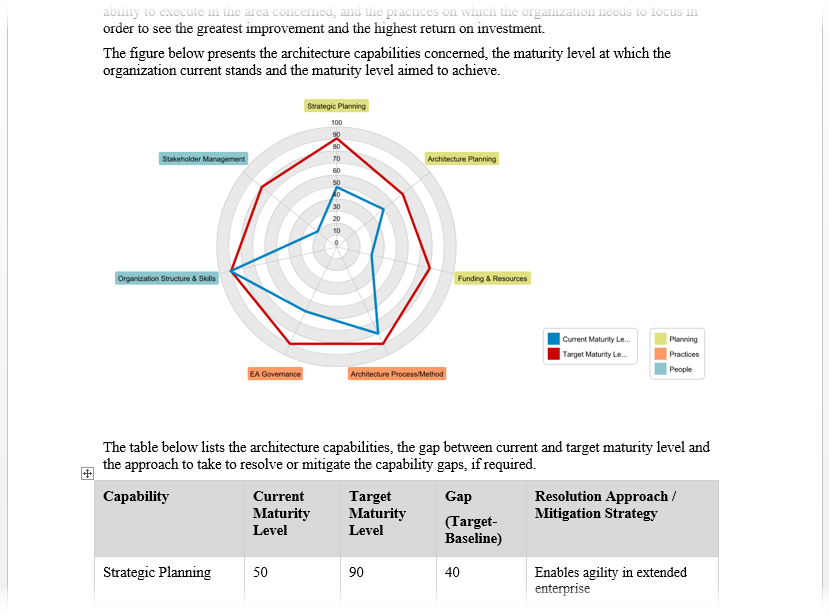
Create a radar chart for maturity analysis:
-
Rename factors by double-clicking (e.g., Goal, Organization, Strategy)
-
Add new factors via right-click → Add Variable
-
-
Complete subsequent steps for gap analysis and resolution planning.
Generating ADM Deliverables
Once all activities in a deliverable lane are complete, generate professional documentation automatically.
How to Generate:
-
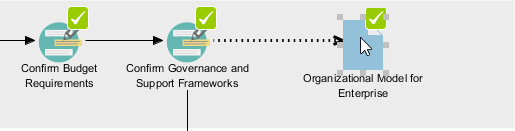
Locate the document shape on the right-hand side of the completed lane
-
Double-click the document shape
-
Provide a filename and confirm
Generated Deliverable Contents:
-
✅ All diagrams created during the phase
-
✅ Completed forms and data entries
-
✅ Pre-filled contextual content
-
✅ Professional formatting and structure
Sample Output – ArchiMate Diagram:
Sample Output – Maturity Radar Chart:
Using the Architecture Repository
The Architecture Repository serves as a centralized holding area for all architectural assets within your enterprise.
Key Capabilities:
-
🗂️ Automatic archiving of generated deliverables
-
📁 Organized storage by architecture domain
-
🔍 Easy retrieval of historical artifacts
-
📤 Drag-and-drop file management
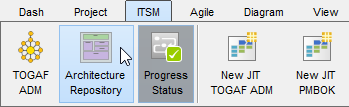
Accessing the Repository:
ITSM > Architecture Repository
Repository Structure:
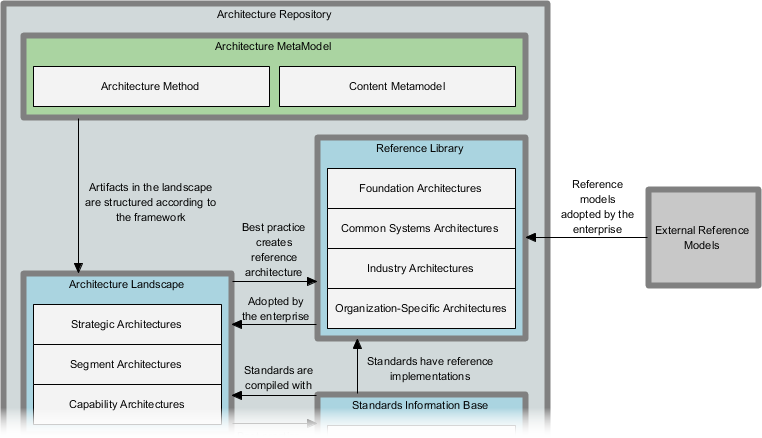
When ADM deliverable activities are complete, documents are automatically archived under Organization-Specific Architectures. Double-click to open drawers and retrieve deliverables.
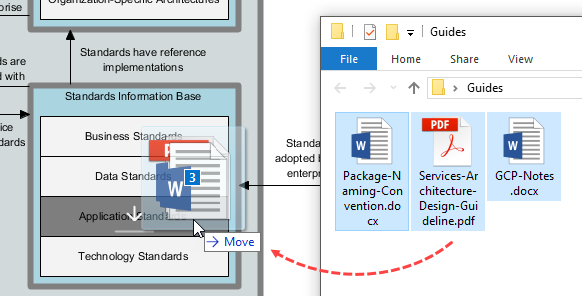
Managing Custom Files:
Simply drag files from your system and drop them into the target repository drawer:
Best Practices & Tips
🎯 For Successful TOGAF ADM Implementation:
-
Start Small: Begin with a pilot project to validate your approach
-
Engage Stakeholders Early: Secure commitment during Preliminary Phase and Phase A
-
Leverage Reusable Assets: Build a library of patterns, models, and templates
-
Maintain Traceability: Link requirements to architecture components throughout the cycle
-
Iterate Frequently: Use ADM’s iterative nature to incorporate feedback continuously
-
Document Decisions: Capture rationale for architectural choices in the repository
-
Govern Rigorously: Apply Phase G oversight consistently during implementation
💡 Visual Paradigm Pro Tips:
-
Use View Sample liberally when unfamiliar with diagram types
-
Customize deliverables with Custom Artifacts for organization-specific content
-
Archive working documents early to maintain repository integrity
-
Leverage breadcrumb navigation for efficient workflow management
-
Export deliverables in multiple formats for stakeholder distribution
🔄 Managing Iterations:
Remember that ADM is inherently iterative. You may:
-
Cycle between phases as new information emerges
-
Revisit earlier phases when scope changes
-
Run parallel ADM cycles for different architecture domains
-
Use Requirements Management as the continuous thread connecting all phases
References
- Step-by-Step TOGAF ADM Enterprise Architecture Guide: This guide provides a detailed walkthrough for applying TOGAF’s ADM phases using clear instructions and templates. It helps architects streamline the development of enterprise architecture through practical case studies.
- TOGAF Architecture Development Method (ADM) Guide-Through Process: This resource details an automated, step-by-step guide designed to help teams initiate any project using the ADM process. It includes structured references and samples to ensure practitioners follow the methodology correctly.
- Techniques for Developing TOGAF ADM: This article offers practical insights into the core techniques required to build a robust enterprise architecture. It focuses on the specific methodologies used within the ADM framework to produce high-quality architectural outputs.
- Comprehensive Guide to Applying Gap Analysis in TOGAF ADM: This technical guide explains how to identify discrepancies between current and target states within the ADM lifecycle. It provides the necessary steps for conducting an architectural assessment that aligns with strategic goals.
- TOGAF ADM: Requirements Management Deliverables: This resource focuses on the processes and outputs essential for managing architecture requirements throughout the ADM cycle. It ensures that requirements are consistently tracked and validated as the architecture evolves.
- TOGAF ADM Phase A: Architecture Vision Deliverables: This guide details the activities and key deliverables produced during Phase A (Architecture Vision). It emphasizes the importance of establishing a clear vision to gain stakeholder alignment early in the project.
- Quick Tutorial on TOGAF ADM Implementation: This concise tutorial is designed for beginners who need to understand the fundamental implementation steps of the ADM. It covers the basic concepts required to start using the framework effectively.
- Visual Paradigm TOGAF ADM and ArchiMate Integration: This article discusses how combining the ADM process with the ArchiMate language enhances the management of enterprise architecture. It illustrates how visual modeling standards provide better clarity during architectural development.
- OGAF ADM: A Comprehensive Guide: This resource highlights the role of AI diagram generators in accelerating the ADM process. It explains how AI can produce complex visuals like stakeholder maps and maturity assessments instantly from input data.
- Applying GAP Analysis in TOGAF ADM: Phases B, C, and D: This guide explains how systematic gap analysis ensures alignment across business, data, application, and technology domains. It details the specific identification of differences between baseline and desired states during these critical ADM phases.
This post is also available in Deutsch, Español, فارسی, Français, English, Bahasa Indonesia, 日本語, Polski, Portuguese, Ру́сский, Việt Nam, 简体中文 and 繁體中文.