


A Comprehensive Guide to Visual Paradigm’s AI Table Generator
In the evolving landscape of digital documentation and software development, the manual creation of structured data tables has long been a tedious bottleneck. On December 19, 2025, Visual Paradigm officially revolutionized this process with the launch of the AI Table Generator. This AI-first web application is designed to transform natural language into production-ready tables in seconds.
This comprehensive guide explores the functionalities, workflows, and advantages of this free tool, demonstrating how it serves as an all-in-one AI HTML, Markdown, CSV, JSON, and SQL generator.
Key Concepts
Before diving into the workflow, it is essential to understand the core technologies and concepts that power the AI Table Generator.
- Natural Language Processing (NLP) for Data Structure: Unlike traditional spreadsheet tools where users manually input rows and columns, this tool utilizes Large Language Models (LLMs). It interprets conversational prompts (e.g., “Compare top 5 cloud providers”) to intelligently determine appropriate column headers, data types, and row content.
- Interactive Grid Editor: This refers to the tool’s spreadsheet-like interface that bridges the gap between AI generation and manual refinement. It allows for drag-and-drop reordering, resizing, and cell-specific formatting, ensuring the output is not just data, but a presentation-ready asset.
- Multi-Format Serialization: The ability to convert a single data set into multiple coding languages simultaneously. The tool separates the data layer from the presentation layer, allowing the same table to be exported as a Markdown table for documentation, an SQL script for databases, or a JSON object for API mocking without re-entry.
Key Features of the AI Table Generator
Visual Paradigm has positioned this tool as a professional-grade solution for developers, data analysts, and content creators. Below are the standout features driving its adoption.
1. Intelligent AI Table Generation
The core engine allows users to generate complex tables instantly through natural language prompting. The AI creates context-aware headers and fills rows with realistic sample data, eliminating the need to search for placeholder content. It also includes a built-in example gallery covering business, software, and education templates.
2. Professional Interactive Grid Editor
The editor provides granular control over the generated data:
- Precise Insertion: Use “Insert Before” logic for rows and columns.
- Drag-and-Drop: Easily reorder columns or resize them for better readability.
- Smart Sorting: One-click sorting that automatically detects numeric versus alphabetical data.
- Bulk Editing: Select multiple cells to apply edits or styling simultaneously.
3. Rich Formatting & Styling
Users can apply bold, italics, and text alignment settings to individual cells or entire columns. Crucially, this formatting is preserved across compatible export formats, ensuring consistency.
4. Multi-Format Export Engine
The tool supports a wide array of export options:
- Markdown: Optimized for GitHub/GitLab README files.
- HTML: Clean code with optional professional CSS.
- CSV: Standard format for Excel and Google Sheets.
- JSON: Structured objects ideal for frontend mocking.
- SQL: executable CREATE TABLE and INSERT statements for database seeding.
Guidelines: How to Use the AI Table Generator
Follow this step-by-step workflow to maximize efficiency when using the AI Table Generator.
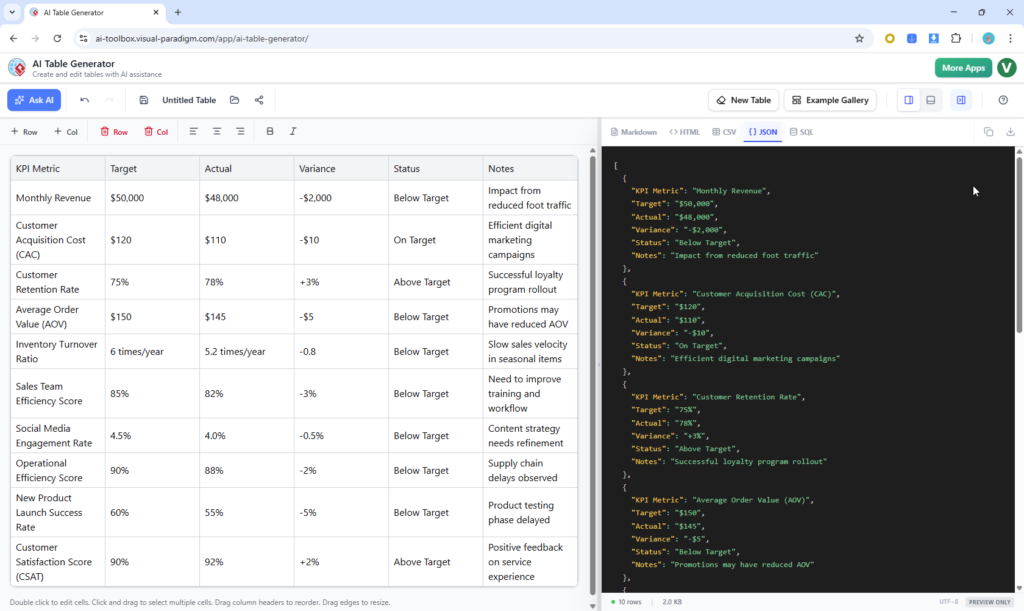
Step 1: Generate or Start Fresh
Navigate to the input screen. You have two primary options:
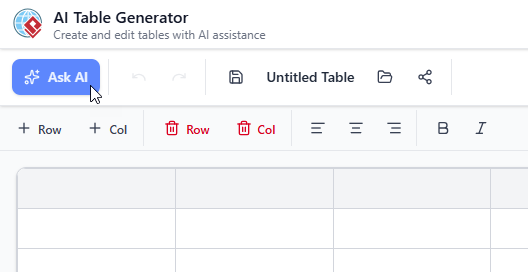
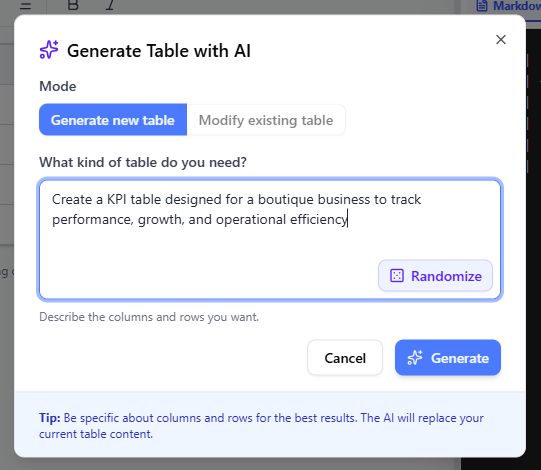
- Ask AI: Enter a specific natural language prompt. For example: “Create a schedule for a 3-day software development workshop including time, topic, and speaker.”
- Template Gallery: Select a pre-made template if you need a standard structure.
Step 2: Review and Refine Structure
Once the AI generates the initial table, utilize the interactive grid to perfect the layout:
- Drag headers to reorder columns logically.
- Add missing rows or remove irrelevant data points generated by the AI.
- Double-click cells to edit specific text values.
Step 3: Apply Styling and Formatting
Enhance the visual appeal and readability of your data:
- Use the toolbar to bold key headers or data points.
- Adjust text alignment (left, center, right) to suit the data type (e.g., right-align financial figures).
Step 4: Live Preview and Export
As you edit, the side pane updates the code in real-time. Choose your desired output format (Markdown, HTML, CSV, JSON, or SQL). Finally, name your project and save it to the cloud or download the code snippet directly.
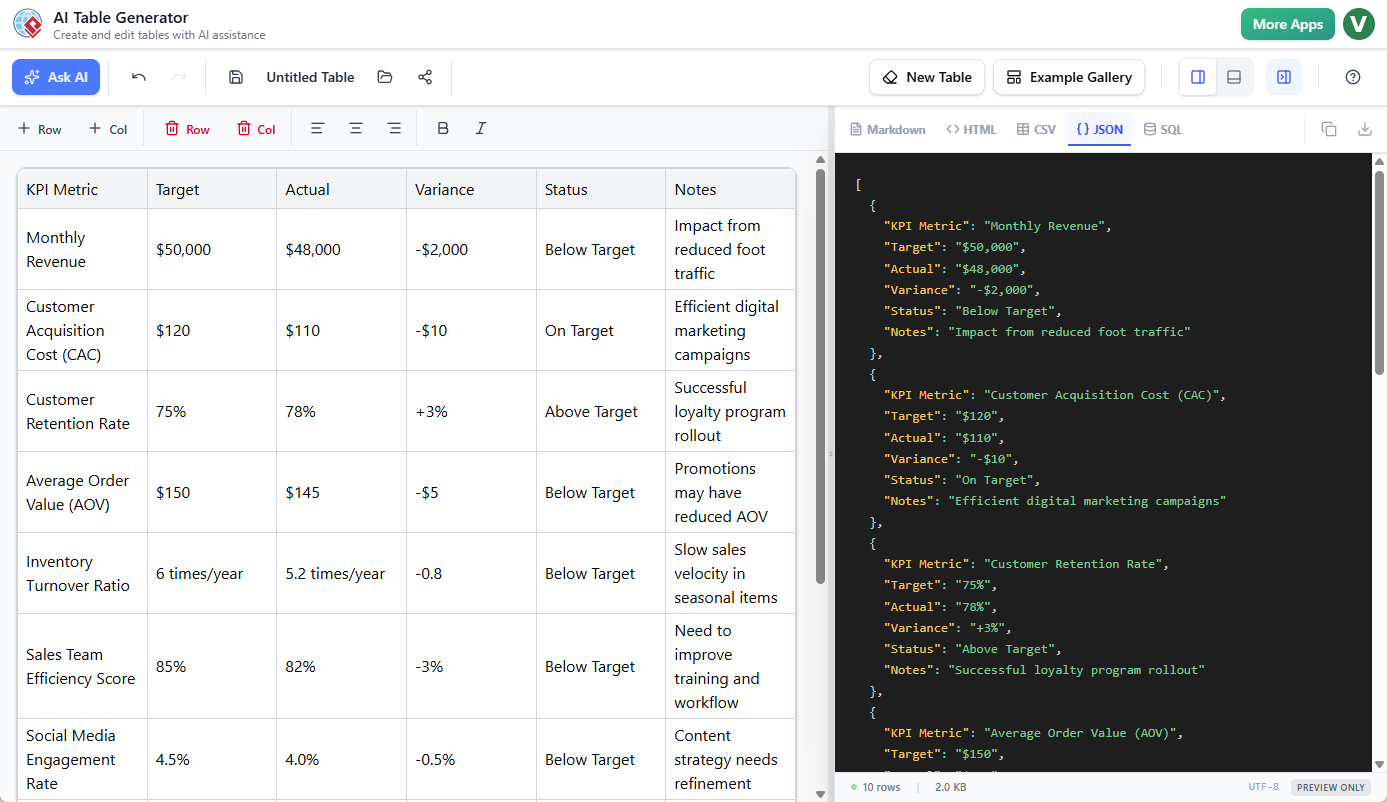
Tips and Tricks for Power Users
To get the most out of Visual Paradigm’s AI Table Generator, consider these advanced strategies:
- Specific Prompting: The quality of the AI output depends on the prompt. Instead of “make a table,” specify columns explicitly: “Create a table of HTTP status codes with columns for Code, Meaning, and Typical Use Case.”
- Cloud Collaboration: Take advantage of the cloud saving feature. You can rename projects inline and generate public shareable snapshots (read-only links) to share data structures with team members without sending files.
- Database Seeding: Use the SQL export feature to rapidly prototype database schemas. You can generate a table with dummy user data and immediately export the
INSERTstatements to populate a test database. - Dark Mode Preview: For developers working late or those who prefer high-contrast interfaces, utilize the dark-mode code preview for a premium experience while reviewing the generated code.
Who Benefits from This Tool?
The versatility of the AI Table Generator makes it indispensable for various roles:
- Developers: For creating rapid README tables, API examples, and database seeds.
- Data Analysts: For quick dataset formatting and cleaning before import.
- Project Managers: For generating roadmaps and timelines without complex project management software.
- Content Creators: For generating professional HTML tables for blogs and wikis without writing manual tags.
Conclusion
Visual Paradigm’s AI Table Generator represents a significant leap forward in automated data formatting. By combining the generative power of LLMs with the precision of a grid editor, it eliminates the manual labor associated with syntax and formatting. Whether you are generating JSON for an app or a Markdown table for documentation, this free tool streamlines the workflow effectively. Try AI Table Generator Free Today and experience the future of structured data creation.
Resources
- What is an AI-Powered Decision Table Maker? Untangling Complex Business …
- Building Your First Decision Table: A Step-by-Step Guide
- Visual Paradigm Archives – Visual Paradigm Guides
- Introducing the AI Decision Table Tool: Automate Complex Business …
- Learning Guides – Visual Paradigm
- Exploring Visual Paradigm Online Diagramming Tool: A Comprehensive Guide to System Modeling Diagrams
- Visual Paradigm AI: Advanced Software & Intelligent Apps
- What is a Use Case Scenario Analyzer? A Guide to AI-Powered …
- Why Choose an AI Decision Table Generator? – Visual Paradigm AI
- AI Diagram Generation Guide: Instantly Create System Models with Visual …
- AI Archives – Visual Paradigm Guides
- Comprehensive Tutorial: AI-Powered ArchiMate Diagram Generation in …
- vpleanda, Author at Visual Paradigm Guides
- AI Table Generator: HTML, Markdown, CSV, JSON & SQL | Visual Paradigm
- AI JSON CRUD Table Maker – Visual Paradigm
This post is also available in Deutsch, Español, فارسی, Français, English, Bahasa Indonesia, 日本語, Polski, Portuguese, Ру́сский, Việt Nam, 简体中文 and 繁體中文.
Related posts:
 How to Generate Professional Written Reports from Diagrams Using Visual Paradigm’s AI Chatbot
 Creating SysML Block Definition Diagrams with an AI Chatbot
 UML Modeling Tutorial: Key Concepts, Traditional Challenges, and AI-Powered Streamlining with Visual Paradigm
 What is Visual Paradigm AI ArchiMate Diagram Generation?