


The Fastest Way to Turn Ideas into Professional Diagrams Using AI (2025)
Introduction – Why This Tool Changes Everything
In 2025, creating accurate, presentation-ready diagrams no longer requires hours of dragging boxes and arrows. Visual Paradigm’s AI-Powered Visual Modeling Chatbot (accessible at https://chat.visual-paradigm.com) lets you go from a simple text prompt to a complete UML, SysML, ArchiMate, C4, business strategy, or any other diagram in seconds — entirely through natural conversation.
Think of it as ChatGPT, but instead of writing text, it draws perfect diagrams and lets you edit them by chatting.
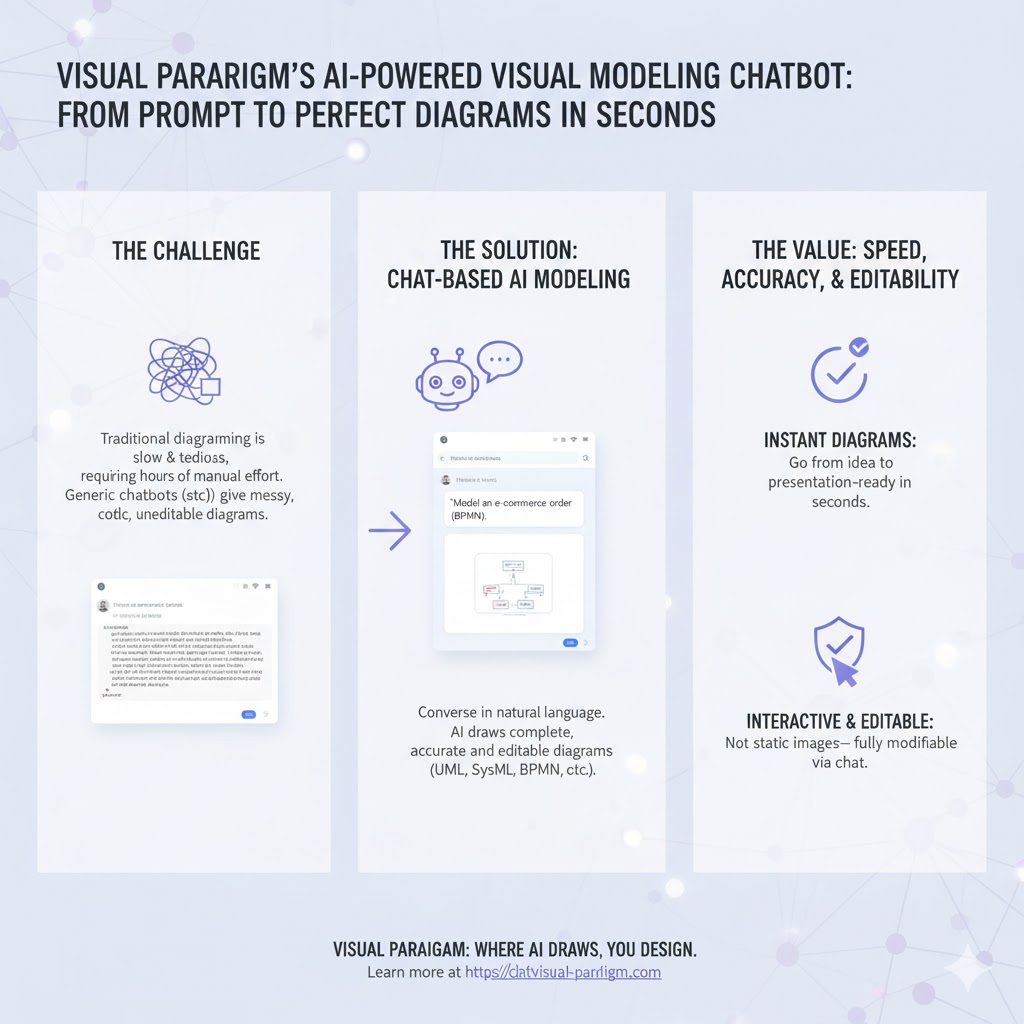
This tutorial will teach you everything you need to know: why it exists, when to use it, key concepts, step-by-step how-to, tons of real-world examples, and a quick-reference summary table.
Why Use the Visual Paradigm AI Chatbot?
| Reason | Traditional Tools (Lucidchart, Draw.io, Visio, etc.) | Visual Paradigm AI Chatbot |
|---|---|---|
| Speed | 10–60 minutes per diagram | 5–30 seconds |
| Skill required | Must know exact notation rules | Just describe in plain English |
| Editing | Click-heavy, error-prone | “Add a database” → done |
| Exploration | You have to know what to draw next | AI gives smart suggestions |
| Documentation | Manual writing | Ask AI to generate reports |
| Learning curve | Steep for UML/SysML/ArchiMate | Almost zero |
When to Use It (Real-World Scenarios)
| Situation | Best Use Case |
|---|---|
| Requirements gathering | Quickly sketch use-case or BPMN diagrams with stakeholders |
| Architecture design | Generate C4, ArchiMate, or SysML diagrams from high-level ideas |
| Teaching / Learning | Students instantly see correct notation without memorizing |
| Presentations | Produce polished diagrams on the spot during meetings |
| Proposal writing | Ask AI to turn your diagram into a project summary or RFP section |
| Brainstorming business models | Instantly visualize Ansoff Matrix, Blue Ocean, Value Chain, etc. |
Key Concepts You Need to Know
| Concept | Explanation |
|---|---|
| Conversational Modeling | You talk in plain English; the AI understands intent and notation |
| Instant Generation | One prompt → fully laid-out, correctly formatted diagram |
| Iterative Refinement | Keep chatting: “Add a microservice”, “Make it horizontal”, “Use AWS icons” |
| Diagram as Knowledge Base | Ask questions about your own diagram: “What are the main actors?” |
| Contextual Suggestions | AI proactively recommends next steps (“Shall I add error handling?”) |
| Documentation on Demand | Generate requirements docs, summaries, or slide decks from the diagram |
| Seamless Export | One click to open the diagram in full Visual Paradigm desktop for team collaboration |
Step-by-Step: How to Use It
Step 1 – Go to the tool
Open https://chat.visual-paradigm.com (free tier available, no login required for basic use)
Step 2 – Describe your idea (Initial Prompt Examples)
| Goal | Prompt Example |
|---|---|
| UML Use Case | “Create a use case diagram for an online food delivery app with customer, restaurant, delivery partner, and admin” |
| Class Diagram | “Generate a class diagram for a library management system with Book, Member, Loan, and fine calculation” |
| Sequence Diagram | “Show the sequence for user login with authentication service, database, and 2FA” |
| C4 Context Diagram | “Draw a C4 context diagram for a mobile banking system” |
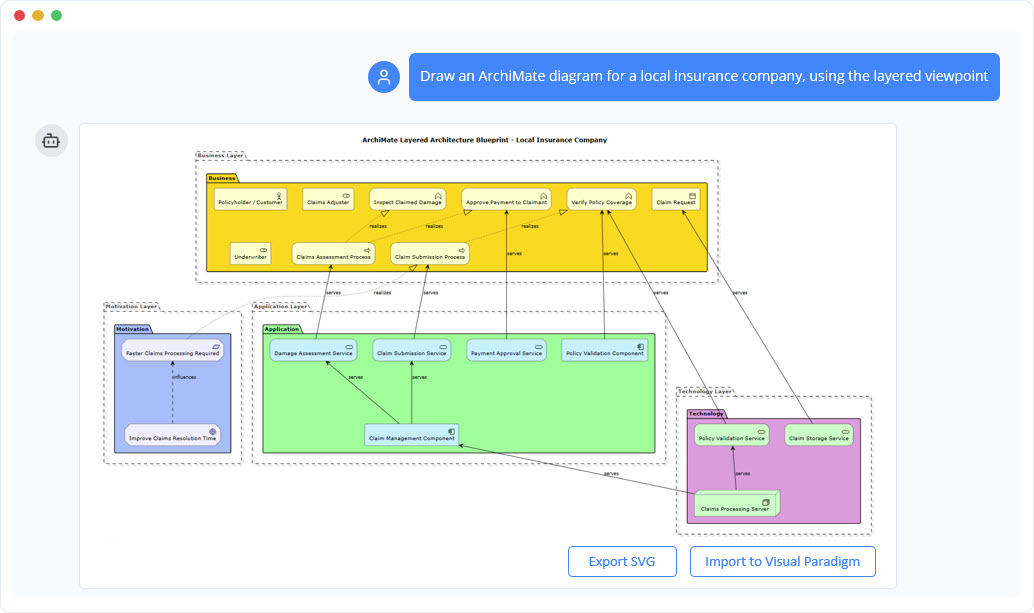
| ArchiMate | “Create an ArchiMate application layer diagram for an e-commerce platform using microservices” |
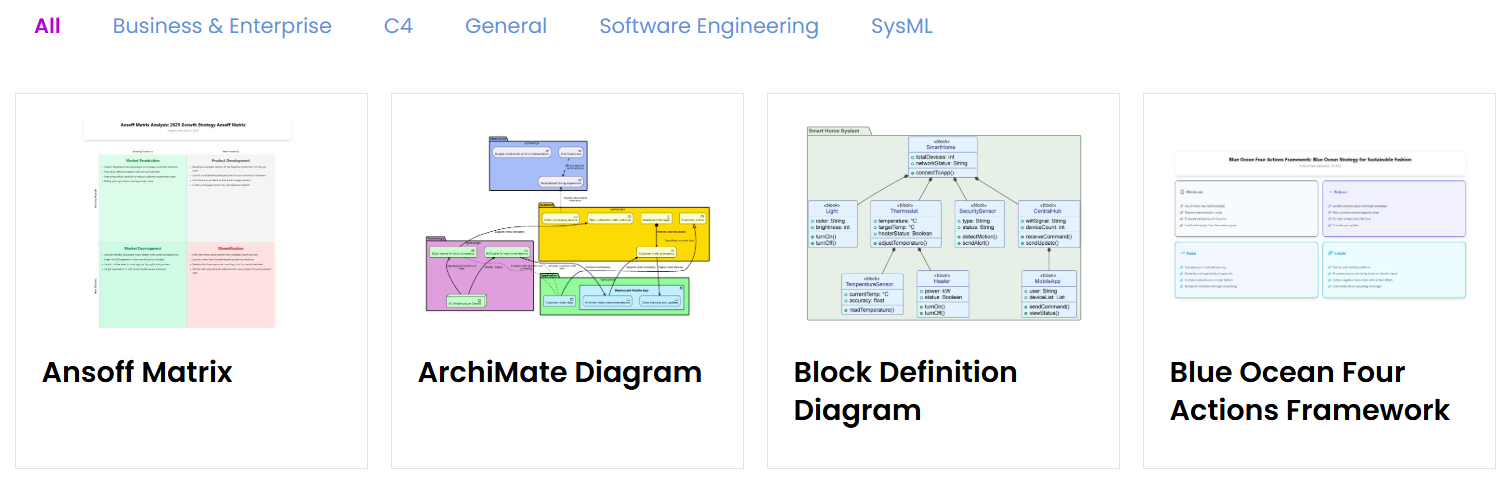
| SysML BDD | “Make a SysML Block Definition Diagram for a drone with blocks: FlightController, GPS, Battery, Motors” |
| Business Strategy | “Draw an Ansoff Matrix for a coffee shop chain planning to launch delivery and plant-based products” |
| Flowchart | “Simple flowchart for employee onboarding process” |
Step 3 – Refine with Natural Commands (Most Common Commands)
| Type of Change | Example Commands |
|---|---|
| Add element | “Add a Payment Gateway actor” “Add a MongoDB database” |
| Remove | “Remove the old Legacy System” |
| Rename | “Rename User to Customer” |
| Change relationship | “Make the relationship between Order and Payment one-to-many” |
| Layout | “Arrange vertically” “Use orthogonal routing” |
| Style | “Use AWS icons” “Make it colorful” |
| Add notes | “Add a note saying ‘PCI-compliant’ to the Payment service” |
Step 4 – Ask Questions About Your Diagram
| Question Type | Example |
|---|---|
| Explanation | “Explain this diagram in simple terms” |
| Implementation | “How would you implement the authentication flow in code?” |
| Scenarios | “What are the main happy path and exception scenarios?” |
| Documentation | “Generate a one-page project summary based on this diagram” |
Step 5 – Export or Continue in Pro Tool
Click “Open in Visual Paradigm” → opens the full desktop/online version with version history, team collaboration, etc.
15 Ready-to-Copy Example Prompts (Copy-Paste These)
- “Create a UML component diagram for a microservices-based e-commerce system with separate services for catalog, cart, payment, and notification”
- “Draw a detailed sequence diagram for placing an order: customer → frontend → order service → payment service → inventory service”
- “Generate a C4 container diagram for a ride-sharing app”
- “Make a SysML requirement diagram for an autonomous car with safety requirements”
- “Create a BPMN diagram for hospital patient admission process”
- “Draw a Blue Ocean Strategy Four Actions Framework (Eliminate, Reduce, Raise, Create) for Netflix vs traditional TV”
- “Show an ArchiMate business layer diagram for a university registration system”
- “Create a data flow diagram (DFD) level 0 and level 1 for an ATM system”
- “Generate an entity-relationship diagram for a blog platform with users, posts, comments, and tags”
- “Make a simple Gantt chart for a 3-month mobile app development project”
- “Draw a SWOT analysis diagram for Tesla entering the robotaxi market”
- “Create a state machine diagram for an online order (Pending → Paid → Shipped → Delivered → Cancelled)”
- “Show a Kubernetes deployment architecture using C4 or simple boxes”
- “Generate a Value Stream Map for software development (DevOps)”
- “Create a mind map for planning a wedding”
Quick Reference Summary Table
| Feature | How to Trigger | Example Phrase |
|---|---|---|
| Generate new diagram | Type full description | “Create a use case diagram for…” |
| Add element | Say what to add | “Add a database” |
| Delete element | Say what to remove | “Remove the old monolithic app” |
| Rename | “Rename X to Y” | “Rename User to Customer” |
| Change layout/style | Describe desired look | “Make it horizontal with AWS icons” |
| Ask questions | Just ask | “What does this flow do on error?” |
| Generate documentation | Ask for report/summary/proposal | “Write a project summary from this diagram” |
| Get suggestions | Wait or ask “What should I add next?” | AI will suggest missing error paths, etc. |
| Export to full tool | Click the button “Open in Visual Paradigm” | — |
Conclusion – The Future of Diagramming Is Here
The Visual Paradigm AI Chatbot is not just another diagramming tool — it’s the first true “co-pilot” that understands both your domain and the exact notation standards (UML 2.5, SysML 1.6, ArchiMate 3, BPMN 2.0, etc.).
Whether you’re a developer sketching architecture, a business analyst mapping processes, an enterprise architect designing ArchiMate models, or a student learning UML, this tool removes 95% of the friction.
Start here for free: https://chat.visual-paradigm.com
In under one minute you’ll have your first professional diagram — no tutorials, no templates, no dragging boxes. Just type what you want, and watch the AI build it perfectly.
Welcome to the future of visual modeling.
Here are some of Visual Paradigm’s official AI tools sites with real URLs:
-
Visual Paradigm AI – Advanced Software & Intelligent Apps Explore a suite of AI-powered solutions for workflow automation, content generation, data analysis, and software development. ai.visual-paradigm.com
-
Visual Paradigm Online – AI-Powered Productivity Suite Access AI tools for charting, mind mapping, image translation, PDF manipulation, and more. online.visual-paradigm.com
-
Visual Paradigm AI Chatbot – Intelligent Diagram Generation Generate, refine, and analyze diagrams (UML, SysML, ArchiMate) using simple text commands. chat.visual-paradigm.com
-
AI Image Optimizers & Upscaler Restore, repair, unblur, and upscale images with one click. online.visual-paradigm.com/photo-effects-studio
Are you looking for a specific type of AI tool from Visual Paradigm, such as diagramming, image editing, or productivity?
This post is also available in Deutsch, Español, فارسی, Français, English, Bahasa Indonesia, 日本語, Polski, Portuguese, Ру́сский, Việt Nam, 简体中文 and 繁體中文.