
Introduction
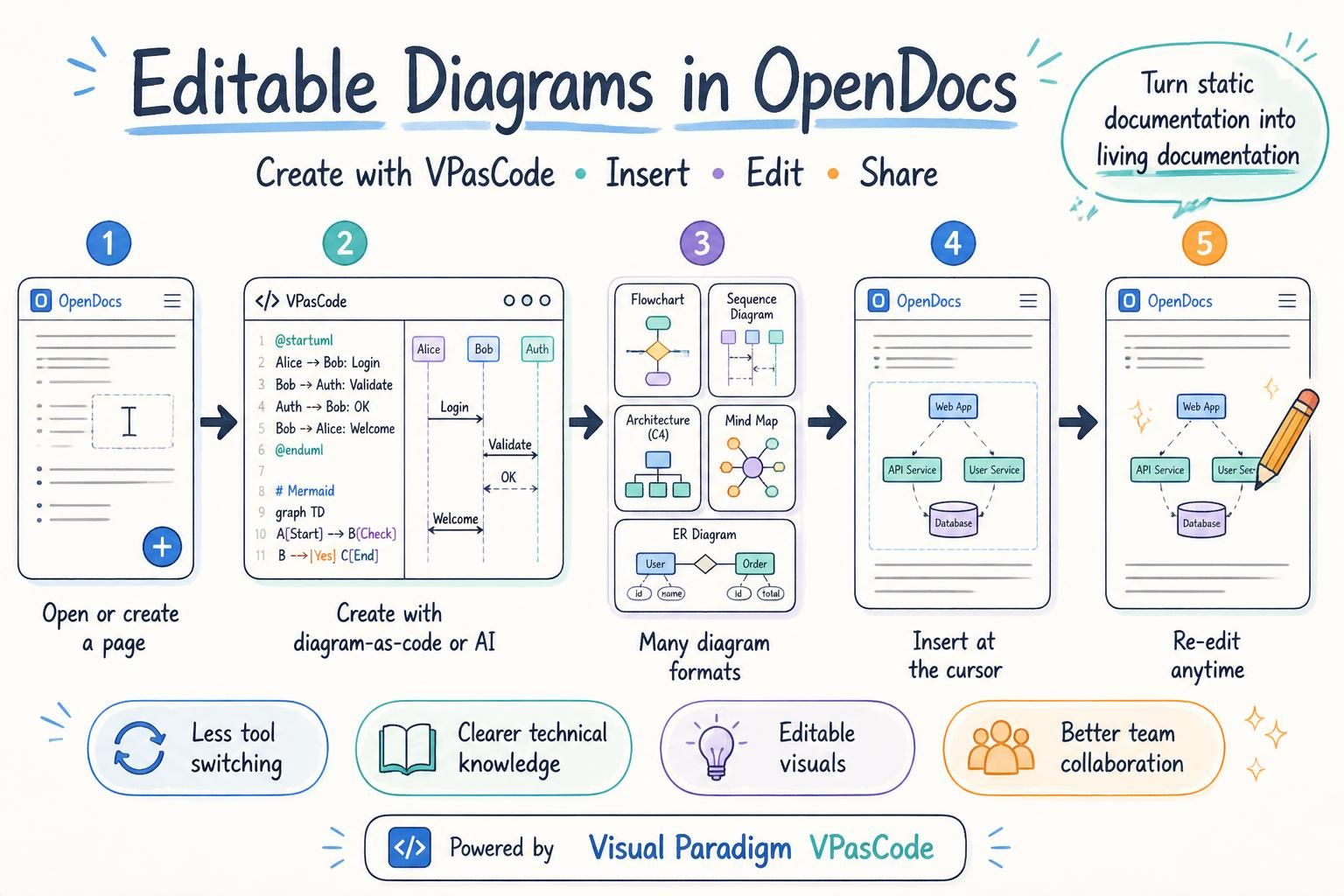
In the fast-paced world of software development and system architecture, documentation often lags behind implementation. Diagrams become outdated, requirements drift from code, and knowledge silos form across teams. Visual Paradigm OpenDocs addresses this critical gap by serving as an AI-powered documentation and knowledge management engine that merges written text, data, and live diagrams into a single source of truth.
OpenDocs is not just another documentation tool; it is the connective tissue within the broader Visual Paradigm ecosystem. It ensures that modeling, coding, and writing stay synchronized, allowing teams to maintain engineering-grade accuracy while leveraging artificial intelligence to accelerate content creation. Whether you are a system architect designing complex UML models or a product manager documenting user flows, OpenDocs provides the infrastructure to keep your knowledge base alive, accurate, and easily accessible.
Key Concepts
1. The Single Source of Truth
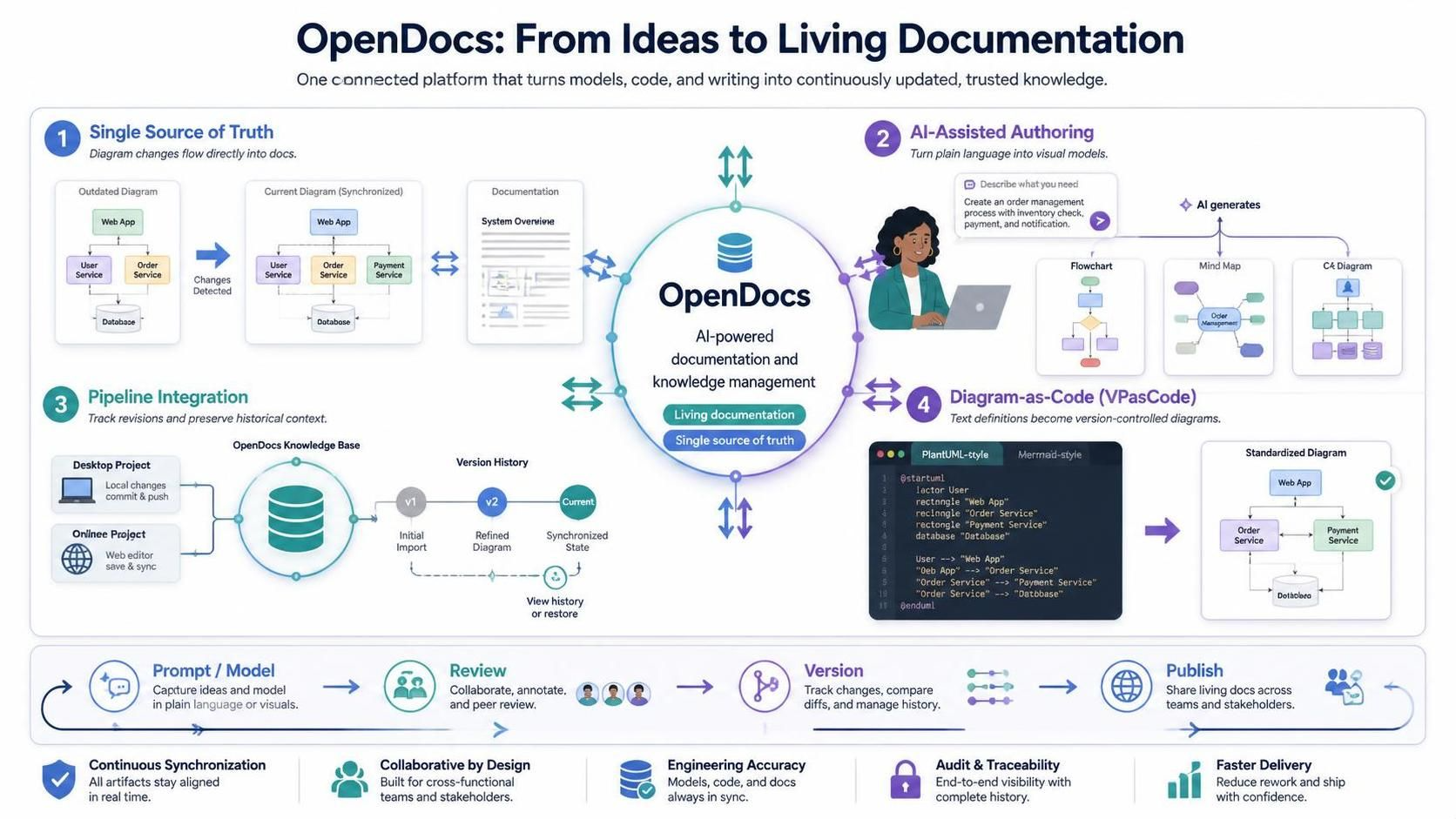
Traditional documentation struggles with version control and synchronization. OpenDocs solves this by integrating directly with Visual Paradigm’s modeling tools. When a diagram changes in the design phase, those updates can be pushed directly into the documentation, ensuring that what stakeholders read always reflects the current state of the project.
2. AI-Assisted Authoring
OpenDocs leverages generative AI to reduce the friction of writing. Users can start with plain-language prompts to generate flowcharts, mind maps, and C4 diagrams. This lowers the barrier to entry for non-technical stakeholders who need to contribute to architectural discussions without needing deep expertise in modeling languages.
3. The Pipeline Integration
The “Pipeline” acts as a version-control bridge linking desktop and online projects to OpenDocs. It tracks updates automatically, allowing users to switch between revision versions seamlessly. This ensures that historical context is preserved while keeping the primary documentation up-to-date.
4. Diagram-as-Code (VPasCode)
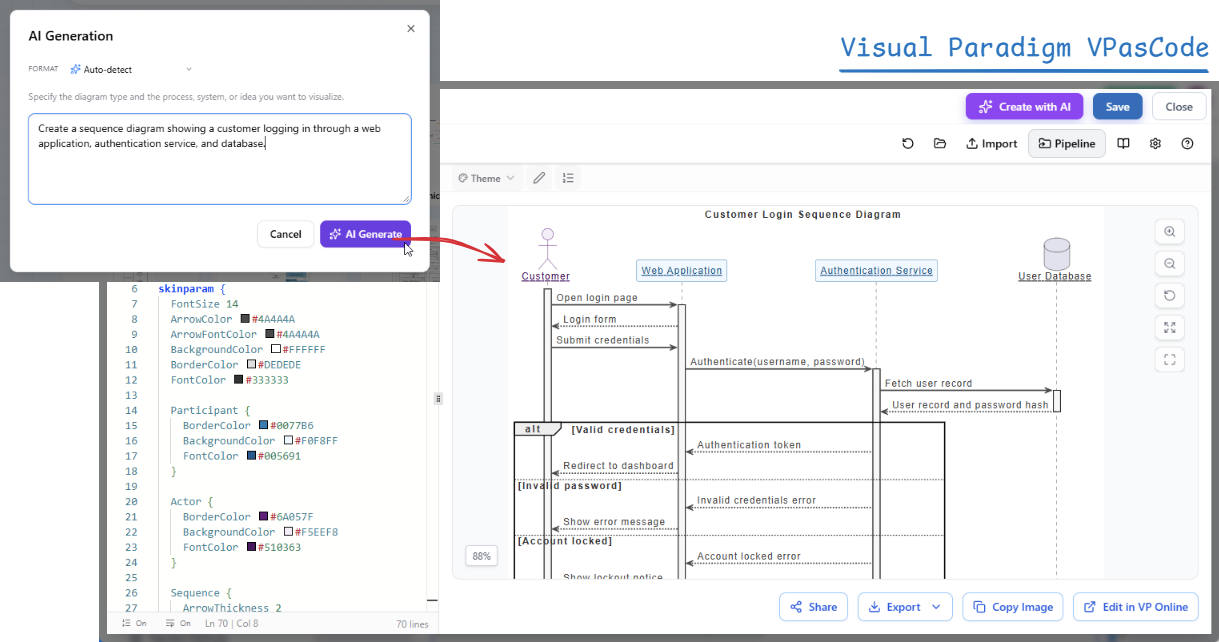
For developers who prefer text-driven workflows, OpenDocs supports VPasCode. This allows users to define layouts using text-based syntax similar to PlantUML or Mermaid. These text definitions feed clean, standardized diagrams straight into the docs, making version control and peer review easier.
How to Use OpenDocs within the Ecosystem
1. Authoring and AI-Assisted Writing
Getting started with OpenDocs is designed to be intuitive.
-
Access: Log into your Visual Paradigm Online workspace and select Create with AI > Open Docs.
-
Structure: Organize your knowledge base using a clean file-system style tree. This hierarchical structure helps in maintaining logical separation between different modules, features, or project phases.
-
Editing: Write using either a Markdown editor for speed and simplicity or a WYSIWYG (What You See Is What You Get) editor for rich formatting. The AI assistant can help draft sections, summarize technical details, or suggest improvements to clarity.
2. Embedding Live Diagrams
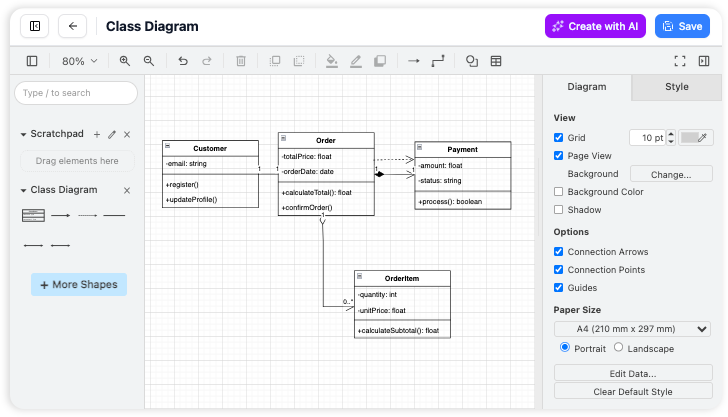
One of the most powerful features of OpenDocs is its ability to embed live, interactive diagrams rather than static images.
-
Built-in Diagramming: Create flowcharts, concept maps, or requirements diagrams directly inside OpenDocs. You can start from scratch or use AI prompts to generate the initial structure.
-
The Pipeline Integration:
-
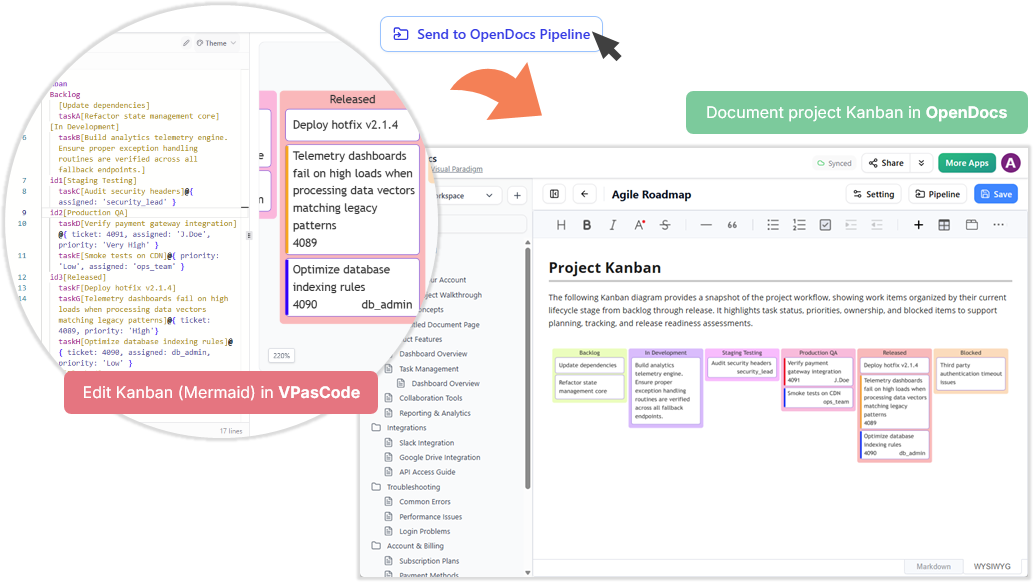
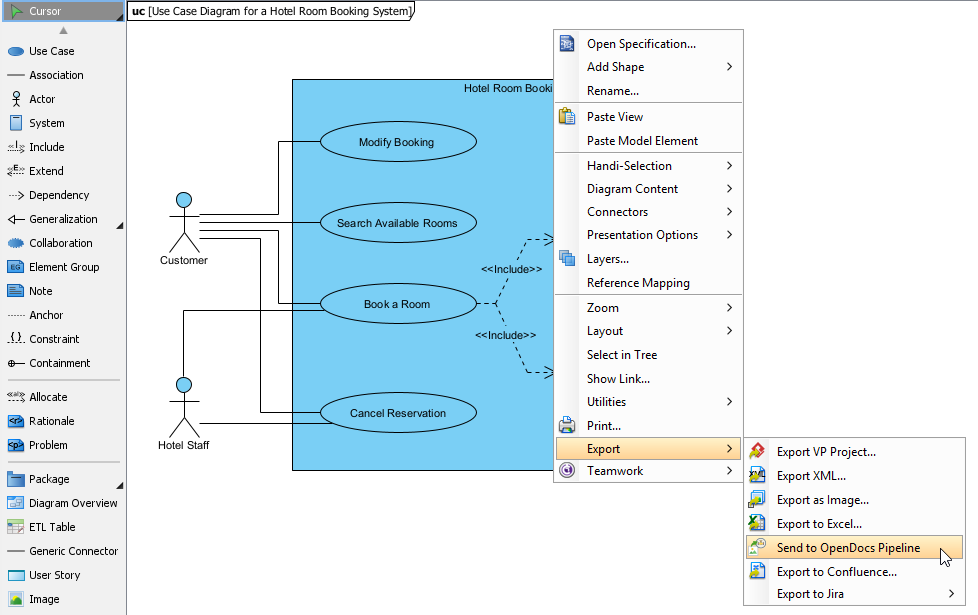
From Visual Paradigm Desktop or VP Online, click Send to OpenDocs Pipeline on your finished design.
-
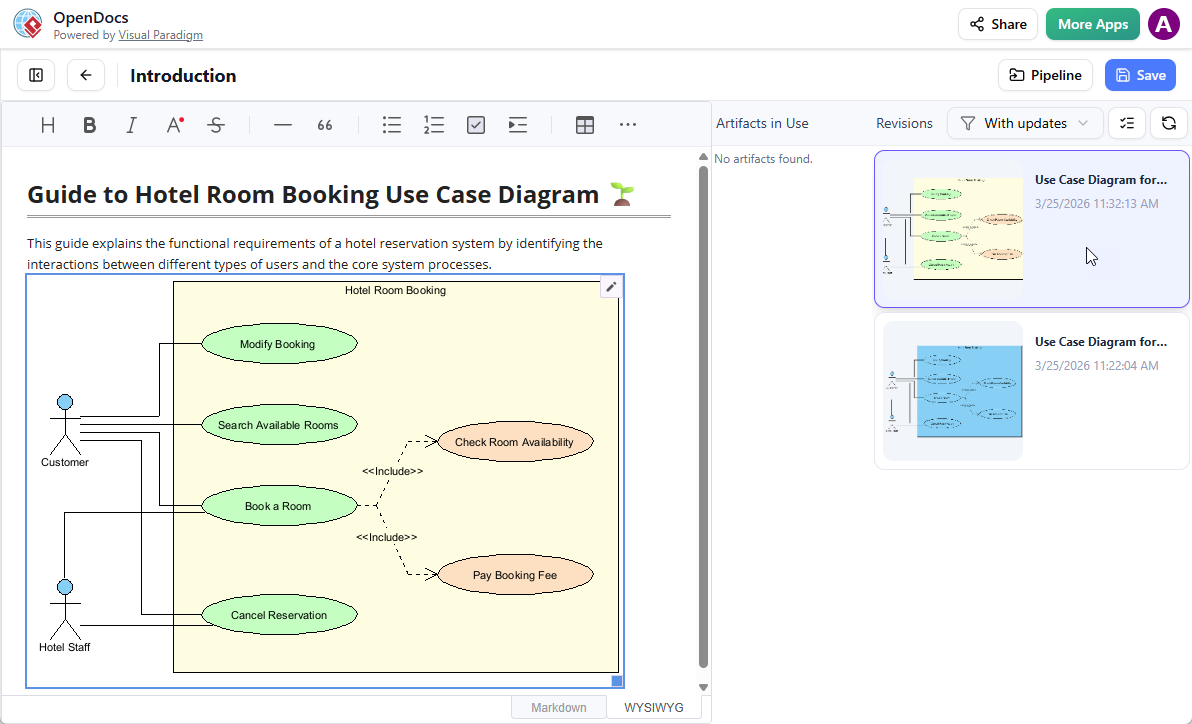
While editing in OpenDocs, click Insert > Pipeline to pull in the artifact.
-
Whenever you commit new project changes, the pipeline tracks updates and lets you switch between revision versions right from a sidebar panel. This ensures that if a database schema changes in the model, the documentation reflects it immediately.
-
3. Sharing and Collaboration
Documentation is only valuable if it is accessible. OpenDocs simplifies the sharing process while maintaining security.
-
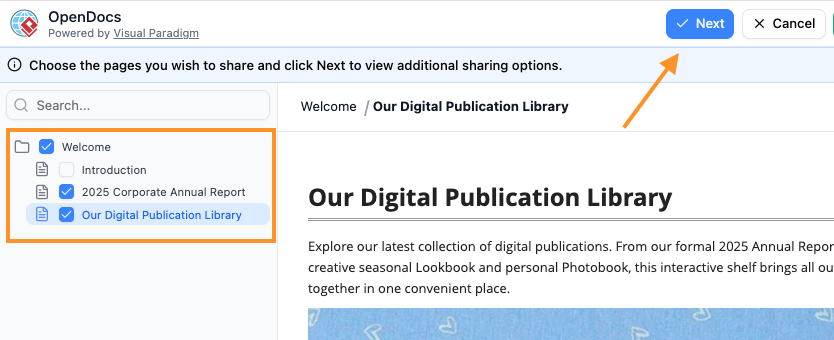
Secure Links: Publish and share your structured knowledge tree via simple, secure links that do not require viewers to log in. This is ideal for sharing with external clients or stakeholders who do not have Visual Paradigm accounts.
-
Governance: Control sub-page permissions and track page histories to maintain governance. You can see who edited what and when, ensuring accountability and ease of rollback if necessary.
Examples and Workflows
Workflow A: Pushing Desktop Models via the Pipeline
Imagine a team of system architects using Visual Paradigm Desktop to design a complex microservices architecture using SysML.
-
The lead architect finalizes the component diagram.
-
They click “Send to OpenDocs Pipeline.”
-
In the OpenDocs interface, the product manager inserts this diagram into the “System Architecture” page.
-
Two weeks later, the development team refactors one of the services. The architect updates the Desktop model and commits the change.
-
The OpenDocs page automatically flags an update available. The product manager reviews the change and accepts it, keeping the documentation current without manual redrawing.
Workflow B: Using AI Prompts for Architecture Docs
A startup needs to quickly document their user journey for a new feature.
-
The product owner opens OpenDocs and types: “Create a user flow diagram for a checkout process including guest checkout and registered user login.”
-
The AI generates a preliminary flowchart.
-
The PO tweaks the steps using the WYSIWYG editor.
-
The document is published via a secure link to the engineering team for feedback.
Conclusion
Visual Paradigm OpenDocs represents a significant evolution in how technical teams manage knowledge. By merging AI-powered authoring with live diagram integration and robust version control via the Pipeline, it eliminates the disconnect between design and documentation. For organizations looking to maintain high-quality, up-to-date technical records without sacrificing speed, OpenDocs provides a comprehensive solution that scales with your project’s complexity. Whether you are working solo or in a large distributed team, the ability to keep your models and your words in sync is invaluable.
Recommended Resources
- A Comprehensive Guide to UML Modeling with Visual Paradigm AI and OpenDocs: An overview of how AI and OpenDocs integrate with UML modeling workflows.
- Guide to the Visual Paradigm Ecosystem: A detailed look at how different Visual Paradigm tools connect and interact.
- From Concept to Knowledge Base: Mastering Visual Paradigm OpenDocs: Tips and strategies for building a robust knowledge base using OpenDocs.
- Visual Paradigm AI Tooling: Step-by-Step Guide: A tutorial on using the AI chatbot, C4 modeling, and the Pipeline.
- Architecting the Future: Automated Living Documentation: Insights into creating self-updating documentation with AI and Visual Paradigm.
- Visual Paradigm OpenDocs Comprehensive Guide: A deep dive into the features and capabilities of OpenDocs.
- From Concept to Documentation: Unifying AI and Knowledge Management: How OpenDocs bridges the gap between initial concepts and final documentation.
Related posts:
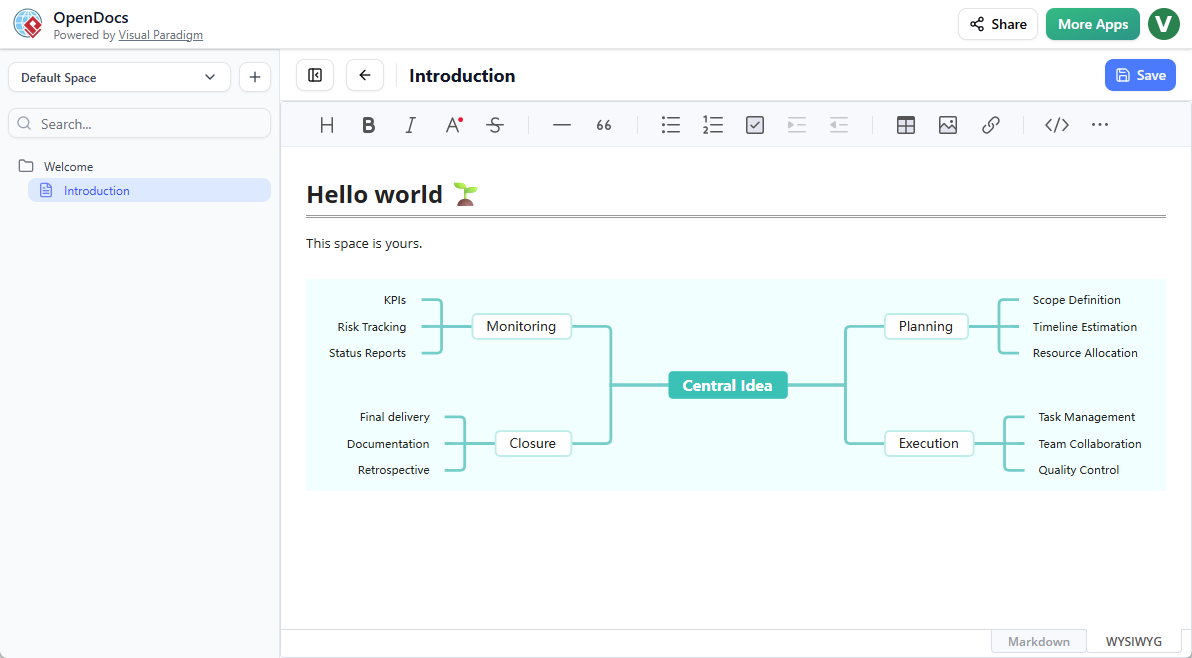 OpenDocs by Visual Paradigm: Revolutionizing Knowledge Management with AI and Visual Thinking
 Comprehensive Guide: Fishbone Diagrams (Ishikawa) in OpenDocs
 Comprehensive Guide to OpenDocs (February–March 2026 Update): The AI-Powered Visual Knowledge Engine
Mastering the Visual Paradigm AI Ecosystem: A Comprehensive Guide
Comprehensive Guide to OpenDocs (February–March 2026 Update): The AI-Powered Visual Knowledge Engine
Mastering the Visual Paradigm AI Ecosystem: A Comprehensive Guide