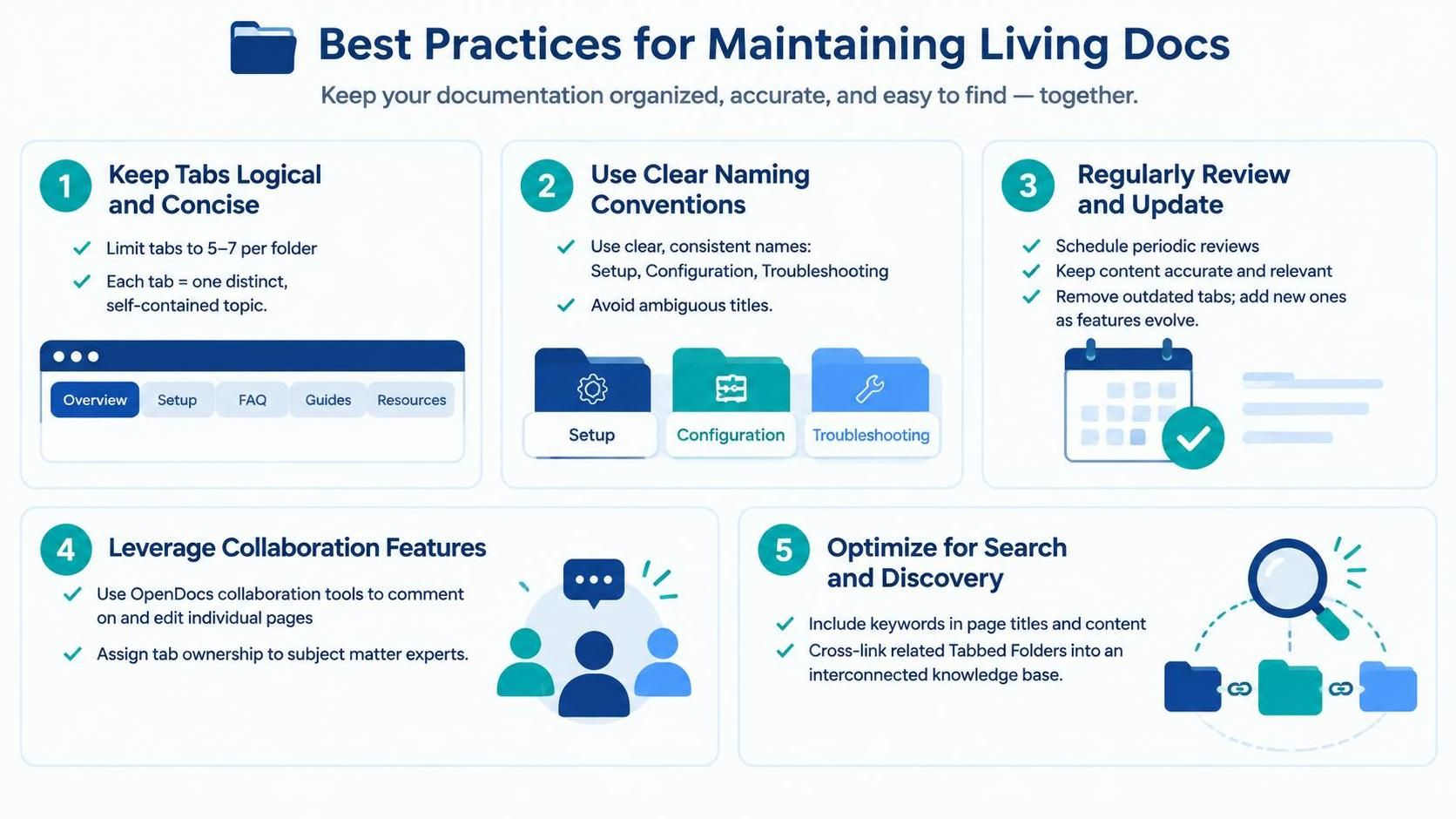
In the realm of technical documentation and system modeling, maintaining a “Living Doc” is essential for ensuring that software architecture remains transparent and accessible. Using a tool like Visual Paradigm OpenDocs with a structured Tabbed Folder approach allows teams to manage complex information without overwhelming the user. This tutorial explores the architectural principles behind organizing these documents effectively, drawing on the core best practices for maintaining high-quality, up-to-date documentation.
The Hierarchy of Information: Organizing Tabbed Folders
The foundation of a successful documentation architecture lies in how information is categorized. In OpenDocs, this is achieved through the “Tabbed Folder” structure. Think of a folder not just as a container, but as a specific context or module of your system. Within this context, the tabs serve as the navigation points that guide the user through the narrative.
Principle 1: Cognitive Load Management
One of the most common pitfalls in documentation is the “all-in-one” approach, where a single folder contains dozens of pages. This creates a high cognitive load for the reader. To mitigate this, we must adhere to strict limits on the number of tabs.
- Limit to 5–7 Tabs: Psychological studies on working memory suggest that humans can hold approximately 7 items in their short-term memory. Limiting your tabs to this range ensures users can easily scan and select the information they need without feeling overwhelmed.
- Distinct Topics: Each tab must represent a single, self-contained topic. Do not mix “Setup” instructions with “Troubleshooting” guides in the same tab. Segregating these distinct concepts ensures that the documentation remains focused.
Standardizing Nomenclature for Clarity
Once the structure is defined, the labels become critical. Ambiguity in naming conventions can lead to users missing critical information or misunderstanding the scope of a section.
Principle 2: Clear Naming Conventions
Consistency is key to a professional documentation set. You should avoid creative or vague titles in favor of functional, descriptive names.
- Use Functional Labels: Adopt standard industry terms such as “Setup,” “Configuration,” “Troubleshooting,” “API Reference,” or “Deployment.” These are immediately understood by developers and stakeholders.
- Avoid Ambiguity: Do not use titles like “Miscellaneous” or “Notes.” If a tab cannot be clearly defined by its function, it is likely not needed or needs to be reorganized.
Visual Paradigm Implementation
In Visual Paradigm OpenDocs, this structure is visually represented by the tabbed interface. The goal is to present a clean UI where the user can instantly grasp the folder’s purpose.
Visual Example of Tabbed Structure:
 [Folder: User Management]
 > [Tab: Overview]
 > [Tab: Setup]
 > [Tab: Configuration]
 > [Tab: Troubleshooting]
 > [Tab: API Docs]
Maintaining Accuracy: The Lifecycle of a Living Doc
Documentation that is not maintained becomes technical debt. A “Living Doc” implies a lifecycle of creation, maintenance, and retirement. This requires a proactive strategy rather than a reactive one.
Principle 3: Regular Review and Update Cycles
Software features evolve, and documentation must mirror this evolution. You must schedule periodic reviews to audit your tabbed folders.
- Periodic Audits: Establish a schedule (e.g., monthly or per sprint) to review content.
- Remove Outdated Tabs: If a feature is deprecated, remove the associated tab immediately to prevent confusion.
- Add Evolving Content: As new features are released, add new tabs to the relevant folders to keep the knowledge base current.
Collaboration and Ownership Models
Documentation is rarely a solo endeavor. Leveraging the collaborative features of OpenDocs is essential for scaling your documentation efforts.
Principle 4: Leveraging Collaboration Features
Use the built-in collaboration tools to foster a community of knowledge contributors. This involves more than just editing; it involves accountability.
- Assign Ownership: Assign specific tabs or folders to Subject Matter Experts (SMEs). This ensures that there is a clear point of contact for questions and updates.
- Utilize Commenting: Encourage team members to comment on individual pages. This creates a feedback loop where users can flag outdated information or suggest improvements.
Pro Tip: Searchability and Discovery
The final piece of the architecture puzzle is ensuring that information can be found. A well-organized folder structure is useless if the content within is unsearchable.
- Keyword Optimization: Include relevant keywords in your page titles and content to improve searchability within OpenDocs.
- Cross-Linking: Create an interconnected knowledge base by cross-linking related Tabbed Folders. This allows users to navigate contextually from one domain to another seamlessly.
Conclusion
By following these architectural principles—limiting cognitive load, standardizing naming conventions, scheduling regular updates, and enforcing ownership—you can build a robust documentation system in OpenDocs. This approach ensures that your “Living Docs” remain a reliable, accurate, and easy-to-find resource for your entire team.