
Introduction
In the fast-paced world of software development and product management, clarity is king. Whether you are mapping out a complex microservices architecture, documenting a user journey, or planning a project timeline, visual communication is essential. However, traditional drag-and-drop diagramming tools can be slow, rigid, and difficult to version control.
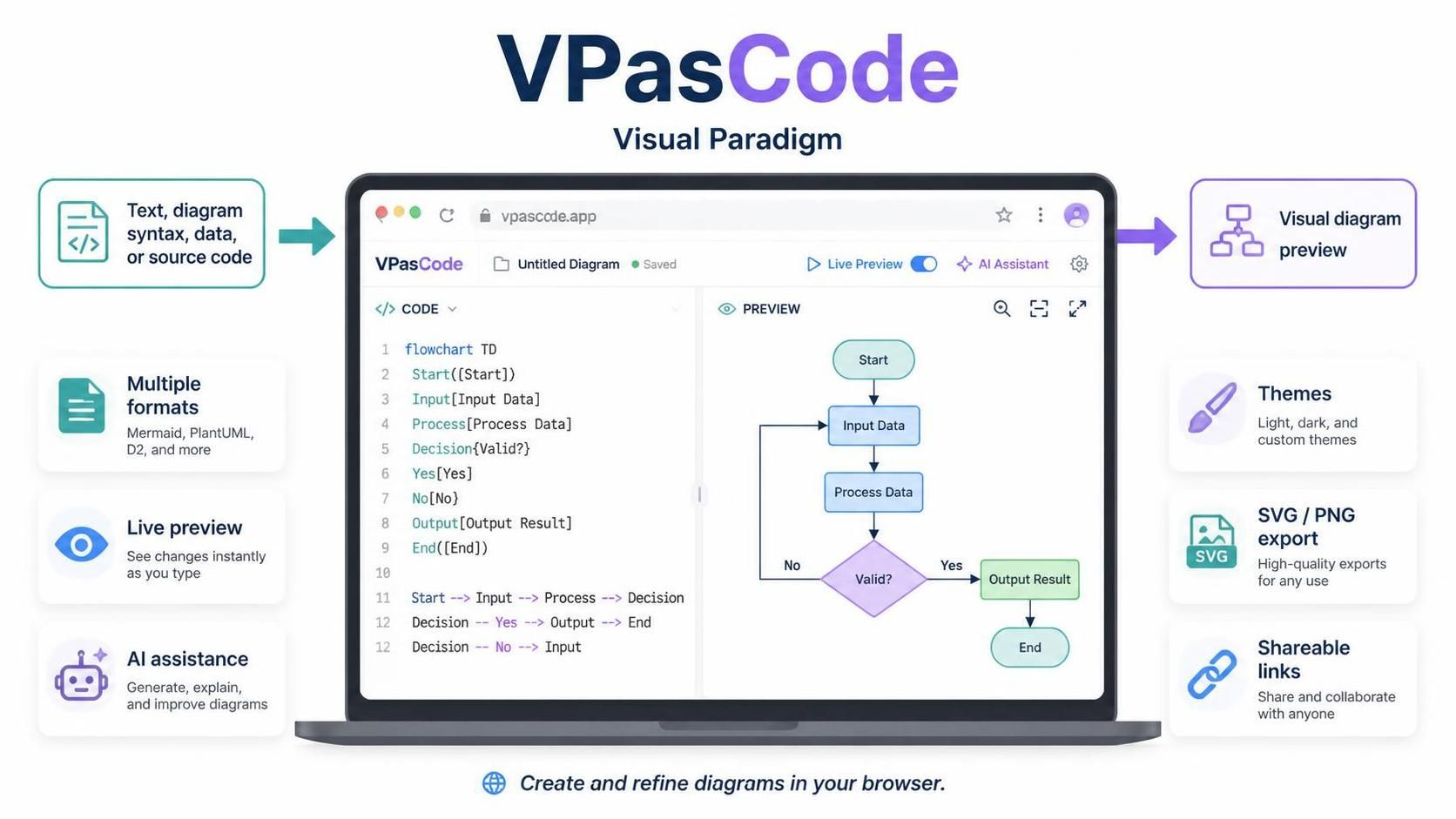
Enter Mermaid, the popular JavaScript-based diagramming and charting tool that lets you create diagrams using text. But writing raw Mermaid syntax can be daunting for beginners and tedious for experts when debugging errors. This is where VPasCode by Visual Paradigm changes the game. As a premier free online Mermaid editor, VPasCode combines the power of code-based diagramming with intelligent AI assistance, real-time rendering, and seamless integration into your documentation workflow.
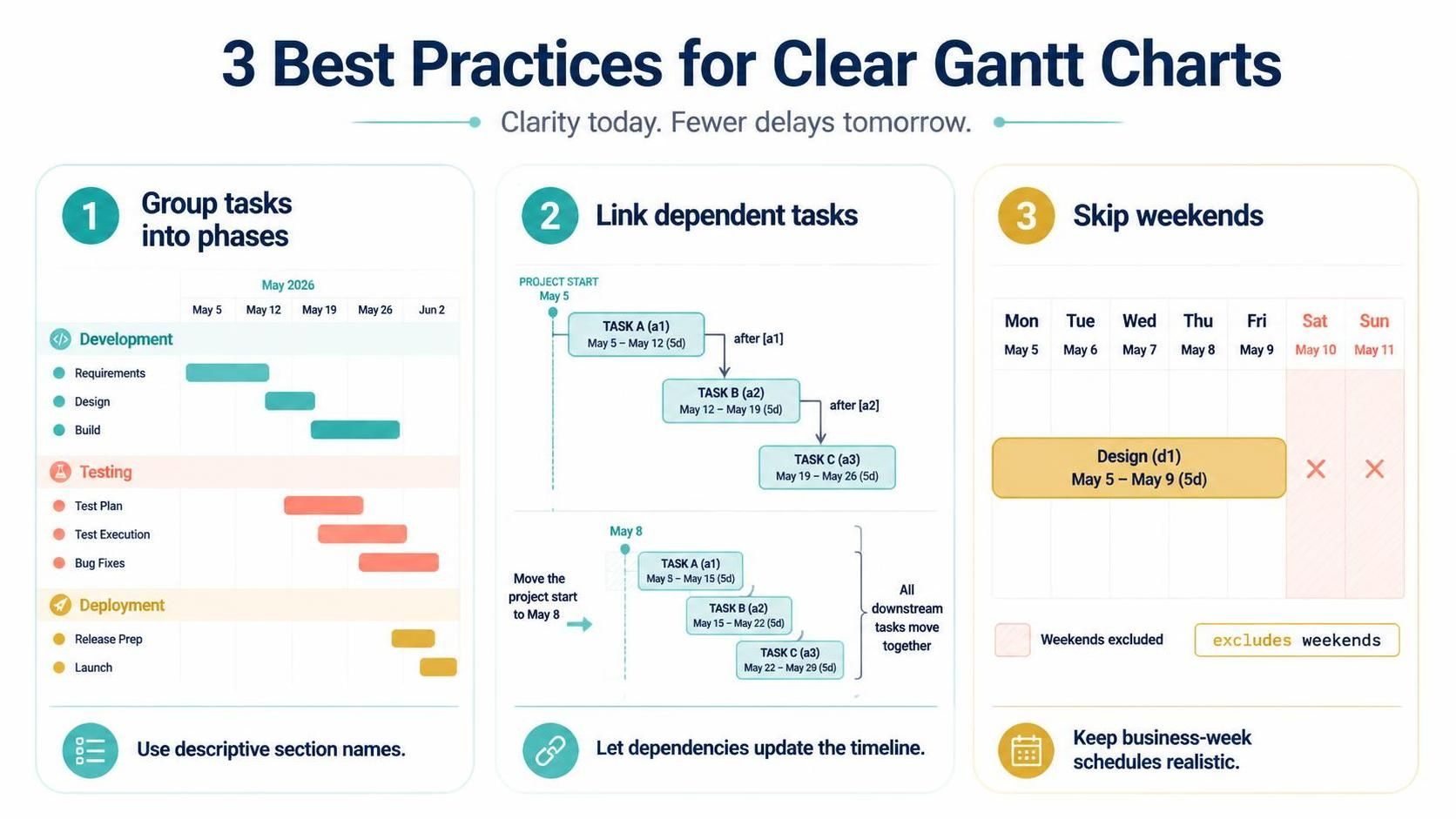
This guide explores how to leverage VPasCode to craft professional diagrams effortlessly, turning your textual ideas into clear, shareable visuals in seconds.
Why Choose an VPasCode – An Online Mermaid Tool?
Before diving into features, it’s important to understand why a dedicated online Mermaid editor like VPasCode is superior to basic text editors or heavy desktop applications.
-
Zero Setup: No installations required. It works directly in your browser.
-
Live Rendering: See your diagram update instantly as you type, eliminating the guesswork.
-
Syntax Support: Full support for all Mermaid diagram types, from flowcharts to Gantt charts.
-
AI-Powered Assistance: Built-in AI helps generate, modify, and fix your code, reducing friction.
Key Concepts: What Can You Create?
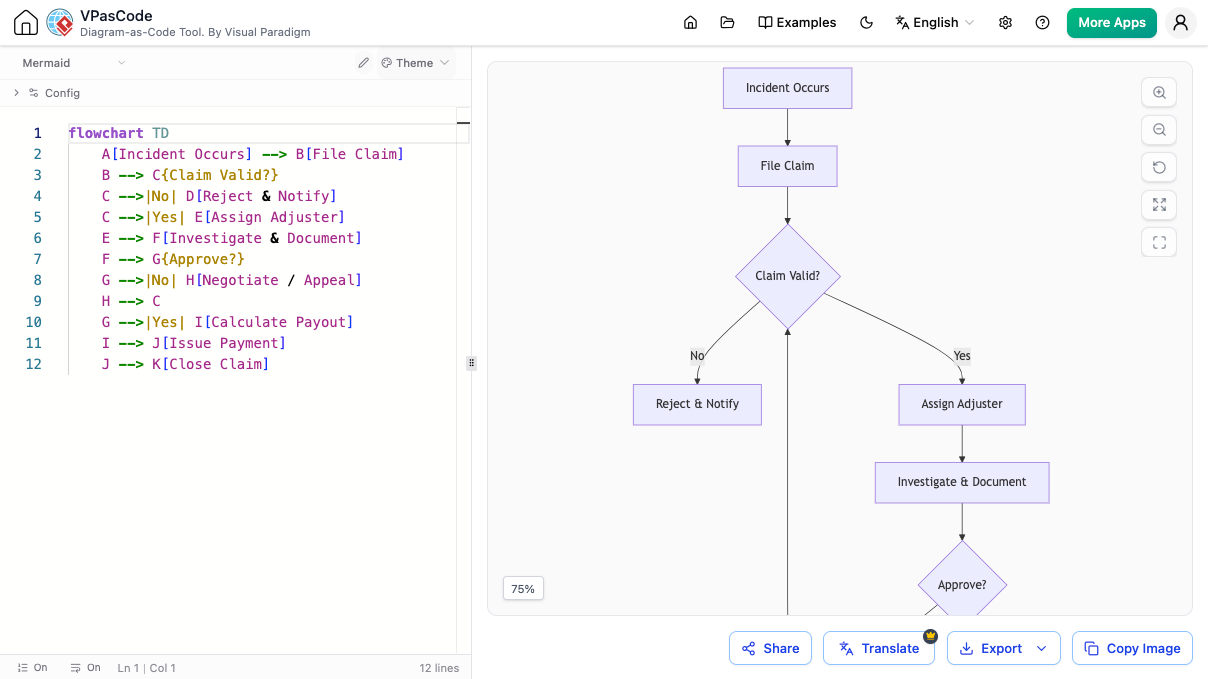
VPasCode supports the entire spectrum of Mermaid diagrams. Here are the most common use cases for product managers, developers, and architects.
1. Flowcharts
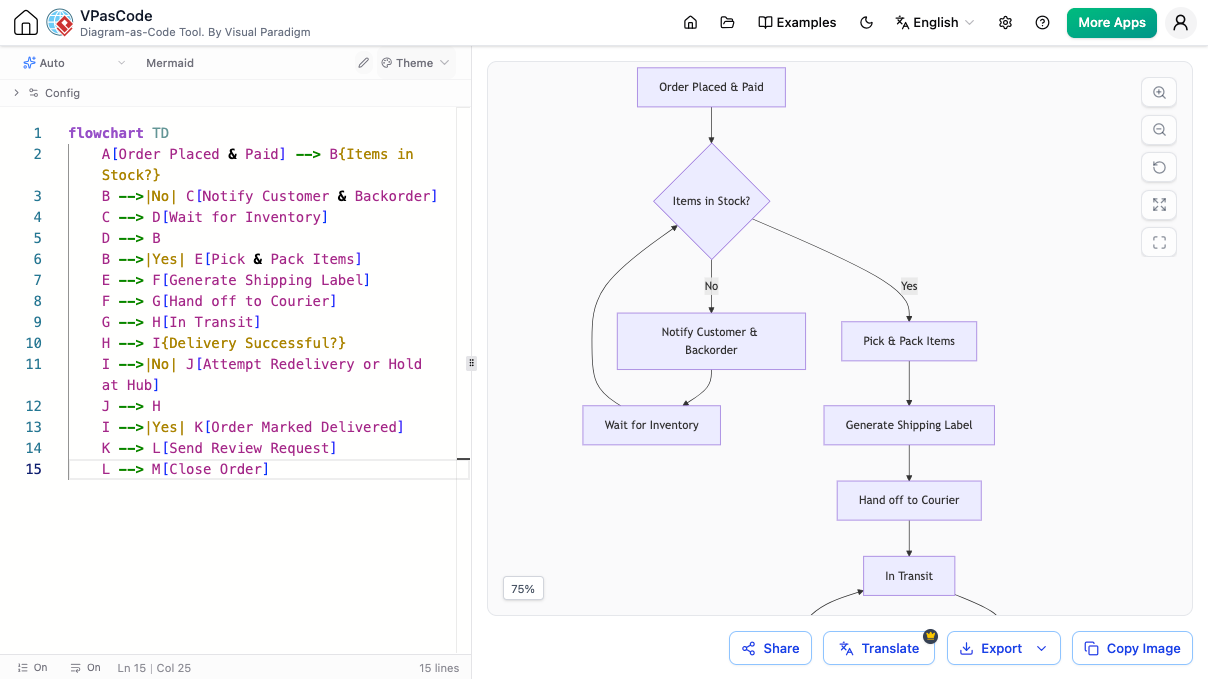
Perfect for mapping business processes, user flows, or decision trees.
2. Sequence Diagrams
Ideal for visualizing interactions between systems, APIs, or users over time.
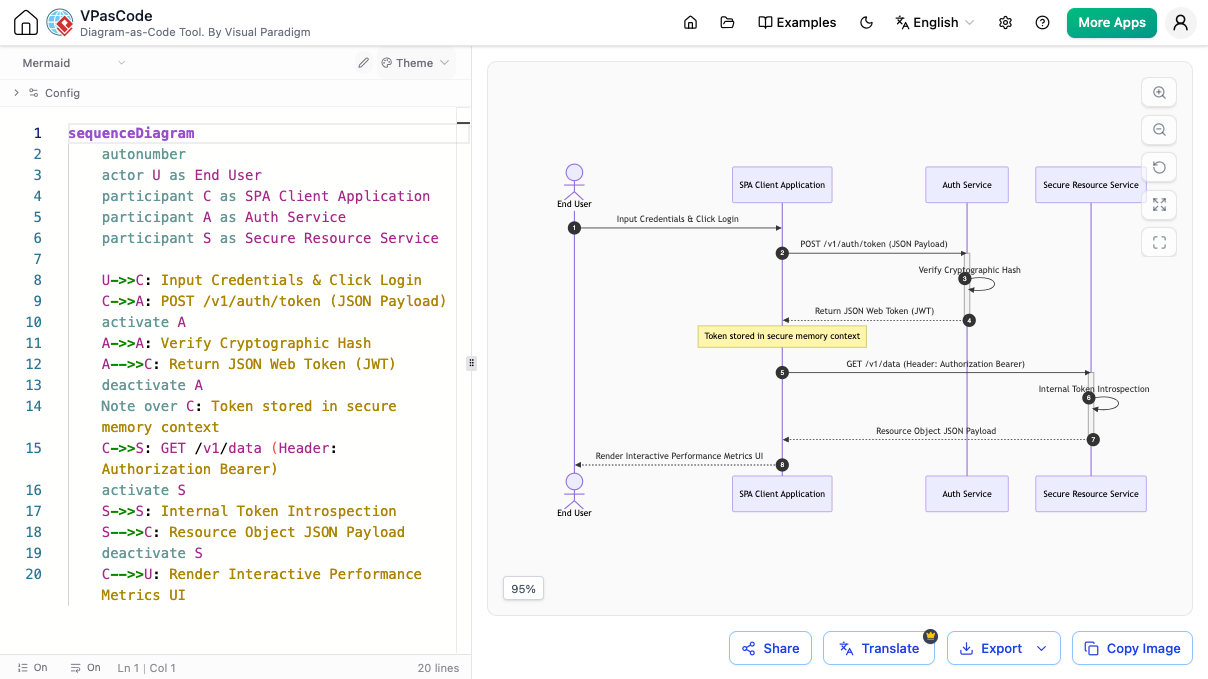
Example Use Case: User authentication flow involving a client, server, and database.
3. Class Diagrams
Essential for object-oriented design and understanding system structure.
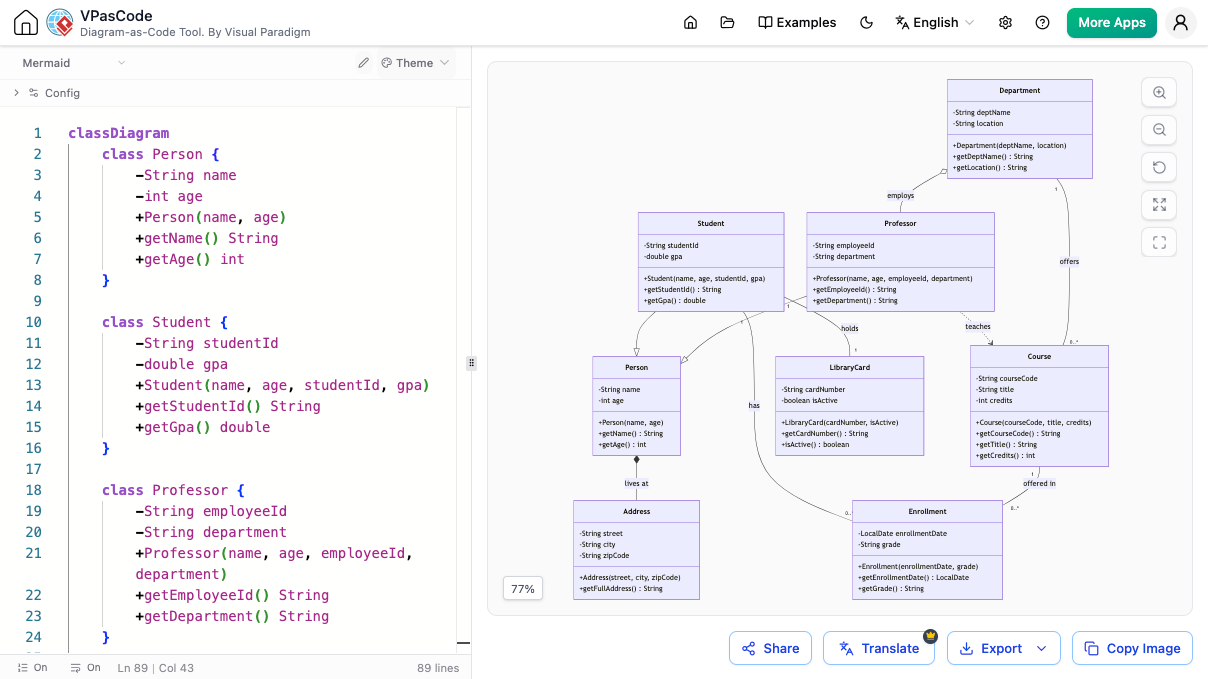
Example Use Case: Modeling entities in a university management system.
4. Entity-Relationship Diagrams (ERD)
Crucial for database schema design and visualization.
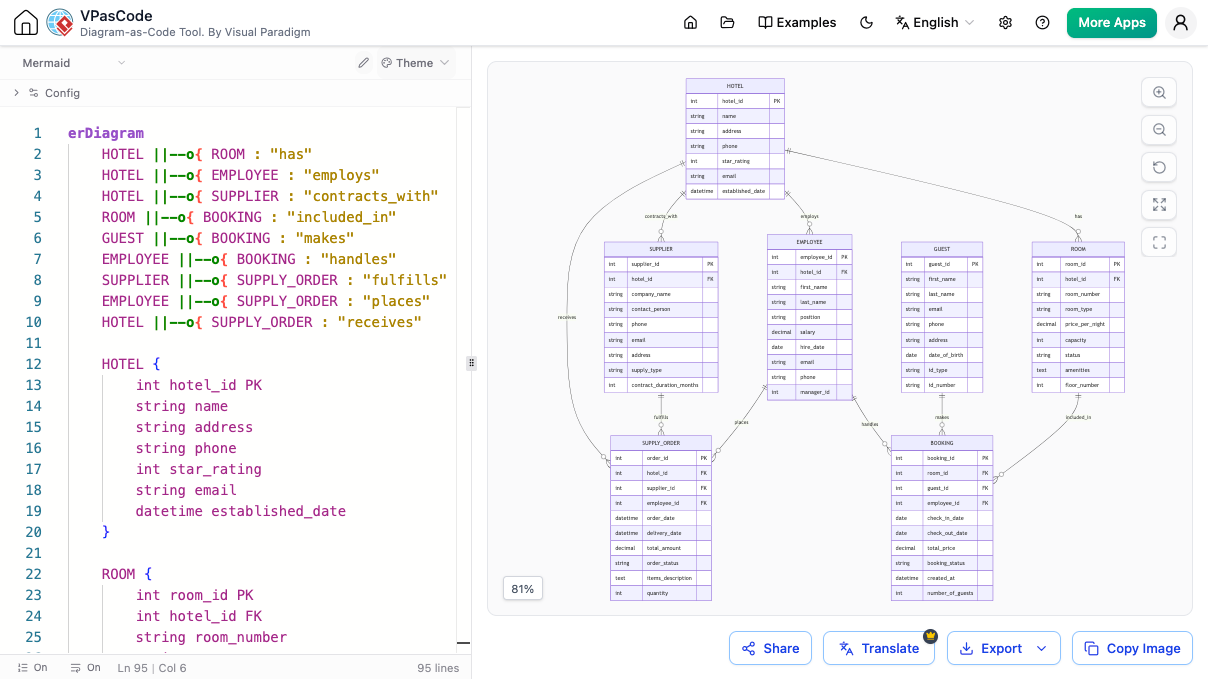
Example Use Case: Designing the database structure for a hotel booking platform.
Supercharge Your Workflow with AI
The standout feature of VPasCode is its integration of Artificial Intelligence. It transforms the editor from a passive rendering tool into an active coding partner.
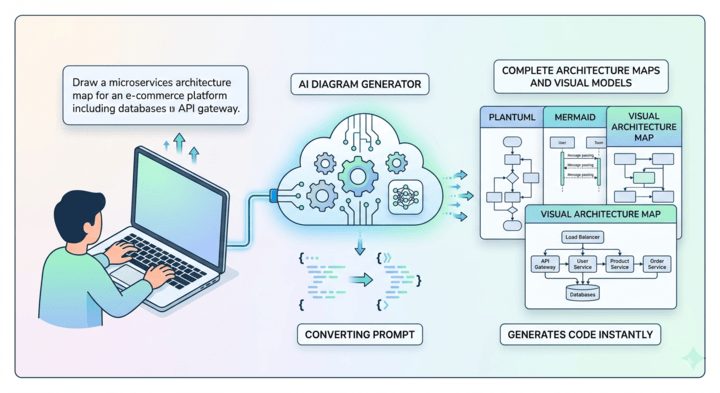
AI Mermaid Diagram Generator
Staring at a blank screen? Simply type in your idea in natural language. The built-in AI Mermaid generator will construct the syntax for you, creating flowcharts, sequences, or other diagrams automatically.
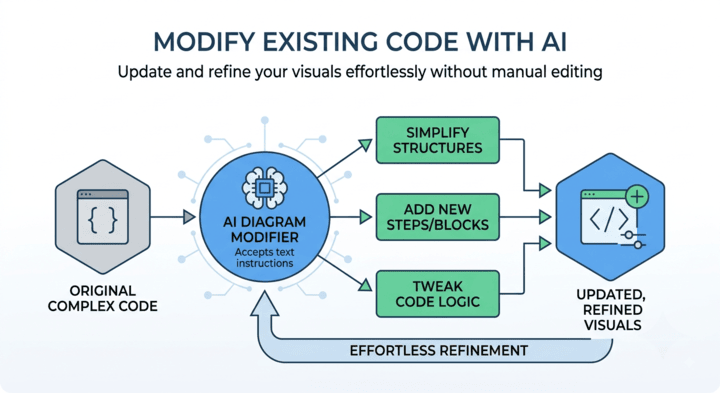
AI Mermaid Script Modification
Need to tweak an existing diagram? Instead of manually hunting through lines of code, tell the AI assistant to “add a new step,” “change the relationship,” or “simplify this loop.” It handles the syntax updates seamlessly.
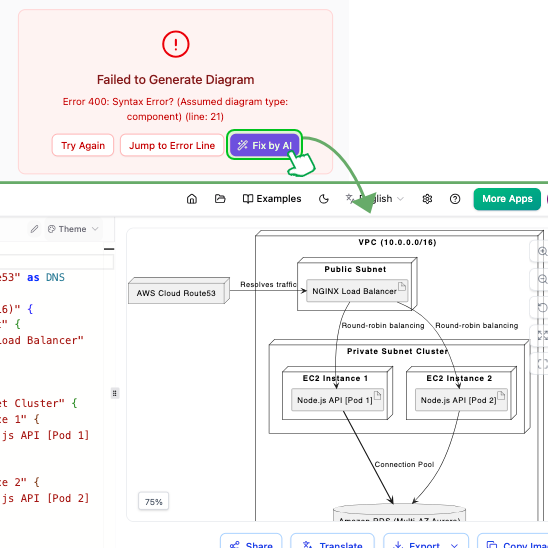
Instant Syntax Error Fixing
Syntax errors are the biggest hurdle in code-based diagramming. VPasCode offers one-click AI assistance to identify and fix mistakes instantly. The AI doesn’t just fix the code; it explains why the error occurred, helping you master Mermaid syntax over time.
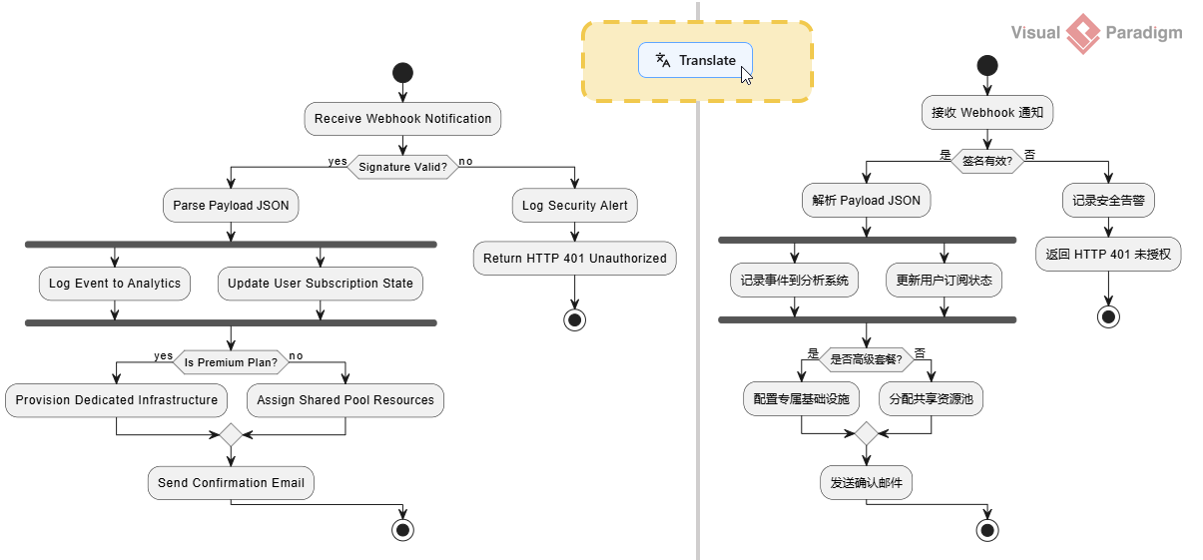
Bridge Language Gaps with AI Translation
Working with global teams? Use the built-in AI translation feature to instantly convert diagram labels and text into different languages, facilitating smoother international collaboration.
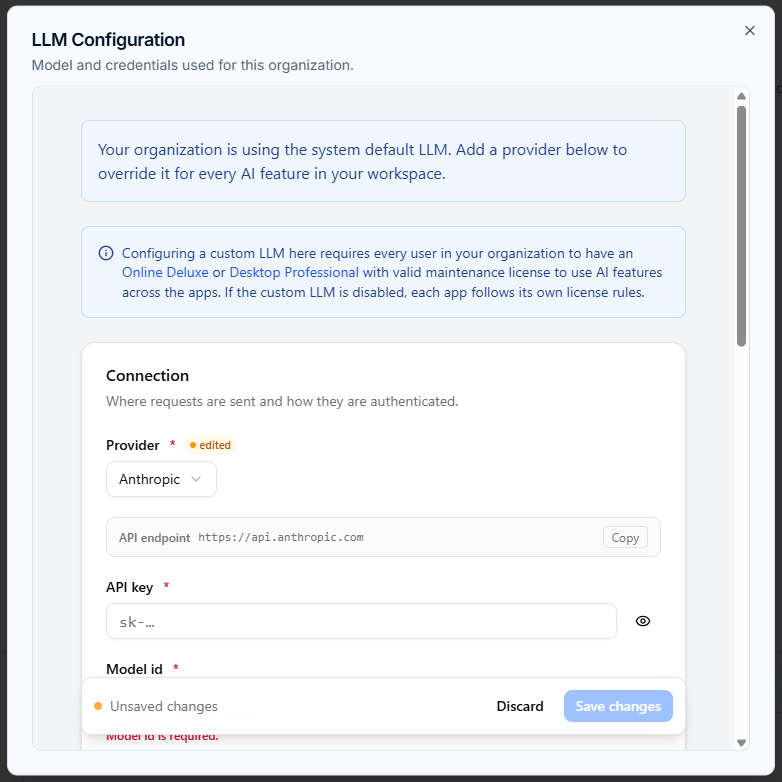
Custom AI Endpoint Support
For enterprise users concerned with data privacy and cost management, VPasCode allows you to integrate your own API credentials. You can route AI requests through your organization’s preferred services, including OpenAI, Anthropic, Google, DeepSeek, Mistral, Qwen, and Groq.
Learn More About Custom AI Endpoints

Exporting and Sharing Your Work
Once your diagram is perfect, you need to share it. VPasCode makes exporting simple and versatile.
-
PDF: For high-quality prints and formal reports.
-
SVG: For scalable vectors ideal for technical documentation and web embedding.
-
PNG: For quick sharing in chats, emails, or presentations.
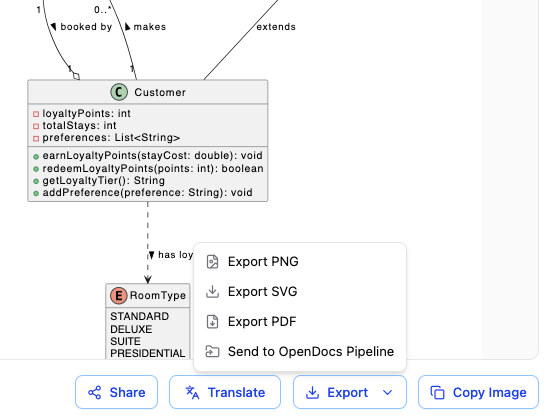
You can also share your work instantly via a direct URL or QR code, making collaboration frictionless.
A Unified Platform for All Code-Based Diagrams
While VPasCode excels as a Mermaid tool, it is part of a broader ecosystem that supports multiple diagram-as-code languages. This unified approach means you can use one interface for various visualization needs.
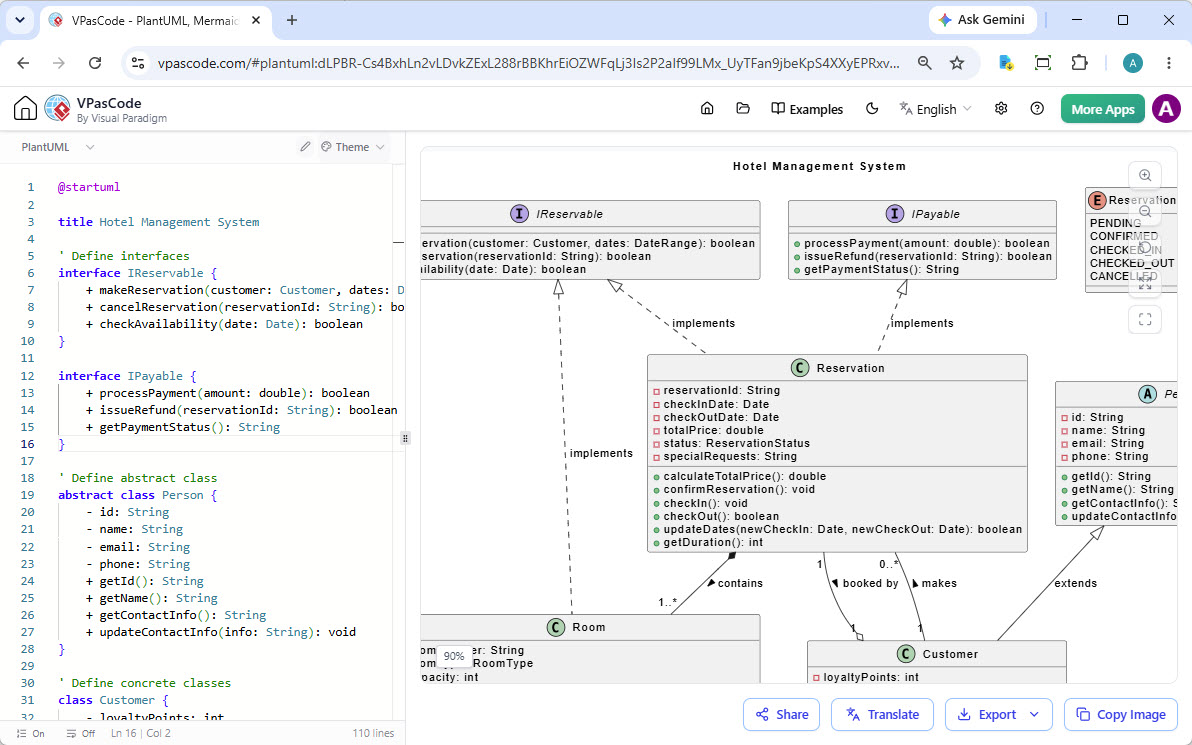
PlantUML Support
Create UML, ArchiMate, and C4 diagrams with ease.
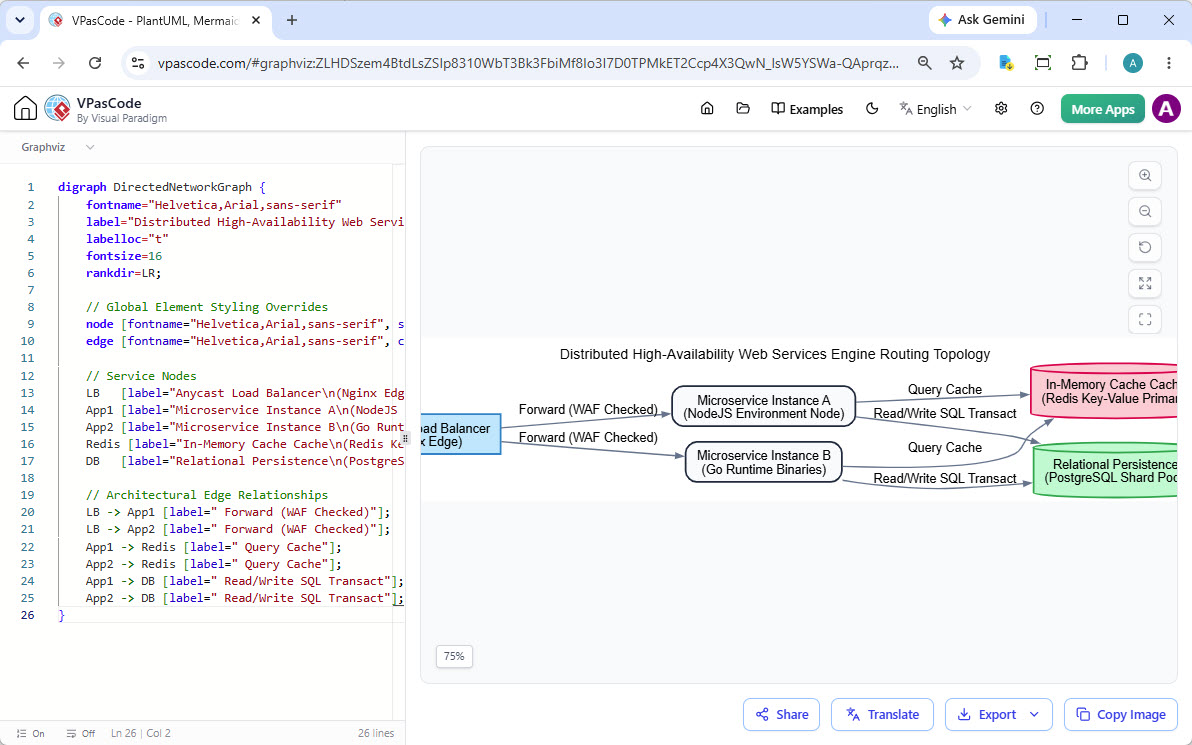
Graphviz DOT Support
Render complex network graphs and hierarchical structures using the DOT language.
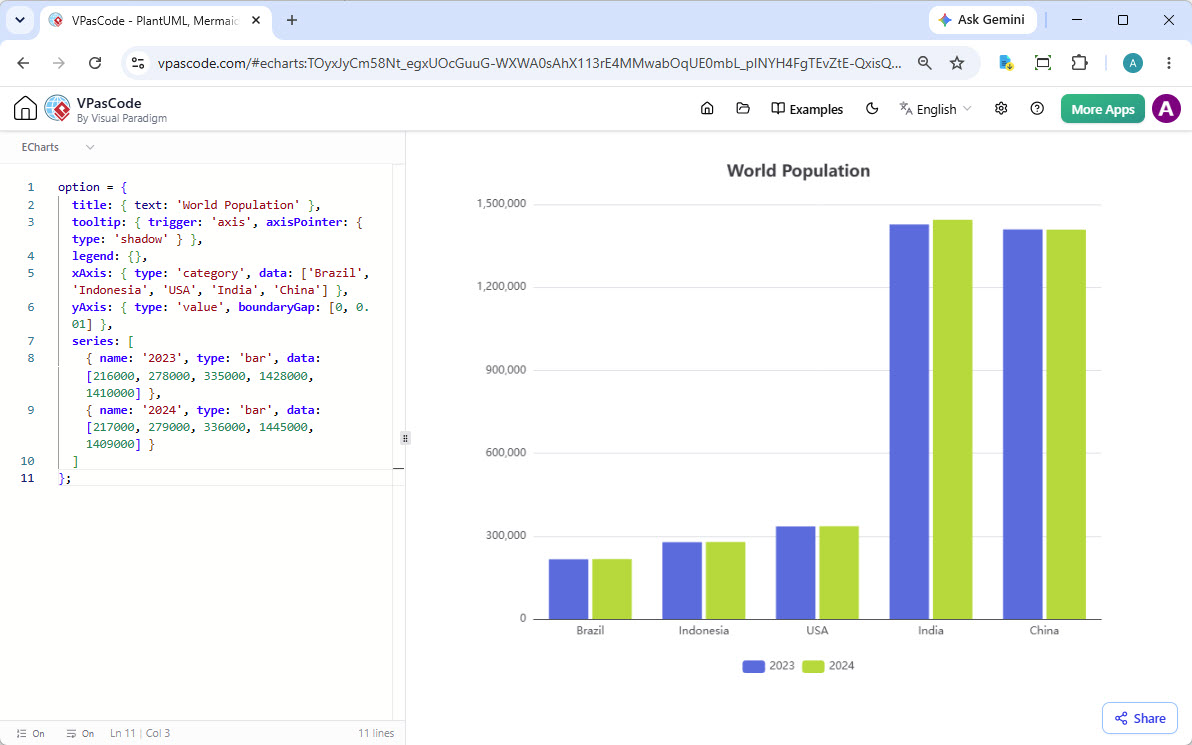
ECharts for Data Visualization
Build interactive charts and rich data visualizations directly from code.
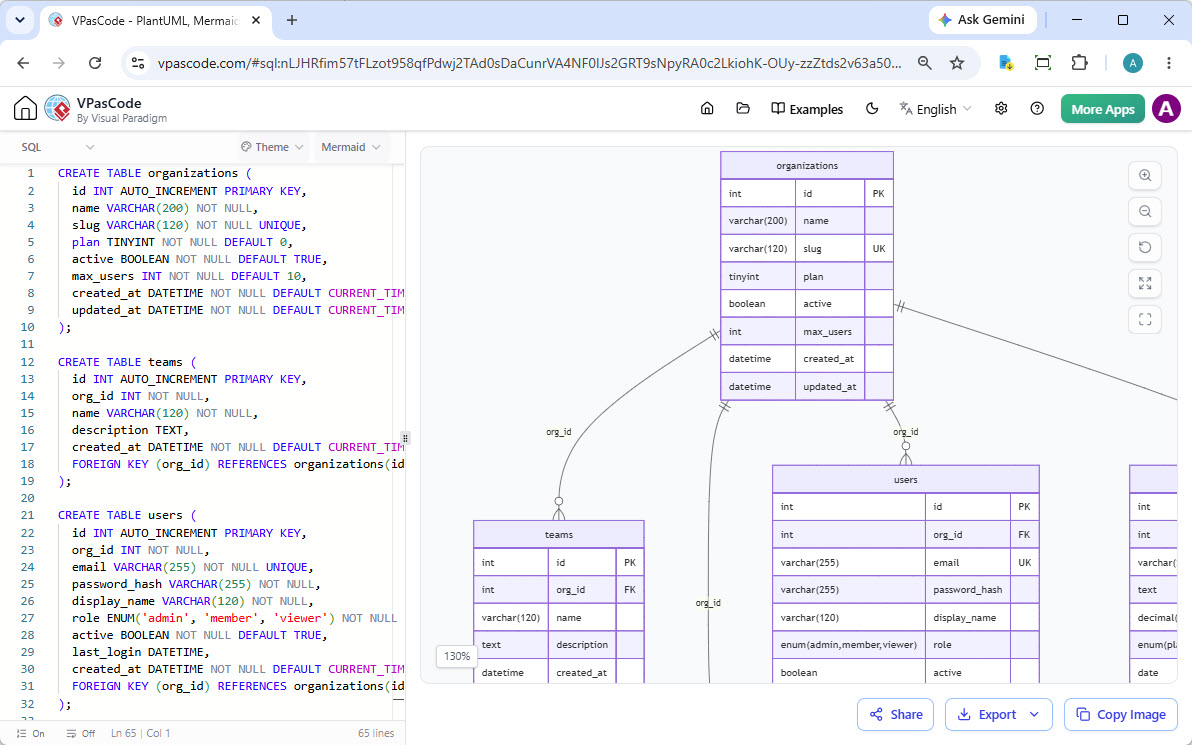
And Many More
Visualize SQL queries, JSON structures, YAML files, and Markmap mind maps—all within the same editor.
Seamless Integration with the Visual Paradigm Suite
VPasCode isn’t just a standalone editor; it’s a gateway to the Visual Paradigm ecosystem, enhancing your end-to-end documentation workflow.
Generate with AI, Perfect with VPasCode
Start with the Visual Paradigm AI Diagramming Chatbot to generate initial diagram concepts from plain text prompts. Then, refine the generated code in the VPasCode editor for precision and detail.
Try AI Diagramming Chatbot Now
Connect Diagramming to Documentation
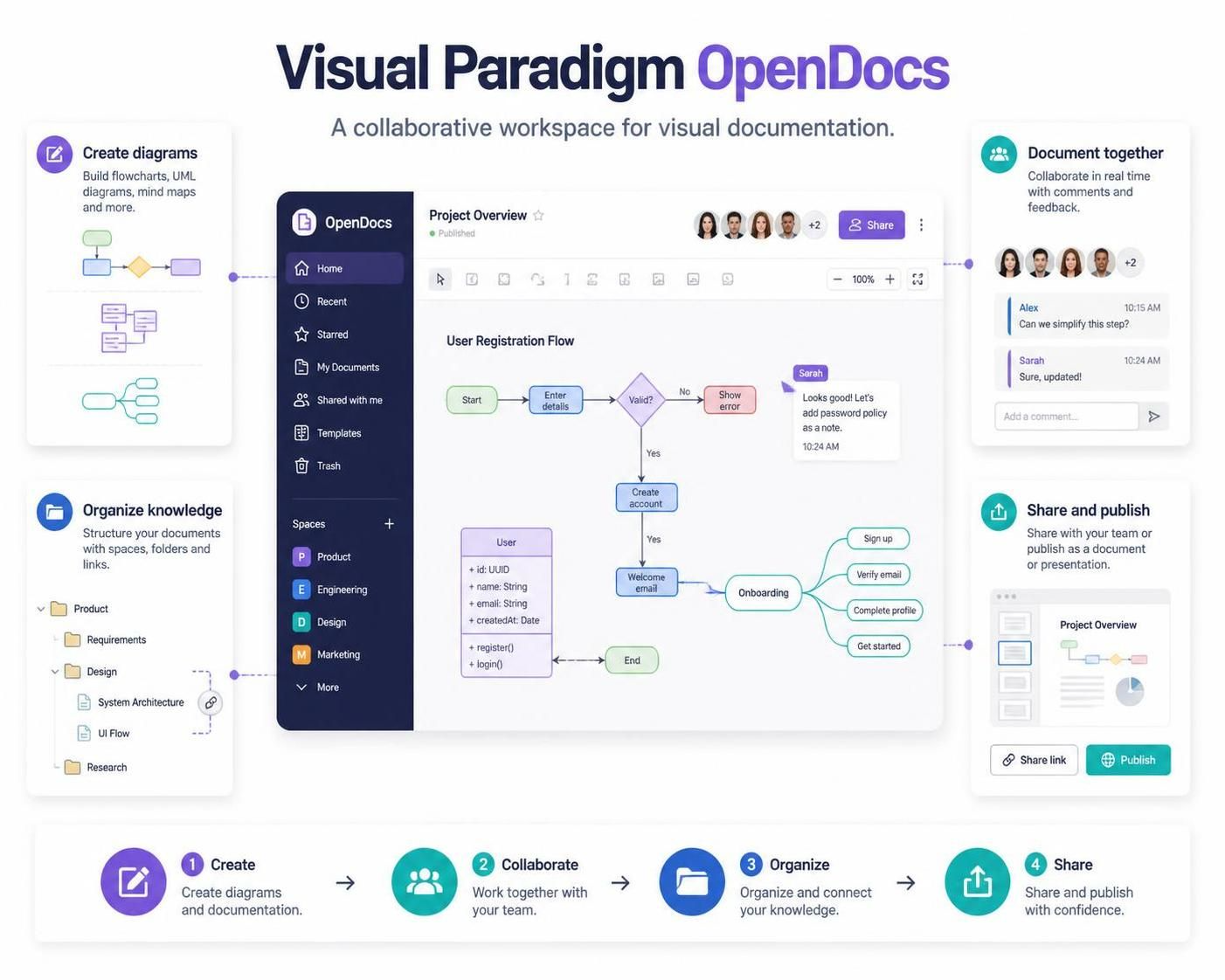
Diagrams rarely exist in isolation. With one click, send your finished Mermaid diagram directly to Visual Paradigm OpenDocs. This allows you to embed live, up-to-date diagrams into comprehensive knowledge bases and project documentation.
Conclusion
Creating clear, accurate diagrams no longer requires hours of dragging shapes or wrestling with complex software. With VPasCode, Visual Paradigm has delivered a powerful, free Mermaid editor that combines the efficiency of code-based diagramming with the intelligence of AI.
Whether you are a developer documenting code, a product manager mapping user journeys, or an architect designing systems, VPasCode provides the tools you need to visualize ideas quickly and professionally. From AI-powered generation and error fixing to seamless export and documentation integration, it streamlines the entire diagramming lifecycle.
Ready to transform your text into visuals? Begin with Our Free Mermaid Editor today and experience the future of diagram-as-code.