
Introduction
When diagrams, documents, and project files live in separate tools, it can be difficult to keep work organized and find the right resource. Visual Paradigm’s Unified Platform is designed to bring its tools, resources, and data together in one central workspace. It connects Visual Paradigm Online’s web-based apps with Visual Paradigm Desktop’s advanced modeling environment, helping users access and manage their work from a single dashboard.
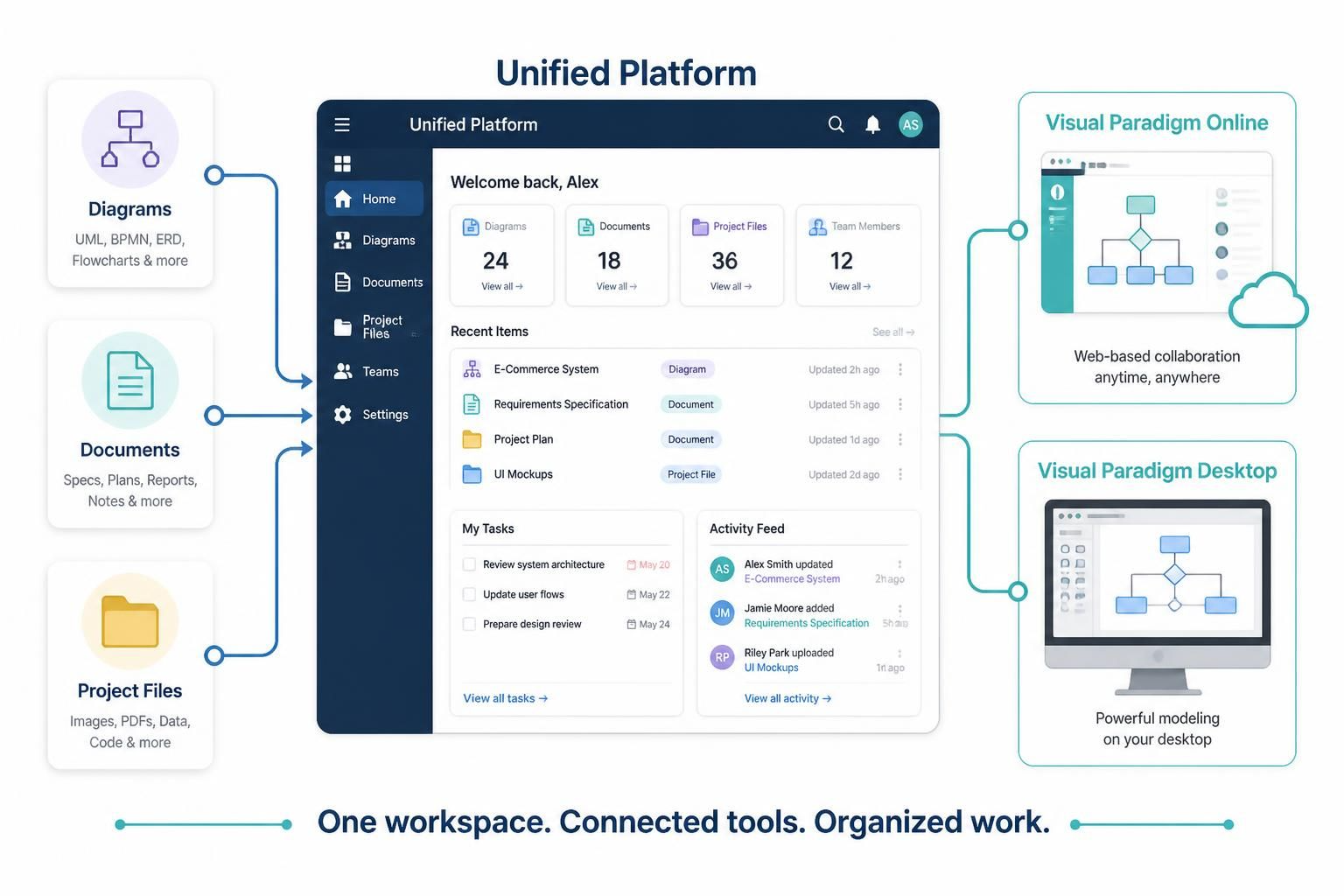
This guide explains the platform’s main idea, the roles of its two product environments, and how to use them together in practical workflows.
What Is the Unified Platform?
The Unified Platform is Visual Paradigm’s central workspace for its applications, creation tools, and cloud storage. Instead of treating each tool and file as a separate destination, it provides a shared place to access and organize work created across Visual Paradigm’s environments.
The platform is intended to make it easier to move between different kinds of work—for example, creating a diagram, preparing a presentation, and developing a detailed software model—without losing sight of where your files and tools are.
Key Concepts
One central workspace
The Unified Platform acts as a home base for Visual Paradigm tools and resources. Its dashboard brings together access to applications and a consolidated view of work, rather than requiring users to manage every tool and file in isolation.
Visual Paradigm Online
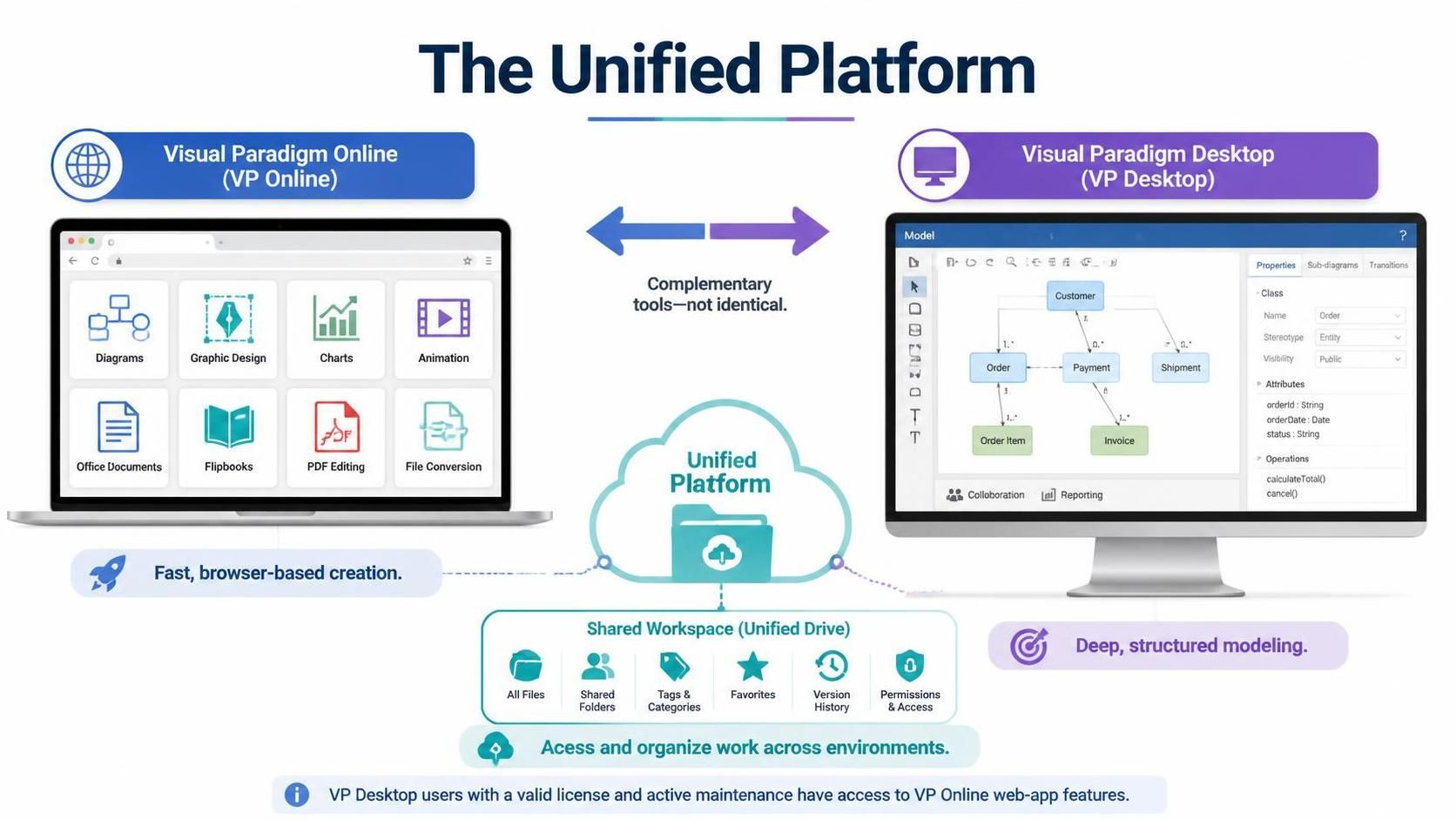
Visual Paradigm Online (VP Online) is the web-based environment. It includes tools for lightweight diagramming, graphic design, charts, animation, office documents, flipbooks, PDF editing, file conversion, and other apps.
It’s suited to tasks that benefit from a browser-based workflow, such as quickly creating a flowchart or preparing a presentation.
Visual Paradigm Desktop
Visual Paradigm Desktop (VP Desktop) is a desktop modeling environment for deeper, more complex work. Modeling can involve detailed data properties and relationships, as well as sub-diagrams, transitions between diagrams, team collaboration, and advanced reporting.
It’s suited to projects where diagrams are part of a larger, structured model rather than standalone visuals.
Complementary environments
VP Online and VP Desktop serve different needs; the platform brings them together rather than making them identical. A user might create a quick visual in the online environment, then work on a more elaborate model in the desktop application.
According to the article, VP Desktop users with a valid license and active maintenance are granted access to VP Online web-app features.
Shared access to work
The platform’s drive-like workspace is intended to make work created across applications and environments visible and accessible in one place. This helps users keep track of their digital workspace as they move between tools.
Examples
Example 1: Create a flowchart for a team meeting
A team member can use VP Online to make a flowchart in the browser, then access it through the Unified Platform alongside other project materials. This is a practical approach when the goal is to communicate a process clearly without building a detailed technical model.
Example 2: Develop a complex software model
A modeler can use VP Desktop to document a system with detailed properties and relationships. If the project requires multiple connected diagrams, collaboration, or reporting, the desktop modeling environment is the more appropriate choice. The Unified Platform provides the broader workspace for accessing this work alongside other Visual Paradigm resources.
Example 3: Prepare a project presentation
A project team can use one set of tools to develop diagrams and another to prepare presentation materials. The central workspace helps keep those outputs accessible together, even when they were created in different applications.
Example 4: Choose the right environment for a task
Suppose you need a simple chart for a report and a detailed model of the system behind it. VP Online can serve the quick chart-making task, while VP Desktop can support the deeper modeling work. The Unified Platform provides a common place to access both environments and their associated work.
A Practical Way to Use the Platform
-
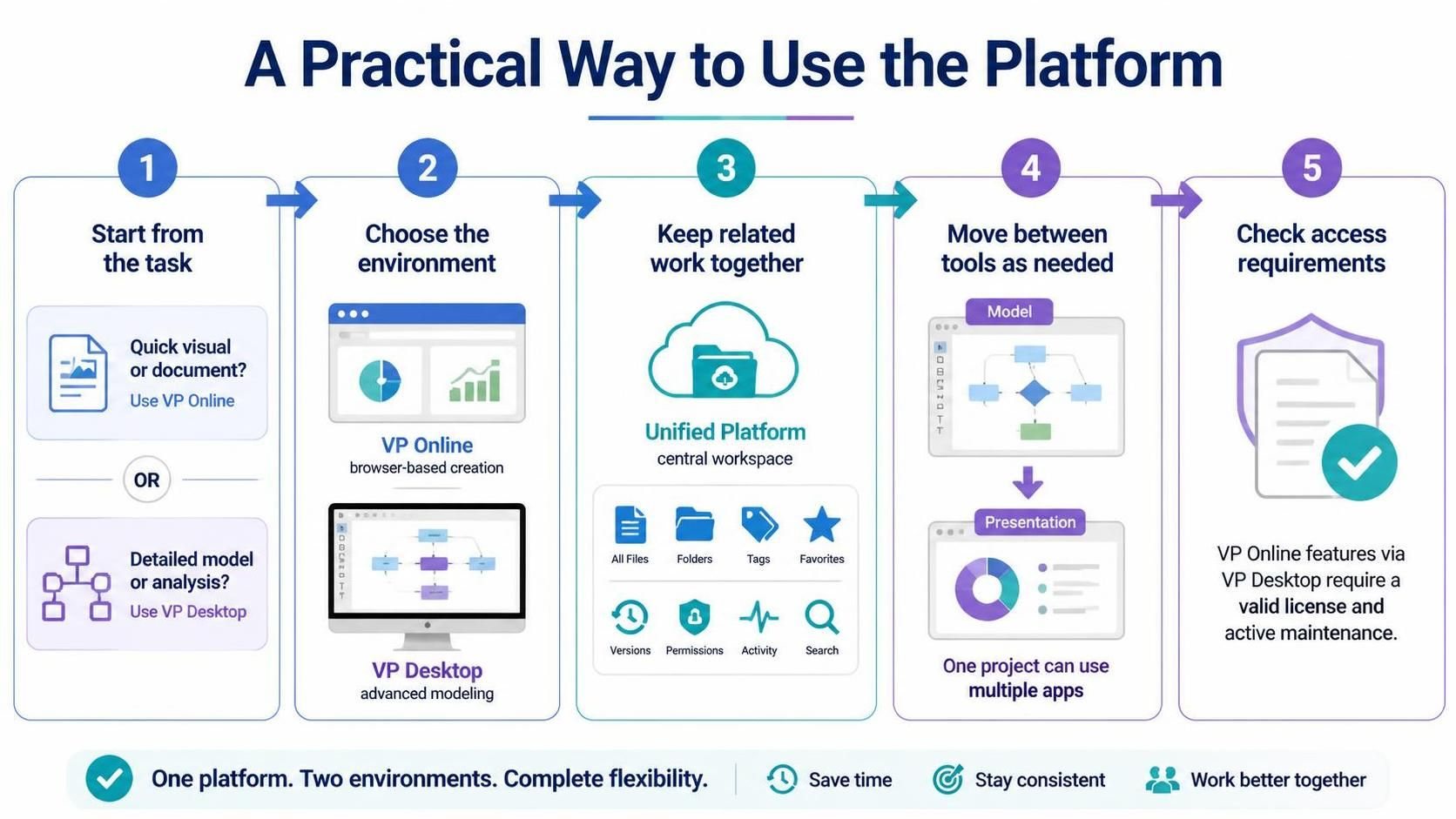
Start from the task. Decide whether you need a quick visual or document, or a detailed model with complex relationships.
-
Choose the environment. Use VP Online for browser-based creation tasks; use VP Desktop when the work calls for advanced modeling capabilities.
-
Keep related work together. Use the Unified Platform as the central point for finding and accessing work created across Visual Paradigm tools.
-
Move between tools as needed. A project may involve more than one application—for example, modeling a system and then creating a presentation to explain it.
-
Check access requirements. If you plan to use VP Online features through a VP Desktop license, confirm that your license and maintenance status meet the stated requirements.
Conclusion
Visual Paradigm’s Unified Platform is a central workspace that connects its tools, resources, and data. Its core value is bringing VP Online’s broad set of web-based creation apps together with VP Desktop’s advanced modeling capabilities. By choosing the right environment for each task and using the platform as a shared home base, individuals and teams can manage a varied Visual Paradigm workflow more coherently.