
Introduction
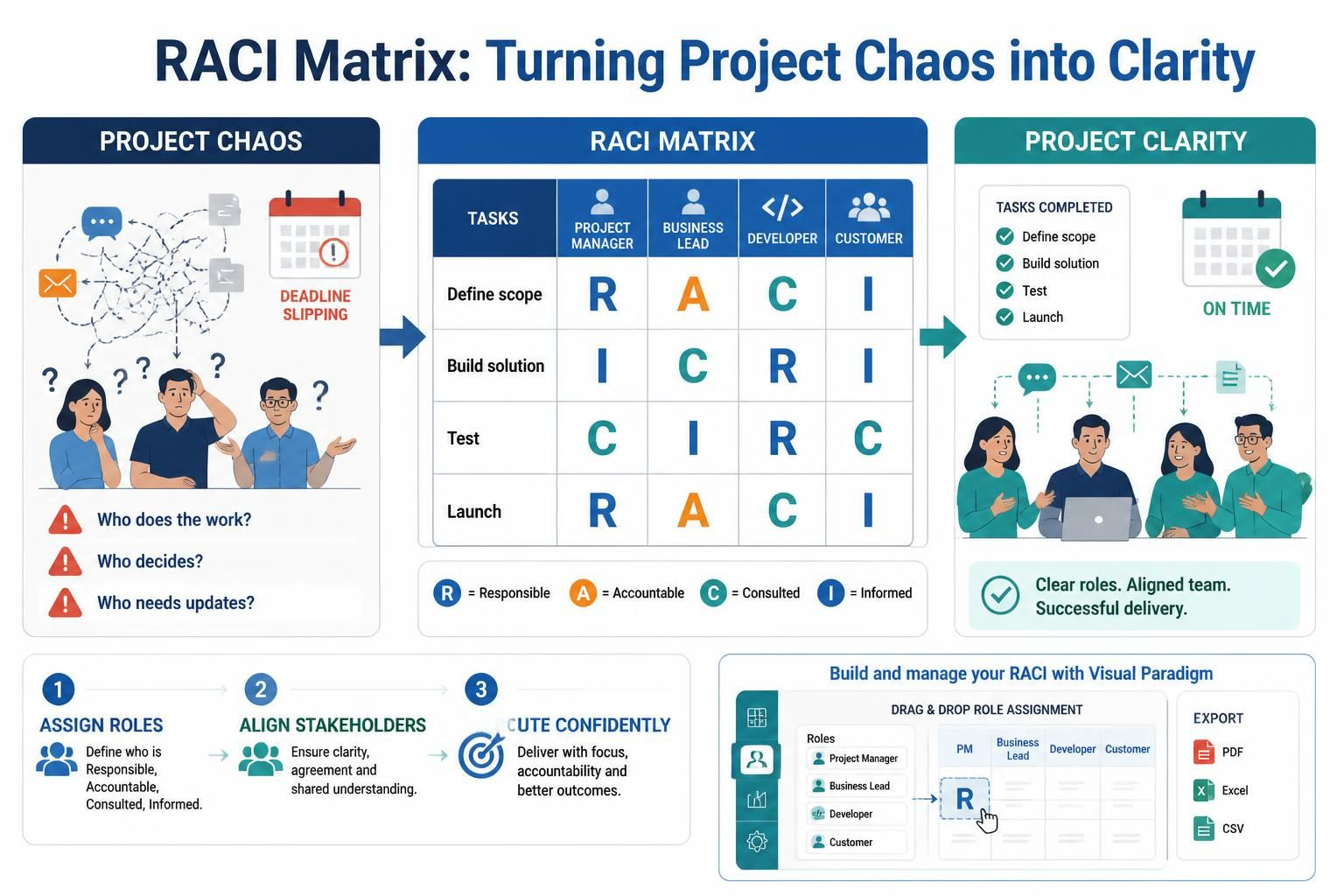
Project chaos often stems from one root cause: ambiguity. When team members are unsure who is doing the work, who has the final say, or who needs to be kept in the loop, deadlines slip, communication breaks down, and frustration mounts. Enter the RACI Matrix, a foundational project management tool designed to transform this confusion into clarity.
By explicitly defining roles for every task, a RACI chart ensures that nothing falls through the cracks. Whether you are managing a small agile team or a large-scale enterprise initiative, understanding and implementing a RACI matrix is critical for success. This guide explores the core concepts of RACI, provides practical examples, and demonstrates how to leverage Visual Paradigm’s interactive tools to build, manage, and export your responsibility assignments efficiently.

Key Concepts: Understanding the RACI Framework
The acronym RACI stands for the four key roles that define participation in any given task or deliverable. Understanding the distinction between these roles is vital for effective assignment.
-
R – Responsible: These are the “doers.” They are the individuals who actually complete the work. There can be multiple people responsible for a single task, but ideally, the workload should be manageable.
-
A – Accountable: This is the “owner.” The accountable person is ultimately answerable for the correct and thorough completion of the task. They have veto power and sign-off authority. Crucially, there must be only one Accountable person per task to avoid confusion about who has the final say.
-
C – Consulted: These are the subject matter experts. Their input is sought before a decision or action is taken. Communication with consulted parties is two-way.
-
I – Informed: These stakeholders need to be kept up-to-date on progress or decisions after they are made. Communication with informed parties is typically one-way.
Why Use a RACI Matrix?
-
Eliminates Role Ambiguity: Clearly defines who does what.
-
Prevents Overloading: Helps identify if one person is responsible for too many tasks.
-
Streamlines Communication: Ensures the right people are consulted and informed, reducing unnecessary meetings and emails.
-
Enhances Accountability: With a single accountables person per task, ownership is clear.
Practical Examples
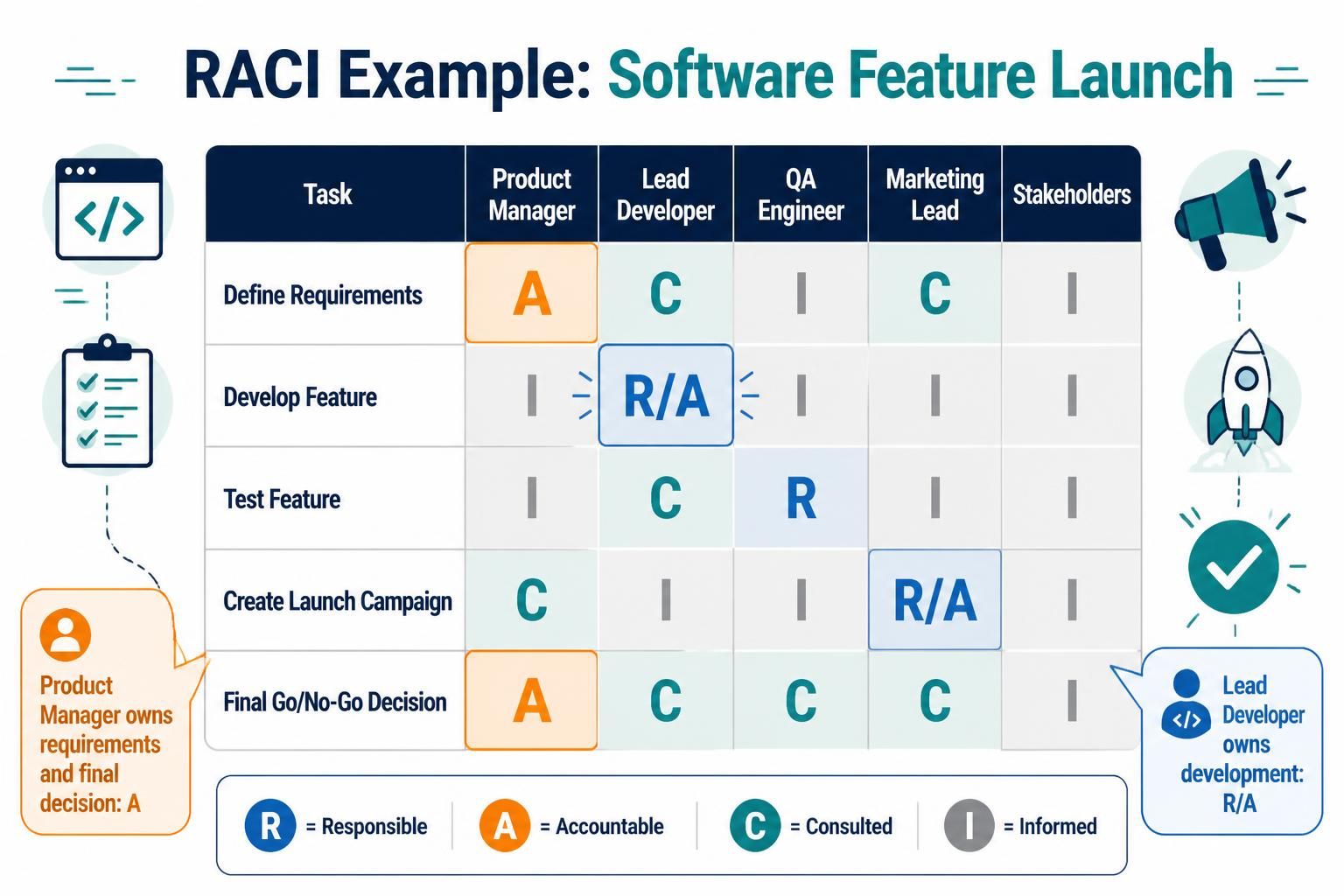
Example 1: Software Feature Launch
| Task | Product Manager | Lead Developer | QA Engineer | Marketing Lead | Stakeholders |
|---|---|---|---|---|---|
| Define Requirements | A | C | I | C | I |
| Develop Feature | I | R/A | I | I | I |
| Test Feature | I | C | R | I | I |
| Create Launch Campaign | C | I | I | R/A | I |
| Final Go/No-Go Decision | A | C | C | C | I |
Note: In this example, the Lead Developer is both Responsible and Accountable for the development phase, while the Product Manager holds accountability for requirements and the final decision.
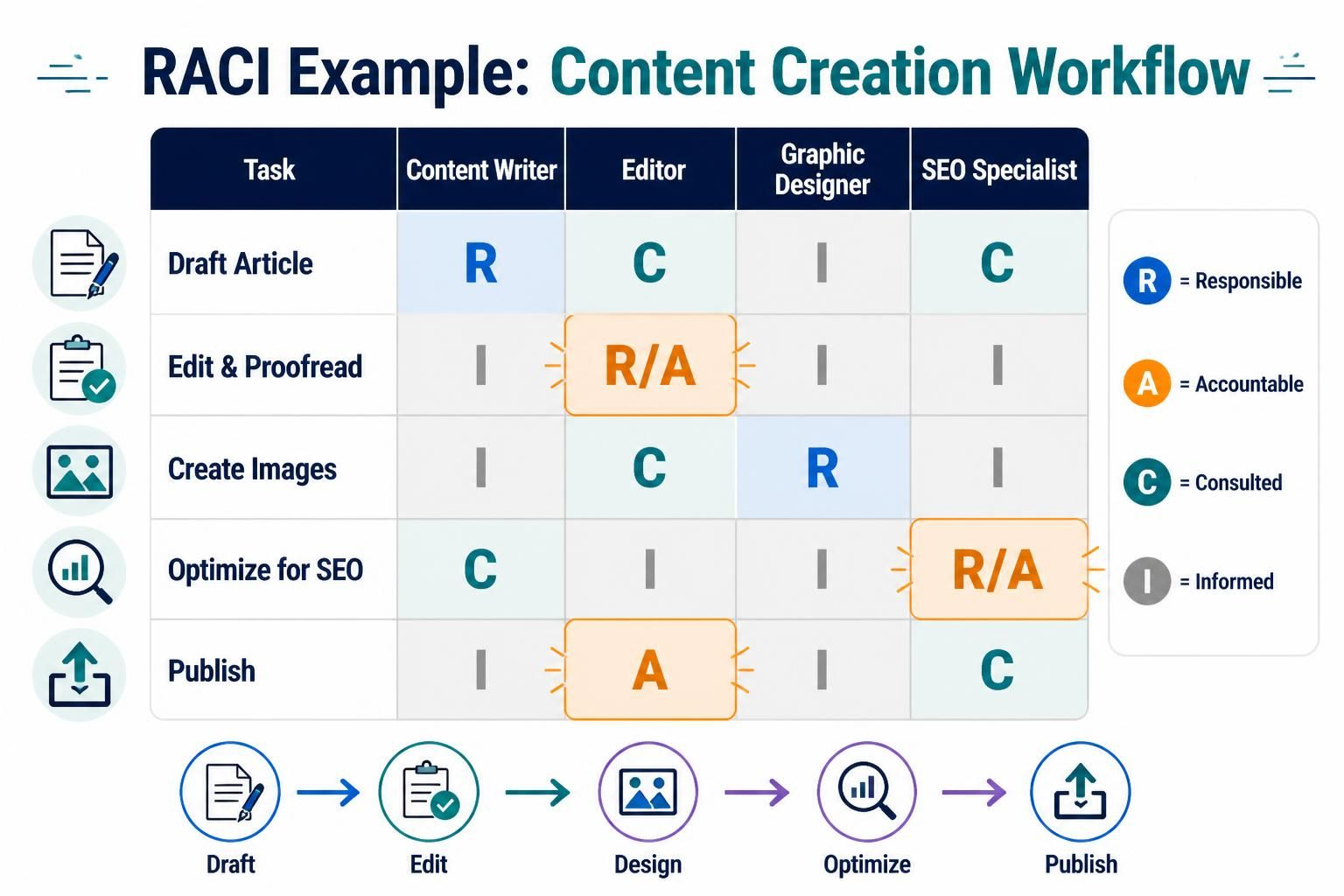
Example 2: Content Creation Workflow
| Task | Content Writer | Editor | Graphic Designer | SEO Specialist |
|---|---|---|---|---|
| Draft Article | R | C | I | C |
| Edit & Proofread | I | R/A | I | I |
| Create Images | I | C | R | I |
| Optimize for SEO | C | I | I | R/A |
| Publish | I | A | I | C |
How to Create a RACI Chart in Visual Paradigm
Visual Paradigm offers robust tools for creating RACI matrices, either manually or by auto-generating them from existing process maps. Here is how you can leverage their platform.
Method 1: Use the Dedicated RACI Matrix App
The interactive RACI Matrix app simplifies the process of assigning roles and responsibilities.
Step-by-Step Guide:
-
Open the App:
-
In Visual Paradigm Desktop, go to
Tools > Apps. -
For online users, open the Visual Paradigm RACI Tool.
-
Locate the “RACI Matrix” app and click Start Now.
-
-
Define Axes:
-
Add your team roles or departments as columns.
-
List your project tasks or deliverables as rows.
-
-
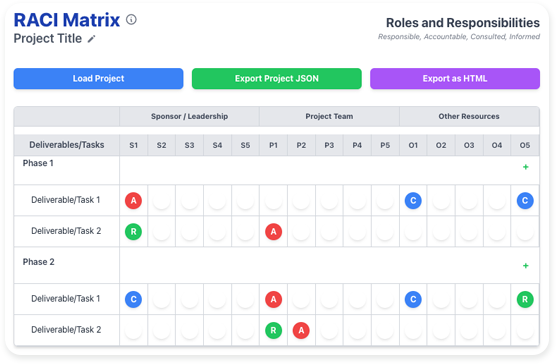
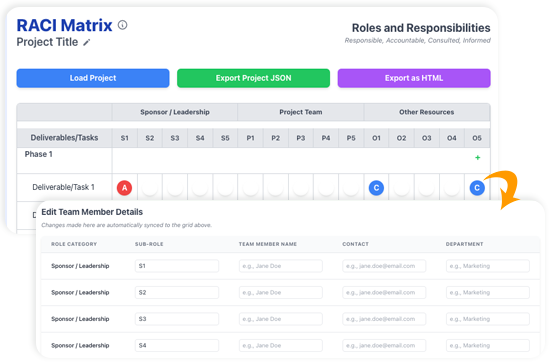
Assign Roles Interactively:
-
Step 1: Click to Select. Click on a circular icon or designated spot within the matrix cell.
-
Step 2: Choose the Role. A dropdown menu appears displaying R, A, C, and I.
-
Step 3: Assign the Role. Click the desired letter to assign it to the corresponding person for that task.
-
-
Manage Team Member Details:
You can edit team member information directly within the matrix:-
Click on a team member’s name in the header.
-
Update fields such as Sub-Role (e.g., “UX Designer”), Contact Info, and Department.
-
-
Export Your Matrix:
Save your work as a.jsonfile for future editing or collaboration, or export as a static.htmlor PDF file for easy sharing and printing.
Method 2: Generate RACI from a BPMN Process Map
If you already have a Business Process Diagram (BPD) or workflow map, Visual Paradigm can auto-generate a RACI chart, saving significant time.
-
Open a Process Diagram: Load your existing BPD or workflow map in Visual Paradigm.
-
Auto-Generate: Right-click on the background of the diagram and select
Utilities > Generate RACI Diagram. -
Review and Refine: The software automatically assigns the Responsible (R) designation based on which participant pools or lanes own the tasks. You can then manually assign Accountable (A), Consulted (C), or Informed (I) roles by right-clicking specific cells.
Key Features of Visual Paradigm’s RACI Tool
-
Dynamic Role Management: Easily add, remove, or modify roles to adapt to changing project structures.
-
Task Reordering: Organize project phases and tasks using a simple drag-and-drop interface.
-
Centralized Information: Keep contact details and departmental info linked directly to team members in the matrix.
-
Flexible Export Options: Share your matrix in JSON, HTML, or PDF formats to suit your collaboration needs.
Conclusion
Implementing a RACI matrix is more than just filling out a chart; it is a strategic move toward clearer communication and stronger accountability. By defining who is Responsible, Accountable, Consulted, and Informed, you eliminate guesswork and empower your team to focus on execution rather than clarification.
With tools like Visual Paradigm, creating and maintaining these matrices becomes a seamless part of your project management workflow. Whether you start from scratch with the dedicated RACI app or leverage your existing BPMN diagrams, you can ensure that every task has a clear owner and every stakeholder knows their role. Start building your RACI matrix today and transform project chaos into clarity.
Recommended Resources: Visual Paradigm RACI Tools
- Visual Paradigm RACI Matrix Tool Overview: Comprehensive overview of features and benefits of the RACI matrix tool.
- How to Generate RACI Chart from BPMN: Step-by-step tutorial on auto-generating RACI charts from business process diagrams.
- Free RACI Tool and Editor Release: Announcement and details about the free RACI tool availability.
- Step-by-Step Guide to Assigning RACI Roles: Detailed guide on best practices for assigning RACI roles in projects.
- RACI Matrix Tutorial (PDF Format): Downloadable PDF tutorial for generating RACI charts from BPMN.
Related posts:
 How Visual Paradigm’s AI Diagram Generation Turns Your Ideas into Professional UML & BPMN Diagrams in Seconds
 Mastering Business Process Modeling: A Hands-On Review of BPMN and Visual Paradigm’s AI-Powered Tools
 Mastering AI-Powered Mind Mapping with Visual Paradigm
 A Software Engineer’s Field Guide to UML, BPMN, and SysML