


Your all-in-one suite for visual modeling, enterprise architecture, business analysis, project management, and agile development
Introduction
Visual Paradigm is a comprehensive visual modeling and project management platform designed to help teams design software, manage projects, and document processes within a single integrated environment. Available as both a desktop application (Visual Paradigm Desktop) and a cloud-based solution (VP Online), it supports a wide range of industry standards and methodologies—from UML and BPMN to TOGAF and Scrum.
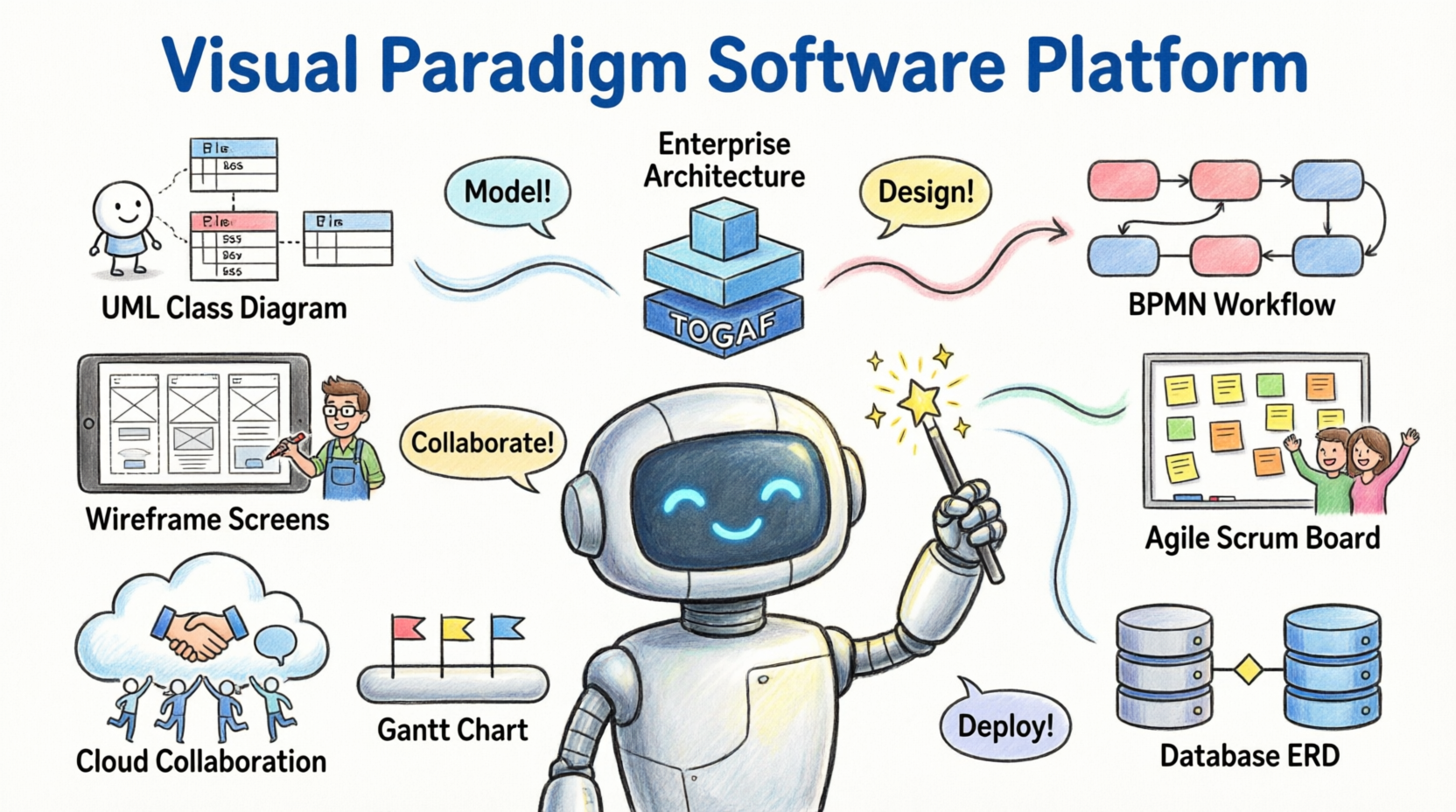
Key Value Propositions:
-
✅ All-in-one suite covering modeling, analysis, design, and delivery
-
✅ Support for 50+ diagram types and industry frameworks
-
✅ Cloud-based collaboration with real-time team synchronization
-
✅ AI-powered features for accelerated diagram generation and analysis
-
✅ Flexible editions from free Community to enterprise-grade solutions
Try Visual Paradigm Free: Download a free trial to explore all features.
Core Feature Categories
🔷 Visual Modeling
Build and manage diagrams and model elements with an intuitive, drag-and-drop editor designed for efficiency and precision.
Supported Standards:
-
UML (Unified Modeling Language) for software design
-
BPMN (Business Process Model and Notation) for workflow visualization
-
ArchiMate for enterprise architecture modeling
-
DFD (Data Flow Diagrams) in multiple notations (Yourdon/DeMarco, Gane/Sarson)
-
ERD (Entity Relationship Diagrams) for database design
-
SysML for systems engineering
-
SoaML for service-oriented architecture
-
CMMN for case management
Key Capabilities:
-
Element reusability and transformation tools
-
Syntax validation to ensure model correctness
-
Custom properties and extensive formatting options
-
Diagram animation for process simulation and presentation
UML Tool: Create class, sequence, use case, and activity diagrams with full UML 2.5 support.
BPMN Diagram and Tools: Model business processes with animation and simulation capabilities.
ArchiMate Tools: Design enterprise architecture views aligned with The Open Group standards.
🏢 Enterprise Architecture
Leverage industry-leading frameworks to align business strategy with IT execution.
Framework Support:
-
TOGAF ADM with guided lifecycle navigation and auto-generated deliverables
-
DoDAF, NAF, and MODAF for defense and government architecture
-
Zachman Framework for enterprise ontology modeling
Productivity Features:
-
Step-by-step ADM phase guidance with actionable work items
-
Built-in ArchiMate modeling with viewpoint templates
-
Capability analysis and gap assessment tools
-
AI-enhanced TOGAF guidance for faster architecture development
TOGAF ADM Tools: Navigate the Architecture Development Method with guided templates and deliverable automation.
AI-Enhanced TOGAF Guide-Through: Accelerate architecture planning with AI-assisted recommendations.
📊 Business Analysis & Design
Transform business strategy into executable processes with integrated analysis tools.
Strategic Planning:
-
Define goals using Business Motivation Model (BMM)
-
Map capabilities and value streams
-
Align initiatives with organizational objectives
Process Design & Analysis:
-
Visualize workflows with BPMN 2.0
-
Animate processes to identify bottlenecks
-
Simulate resource allocation and throughput
-
Generate professional process documentation
Process Reengineering:
-
Document as-is and to-be processes
-
Conduct gap analysis with KPI tracking
-
Plan implementation with WBS and roadmaps
Business Process Reengineering Canvas: One-page canvas for documenting, analyzing, and improving business processes.
Decision Table Tool: Model complex business rules in a structured, executable format.
🗂️ Project Management
Maximize project outcomes with a full suite of planning, execution, and control tools.
Planning & Scheduling:
-
Gantt charts with dependency management
-
PERT charts for critical path analysis
-
Work Breakdown Structure (WBS) decomposition
-
Roadmaps and implementation plans
Execution & Monitoring:
-
Task assignment and progress tracking
-
Risk registers and issue logs
-
Spider/radar charts for performance visualization
-
Fishbone diagrams for root cause analysis
Methodology Support:
-
PMBOK® Guide-aligned process templates
-
Just-in-Time process maps for agile or traditional projects
-
Integrated document generation for status reports
Project Management Lifecycle Guide-Through: Navigate project phases with actionable templates and automated reporting.
Enhanced PERT Chart: Visualize task dependencies and calculate project duration with probabilistic estimates.
🔄 Agile & Scrum Development
Empower agile teams with backlog management, sprint planning, and retrospective tools.
User Story Management:
-
Drag-and-drop story mapping with affinity estimation
-
3C’s framework (Card, Conversation, Confirmation)
-
Story-based storyboards and wireframe linking
Scrum Execution:
-
Scrum Process Canvas: One-page view of roles, events, and artifacts
-
Sprint backlog, burndown charts, and task boards
-
Daily Scrum records and impediment tracking
-
Automated report generation for reviews and retrospectives
Scaled Agile Support:
-
LeSS Canvas for Large-Scale Scrum
-
Nexus Canvas for scaled product development
-
Cross-team dependency management
Agile User Story Mapping Tool: Organize epics, stories, and tasks visually with estimation and sprint planning.
Scrum Process Canvas: Manage your entire Scrum project on a single, actionable canvas.
🌐 Online Diagrams & Collaboration
Create, share, and collaborate on diagrams from any device with VP Online.
Cloud Advantages:
-
Zero installation; works in any modern browser
-
Real-time concurrent editing with team members
-
Cloud repository with version history and access control
-
Embed diagrams in Confluence, MS Office, or web pages
Diagram Library:
-
100+ diagram types: flowcharts, org charts, mind maps, UML, BPMN, and more
-
1,000+ professionally designed templates
-
Visio-compatible import/export
Collaboration Features:
-
Commenting and review workflows
-
Task assignment linked to diagram elements
-
Change request management and approval trails
Team Collaboration Toolset: Enable concurrent modeling, revision control, and discussion within shared projects.
Online Diagrams: Access cloud-based diagramming with no setup required.
👤 User & Customer Experience Design
Clarify requirements and validate designs with UX-focused tools.
Wireframing & Prototyping:
-
Low-fidelity wireframes for layout exploration
-
Wireflow diagrams to visualize screen transitions
-
Interactive prototypes for stakeholder validation
-
High-fidelity mockups for detailed UI design
Animation & Presentation:
-
Wireflow animation to demonstrate user journeys
-
Storyboards for scenario-based requirements
-
Export to video or interactive HTML for presentations
Customer Journey Mapping:
-
Map touchpoints, emotions, and pain points across the customer lifecycle
-
Identify improvement opportunities with value-stream analysis
-
Link journey insights to process redesign initiatives
UX Design and Wireframe Tools: Create wireframes, wireflows, and prototypes in an integrated environment.
Customer Journey Mapping Tool: Visualize and analyze customer experiences to drive value-centric improvements.
⚙️ Code & Database Engineering
Bridge design and implementation with bidirectional engineering capabilities.
Code Engineering:
-
Generate code from UML models (Java, C#, C++, Python, and 10+ languages)
-
Reverse-engineer code into class and sequence diagrams
-
Round-trip engineering to keep models and code synchronized
-
Generate state machine code from UML state diagrams
API Design:
-
Visual REST API designer with OpenAPI/Swagger support
-
Generate API documentation and client SDKs
-
Validate API contracts against models
Database Engineering:
-
Generate DDL scripts from ER diagrams
-
Reverse-engineer databases into ERD models
-
Support for MySQL, PostgreSQL, Oracle, SQL Server, and more
-
Hibernate ORM mapping tools
Code Engineering Tools: Achieve round-trip synchronization between UML models and source code.
Visual REST API Designer: Design, document, and generate REST APIs visually with OpenAPI compliance.
🗺️ Process Map Designer
Plan complex business operations with a flexible, matrix-style editor.
Key Features:
-
Unlimited rows and columns for scalable process documentation
-
Configurable cell formats: text, bullet lists, tables, or charts
-
40+ pre-built templates for ITIL, ISO, Six Sigma, and more
-
Data visualization with embedded charts and KPIs
Use Cases:
-
RACI matrices for role clarification
-
Process catalogs for enterprise governance
-
Compliance documentation with audit trails
Process Map Designer: Create structured, visual process documentation with matrix-style editing.
📄 Documentation & Reporting
Transform models into professional documentation with minimal effort.
Doc. Composer:
-
Drag-and-drop model elements into rich-text documents
-
Thousands of customizable templates for reports, specs, and manuals
-
Auto-update content when models change
-
Export to PDF, Word, HTML, or Confluence
Project Publisher:
-
Generate interactive web portals from project models
-
Role-based access for stakeholders
-
Integrated navigation and search
Document Generation Tools: Build professional reports by dragging model elements into a WYSIWYG editor.
Edition Comparison
Visual Paradigm offers five editions to match team size and project complexity:
| Feature Category | Community | Modeler | Standard | Professional | Enterprise |
|---|---|---|---|---|---|
| Core Diagramming | ✅ Basic UML, Flowcharts | ✅ + BPMN, DFD, ERD | ✅ + SysML, SoaML | ✅ + CMMN, BMM | ✅ All diagram types |
| Enterprise Architecture | ❌ | ❌ | ❌ | ✅ ArchiMate, TOGAF | ✅ + DoDAF, NAF, MODAF, AI-TOGAF |
| Agile & Scrum | ❌ | ❌ | ✅ User Stories | ✅ + Scrum Canvas | ✅ + LeSS, Nexus, Customization |
| Code/Database Engineering | ❌ | ❌ | ✅ Basic round-trip | ✅ + REST API, Hibernate | ✅ Full bidirectional engineering |
| Team Collaboration | ✅ Basic sharing | ✅ + Revision history | ✅ + Review/commenting | ✅ + Task management | ✅ + Change requests, ETL |
| AI Features | ❌ | ❌ | ❌ | ✅ AI diagram generation | ✅ + AI-TOGAF, Chatbot import |
| Customization | ❌ | ❌ | ❌ | ✅ Plug-ins | ✅ Guide-through creation, ETL |
💡 Recommendation Guide:
-
Community: Students, hobbyists, or lightweight diagramming
-
Modeler: Business analysts needing BPMN/DFD/ERD
-
Standard: Software teams requiring UML + basic agile tools
-
Professional: Enterprise architects and agile coaches
-
Enterprise: Large organizations with framework compliance needs
Compare Editions: Review detailed feature matrices and pricing.
Getting Started
1. Choose Your Deployment
-
Desktop: Full-featured Windows/macOS/Linux application for offline work
-
VP Online: Cloud-based access with real-time collaboration
-
Hybrid: Sync desktop projects to cloud for team access
2. Install or Sign Up
-
Download the installer from Try it Free
-
Or create a free VP Online account at online.visual-paradigm.com
3. Explore Templates
-
Browse 1,000+ templates across diagram types
-
Start with “New Project” wizards for UML, BPMN, Scrum, or TOGAF
4. Learn the Basics
-
Use built-in tutorials and STEPS wizards for guided modeling
-
Access video guides via Support
5. Collaborate & Scale
-
Invite team members to shared projects
-
Configure permissions, notifications, and integration with Jira/Confluence
6. Request Personalized Guidance
-
Request a Demo for enterprise onboarding
-
Contact Sales Support for licensing questions
Reference List
Visual Paradigm Homepage: Official website for Visual Paradigm products, features, and resources.
VP Online: Cloud-based diagramming and modeling platform with zero-installation access.
Features Overview: Comprehensive listing of all Visual Paradigm capabilities across modeling, analysis, and delivery.
What’s New: Release notes, feature updates, and product announcements.
Support Center: Documentation, tutorials, forums, and technical assistance.
Pricing & Shop: Edition comparisons, licensing options, and purchase portal.
Request a Demo: Schedule a personalized product demonstration with a solutions expert.
Download Free Trial: Try Visual Paradigm Desktop or VP Online at no cost.
UML Tool: Create and manage UML 2.5 diagrams including class, sequence, use case, and state machine.
BPMN Diagram and Tools: Model, animate, and simulate business processes using BPMN 2.0 standard.
ArchiMate Tools: Design enterprise architecture views aligned with The Open Group ArchiMate® specification.
Data Flow Diagram Tool: Create DFDs using Yourdon/DeMarco, Gane/Sarson, or custom notations.
Database Design with ERD Tools: Model relational databases with entity-relationship diagrams and forward/reverse engineering.
SoaML Diagrams and Tools: Design service-oriented architectures using the SoaML specification.
SysML Diagram Tool: Model complex systems with SysML diagrams for requirements, structure, behavior, and parametrics.
CMMN Diagram Tools: Model case management workflows using the CMMN standard.
TOGAF ADM Tools: Navigate the TOGAF Architecture Development Method with guided phases and deliverable automation.
BPMN Process Animation: Simulate and animate business processes to validate logic and identify bottlenecks.
Business Process Reengineering Canvas: One-page canvas for documenting, analyzing, and improving business processes with KPI tracking.
Project Management Lifecycle Guide-Through: Navigate project phases with actionable templates aligned to PMBOK® and other standards.
PMBOK Just-in-Time Templates: Access PMBOK®-aligned process templates on demand for planning and execution.
Enhanced PERT Chart: Visualize task dependencies, calculate critical paths, and perform probabilistic scheduling.
Roadmap Tool: Create strategic product and technology roadmaps with timeline visualization.
Implementation Plan: Break down initiatives into executable work packages with dependencies and owners.
Radar Chart Tool: Visualize multi-dimensional performance data for capability assessment or risk analysis.
Breakdown Structure Diagram Tool: Decompose projects, products, or work into hierarchical WBS structures.
Cause and Effect Diagram Tool: Create fishbone/Ishikawa diagrams for root cause analysis and quality improvement.
Agile User Story Mapping Tool: Organize epics, user stories, and tasks visually with estimation and sprint planning.
Scrum Process Canvas: Manage your entire Scrum project on a single, actionable canvas with automated reporting.
UX Design and Wireframe Tools: Create wireframes, wireflows, storyboards, and prototypes for user experience design.
Wireflow Diagram: Visualize screen transitions and user navigation paths as interactive flowcharts.
Wireflow Animation: Animate wireflows to demonstrate user journeys in presentations or stakeholder reviews.
Prototyping Tool: Build clickable prototypes to validate designs before development.
Customer Journey Mapping Tool: Map customer touchpoints, emotions, and pain points to identify value-driven improvements.
Code Generation and Reversal: Achieve bidirectional synchronization between UML models and source code for 10+ languages.
Form Sequence Diagram from Java: Automatically generate sequence diagrams by analyzing Java method calls.
Hibernate ORM Tools: Model and generate Hibernate mapping configurations from class diagrams.
Visual REST API Designer: Design, document, and generate REST APIs visually with OpenAPI/Swagger compliance.
Database Engineering Tools: Forward/reverse engineer databases with ERD modeling and DDL script generation.
Process Map Designer: Create structured, matrix-style process documentation with configurable cells and embedded charts.
Team Collaboration Toolset: Enable concurrent modeling, revision control, commenting, and task management for distributed teams.
Document Generation Tools: Build professional reports by dragging model elements into a rich-text editor with template support.
Flowchart Editor: Create process flows, decision trees, and workflow diagrams with smart connectors and styling.
Organization Chart: Visualize reporting structures and team hierarchies with auto-layout.
Chen ERD Editor: Model databases using Chen notation for academic or conceptual design.
Mind Mapping Diagram and Tools: Brainstorm ideas and structure knowledge with radial mind maps and brainstorming diagrams.
C4 Model Diagrams: Document software architecture at Context, Container, Component, and Code levels.
Business Motivation Model Tool: Define strategic goals, drivers, and influences using the BMM framework.
Textual Analysis Tool: Extract requirements and model elements from natural language documents.
Analysis Canvas: Structure problem analysis with SWOT, PESTLE, or custom frameworks on a visual canvas.
Atlassian Confluence Integration: Embed and edit Visual Paradigm diagrams directly within Confluence pages.
Jira Integration: Link model elements to Jira issues for traceability between design and execution.
AI Diagram Generation: Generate UML, BPMN, or ERD diagrams from natural language prompts using AI.
Import ArchiMate from Chatbot: Create ArchiMate diagrams via conversational AI and import into Visual Paradigm.
Community Edition: Free edition for students and lightweight diagramming needs.
Modeler Edition: Professional modeling for business analysts with BPMN, DFD, and ERD support.
Standard Edition: Software development focus with UML, agile tools, and basic code engineering.
Professional Edition: Enterprise architecture and advanced agile with TOGAF, Scrum Canvas, and API design.
Enterprise Edition: Full-featured suite with scaled agile, defense frameworks, AI enhancements, and customization.
Partners & Resellers: Find authorized partners for implementation, training, and localized support.
Contact Sales Support: Submit inquiries about licensing, deployment, or enterprise solutions.
💡 Pro Tip: Start with the edition that matches your primary use case, then scale up as team collaboration, framework compliance, or engineering needs grow. All editions support free trial evaluation.
This post is also available in Deutsch, Español, فارسی, Français, English, Bahasa Indonesia, 日本語, Polski, Portuguese, Ру́сский, Việt Nam, 简体中文 and 繁體中文.
Related posts:
 Visual Paradigm: A Comprehensive Suite for IT Project Development and Digital Transformation
 Best AI Diagram Generator 2026: How Visual Paradigm Builds Living UML Models (Not Static Images)
 GourmetReserve Development Simplified: Transforming Requirements with the Best AI-Powered Use Case Modeling Studio
 Automating Student Record System Analysis: From Raw Text to Class Models with Visual Paradigm