


From idea to implementation-ready documentation in minutes — powered by AI
🚀 Welcome to Your Modeling Journey
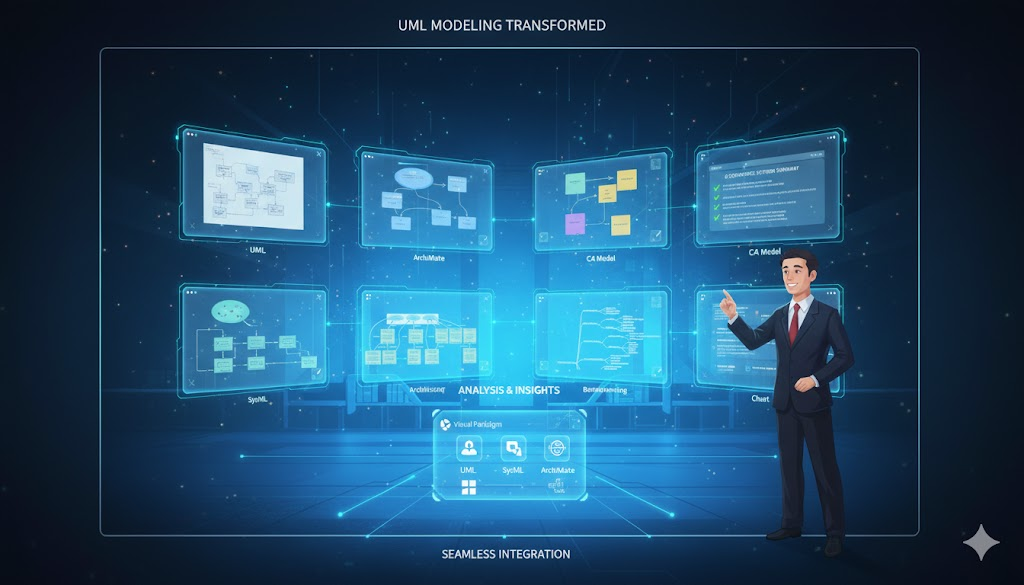
The Use Case Modeling Studio by Visual Paradigm is an AI-powered web application designed to streamline the process of software requirements analysis and design. Whether you’re a Business Analyst capturing requirements, a System Designer translating specs into architecture, or a Project Manager tracking deliverables, this studio transforms how you bridge requirements and implementation.
💡 Launch Now: Use Case Modeler
🗺️ Your User Experience Journey
Phase 1: 🎯 Discovery & Onboarding
You’ve just landed on the studio. What’s next?
✅ First Impression: Clean, guided interface with clear entry points
✅ No Installation Required: Web-based, instant access
✅ Guided Setup: Start with a simple project name and description
Pro Tip: Begin with a focused scope. “E-commerce Checkout System” is better than “Everything.”
Phase 2: 📋 Defining Scope & Identifying Actors
Setting the foundation for success
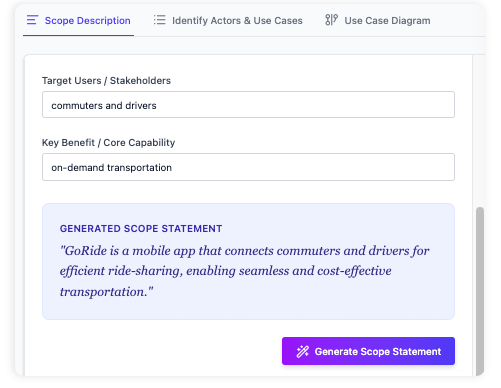
Step 1: Define Your System Scope
Fill out the Scope Description form:
-
System Name: Clear, memorable identifier
-
Purpose: What problem does this solve?
-
Audience: Who will use or benefit from this system?
Step 2: Identify Actors & Use Cases
Add the people and systems that interact with your solution:
| Actor Type | Examples | Role in System |
|---|---|---|
| Primary Actor | Customer, Admin | Initiates key use cases |
| Secondary Actor | Payment Gateway, Email Service | Supports primary flows |
| System Actor | Database, API Layer | Internal components |
✅ AI Assistance: The studio suggests common actors based on your scope
✅ Relationship Mapping: Automatically detects <<include>> and <<extend>> relationships
Phase 3: ✨ AI-Powered Use Case Description Generation
From simple goal to comprehensive specification
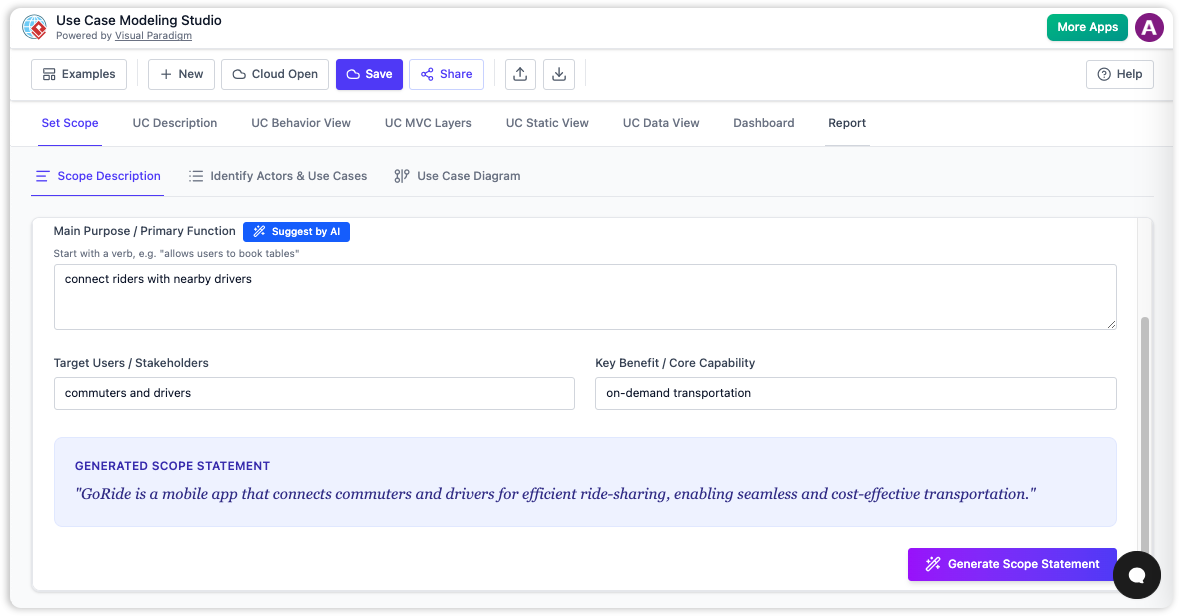
How It Works:
-
Select a Use Case: e.g., “Process Customer Order”
-
Click “Generate”: AI analyzes your goal statement
-
Review Output: Get a structured description including:
-
✅ Preconditions & Postconditions
-
✅ Main Success Scenario (Basic Flow)
-
✅ Alternative & Exception Flows
-
✅ Business Rules & Constraints
-
Example Output Structure:
## Use Case: Process Customer Order

**Preconditions**:
- Customer is authenticated
- Shopping cart contains items

**Main Flow**:
1. Customer submits order
2. System validates inventory
3. Payment is processed
4. Order confirmation is sent

**Postconditions**:
- Order status = "Confirmed"
- Inventory updated
- Receipt generated
🔄 Generate, Then Edit: Use AI output as a first draft. Always refine to match your domain specifics.
Phase 4: 🎨 Visual Modeling & Diagram Generation
Transform text into professional UML visuals
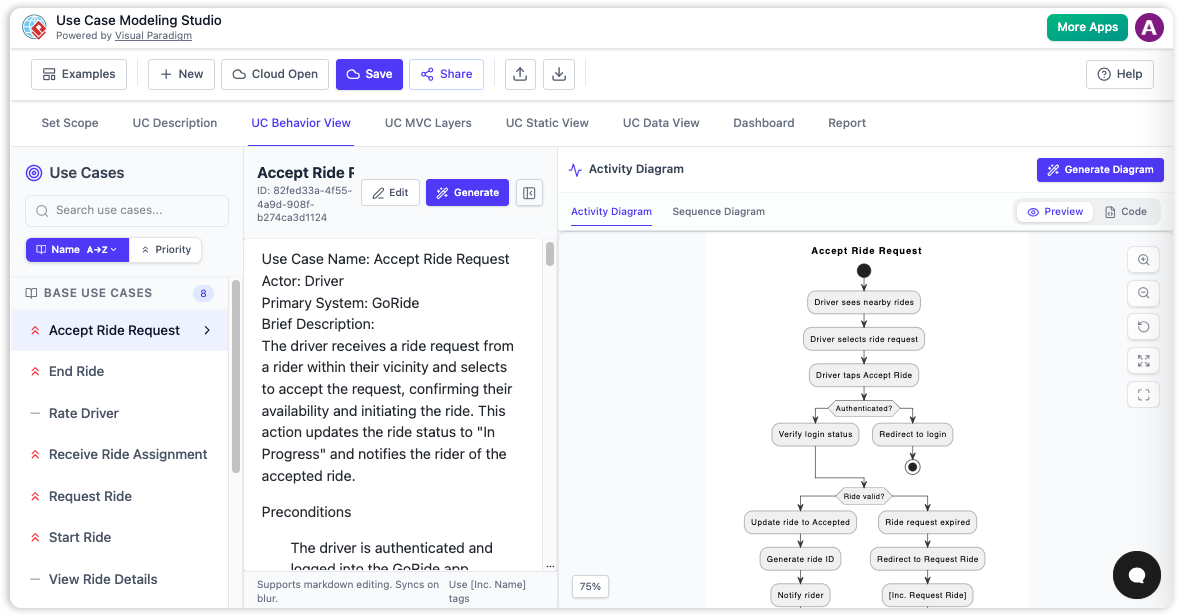
One-Click Diagram Generation:
| Diagram Type | Purpose | Best For |
|---|---|---|
| Use Case Diagram | Show actor-system interactions | Stakeholder alignment |
| Activity Diagram | Visualize workflow & decision points | Process optimization |
| Sequence Diagram | Map object interactions over time | Technical design reviews |
| Class Diagram | Model static structure & relationships | Architecture planning |
| ERD | Design database schema | Data modeling sessions |
Workflow:
-
Select your refined use case description
-
Click “Generate Diagram”
-
Choose diagram type
-
Review, customize, and export
✅ Real-time Preview: See changes as you edit descriptions
✅ Export Options: PNG, SVG, PDF, or embed in reports
Phase 5: 🧪 Quality Assurance with AI-Generated Test Cases
Ensure requirements are testable and validated
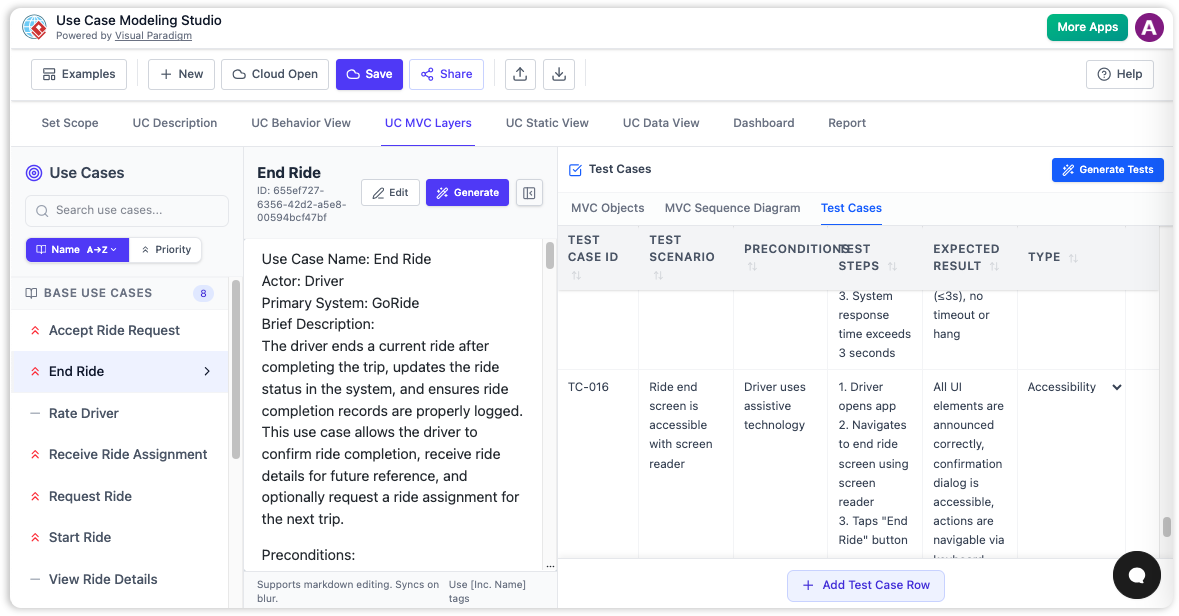
Automatic Test Case Generation:
From your use case description, the AI produces:
| Test Element | Description | Example |
|---|---|---|
| Test ID | Unique identifier | TC-ORDER-001 |
| Scenario | Test context | “Valid order with sufficient inventory” |
| Steps | Action sequence | 1. Add item to cart → 2. Proceed to checkout |
| Expected Result | Success criteria | “Order confirmed, receipt emailed” |
Interactive Test Management:
-
✏️ Edit: Refine steps or expected results
-
➕ Add: Insert edge cases or negative tests
-
🗂️ Organize: Group by priority, module, or sprint
-
📤 Export: Generate test suites for QA tools
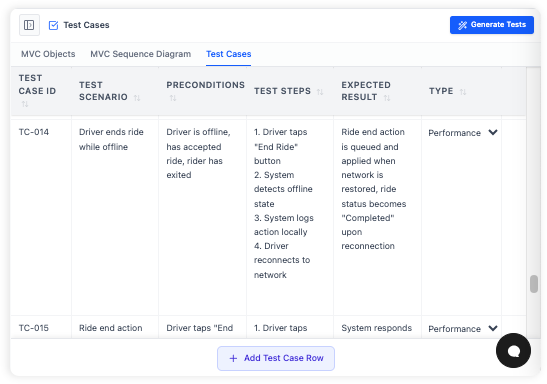
🔍 Best Practice: Generate test cases early to identify ambiguous requirements before development begins.
Phase 6: 📄 Reporting & Collaboration
Share, review, and iterate with stakeholders
Generate Professional Reports:
-
Select “Full SDD” (Software Design Document) or custom template
-
Click “Generate Report”
-
Receive a polished document containing:
-
Executive summary
-
Scope definition
-
Actor/use case catalog
-
Detailed use case specifications
-
Generated diagrams
-
Test case inventory
-
Collaboration Features:
-
🔗 Shareable Links: Grant view/edit access to team members
-
💬 Comment Threads: Discuss specific requirements or diagrams
-
🔄 Version History: Track changes and revert if needed
-
📊 Project Dashboard: Monitor completeness and identify gaps
Phase 7: 🎓 Mastery & Best Practices
Level up your modeling expertise
Tips for Success:
✅ Start Broad, Then Refine: Define full scope before diving into details
✅ Keep Descriptions Focused: One goal per use case = clearer outputs
✅ Use the Dashboard: Regularly check for missing actors or incomplete flows
✅ Iterate with Stakeholders: Share early diagrams to validate understanding
Common Pitfalls to Avoid:
❌ Overloading a single use case with multiple goals
❌ Skipping precondition/postcondition definitions
❌ Ignoring alternative flows (happy path isn’t enough!)
❌ Generating diagrams without reviewing AI output first
🌟 Key Benefits Recap
| Benefit | Impact |
|---|---|
| ⚡ Accelerate Development | Reduce manual diagramming time by 70%+ with AI generation |
| 🔍 Improve Clarity | Visual models ensure shared understanding across teams |
| 📐 Enforce Best Practices | Structured workflow prevents missed requirements |
| 🔗 Bridge Requirements & Design | Seamless transition from text specs to technical models |
| 🧰 All-in-One Tool | Manage scope, actors, diagrams, and tests in one studio |
👥 Who Is This For?
| Role | How They Benefit |
|---|---|
| Business Analysts | Capture, refine, and document requirements visually |
| System Analysts & Designers | Translate requirements into behavioral/static models |
| Software Architects | Define architecture layers and data models |
| Project Managers | Track requirements completeness and design progress |
| QA Engineers | Derive test scenarios directly from validated use cases |
🔄 The Complete Workflow at a Glance

graph LR
    A[Define Scope] --> B[Identify Actors & Use Cases]
    B --> C[Generate AI Description]
    C --> D[Generate Diagrams]
    D --> E[Generate Test Cases]
    E --> F[Create Report]
    F --> G[Share & Iterate]
🎯 Remember: This isn’t linear! Jump between phases as your project evolves.
🏁 Conclusion: Your Path to Smarter, Faster Requirements Engineering
✨ What You’ve Gained
✅ Speed: Generate comprehensive use case descriptions, diagrams, and test cases in minutes, not days
✅ Confidence: Validate requirements early with AI-assisted test scenarios and stakeholder-ready reports
✅ Consistency: Follow best practices automatically, reducing errors and rework
✅ Collaboration: Share living documentation that evolves with your project
🔄 The Journey Never Ends
- Refine descriptions as new edge cases emerge
- Regenerate diagrams when workflows change
- Update test cases to match revised acceptance criteria
- Re-share reports to keep stakeholders aligned
🚀 Your Next Step
💡 Start Small, Think Big: Pick one high-priority use case. Define its scope. Click “Generate.” Watch as AI transforms your goal into a professional specification, complete with diagrams and test cases. Then iterate.
📚 Reference List
- AI-Powered Use Case Description Generator: This tool utilizes AI-driven automation to generate detailed use case descriptions, which are vital for establishing software requirements.
- AI-Powered Use Case Diagram Refinement Tool – Smart Diagram Enhancement: This resource describes a smart AI feature that optimizes and refines existing use case diagrams to ensure they are complete, consistent, and clear.
- Generate Activity Diagrams from Use Cases Instantly with Visual Paradigm’s AI: This article explains how an advanced AI engine can rapidly and accurately transform use case descriptions into professional UML activity diagrams.
- Mastering AI-Driven Use Case Diagrams with Visual Paradigm: A comprehensive tutorial focused on leveraging AI features within Visual Paradigm to create intelligent and dynamic use case diagrams for modern software systems.
- Revolutionizing Use Case Elaboration with Visual Paradigm AI: This guide explores how AI-driven tools enhance the modeling process by automating use case elaboration and improving documentation clarity.
- Automating Use Case Development with AI in Visual Paradigm: This resource details how AI-powered generators reduce manual effort and improve the consistency of detailed use case development.
- AI PlantUML Use Case Diagram Report Generator: This tool description highlights the ability to automatically generate detailed, text-based reports from PlantUML diagrams, including automated analysis of use cases and actors.
- Generating Scenarios and Test Cases from Use Case Diagrams Using AI: This guide discusses leveraging AI-powered tools to derive test scenarios and cases directly from use case diagrams to support automated testing.
- A Manager’s Guide to Clear Project Planning: AI-Driven Use Case Insights: This article provides managers with AI-powered insights into use case analysis to enhance high-level project planning and strategic decision-making.
- AI-Powered Use Case Modeling Studio Release: An announcement regarding the launch of a specialized AI-powered studio designed specifically for advanced use case modeling and enhanced software design.
🚀 Ready to transform your requirements process?
Launch Use Case Modeling Studio and go from idea to implementation-ready documentation in minutes.
This post is also available in Deutsch, Español, فارسی, Français, English, Bahasa Indonesia, 日本語, Polski, Portuguese, Ру́сский, Việt Nam, 简体中文 and 繁體中文.
Related posts:
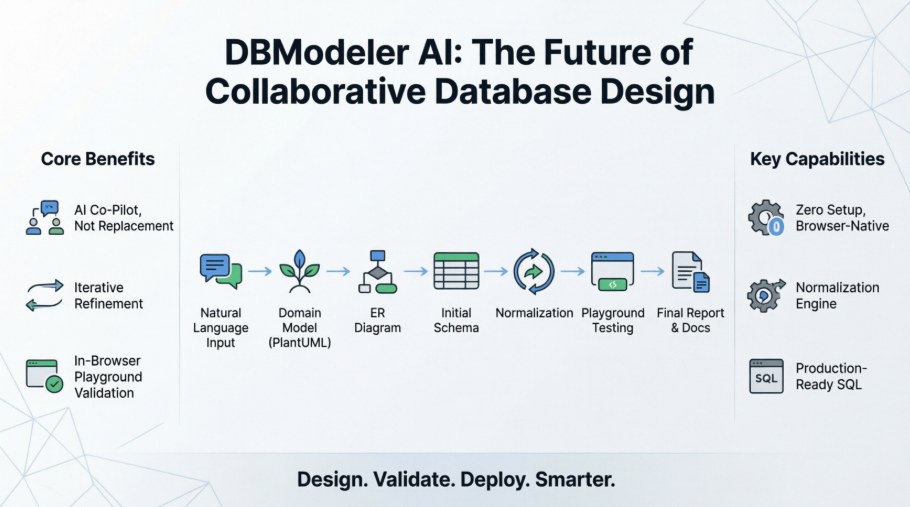 From Idea to Production-Ready Schema: A Developer’s Real-World Review of DBModeler AI
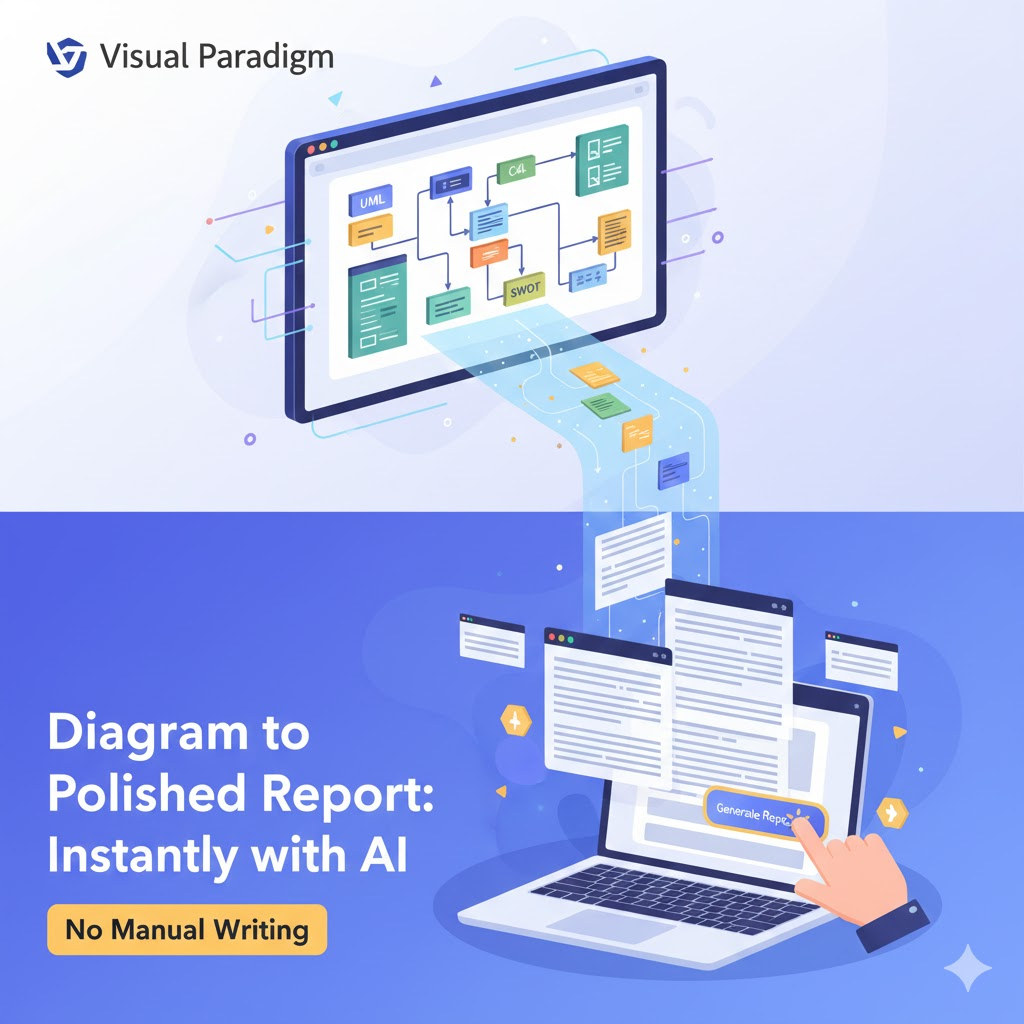 How to Generate Professional Written Reports from Diagrams Using Visual Paradigm’s AI Chatbot
 Creating SysML Block Definition Diagrams with an AI Chatbot
 UML Modeling Tutorial: Key Concepts, Traditional Challenges, and AI-Powered Streamlining with Visual Paradigm