


गड़बड़ विवरणों से लेकर साफ़, कार्यान्वयन योग्य क्लास आरेखों तक — कुछ ही मिनटों में।
🎯 एआई-समर्थित पाठात्मक विश्लेषण क्या है?
विज़ुअल पैराडाइग्म के एआई-समर्थित पाठात्मक विश्लेषण एक बुद्धिमान मॉडलिंग सहायता है जो उत्पाद प्रबंधकों, सॉफ्टवेयर वास्तुकारों और विकासकर्मियों को अपनाने में मदद करता है अनियमित प्राकृतिक भाषा (जैसे उपयोगकर्ता कहानियाँ, आवश्यकताएँ, या प्रणाली विवरण) एक संरचित क्षेत्र मॉडल — विशेष रूप से, एक यूएमएल क्लास आरेख।
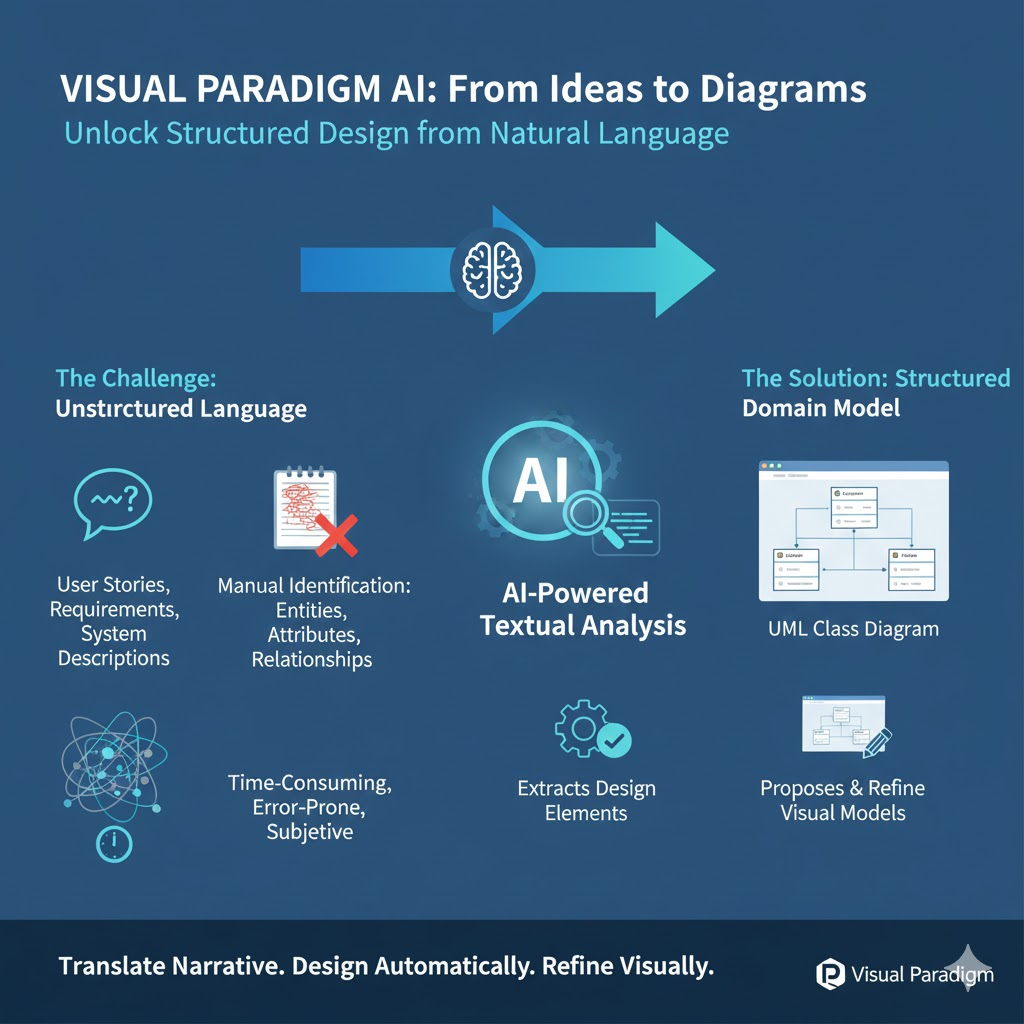
हाथों से पहचानने के बजाय वस्तुओं, गुणों और संबंधों को, एआई पाठ का विश्लेषण करता है, प्रासंगिक डिज़ाइन तत्वों को निकालता है, और एक दृश्य मॉडल का प्रस्ताव रखता है जिसे आप संशोधित कर सकते हैं।
🔍 मूल विचार: कथानक → संज्ञाएँ → क्लासेज → संबंध → आरेख — स्वचालित रूप से.
✅ मुख्य लाभ
| लाभ | विवरण |
|---|---|
| गति और कार्यकुशलता | प्रारंभिक मॉडलिंग समय को घंटों से कुछ मिनटों में घटा देता है। |
| सुसंगतता | दलों में व्यक्तिगत व्याख्या को न्यूनतम करता है। |
| सीखने में सहायता | जूनियर विकासकर्मियों के लिए उपयुक्त जो वस्तु-अभिमुख डिज़ाइन सीख रहे हैं। |
| ट्रेसबिलिटी | प्रत्येक सुझाव में शामिल है एक कारण — स्पष्ट और लेखा-जोख्ता योग्य। |
| पुनरावृत्तिय अनुकूलन | एआई के साथ शुरुआत करें → एवीपी ऑनलाइन में मुक्त रूप से संपादित करें → कोड या दस्तावेज़ में निर्यात करें। |
| क्षेत्र खोज | छिपे हुए अवधारणाओं को उजागर करता है (उदाहरण के लिए, लेनदेन, लेखा लेखा) आप उपेक्षा कर सकते हैं। |
🛠️ चरण-दर-चरण प्रशिक्षण (वास्तविक उदाहरणों के साथ)
चलिए इसके माध्यम से चलते हैं क्रमिक रूप से जटिल उदाहरणों के तीन, सरल से लेकर उद्योग-मानक तक।
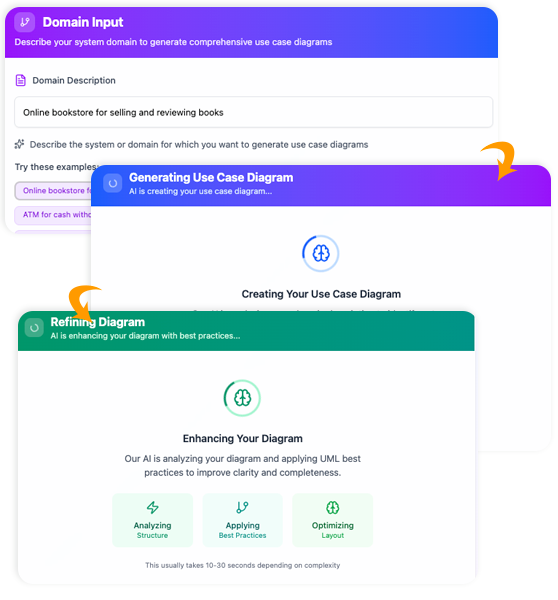
📘 उदाहरण 1: पुस्तकालय प्रबंधन प्रणाली (प्रारंभिक)
📝 चरण 1: समस्या विवरण प्रदान करें
- जाएँ उपकरण > एप्स > पाठ विश्लेषण > अब शुरू करें
- दर्ज करें:
पुस्तकालय प्रबंधन प्रणाली - क्लिक करें [समस्या विवरण उत्पन्न करें]
👉 एआई उत्पन्न करता है:
“एक पुस्तकालय प्रबंधन प्रणाली पुस्तकालय अधिकारियों को पुस्तकों, सदस्यों और ऋणों के प्रबंधन की अनुमति देती है। सदस्य पुस्तकों की खोज कर सकते हैं, एक समय में अधिकतम 5 वस्तुएं उधार ले सकते हैं, और उन्हें वापस कर सकते हैं। अतिरिक्त समय पर लौटाए गए पुस्तकों पर जुराब लगती है। प्रत्येक पुस्तक का एक शीर्षक, लेखक, आईएसबीएन और उपलब्धता स्थिति होती है। पुस्तकालय अधिकारी पुस्तकों को जोड़ सकते हैं/हटा सकते हैं और ऋण इतिहास देख सकते हैं।”
✅ आवश्यकतानुसार संपादित करें — उदाहरण के लिए जोड़ें: “डिजिटल ई-बुक्स और आरक्षण कतारों का समर्थन करता है।”
👥 चरण 2: उम्मीदवार वर्गों की पहचान करें
क्लिक करें [उम्मीदवार वर्गों की पहचान करें]
| वर्ग का नाम | कारण | विवरण |
|---|---|---|
पुस्तक |
बारंबार उल्लेखित मूल इकाई | भौतिक/डिजिटल पुस्तकों का प्रतिनिधित्व करता है |
सदस्य |
क्रियाओं का विषय (उधार लेना, वापस करना) | संपर्क जानकारी के साथ पुस्तकालय उपयोगकर्ता |
ऋण |
क्रिया संज्ञा → मुख्य लेनदेन | एक सदस्य द्वारा पुस्तक उधार लेने का रिकॉर्ड रखता है |
पुस्तकाध्यक्ष |
प्रशासनिक कार्य करने वाला क्रियाकलाप | प्रणाली के प्रबंधन करने वाला कर्मचारी |
दंड |
अतिरिक्त समय पर लौटाए गए ऋणों का परिणाम | आर्थिक दंड लगाया गया |
🔁 अन्य देखें: “यथास्पष्ट नहीं” (उदाहरण के लिए स्थिति, इतिहास → बहुत सामान्य या गुणक जैसा है।)
✅ सभी स्वीकार करें, या हटाएं पुस्तकाध्यक्ष यदि भूमिकाओं को अनुमतियों के माध्यम से संभाला जाता है (उदाहरण के लिए उपयोग करके उपयोगकर्ता + भूमिका झंडा)।
📋 चरण 3: क्लास विवरण पहचानें
क्लिक करें [वर्ग का विवरण पहचानें]
नमूना आउटपुट के लिएपुस्तक:
- गुण:
आईएसबीएन: एक जानकारी
शीर्षक: एक जानकारी
लेखक: एक जानकारी
उपलब्ध है: तर्कसंगत
प्रारूप: संख्यांक {भौतिक, डिजिटल} - संचालन:
उपलब्धता की जांच करें(): तर्कसंगत
उधार लिया गया चिह्नित करें()
लौटा दिया गया चिह्नित करें()
के लिएऋण:
- गुण:
ऋण तिथि: तिथि
समाप्ति तिथि: तिथि
लौटाने की तिथि: तिथि? - संचालन:
अतिलेखित दिनों की गणना करें(): पूर्णांक
दंड लागू करें()
💡 प्रो टिप: নाम बदलें उपलब्ध है → स्थिति: पुस्तक स्थिति (सूची: उपलब्ध, उधार लिया गया, आरक्षित) विस्तार के लिए।
🔗 चरण 4: वर्ग संबंधों की पहचान करें
क्लिक करें [वर्ग संबंधों की पहचान करें]
| से → तक | प्रकार | बहुलता | विवरण |
|---|---|---|---|
सदस्य — ऋण |
संरचना | 1 → * | एक सदस्य अपने ऋणों का स्वामित्व रखता है |
ऋण — पुस्तक |
संबंध | 1 → 1 | प्रत्येक ऋण में एक पुस्तक शामिल होती है |
ऋण — अनुपात |
वैकल्पिक संयोजन | 1 → 0…1 | एक ऋण एक अनुपात उत्पन्न कर सकता है यदि ओवरड्यू |
⚠️ ध्यान रखें: एआई छूट सकता हैसंगठन बनाम संयोजन. यदि हाथ से संपादित करेंऋण चाहिए संदर्भ (नहीं है) पुस्तक.
🖼️ चरण 5: आरेख उत्पन्न करें
क्लिक करें [आरेख उत्पन्न करें] → एक पूरा UML वर्ग आरेख दिखाई देता है!
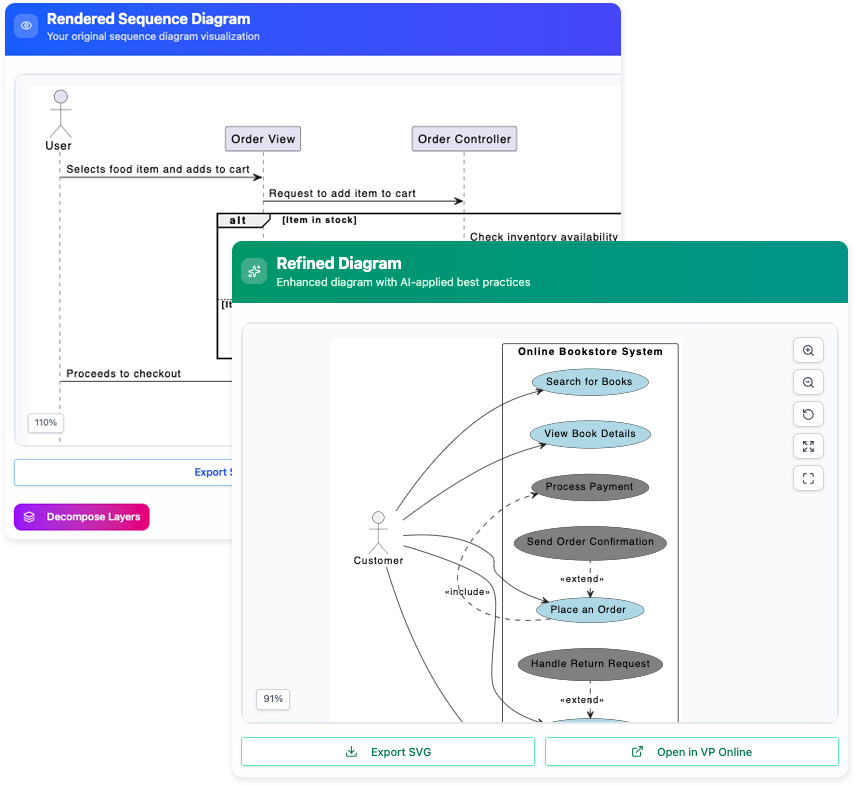
✅ फिर क्लिक करें [विजुअल पैराडाइग्म ऑनलाइन खोलें] के लिए:
- व्यवस्था पुनर्व्यवस्थित करें
- स्टेरियोटाइप जोड़ें (
«संस्था»,«सीमा») - उपयोग केंद्रित या क्रमानुसार आरेखों के लिए लिंक
- PNG, PDF के रूप में निर्यात करें, या जावा/पायथन स्टब उत्पन्न करें
🛒 उदाहरण 2: ई-कॉमर्स शॉपिंग कार्ट (मध्यम)
इनपुट प्रॉम्प्ट:
“ऑनलाइन स्टोर जहां उपयोगकर्ता उत्पादों का ब्राउज़ करते हैं, खरीदारी करते समय चीजें अपने खरीदारी कार्ट में जोड़ते हैं, प्रोमो कोड लागू करते हैं, क्रेडिट कार्ड या पेपैल के साथ चेकआउट करते हैं, और ऑर्डर का ट्रैक रखते हैं। प्रशासक इन्वेंटरी का प्रबंधन करते हैं और बिक्री रिपोर्ट देखते हैं।”
एआई द्वारा पहचाने गए वर्ग:
उपयोगकर्ता,उत्पाद,खरीदारी कार्ट,खरीदारी कार्ट आइटम,आदेश,भुगतान,प्रोमो कोड,इन्वेंटरी,प्रशासक
ध्यान देने योग्य संबंध:
खरीदारी कार्ट◇——कार्ट आइटम(समावेशन; कार्ट के रूप में है आइटम, लेकिन आइटम कार्ट के साथ नहीं नष्ट होते हैं)आदेश◆——भुगतान(संघटन; भुगतान आदेश जीवनचक्र का हिस्सा है)प्रोमो कोड——आदेश(0…1 → 1; चेकआउट पर वैकल्पिक)
प्राप्त अंतर्दृष्टि:
एआई सुझाव देता है कार्ट आइटम अलग रूप से उत्पाद — अच्छा! क्योंकि:
कार्ट आइटमके रूप में हैमात्रा,जोड़े गए समय, और स्नैपशॉट मूल्य का (मूल्य में परिवर्तन को संभालने के लिए)।उत्पादके रूप में हैवर्तमान मूल्य,स्टॉक स्तर.
➡️ सामान्य मॉडलिंग त्रुटि से बचाता है: एक साथ लानाप्रकार सूची का आइटम के साथ खरीदारी गाड़ी लाइन आइटम.
🏥 उदाहरण 3: अस्पताल नियुक्ति प्रणाली (उन्नत)
इनपुट प्रॉम्प्ट (वास्तविकता के लिए संपादित):
“रोगियों के डॉक्टरों के साथ नियुक्ति बुक कराते हैं। प्रत्येक नियुक्ति की तारीख/समय, प्रकार (उदाहरण के लिए, सलाह, अगली बार बातचीत), और स्थिति (बुक की गई, पूरी, रद्द) होती है। डॉक्टरों के विशेषज्ञता होती है और उनके कार्य समय होते हैं। प्रणाली 24 घंटे पहले याद दिलाती है। नर्स रोगियों को दर्ज कर सकते हैं। प्रयोगशाला के परिणाम दौरान लागू किए जाते हैं।”
AI उपलब्धियाँ:
| वर्ग | यह क्यों महत्वपूर्ण है |
|---|---|
नियुक्ति |
केंद्रीय कार्यप्रवाह वस्तु |
डॉक्टर का शेड्यूल |
से अलग किया गया डॉक्टर → SRP (एकल उत्तरदायित्व) का सम्मान करता है |
याद दिलाना |
बाहरी व्यवहार → बाद में घटना-आधारित सेवा बन सकता है |
प्रयोगशाला परिणाम |
जुड़ा हुआ नियुक्ति के साथ, रोगी के बजाय — ट्रेसबिलिटी! |
बुद्धिमान संबंध:
अपॉइंटमेंट◆——प्रयोगशाला परिणाम(1 → 0…*)
→ लागू करता है: परिणाम केवल पूर्ण हो चुके अपॉइंटमेंट के लिए मौजूद होते हैं।
छिपा हुआ रत्न:
आईएआई झंडे "प्रकार" और "स्थिति" अपॉइंटमेंट में → सुझाव सूची के रूप में:
सूची अपॉइंटमेंट प्रकार { परामर्श, अनुगामी, टीकाकरण }
सूची अपॉइंटमेंट स्थिति { योजनाबद्ध, पंजीकृत, पूर्ण, रद्द कर दिया गया }
✅ डेवलपर डोमेन एन्यूम्स और वैलिडेशन लॉजिक परिभाषित करने में समय बचाता है।
🚀 मूल्य के अधिकतमीकरण के लिए प्रो टिप्स
| टिप | लागू करने का तरीका |
|---|---|
| अस्पष्ट शुरुआत करें, फिर सुधारें | पहला प्रॉम्प्ट: "खाना डिलीवरी ऐप". फिर उत्पन्न विवरण में जोड़ने के लिए संपादित करें: “रेस्तरां के एडमिशन, ड्राइवर डिस्पैच, वास्तविक समय पर ट्रैकिंग, और रेटिंग प्रणाली का समर्थन करता है।” |
| उपयोगकर्ता कहानियों को इनपुट के रूप में उपयोग करें | चिपकाएं: “एक ग्राहक के रूप में, मुझे व्यंजन और डिलीवरी समय द्वारा रेस्तरां को फ़िल्टर करने की आवश्यकता है ताकि मैं तेजी से चुन सकूँ।” → AI निकालता है व्यंजन, डिलीवरी समय अनुमान, फ़िल्टर मानदंड. |
| उपयोग केस मॉडलिंग के साथ जोड़ें | पाठ विश्लेषण चलाएं पहले वर्ग प्राप्त करने के लिए → फिर अभिनेता और उपयोग केस निकालें (उदाहरण के लिए ग्राहक → आदेश रखें, ड्राइवर → स्थान अद्यतनित करें). |
| CRC कार्ड्स के साथ प्रमाणीकरण करें | AI वर्गों के सुझाव देने के बाद, अपनी टीम के साथ एक त्वरित CRC (वर्ग-उत्तरदायित्व-सहयोगी) सत्र करें ताकि अच्छी तरह से जांच की जा सके। |
| कोड में निर्यात करें | VP ऑनलाइन में: आकृति पर दाहिना क्लिक → उपकरण > कोड > कोड उत्पन्न करें (जावा, सी#, पायथन समर्थित)। |
⚠️ सीमाएं और उनके निवारण के तरीके
| सीमा | निवारण |
|---|---|
अधिक उत्पन्न कर सकता है (उदाहरण के लिए, तिथि, समय वर्गों के रूप में) |
“विशिष्ट नहीं होने वाले नाम” की सारणी की समीक्षा करें → विशेषताओं में एकीकृत करें या निर्मित प्रकारों का उपयोग करें। |
| व्यावसायिक नियमों का अनुमान नहीं लगा सकते (उदाहरण के लिए, “अधिकतम 3 ऋण”) | प्रतिबंध जोड़ें जैसे कि ओसीएल (वस्तु प्रतिबंध भाषा) या टिप्पणियां: { अधिकतमऋण = 3 } |
| अस्पष्ट नामकरण में कठिनाई | प्रविष्टि में स्पष्टता: “‘उपयोगकर्ता’ ग्राहक के लिए है, प्रशासक के लिए नहीं” या “‘सत्र’ चिकित्सा सत्र के लिए है, लॉगिन सत्र के लिए नहीं।” |
| डिफ़ॉल्ट रूप से विरासत का पता नहीं लगाया जाता है | हाथ से जोड़ें रोगी, डॉक्टर, नर्स → सामान्यीकृत करें व्यक्ति यदि आवश्यक हो तो। |
📊 इसका उपयोग कब करें (सर्वोत्तम फिट स्थितियाँ)
| परिदृश्य | क्यों यह चमकता है |
|---|---|
| प्रारंभिक खोज कार्यशालाएँ | कच्चे नोट्स से त्वरित रूप से डोमेन मॉडल बनाएँ |
| एजाइल स्प्रिंट 0 / बैकलॉग संशोधन | ग्रूमिंग से पहले एपिक्स को उम्मीदवार क्लास में बदलें |
| शैक्षणिक परियोजनाएँ / अंतिम परियोजनाएँ | छात्र डिज़ाइन तर्क पर ध्यान केंद्रित करते हैं, प्रतीकात्मकता पर नहीं |
| पुराने प्रणाली आधुनिकीकरण | डोमेन मॉडल निकालने के लिए पुराने बीआरडी (व्यापार आवश्यकता दस्तावेज़) को खिलाएँ |
| क्रॉस-फंक्शनल संरेखण | व्यापार + तकनीकी टीमें साझा शब्दावली की पुष्टि करती हैं |
🌐 अगले चरण: आरेख के बाहर
आपका एआई-जनित क्लास आरेख केवल शुरुआत है। विजुअल पैराडाइग्म में, आप कर सकते हैं:
- डेटाबेस स्कीमा उत्पन्न करें → ईआरडी → एसक्यूएल डीडीएल
- अनुक्रम आरेख निकालें संचालन से (उदाहरण के लिए,
आदेश.चेकआउट()) - आवश्यकताओं से जोड़ें उदाहरण के लिए, बांधें
प्रोमो कोड लागू करें()BRD खंड 4.2) तक - VP मॉडल सिमुलेशन के साथ सिमुलेट करें
- वेब पोर्टल के रूप में प्रकाशित करें हितधारक समीक्षा के लिए
📬 अंतिम विचार
“AI डिजाइनर के स्थान पर नहीं आता है — यह कठिनाई.”
पाठ्य विश्लेषण का उपयोग करें समय के 20% में मॉडल के 80% को सही करें, फिर अपने विशेषज्ञता का निवेश करें महत्वपूर्ण 20%: किनारे के मामले, विस्तारशीलता, और क्षेत्र की बातचीत।
📎 आजमाने के लिए तैयार हैं?
→ लॉन्च: विजुअल पैराडाइगम ऑनलाइन
→ एप्लिकेशन: उपकरण > एप्लिकेशन > पाठ्य विश्लेषण
मुझे बताएं अगर आपको चाहिए:
- एक डाउनलोड करने योग्य चेतावनी पत्रक (PDF)
- फाइनटेक, SaaS, IoT, या स्वास्थ्य सेवा क्षेत्र के लिए टेम्पलेट प्रॉम्प्ट
- हाथ से CRC/डोमेन मॉडलिंग के साथ तुलना
खुशी से मॉडलिंग करें! 🧩
यह पोस्ट Deutsch, English, Español, فارسی, Français, Bahasa Indonesia, 日本語, Polski, Portuguese, Ру́сский, Việt Nam, 简体中文 और 繁體中文 में भी उपलब्ध है।