


Introduction: Breaking Free from Manual Diagram Drudgery
As someone who has spent countless hours wrestling with diagramming tools—dragging shapes, aligning arrows, and constantly readjusting layouts—I was skeptical when I first heard about AI-powered diagram generation. Could a tool really understand my process descriptions and turn them into professional flowcharts? After putting Visual Paradigm’s AI diagram generation features through their paces over several weeks, I’m ready to share my honest experience. What I discovered wasn’t just another gimmicky AI tool, but a genuinely transformative approach to visual modeling that has changed how I document business processes. Whether you’re a business analyst, software architect, or project manager, this review will walk you through what actually works, what surprised me, and whether this tool deserves a place in your workflow.
Smarter Diagrams. Powered by AI.
Describe what you need, and our AI builds it for you — perfectly laid out, beautifully designed, and ready to refine.

Generate Diagrams Instantly from Text
Turn your ideas into diagrams instantly with AI – just type what you need and get accurate, presentation-ready diagrams without templates or manual drawing.
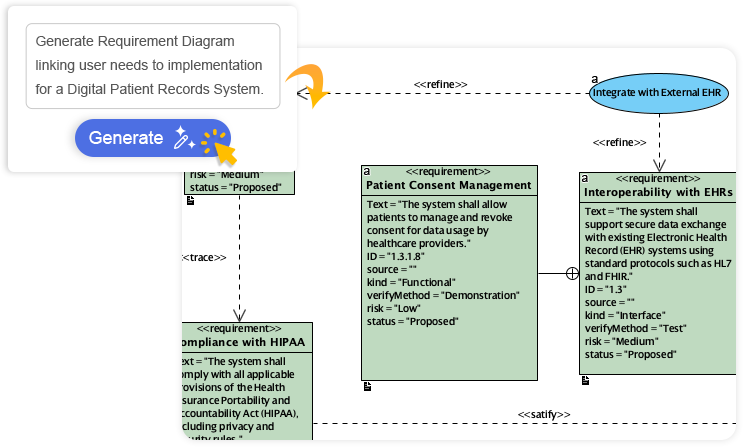

Always Beautiful, Always Clear
AI generates clean, balanced, and readable diagrams with perfect spacing and alignment, so you can focus on ideas instead of rearranging shapes.
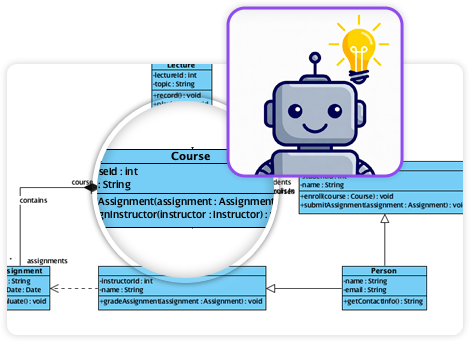
AI That Understands Context
Our AI interprets your intent, fills in missing details, and suggests relationships to expand your ideas into structured, accurate diagrams.
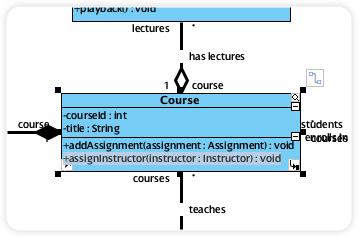
Fully Editable & Seamlessly Integrated
Refine and customize diagrams with full control – move shapes, rename elements, and change styles while AI gives you a head start.
A Core Pillar of the Visual Paradigm AI Modeling Ecosystem
Diagram generation is a key pillar of the Visual Paradigm AI-Powered Visual Modeling Ecosystem. It’s not just a standalone tool – it’s a connected workspace where your ideas transform into professional-grade documentation.
Explore the Full Ecosystem
AI-Powered Generation for Every Diagram Type
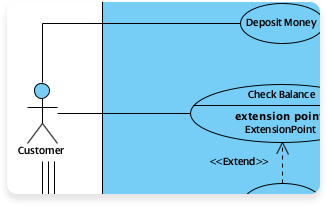
Use Case Diagram
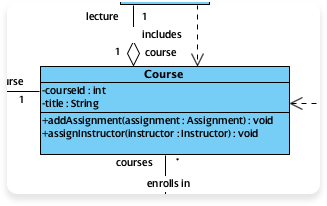
Class Diagram
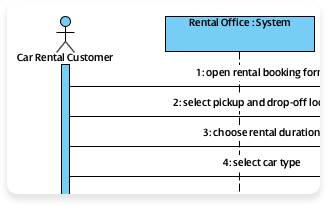
Sequence Diagram
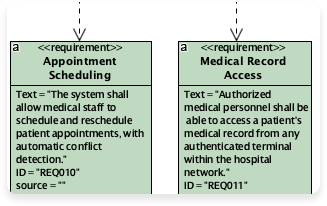
Requirement Diagram
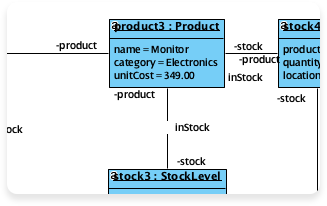
Object Diagram
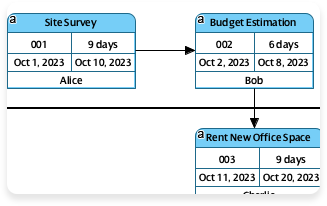
Enhanced PERT Chart
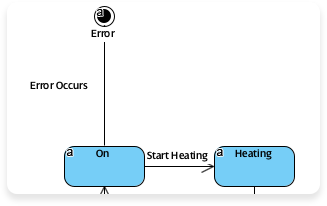
State Diagram
More Supported AI Diagram Models
-
Flowchart
-
Entity Relationship Diagram
-
Activity Diagram
-
Mind Mapping Diagram
-
Textual Analysis
-
Organization Chart
-
C4 Model
-
Data Flow Diagram (DFD)
-
Component Diagram
-
Deployment Diagram
-
ArchiMate Diagram
-
ArchiMate Diagrams (With viewpoint)
-
Business Process Overview Diagram
-
EPC Diagram
-
Cause and Effect Diagram
-
Block Definition Diagram
-
Internal Block Diagram
-
Package Diagram
-
Communication Diagram
-
Composite Structure Diagram
-
Timing Diagram
-
Profile Diagram
-
Gane-Sarson DFD
-
Yourdon DeMarco DFD
-
Yourdon & Coad DFD
-
Chen Notation ERD
-
Decision Table
-
Breakdown Structure Diagram
-
Implementation Plan Diagram
-
Migration Roadmap
-
CRC Card Diagram
-
Radar Chart
-
Conversation Diagram
Here is an example for AI Flowchart Generator: Automate Your Business Process Mapping:
Creating flowcharts can be a tedious bottleneck. Staring at a blank page, manually dragging shapes, and struggling with overlapping arrows often turns a simple process map into a chaotic task. If you are looking to automate business processes, you need a professional AI flowchart generator that transforms plain-text descriptions into clean, structured diagrams instantly.
Visual Paradigm is the leader in AI-powered workflow diagrams. Since 2002, we have provided the robust modeling tools required for enterprise-level projects. Our integrated AI ecosystem allows you to create flowcharts from text across desktop, web, and collaborative documents. Whether you are mapping a support ticket system or a complex software approval logic, our tools ensure your workflows are professional, balanced, and standards-compliant.
VP Desktop: Your Professional Hub for AI Flowchart Creation
VP Desktop is the flagship application for users who need automated process mapping with professional depth. It brings generative AI into a full-featured environment built for precision, offline work, and team collaboration.
How to Generate a Flowchart with AI in VP Desktop
-
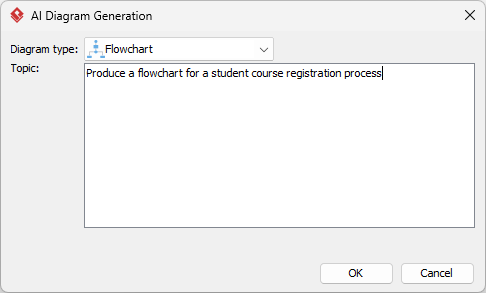
Access the Generator: Select Tools > AI Diagram Generation from the main menu.
-
Select Your Type: Choose Flowchart from the dropdown list.
-
Describe Your Process: Input a prompt like: “Model a customer support ticket workflow from submission to closure, including validation steps and manager escalation.”
-
Automated Generation: The AI renders a native, fully editable flowchart with process rectangles, decision diamonds, and start/end ovals.
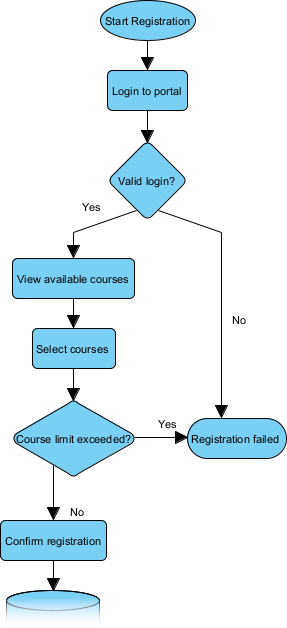
Unlike simple “one-shot” image generators, VP Desktop allows you to visualize workflows with AI while maintaining full control. You can add swimlanes for roles, link shapes to requirements, and even generate code stubs, keeping your diagrams interconnected and production-ready.
OpenDocs: Embed Living Flowcharts in Your Knowledge Base
Flowcharts shouldn’t be isolated files. OpenDocs allows you to integrate an AI flowchart generator directly into your reports, wikis, and strategic guides, turning static visuals into dynamic assets.
How to Insert an AI Generated Flowchart in OpenDocs
-
Open Your Page: Create or open a document in your Visual Paradigm Online workspace.
-
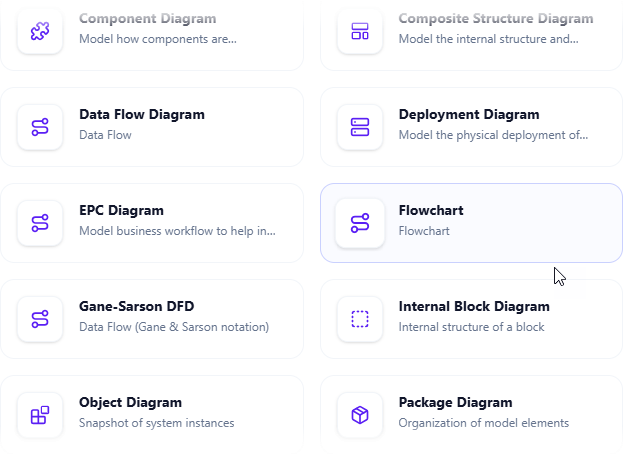
Insert Diagram: Click Insert > Diagram > Flowchart.
-
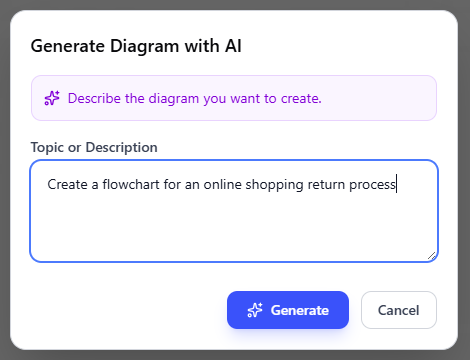
Create with AI: Describe your scenario (e.g., “Employee onboarding procedure”) and click Generate.
-
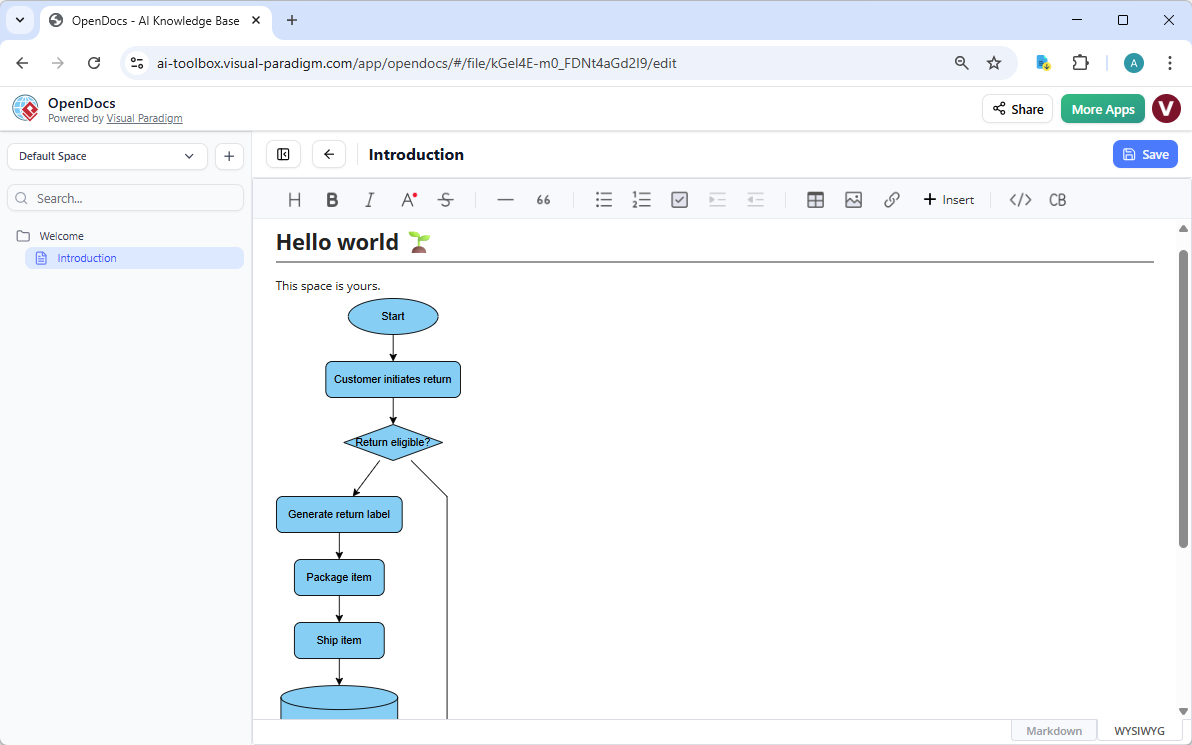
Live Embedding: Once saved, the flowchart appears as an editable visual block. Team members can refine it collaboratively, ensuring the documentation stays as current as your processes.
Why Visual Paradigm is the Ultimate AI Diagram Tool for Flowcharts
While basic tools can draw a box and an arrow, Visual Paradigm provides a comprehensive professional flowchart software ecosystem designed for scalability:
-
Multi-Platform Entry: Chat for speed, Desktop for precision, and OpenDocs for collaboration.
-
Real Traceability: Link your flowcharts to User Stories, BPMN, or UML diagrams.
-
Standardized Layouts: Automatically balanced diagrams that follow industry best practices for readability.
-
No Silos: Move your AI-generated prototypes fluidly between platforms without losing data.
Modernize Your Workflow Documentation Today
Stop wrestling with manual drawing tools and static images. Visual Paradigm’s AI flowchart generator combines the ease of natural language with the power of enterprise modeling. Experience how AI-powered visual modeling can make your business processes faster, smarter, and more professional.
Download Visual Paradigm and Try AI Flowcharting Now
Visual Paradigm‘s AI-powered flowchart feature allows you to instantly transform natural language descriptions into professional, standards-compliant flowcharts. By typing a simple prompt, such as “User registration process with email verification,” the AI automatically identifies process steps, decision diamonds, and start/end points to construct a logically sound model. [1, 2, 3, 4]
Visual Paradigm AI x Flowchart – YouTube
Visual Paradigm AI Chatbot | Visual Paradigm
Enhanced AI-Powered Chatbot for Better Diagram Generation …
Key AI Flowchart Capabilities
-
Instant Generation: Convert plain text descriptions into structured diagrams in seconds. [2, 5]
-
Conversational Editing: Refine your flowchart through chat commands like “Add an error handling step” or “Change ‘Employee’ to ‘Staff'”. [6, 7]
-
Full Editability: Once generated, the flowchart is fully editable in the Visual Paradigm Desktop environment, allowing you to manually adjust shapes, alignment, and connectors. [2, 8]
-
Standards Compliance: The AI uses industry-standard ANSI/ISO symbols to ensure diagrams are ready for professional documentation. [1, 3]
-
Knowledge Integration: You can query your generated diagram as a knowledge base, asking questions like “What happens if the payment fails?”. [7, 9]
How to Use the AI Flowchart Feature
-
Access the AI Tool: In Visual Paradigm Desktop, navigate to Tools > AI Diagram Generation or use the web-based AI Chatbot. [8, 10]
-
Input Your Prompt: Describe your workflow or logic in plain English. For example, “Create a flowchart for an online library system where users search and borrow books”. [11, 12, 13, 14]
-
Refine and Import: Review the AI-generated draft. You can use further chat commands to tweak details before importing it into your professional project. [6, 15]
The feature is available in the Professional Edition and higher, requiring an active software maintenance license and an internet connection to reach the AI server. [8, 10]
My Testing Experience: What Actually Works
The First Test: Simple Process Mapping
I started with something straightforward: “Employee vacation request approval process.” Within seconds, the AI generated a complete flowchart with proper start/end terminals, decision diamonds for manager approval, and process rectangles for each step. What impressed me most wasn’t just the speed—it was the logical flow. The AI correctly positioned the “Manager Approval” decision point with yes/no branches leading to HR processing or rejection notifications.
What I Liked:
-
The layout was immediately balanced and readable
-
Standard flowchart symbols were used correctly
-
No manual alignment needed
What Needed Work:
-
I had to add specific role names to swimlanes
-
Some terminology needed adjustment to match our company’s jargon
The Complex Scenario: Multi-System Integration
Feeling confident, I tried something more ambitious: “E-commerce order fulfillment workflow integrating inventory check, payment processing, warehouse picking, and shipping notification with error handling at each stage.”
The result was surprisingly comprehensive. The AI created parallel paths for different failure scenarios and included rollback processes. This wasn’t just a linear diagram—it showed real-world complexity.
Conversational Refinement: The Game Changer
Here’s where Visual Paradigm really stands out. Instead of regenerating the entire diagram, I could chat with it:
-
“Add a quality control step after picking”
-
“Change all ‘Customer’ labels to ‘Client'”
-
“What happens if inventory is insufficient?”
The AI understood context and made surgical edits without disrupting the overall structure.
Platform Comparison: Where Each Tool Shines
VP Desktop: Power User’s Dream
When I needed to create detailed, enterprise-grade documentation with traceability links to requirements and user stories, VP Desktop was indispensable. The ability to generate code stubs from flowchart elements and maintain bidirectional synchronization with other UML diagrams made it worth the learning curve.
Best For:
-
Complex system architecture documentation
-
Teams requiring strict standards compliance
-
Projects needing traceability matrices
OpenDocs: Collaboration Champion
For creating living documentation that multiple stakeholders could edit, OpenDocs was perfect. I embedded flowcharts directly into our project wiki, and team members could refine them without leaving the document. The collaborative editing meant our process documentation actually stayed current.
Best For:
-
Knowledge bases and wikis
-
Cross-team documentation
-
Training materials
AI Chatbot: Quick Prototyping
When I needed to brainstorm process ideas during meetings or quickly validate a workflow concept, the web-based chatbot was my go-to. It’s the fastest way to go from idea to visual.
Best For:
-
Rapid prototyping
-
Brainstorming sessions
-
Quick validations
The Learning Curve: Honesty Time
I won’t sugarcoat it—there’s a learning curve. Writing effective prompts is a skill. My first attempts were vague: “Make a flowchart for our sales process.” The AI did its best, but the result was generic.
What I Learned:
-
Be Specific: “B2B software sales process from lead qualification through contract signing, including technical demo and legal review stages” worked infinitely better
-
Include Decision Points: Mentioning “include approval gates at budget thresholds” helped the AI add proper decision diamonds
-
Specify Roles: “Show separate swimlanes for Sales Rep, Sales Manager, and Legal” gave me exactly what I needed
After about a week of regular use, prompt-writing became second nature.
Standout Features That Surprised Me
1. Context Awareness
When I generated a sequence diagram after creating a use case diagram, the AI remembered the actors and suggested consistent naming. This ecosystem thinking prevented the fragmentation I’ve experienced with other tools.
2. Standards Compliance Out of the Box
As someone who’s had diagrams rejected for not following proper notation, I appreciated that the AI used correct ANSI/ISO symbols from the start. Decision diamonds had proper yes/no labels, and connectors followed standard conventions.
3. The Editability Factor
I’ve tried other AI diagram tools that generate static images. Visual Paradigm creates fully editable, native diagrams. I could select any shape, modify properties, add custom attributes, and link to external resources. The AI gave me a 70% complete draft; I controlled the final 30%.
Limitations and Considerations
What You Should Know:
-
License Requirement: You need Professional Edition or higher with active maintenance
-
Internet Connection: The AI processing happens on their servers
-
Complexity Ceiling: Extremely nuanced processes with 50+ steps sometimes need manual refinement
-
Domain Knowledge: The AI is generalist; highly specialized industry processes may need more manual adjustment
My Workaround: For complex diagrams, I generate sections separately and then merge them, rather than trying to create everything in one prompt.
Real-World Impact: My Metrics
After three months of use:
-
Time Saved: What used to take 2-3 hours of manual diagramming now takes 15-20 minutes (including refinement)
-
Documentation Quality: Stakeholder feedback improved—diagrams are more consistent and professional
-
Team Adoption: Three colleagues who previously avoided diagramming now create their own process maps
-
Accuracy: Fewer errors in process documentation because the AI catches logical gaps I might miss
Pricing and Value Assessment
Yes, this requires a paid license. But when I calculated the hours saved on just one major project—documenting our entire customer onboarding workflow—the tool paid for itself. For teams creating regular documentation, the ROI is clear.
Who Should Invest:
-
Business analysts creating regular process documentation
-
Software teams maintaining system architecture diagrams
-
Consultants delivering professional deliverables to clients
-
Organizations building comprehensive knowledge bases
Who Might Skip It:
-
Occasional users creating one-off diagrams
-
Teams with zero budget for professional tools
-
Projects requiring only simple, informal sketches
Tips I Wish I’d Known Earlier
-
Start with Templates in Mind: Even though AI generates from text, having a rough mental template helps you write better prompts
-
Use Iterative Refinement: Don’t try to get perfection in one generation. Generate, review, chat to refine, repeat
-
Leverage the Ecosystem: If you’re already using Visual Paradigm for UML or BPMN, the AI diagram generation integrates seamlessly
-
Save Your Prompts: Keep a library of successful prompts for recurring diagram types
-
Combine Manual and AI: Use AI for the heavy lifting, then apply your domain expertise for final polish
Comparison with Alternatives
I tested several other AI diagram tools for comparison:
Generic AI Image Generators:
-
Pros: Fast, no learning curve
-
Cons: Static images, no editability, often incorrect symbols
Basic Flowchart Tools with AI:
-
Pros: Easy to use
-
Cons: Limited to simple diagrams, no ecosystem integration
Visual Paradigm:
-
Pros: Professional quality, fully editable, standards-compliant, ecosystem integration
-
Cons: Higher price point, steeper learning curve
For professional work, Visual Paradigm’s depth justifies the investment.
The Bottom Line: My Recommendation
After extensive testing across multiple projects, Visual Paradigm’s AI diagram generation has earned a permanent place in my toolkit. It’s not magic—you still need domain knowledge and editing skills—but it eliminates the tedious parts of diagramming while maintaining professional quality.
I recommend it if:
-
You create diagrams regularly as part of your work
-
You value standards compliance and professional presentation
-
You want to reduce time spent on manual layout and formatting
-
You need diagrams that integrate with broader modeling efforts
Consider alternatives if:
-
You only need occasional, informal diagrams
-
Budget is extremely constrained
-
You prefer completely manual control over every element
Conclusion: The Future of Visual Modeling Is Here
My journey with Visual Paradigm’s AI-powered diagram generation has fundamentally changed how I approach visual documentation. What started as skepticism about “another AI tool” transformed into genuine appreciation for technology that respects professional standards while eliminating drudgery.
The key insight I gained is this: AI doesn’t replace the need for human expertise—it amplifies it. The tool handles the mechanical aspects of diagram creation: spacing, alignment, symbol placement, and basic logic flow. This frees me to focus on what actually matters: ensuring the process is correct, the business rules are accurate, and the documentation serves its intended audience.
What sets Visual Paradigm apart from the crowded field of AI tools is its commitment to editability and integration. Unlike tools that generate static images, Visual Paradigm creates living diagrams that grow with your project. The ability to trace a flowchart element back to a requirement, link it to a user story, or generate code from it transforms diagrams from documentation artifacts into active development tools.
For organizations serious about digital transformation, process optimization, or system architecture, the investment in AI-powered visual modeling pays dividends in consistency, speed, and quality. My recommendation is clear: if you’re still manually dragging shapes and aligning arrows in 2026, you’re working harder than necessary. The future of diagramming is conversational, intelligent, and integrated—and Visual Paradigm is leading that charge.
The question isn’t whether AI will transform visual modeling; it’s whether you’ll adopt these tools before your competitors do. Based on my experience, the answer should be yes.
References
- Visual Paradigm Official Website: Professional visual modeling and diagramming software with AI-powered features for enterprise-level projects.
- AI-Powered Flowchart Creation in Visual Paradigm: Comprehensive article on using AI to instantly generate professional flowcharts from text descriptions.
- AI-Powered DFD Generator in OpenDocs: Update release notes covering AI flowchart generation capabilities embedded in OpenDocs collaborative documentation.
- Create DFD from Text with AI: Guide on generating Data Flow Diagrams using natural language descriptions and AI technology.
- AI Diagram Generation Features: Overview of Visual Paradigm’s AI-powered diagram generation capabilities across multiple diagram types.
- Visual Paradigm AI x Flowchart – YouTube: Video demonstration showcasing AI-powered flowchart creation and conversational editing features.
- AI Chatbot Guide for UML Diagram Generation: Interactive guide for using the AI chatbot to generate and refine UML diagrams through natural conversation.
- Visual Paradigm AI Chatbot: Web-based AI chatbot interface for rapid diagram generation and conversational refinement of visual models.
- AI-Powered DFD Generator in Visual Paradigm AI Chatbot: Release announcement for AI capabilities to generate Data Flow Diagrams through the chatbot interface with knowledge base querying.
- Visual Paradigm AI Chatbot Demonstration: Video tutorial demonstrating the AI chatbot’s diagram generation capabilities and workflow integration.
- OpenDocs Collaborative Documentation: Feature page for OpenDocs, the collaborative documentation platform that embeds living, editable diagrams directly into knowledge bases.
- AI-Powered Data Flow Diagram Support in OpenDocs: Update release introducing AI-powered DFD generation directly within OpenDocs collaborative documents.
- Visual Paradigm Flowchart Editor: Professional flowchart creation and editing tools with standards-compliant symbols and advanced formatting options.
- AI Diagram to OpenDocs Pipeline: Feature release enabling seamless transfer of AI-generated diagrams into OpenDocs for collaborative editing and documentation.
- Enhanced AI Chatbot for Better Diagram Generation: Release notes detailing improvements to AI chatbot’s diagram generation accuracy and use case diagram capabilities.
This post is also available in Deutsch, Español, فارسی, Français, English, Bahasa Indonesia, 日本語, Polski, Portuguese, Ру́сский, Việt Nam, 简体中文 and 繁體中文.