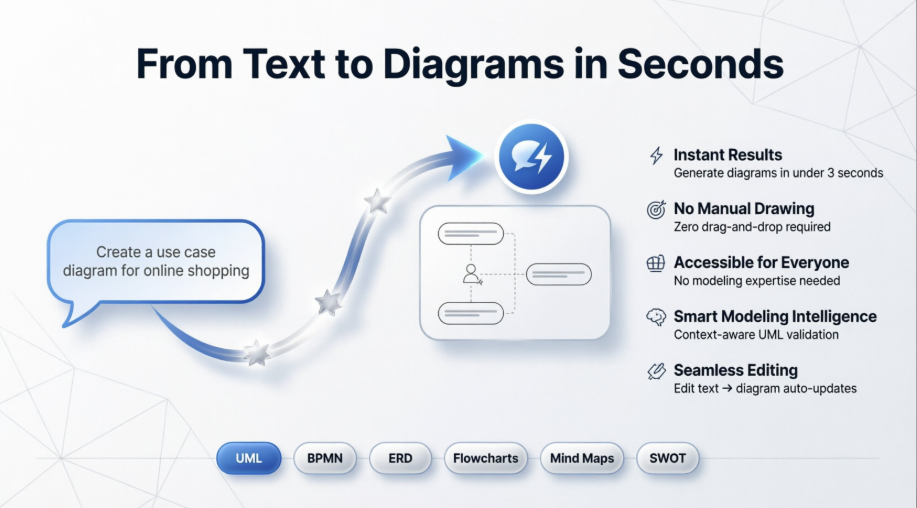
The landscape of systems analysis and design has shifted dramatically. Gone are the days where a team’s productivity was bottlenecked by the steep learning curves of complex modeling tools. Today, Visual Paradigm introduces a revolutionary paradigm shift: the AI Chatbot. This guide explores how to leverage conversational AI to transform natural language prompts into professional-grade UML diagrams in seconds.
1. The Architecture of Generative Modeling
At its core, the Visual Paradigm AI Chatbot functions as an intelligent bridge between human intent and machine precision. Unlike traditional drag-and-drop interfaces that require users to understand the underlying data structures, this system utilizes a Large Language Model (LLM) fine-tuned on industry-standard modeling specifications.
The workflow follows a logical transformation path:
- Input (Natural Language): The user provides a high-level description of the system they wish to model.
- Interpretation (AI Engine): The AI parses the intent, identifies key entities (Actors, Use Cases), and determines the relationship types.
- Generation (Modeling Engine): The system constructs the underlying model data and renders the visual representation.
- Refinement (Interactive Layer): Users can edit the text, and the diagram updates automatically.
2. Step-by-Step: Creating a Use Case Diagram
Let’s walk through the process of generating a Use Case Diagram for an online shopping platform. This example demonstrates the speed and accuracy of the AI Chatbot.
Step 1: Initiate the Prompt
Open the Visual Paradigm AI Chatbot interface. Instead of searching for the “Actor” tool or the “Use Case” oval, simply type your requirement in plain English.
💡 Pro Tip
Be specific about the actors to ensure semantic correctness. Instead of “A user,” try “A registered customer” or “An administrator” to help the AI categorize relationships accurately.
Step 2: The Output
Within seconds, the AI generates the diagram. Based on the prompt “Create a use case diagram for online shopping,” the system renders the standard UML structure:
@startuml
left to right direction
actor "Customer" as C
usecase "Browse Products" as UC1
usecase "Place Order" as UC2
usecase "View Cart" as UC3
usecase "Process Payment" as UC4

C --> UC1
C --> UC2
C --> UC3
UC2 ..> UC4 : includes
@enduml
In the Visual Paradigm environment, this code is executed instantly to produce the visual graph shown in the interface. Notice how the AI automatically inferred the includes relationship between “Place Order” and “Process Payment,” demonstrating the system’s context-aware intelligence.
3. Supported Modeling Languages
One of the most powerful features of the Visual Paradigm AI Chatbot is its versatility. You are not limited to a single diagram type. The system supports a wide array of industry-standard modeling languages, allowing you to switch contexts seamlessly:
- UML (Unified Modeling Language): For software architecture and object-oriented design.
- BPMN (Business Process Model and Notation): For workflow analysis and business process re-engineering.
- ERD (Entity Relationship Diagram): For database schema design.
- Flowcharts: For algorithmic logic and decision-making paths.
- Mind Maps & SWOT: For strategic planning and brainstorming.
4. Seamless Editing and Iteration
The workflow does not end with generation. The “Seamless Editing” feature allows you to iterate rapidly. If you realize the system requires a “Guest User” instead of a “Customer,” you can simply update the prompt: “Add a Guest User actor who can only Browse Products.”
The AI analyzes the change, updates the internal model, and re-renders the diagram. This eliminates the need for manual re-drawing and ensures that your documentation remains perfectly synchronized with your evolving requirements.
Conclusion
By combining the speed of natural language processing with the rigor of industry-standard modeling, the Visual Paradigm AI Chatbot empowers teams to focus on what they are building rather than how to draw it. Whether you are an architect designing a complex enterprise system or a student learning UML, this tool accelerates the journey from ideation to implementation.