Visual Paradigm Desktop remains useful because it helps teams turn ideas into structured, editable models—not just attractive pictures. Its value is strongest when a team needs to clarify a system or process, discuss alternatives, keep related views aligned, and produce artifacts that can guide implementation and future decisions.
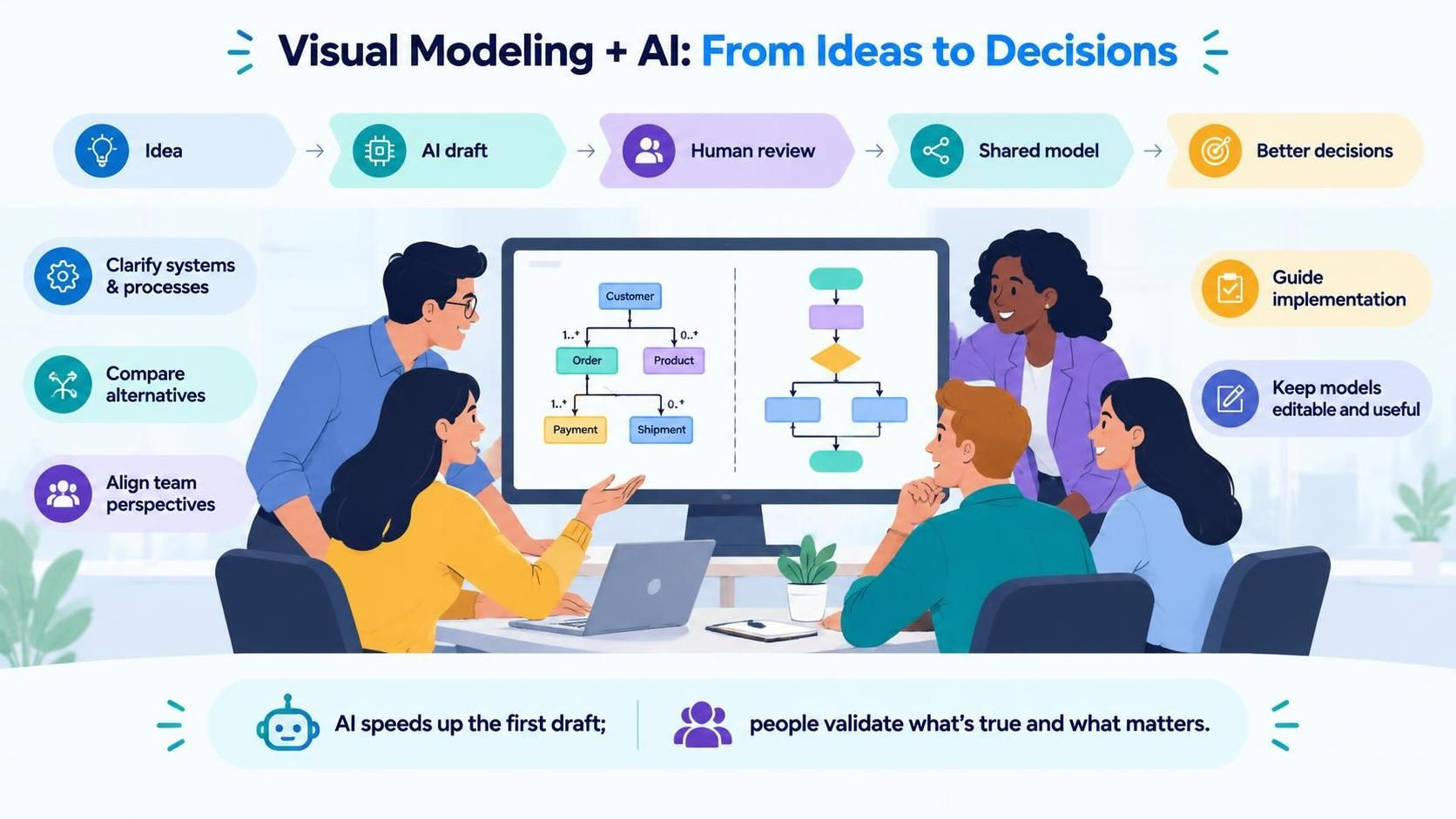
AI makes the first draft faster, but it does not remove the need for modeling. Teams still need to decide what is true, what matters, and how the parts fit together. Visual Paradigm’s current platform combines desktop modeling with AI-assisted features and other tools; the exact capabilities available depend on the edition and license, so check the edition matrix before planning around a specific feature.
What you can model
Visual Paradigm supports a broad range of visual-modeling standards and diagram types. These help different roles look at the same work from different angles.
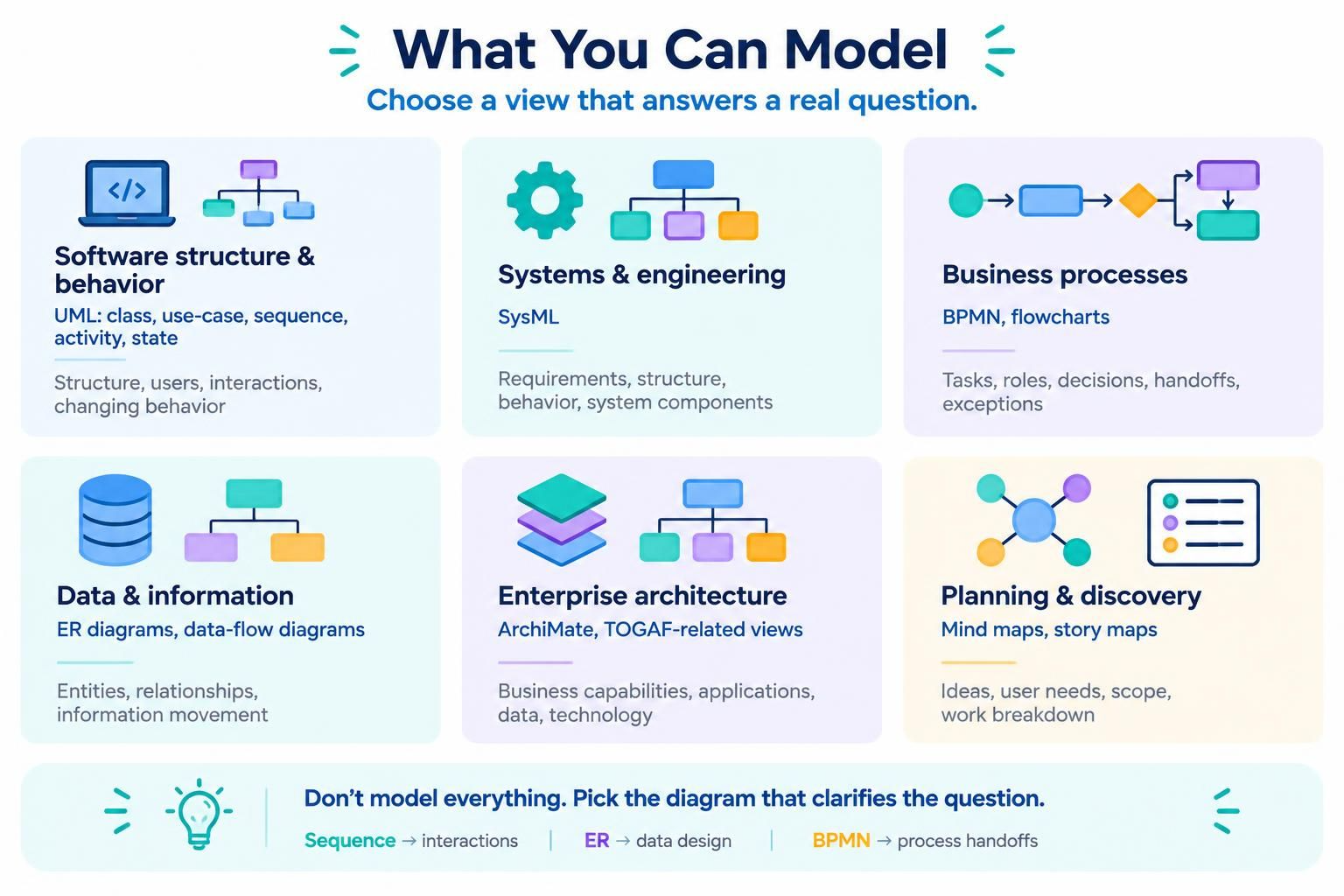
| Modeling need | Useful diagrams and views | What they help clarify |
|---|---|---|
| Software structure and behavior | UML class, use-case, sequence, activity, and state diagrams | What the system contains, who uses it, how interactions unfold, and how behavior changes over time |
| System and engineering design | SysML diagrams | System components, requirements, structure, and behavior in engineering contexts |
| Business process | BPMN, flowcharts, and process views | Tasks, roles, decisions, handoffs, and exceptions in a process |
| Data and information | ER diagrams and data-flow diagrams | Data entities and relationships, and how information moves through a system |
| Enterprise architecture | ArchiMate and TOGAF-related views | Relationships between business capabilities, applications, data, and technology |
| Planning and discovery | Mind maps, story maps, and related planning views | Ideas, user needs, scope, and potential work breakdown |
The point is not to create every possible diagram. Choose a view that answers a specific question. A sequence diagram may clarify a confusing interaction; an ER diagram may expose a data-design gap; a BPMN diagram may reveal a slow handoff.
A practical workflow for teams
-
Start with a question, not a diagram. For example: “What happens when payment fails?” or “Which applications support this business capability?”
-
Set the scope. Name the system or process, the people involved, what is inside and outside the boundary, and the level of detail the team needs.
-
Choose the right view. Use a diagram that makes the question visible to the people who need to answer it.
-
Create a first draft. Sketch it manually, reuse existing model elements, or use an available AI-assisted feature to generate a starting point.
-
Review the meaning. Ask subject-matter experts whether the actors, steps, relationships, exceptions, and assumptions are accurate.
-
Refine and connect. Improve the diagram, relate it to other project artifacts where appropriate, and capture unresolved questions or decisions.
-
Use it in the work. Bring it into planning, design reviews, implementation discussions, testing, onboarding, or process improvement.
-
Update it when the reality changes. A model is useful when it stays relevant—not simply because it was completed once.
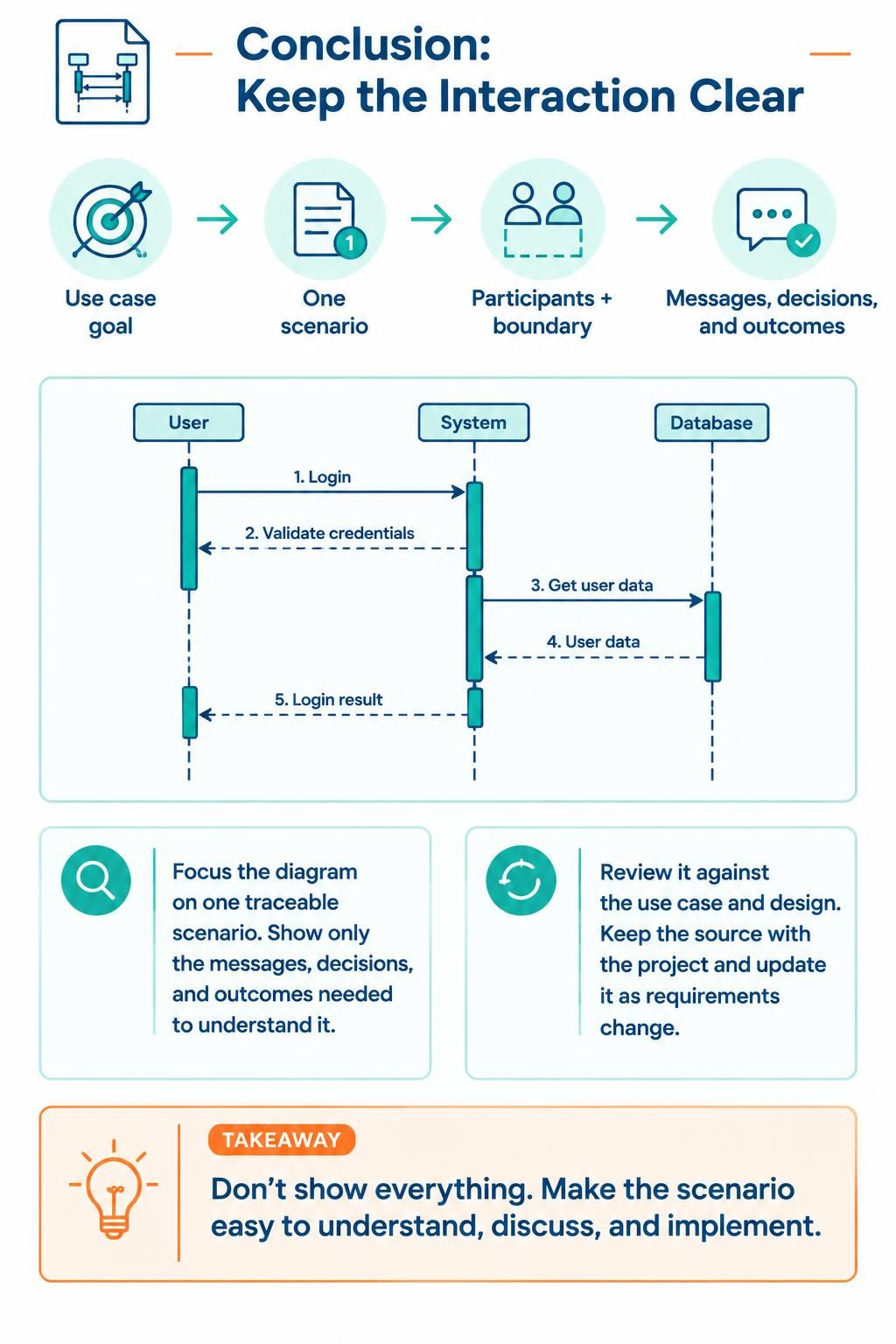
Visual Paradigm describes its modeling tools as supporting drag-and-drop editing, reuse of model elements, transformations, validation, and formatting. Those capabilities support refinement beyond a one-off drawing.
Where AI fits—and where people still matter
Visual Paradigm promotes AI-assisted diagram generation and conversational ways to request or revise diagrams. Used well, these can help a team get past the blank page, explore a draft, or translate a written description into something people can inspect together.
A productive AI-assisted loop is:
Describe → generate → inspect → correct → discuss → maintain.
For example, a team could ask for an activity diagram for an order process, then check whether it includes the real approval rules, failure paths, and handoffs. AI can make the first version faster; the team remains responsible for deciding whether the model is correct and useful.
AI is especially helpful for:
-
Getting started: Turn a rough description into a draft that stakeholders can react to.
-
Exploring alternatives: Compare possible flows or structures before committing to one.
-
Making ideas visible: Give people with different backgrounds a shared artifact to discuss.
-
Improving communication: Use a diagram to expose assumptions that prose may leave implicit.
-
Supporting learning: Help newcomers understand a process or system through a visual representation.
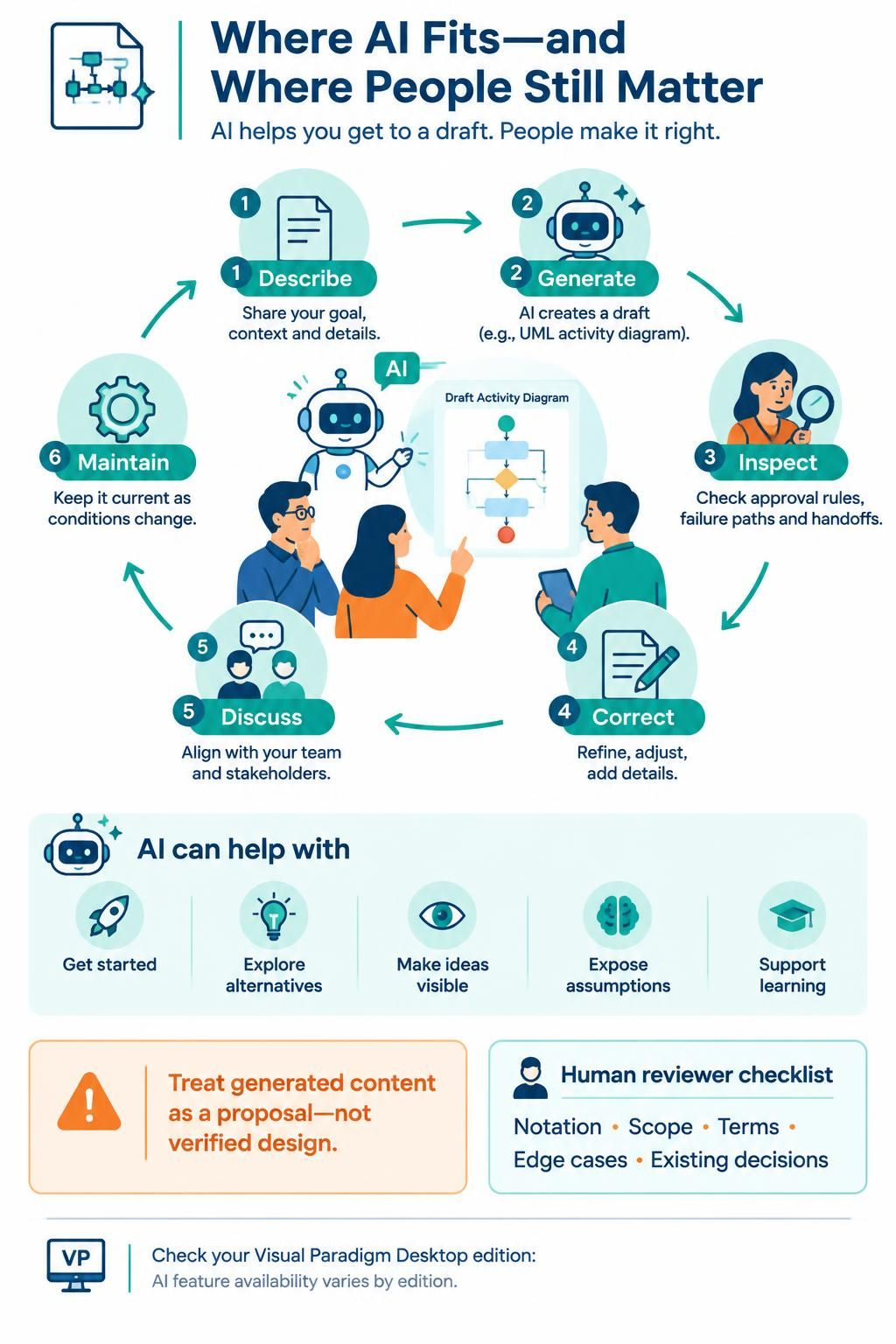
Treat generated content as a proposal, not as verified design. Check notation, scope, terminology, edge cases, and consistency with existing decisions. Also confirm which AI features are included in your particular Desktop edition and workflow; the product’s feature comparison shows that availability varies across editions.
Different perspectives a model can provide
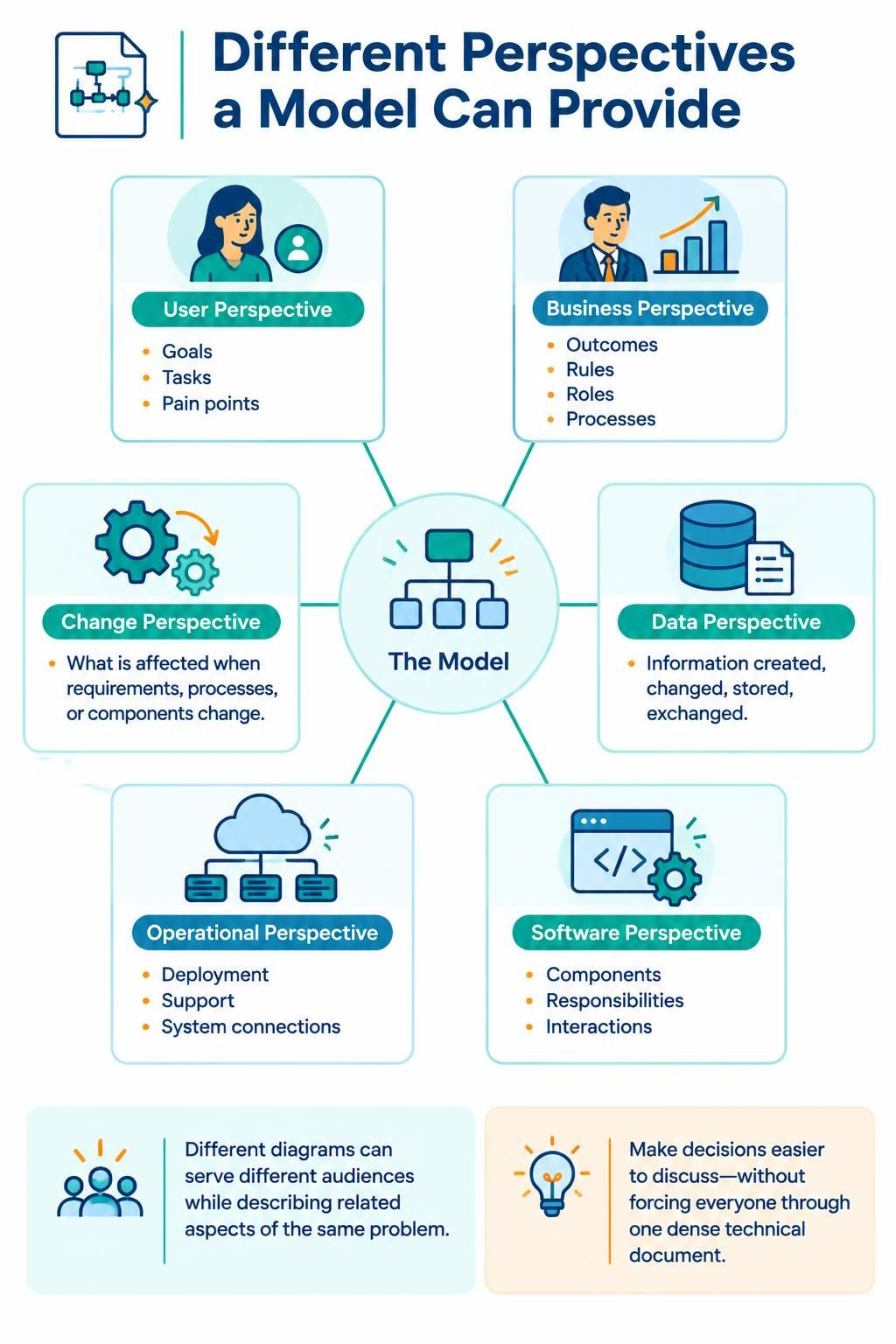
A model becomes more useful when it connects perspectives rather than documenting just one team’s view:
-
User perspective: What goals, tasks, and pain points do people have?
-
Business perspective: What outcomes, rules, roles, and processes matter?
-
Data perspective: What information is created, changed, stored, or exchanged?
-
Software perspective: What components, responsibilities, and interactions make up the solution?
-
Operational perspective: How is the system deployed, supported, and connected to other systems?
-
Change perspective: What will be affected if a requirement, process, or component changes?
Different diagrams can serve different audiences while describing related aspects of the same problem. That helps a team discuss a decision without forcing everyone to interpret a dense technical document in the same way.
Why visual modeling can remain relevant
-
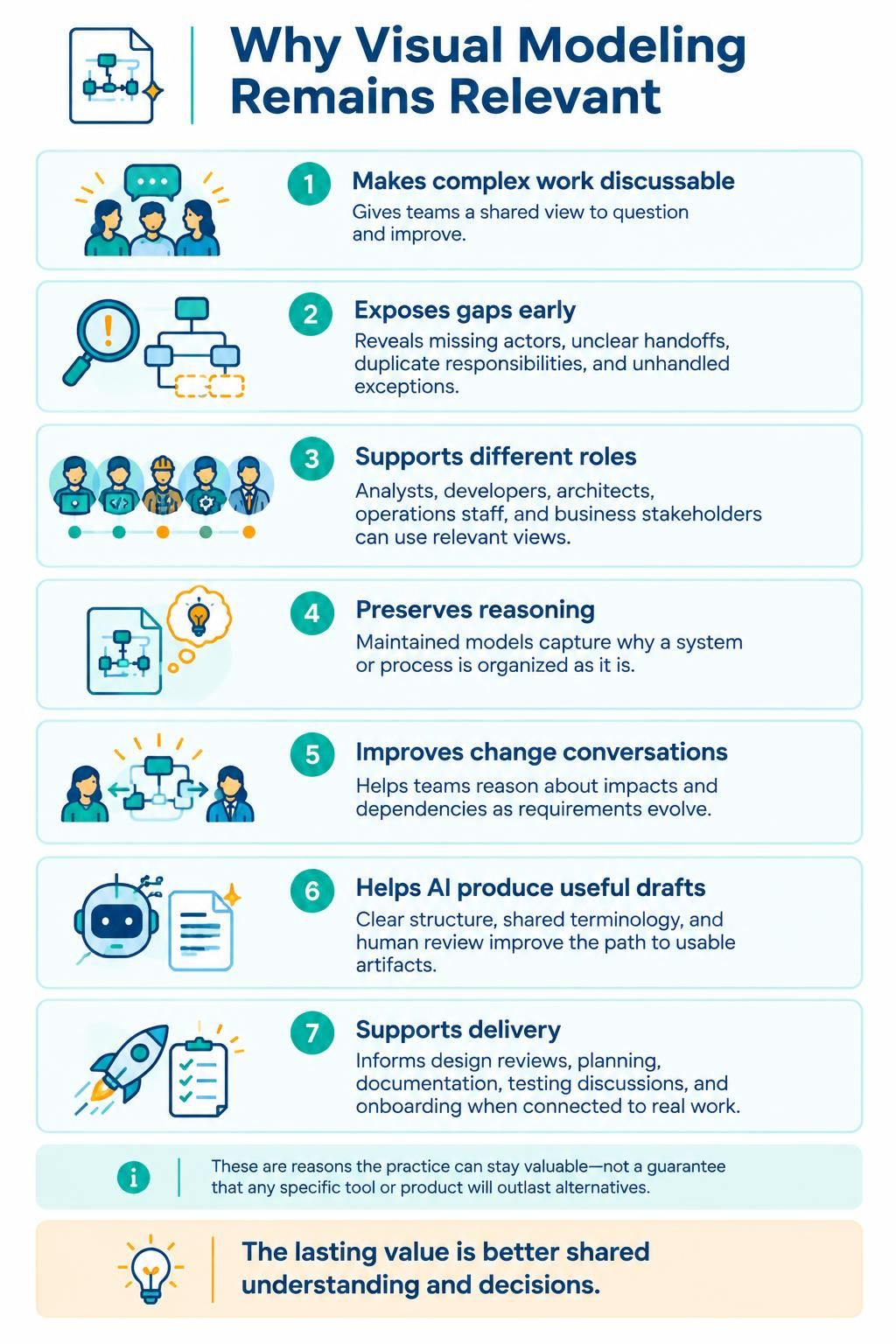
It makes complex work discussable. A shared visual view gives a team something concrete to question and improve.
-
It exposes gaps early. Missing actors, unclear handoffs, duplicate responsibilities, and unhandled exceptions can become visible before implementation.
-
It supports different roles. Analysts, developers, architects, operations staff, and business stakeholders can each use views suited to their concerns.
-
It preserves reasoning. A maintained model can explain why a system or process is organized as it is, rather than leaving the rationale only in someone’s memory.
-
It improves change conversations. Teams can use diagrams to reason about impacts and dependencies when requirements or systems evolve.
-
It helps AI produce more useful work. Clear structure, agreed terminology, and human review give AI-generated drafts a better path toward usable project artifacts.
-
It can support practical delivery. Models can inform design reviews, planning, documentation, testing discussions, and onboarding—provided the team keeps them connected to real work.
These are reasons the practice can stay valuable; they are not a guarantee that any particular tool or product will outlast alternatives. The lasting value comes from using models to improve shared understanding and decisions.
How it helps a team get work done
A diagram should earn its place by helping the team do something: agree on scope, find a defect in a process, clarify an interface, understand a requirement, or make a change safer. Keep each model focused, review it with the people who know the work, and update it when it influences a decision or implementation. Avoid drawing diagrams solely to satisfy a process if nobody uses them.
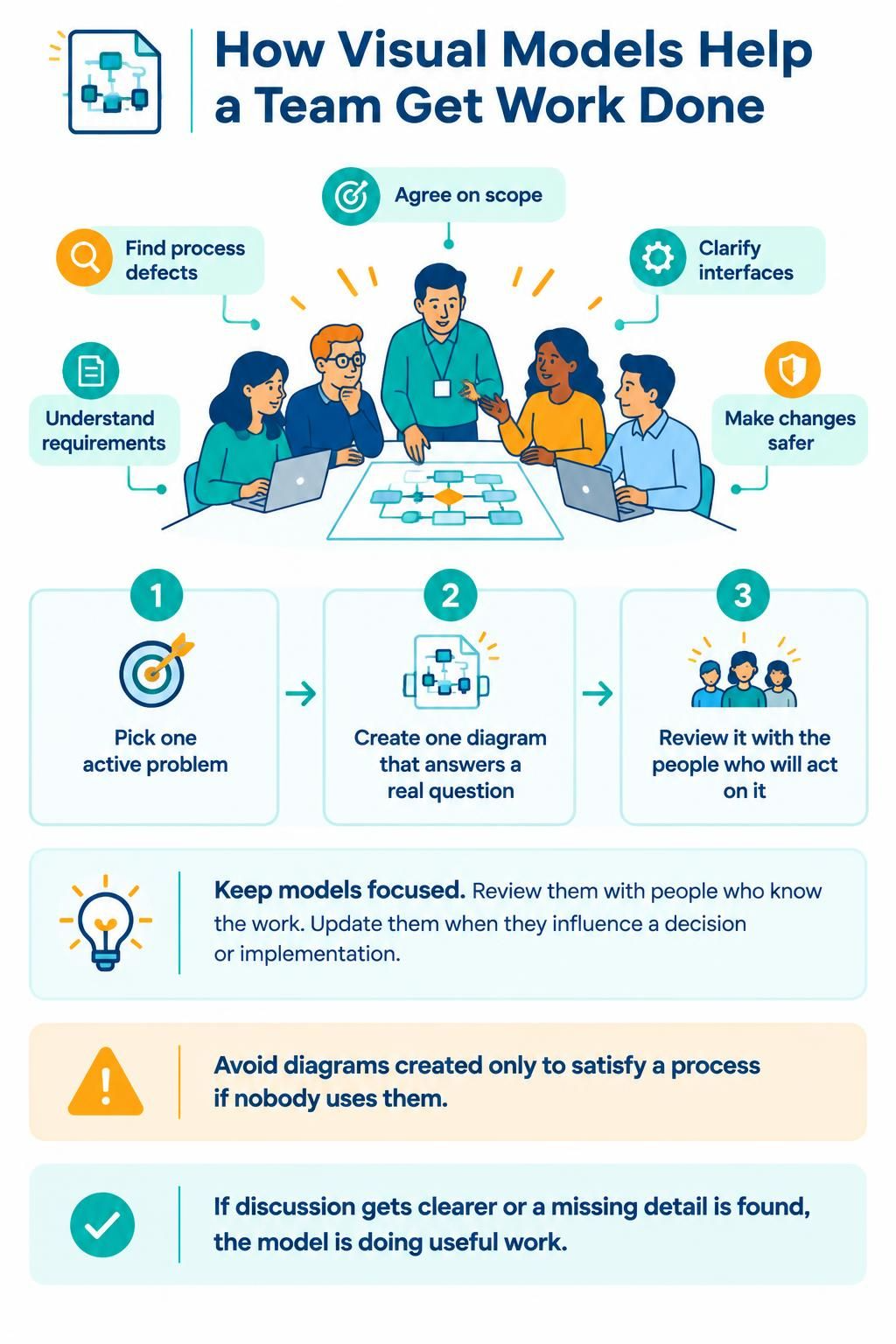
A simple starting point is to pick one active problem, create one diagram that answers a real question, and review it with the people who will act on it. If the discussion becomes clearer or a missing detail is uncovered, the model is doing useful work.