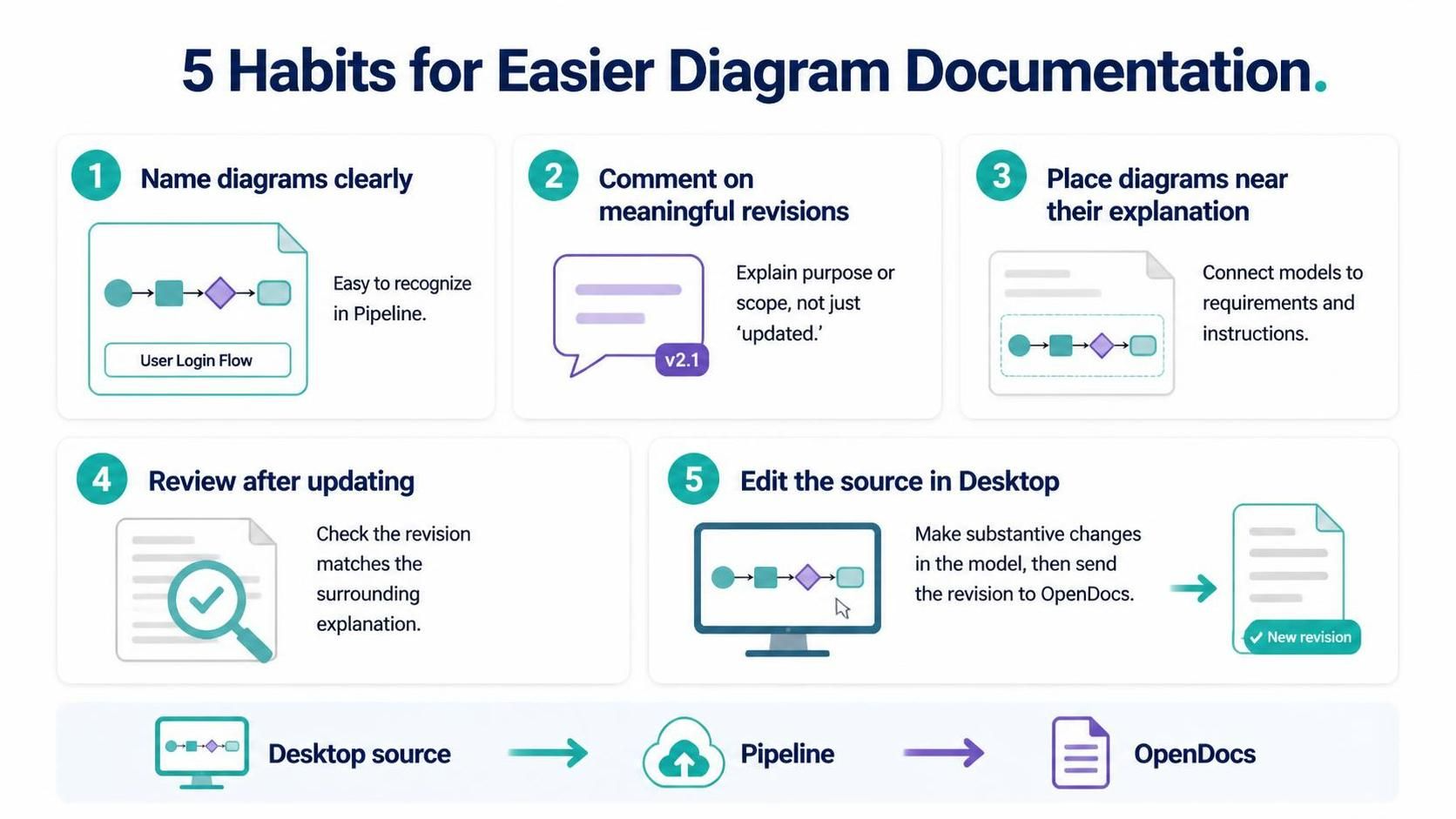
In modern software architecture and system design, a diagram is never truly “finished” until it is effectively communicated. However, the most beautiful diagram is useless if it sits in isolation, disconnected from the requirements it represents, or if its version history is lost in a sea of unlabelled files. Based on the industry-standard practices for integrating Visual Paradigm Desktop with OpenDocs, this tutorial explores the “5 Habits for Easier Diagram Documentation.”
This guide moves beyond simple drawing instructions. It outlines a robust system architecture for your documentation workflow, ensuring that your visual models evolve in lockstep with your engineering reality.
The Architecture of a Healthy Documentation Workflow
Before diving into the specific habits, it is essential to understand the underlying data flow that powers this system. The workflow is not a circular loop of editing and saving; it is a linear pipeline that separates the source of truth from the presentation layer.
The architecture follows this specific path:
- Desktop Source: The local Visual Paradigm environment where substantive modeling work occurs.
- Pipeline: The cloud-based repository that manages version control and revision tracking.
- OpenDocs: The collaborative documentation hub where diagrams are embedded and read by the team.
System Flow Visualization
[Desktop Source] --(Send Revision)--> [Pipeline] --(Embed)--> [OpenDocs]
      |                                        |
      +-- Substantive Edits                    +-- Version Control & Comments
By treating this flow as a strict architectural constraint, you prevent the common pitfall of editing diagrams directly inside the documentation tool, which often leads to orphaned changes and lost history.
Habit 1: The Naming Convention Strategy
The first step in documentation hygiene is the identification of your assets. In the Pipeline, diagrams are often accessed by a list view. If a diagram is named “Diagram 1” or “Untitled”, the cognitive load on the reader increases significantly.
Best Practice: Adopt a descriptive naming convention that functions as a metadata tag. A name like “User Login Flow” immediately tells the reader the scope and context of the model. This practice transforms a raw file list into an intuitive directory structure.
Habit 2: Semantic Versioning via Comments
One of the most frequent errors in collaborative modeling is the loss of context. When a diagram changes, it is easy to simply save a new revision. However, without context, the reader is left guessing: Did the logic change? Did the UI update? Was this a bug fix?
To solve this, you must utilize the comment system to explain the why, not just the what.
- Bad Comment: “Updated.”
- Good Comment: “v2: added payment retry path to handle timeout scenarios.”
Habit 3: Spatial Proximity and Context
Documentation is a reading experience. Humans process visual information (diagrams) and textual information (requirements) differently. If a diagram is located on page 1, and the text explaining it is on page 4, the reader must constantly flip back and forth, breaking their mental model.
The Golden Rule of Layout: Insert the diagram immediately near the text that explains it. This spatial proximity creates a cognitive bridge, allowing the reader to connect the abstract model to the specific requirements or instructions being discussed.
Habit 4: The Post-Update Review Cycle
After you have updated a diagram in Desktop and sent the new revision to OpenDocs, a dangerous gap often opens up. The diagram has changed, but the text describing it has not. This leads to “documentation drift,” where the documentation no longer matches the system.
Actionable Step: Always perform a “sanity check” after updating an artifact. Open the document in OpenDocs and verify that the surrounding explanation still matches the chosen revision. If the diagram now includes a new step, does the text mention it? If not, update the text.
Habit 5: The Source of Truth Protocol
The final and most critical habit is discipline regarding where edits happen. The system architecture dictates that Visual Paradigm Desktop is the source of truth. OpenDocs is the presentation layer.
If you edit a diagram directly in OpenDocs, you are creating a local clone that is detached from your Desktop model. This breaks the link to the source code and requirements. The correct workflow is:
- Make substantive changes in Desktop.
- Send the revised diagram to the Pipeline.
- In OpenDocs, select or switch to the latest revision.
This ensures that your documentation is always a reflection of the actual design, not a temporary patch.
Conclusion
Implementing these five habits transforms diagramming from a sporadic activity into a disciplined engineering practice. By naming clearly, commenting meaningfully, placing diagrams contextually, reviewing updates, and respecting the Desktop source, you create a documentation ecosystem that is robust, understandable, and scalable.