


Introduction
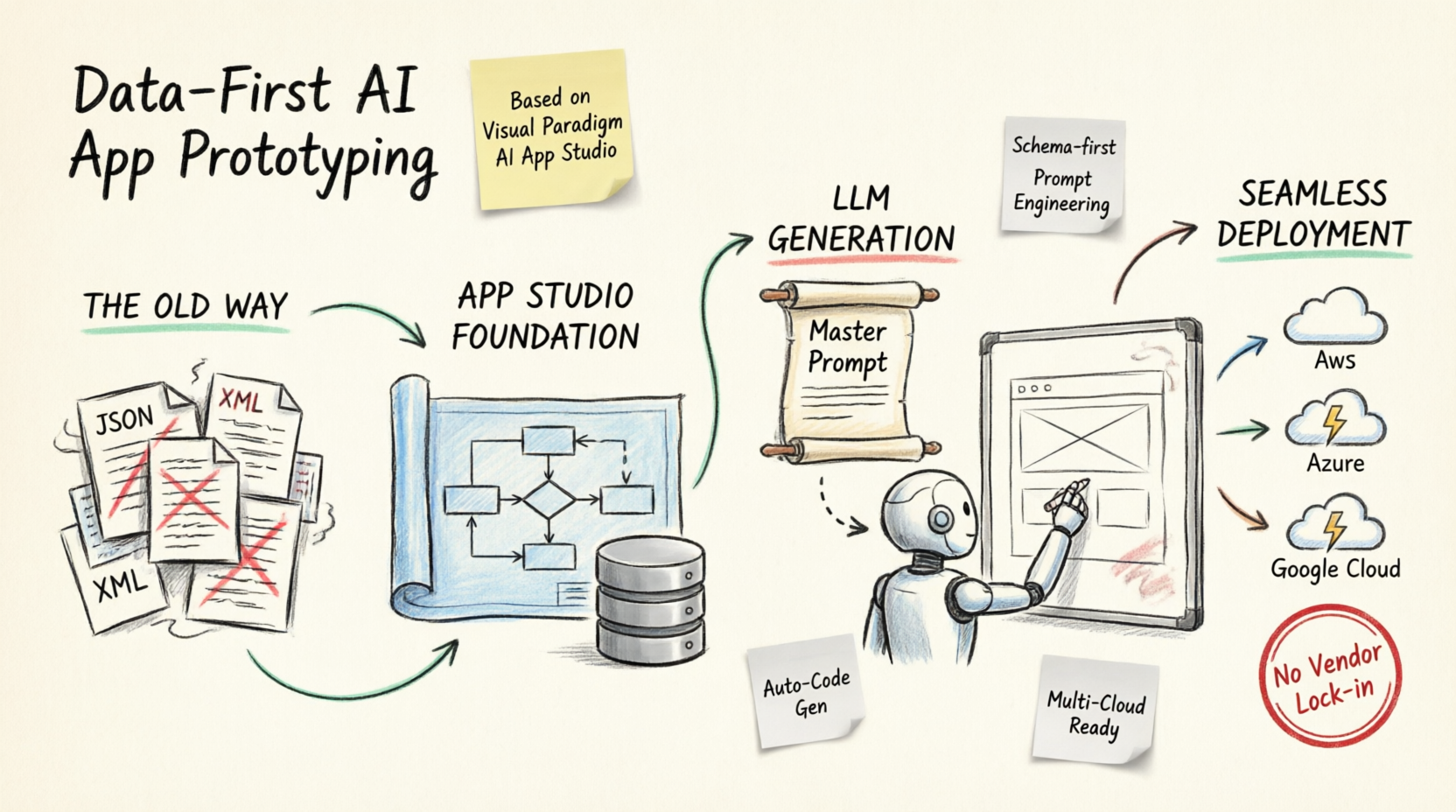
The emerging technology of AI code and app writing has revolutionized how we build software. However, most Large Language Models (LLMs) heavily focus on generating frontend web applications while lacking robust support for backend architecture and database design. Traditionally, developers have relied on simple JSON or XML files for data persistence to rapidly prototype apps, mock up frontends, and prove concepts. While this approach works for quick ideation, it creates significant technical debt. Transitioning from flat-file storage to a properly designed relational database later in the lifecycle is time-consuming, error-prone, and fraught with uncertainty. Furthermore, relying on proprietary backend services or vendor-locked environments for microservices and databases complicates future migrations.
Visual Paradigm AI App Studio is born to solve these exact challenges. As a groundbreaking new feature for agile teams, it accelerates the entire development process and mitigates deployment risks by handling backend development seamlessly upfront. Instead of settling for simple JSON or XML repositories, App Studio allows you to rapidly prototype a production-ready database design, while letting the LLM focus on generating the web application prototype. This ensures you never miss out on critical database structures after the LLM finishes the frontend, eliminates vendor lock-in, and enables easy, click-based deployment to popular cloud vendors.
The Structural Approach: Data-First AI Engineering
Most AI-powered development tools generate application code blindly from a single chat prompt, which frequently leads to broken interfaces, unnormalized databases, and missing relationships. App Studio eliminates this volatility by introducing a Data-First Architectural Workflow:
-
Logical Validation: Before a single line of client-side code is conceptualized, App Studio designs, normalizes, and visually maps out your system architecture using standard entity relationship models.
-
Decoupled Backend and Frontend: The system automatically provisions a live, persistent, cloud-hosted relational database behind the scenes, separating data storage layers from modern user interface configurations.
-
Universal Master Prompt Generation: The final output of App Studio is not locked into a proprietary ecosystem. Instead, it compiles all your structural rules, security pathways, database connection keys, and preferred UI frameworks into a universal Master AI Prompt Blueprint ready for external execution.
Step-by-Step Guide: Rapid Database Prototyping & LLM Web App Generation
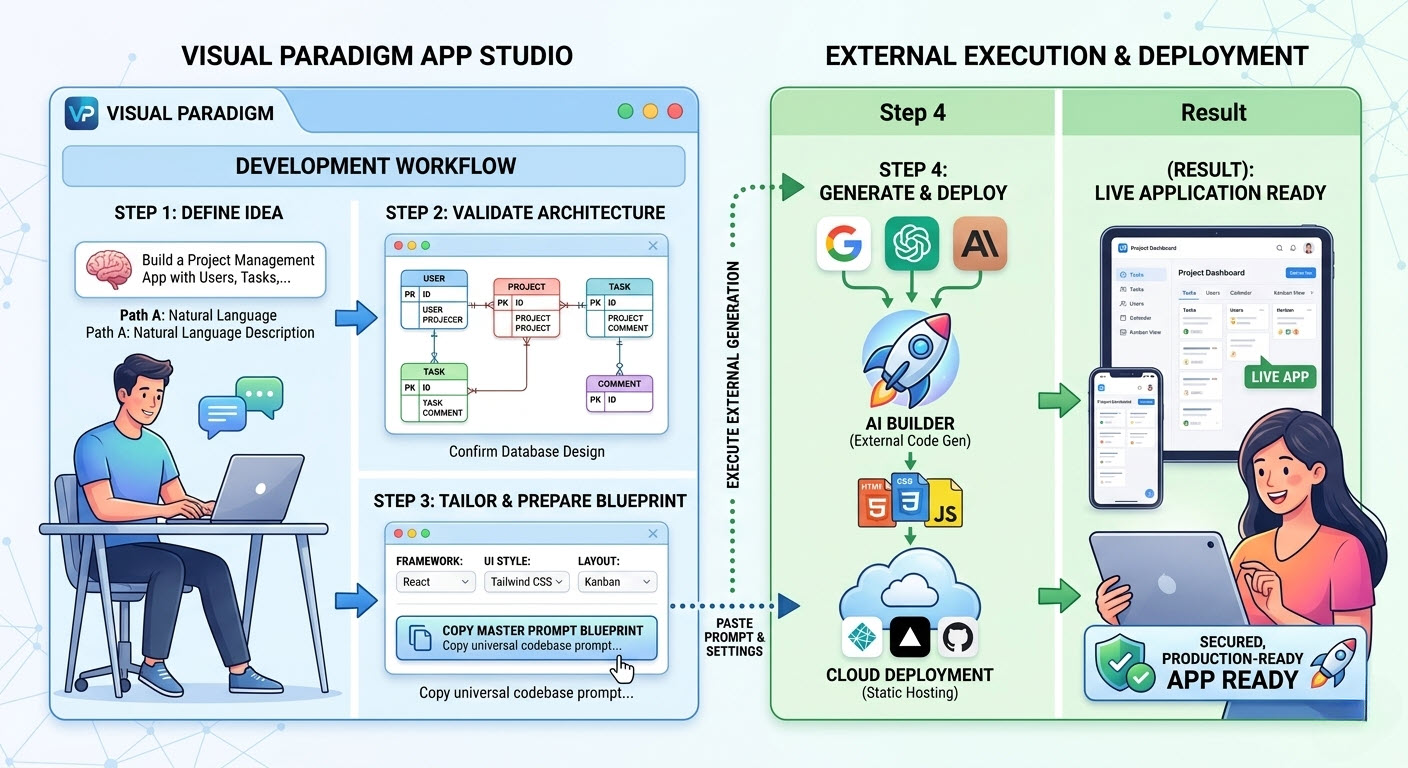
Building your target blueprint follows a streamlined, predictable process inside the App Studio interface, allowing you to nail down the database before the LLM writes a single line of frontend code.
Step 1: The Ingestion Phase (Choose Your Path)
Kickstart your project using either natural language or existing visual database documentation:
-
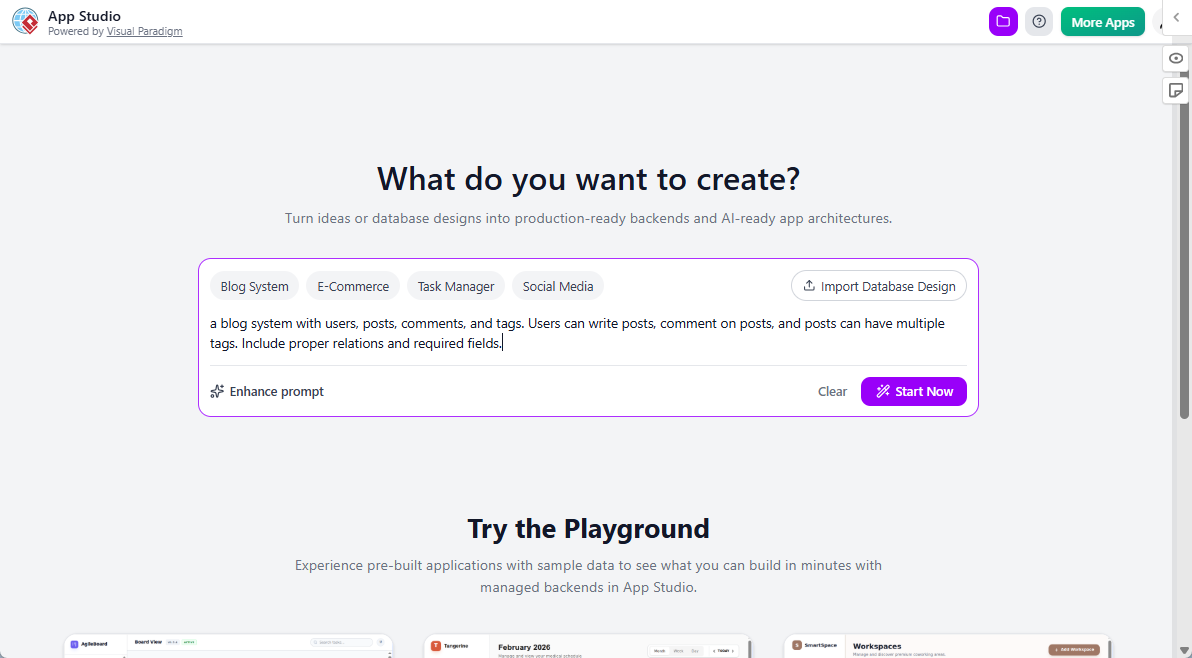
Path A: Start with a Description of Requirements: Type out a simple text description of what your app needs to do. If your description lacks detail, utilize the built-in “Enhance Prompt” utility to instantly flesh out implied constraints and fields.
-
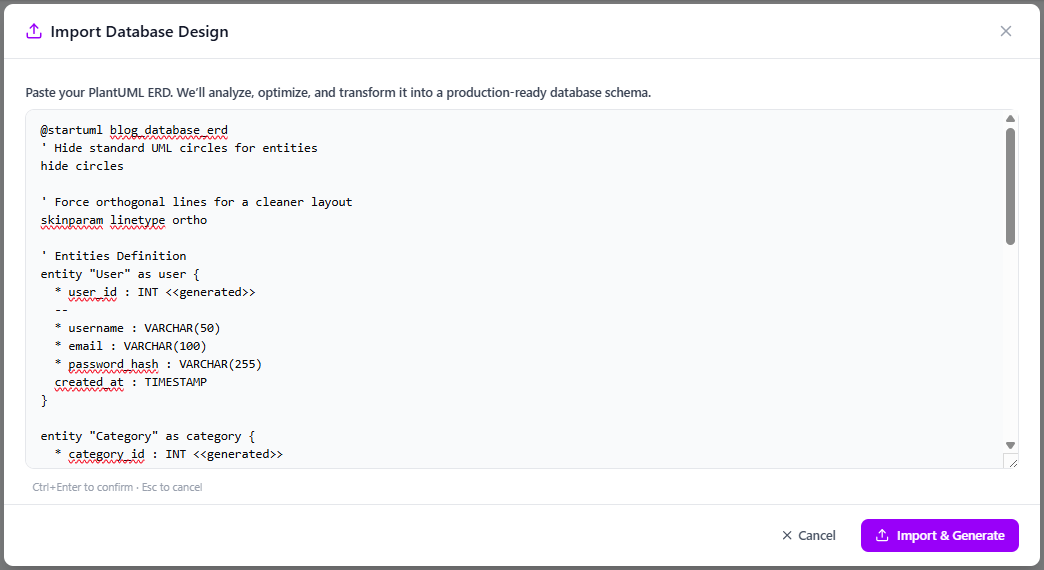
Path B: Start with a Database Design: If you are a database modeler, bypass text entry entirely by pasting standard PlantUML code of your Entity Relationship Diagram to seed the system instantly.
Step 2: Architecture Confirmation
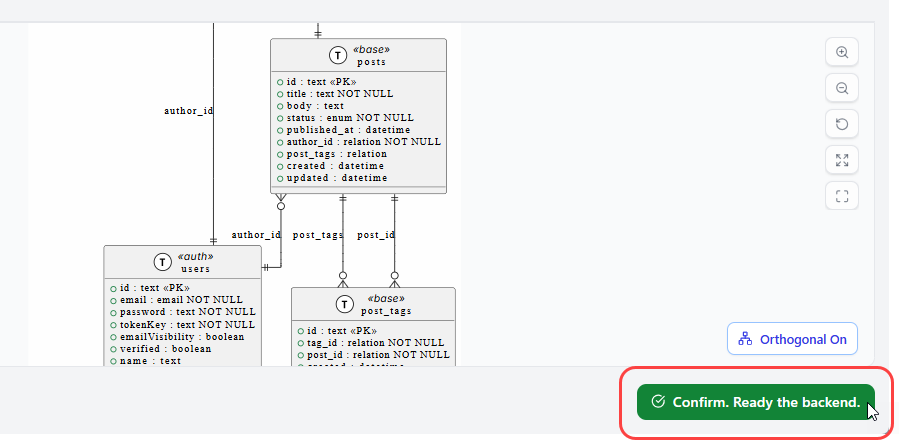
App Studio’s visual layout engine renders a detailed structural canvas of your database. The underlying AI automatically resolves syntax errors, links missing foreign keys, and normalizes schema boundaries. Once verified, confirming the visual arrangement triggers the infrastructure provisioning engine.
Step 3: Instant Backend Provisioning
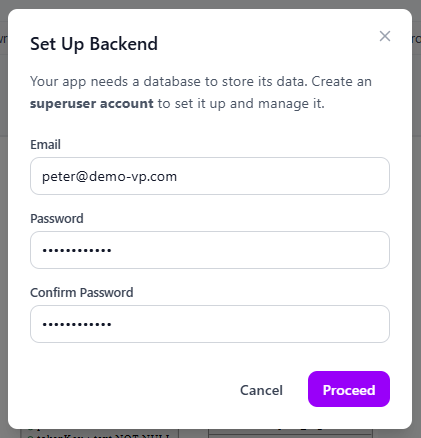
Say goodbye to the limitations of JSON or XML persistency! To support full data persistence (reading and writing application records), App Studio sets up an active, fully managed relational database behind the scenes. Users simply input an administrative email and password to safely instantiate a hosted relational superuser endpoint, ensuring your data layer is production-ready from day one.
Step 4: Tailoring the Blueprint
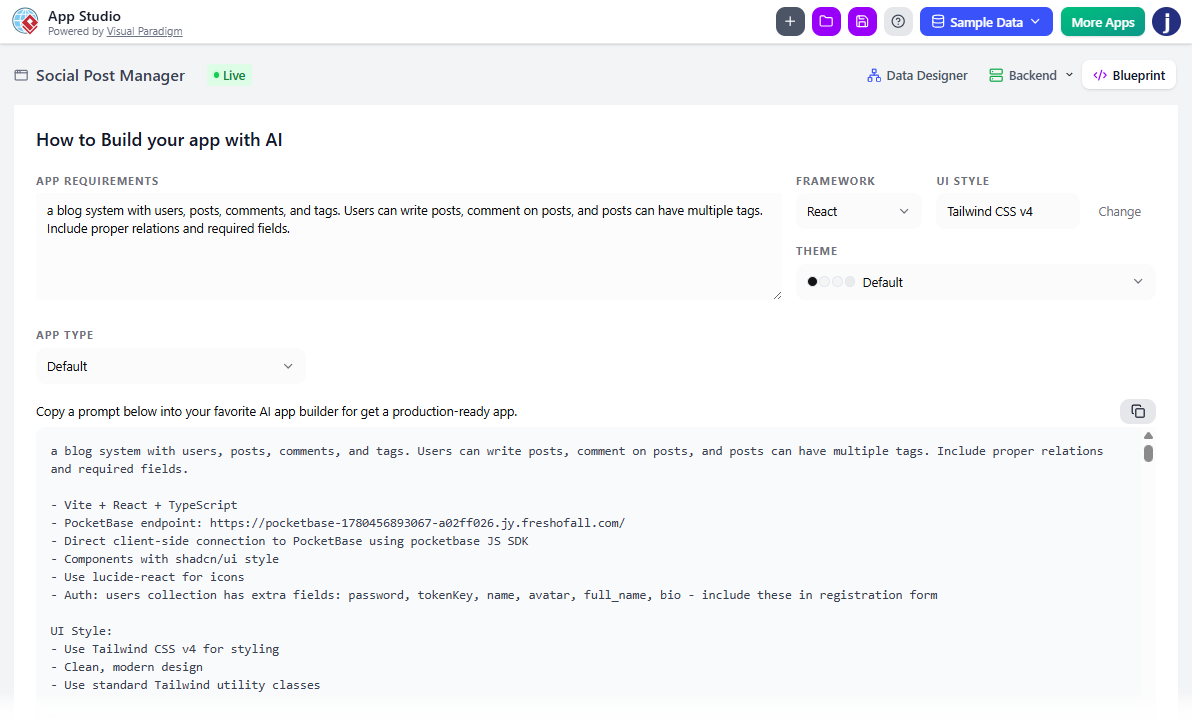
Use the control panel to customize your target application stack parameters. Select from a variety of foundational architectures:
-
Frameworks: React, Vue, Svelte, Angular, or Simple HTML architectures.
-
UI Styling Engines: Tailwind CSS v4, Bootstrap, Material UI, Glassmorphism, or Neobrutalism.
-
Application Layout Types: Form-based layouts, Wizard structures, List/Table views, Tab systems, Kanban boards, or Gallery/Card panels.
Clicking “Copy AI Prompt” saves the dynamically generated master configuration script to your clipboard.
Executing the Prototype: From LLM Code Generation to Deployment
To remain highly flexible and platform-neutral, App Studio hands off the finalized master blueprint to your choice of modern external toolsets. This guarantees zero vendor lock-in and allows you to deploy your app to popular vendors within just a few clicks.
1. Code Generation via High-Context AI Tools
Take your copied blueprint from App Studio and paste it into any external Large Language Model environment optimized for software engineering (such as Google AI Studio, Anthropic Claude, or OpenAI ChatGPT):
-
Paste the structural operational parameters into the designated System Instructions field to firmly anchor the AI’s role.
-
Paste the master layout blueprint into the main text box and execute. The AI will interpret your App Studio parameters to instantly output standard frontend source code files connected to your newly provisioned database.

2. Instant Static Web Cloud Hosting (Zero Vendor Lock-In)
Once you possess the raw source files, your application can be deployed instantly to the public web using any reliable static cloud hosting platform offering web-based directory uploads (such as Netlify Drop, Vercel, or GitHub Pages). Because App Studio generates standard code and decoupled database endpoints, you are never trapped in a proprietary ecosystem:
-
Create a local directory folder on your desktop and save the AI-generated code blocks inside, ensuring your main homepage file is named exactly
index.html. -
Open your hosting dashboard of choice and drag your unzipped local project folder directly into the web-based upload drop zone.
-
Within moments, the static host will compile the directory and distribute a live, secure HTTPS link to access your operational cloud application from any browser worldwide.
Step-by-Step Case Studies
Building an Internal IT Helpdesk System using Visual Paradigm App Studio, Google AI Studio, and Vercel
Discover how Visual Paradigm AI App Studio’s data-driven approach helps you generate production-ready AI prompts, manage your database, and deploy your app — using a real-world Internal IT Helpdesk System as an example.
Read now
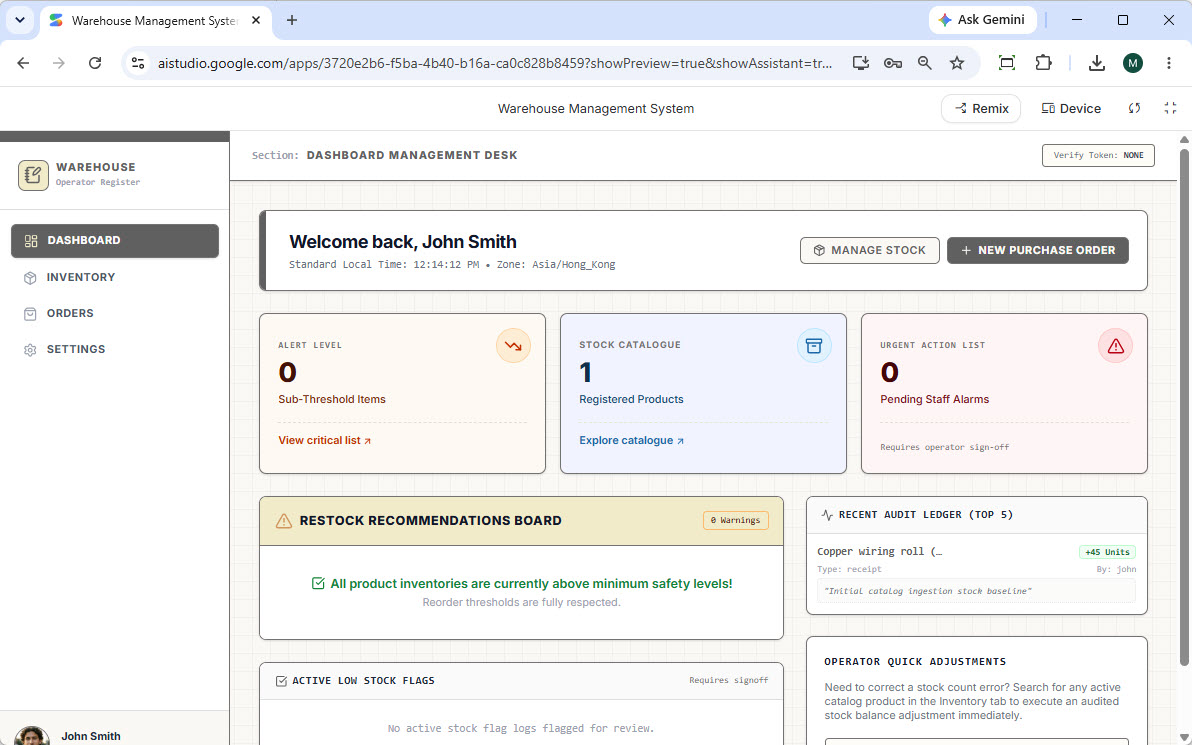
Building a Warehouse System with AI: Visual Paradigm App Studio, Google AI Studio, and Netlify
This step-by-step tutorial walks you through building a fully functional Warehouse Management System with Visual Paradigm AI App Studio. From AI-generated ERD design to database management and deployment on Netlify, discover how data-driven app development can accelerate your workflow.
Read now
Licensing and Access
To provide high-performance database provisioning, cloud hosting, and advanced AI orchestration, App Studio is included with our premium tiers. The tool is fully available to users holding active licenses for the following editions:
-
Visual Paradigm Online: Combo Edition (or higher)
-
Visual Paradigm Desktop: Professional Edition (or higher)
If you are currently on a lower tier or standard plan, you can upgrade your account directly through your Visual Paradigm account dashboard to instantly unlock full access to App Studio and the wider AI Toolbox suite.
Ready to automate your application development workflow from schema logic to UI layout? Log in to your cloud workspace and launch App Studio today.
Conclusion
The era of relying solely on JSON or XML files for rapid application prototyping is over. While LLMs have drastically accelerated frontend web development, the lack of native backend and database support has long been a bottleneck, leading to fragmented prototypes and high migration risks later in the development cycle.
Visual Paradigm AI App Studio fundamentally changes this paradigm for agile teams. By prioritizing a data-first approach, it allows you to rapidly prototype and provision a fully normalized, production-ready relational database upfront. Once the structural foundation is secured, you can seamlessly hand off the universal master blueprint to your preferred LLM to generate the web application interface. This collaborative workflow not only mitigates deployment risks and eliminates the uncertainty of missing database components, but it also ensures complete freedom from vendor lock-in. With the ability to deploy your finalized app to popular cloud providers in just a few clicks, App Studio empowers agile teams to move from concept to live, data-backed application faster and more reliably than ever before.
This post is also available in Deutsch, Español, فارسی, Français, English, Bahasa Indonesia, 日本語, Polski, Portuguese, Ру́сский, Việt Nam, 简体中文 and 繁體中文.
Related posts:
 GourmetReserve Development Simplified: Transforming Requirements with the Best AI-Powered Use Case Modeling Studio
 The Best AI-Powered Database Modeling Tool for Designing Hospital Systems: Visual Paradigm Online
 Comprehensive Guide to Speeding Up Database Modeling with Visual Paradigm (VP) Using AI-Powered Tools
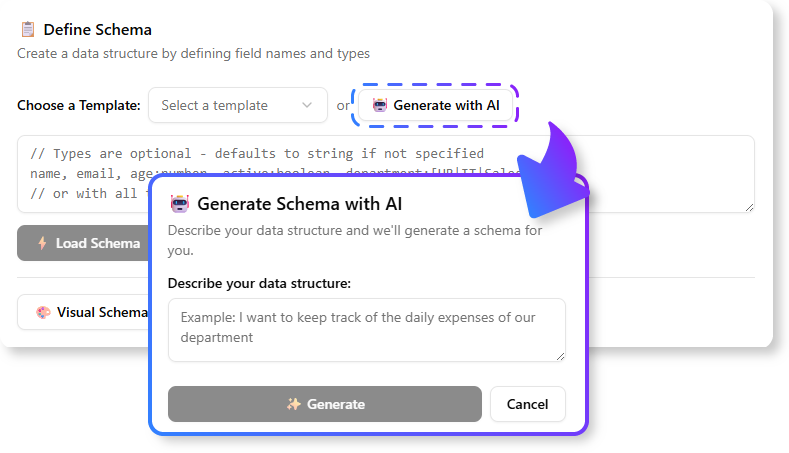 Comprehensive Guide: Converting JSON to Database Schema Using Visual Paradigm and AI