A Comprehensive Case Study on Agile User Story Mastery
📘 New Introduction
In the fast-paced world of SaaS product development, the gap between what stakeholders envision and what engineering teams deliver can make or break a product. Too often, teams drown in lengthy requirement documents, miss user needs, ship features that don’t resonate, and waste sprints reworking misunderstood specifications. The root cause is rarely a lack of talent—it’s a lack of shared understanding.
This case study follows NovaStream, a mid-sized B2B SaaS company, as it confronts these exact challenges and discovers that the answer lies in one of Agile’s most deceptively simple artifacts: the user story. Over the course of six months, NovaStream’s product team transformed their backlog, their collaboration, and ultimately their product outcomes by mastering the art and science of writing effective user stories.
Through this journey, we’ll explore the fundamentals, the proven structure, the INVEST criteria, step-by-step writing techniques, real-world examples, ready-to-use templates, best practices, and the common pitfalls NovaStream learned to avoid. Whether you’re a Product Manager, Scrum Master, Business Analyst, or Agile Coach, this case study offers a practical blueprint you can apply to your own team.
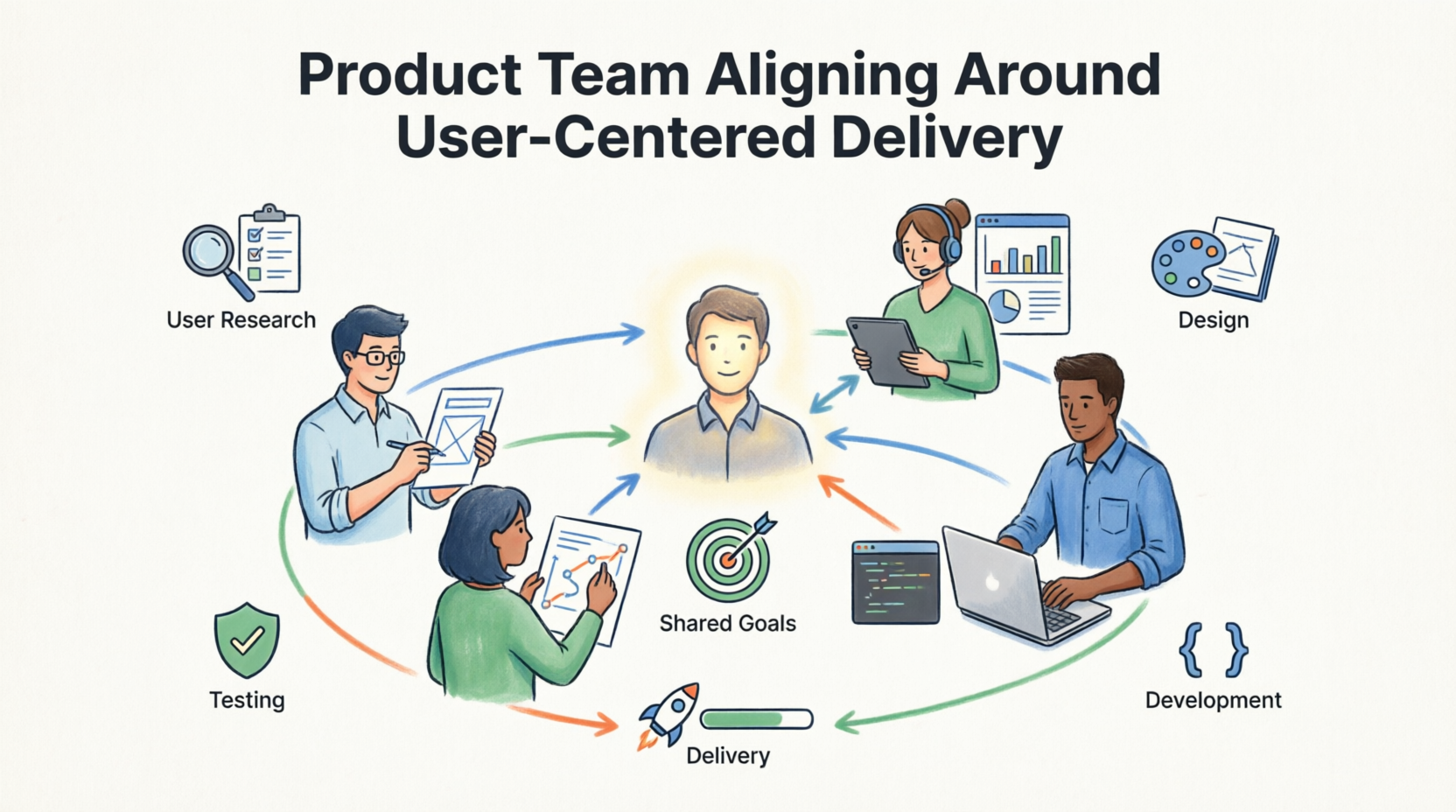
Figure 1: A product team aligning around user-centered delivery
🏢 Part 1: The Background — NovaStream’s Growing Pains
Company Snapshot
- Company: NovaStream (fictional, representative case)
- Industry: B2B SaaS — Project Management & Collaboration Tools
- Team Size: 4 Agile squads, ~40 people (PMs, developers, QA, designers)
- Product Stage: Growth phase, scaling from 5K to 50K users
The Problem
By early 2025, NovaStream’s leadership noticed troubling trends:
| Symptom | Impact |
|---|---|
| Sprint completion rate | Only 58% |
| Rework due to misunderstood requirements | ~22% of dev time |
| Stakeholder satisfaction (internal NPS) | -14 |
| Average time-to-market for new features | 9 weeks |
| Customer complaints about “missing the mark” | Rising quarter over quarter |
The root cause analysis pointed to one recurring theme: requirements were being written as technical specifications, not as expressions of user value. Business Analysts produced 15-page documents. Developers interpreted them differently. Testers wrote test cases based on assumptions. Product Managers were stuck in endless clarification meetings.
“We were building the thing right, but we weren’t building the right thing.” — Lena Park, VP of Product at NovaStream
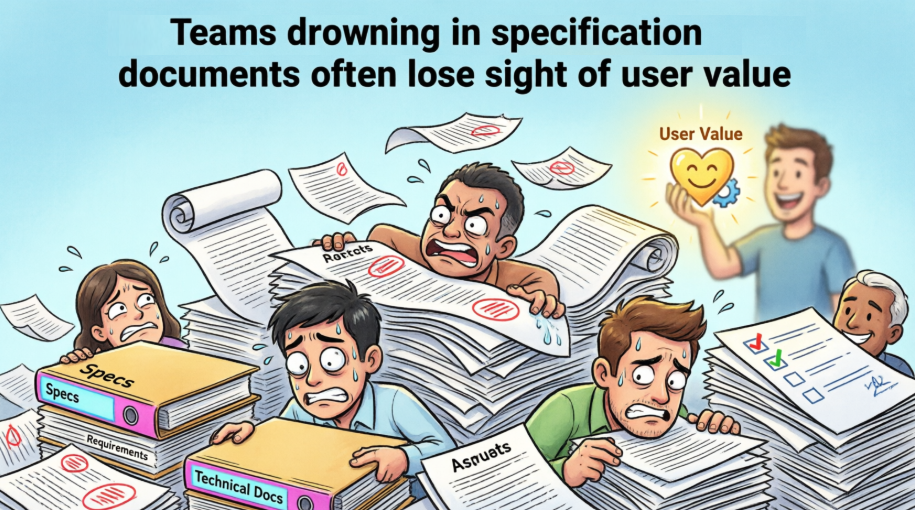 Figure 2: Teams drowning in specification documents often lose sight of user value
🎯 Part 2: The Challenge — Redefining How Work Gets Described
NovaStream’s Agile Coach, Marcus Chen, was brought in to diagnose the issue. His findings were clear:
- Requirements were system-centric, not user-centric. Documents started with “The system shall…” instead of “As a user, I need…”
- Stories were too large. What were labeled “user stories” were actually epics spanning multiple sprints.
- Acceptance criteria were missing or vague. Teams argued in sprint review about what “done” meant.
- Collaboration was minimal. Requirements were “thrown over the wall” from BA to dev.
- No shared vocabulary. Each squad interpreted “user story” differently.
Marcus proposed a focused initiative: retrain the entire product organization on writing effective user stories, using a structured, hands-on approach. Leadership approved a 6-month transformation program.
💡 Part 3: The Solution — Mastering the User Story
3.1 Understanding What a User Story Really Is
The first workshop began with a fundamental reframing. Marcus defined it clearly:
A User Story is a short, informal description of a software feature written from the perspective of the person who will use it.
Standard Format:
As a [type of user or persona],
I want [some goal or feature],
so that [some reason or benefit].
This simple three-part structure keeps stories user-focused and outcome-oriented.
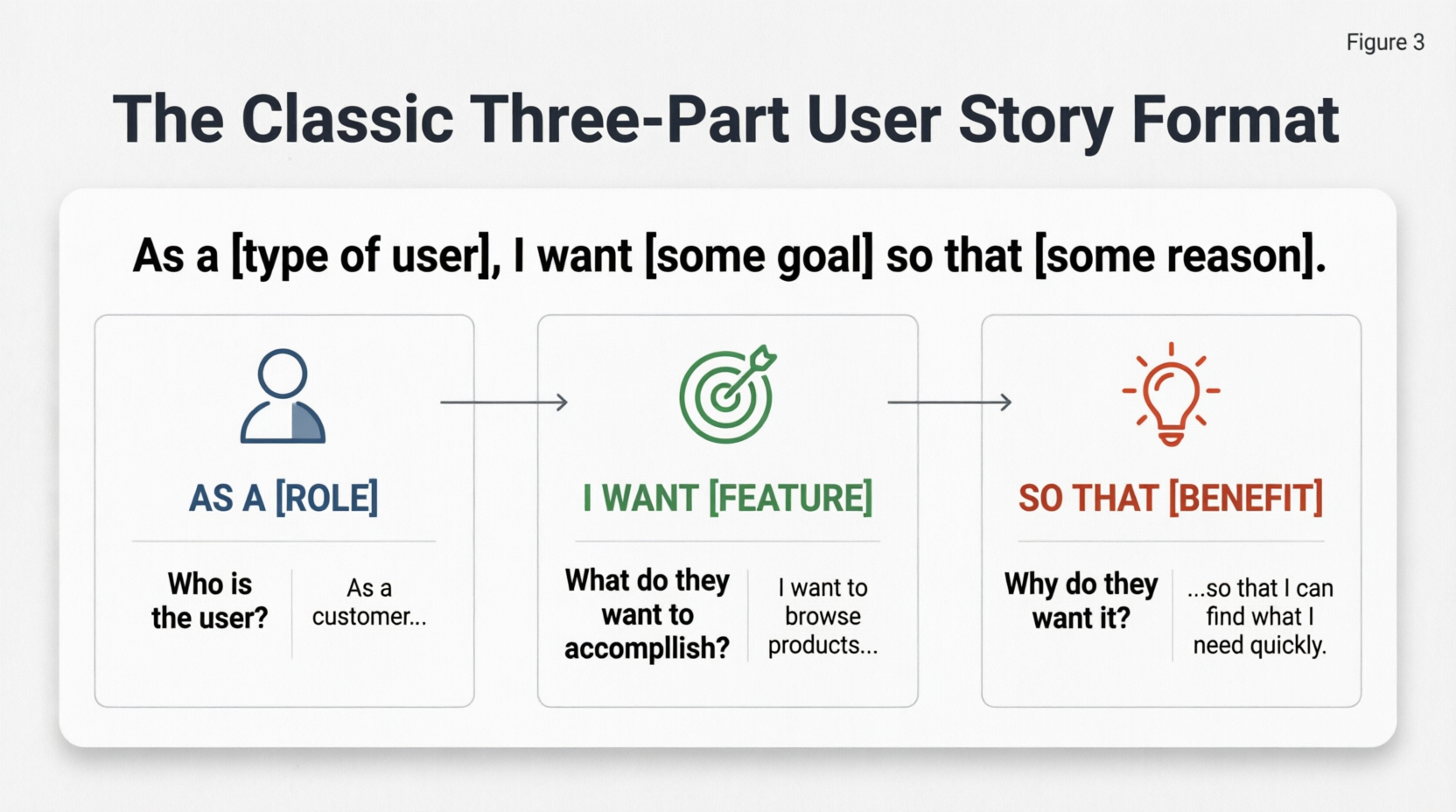
Figure 3: The classic three-part user story format
3.2 User Story vs. Traditional Requirements
The team compared their old approach with the new one:
| Aspect | Traditional Requirements (Old NovaStream) | Agile User Stories (New Approach) |
|---|---|---|
| Format | Detailed, formal documents | Short, conversational |
| Focus | “What the system shall do” | “Why the user needs it” |
| Detail Level | Upfront and exhaustive | Just enough for conversation |
| Flexibility | Rigid | Negotiable |
| Ownership | Business Analyst / PM | Whole team + Product Owner |
This shift alone changed the tone of every refinement session.
3.3 The INVEST Criteria — NovaStream’s New Quality Bar
Marcus introduced Bill Wake’s INVEST acronym as the team’s checklist for every story before it entered a sprint:
| Letter | Principle | What It Means |
|---|---|---|
| I | Independent | Can be developed and delivered independently of others |
| N | Negotiable | Not a fixed contract; open to discussion |
| V | Valuable | Delivers clear value to the user or business |
| E | Estimable | Team can estimate effort |
| S | Small | Can be completed in one sprint (ideally) |
| T | Testable | Has clear acceptance criteria |
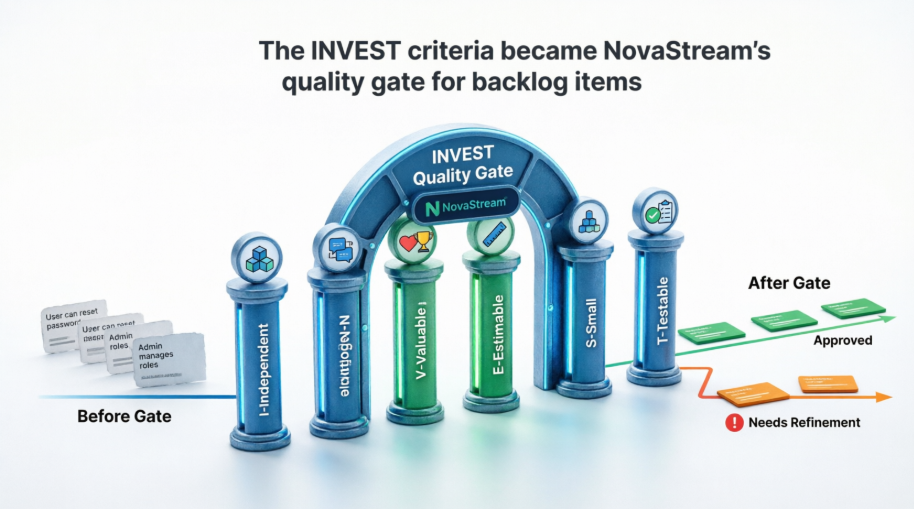 Figure 4: The INVEST criteria became NovaStream’s quality gate for backlog items
NovaStream’s Rule: No story enters a sprint unless it passes all six INVEST checks during refinement.
3.4 Acceptance Criteria — Defining “Done” Together
The biggest source of rework at NovaStream was ambiguity. The team adopted two formats for Acceptance Criteria (AC):
Format 1: Bullet Points (for simpler stories)
- Criterion 1
- Criterion 2
- Criterion 3
Format 2: Given-When-Then (Gherkin/BDD style) (for complex logic)
Given [context]
When [action]
Then [expected result]
ACs became the team’s shared contract — written collaboratively by PM, dev, and QA before development started.
3.5 Epics and Themes — Taming the Big Ideas
NovaStream had been calling everything a “story,” which led to bloated items. Marcus introduced a clear hierarchy:
- Theme: A strategic collection of related stories (e.g., “Improve Onboarding”)
- Epic: A large user story that needs to be broken down (e.g., “Team Collaboration Suite”)
- Story: A slice of work completable in one sprint
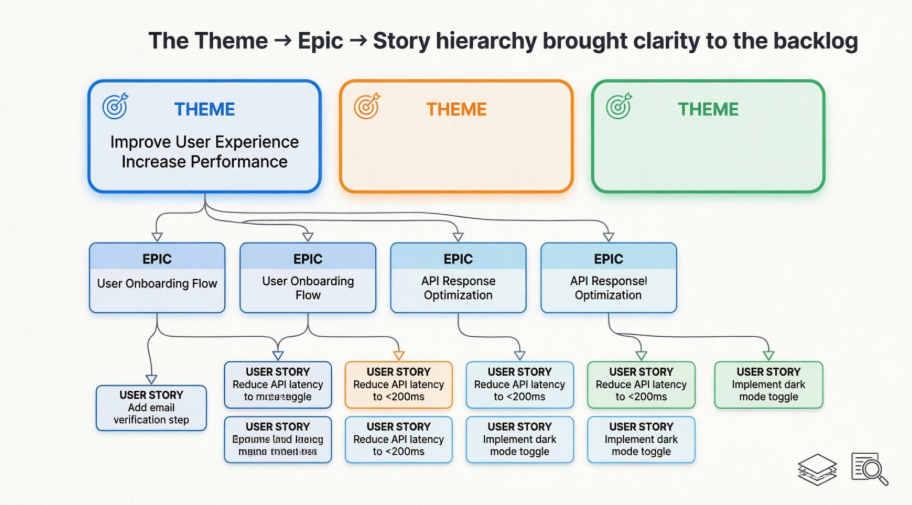 Figure 5: The Theme → Epic → Story hierarchy brought clarity to the backlog
🛠️ Part 4: The Process — Step-by-Step Writing in Practice
NovaStream adopted a repeatable process for writing stories:
Step 1: Identify Your Users/Personas
Each squad created persona cards: “Freelance Project Manager Priya,” “Enterprise Admin David,” “New Trial User Sam.”
Step 2: Focus on Value, Not Features
Always answer: “Why does the user want this?” The “so that” clause became sacred.
Step 3: Keep It Small
If a story takes more than one sprint, split it by workflow step, user type, happy/sad path, or data variation.
Step 4: Write Collaboratively
The “Three Amigos” (PM + Dev + QA) met for 30 minutes per story during refinement.
Step 5: Add Acceptance Criteria
Define success clearly — testable, specific, unambiguous.
Step 6: Add Non-Functional Requirements (When Relevant)
Performance, security, accessibility, and scalability were added as separate ACs or as “constraint” stories.
Step 7: Refine Regularly
Stories were treated as living artifacts, evolving through backlog refinement until “Ready.”
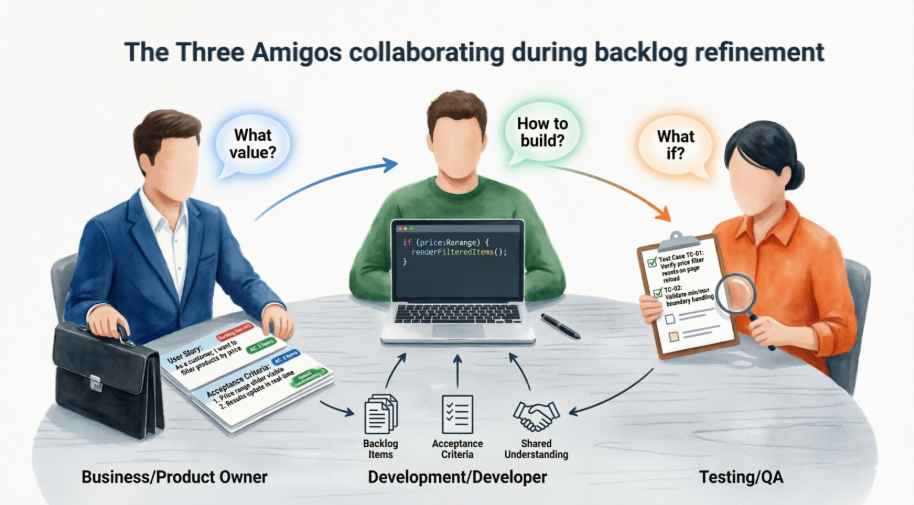 Figure 6: The Three Amigos collaborating during backlog refinement
📚 Part 5: Real-World Examples From NovaStream’s Backlog
To make the training stick, Marcus used real NovaStream features as examples.
Example 1: The Wishlist Feature (E-commerce Module)
Good Story:
As a registered customer,
I want to save items to a wishlist,
so that I can easily find and purchase them later.
Acceptance Criteria:
- Users can add/remove products from wishlist
- Wishlist persists after logout/login
- Wishlist is visible from account menu
- Adding item shows success message
Example 2: Fraud Notifications (Mobile Banking Integration)
Good Story:
As a frequent traveler,
I want to receive instant notifications for international transactions,
so that I can quickly detect and respond to fraud.
Acceptance Criteria (Given-When-Then):
Given a transaction is flagged as international
When the transaction is processed
Then the user receives a push notification within 5 seconds
Example 3: Bad vs. Good — The Transformation
❌ Bad (too vague, what NovaStream used to write):
As a user, I want a search function.
✅ Good (what NovaStream learned to write):
As a job seeker,
I want to filter job listings by salary range and remote option,
so that I only see relevant opportunities.
The team posted these examples on their war room wall as constant reference points.
📝 Part 6: Templates That Stuck
NovaStream standardized on three templates across all squads.
Template 1: Basic User Story
As a [user type],
I want [goal],
so that [benefit].
Template 2: Story with Acceptance Criteria
**Story:** As a ..., I want ..., so that ...

**Acceptance Criteria:**
- [Criterion 1]
- [Criterion 2]
- Given [context] When [action] Then [expected result]
Template 3: Agile Tool Template
Summary: Short title
Description: Full user story + AC
Acceptance Criteria: Checklist or text
Story Points: Estimation
Priority / Labels
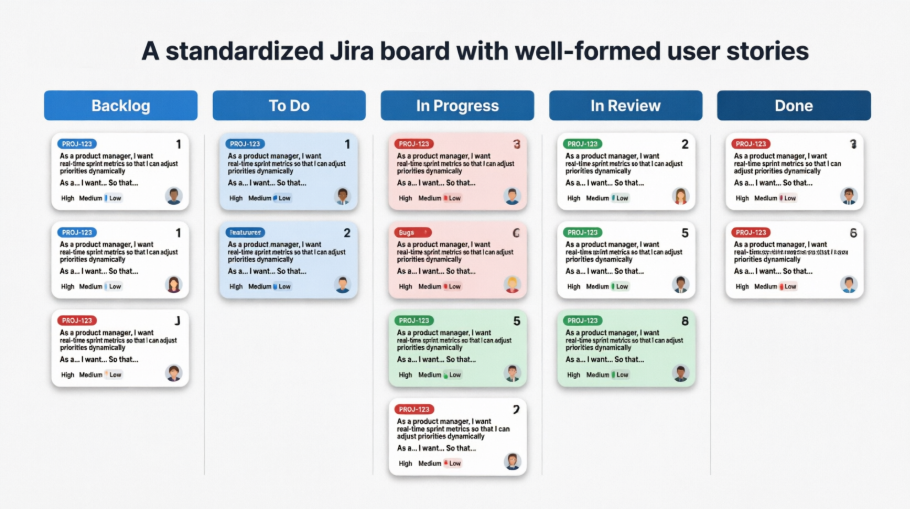 Figure 7: A standardized Jira board with well-formed user stories
✨ Part 7: Best Practices NovaStream Adopted
The team codified these habits into their Definition of Ready:
- ✅ Use active voice and simple language
- ✅ Avoid technical jargon in the story itself (put it in AC)
- ✅ Write from the user’s perspective, not the system’s
- ✅ Include personas when helpful
- ✅ Define “Done” at the story or sprint level
- ✅ Use story mapping to visualize the big picture
- ✅ Review and refine stories in grooming sessions
- ✅ Track metrics: completion rate, rework due to poor stories
Pro Tip adopted by NovaStream: Aim for stories that can be completed in 1–3 days of work.
⚠️ Part 8: Pitfalls NovaStream Learned to Avoid
Looking back, Marcus documented the most common mistakes the team had made — and how they corrected them:
| Pitfall | Correction |
|---|---|
| Writing stories that are too large (Epics disguised as stories) | Enforced “one sprint max” rule |
| Focusing on implementation details instead of user value | Required “so that” clause to justify every story |
| Vague or missing acceptance criteria | ACs became mandatory for sprint entry |
| Creating stories without team input | Three Amigos sessions required |
| Ignoring non-functional requirements | Added NFR checklist to refinement |
| Treating user stories as fixed contracts | Emphasized the “Negotiable” in INVEST |
🧰 Part 9: Tools That Powered the Transformation
NovaStream standardized their toolstack to support the new way of working:
- PlantUML, Mermaid – Diagram as code and Rendered with Visual Paradigm VPasCode
- Visual Paradigm OpenDocs — Story documentation and persona library
- AI Chatbot — AI Assisted Agile and UML
- Visual Paradigm Online — Collaborative refinement sessions
- Visual Paradigm Desktop — Scrum Process Canvas
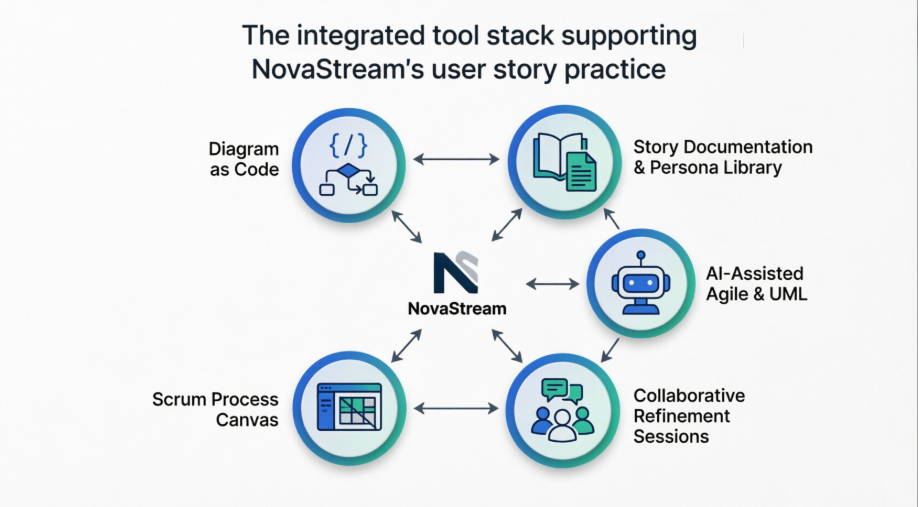 Figure 8: The integrated tool stack supporting NovaStream’s user story practice
📈 Part 10: The Results — Six Months Later
By the end of the 6-month program, NovaStream’s metrics told a compelling story:
| Metric | Before | After | Change |
|---|---|---|---|
| Sprint completion rate | 58% | 89% | +31 pts |
| Rework due to misunderstood requirements | 22% | 6% | -16 pts |
| Internal stakeholder NPS | -14 | +32 | +46 pts |
| Average time-to-market | 9 weeks | 5.5 weeks | -39% |
| Customer satisfaction (feature relevance) | 3.2/5 | 4.4/5 | +1.2 pts |
| Team morale (retrospective score) | 2.8/5 | 4.3/5 | +1.5 pts |
“For the first time, engineers push back on stories that don’t make sense — and they do it constructively. That’s the real win.” — Marcus Chen, Agile Coach
🎓 Part 11: Lessons Learned
NovaStream’s transformation revealed five enduring lessons:
- User stories are conversations, not contracts. The written artifact is just a reminder of the discussion that must happen.
- Quality gates matter. The INVEST checklist and mandatory ACs prevented bad stories from entering sprints.
- Collaboration is non-negotiable. The Three Amigos format broke down silos between PM, dev, and QA.
- Small is a skill. Learning to slice stories took practice — but it unlocked faster feedback loops.
- Measurement drives behavior. Tracking completion rate and rework made the problem visible and the progress undeniable.
📘 New Conclusion
Writing effective user stories is both an art and a science. As NovaStream’s journey demonstrates, mastering the “As a / I want / so that” format, strictly applying the INVEST criteria, and pairing every story with clear acceptance criteria are not academic exercises — they are practical levers that move real business metrics.
When done well, user stories become powerful tools that align teams, delight users, and accelerate delivery. But the deepest insight from NovaStream’s transformation is this:
The best user stories aren’t just written — they’re collaboratively discovered, refined, and delivered.
The format matters less than the conversation it enables. The template matters less than the shared understanding it creates. The tool matters less than the discipline it supports.
For any team struggling with unclear requirements, missed expectations, or sprint spillover, the answer may be simpler than you think. Start applying these techniques in your next backlog refinement session. Rewrite one story using the templates above. Facilitate one Three Amigos conversation. Enforce one INVEST check. Over time, you’ll notice fewer misunderstandings, higher team morale, and better product outcomes.
The journey from chaos to clarity begins with a single, well-crafted user story.
What’s the next story you’ll rewrite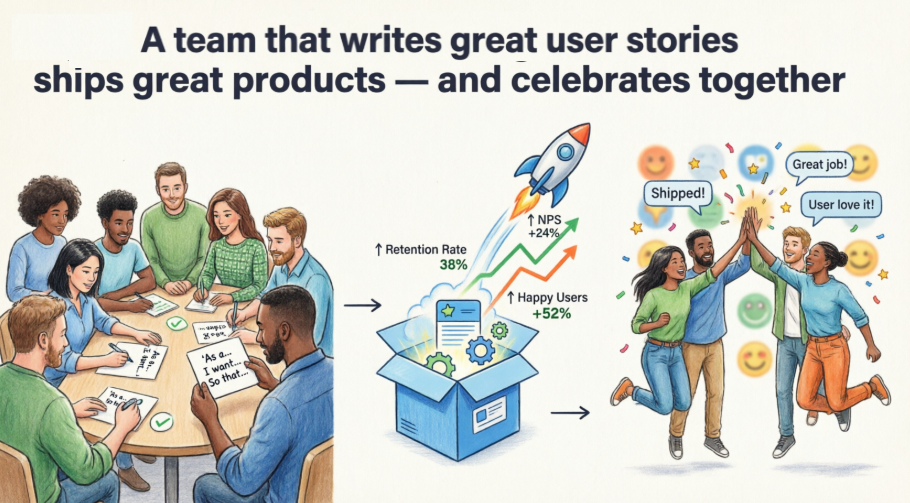 Figure 9: A team that writes great user stories ships great products — and celebrates together
References
- What Is Agile Software Development?: Agile software development is an iterative approach to building software that emphasizes collaboration, customer feedback, and small, rapid releases. This article explains the core principles, values, and benefits of Agile, making it ideal for teams adopting modern development practices.
- What Is a User Story?: A user story is a simple, concise description of a feature from the end user’s perspective. This guide explains how to write effective user stories, their role in Agile development, and how they help align development with customer needs.
- User Story vs Use Case: Key Differences: This article compares user stories and use cases, highlighting their differences in structure, purpose, and usage. It helps teams choose the right approach for capturing requirements in Agile environments.
- What Is User Story Mapping?: User story mapping is a visual technique that helps teams organize user stories into a coherent workflow. This guide explains how to create and use story maps to plan releases and prioritize features effectively.
- Effective User Story Tool Features: Explore the essential features of a powerful user story tool, including templates, acceptance criteria, prioritization, and integration with other Agile artifacts. Learn how Visual Paradigm supports seamless user story management.
- Agile User Story Mapping Tool: Visual Paradigm’s Agile User Story Mapping tool enables teams to visualize workflows, prioritize features, and plan sprints with clarity. This article highlights its drag-and-drop interface and real-time collaboration capabilities.
- How to Use a Scrum Board for Agile Development: Learn how to set up and manage a Scrum board using Visual Paradigm. This guide walks through sprint planning, task tracking, and daily stand-up workflows to improve team productivity.
- Write User Stories with SMART Goals: Discover how to write user stories that are Specific, Measurable, Achievable, Relevant, and Time-bound. This article provides practical tips and templates to ensure user stories are actionable and testable.
- What Is Scrum?: Scrum is one of the most popular Agile frameworks for managing complex projects. This article defines Scrum roles, events, and artifacts, and explains how they work together to deliver value iteratively.
- Visual Paradigm’s Agile Tool Solution: Visual Paradigm offers a comprehensive Agile tool suite that supports Scrum, Kanban, user story mapping, and backlog management. This page outlines the platform’s features and benefits for Agile teams.
- Complete Guide to Visual Paradigm’s Scrum Process Canvas: A detailed walkthrough of the Scrum Process Canvas in Visual Paradigm, helping teams visualize and manage their Scrum workflows. Includes diagrams, templates, and best practices for Agile project execution.
- Scrum Process Canvas – Features & Benefits: Visual Paradigm’s Scrum Process Canvas is a strategic planning tool that maps out the entire Scrum lifecycle. This article describes its components, usage, and integration with other Agile tools.
- Visual Paradigm’s Agile Tool (China Version): A localized version of Visual Paradigm’s Agile solution tailored for Chinese-speaking teams. It includes support for Agile practices, user story management, and Scrum workflows in Mandarin.
- How Does Visual Paradigm Support Agile Project Development?: This community forum thread discusses real-world applications of Visual Paradigm in Agile environments. Users share tips on backlog grooming, sprint planning, and collaboration using the platform.
This post is also available in Deutsch, Español, فارسی, Français, English, Bahasa Indonesia, 日本語, Polski, Portuguese, Ру́сский, Việt Nam, 简体中文 and 繁體中文.