


Introduction
As a business professional, you’ve likely experienced the frustration of staring at a blank whiteboard during a strategy session, wondering where to begin. Whether you’re a seasoned executive or just starting your entrepreneurial journey, transforming abstract ideas into structured business models can feel overwhelming. That’s exactly where my experience with Visual Paradigm’s AI-powered Model Canvas Tool changed everything.
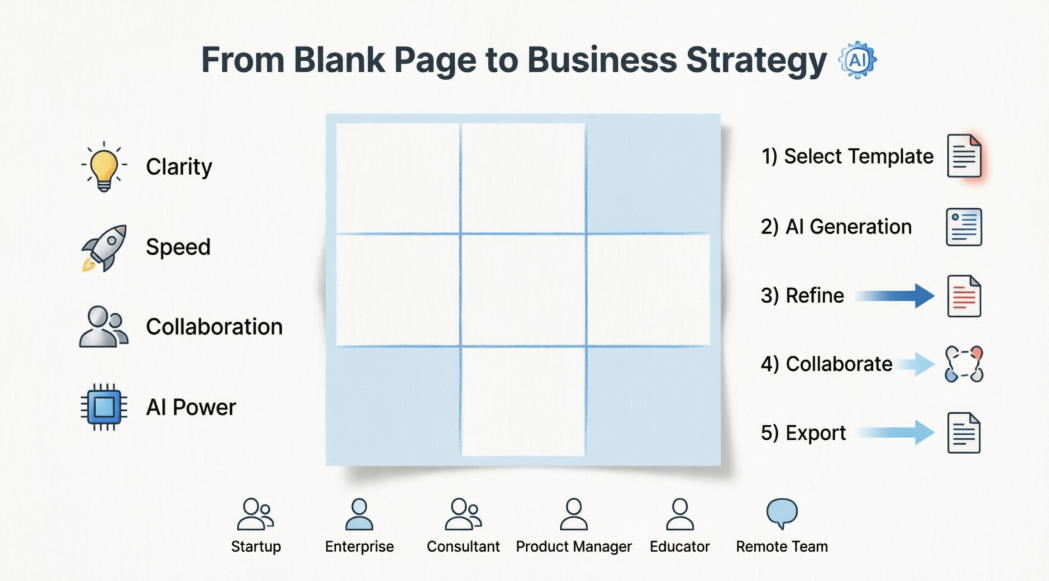
I remember my first strategy workshop—hours spent debating where to place sticky notes, endless revisions, and team members losing interest. Fast forward to today, and I’ve discovered a tool that eliminates that chaos. This comprehensive guide shares my hands-on experience using Visual Paradigm’s Model Canvas Tool, specifically tailored for business professionals and beginners who want to move from concept to execution without the traditional headaches.
What makes this review different? I’m sharing real-world insights from someone who’s tested this tool across multiple scenarios—from validating startup ideas to refining enterprise strategies. Whether you’re building your first business model or optimizing an existing one, this guide will show you exactly how AI can accelerate your strategic planning while keeping you in control.
Key Concepts: What is a Model Canvas?
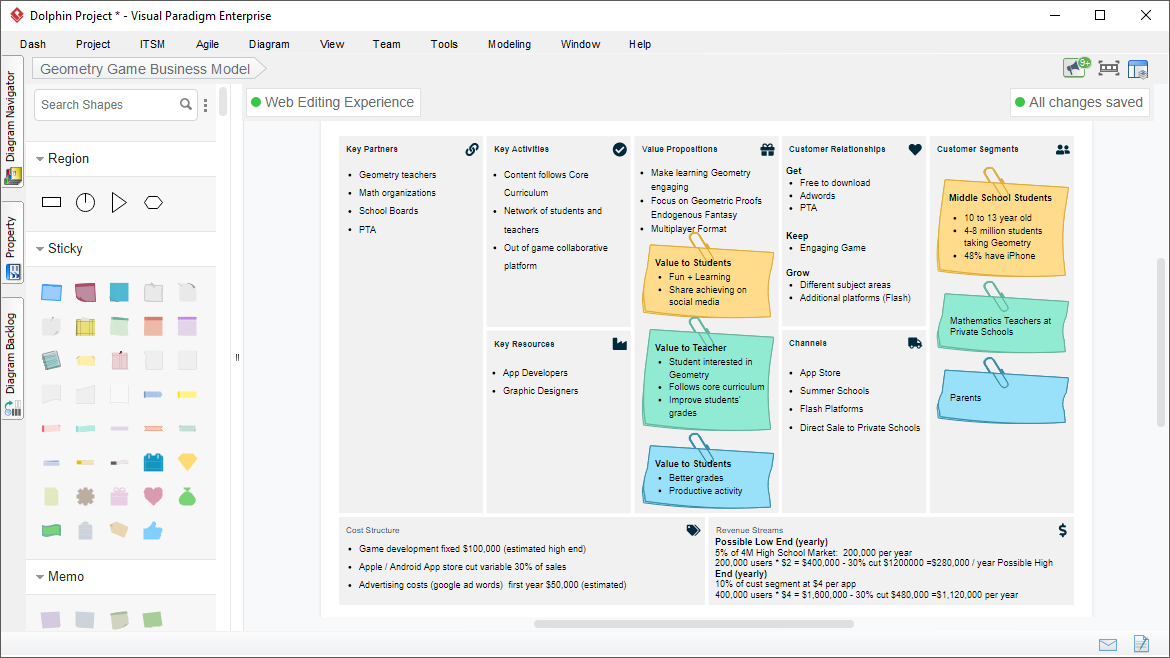
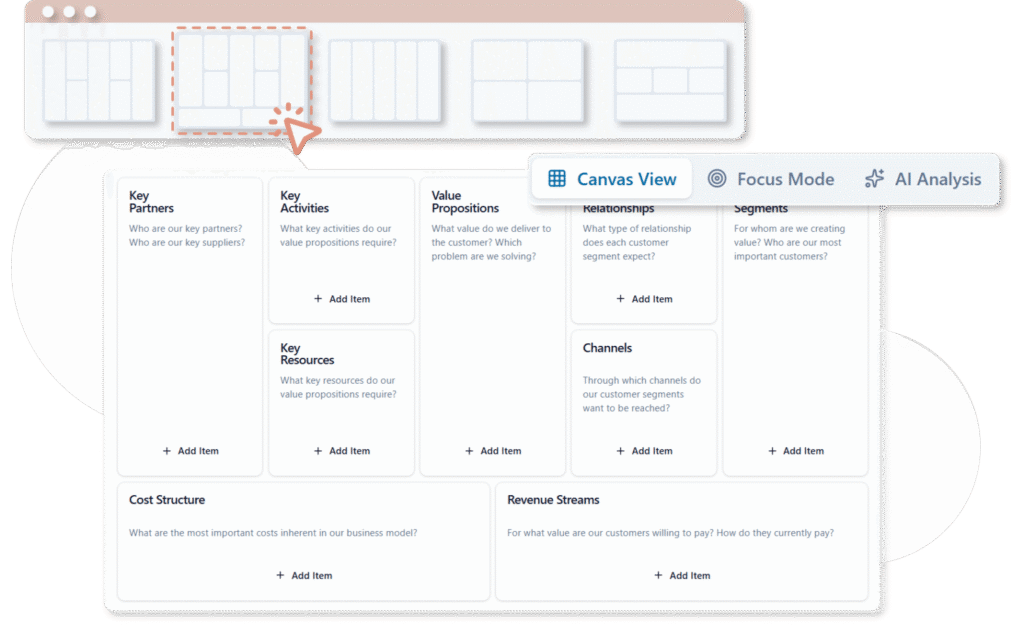
A model canvas is a visual framework that organizes complex ideas, strategies, or analyses on a single page. It uses structured sections (often with sticky notes or cards) to break down elements like business models, strengths/weaknesses, or customer journeys.
Popular canvas types include:
-
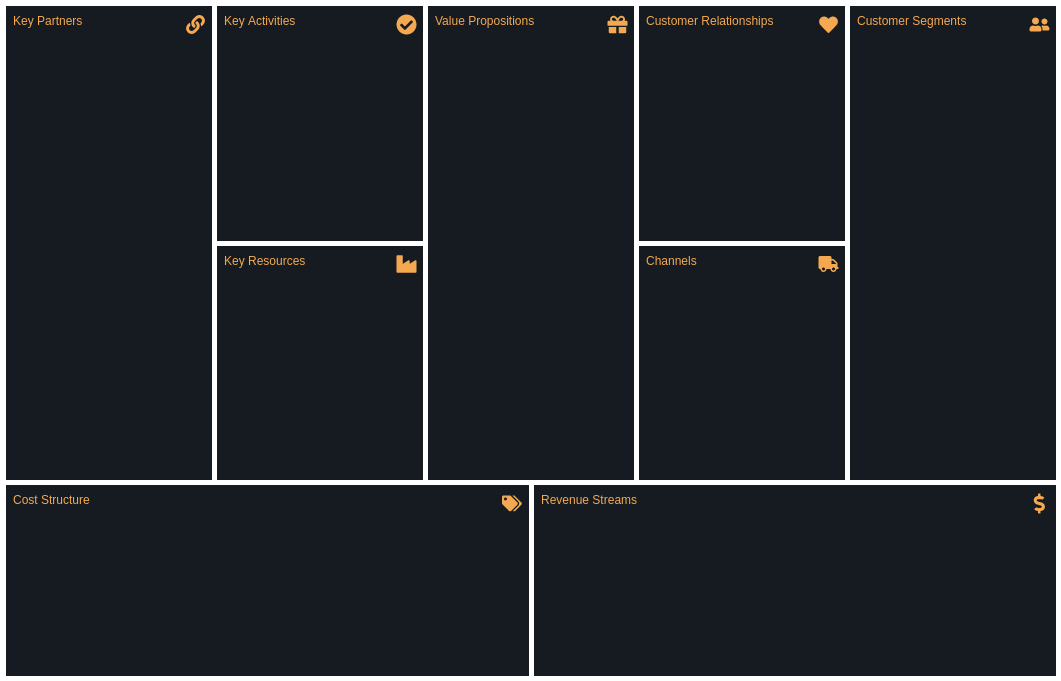
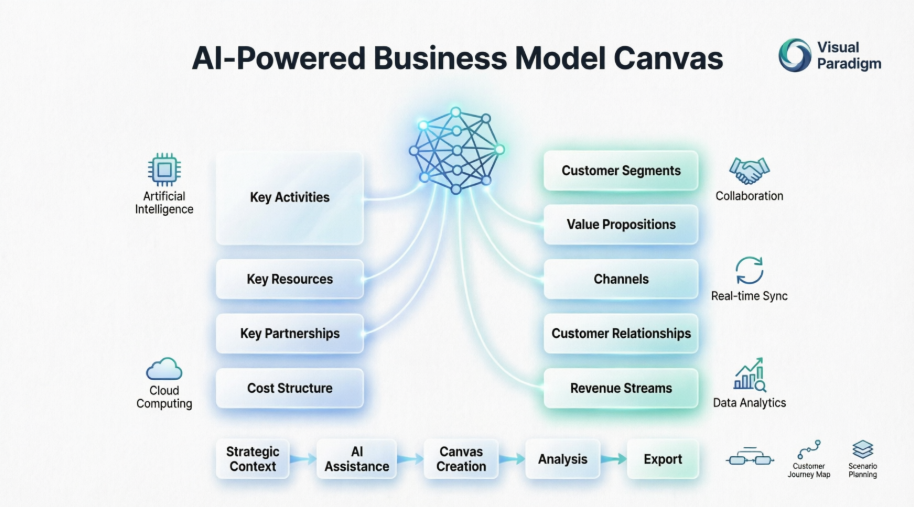
Business Model Canvas (BMC): Maps out key business components like customer segments, value propositions, and revenue streams.
-
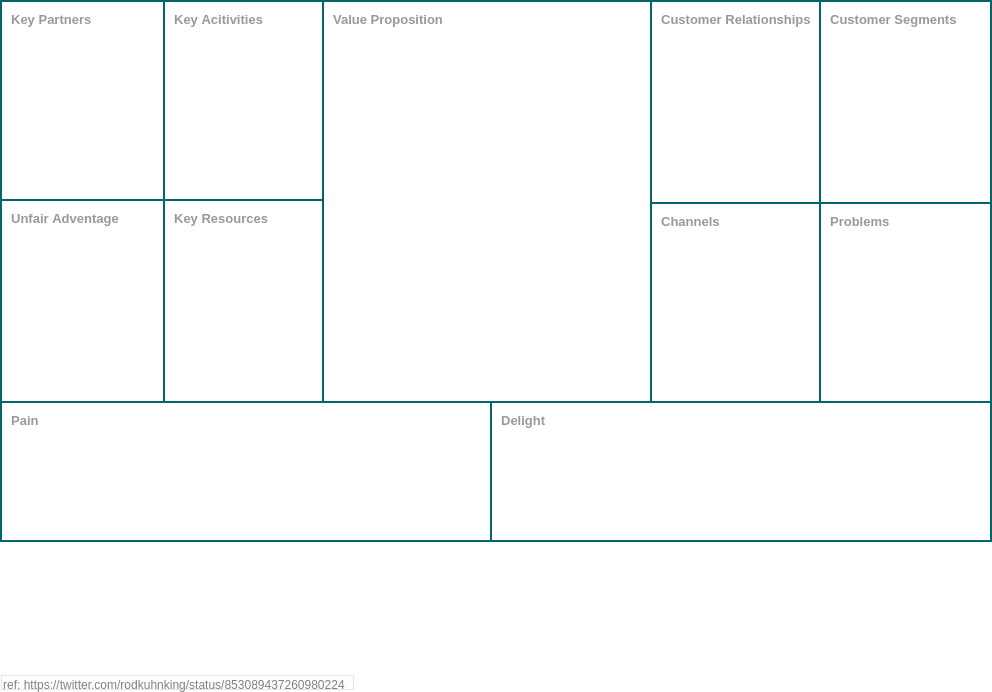
Lean Canvas: A startup-focused adaptation emphasizing problems, solutions, and key metrics.
-
SWOT Analysis Canvas: Evaluates Strengths, Weaknesses, Opportunities, and Threats.
-
Customer Journey Canvas: Visualizes user experiences and touchpoints.
These canvases replace lengthy documents with intuitive visuals, making them ideal for brainstorming and alignment.
Why Choose Visual Paradigm’s Model Canvas Tool? A User’s Perspective
Traditional strategic planning methods—physical whiteboards, static documents, disconnected spreadsheets—often hinder collaboration, slow iteration, and limit shareability. The Model Canvas Tool addresses these limitations with digital, AI-enhanced capabilities designed for modern teams.
Key Benefits at a Glance:
✅ Clarity and Focus: Distills essential strategy elements onto one intuitive page
✅ Enhanced Communication: Creates a shared visual language for instant team alignment
✅ Speed and Iteration: Enables rapid updates, refinements, and version control
✅ Problem Solving: Reveals hidden relationships, opportunities, gaps, and strategic insights
✅ AI Acceleration: Generates intelligent content suggestions from simple prompts, reducing research time
The integrated AI doesn’t just automate tasks—it acts as a strategic thought partner, helping users explore possibilities they might otherwise overlook.
bizbot.com
Product Features Review: What Makes This Tool Stand Out?
🎨 Template Library & Real-World Examples
User Experience: As a beginner, I appreciated having industry-specific templates ready to go. Instead of starting from scratch, I could browse examples from similar businesses and adapt them to my needs. The library covers all major canvas types, which saved me hours of research.
🤖 AI Generation Engine
User Experience: This is where the magic happens. I simply typed “A new electric vehicle startup” and watched as the AI populated every section with relevant, thoughtful content. What impressed me most was the context-awareness—the suggestions weren’t generic; they reflected actual industry trends and challenges.
-
Instant Canvas Population: Enter your topic or business idea and watch the AI generate a complete, populated canvas with relevant items in each section.
-
Context-Aware Suggestions: The AI understands your industry and business context to provide targeted, actionable recommendations.
-
Smart Refinement: Ask the AI for section-specific suggestions or manually add, modify, tag, link, and color-code items as needed.
👥 Collaboration & Team Management
User Experience: During a recent workshop with my team, the real-time editing feature was a game-changer. No more waiting for someone to finish with the whiteboard. We could all contribute simultaneously, and the filtering tools helped us stay focused on priorities. The built-in timer kept our discussions on track—a simple but brilliant feature.
-
Real-Time Editing: Multiple team members can work simultaneously with live updates.
-
Smart Filtering: Filter items by keywords, tags, or colors to highlight priorities during discussions.
-
Built-In Timer: Allocate focused discussion time per canvas section for productive workshops.
-
Focus View: Zoom in on specific areas to reduce distraction during deep-dive sessions.
-
Description Toggle: Hide or show descriptions to emphasize key points during presentations.
📊 AI Analysis & Reporting
User Experience: After completing my canvas, I used the AI Analysis tool to generate a SWOT deep-dive. The report identified blind spots I hadn’t considered and provided actionable recommendations based on industry best practices. Exporting to PDF made sharing with stakeholders effortless.
-
Multi-Perspective Insights: Generate detailed reports from various analytical angles (SWOT deep-dives, market viability assessments, competitive positioning).
-
Automated Recommendations: Receive AI-suggested improvements based on best practices and industry patterns.
-
Export Flexibility: Save canvases online or export as JSON (for editing), Word/PDF documents, Markdown, or high-resolution images.
🔗 Integration & Accessibility
User Experience: Being cloud-based meant I could work from my laptop at the office, then review and refine on my tablet at home. The seamless integration with other Visual Paradigm tools became valuable when I needed to create detailed process diagrams based on my canvas insights.
-
Cloud-based platform accessible from any device
-
Team sharing with permission controls
-
Seamless integration with Visual Paradigm’s broader suite of modeling tools
Step-by-Step Guide: Getting Started in Minutes
1️⃣ Access and Template Selection
My Experience: The onboarding was surprisingly smooth. I navigated to the AI toolbox, selected my canvas type, and immediately felt confident—not overwhelmed.
-
Log in to Visual Paradigm Online (VP Online) or access the AI toolbox at https://ai-toolbox.visual-paradigm.com/app/canvas/ (requires Combo Edition or higher).
-
Navigate to AI Tools > Model Canvas Tool.
-
Click “Start Creating Now.”
-
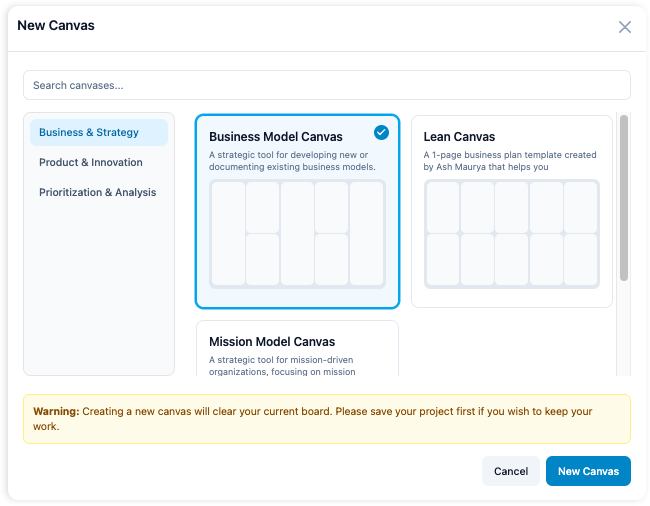
Browse and select your canvas type: SWOT Analysis, Business Model Canvas, Lean Canvas, and more.
💡 Pro Tip: Explore built-in examples for inspiration before starting your own canvas.
2️⃣ AI-Powered Canvas Generation
My Experience: This step felt like having a business consultant on demand. I entered my idea, clicked generate, and within seconds had a comprehensive starting point that would have taken me hours to research.
-
Enter your topic or business idea in the prompt field.
-
Click “Generate Canvas with AI.”
-
Watch as the tool instantly creates a complete, populated canvas with relevant, context-aware items in each section.
3️⃣ Refinement and Customization
My Experience: The AI gave me 80% of what I needed. The remaining 20%—my unique insights and market knowledge—was easy to add. The drag-and-drop interface made organizing thoughts intuitive.
-
Add manually: Insert new items directly into any section.
-
Ask AI for suggestions: Request targeted ideas for specific canvas areas.
-
Edit freely: Modify titles, descriptions, tags, links, and colors.
-
Organize visually: Use drag-and-drop functionality for optimal layout and flow.
4️⃣ Team Collaboration Features
My Experience: During our team review, we used the focus mode to dive deep into our value proposition section. The timer kept us disciplined, and filtering by tags helped us prioritize action items.
-
Filter strategically: Narrow focus using keywords, tags, or color codes.
-
Time-box discussions: Use the built-in timer to keep workshops on track.
-
Focus mode: Switch to single-section views for concentrated review.
-
Presentation ready: Hide descriptions to emphasize headline points during stakeholder reviews.
5️⃣ Analysis, Export, and Share
My Experience: The AI-generated analysis report became the foundation for our investor pitch. Exporting to PDF preserved all formatting, and the professional quality impressed our stakeholders.
-
Access the AI Analysis tool from your canvas dashboard.
-
Select your analysis type (e.g., deep SWOT review, market viability check, competitive assessment).
-
Click “Generate Analysis” to receive a detailed, AI-authored report.
-
Save your canvas to the cloud for ongoing collaboration.
-
Export in your preferred format: JSON for editing, PDF/Word/Markdown for sharing, or PNG/SVG for presentations.
⚡ This streamlined process transforms a blank canvas into a refined, insightful strategy document in minutes—not hours.
Real-World Use Cases & Examples
☕ SWOT Analysis: Coffee Shop Chain Expansion
User Scenario: A regional coffee shop owner planning national expansion
-
Prompt: “Regional coffee shop chain planning national expansion”
-
AI Output: Generated strengths (brand loyalty, local sourcing), weaknesses (limited capital, supply chain complexity), opportunities (growing specialty coffee market), and threats (major competitor entry).
-
Team Refinement: Added region-specific market data and adjusted threat assessments based on local competition research.
-
My Takeaway: The AI identified threats I hadn’t considered, particularly around supply chain scalability.
🎓 Business Model Canvas: Online Education Platform
User Scenario: An entrepreneur launching a professional skills platform
-
Prompt: “Subscription-based online education platform for professional skills”
-
AI Output: Auto-filled customer segments (career-changers, upskilling professionals), value propositions (flexible learning, industry-recognized certificates), revenue streams (tiered subscriptions, corporate licenses).
-
Customization: Integrated user research findings to refine value proposition messaging.
-
My Takeaway: The AI’s understanding of subscription models helped me structure pricing tiers I hadn’t initially considered.
🚀 Lean Canvas: Tech Startup Validation
User Scenario: A founder validating an AI productivity app
-
Prompt: “AI-powered productivity app for remote teams”
-
AI Output: Suggested core problems (meeting fatigue, task fragmentation), proposed solutions (async collaboration hub, AI meeting summaries), key metrics (user engagement, team productivity gains).
-
Iteration: Validated assumptions through customer interviews and updated canvas accordingly.
-
My Takeaway: Starting with AI-generated hypotheses saved weeks of guesswork and gave our customer interviews clear direction.
These AI-generated starting points ensure comprehensive coverage while leaving room for your unique insights and market knowledge.
Who Should Use This Tool?
Based on my experience, the Visual Paradigm Model Canvas Tool is ideally suited for:
🎯 Startup Founders & Entrepreneurs: Rapidly validate business models, pitch to investors, and iterate based on market feedback. Perfect for beginners who need structure without the learning curve.
🎯 Enterprise Strategy Teams: Align cross-functional stakeholders, document strategic initiatives, and track evolution over time. Ideal for professionals managing complex, multi-department projects.
🎯 Consultants & Advisors: Deliver professional-grade strategic frameworks to clients with efficient, repeatable processes. The export features make client deliverables polished and impressive.
🎯 Product Managers: Map product strategies, prioritize features, and communicate roadmaps visually. Real-time collaboration keeps everyone aligned.
🎯 Educators & Students: Teach strategic frameworks interactively and enable hands-on learning through canvas creation. Templates provide excellent teaching examples.
🎯 Remote & Hybrid Teams: Collaborate in real-time regardless of location, with built-in tools for focused virtual workshops. The cloud-based platform eliminates geographical barriers.
Whether you’re brainstorming solo or facilitating a full-team strategy session, the tool scales to your needs while maintaining professional output quality.
Conclusion: My Journey from Strategy Novice to Confident Planner
After weeks of using Visual Paradigm’s Model Canvas Tool across different projects, I can confidently say it’s transformed how I approach strategic planning. As someone who once dreaded blank whiteboards and unstructured brainstorming sessions, I now approach strategy work with genuine enthusiasm.
What impressed me most wasn’t just the AI’s ability to generate content—it was how the tool empowered me to think more strategically. The AI handled the heavy lifting of research and structure, freeing me to focus on critical thinking and creative problem-solving. For business professionals juggling multiple priorities, this time savings is invaluable.
For beginners, the learning curve is refreshingly gentle. You don’t need to be a strategy expert to create professional-grade business models. The templates, examples, and AI suggestions provide a safety net that builds confidence with each use.
For experienced professionals, the tool doesn’t replace your expertise—it amplifies it. The AI analysis uncovered insights I might have missed, and the collaboration features made team alignment effortless.
The bottom line? Whether you’re validating your first startup idea or refining an enterprise strategy, Visual Paradigm’s Model Canvas Tool delivers on its promise: professional strategic planning, accelerated by artificial intelligence, accessible to everyone. My only regret is not discovering it sooner.
Ready to transform your strategic planning process? Give Visual Paradigm’s AI-powered canvas tools a try and experience the difference between struggling with strategy and mastering it.
References
- AI-Powered Business Model Canvas Builder – Instant Strategy Design: This AI-driven tool automates the creation of business model canvases by using intelligent suggestions and real-time insights to accelerate the strategy development process.
- Mastering the Business Model Canvas with AI: Step-by-Step Guide Using Visual Paradigm: This guide demonstrates how to leverage AI within the Visual Paradigm environment to efficiently create, customize, and optimize strategic business model canvases.
- What Is the Business Model Canvas? Why Use Visual Paradigms & AI Tools: This resource explains the core Business Model Canvas framework and explores how visual modeling and AI tools enhance innovation and strategic planning for entrepreneurs.
- AI Business Model Canvas Tool – Smart Strategy Development: This solution allows for the automated building and refinement of business models, featuring intelligent feedback and collaborative capabilities for modern planning.
- Comprehensive Tutorial: AI-Powered Business Canvas Toolkit with Visual Paradigm: A detailed technical walkthrough regarding a comprehensive toolkit that integrates artificial intelligence with visual modeling for automated strategy generation.
- AI-Powered Business Model Canvas Tool Guide: This guide focuses on an AI-enhanced tool that generates canvases based on intelligent user input and provides real-time recommendations for agile strategy development.
- How the AI Business Model Canvas Builder Works – Visual Paradigm: An overview of the machine intelligence powering the builder, explaining how it automates canvas creation and derives strategic business insights.
- AI Canvas Tool – Intelligent Design for Business Frameworks: This AI-powered application within the toolbox automates the generation of value propositions and strategy frameworks through smart design automation.
- Comprehensive Tutorial: Visual Paradigm Model Canvas Tool for AI-Driven Software Development: This resource provides instructions on how to use the Model Canvas specifically for designing intelligent software applications that integrate AI capabilities.
- AI-Powered Strategic Planning: Generating SWOT from PESTLE Findings: This article explores how AI connects insights across frameworks, such as automatically generating a Business Model Canvas or SWOT analysis from PESTLE findings for deeper strategic integration.
This post is also available in Deutsch, Español, فارسی, Français, English, Bahasa Indonesia, 日本語, Polski, Portuguese, Ру́сский, Việt Nam, 简体中文 and 繁體中文.
Related posts:
 Comprehensive Guide to Visual Paradigm’s AI-Powered Business Model Canvas Tool
 AI-Powered Business Modeling: Your Complete Guide to Visual Paradigm’s Canvas Tools
 Introducing Visual Paradigm AI Chatbot: A Smarter Way to Create Diagrams
 From Idea to Diagram: How AI Transforms System Design with Just a Prompt