


Executive Summary
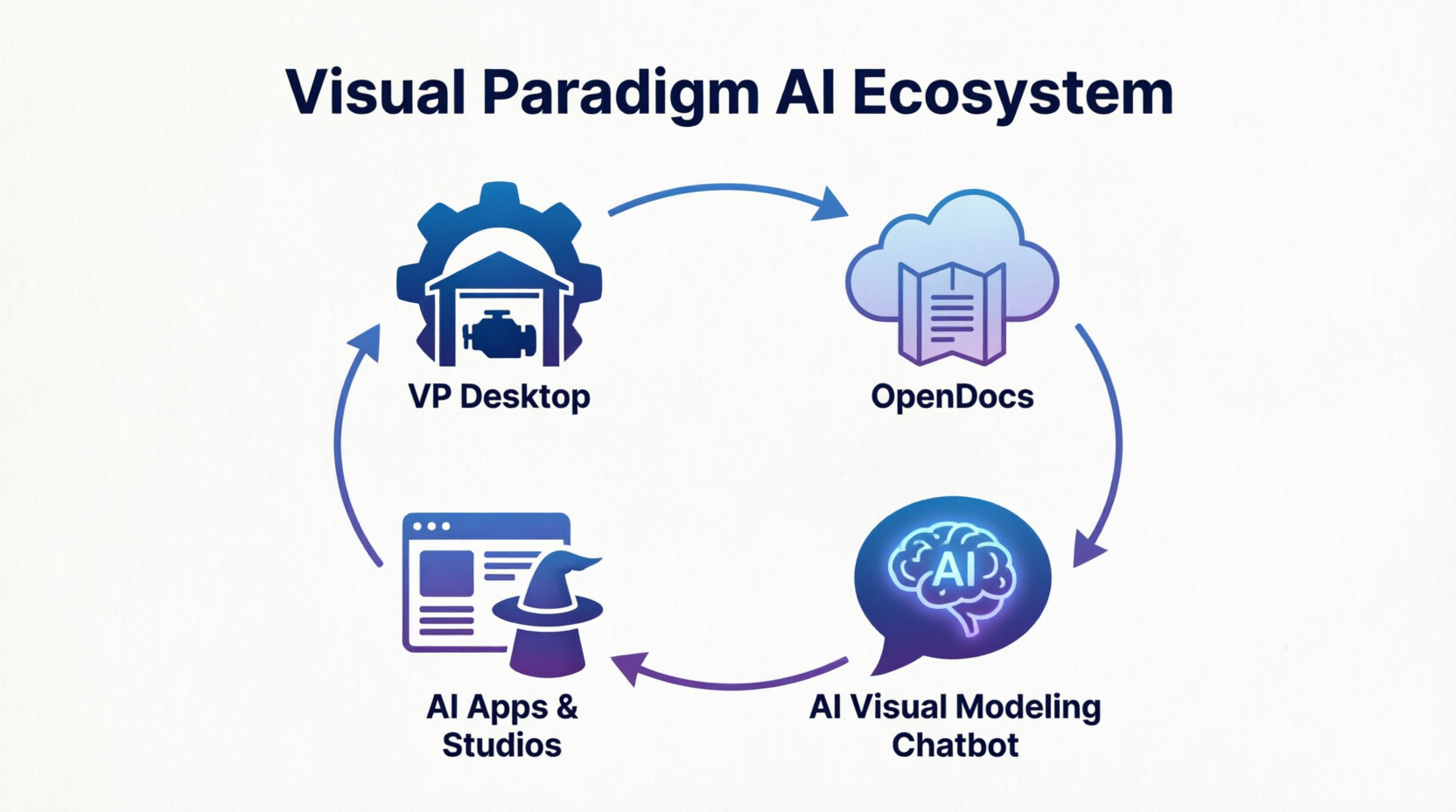
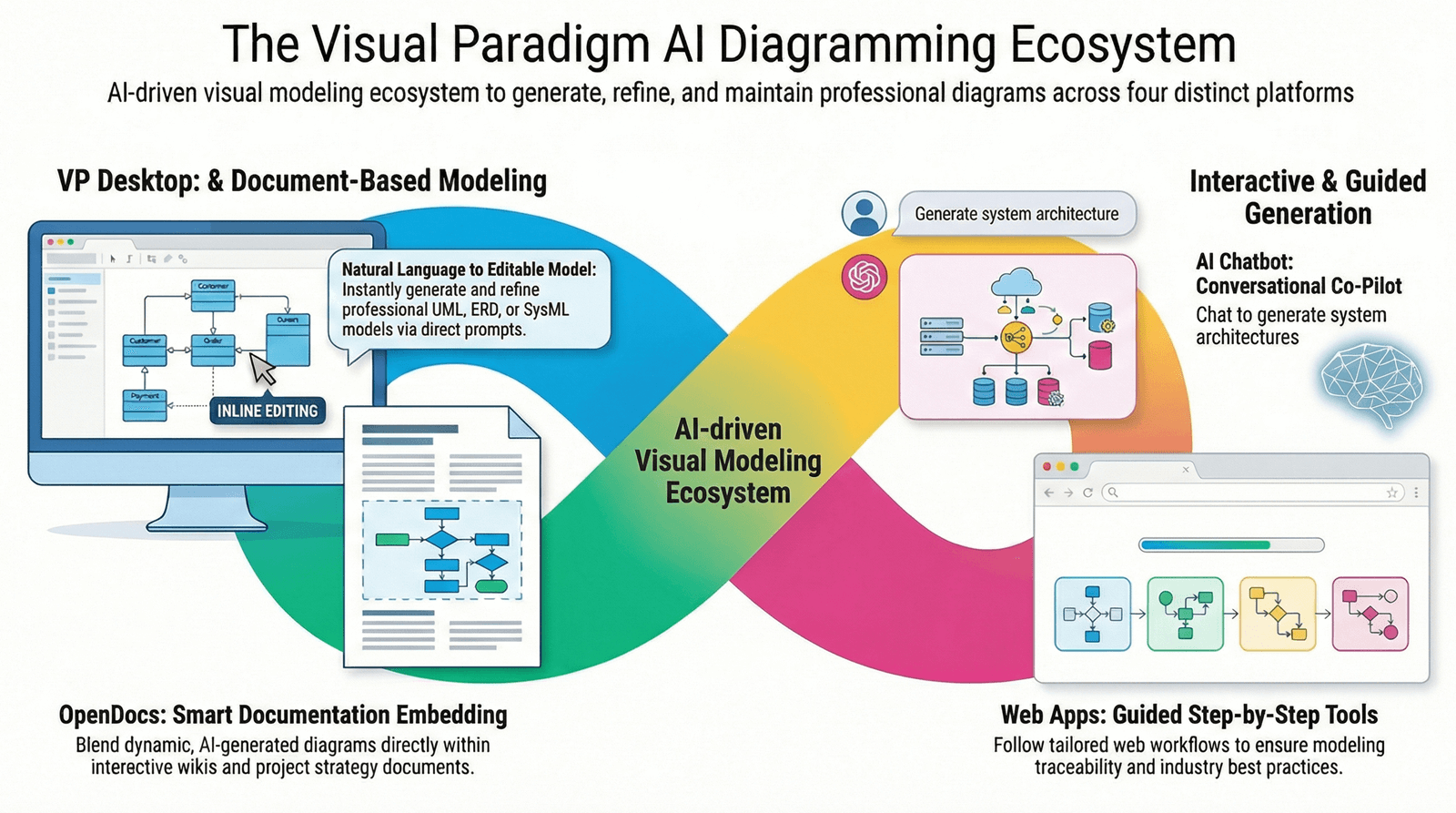
The landscape of enterprise architecture and software design is shifting from static diagramming to dynamic, AI-driven lifecycle management. Visual Paradigm (VP) has responded to this shift by architecting an AI Ecosystem built on four distinct but interconnected pillars.
This ecosystem is designed to cover the entire spectrum of development: from the spark of an idea to the rigorous engineering of enterprise systems. By understanding the specific role of VP Desktop, OpenDocs, the AI Visual Modeling Chatbot, and AI Apps & Studios, organizations can create a closed-loop workflow that maximizes efficiency, ensures governance, and accelerates delivery.
Pillar 1: VP Desktop – The Professional Engine Room
Purpose
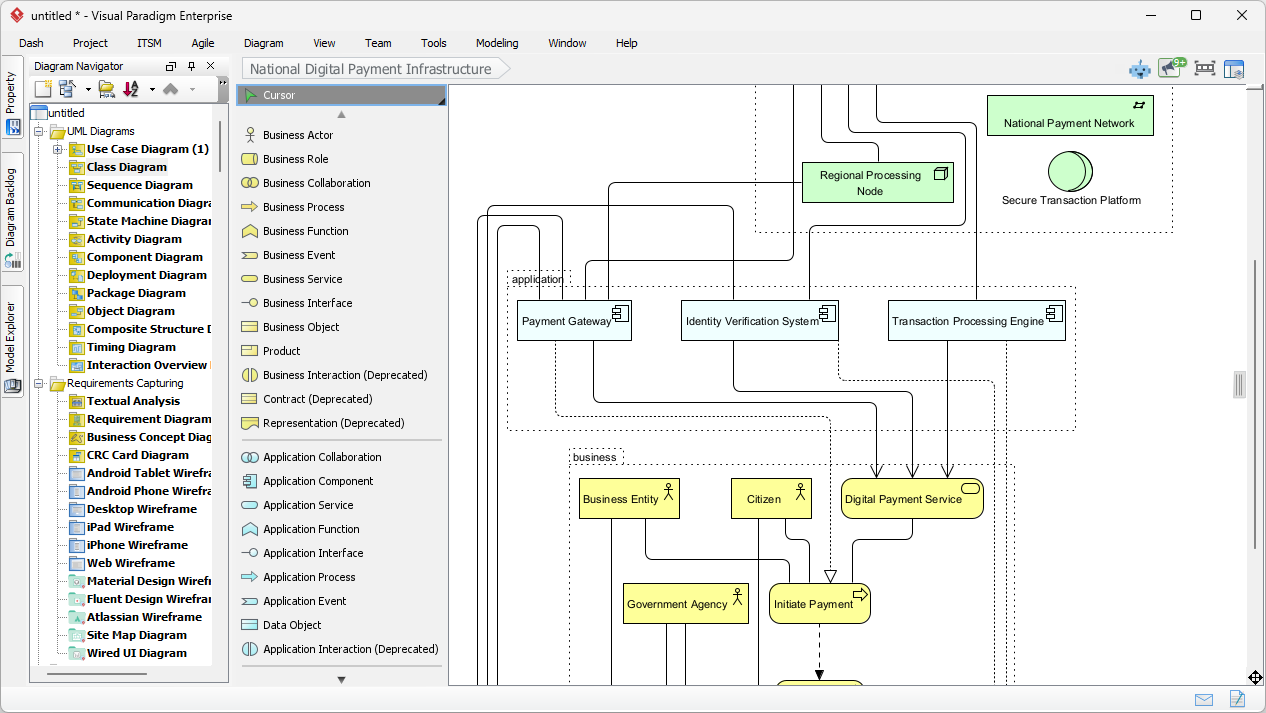
VP Desktop serves as the core foundation of the ecosystem. It is the heavy-duty Integrated Development Environment (IDE) for modeling. While AI tools facilitate speed and ideation, VP Desktop ensures precision, governance, and engineering rigor. It is where the “Source of Truth” resides.
Key Features
-
Comprehensive Notation Support: Full support for UML, BPMN, ERD, ArchiMate, and SysML.
-
Code Engineering: Bi-directional generation between models and code (Java, C#, Python, etc.).
-
Model Governance: Version control integration, model validation, and strict adherence to standards.
-
Advanced Customization: Scripting, plugin architecture, and deep configuration options.
Ideal Use Cases
-
Enterprise Architecture: Defining complex system landscapes that require strict governance.
-
Software Engineering: Generating skeleton code from class diagrams or reverse-engineering legacy code.
-
Regulatory Compliance: Industries (Finance, Health) where audit trails and model accuracy are non-negotiable.
Role in the Ecosystem
VP Desktop is the final destination for refined models. It consumes rough drafts from AI tools and polishes them into production-ready artifacts.
Pillar 2: OpenDocs – The Living Knowledge Hub
Purpose
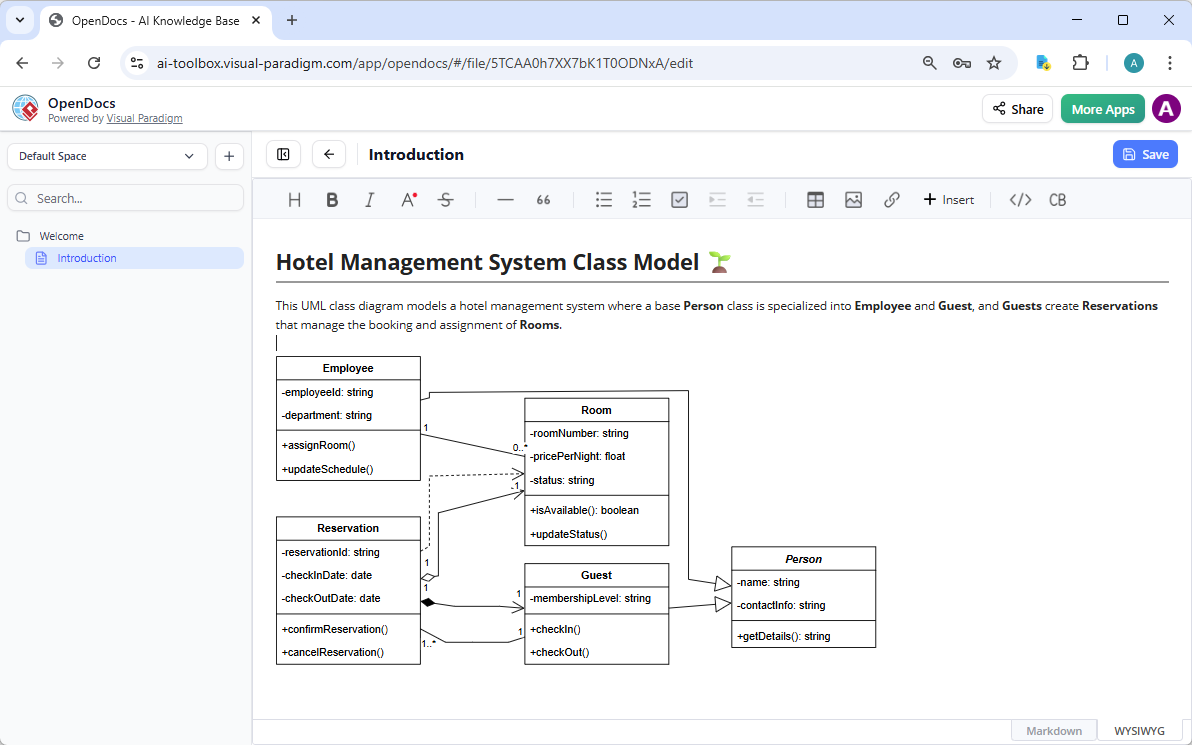
OpenDocs bridges the gap between technical models and human understanding. Traditional documentation becomes stale the moment it is written; OpenDocs creates “living documentation” that is dynamically linked to the models in VP Desktop. It ensures that stakeholders (non-technical) and developers stay aligned.
Key Features
-
Dynamic Traceability: Requirements, diagrams, and text are linked. If a model changes, the documentation reflects it.
-
Collaborative Workspace: Stakeholders can comment, review, and approve requirements directly within the doc.
-
AI-Assisted Writing: Generative AI helps draft requirement descriptions or summarize technical specs for business users.
-
Centralized Repository: A web-accessible hub for all project knowledge.
Ideal Use Cases
-
Requirement Gathering: Capturing user stories and linking them to use case diagrams.
-
Stakeholder Communication: Creating executive summaries of technical architectures.
-
Onboarding: Providing new team members with up-to-date system documentation.
Role in the Ecosystem
OpenDocs is the connective tissue. It translates the technical output of VP Desktop into business value and captures the intent that feeds back into the AI tools.
Pillar 3: AI Visual Modeling Chatbot – The Conversational Ideation Co-Pilot
Purpose
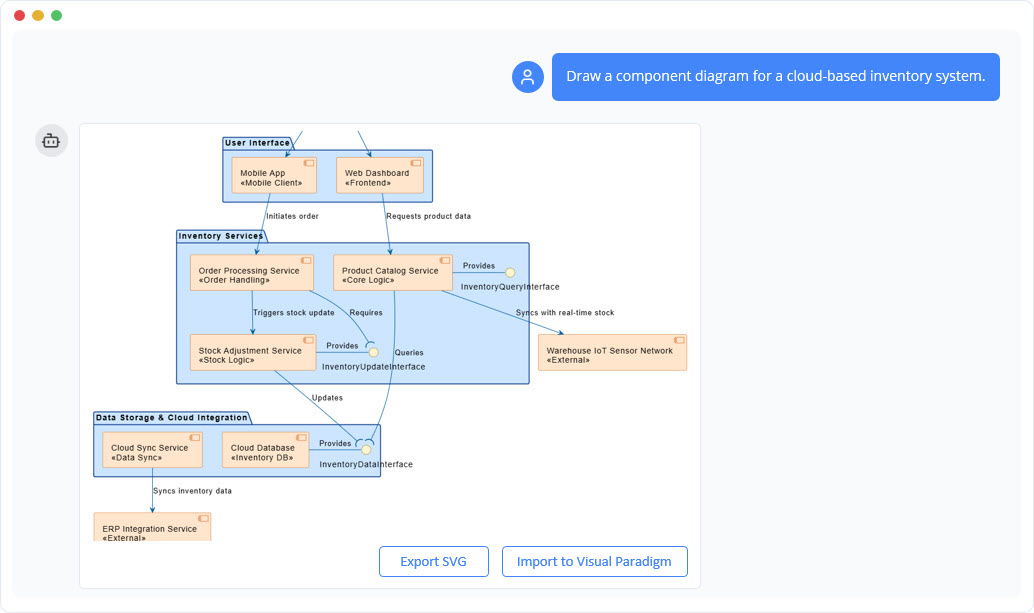
This pillar lowers the barrier to entry. It allows users to generate models using natural language. It is designed for speed and brainstorming, removing the initial friction of dragging and dropping shapes.
Key Features
-
Text-to-Diagram: Type “Create a sequence diagram for a user login” and get an instant draft.
-
Iterative Refinement: Chat with the bot to modify the diagram (“Add an error handling step,” “Change the database to SQL”).
-
Instant Visualization: Rapidly converts abstract thoughts into visual structures.
-
Low-Code Entry: No need to know specific UML syntax to start modeling.
Ideal Use Cases
-
Brainstorming Sessions: Capturing ideas in real-time during meetings.
-
Quick Prototyping: Validating a concept before committing to a full design.
-
Learning & Education: Helping juniors understand how processes map to diagrams.
Role in the Ecosystem
The Chatbot is the entry point. It captures the “fuzzy front end” of innovation and converts it into a structured draft that can be imported into VP Desktop.
Pillar 4: AI Apps & Studios (Web Apps) – The Guided Domain Experts
Purpose
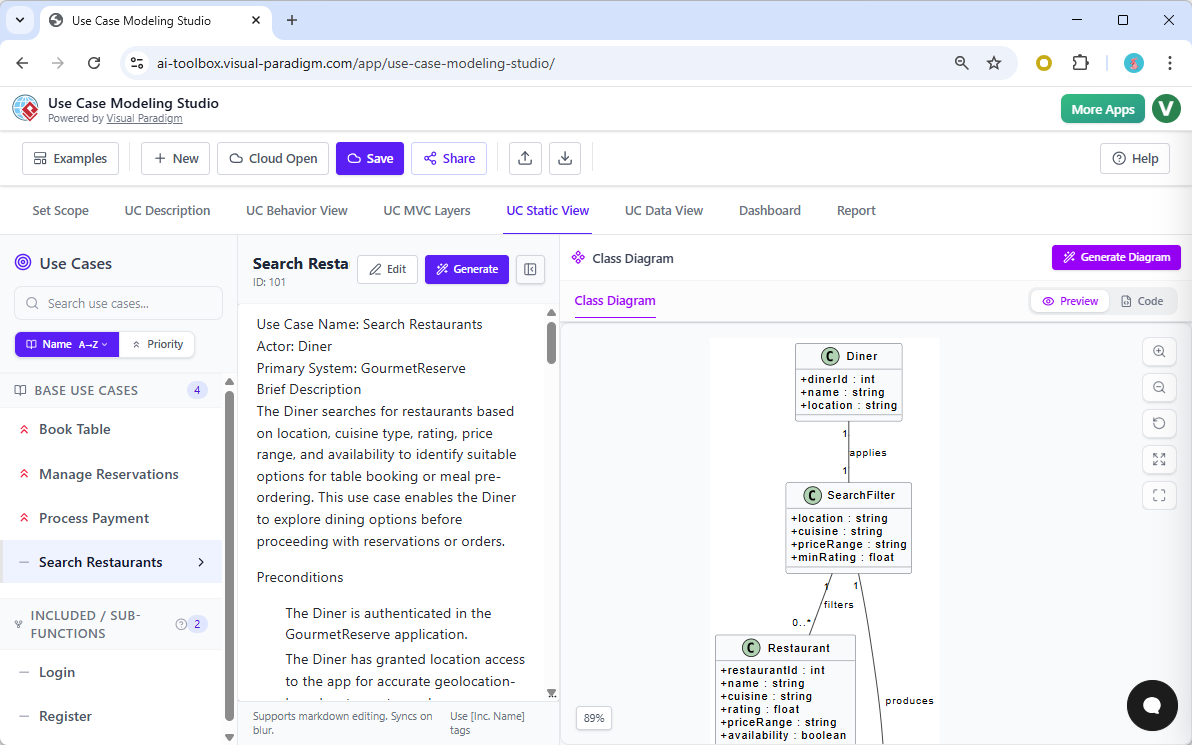
While the Chatbot is open-ended, AI Apps & Studios provide a structured, step-by-step wizard approach. These are domain-specific tools that guide users through best-practice methodologies (e.g., Agile, Risk Management, TOGAF).
Key Features
-
Process Guidance: Walks users through specific phases (e.g., “Define Vision” -> “Identify Actors” -> “Map Processes”).
-
Domain Templates: Pre-built structures for specific industries or methodologies.
-
AI Recommendations: Suggests next steps or identifies gaps in the process based on industry standards.
-
Web-Native: Accessible via browser, facilitating team collaboration without installing desktop software.
Ideal Use Cases
-
Agile Transformation: Guiding teams through user story mapping and sprint planning.
-
Risk Analysis: Step-by-step identification and mitigation planning.
-
Business Process Reengineering: Structured approach to mapping and optimizing workflows.
Role in the Ecosystem
AI Apps & Studios are the methodology enforcers. They ensure that the ideation from the Chatbot follows a proven path before it reaches the engineering rigor of VP Desktop.
The Synergy: How They Work Together
The true power of the Visual Paradigm AI Ecosystem lies not in the individual pillars, but in their integration. They form a Closed-Loop Workflow that moves from abstract idea to concrete delivery and back again.
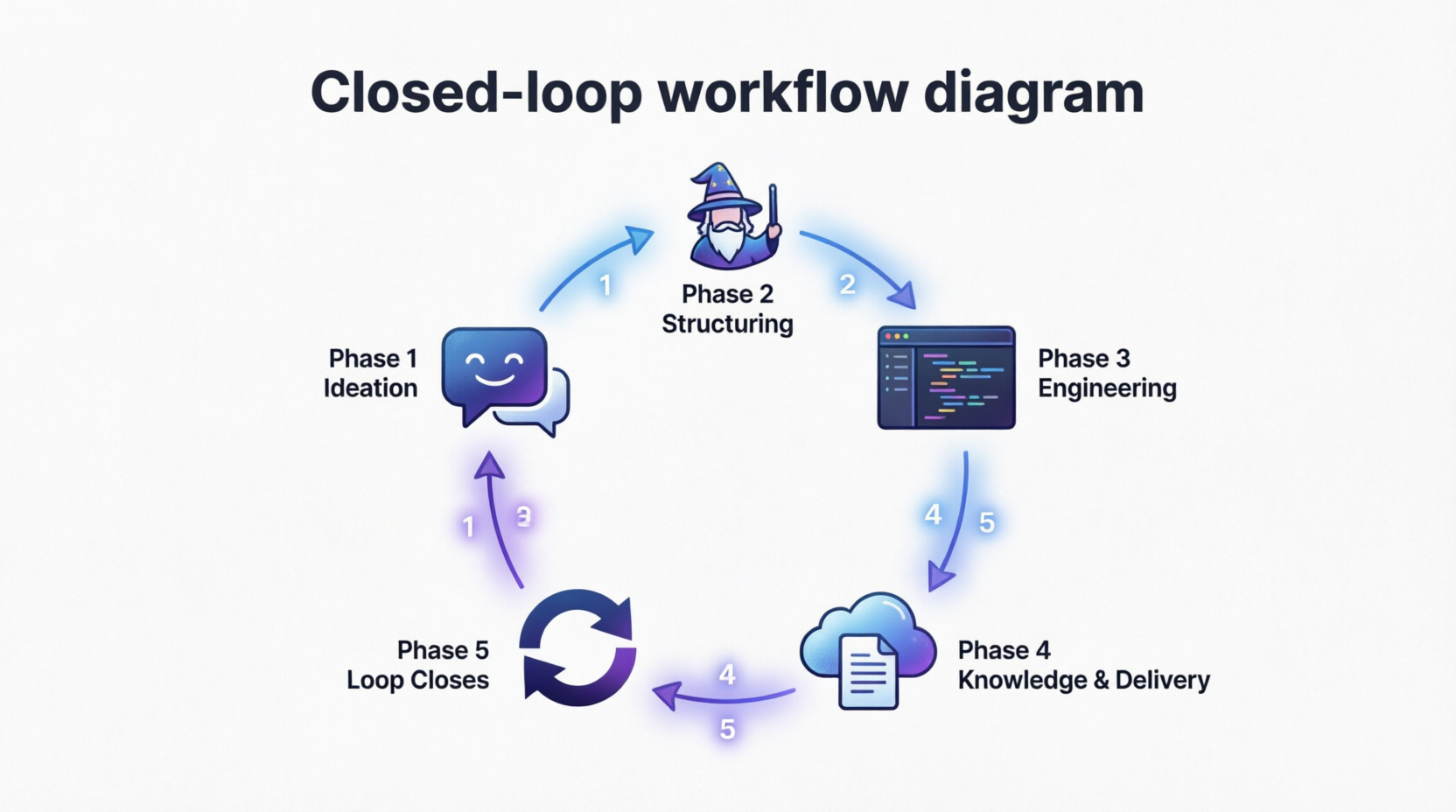
The Closed-Loop Workflow Scenario
Scenario: A bank wants to launch a new “Instant Loan Approval” feature.
Phase 1: Ideation (AI Visual Modeling Chatbot)
-
Action: The Product Owner chats with the AI: “Draft a process flow for instant loan approval including credit check and notification.”
-
Output: A rough BPMN diagram is generated in seconds.
-
Value: Zero friction start. Ideas are visualized immediately.
Phase 2: Structuring (AI Apps & Studios)
-
Action: The team moves the draft into the Agile Studio. The AI guides them to break the process into User Stories, define acceptance criteria, and identify risks.
-
Output: A structured backlog and refined process map aligned with Agile best practices.
-
Value: Ensures the idea is viable and follows organizational methodology.
Phase 3: Engineering (VP Desktop)
-
Action: The refined models are imported into VP Desktop. Architects expand the BPMN into detailed UML Class and Sequence diagrams. Developers use code engineering to generate the Java skeleton for the loan service.
-
Output: Production-ready technical specifications and code stubs.
-
Value: Precision, governance, and direct path to implementation.
Phase 4: Knowledge & Delivery (OpenDocs)
-
Action: VP Desktop syncs with OpenDocs. The technical diagrams are auto-populated into a requirement document. Business stakeholders review the “Living Doc” and approve the requirements.
-
Output: Approved, traceable documentation that links business requirements to technical code.
-
Value: Transparency and alignment.
Phase 5: The Loop Closes
-
Action: During development, a constraint is found. The developer updates the model in VP Desktop. OpenDocs automatically flags the requirement as “Changed.” The team uses the Chatbot to brainstorm a workaround, which is fed back into the Studio for process adjustment.
-
Value: Continuous improvement and adaptability.
Integration Architecture: The Data Flow
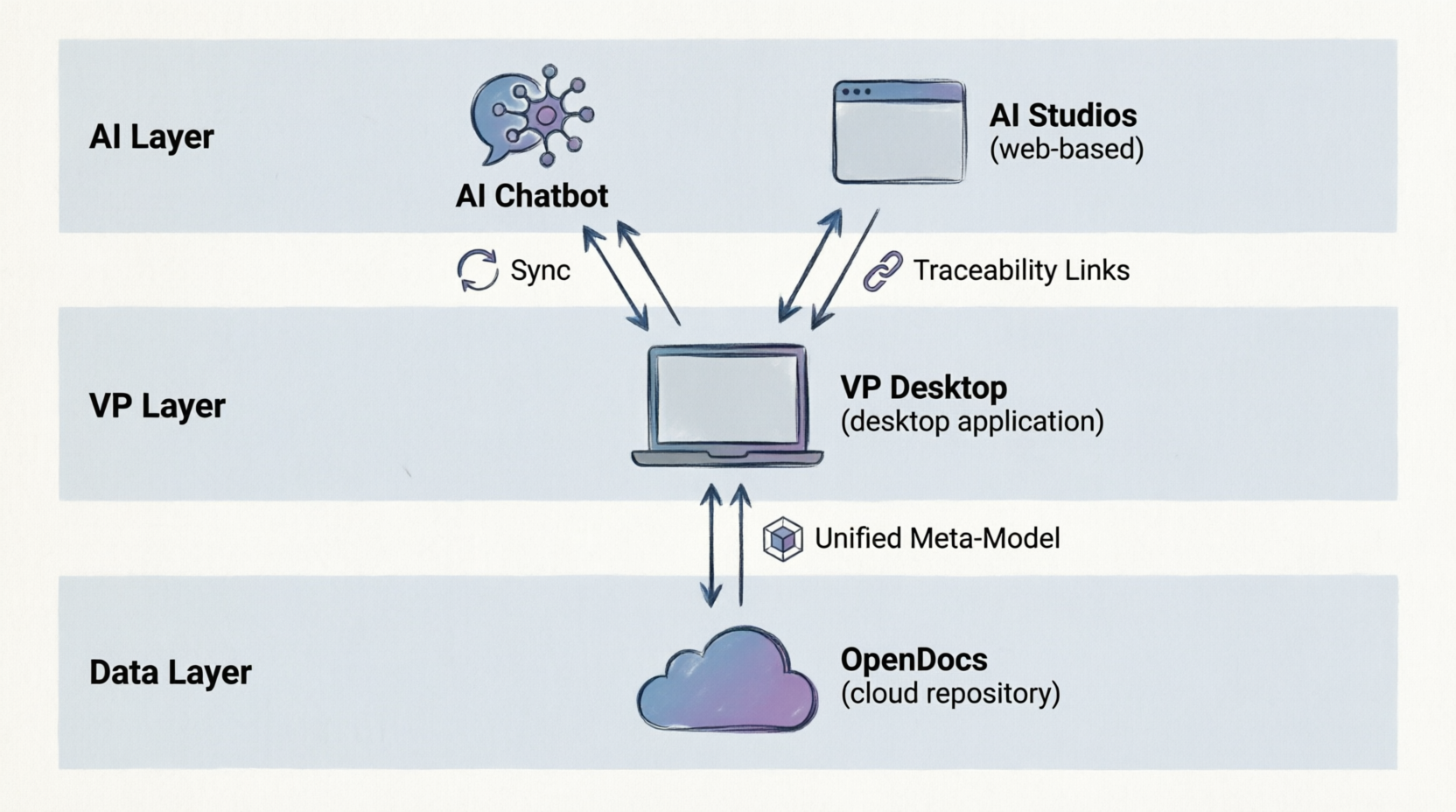
To perform at their best, data must flow seamlessly between pillars. Visual Paradigm achieves this through a unified repository structure.
-
Unified Meta-Model: Whether created in the Chatbot, Studio, or Desktop, all elements (Actors, Use Cases, Classes) share the same underlying definition. This prevents translation errors.
-
Cloud Sync: VP Desktop projects can sync with the cloud-based OpenDocs and AI Apps, ensuring that the “Engine Room” is always connected to the “Knowledge Hub.”
-
Traceability Links: A requirement in OpenDocs is not just text; it is a hyperlink to a specific shape in a VP Desktop diagram. This allows for impact analysis (e.g., “If I change this requirement, which code modules are affected?”).
Strategic Benefits of the Ecosystem Approach
Adopting this four-pillar approach offers distinct advantages over using disjointed tools:
| Benefit | Description |
|---|---|
| Speed to Value | The Chatbot and Studios reduce the time from “Idea” to “First Draft” by up to 70%. |
| Governance without Bottlenecks | VP Desktop ensures strict standards are met, but the AI tools allow non-architects to contribute safely. |
| Single Source of Truth | OpenDocs ensures documentation never diverges from the actual system design. |
| Democratization | Business analysts can model processes via Chat/Studio without needing to master UML syntax immediately. |
| Resilience | The closed-loop nature means changes in requirements automatically ripple through design and documentation, reducing technical debt. |
Conclusion
The Visual Paradigm AI Ecosystem represents a maturity in AI tooling. It moves beyond simple “text-to-image” generation and embeds AI into the engineering lifecycle.
-
VP Desktop provides the rigor.
-
OpenDocs provides the context.
-
The Chatbot provides the speed.
-
AI Studios provide the guidance.
When used in isolation, each tool is powerful. When integrated, they create a resilient, end-to-end workflow that allows enterprises to innovate rapidly without sacrificing the stability and governance required for mission-critical systems. For organizations looking to future-proof their architecture practice, mastering the interplay between these four pillars is the key to success.
This post is also available in Deutsch, Español, فارسی, Français, English, Bahasa Indonesia, 日本語, Polski, Portuguese, Ру́сский, Việt Nam, 简体中文 and 繁體中文.
Related posts:
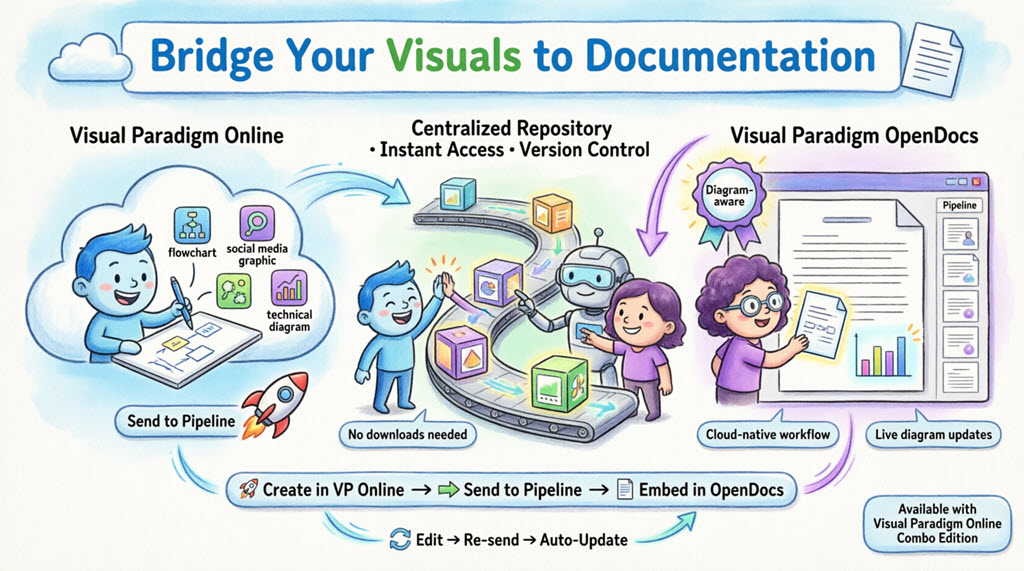 Complete Guide: Sending Visual Paradigm Creations to OpenDocs via Pipeline
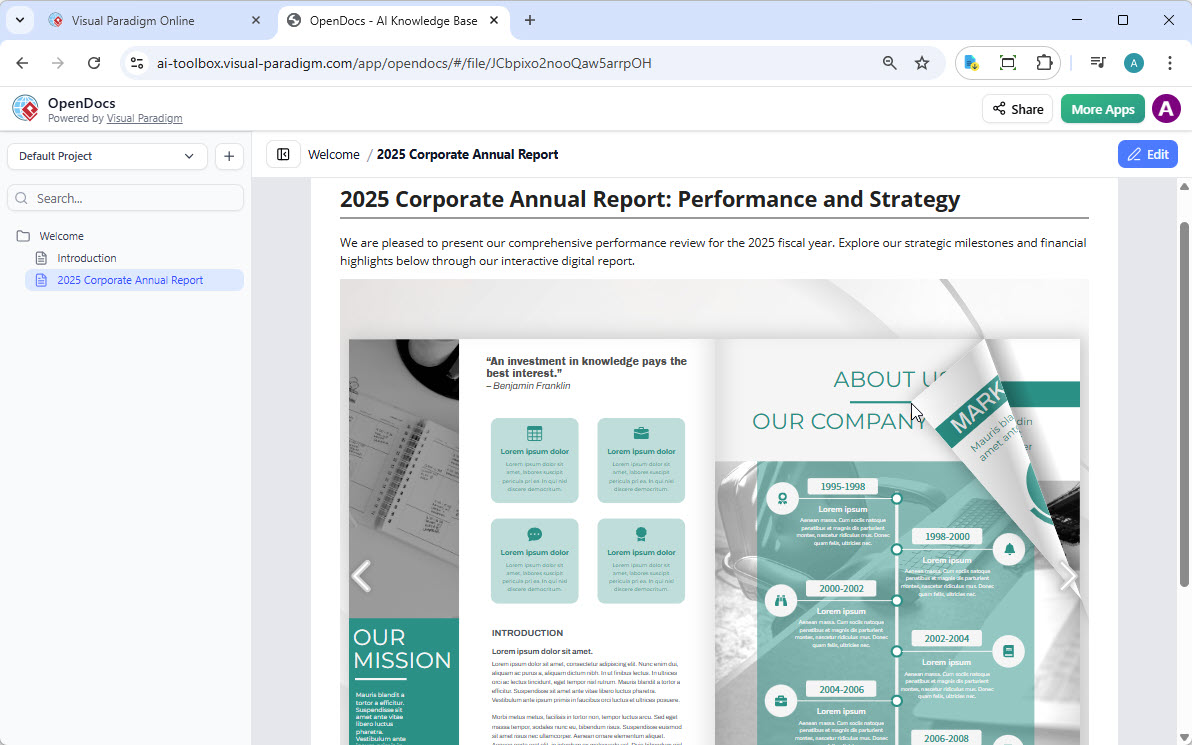
 Visual Paradigm OpenDocs: The Complete Guide to AI-Powered Knowledge Management
 & Documentation
Visual Paradigm OpenDocs: The Complete Guide to AI-Powered Knowledge Management
Visual Paradigm OpenDocs: The Complete Guide to AI-Powered Knowledge Management & Documentation
 Transform Static Docs into Interactive Experiences: Share Flipbooks Directly to OpenDocs