


In the landscape of modern business management, the difference between a successful initiative and a financial drain often lies in the planning phase. Decisions made on intuition rather than data can lead to misallocated resources and missed opportunities. The Visual Paradigm Cost Benefit Analysis (CBA) Tool aims to bridge this gap, offering a structured, AI-enhanced environment for evaluating the financial viability of projects. This review explores the tool’s functionality, workflow, and its suitability for project managers and financial analysts.
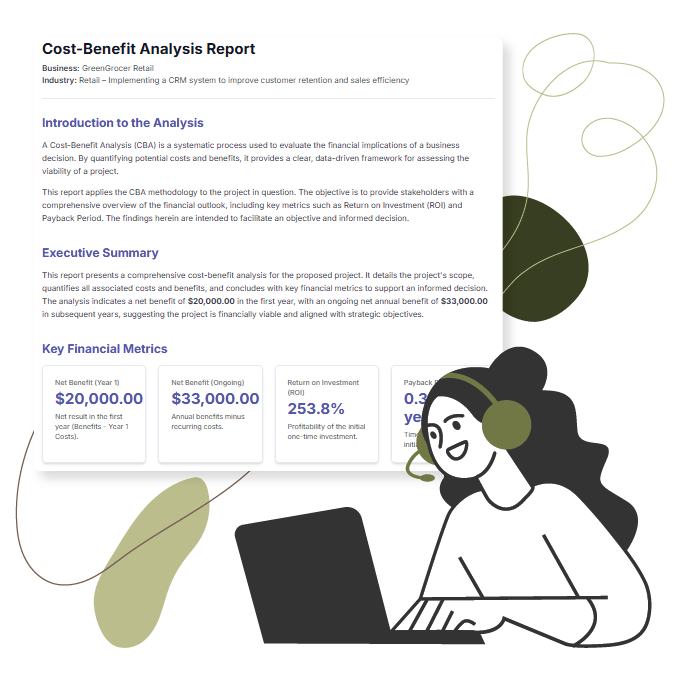
Overview: Systematic Financial Evaluation
The Cost Benefit Analysis Tool is designed as a strategic application that guides users through a rigid but necessary 5-step wizard. Its primary goal is to help users systematically evaluate projects by quantifying costs and benefits to calculate key metrics like Return on Investment (ROI) and Payback Period.
Unlike complex spreadsheet templates that require manual formula maintenance, this tool automates the heavy lifting. It is particularly useful for Project Managers justifying proposals, Business Leaders prioritizing initiatives, and Financial Analysts conducting detailed assessments. The core philosophy of the tool is to move decision-making from subjective guesswork to objective, data-driven analysis.
Key Features and Capabilities
1. AI-Powered Analysis Generation
The standout feature of this tool is its integration with artificial intelligence. For many users, the hardest part of a CBA is starting from a blank page. The tool addresses this by allowing users to input their Business Name, Industry Context, and a brief Project Description.
Upon clicking “Generate with AI,” the system populates a complete draft of the analysis. This includes:
- Suggested project elements and definitions.
- Estimates for initial and recurring costs.
- Lists of tangible and intangible benefits.
- Initial recommendations based on the generated data.
This feature drastically accelerates the workflow, transforming what could be a multi-hour setup process into a task of reviewing and refining AI-generated suggestions.
2. The 5-Step Guided Wizard
The application structures the complex process of economic assessment into a logical flow:
- Define Project: outlining the scope and responsible parties.
- Identify Costs: Listing one-time and recurring expenses.
- Identify Benefits: Quantifying tangible gains and noting intangible advantages.
- Analyze & Decide: Reviewing automated calculations (ROI, Payback Period).
- Final Report: Generating a consolidated view for stakeholders.
3. Automated Financial Calculations
One of the primary advantages of using a dedicated tool over a standard document is the automation of financial math. In the “Analyze & Decide” step, the tool instantly processes the data entered in previous steps. It eliminates manual calculation errors by automatically computing the Return on Investment (ROI) and the Payback Period. This provides instant feedback on whether a project meets the organization’s financial viability thresholds.
4. Interactive Dynamic Tables
Data entry is handled through dynamic tables that offer an experience similar to a spreadsheet. Users can add, edit, or delete rows efficiently. Cells are inline-editable, allowing for quick adjustments to cost values or benefit descriptions without navigating away from the main view. This feature ensures that the analysis remains flexible and can evolve as new data becomes available.
Data Privacy and Security
In an era where cloud security is a major concern, this tool takes a privacy-first approach by operating locally. While an internet connection is required for the initial AI generation, the actual project data is not stored on a remote server.
Users save their work by downloading a .json file to their local computer. To resume work, this file is simply loaded back into the browser. This ensures that sensitive financial data regarding potential investments remains confidential and firmly in the user’s possession.
User Experience and Workflow
The user interface is designed to demystify financial modeling. The “Work to be Done” section at the top of each step provides context, ensuring users understand exactly what information is required. The feeling of using the tool is akin to working with a digital financial consultant who outlines the path and crunches the numbers.
For reporting, the tool generates a professional final report that consolidates findings, metrics, and recommendations. This report is print-ready and can be saved as a PDF, making it suitable for presentation to executive boards or stakeholders.
Pros and Limitations
To provide a balanced review, it is essential to look at both the strengths and current limitations of the software.
Pros
- Speed: AI generation creates a comprehensive starting point in minutes.
- Structure: The 5-step wizard prevents users from overlooking critical financial factors.
- Privacy: Local file saving (.json) keeps sensitive data off the cloud.
- Clarity: Automated calculation of ROI and Payback Period simplifies complex metrics.
Limitations
- No Direct Excel Export: While the report is comprehensive, users cannot export data directly to .xlsx format; however, data can be copied from the final report.
- Manual Save Required: There is no auto-save feature; users must remember to download their project file to avoid data loss.
- Internet Dependency: The AI features require an active connection, though manual entry works offline.
Conclusion
The Cost Benefit Analysis Tool is a robust solution for professionals who need to justify project proposals and assess financial feasibility. By combining the speed of AI generation with a rigid, analytical framework, it helps users build a solid business case with minimal friction. While it lacks some advanced export features found in full-suite accounting software, its focus on privacy, ease of use, and automated financial insights makes it an invaluable asset for strategic decision-making.
This post is also available in Deutsch, Español, فارسی, Français, English, Bahasa Indonesia, 日本語, Polski, Portuguese, Ру́сский, Việt Nam, 简体中文 and 繁體中文.