


Introduction: Why I Decided to Try an AI-Powered Modeling Assistant
As someone who regularly translates complex business requirements into technical specifications, I’ve spent countless hours wrestling with diagramming tools—dragging shapes, aligning connectors, and manually enforcing notation standards. When I first heard about Visual Paradigm’s AI Chatbot—a conversational modeling assistant that claims to turn plain-text instructions into compliant visual models—I was skeptical but intrigued. Could an AI really understand my intent and produce professional-grade UML, BPMN, or ArchiMate diagrams without me touching a palette?
Over the past few weeks, I put the tool through its paces across multiple use cases: mapping a new microservices architecture, documenting a customer onboarding workflow, and brainstorming strategic initiatives with my leadership team. This guide shares my genuine experience, practical workflows, and honest assessment of where the AI Chatbot shines—and where human oversight still matters. Whether you’re a product manager, systems architect, or business analyst, you’ll find actionable insights to help you decide if this AI co-pilot belongs in your toolkit.
Experience the Power of AI Chatbot
Transform your ideas into beautiful diagrams in seconds
Try AI Chatbot
How It Works: Step-by-Step Guide
Step-by-Step Guide
Transform your ideas into stunning diagrams with these simple steps:
1. Describe Your Idea
Start by typing what you want to create — for example, “Create a use case diagram for an online shopping system.” Our AI instantly understands your intent and begins visualizing your concept.
2. Generate Your Diagram Instantly
In seconds, your text becomes a complete, presentation-ready diagram. No templates or manual drawing required — just clear, accurate visuals.
3. Refine with Simple Commands
Need changes? Talk to your diagram naturally. Type commands like “Add payment gateway” or “Rename Customer to Buyer.” The AI updates your diagram immediately.
4. Explore, Document, and Share
Ask questions like “What are the main use cases?” or “Generate a project summary.” Export your work or continue refining in the Visual Paradigm desktop app for advanced collaboration.
First Impressions: The Onboarding Experience
Getting started was refreshingly straightforward. After logging into my Visual Paradigm Online account, I landed directly in the chat interface—no complex setup, no tutorial overload. The prompt field felt familiar, like messaging a knowledgeable colleague. My first test: “Generate a C4 System Context diagram for a ride-sharing app connecting riders, drivers, and payment processors.” Within about 15 seconds, a clean, properly notated diagram appeared. The layout was logical, relationships were correctly typed, and even the color scheme was presentation-ready.
What stood out immediately was the absence of “AI hallucination” in the structural logic. The chatbot didn’t just dump shapes on a canvas; it applied domain-aware reasoning. For instance, it correctly positioned external systems outside the application boundary and used appropriate stereotypes for interfaces. This wasn’t just automation—it felt like collaboration.
Instant Diagram Generation: When Words Become Visuals
One of the most compelling aspects of the AI Chatbot is its ability to generate comprehensive diagrams from minimal input. I tested this across multiple frameworks:
-
UML & SysML: From class diagrams with inheritance hierarchies to sequence diagrams capturing async message flows, the AI consistently applied correct notation. When I asked for a SysML Block Definition Diagram for an IoT sensor network, it automatically included ports, flows, and value properties.
-
Business Frameworks: Strategic models like SWOT, PESTLE, and the Ansoff Matrix were generated with appropriate quadrants, labels, and visual hierarchy—ready for executive presentations.
-
Architecture Models: C4 diagrams at all levels (Context, Container, Component, Deployment) were produced with consistent styling and proper abstraction boundaries.
The underlying AI engine enforces syntax and layout rules automatically. I never had to manually adjust connector types or realign elements to meet modeling standards. This saved significant time and reduced the cognitive load of “diagram hygiene.”
Conversational Editing & Refinement: No More Drag-and-Drop Fatigue
Perhaps the most transformative feature is the ability to refine diagrams through natural language. Instead of hunting for toolbar icons or wrestling with property panels, I simply continued the conversation:
-
“Add an alternative path to handle payment failure” → The AI inserted a new branch in the sequence diagram with appropriate guard conditions.
-
“Rename all instances of ‘User’ to ‘Customer'” → Every label, attribute, and relationship updated instantly across the canvas.
-
“Show the deployment topology for the recommendation service” → The existing C4 Container diagram expanded into a detailed Deployment view with nodes, artifacts, and communication protocols.
The cascading update capability is particularly powerful. When I renamed a class from “Employee” to “Staff,” the AI didn’t just change the label—it updated associated attributes, methods, and any cross-diagram references. This level of contextual awareness prevents the fragmentation that often plagues manual modeling.
I also tested the localization feature: “Translate all diagram text to Simplified Chinese.” Within seconds, every label, note, and stereotype was accurately translated while preserving the diagram’s structure and notation. For global teams, this is a game-changer.
“Ask Your Diagram” & Intelligent Analysis: Turning Models into Knowledge
Beyond generation and editing, the chatbot treats diagrams as semantic knowledge bases. I found this invaluable during architecture reviews:
-
“What are the main failure points in this deployment diagram?” → The AI highlighted single points of failure and suggested redundancy patterns.
-
“Which use cases involve external APIs?” → It filtered and listed relevant actors and interactions.
-
“Suggest improvements for scalability in this component diagram” → The AI proposed caching layers, async processing, and database sharding strategies.
These contextual nudges helped me uncover edge cases I might have missed. The AI doesn’t just answer questions—it proactively offers design insights aligned with industry best practices. It felt less like querying a static image and more like brainstorming with a senior architect.
Documentation on Demand: Bridging Visuals and Deliverables
One of my biggest pain points has always been keeping documentation synchronized with diagrams. The AI Chatbot addresses this elegantly:
-
Automatic Reporting: With a single prompt like “Generate a project proposal summary based on this use case model,” the chatbot produced a structured document covering scope, actors, key scenarios, and assumptions.
-
Live Sync: Because reports pull directly from active visual elements, any subsequent diagram changes automatically reflect in the documentation. I updated a sequence diagram’s message flow, and the corresponding section in the generated spec updated instantly.
-
Compliance Support: For regulated industries, I could request “Export this BPMN workflow as a GDPR compliance checklist,” and the AI mapped process steps to relevant control requirements.
This tight integration between modeling and documentation eliminates the dreaded “diagram-document drift” that undermines project credibility.
Desktop Integration: No Walled Gardens Here
As a long-time Visual Paradigm Desktop user, I appreciated that the AI Chatbot doesn’t isolate me in a browser-only workflow:
-
Seamless Import: After generating a diagram I liked, I imported it directly into my VP Desktop project with one click. (Note: Standard diagrams require Professional Edition; ArchiMate needs Enterprise Edition.)
-
Advanced Tooling: Once in Desktop, I leveraged native features like code engineering (generating Java stubs from class diagrams), version control integration, and team collaboration repositories.
-
Cloud Sync: Whether I started a model in the browser or refined it on desktop, everything stayed synchronized to my Visual Paradigm account. No manual exports, no file version confusion.
This “best of both worlds” approach respects existing enterprise workflows while adding AI acceleration where it matters most.
The Diagram Gallery: What You Can Create
The breadth of supported diagram types is impressive. Here’s a visual showcase of what the AI Chatbot can generate from simple text prompts:
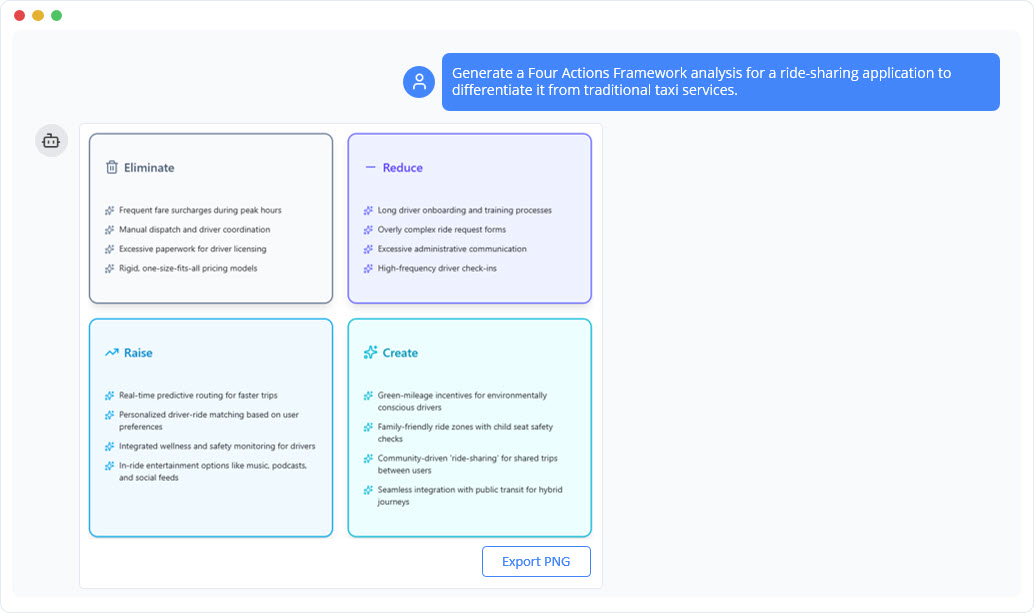
Blue Ocean Four Actions Framework Diagram Generator
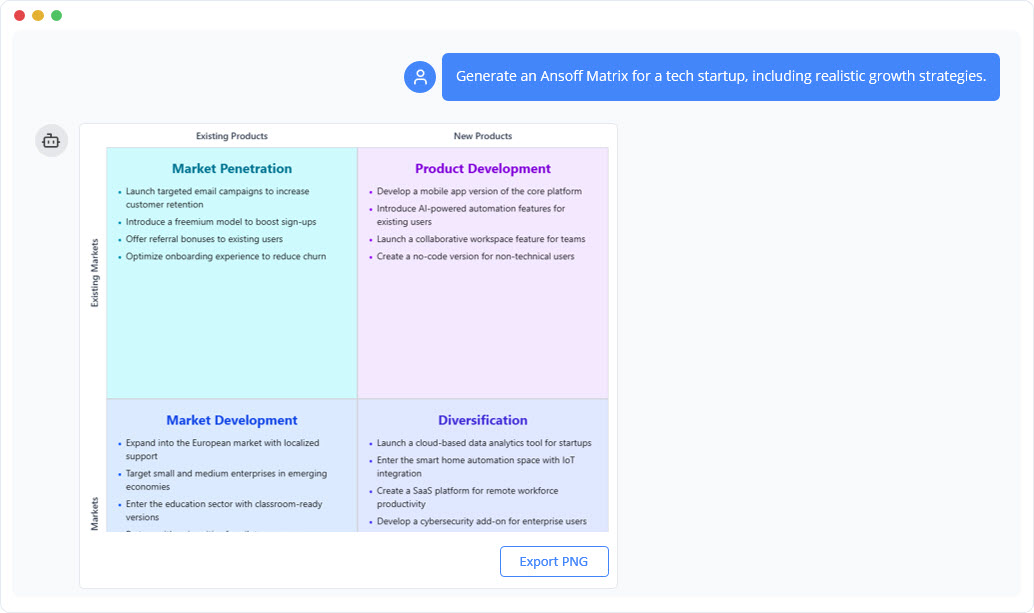
Ansoff Matrix Diagram Generator
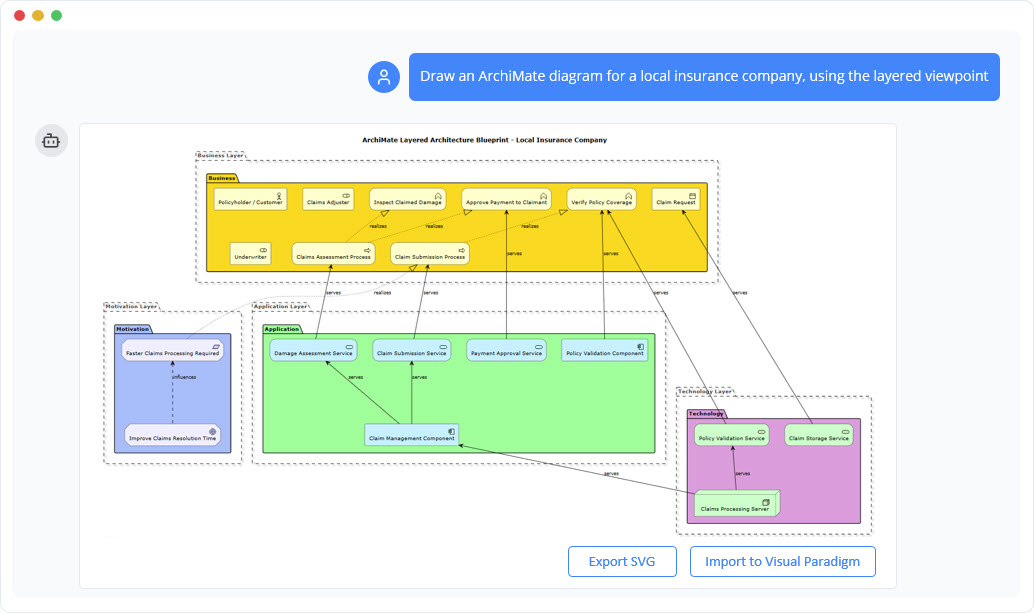
ArchiMate Diagram Generator
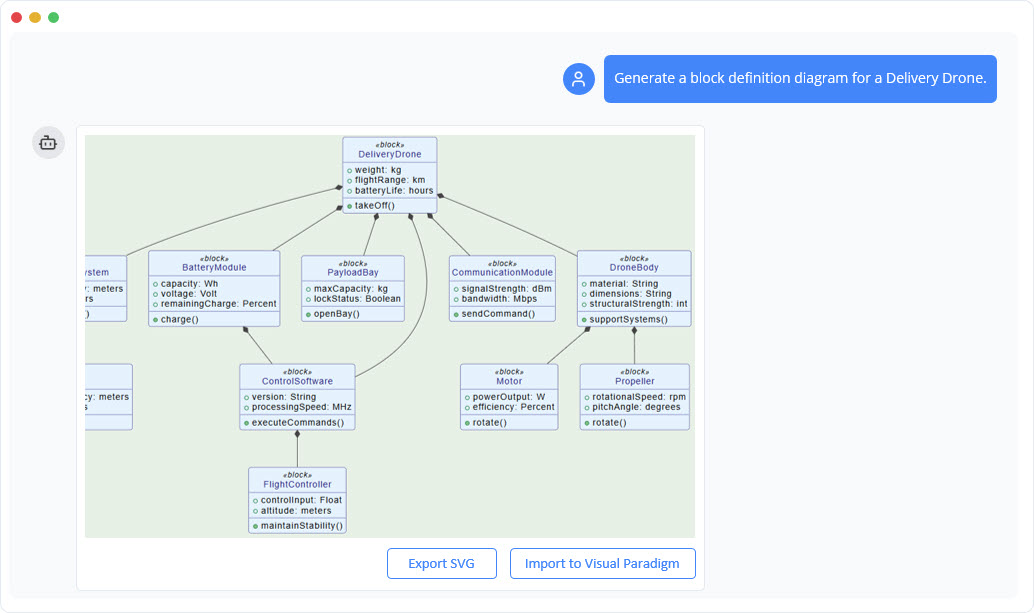
SysML Block Definition Diagram Generator
Blue Ocean Four Actions Framework Diagram Generator
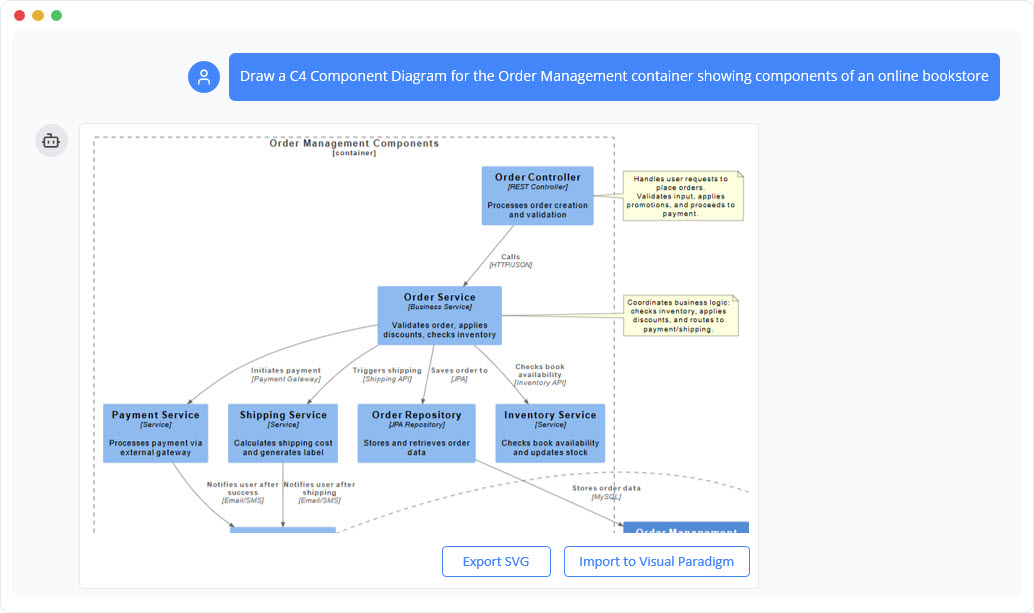
C4 Component Diagram Generator
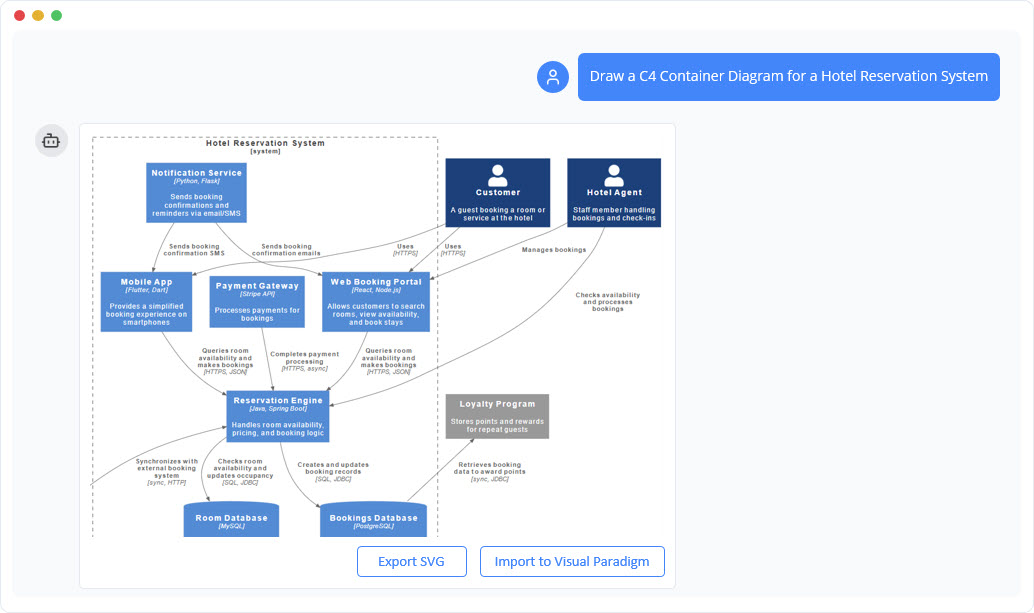
C4 Container Diagram Generator
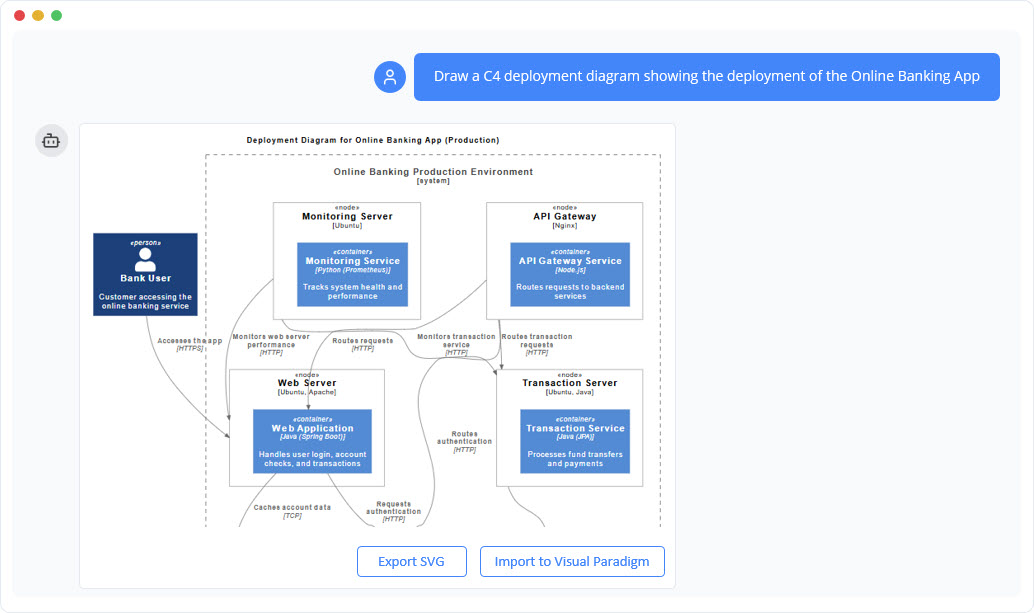
C4 Deployment Diagram Generator
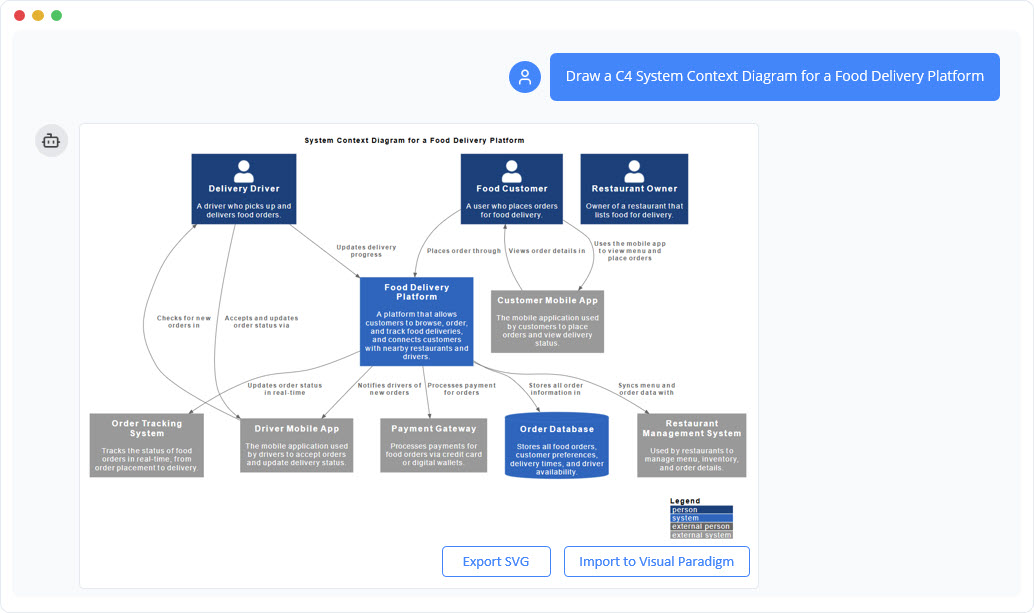
C4 System Context Diagram Generator
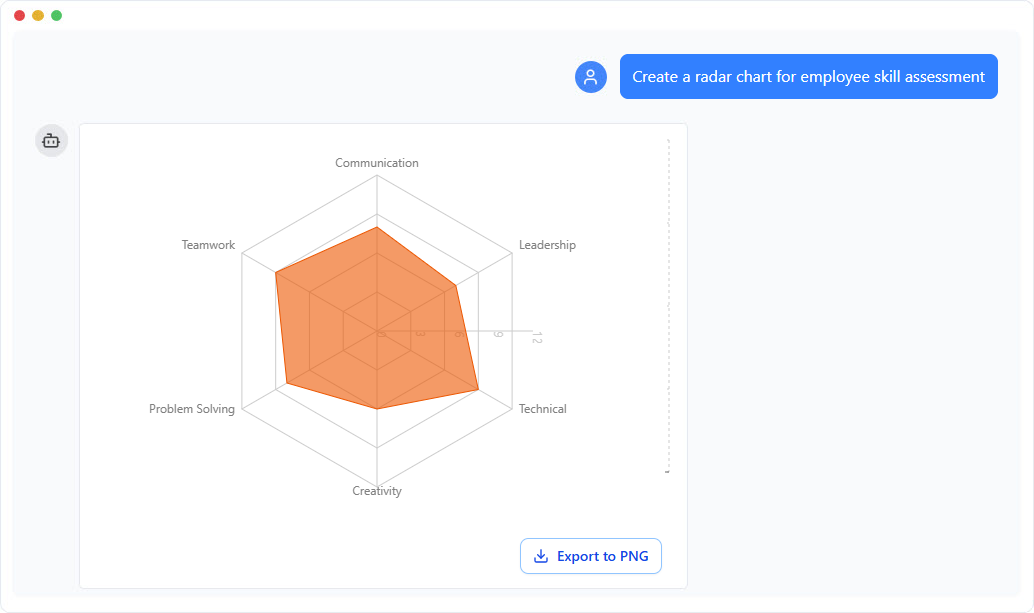
Pie Chart Generator
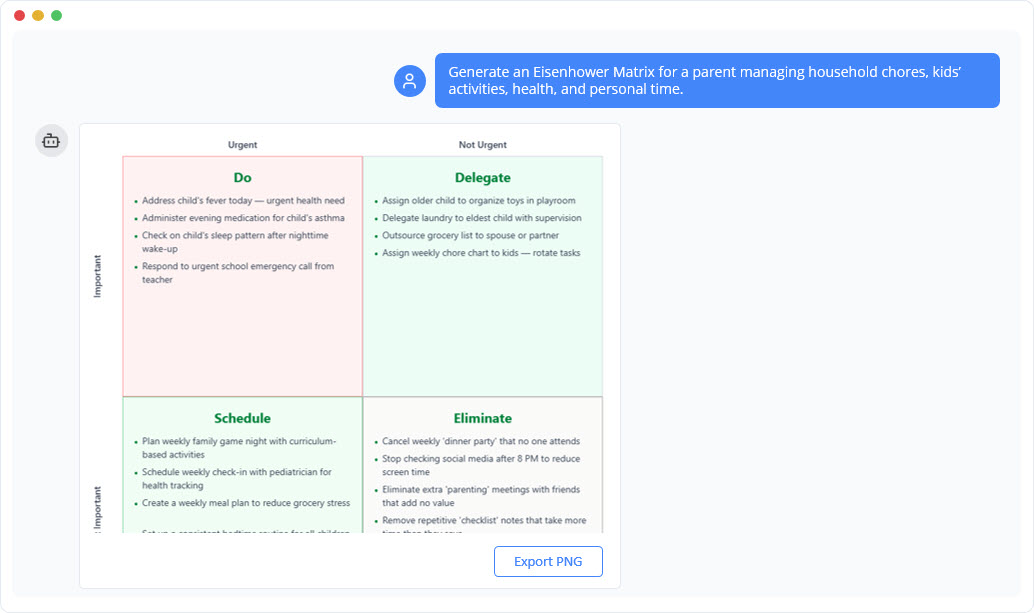
Eisenhower Matrix Diagram Generator
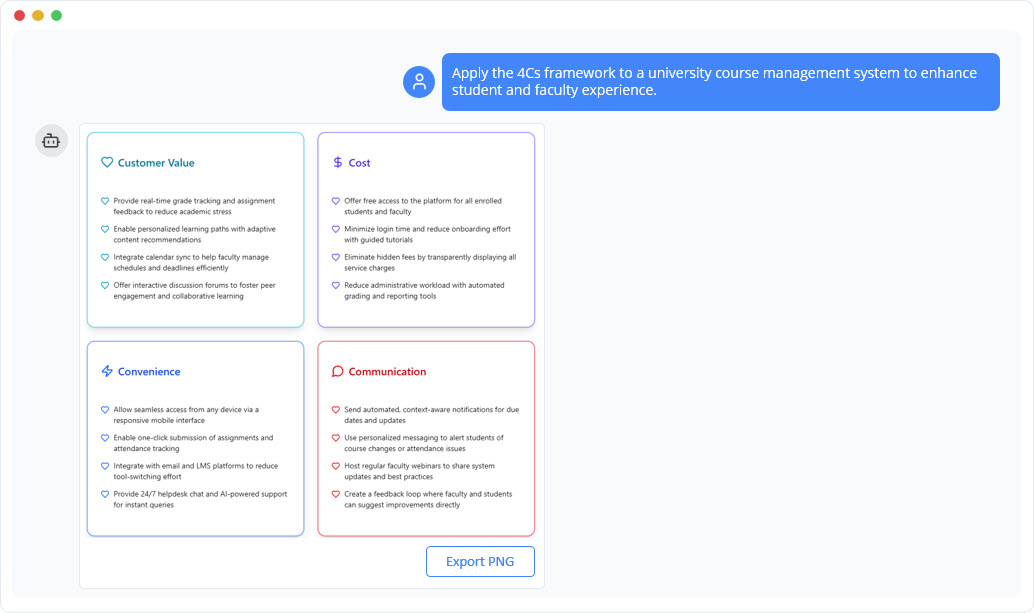
Marketing Mix 4Cs Model Diagram Generator
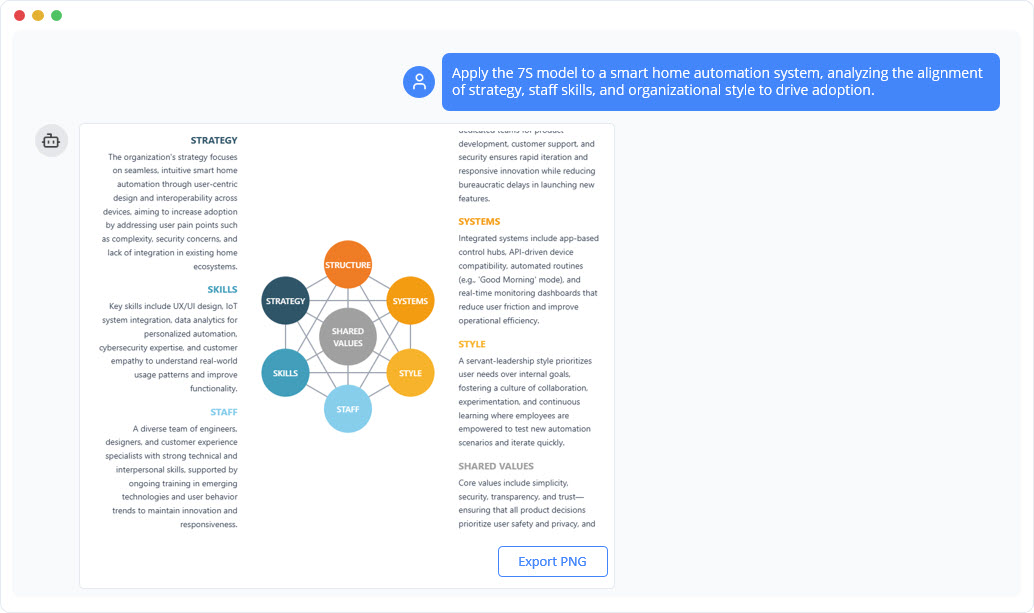
McKinsey 7S Model Diagram Generator
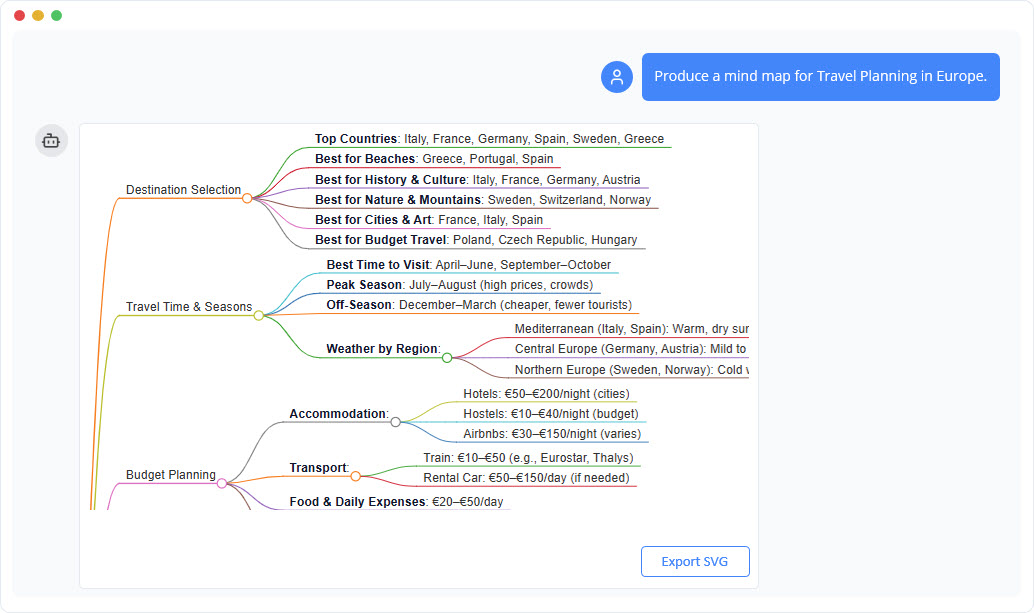
Mind Map Diagram Generator
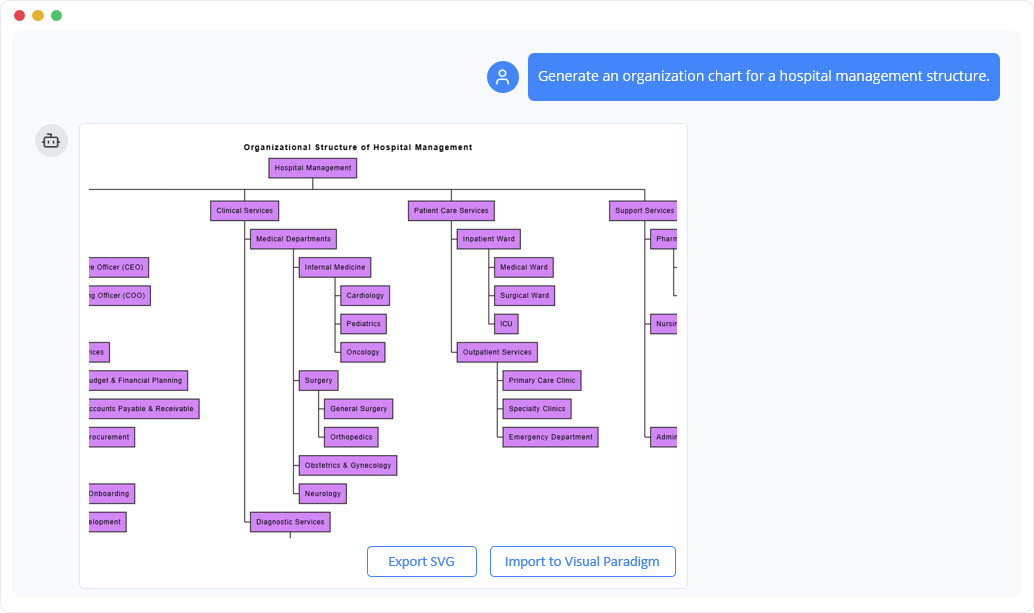
Organization Chart Generator
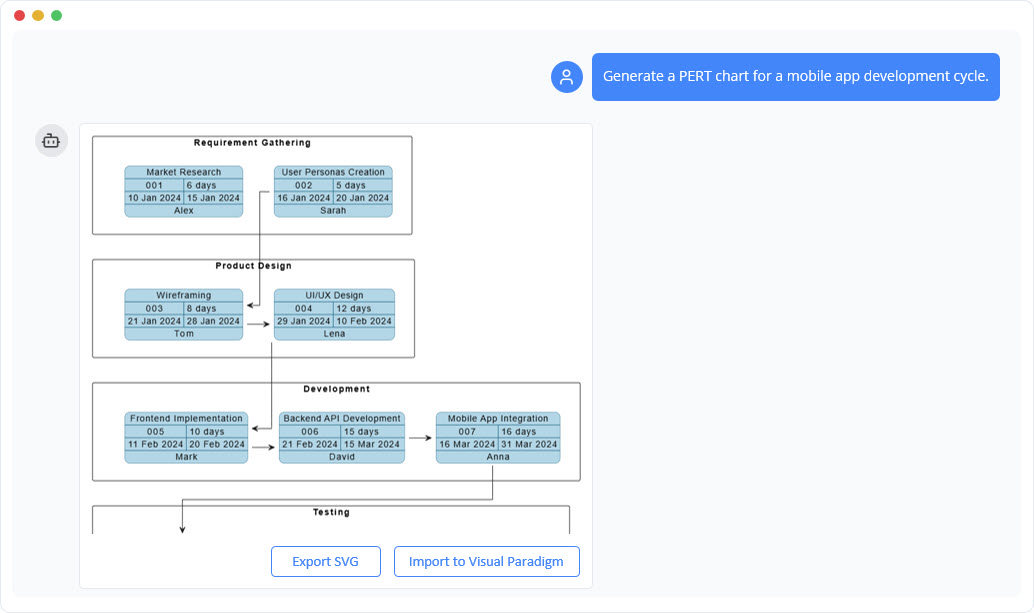
PERT Chart Generator
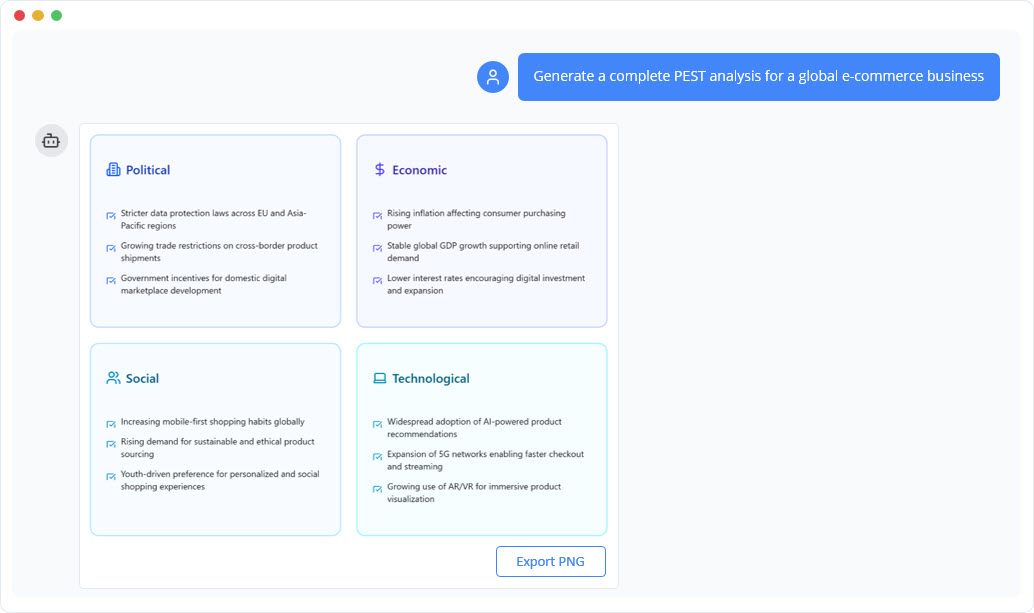
PEST Analysis Diagram Generator
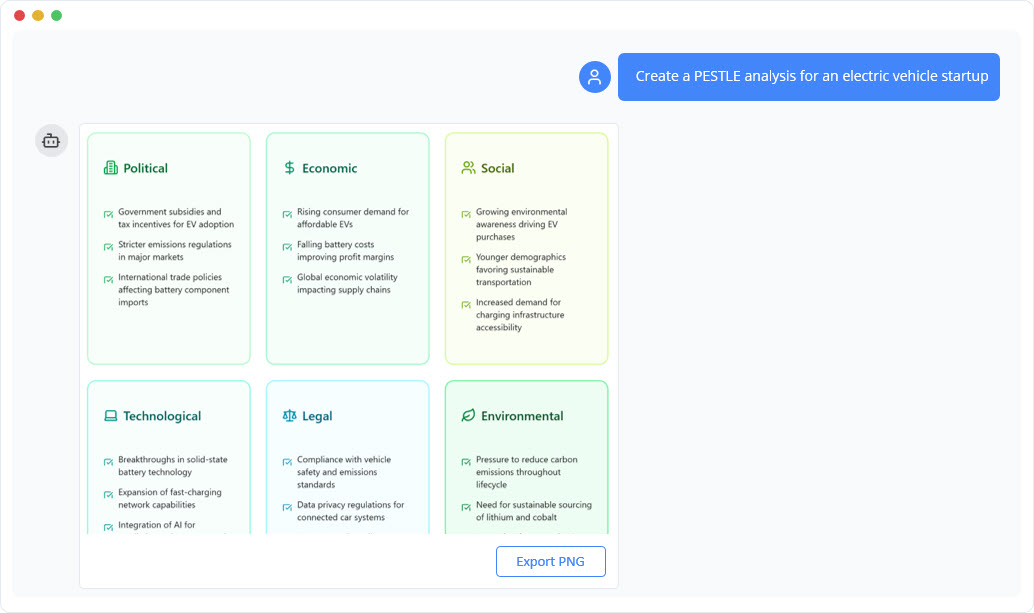
PESTLE Analysis Diagram Generator
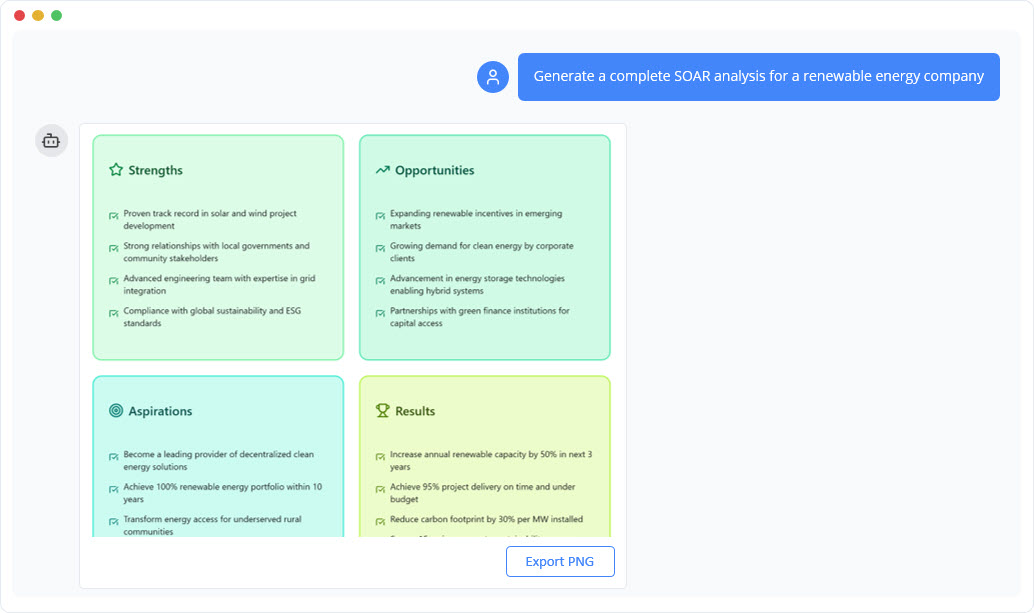
SOAR Analysis Diagram Generator
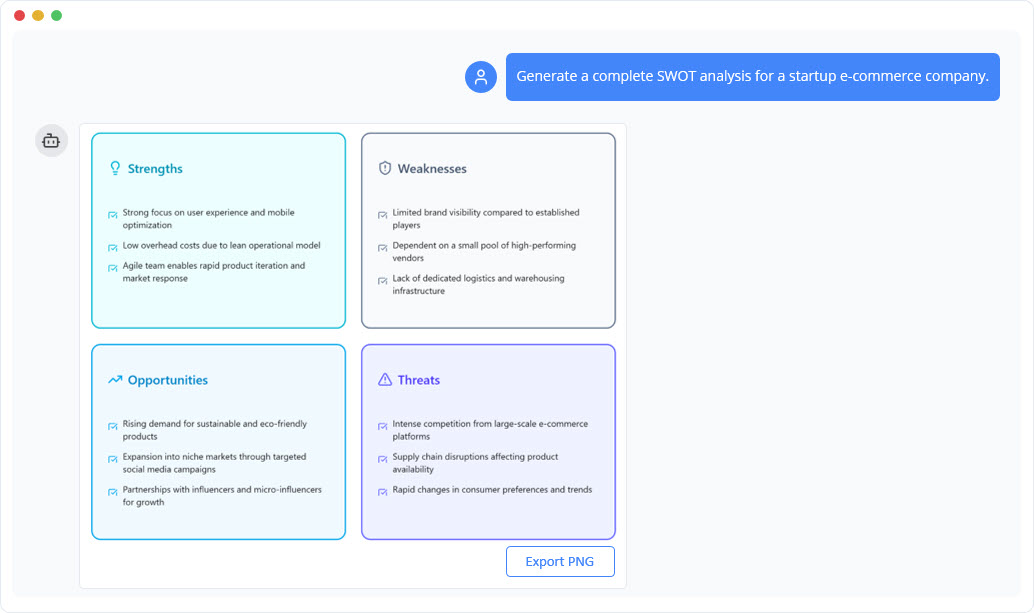
SWOT Analysis Diagram Generator
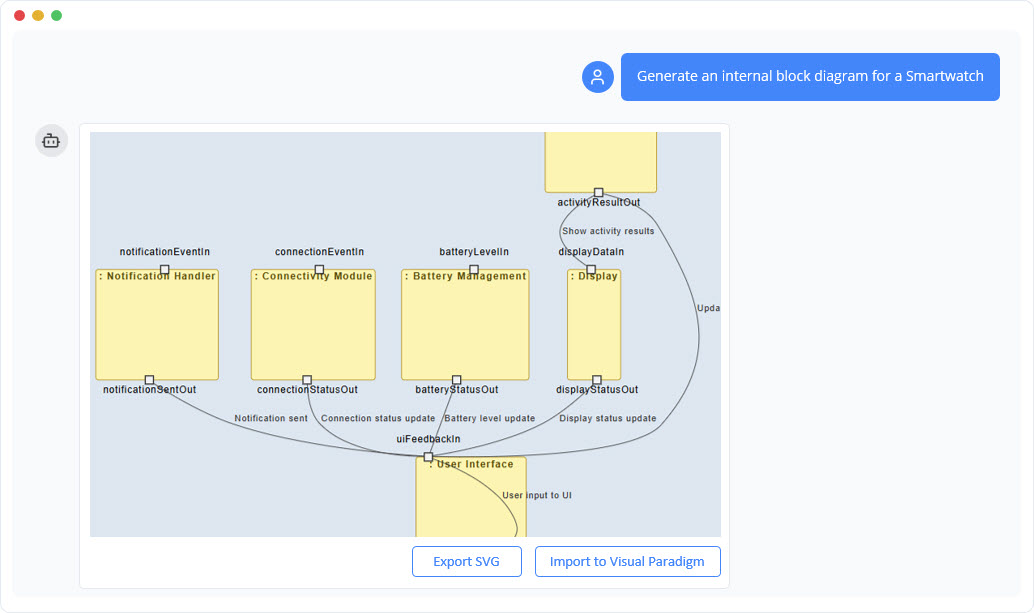
SysML Internal Block Diagram Generator
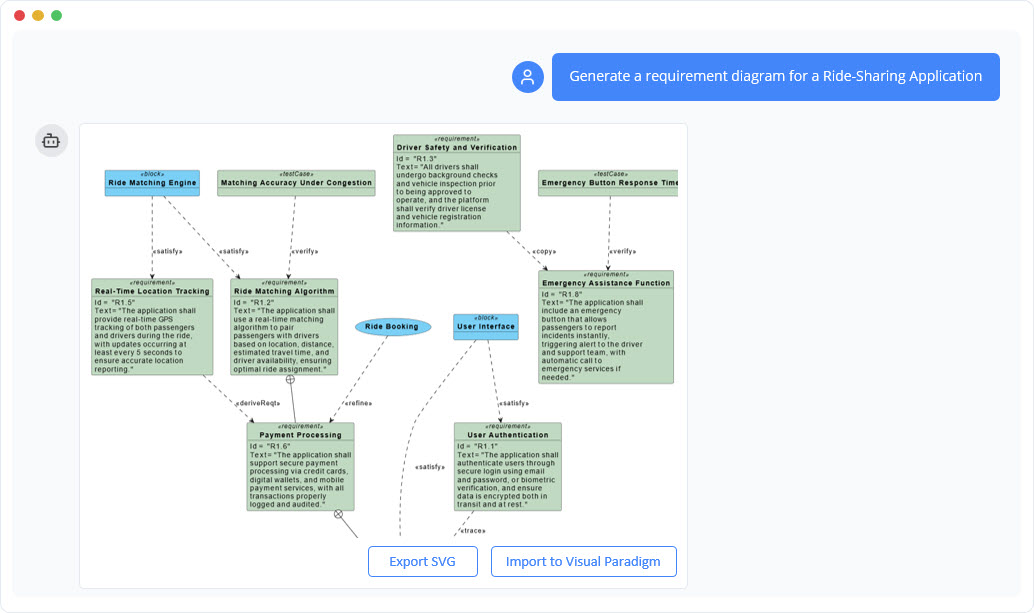
SysML Requirement Diagram Generator
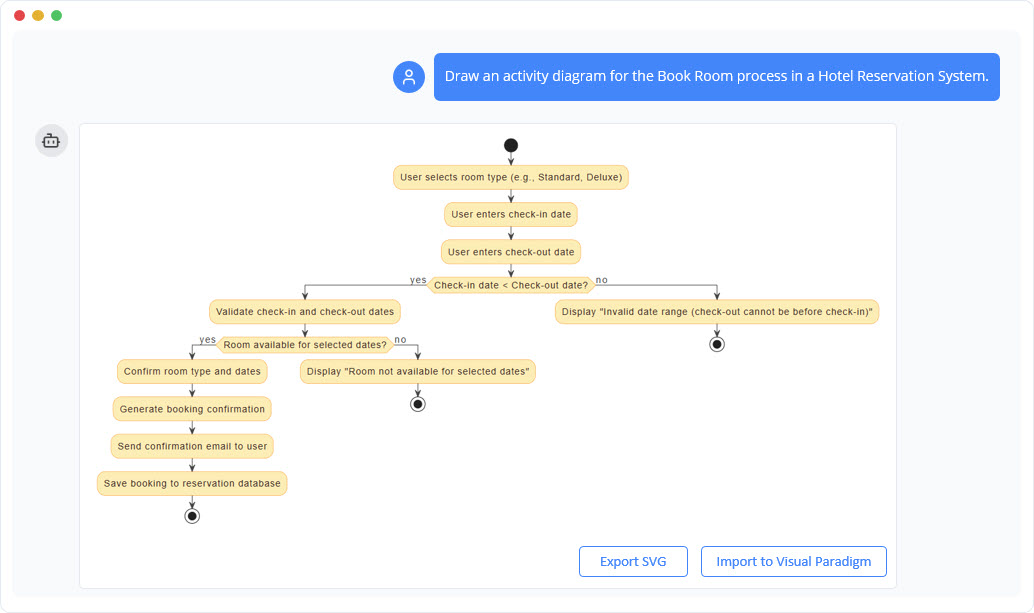
UML Activity Diagram Generator
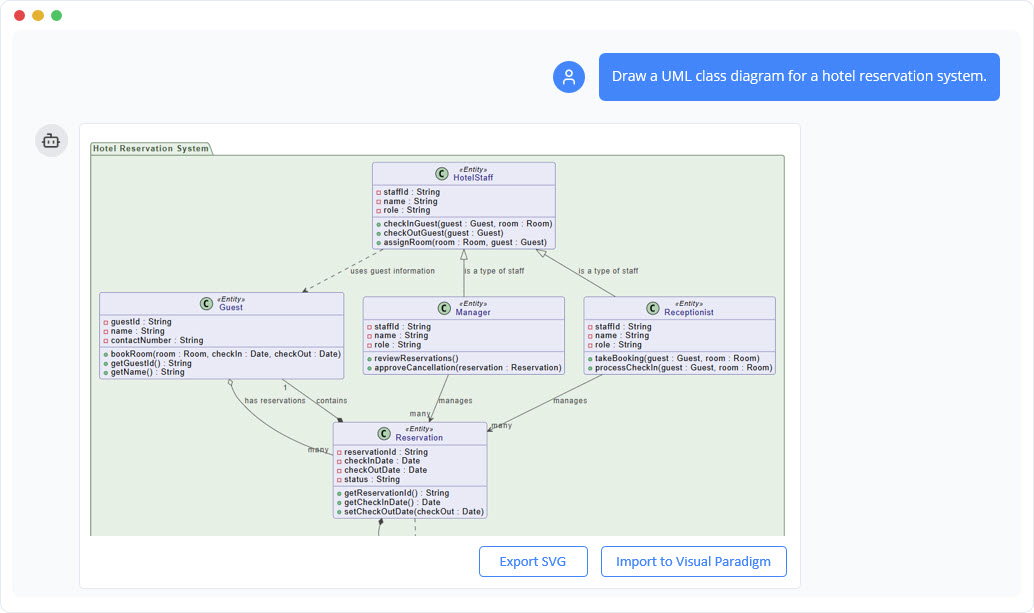
UML Class Diagram Generator
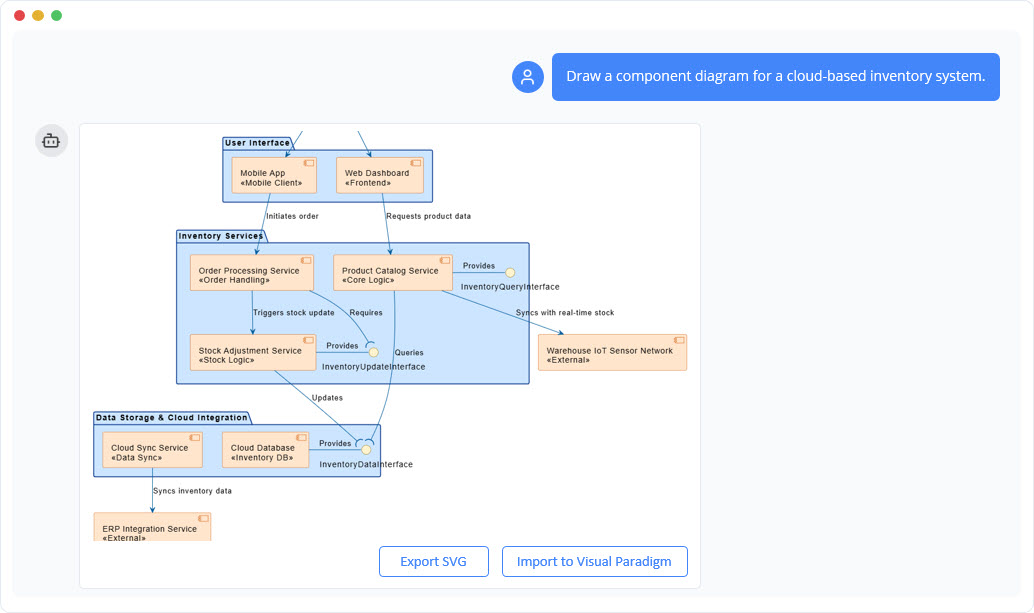
UML Component Diagram Generator
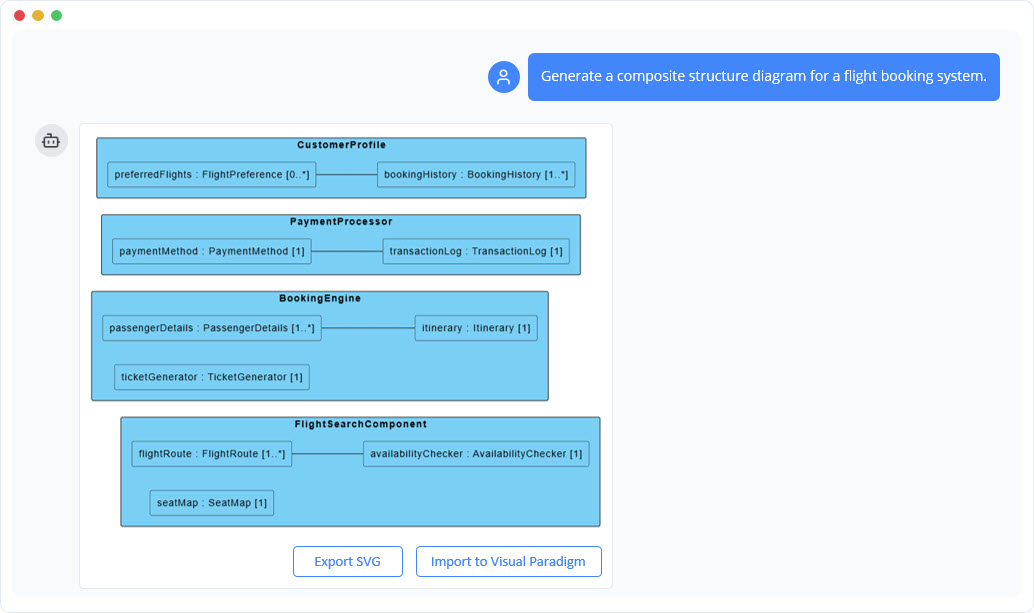
Composite Structure Diagram Generator
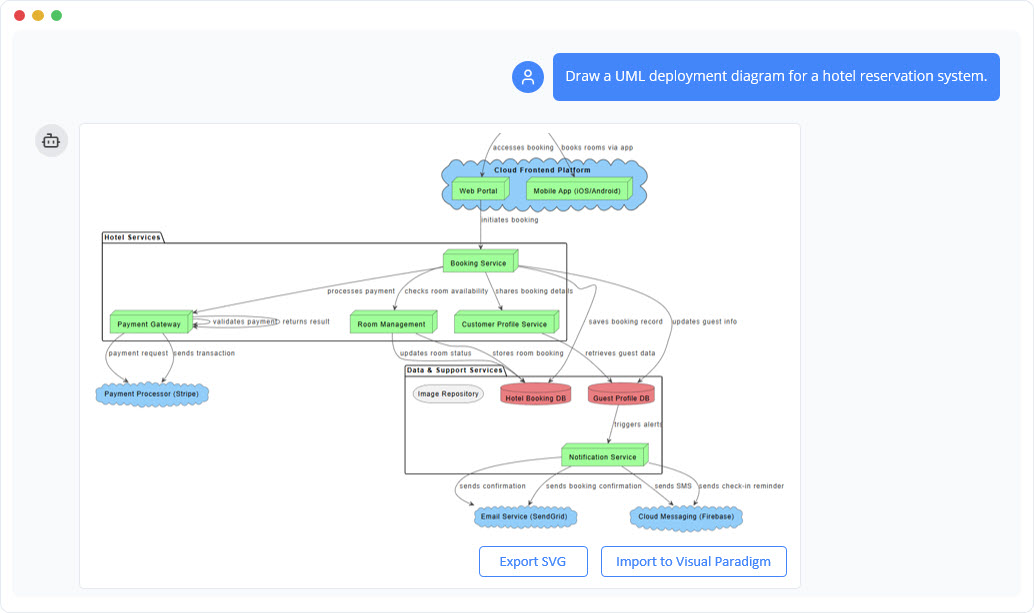
UML Deployment Diagram Generator
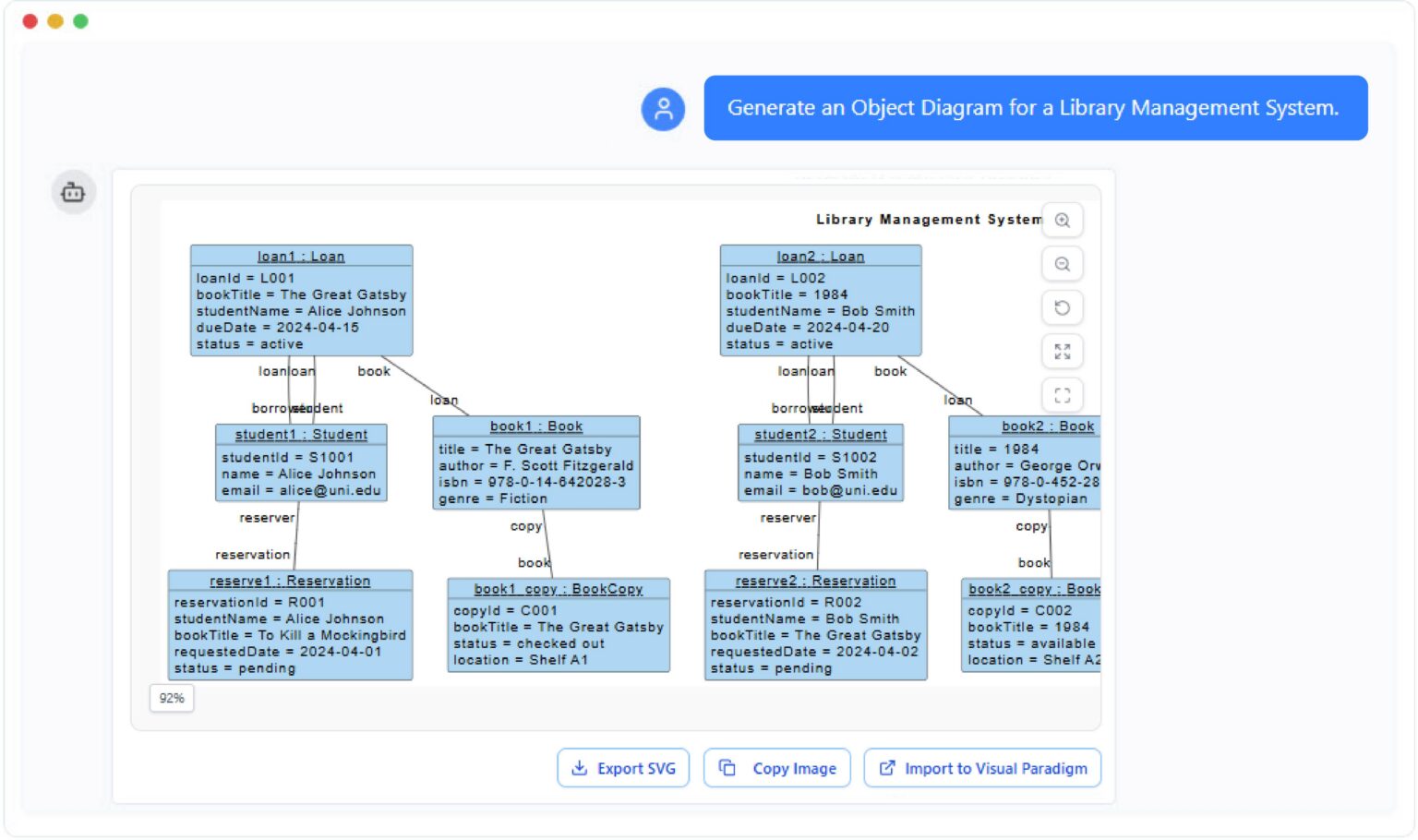
Object Diagram Generator
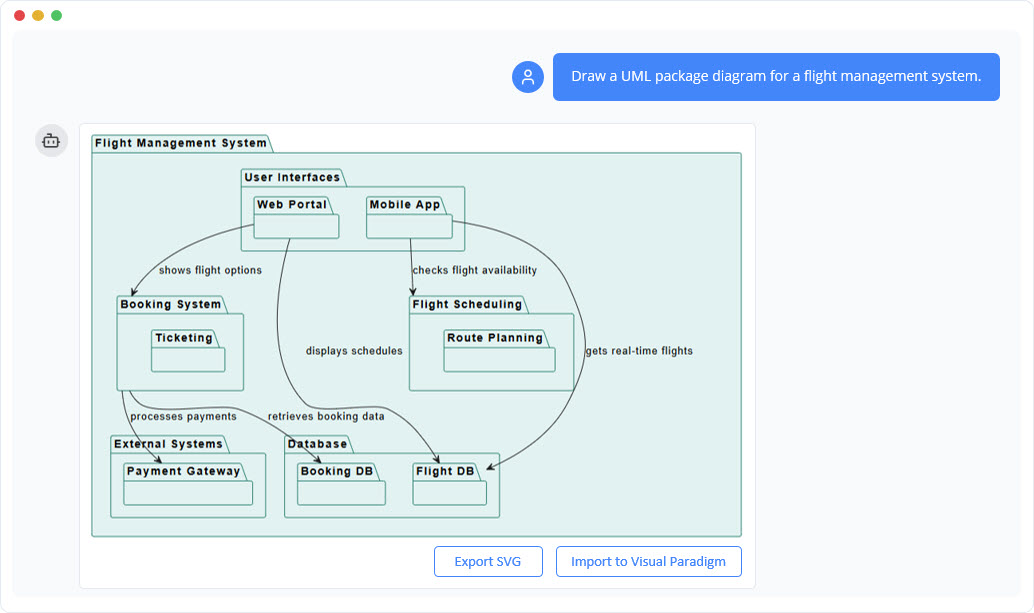
UML Package Diagram Generator
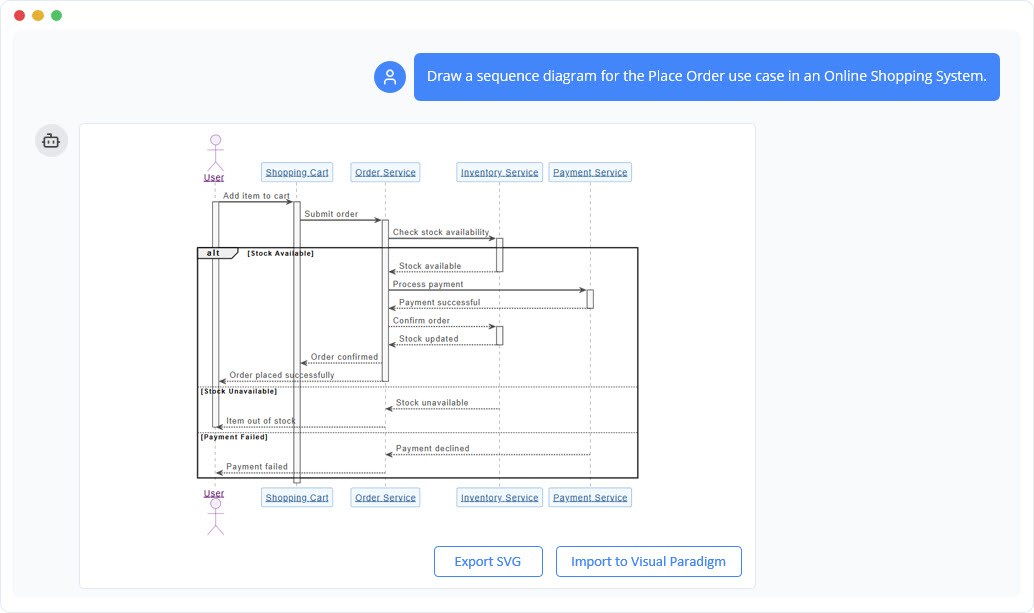
UML Sequence Diagram Generator
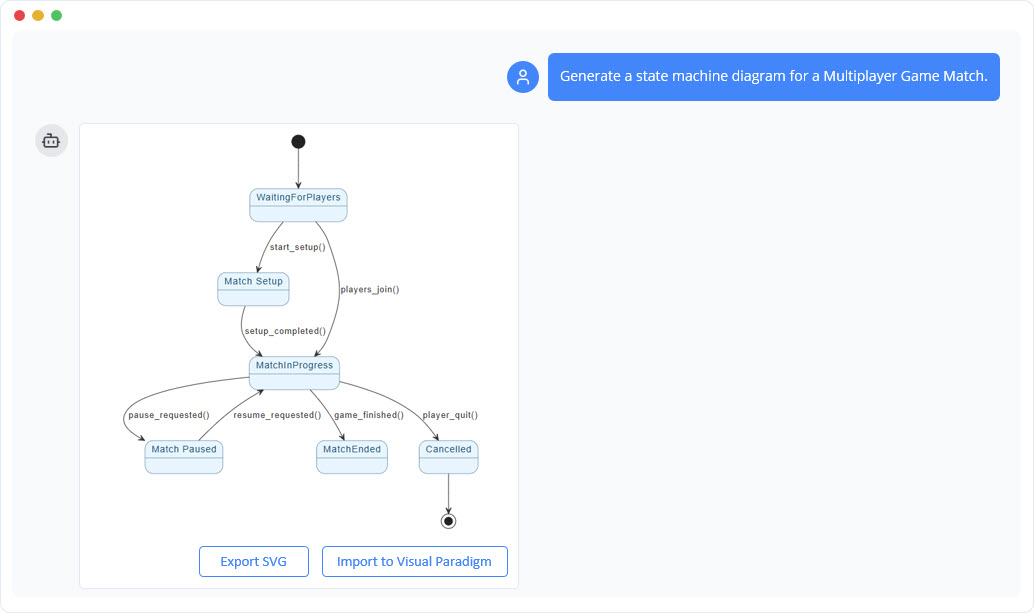
UML State Machine Diagram Generator
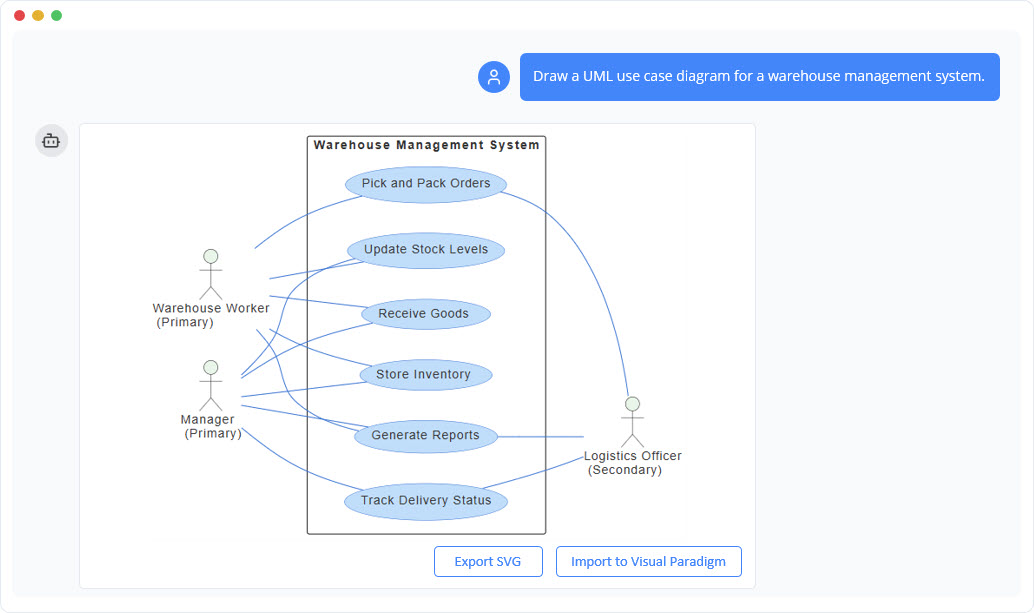
UML Use Case Diagram Generator
Ready to Create Stunning Diagrams?
Unleash your creativity and produce professional-quality diagrams in minutes. No design skills required.
Areas for Consideration
No tool is perfect, and transparency matters. Here are a few observations from my testing:
-
Prompt Clarity Matters: While the AI is robust, ambiguous prompts can lead to generic outputs. Being specific about scope, actors, and relationships yields better results.
-
Enterprise Licensing: Advanced features like ArchiMate support and Desktop import require higher-tier licenses. Teams should evaluate their edition needs upfront.
-
Human Review Still Essential: The AI accelerates creation, but domain expertise remains crucial for validating business logic, security implications, and architectural trade-offs.
These aren’t dealbreakers—they’re simply reminders that AI augments, rather than replaces, professional judgment.
Conclusion: Is Visual Paradigm’s AI Chatbot Worth Your Time?
After extensive hands-on testing, I can confidently say that Visual Paradigm’s AI Chatbot represents a meaningful evolution in visual modeling. It successfully bridges the gap between ideation and professional documentation, reducing the friction that often slows down design workflows. The conversational interface feels intuitive, the diagram quality meets industry standards, and the seamless desktop integration respects existing enterprise practices.
Who should try it? Product teams iterating on feature specs, architects documenting system designs, consultants building client deliverables, and educators teaching modeling concepts will all find value. If you spend significant time translating ideas into visuals—or if you’ve ever felt bogged down by manual diagram maintenance—this AI co-pilot deserves a spot in your workflow.
The future of modeling isn’t about replacing human creativity; it’s about amplifying it. With Visual Paradigm’s AI Chatbot, you spend less time wrestling with tools and more time solving the problems that matter. I’ve already made it a staple in my discovery sessions, and I suspect you will too.
References
- Visual Paradigm AI Chatbot – Official Feature Page: Explore the core capabilities, licensing options, and integration details for Visual Paradigm’s AI-powered diagramming assistant.
- Unlock Your Team’s Potential: The Complete Guide to Visual Paradigm AI Chatbot: A comprehensive third-party walkthrough covering setup, best practices, and real-world use cases for the AI Chatbot.
- AI Chatbot Tool Portal: Direct access point for the AI Chatbot with quick-start resources and feature highlights.
- Visual Paradigm AI Chatbot Platform: The live web interface where users interact with the AI to generate and refine diagrams through natural language.
- Turn Your Ideas into Diagrams Instantly: Official blog post demonstrating how the AI Chatbot accelerates the journey from concept to visual model.
- AI Chatbot Features Overview: Detailed breakdown of supported diagram types, conversational editing capabilities, and intelligent analysis tools.
- What Makes Visual Paradigm’s AI Chatbot Different: Comparative analysis highlighting the unique architecture, notation enforcement, and workflow integration of VP’s solution.
- AI-Powered Visual Modeling Chatbot Tutorial: Step-by-step guide with screenshots and prompt examples for mastering the AI Chatbot.
- Guide to Powered UML Diagram Generation: Specialized resource for generating and refining UML diagrams using AI commands.
- Fast-Track Use Case Diagrams with Visual Paradigm AI Chatbot: Focused tutorial on rapidly creating and iterating use case models through conversational prompts.
- Visual Paradigm Pipeline: The Bridge for AI Modeling: Technical overview of how the AI Chatbot integrates with Visual Paradigm’s broader modeling ecosystem and data pipeline.
- Cascading Updates Demo Video: Short video demonstration showing how renaming elements automatically propagates changes across related diagram components.
- Visual Paradigm AI Toolbox – Chatbot App: Direct launch link for the AI Chatbot application within Visual Paradigm’s cloud toolbox.
This post is also available in Deutsch, Español, فارسی, Français, English, Bahasa Indonesia, 日本語, Polski, Portuguese, Ру́сский, Việt Nam, 简体中文 and 繁體中文.
Related posts:
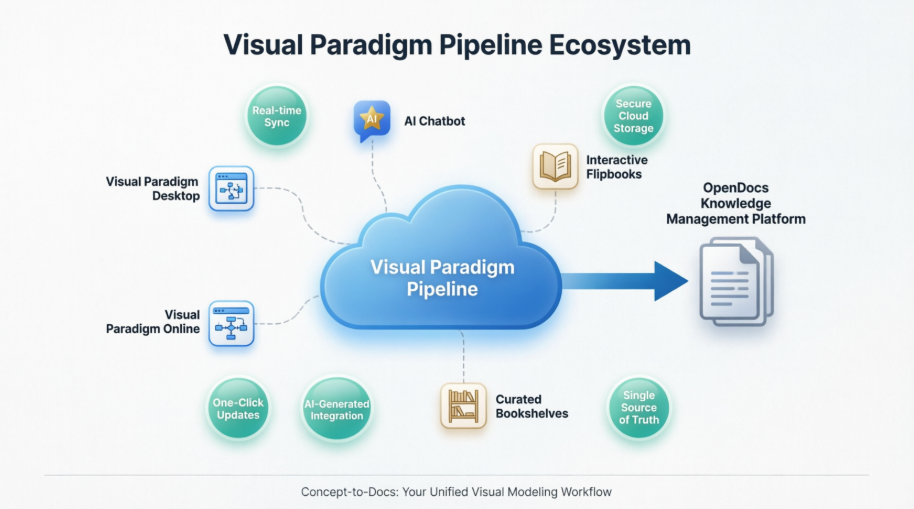 My Journey with Visual Paradigm Pipeline: How This ‘Asset Transit Hub’ Transformed My Documentation Workflow
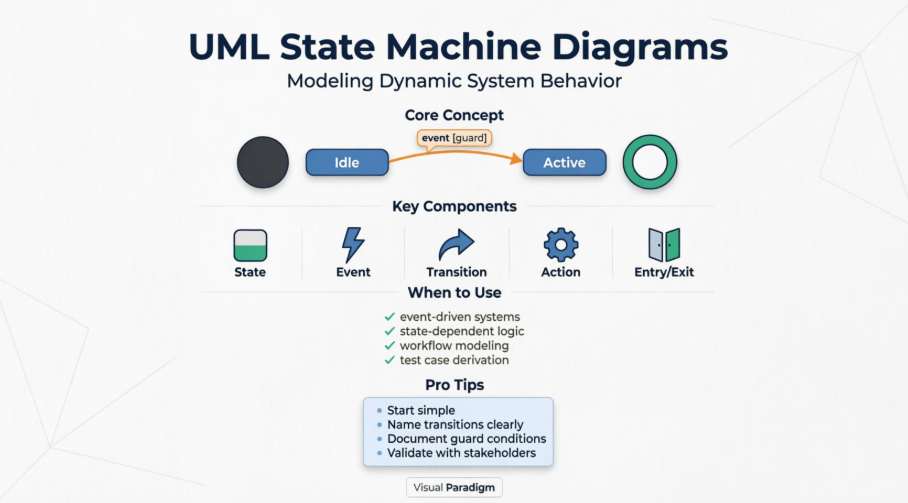 Mastering UML State Machine Diagrams: A Hands-On Review and Practical Guide
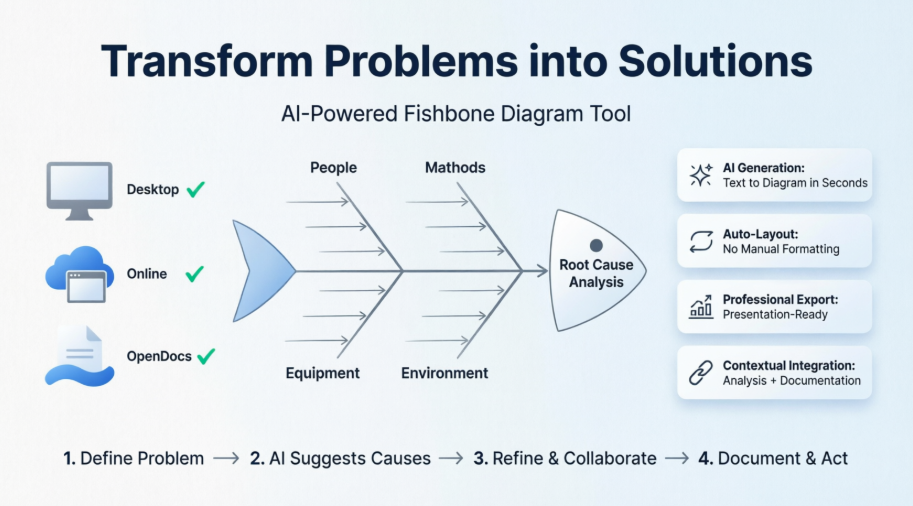 From Brainstorm to Breakthrough: Review of Visual Paradigm’s Fishbone Diagram Tool for Root Cause Analysis
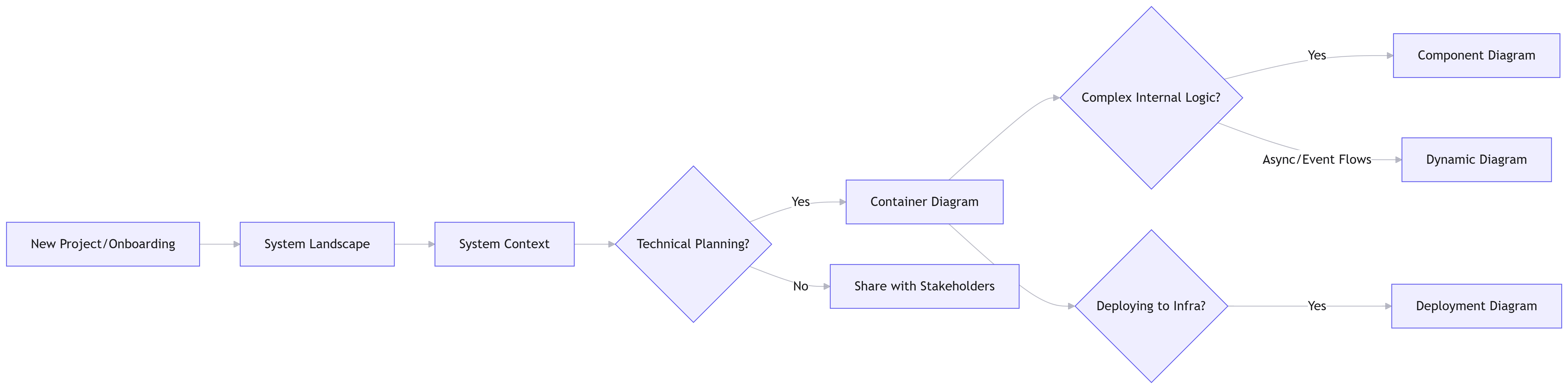 Comprehensive Guide to the C4 Model with Visual Paradigm Tooling