


In the world of software architecture and system design, UML sequence diagrams are indispensable for visualizing dynamic interactions between objects, actors, and components. Traditionally, creating these diagrams manually has been a time-consuming process prone to human error. Visual Paradigm has revolutionized this workflow by introducing powerful AI-powered features designed to generate and refine sequence diagrams instantly.
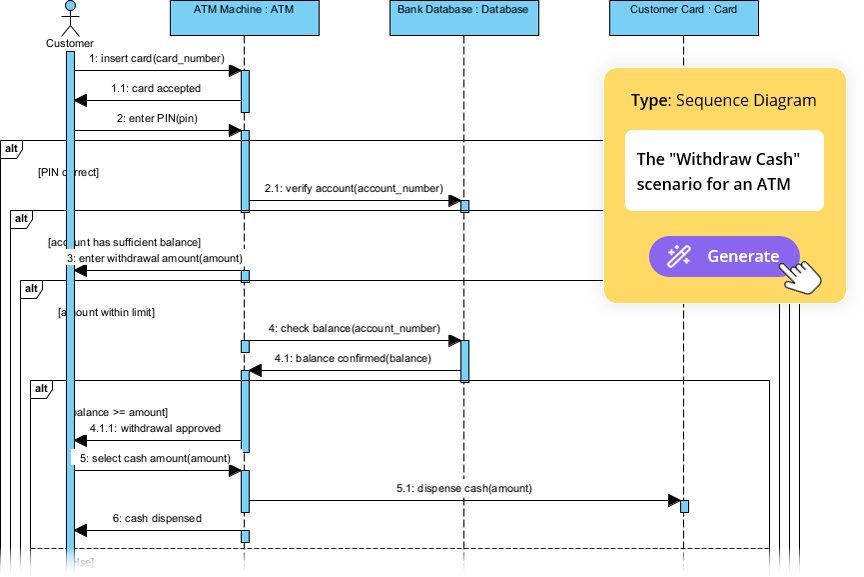
This comprehensive guide explores how to leverage Visual Paradigm’s AI tools—specifically the AI Chatbot and the AI Sequence Diagram Refinement Tool—to model systems faster, ensure architectural accuracy, and collaborate more effectively.
The Evolution of UML Modeling with AI
Visual Paradigm integrates artificial intelligence to act as a collaborative partner in the modeling process. Rather than dragging and dropping elements for hours, users can now describe scenarios in natural language, and the AI interprets the intent to construct detailed diagrams. This shift offers several tangible benefits:
- Speed and Efficiency: What once took hours can now be accomplished in minutes.
- Error Reduction: AI helps ensure logical consistency and adherence to UML standards.
- Complex Logic Handling: The tools easily manage complex branches, loops, and optional flows.
- Architectural Patterns: The AI can automatically structure diagrams to follow patterns like MVC (Model-View-Controller).
Core Concepts of AI-Powered Sequence Diagrams
Before diving into the tools, it is essential to understand the elements the AI manipulates to create these visualizations:
- Lifelines: Vertical lines representing specific objects or actors in the system.
- Messages: Arrows indicating communication between lifelines (calls and returns).
- Activation Bars: Rectangles on lifelines showing when an object is actively processing a task.
- Combined Fragments: Logic containers for complex interactions, such as
altfor alternative paths,optfor optional steps,loopfor repetitions, andparfor parallel actions.
Tool 1: The AI Chatbot
The AI Chatbot, accessible at chat.visual-paradigm.com, provides a conversational interface for diagram generation. It allows users to start from scratch or refine existing ideas through dialogue.
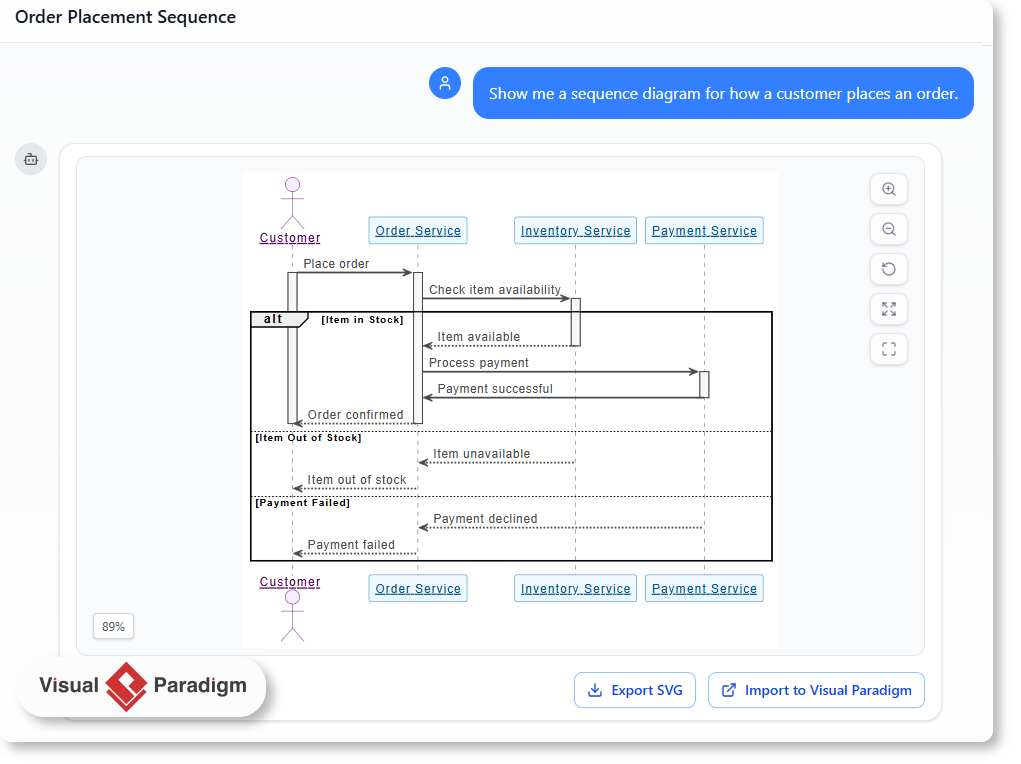
How to Generate a Sequence Diagram via Chat
- Access the Platform: Navigate to the AI Chatbot and sign in to save or export your work.
- Enter a Prompt: Type a natural language description of your scenario. Be specific about actors, steps, and logic. For example: “Generate a sequence diagram for a user logging into a banking app with 2FA.”
- Instant Generation: The AI interprets the text and renders the diagram immediately.
- Iterative Refinement: Engage in a conversation to improve the result. You can say, “Add an error path for invalid OTP,” or “Explain the validation process.”
- Export: Once satisfied, hover over the diagram to download it as an image, copy the PlantUML code, or import it directly into Visual Paradigm for further editing.
Tool 2: The AI Sequence Diagram Refinement Tool
For users working directly within the Visual Paradigm environment (Desktop or Online), the Sequence Diagram Refinement Tool offers a more integrated experience. This tool excels at transforming simple text or high-level use cases into technically precise, multi-layered diagrams.
Workflow for the Refinement Tool
- Launch the Tool: In Visual Paradigm, go to Tools > Apps and select the Sequence Diagram Refinement Tool.
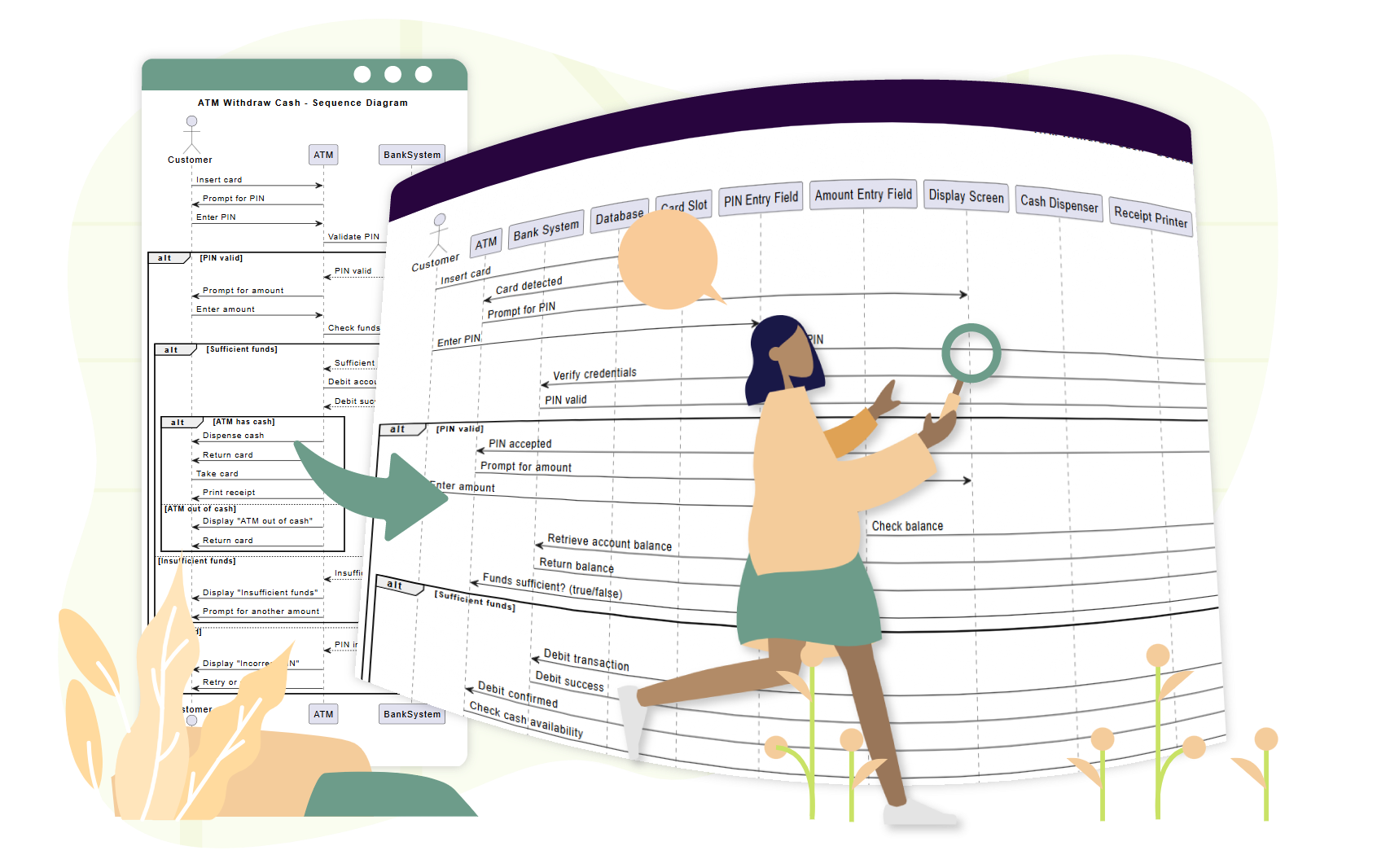
- Input Data: Provide a simple prompt, a basic diagram description, or a high-level use case text.
- AI Processing: The AI analyzes the input to identify components and relationships. It often enhances the structure by adding architectural layers, such as separating Views, Controllers, and Models.
- Review and Edit: The tool generates a refined diagram. You can regenerate it if necessary, edit the result using standard modeling tools, or export it to formats like SVG.
Real-World Examples
To truly understand the capabilities of these tools, let’s look at how they handle scenarios ranging from simple to complex.
Example 1: User Login (Iterative Refinement)
Initial Prompt: “Generate a UML sequence diagram for a user logging into a website. Include steps for entering credentials, server validation, and success/error handling.”
AI Output: The AI creates lifelines for the User, Login UI, Server, and Database. It includes an alt fragment to show paths for successful login versus invalid credentials.
Refinement: By asking the AI to “Add two-factor authentication after password validation,” the diagram is updated to include an Authenticator lifeline and an opt fragment for the 2FA process.
Example 2: Complex E-Commerce Checkout
Scenario: A user wants to model a full checkout flow involving multiple external services.
Prompt: “Create a detailed UML sequence diagram for an e-commerce checkout process. Actors: Customer, Frontend App, Cart Service, Payment Gateway, Inventory System, Email Service. Include branches for invalid promo, out-of-stock items, and payment decline.”
Result: The AI generates a comprehensive diagram with over 7 actors and 15+ messages. It correctly places alt fragments for error handling (e.g., payment decline) and synchronous/asynchronous messages where appropriate. This demonstrates the tool’s ability to save hours of manual drafting time.
Example 3: Video Streaming Logic
Scenario: Explaining technical backend logic.
Prompt: “Create a sequence diagram that explains how a video streaming platform starts playback when a user clicks play.”
Result: The output details the flow from the User to the Streaming Client, Video Server, and CDN. It visualizes the request for metadata, the return of adaptive bitrate JSON, and the fetching of video chunks.
Best Practices for Prompt Engineering
To get the most out of Visual Paradigm’s AI, consider these tips when crafting your prompts:
- Use Action Verbs: Start commands with clear directives like “Generate,” “Refine,” or “Add.”
- Be Specific: Mention specific UML elements you want to see, such as “use an alt fragment for payment failure.”
- Build Progressively: Start with a high-level flow, then use iterative prompts to add complexity, exceptions, and specific architectural details.
- Verify Domain Accuracy: While the AI is powerful, always review the output for domain-specific accuracy. AI accelerates the process but does not replace the need for human expertise.
Conclusion
Visual Paradigm’s AI capabilities—from the web-based Chatbot to the integrated Refinement Tool—democratize the creation of complex technical diagrams. By automating the tedious aspects of UML modeling, these tools allow developers and architects to focus on high-level design and logic. Whether you are prototyping a new feature or documenting a legacy system, AI-powered sequence diagrams offer a path to higher-quality software design with significantly less effort.
The following articles and tutorials provide detailed information on generating, refining, and mastering AI-powered UML sequence diagrams within the Visual Paradigm platform:
-
Visual Paradigm – AI-Powered UML Sequence Diagrams: This article teaches users how to generate UML sequence diagrams instantly using artificial intelligence within the Visual Paradigm modeling suite.
-
AI Sequence Diagram Example: Video Streaming Playback Initiation: This resource demonstrates how the AI Chatbot generates sequence diagrams from simple prompts by acting as a modeling partner that interprets intent and refines logic in real time.
-
AI-Powered Sequence Diagram Refinement in Visual Paradigm: This guide explains how to transform use-case descriptions into precise and professional sequence diagrams using AI-powered refinement tools.
-
Mastering Sequence Diagrams with Visual Paradigm: AI Chatbot Tutorial: This beginner’s tutorial provides instructions on creating sequence diagrams in Visual Paradigm through a real-world e-commerce chatbot case study.
-
AI-Powered Sequence Diagram Refinement Tool | Visual Paradigm: The AI refinement tool enhances sequence diagrams with intelligent suggestions to improve the overall accuracy and clarity of software designs.
-
Comprehensive Tutorial: Using the AI Sequence Diagram Refinement Tool: This step-by-step guide helps users utilize the AI Sequence Diagram Refinement Tool to achieve better diagram quality and consistency.
-
Simplify Complex Workflows with Visual Paradigm AI Sequence Diagram Tool: Visual Paradigm provides an AI-enhanced tool that simplifies the process of modeling complex system interactions and workflows.
-
AI Sequence Diagram Refinement Tool | Visual Paradigm: This application provides AI-powered refinement of sequence diagrams to ensure they possess improved readability, correctness, and consistency.
-
Beginner’s Tutorial: Create Your First Professional Sequence Diagram in Minutes: Users can follow this beginner-friendly guide to quickly create professional sequence diagrams using the Visual Paradigm AI chatbot.
-
From Simple to Sophisticated: AI-Powered Sequence Diagram Refinement Tool: This resource describes how the AI tool transforms basic sequence diagrams into refined and accurate models with minimal user input.
-
Refining Sequence Diagrams with AI: A Smarter Way to Design Systems: Artificial intelligence enhances the sequence diagram design process by intelligently refining models to improve clarity and system accuracy.
-
Mastering MVC Architecture with Sequence Diagram Refinement: This guide explains how to use the sequence diagram refinement tool to validate and improve the behavior and interactions of Model-View-Controller systems.
This post is also available in Deutsch, Español, فارسی, Français, English, Bahasa Indonesia, 日本語, Polski, Portuguese, Ру́сский, Việt Nam, 简体中文 and 繁體中文.