


In the complex landscape of organizational change, clarity is the currency of success. Business Process Model and Notation, commonly known as BPMN, serves as the universal language for describing workflows. For a business analyst, this notation is not merely a drawing tool; it is a communication bridge. It connects technical teams with business owners, ensuring everyone understands the “how” and “why” of a process. This guide explores how to leverage BPMN to demonstrate value effectively.
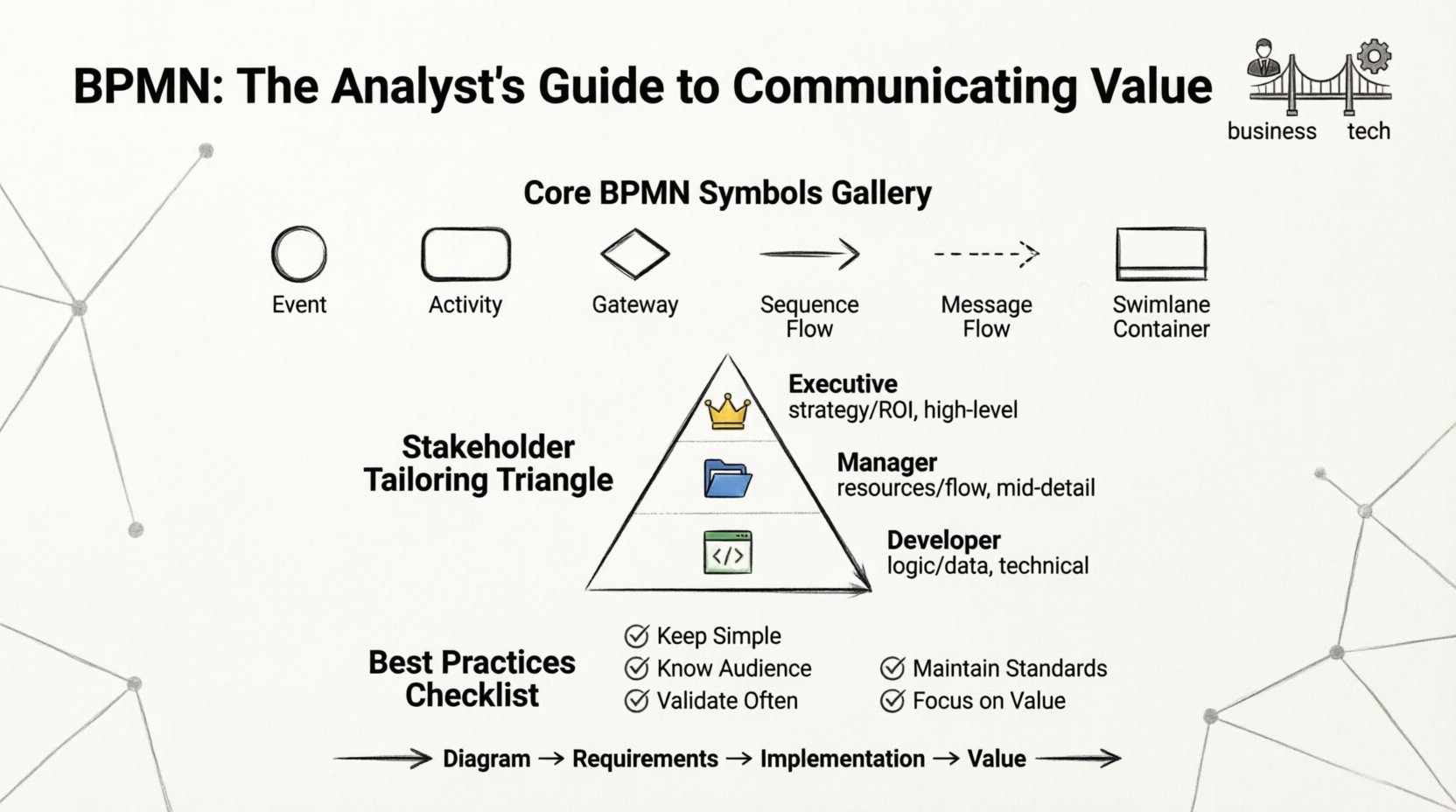
Understanding the Core of BPMN 🔄
BPMN is a standard set of rules for modeling business processes. It was developed to be understood by all stakeholders involved in a process, from business users to IT developers. The notation uses graphical symbols to represent steps, decisions, and flows. By adhering to these standards, analysts create diagrams that are consistent and readable across different teams.
When implementing BPMN, the goal is to reduce ambiguity. A well-constructed model removes guesswork. It defines exactly who does what, when, and under what conditions. This precision is crucial when stakeholders need to approve changes or identify bottlenecks.
- Standardization: Using a recognized standard prevents confusion caused by custom symbols.
- Clarity: Visual representations are often faster to digest than text-heavy documents.
- Accuracy: Formal notation enforces logical consistency in process design.
Without a shared language, misunderstandings arise. Developers might code a solution that does not match the business need. Business users might expect a feature that the process flow does not support. BPMN mitigates this risk by providing a single source of truth.
Key Elements Every Analyst Must Know 🧩
To communicate effectively, an analyst must be fluent in the vocabulary of the notation. The core elements include flow objects, connecting objects, swimlanes, and artifacts. Each plays a specific role in defining the lifecycle of a process.
Flow Objects
These are the building blocks of any diagram. They define the behavior of the process.
- Events: These indicate something that happens. They are typically circles. An event can be a start, a middle occurrence, or an end. For example, a “Start Event” triggers the process, while an “End Event” signifies completion.
- Activities: Represented by rounded rectangles, these are the actual work being performed. They can be simple tasks or complex sub-processes.
- Gateways: These are diamonds that control the flow. They determine if a path splits or merges based on a decision or condition.
Connecting Objects
These lines link the flow objects together. They show the sequence of steps.
- Sequence Flow: A solid arrow showing the order of activities.
- Message Flow: A dashed arrow showing communication between different participants.
- Association: A dotted line linking text or artifacts to flow objects.
Swimlanes and Pools
Organizing information is vital for stakeholder understanding. Swimlanes categorize activities by the participant responsible for them. This visual separation helps identify who owns each step.
- Pools: Represent distinct participants or organizations.
- Swimlanes: Divide a pool into sections for specific roles or departments.
Artifacts
These provide additional context without altering the flow. Data objects, groups, and annotations add necessary detail to the model.
| Element | Shape | Purpose |
|---|---|---|
| Event | Circle | Triggers or results of a process |
| Activity | Rounded Rectangle | A task or action to be performed |
| Gateway | Diamond | Decision point or synchronization |
| Sequence Flow | Solid Arrow | Order of execution |
| Message Flow | Dashed Arrow | Communication between pools |
| Swimlane | Container | Groups activities by role |
Why Stakeholders Need Clear Models 🤝
Stakeholders are individuals who have an interest in the outcome of a project. Their needs vary widely. A CEO cares about cost and time. A department head cares about workload and resources. An IT lead cares about integration and logic. A single document cannot satisfy everyone. BPMN allows for different levels of abstraction.
When a model is clear, stakeholders can visualize the impact of changes. They can see where delays occur. They can understand where value is generated. This visibility builds trust. Trust leads to faster approvals and smoother implementation.
Consider the following benefits of clear modeling:
- Reduced Rework: Errors are caught in the design phase, not after deployment.
- Better Alignment: Everyone agrees on the definition of the process.
- Faster Training: New employees can understand workflows quickly.
- Compliance: Regulated industries require documented processes for audits.
Tailoring the Message for Different Audiences 🎯
A common mistake is showing the same diagram to every stakeholder. High-level managers do not need to see every minor task. Developers need the logic, but not necessarily the business context of every decision. Tailoring the view ensures the message resonates.
For Executive Leadership
Focus on the big picture. Show the end-to-end flow. Highlight key milestones and decision points. Avoid getting bogged down in minor tasks. The goal is to show value, efficiency, and risk.
- Use simplified swimlanes (e.g., Departments rather than Individuals).
- Highlight bottlenecks and cycle times.
- Use annotations to summarize financial or strategic impact.
For Operational Managers
Focus on roles and responsibilities. Show who does what. Clarify handoffs between teams. Identify where delays typically occur.
- Detail the specific tasks within each lane.
- Include data objects required for each step.
- Highlight exceptions and error handling paths.
For Technical Teams
Focus on logic and integration. Show how systems interact. Define the data required for each activity. Ensure the flow is executable.
- Define exact gateways and conditions.
- Specify input and output data for each activity.
- Clarify system triggers and external integrations.
| Audience | Focus Area | Detail Level |
|---|---|---|
| Executive | Strategy & ROI | High-Level Overview |
| Manager | Resources & Flow | Mid-Level Detail |
| Developer | Logic & Data | Low-Level Technical |
| End User | Tasks & UI | Step-by-Step Instructions |
Common Mistakes That Reduce Clarity ❌
Even experienced analysts make errors that confuse stakeholders. These mistakes can undermine the value of the modeling effort. Awareness of these pitfalls helps in creating better diagrams.
- Over-Complication: Trying to capture every exception in one diagram makes it unreadable. Split complex processes into sub-processes.
- Ignoring Context: A diagram without context is just a picture. Always explain the business goal of the process.
- Inconsistent Notation: Mixing different styles confuses the reader. Stick to the standard rules.
- Too Much Text: If the text is too long, stakeholders will not read it. Keep labels concise.
- Disconnected Flows: Ensure every path leads somewhere. Orphaned tasks create confusion about where the process ends.
Strategies for Effective Process Communication 📝
Communication is not just about drawing. It is about the conversation around the drawing. The model is a tool to facilitate dialogue.
Walkthroughs and Workshops
Do not just send a file. Host a session where the analyst walks the stakeholder through the flow. Ask questions as you go. “What happens if this condition is false?” “Who approves this step?” This interactive approach validates the model and gathers requirements simultaneously.
Version Control
Processes change. Models must reflect that change. Maintain a clear history of versions. This ensures stakeholders know which version is current. It prevents confusion during implementation.
Feedback Loops
Encourage stakeholders to review the model before finalizing. They may spot logical errors that the analyst missed. This collaboration increases buy-in.
Ensuring Accuracy and Consistency ✅
Accuracy is paramount. If the model does not match reality, it is useless. Consistency ensures the model can be understood by anyone who sees it.
- Validation: Check the logic against real-world scenarios. Run a “sanity check” with users.
- Naming Conventions: Use consistent names for activities and events. Avoid synonyms for the same action.
- Layout Standards: Keep the flow direction consistent (e.g., top-to-bottom or left-to-right).
- Legend: Include a legend if non-standard symbols are used for specific projects.
Moving from Diagram to Action 🏗️
The end goal of modeling is action. The diagram must lead to implementation. This requires translating the visual model into specifications.
- Requirement Traceability: Link each model element to a business requirement. This ensures nothing is lost in translation.
- Gap Analysis: Compare the current model with the future state. Identify what needs to change.
- Implementation Plan: Use the model to define the phases of the project.
By following these practices, analysts ensure that the BPMN model serves its purpose. It becomes a living document that guides the organization. It transforms abstract ideas into concrete actions. This is how value is communicated and delivered.
Summary of Best Practices
To wrap up, remember the core principles of effective BPMN communication.
- Keep it Simple: Use standard symbols and avoid unnecessary complexity.
- Know Your Audience: Tailor the detail level to the stakeholder’s role.
- Validate Often: Get feedback from users and technical teams early.
- Maintain Standards: Adhere to the notation rules for consistency.
- Focus on Value: Always link the process back to business goals.
When analysts master these communication techniques, they become indispensable partners in organizational improvement. The process model becomes a catalyst for change, driving efficiency and clarity across the enterprise.
This post is also available in Deutsch, Español, فارسی, Français, English, Bahasa Indonesia, 日本語, Polski, Portuguese, Ру́сский, Việt Nam, 简体中文 and 繁體中文.