


Introduction: The Evolution of Modeling
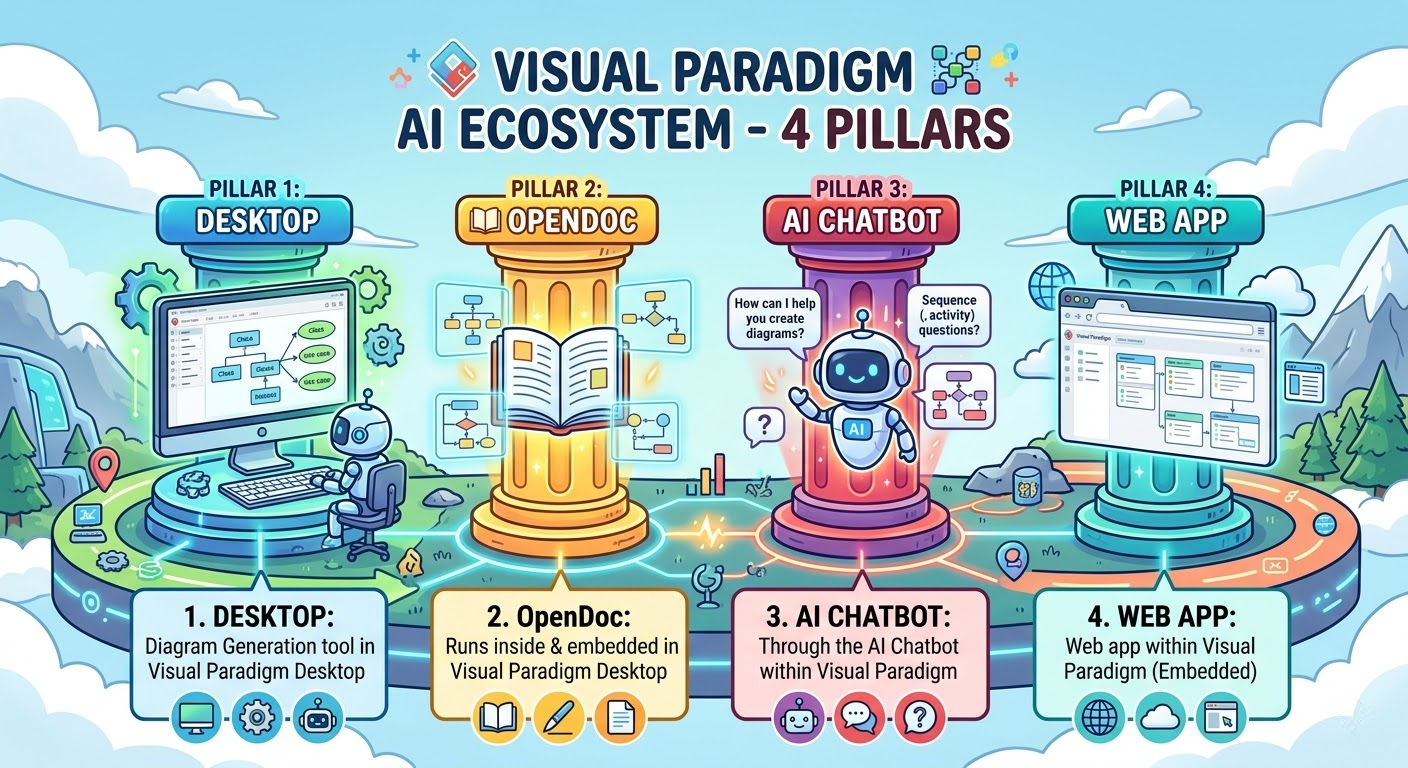
In the modern landscape of software engineering and business analysis, the gap between idea and execution is narrowing. Visual Paradigm (VP) has responded to this shift by building a robust AI Ecosystem. Rather than relying on a single tool, VP has architected a four-pillar approach designed to support the entire lifecycle of a project—from the spark of an idea to enterprise-grade delivery.
🔹 Pillar 1: VP Desktop – The Professional Engine Room
Purpose
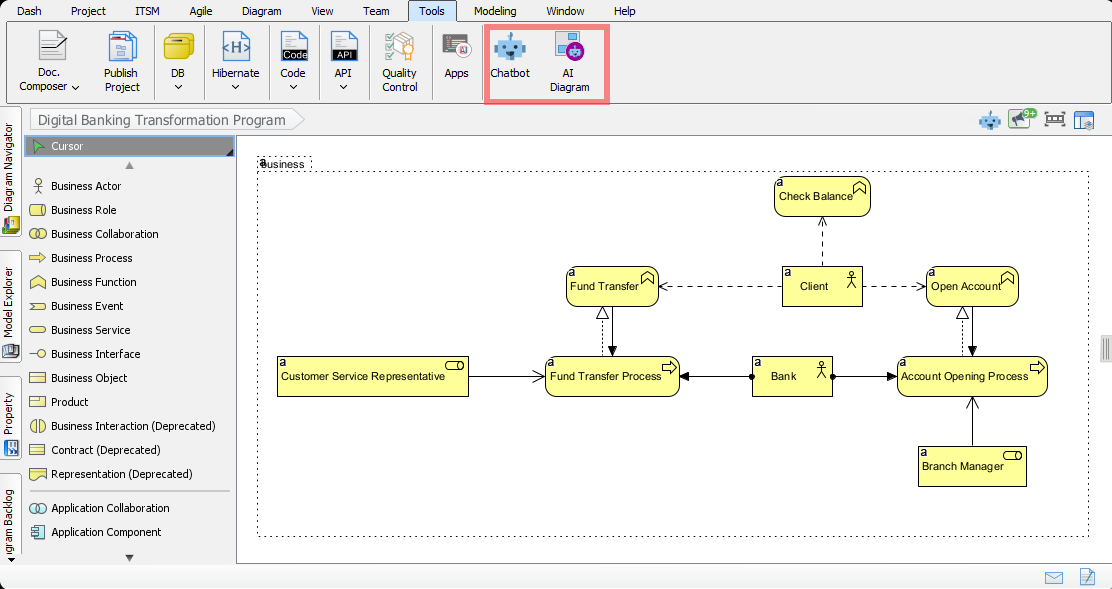
VP Desktop is the powerhouse of the ecosystem. It is designed for heavy-duty modeling, complex system architecture, and rigorous engineering standards. While the other pillars focus on ideation and collaboration, VP Desktop focuses on precision, depth, and implementation.
Key AI-Enhanced Features
- AI-Assisted Code Engineering: Generate code from diagrams and reverse-engineer code into models with AI suggestions for optimization.
- Model Validation & Refactoring: AI analyzes models for best practices, suggesting structural improvements to reduce technical debt.
- Complex Diagramming: Full support for UML, BPMN, ERD, ArchiMate, and SysML with AI-driven layout adjustments.
- Enterprise Integration: Connects with Jira, Azure DevOps, and GitHub, using AI to map model elements to development tickets.
Ideal Use Cases
- Enterprise Architecture: Designing large-scale system landscapes.
- Software Development: Detailed class design, database schema modeling, and API specification.
- Compliance & Governance: Ensuring models meet strict industry standards (e.g., ISO, TOGAF).
🔹 Pillar 2: OpenDocs – The Living Knowledge Hub
Purpose
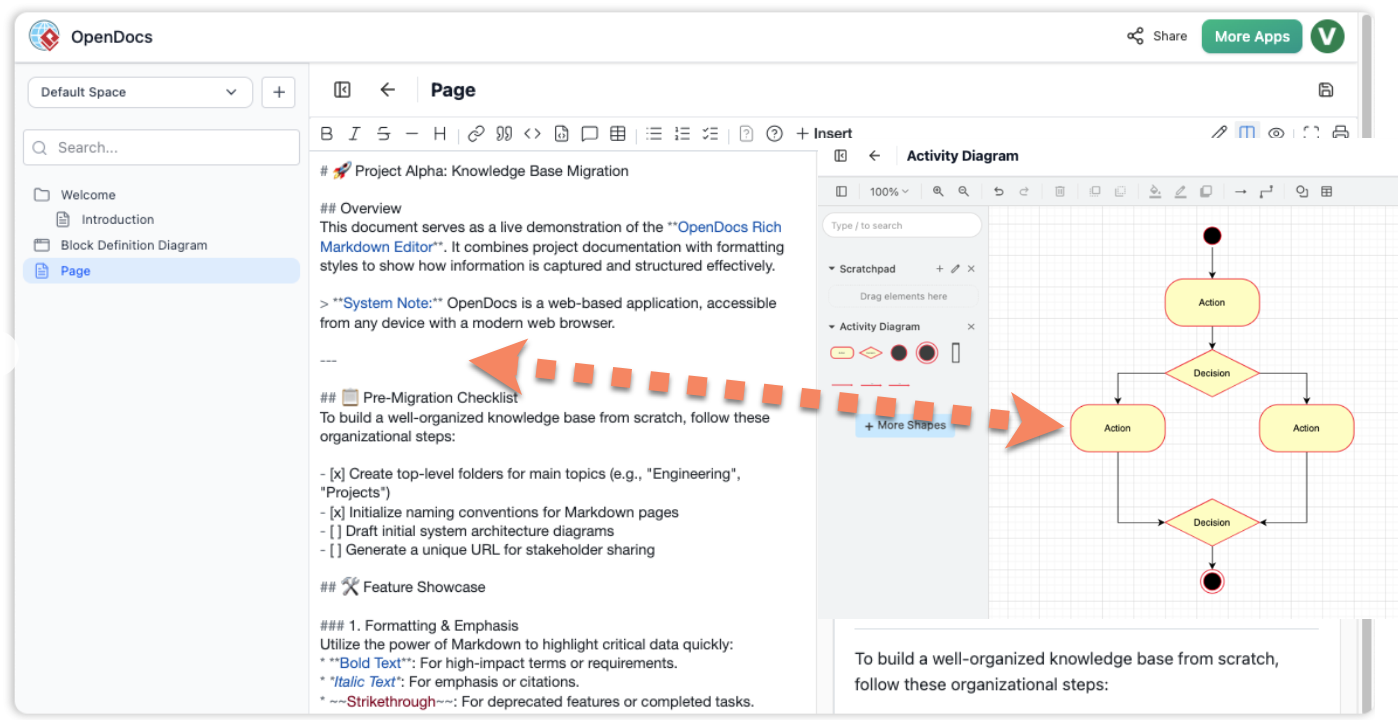
Models often die in silos. OpenDocs transforms static documentation into a living, breathing knowledge base. It bridges the gap between technical models and human-readable requirements, ensuring that documentation evolves alongside the project.
Key AI-Enhanced Features
- Model-to-Text Synchronization: AI automatically generates narrative documentation from diagrams, ensuring text never drifts from the visual model.
- AI Writing Assistant: Helps draft requirements, user stories, and project charters with tone and clarity adjustments.
- Smart Search & Retrieval: Use natural language to query the documentation repository (e.g., “Show me all requirements related to payment security”).
- Collaborative Editing: Real-time co-authoring with AI suggestions for consistency and completeness.
Ideal Use Cases
- Requirement Management: Creating dynamic SRS (Software Requirement Specification) documents.
- Knowledge Management: Maintaining an organizational wiki that stays up-to-date with system changes.
- Stakeholder Communication: Generating client-facing reports that explain technical models in plain language.
🔹 Pillar 3: AI Visual Modeling Chatbot – The Conversational Ideation Co-Pilot
Purpose
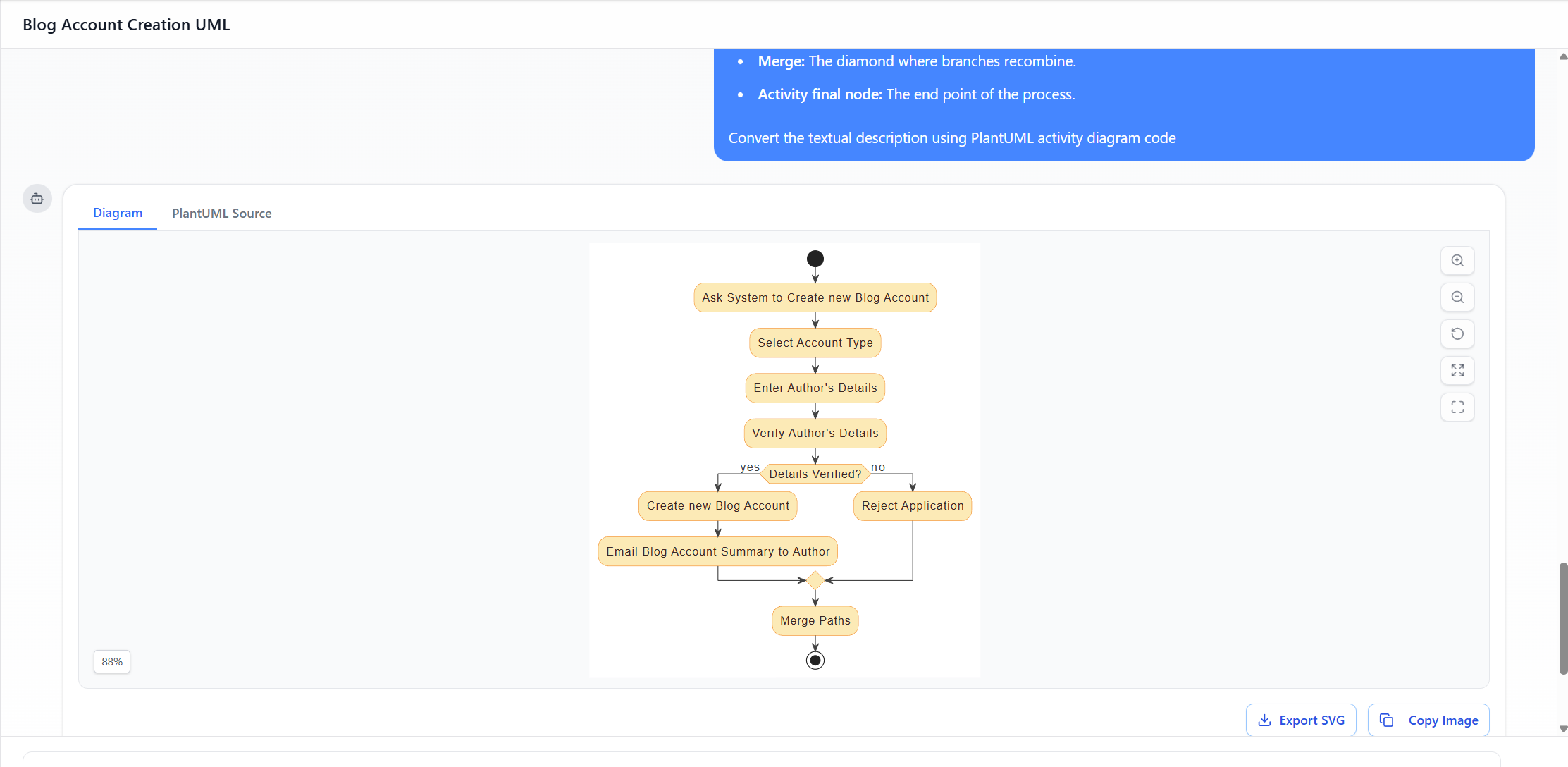
The barrier to entry for modeling is often high. The AI Chatbot democratizes this process. It allows users to create models using natural language, serving as the fastest route from “thought” to “visual.”
Key AI-Enhanced Features
- Text-to-Diagram: Describe a process or system in chat (e.g., “Create a login flow for a mobile app”), and the AI generates the initial diagram.
- Conversational Refinement: Iterate on the model via chat (e.g., “Add a password reset option” or “Change this to a sequence diagram”).
- Q&A on Models: Ask the bot questions about existing models to understand logic without tracing lines manually.
- Instant Prototyping: Rapidly spin up throwaway models to validate concepts before committing to formal design.
Ideal Use Cases
- Brainstorming Sessions: Capturing ideas in real-time during meetings.
- Non-Technical Stakeholders: Allowing business users to contribute to process design without learning modeling syntax.
- Quick Validation: Testing a logic flow before handing it off to architects.
🔹 Pillar 4: AI Apps & Studios (Web Apps) – The Guided Domain Experts
Purpose
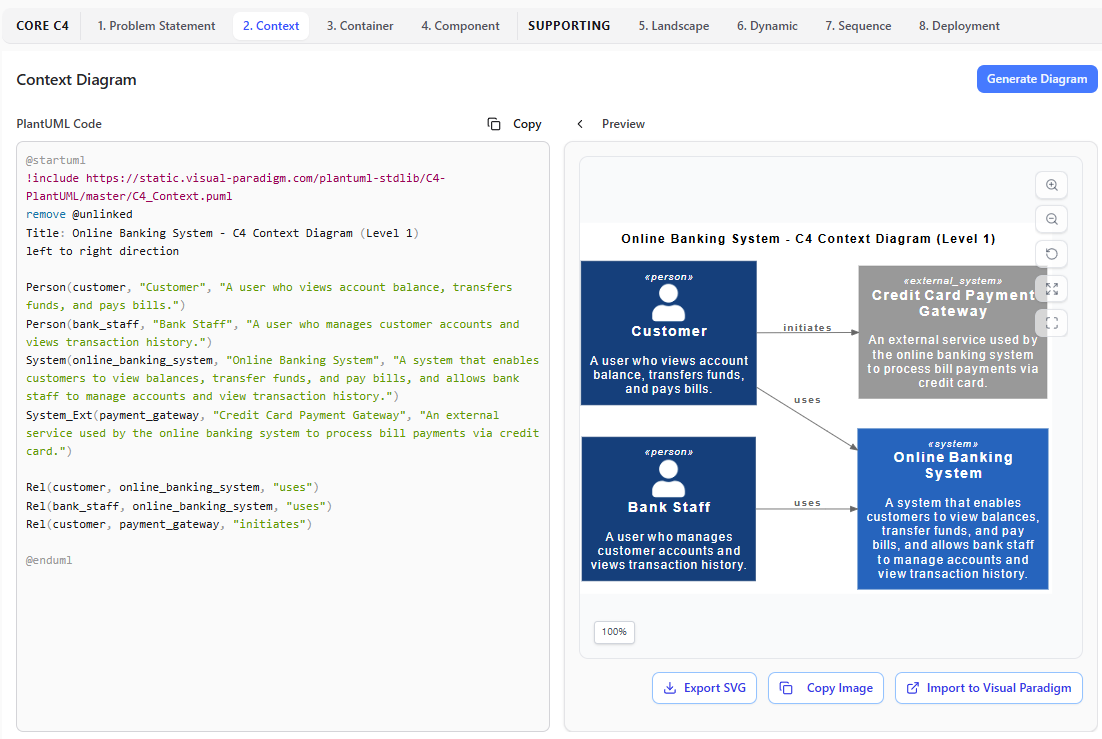
Key AI-Enhanced Features
- Step-by-Step Wizards: Guided interfaces for specific frameworks (e.g., SWOT Analysis, OKR, BPMN Process Discovery).
- Domain-Specific AI: The AI understands the context of the specific domain (e.g., HR, Finance, DevOps) and offers tailored suggestions.
- Automated Analysis: AI evaluates the input against domain best practices (e.g., “This business process has a bottleneck at step 3”).
- Web-Based Accessibility: No installation required; accessible via browser for quick, focused tasks.
Ideal Use Cases
- Methodology Adoption: Implementing specific frameworks like Agile, TOGAF, or Six Sigma.
- Workshops: Facilitating structured strategy sessions.
- Compliance Checks: Ensuring specific domain rules are followed during the design phase.
🔄 The Closed-Loop Workflow: Integrating the Four Pillars
Phase 1: Ideation (The Spark)
- Tool: AI Visual Modeling Chatbot
- Action: A product manager describes a new feature idea in natural language. The Chatbot generates a rough Context Diagram or User Story Map.
- Output: A preliminary visual concept.
Phase 2: Structuring (The Framework)
- Tool: AI Apps & Studios
- Action: The preliminary concept is imported into a specific Studio (e.g., BPMN Studio). The AI guides the team through a step-by-step process to flesh out the details, ensuring all edge cases and compliance rules are met.
- Output: A validated, domain-specific process model.
Phase 3: Documentation (The Knowledge)
- Tool: OpenDocs
- Action: The validated model is synced to OpenDocs. AI generates the requirement specifications and user manuals based on the diagram logic. Stakeholders review and edit the text, which stays linked to the model.
- Output: Living documentation that matches the design.
Phase 4: Execution (The Delivery)
- Tool: VP Desktop
- Action: The finalized models are opened in VP Desktop for detailed engineering. Architects refine the UML classes, database schemas, and architecture. AI assists in code generation and technical validation.
- Output: Production-ready code and enterprise architecture.
The Feedback Loop
- Change Management: If a developer changes a class structure in VP Desktop, the change ripples back to OpenDocs (updating the tech specs) and can be queried via the Chatbot (for future onboarding).
- Continuous Improvement: Insights from the Studios regarding process bottlenecks can inform future brainstorming sessions in the Chatbot.
Summary of Value Proposition
|
Pillar
|
Primary Value
|
Target Audience
|
|---|---|---|
|
VP Desktop
|
Depth & Precision
|
System Architects, Developers, Engineers
|
|
OpenDocs
|
Clarity & Consistency
|
Business Analysts, Project Managers, Writers
|
|
AI Chatbot
|
Speed & Accessibility
|
Product Owners, Stakeholders, Innovators
|
|
AI Studios
|
Guidance & Compliance
|
Consultants, Process Owners, Auditors
|
Conclusion
- This integration ensures that an idea generated in a chat window can seamlessly evolve into an enterprise-grade system without losing fidelity, context, or documentation quality along the way. In an era where agility and accuracy are paramount, mastering this four-pillar ecosystem is the key to future-proofing your development and analysis workflows.
Reference
-
- Visual Paradigm’s AI-Powered Ecosystem: Four Platforms, One Vision for Smarter Visual Modeling: Comprehensive overview of how Visual Paradigm’s four AI-powered platforms—VP Desktop, OpenDocs, AI Visual Modeling Chatbot, and AI Apps & Studios—integrate to deliver end-to-end modeling lifecycle support from ideation to enterprise-grade delivery
- AI Diagram Generators – Visual Paradigm Ecosystem: Official guide detailing the unique value propositions of each ecosystem pillar, including VP Desktop for precision modeling, OpenDocs for collaborative knowledge management, the Chatbot for conversational ideation, and Web Apps for methodology-guided workflows
- OpenDocs | All-in-One Knowledge Base & Diagramming Tool: Product page describing OpenDocs as a unified platform with integrated, AI-assisted diagramming for dynamic, living technical documentation
- AI Chatbot – Visual Paradigm: Feature documentation explaining how the AI Chatbot transforms natural language prompts into standards-compliant UML, BPMN, C4, and business strategy diagrams with conversational refinement capabilities
- Visual Paradigm AI: The Ultimate Guide to Intelligent Modeling for Engineers, Architects & Teams: In-depth guide covering hybrid workflow support, code generation capabilities, and how the four pillars enable teams to start with chat, refine in documents, and generate production-ready code
- Comprehensive Guide to the Visual Paradigm AI Ecosystem: Powering Modern Software Systems Modeling with Generative AI: Technical analysis of how Visual Paradigm leverages generative AI across UML, SysML, BPMN, and ArchiMate standards to support enterprise architecture and software engineering workflows
- OpenDocs – AI-Powered Knowledge Platform: Official feature page highlighting OpenDocs’ capabilities for creating, organizing, and sharing rich documentation with embedded, editable diagrams for team collaboration and knowledge retentio
- What Is the Visual Paradigm AI Chatbot?: Introductory guide explaining the Chatbot’s role as a conversational bridge to instant diagram generation, requiring no design skills and supporting iterative refinement through natural language
- Case Study: Enhancing System Modeling Efficiency with Visual Paradigm’s AI-Powered Chatbot: Real-world implementation case study demonstrating measurable productivity gains when teams adopt the AI Chatbot for rapid prototyping and requirements visualization
- Visual Paradigm AI: Advanced Software & Intelligent Apps: Central hub for Visual Paradigm’s AI-powered tools, providing access to domain-specific Studios (C4, Use Case Modeling, Cloud Architecture) and demonstrating how guided workflows enforce best practices while accelerating delivery
- Harnessing Visual Paradigm’s AI for Diagram Generation: The Ultimate 2026 Guide: Practical guide covering prompt engineering techniques, diagram refinement strategies, and integration patterns for maintaining model integrity across the AI ecosystem
- Visual Paradigm AI vs. Standard Text-to-Diagram Tools Guide: Living Models: Comparative analysis highlighting how Visual Paradigm’s AI-generated assets remain editable, interconnected, and traceable—unlike static outputs from generic text-to-image tools
- Kick Start on Using AI Features in Visual Paradigm Desktop: Step-by-step tutorial for enabling and leveraging AI capabilities directly within VP Desktop, including model generation, code engineering, and cloud sync with OpenDocs
- Visual Paradigm – AI-Powered Visual Modeling Platform: Official homepage summarizing the platform’s generative modeling capabilities, standards compliance, and enterprise-grade features for teams seeking to accelerate architecture and design workflows
- Documentation – Visual Paradigm Guides: Comprehensive documentation library covering UML visual modeling, component architecture, deployment mapping, and AI transformation strategies within the Visual Paradigm ecosystem
This post is also available in Deutsch, Español, فارسی, Français, English, Bahasa Indonesia, 日本語, Polski, Portuguese, Ру́сский, Việt Nam, 简体中文 and 繁體中文.
Related posts:
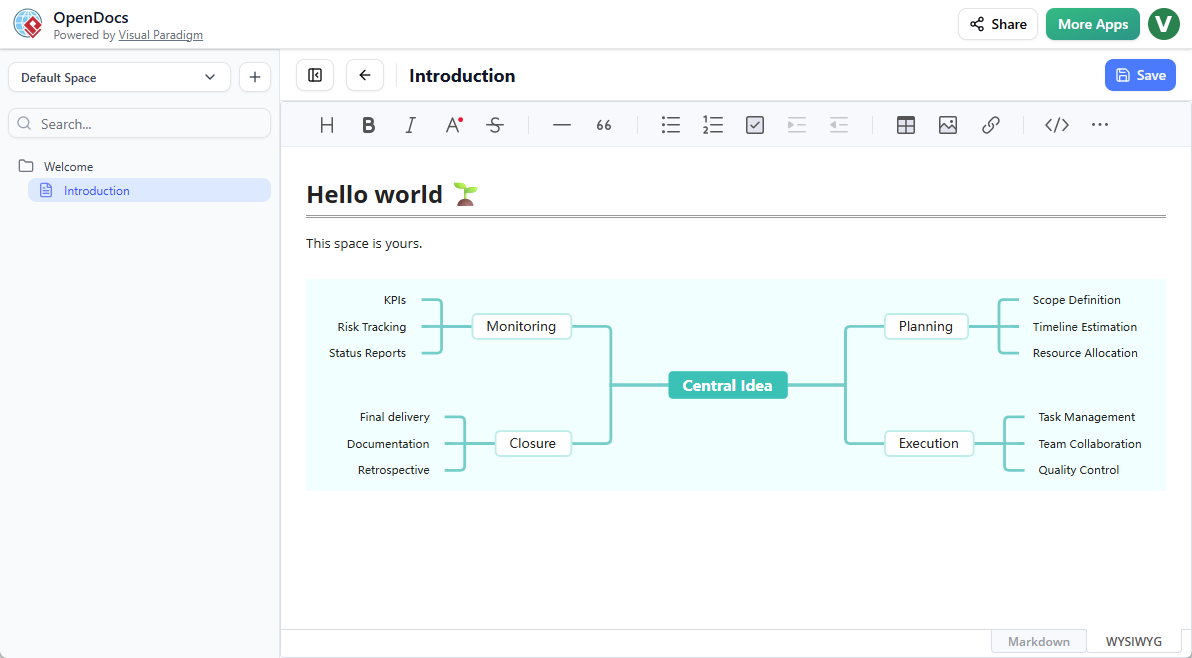 OpenDocs by Visual Paradigm: Revolutionizing Knowledge Management with AI and Visual Thinking
 Comprehensive Guide: Fishbone Diagrams (Ishikawa) in OpenDocs
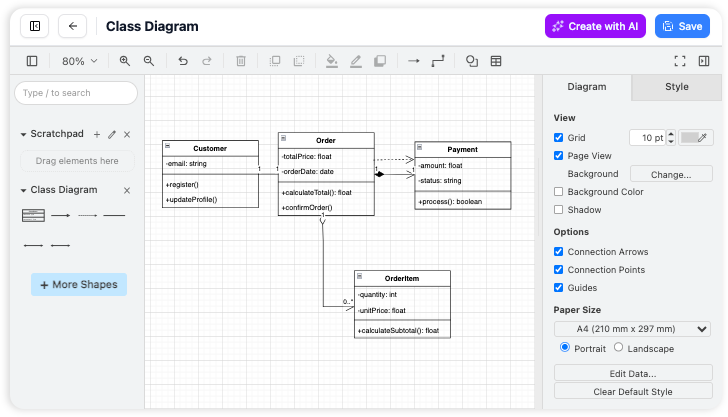 Comprehensive Guide to OpenDocs (February–March 2026 Update): The AI-Powered Visual Knowledge Engine
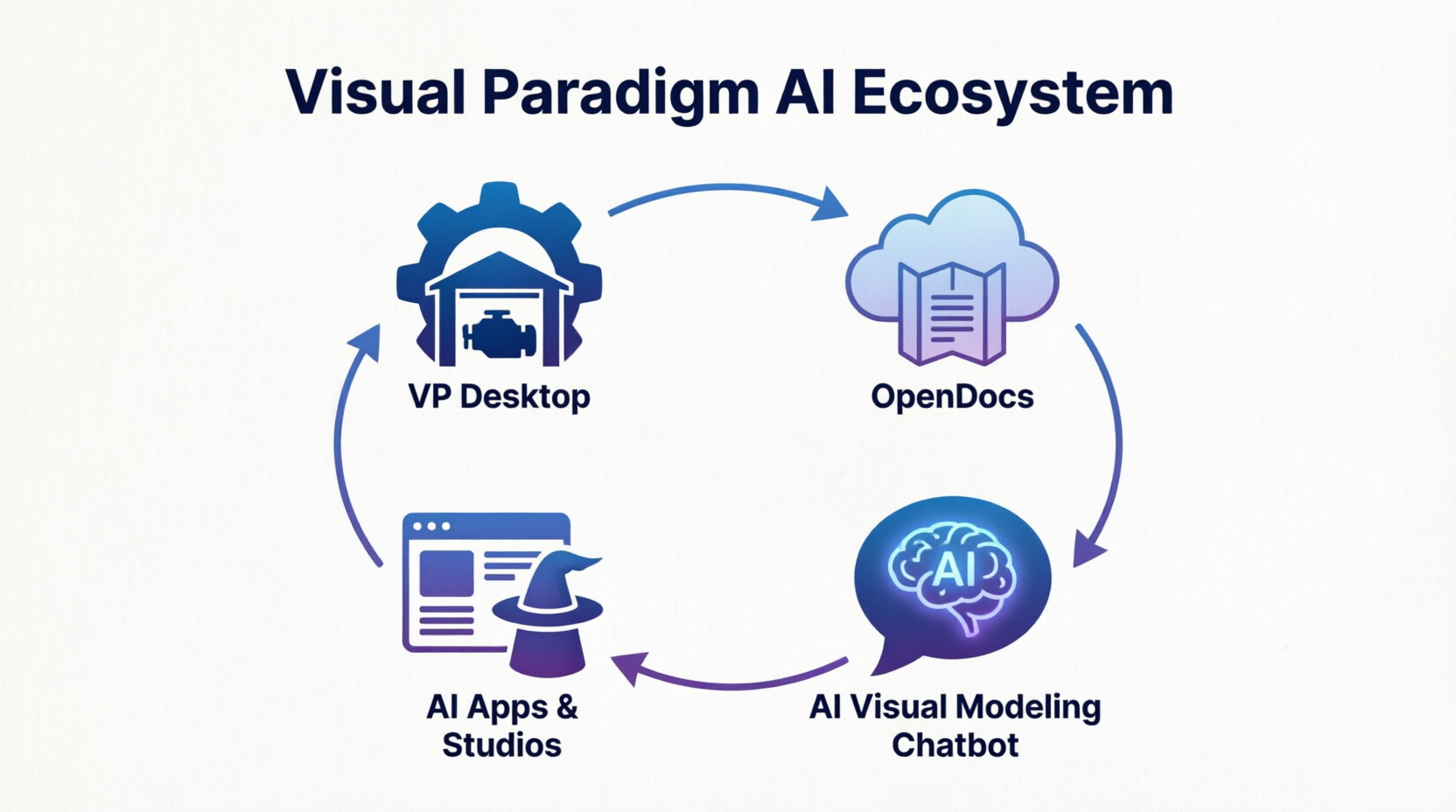 The Visual Paradigm AI Ecosystem: A Comprehensive Guide to the Four Pillars of Modern Modeling