


Introduction
Activities are the fundamental building blocks of Business Process Model and Notation (BPMN). Every business process is constructed using different types of BPMN activities, which represent the work performed within an organization. This guide provides a complete reference for understanding BPMN activity types, their notation, elements, and key modeling concepts.
What is BPMN?
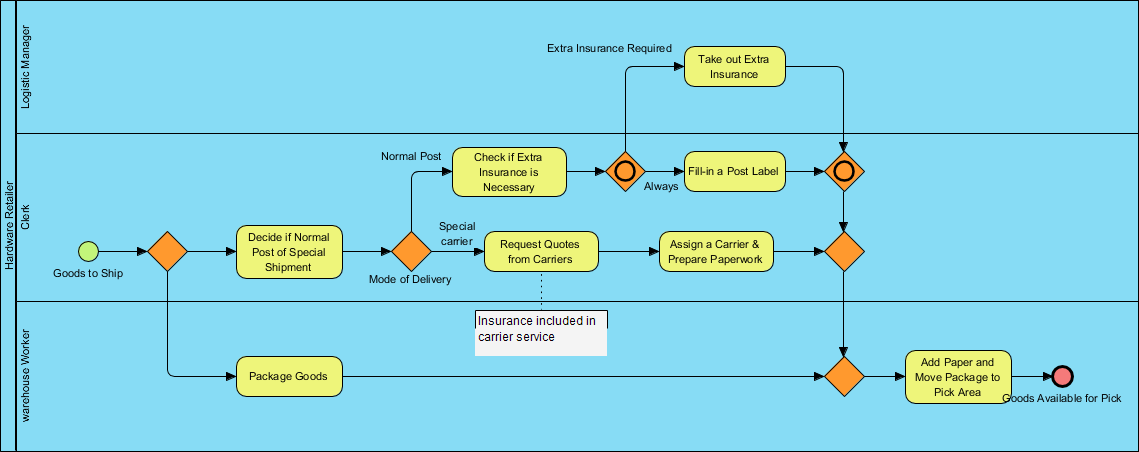
BPMN (Business Process Model and Notation) is a globally recognized standard for modeling business processes. It provides a graphical notation that is intuitive enough for business users yet expressive enough for technical implementation. Key characteristics include:
- Universal Understanding: Bridges communication between business analysts, developers, architects, and stakeholders
- Standardized Symbols: Uses consistent visual elements to represent process flows, events, gateways, and activities
- Executable Models: Supports process automation when paired with BPMN-compliant engines
- Scalable Detail: Allows modeling from high-level overviews to detailed implementation specs
What is a BPMN Activity?
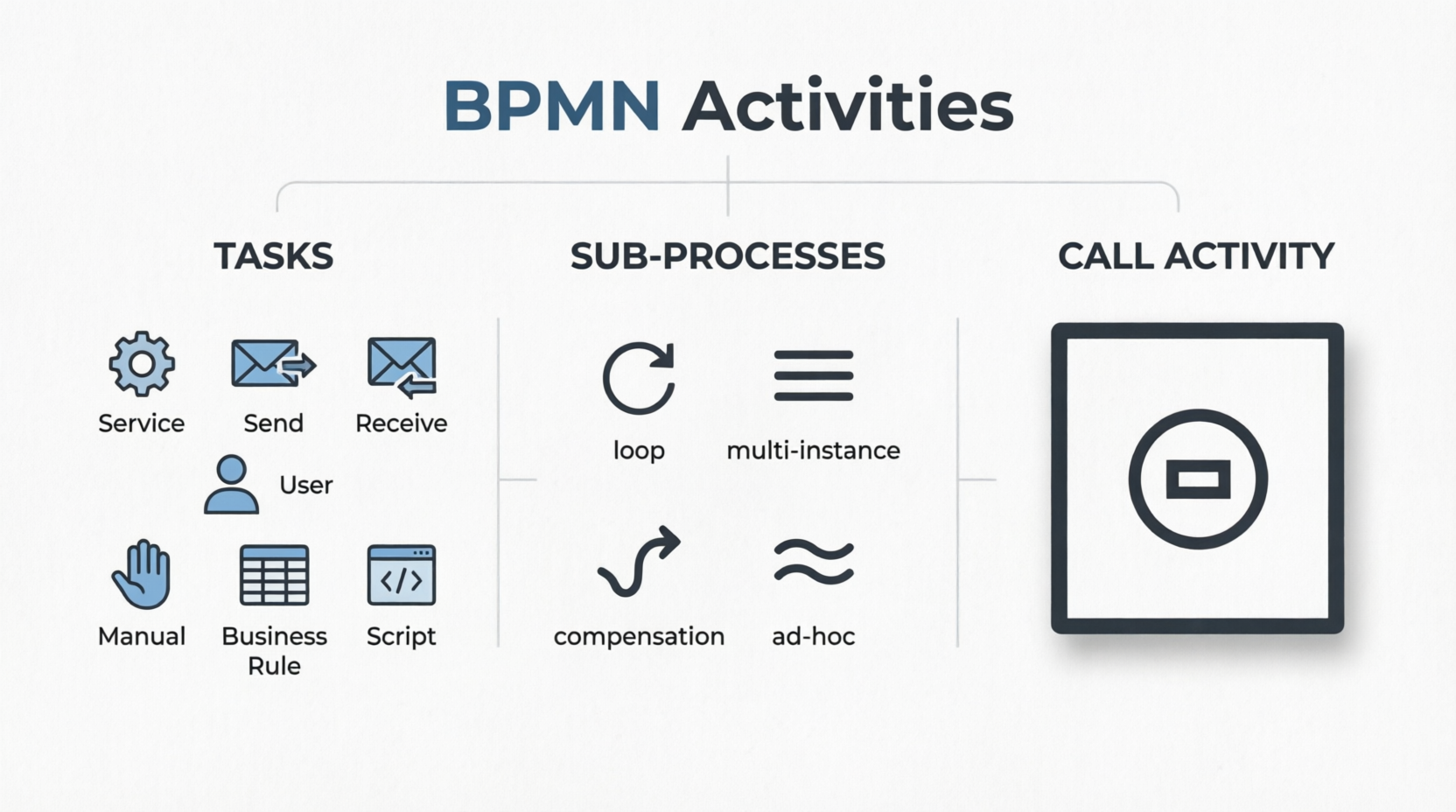
A BPMN Activity represents “work” performed within a business process. Activities can be:
| Type | Description | Use Case |
|---|---|---|
| Task | Atomic, non-decomposable unit of work | Single action like “Approve Request” |
| Sub-Process | Compound activity containing nested tasks/sub-processes | Grouping related steps for clarity |
| Call Activity | Reference to a globally defined reusable process | Invoking shared processes across diagrams |

BPMN Task Types
Tasks are atomic activities that cannot be broken down further. BPMN 2.0 defines seven specialized task types to clarify how work is performed.
🔧 Service Task

Definition: A task that invokes an automated service, web service, or application without human intervention.
Notation: Task rectangle with a gear/wrench icon in the top-left corner.
Example Use: Publishing a forum answer to Twitter via API. 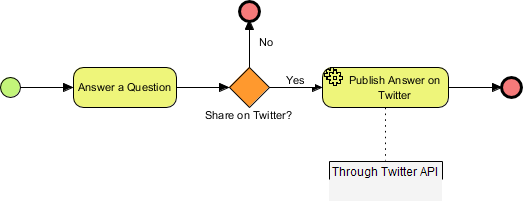
Key Concept: Fully automated; triggers external system calls.
📤 Send Task

Definition: A task that sends a message to another participant (pool) and completes immediately upon sending.
Notation: Task rectangle with an outgoing envelope icon.
Example Use: Moderator sending a rejection notice to an article author. 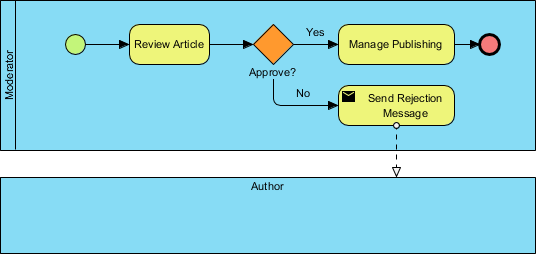
Key Concept: Fire-and-forget messaging; no wait for response.
📥 Receive Task

Definition: A task that waits for an incoming message before proceeding; completes when the message is received.
Notation: Task rectangle with an incoming envelope icon.
Example Use: Courier system waiting for a pickup request message. 
Key Concept: Blocking wait state; process pauses until message arrives.
👤 User Task

Definition: A task performed by a human user interacting with a software application.
Notation: Task rectangle with a person icon.
Example Use: Buyer approving an order through an e-commerce interface. 
Key Concept: Human-in-the-loop; requires user interface interaction.
✋ Manual Task

Definition: A task performed entirely without software assistance or process engine support.
Notation: Task rectangle with a hand icon.
Example Use: Physical cart inspection and paper sign-off procedures. 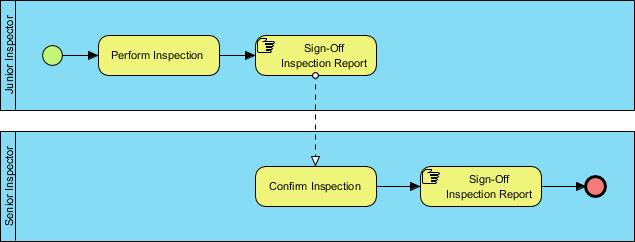
Key Concept: Purely human-executed; no digital system involvement.
⚖️ Business Rule Task

Definition: A task that evaluates input against a business rules engine and returns a decision or output.
Notation: Task rectangle with a table/grid icon.
Example Use: Analyzing survey data using a rules engine to generate insights. 
Key Concept: Declarative logic evaluation; separates rules from process flow.
💻 Script Task

Definition: A task that executes a predefined script interpreted by the process engine.
Notation: Task rectangle with a script/document icon.
Example Use: Running a credit-check script during loan application processing. 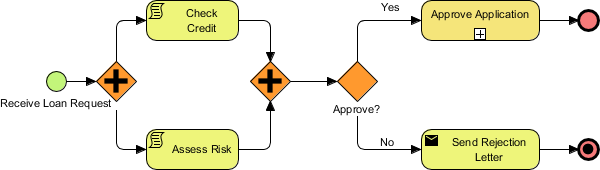
Key Concept: Engine-executed code; ideal for lightweight automation logic.
BPMN Sub-Processes
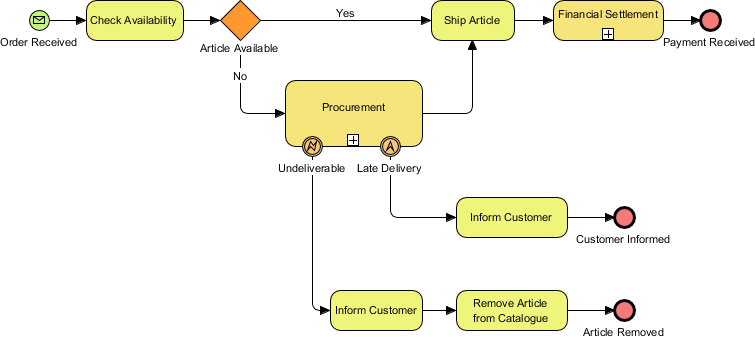
A Sub-Process is a compound activity that encapsulates a detailed process within a single activity symbol. Sub-processes enable:
- Abstraction: Hide complexity in high-level diagrams
- Reusability: Define once, reference multiple times
- Modularity: Organize processes into logical components
- Collaboration: Allow teams to work on separate sub-processes

Sub-Process Markers
| Marker | Name | Behavior | Visual Indicator |
|---|---|---|---|
| 🔁 | Loop | Repeats the sub-process sequentially until condition met | Circular arrow inside task |
| ≣ | Multi-Instance | Executes multiple parallel instances of the sub-process | Three vertical lines inside task |
| ↺ | Compensation | Defines undo/rollback logic for transactional processes | Curved arrow (counter-clockwise) |
| ✦ | Ad-hoc | Tasks execute in any order, optionally, based on case needs | Tilde (~) or star inside task |
Loop Sub-Process
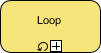
Use when a set of activities must repeat (e.g., “Review until approved”).
Multi-Instance Sub-Process
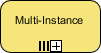
Use for parallel processing (e.g., “Notify all department heads simultaneously”).
Compensation Sub-Process
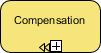
Use for rollback scenarios (e.g., “Cancel reservation if payment fails”).
Ad-hoc Sub-Process
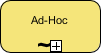
Use for flexible, case-driven workflows (e.g., “Handle customer complaint with optional steps”).
BPMN Call Activities
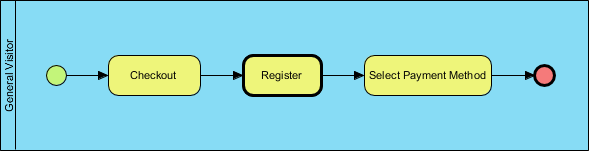
A Call Activity references a globally defined process or task external to the current diagram.
Key Benefits:
- ✅ Promotes reuse of standardized processes
- ✅ Reduces diagram clutter by abstracting common workflows
- ✅ Ensures consistency across multiple process models
- ✅ Simplifies maintenance (update once, propagate everywhere)
Notation: Task rectangle with a thick border and a “plus” or reference indicator.
Example: A “Register User” call activity invoking a shared registration process used across onboarding, checkout, and support workflows.
Key Modeling Concepts & Best Practices
🎯 Activity Selection Guidelines
- Start with Tasks: Model atomic work first; refactor into sub-processes when complexity grows
- Choose Task Types Precisely: Match the icon to the execution mechanism (human vs. automated vs. message-driven)
- Use Sub-Processes for Hierarchy: Collapse detailed flows to maintain readability at higher levels
- Leverage Call Activities for Reuse: Extract common patterns (e.g., “Approve”, “Notify”, “Validate”) into global processes
🔗 Flow & Connectivity
- Activities connect via Sequence Flows (solid arrows) showing execution order
- Message Flows (dashed arrows) link activities across participant pools
- Association Lines (dotted) attach artifacts like data objects or annotations
📐 Notation Consistency
| Element | Symbol | Purpose |
|---|---|---|
| Task | Rounded rectangle | Atomic work unit |
| Sub-Process | Rounded rectangle with +/marker | Collapsed/expanded process |
| Call Activity | Rounded rectangle with thick border | External process reference |
| Gateway | Diamond | Decision/merge point |
| Event | Circle | Trigger or result |
Reference List
- BPMN Activity Types Explained: Comprehensive guide to BPMN 2.0 activity types including tasks, sub-processes, and call activities with visual examples.
- What is BPMN: Introduction to Business Process Model and Notation, its purpose, audience, and benefits for cross-functional communication.
- What is BPMN Activity: Foundational explanation of BPMN activities as atomic or compound units of work within business processes.
- BPMN Tasks: Overview of atomic task elements and the seven specialized BPMN 2.0 task types for precise behavior modeling.
- Service Task: Details on tasks that invoke automated services, web APIs, or applications without human intervention.
- Send Task: Explanation of message-sending tasks that complete upon dispatch to another process participant.
- Receive Task: Description of message-waiting tasks that block process flow until an incoming message is received.
- User Task: Guidance on tasks requiring human interaction with software applications for completion.
- Manual Task: Clarification of tasks performed entirely without software or process engine assistance.
- Business Rule Task: Overview of tasks that interface with business rules engines for declarative decision-making.
- Script Task: Explanation of tasks that execute engine-interpreted scripts for lightweight automation logic.
- BPMN Sub-Processes: Guide to compound activities that encapsulate nested process logic for abstraction and modularity.
- Loop: Description of sub-process markers indicating sequential repetition of enclosed activities.
- Multi-instance: Explanation of markers enabling parallel execution of multiple identical sub-process instances.
- Compensation: Details on sub-processes designed for undo/rollback logic in transactional workflows.
- Ad hoc: Overview of flexible sub-processes where tasks execute optionally and in non-sequential order.
- BPMN Call Activities: Guide to referencing external, reusable process definitions for consistency and maintainability.
- Additional Resources: Curated links to BPMN software tools and foundational learning guides.
💡 Pro Tip: Always start modeling with the simplest activity type that accurately represents the work. Over-engineering with complex sub-processes or markers too early can reduce diagram clarity and stakeholder adoption.
This post is also available in Deutsch, Español, فارسی, Français, English, Bahasa Indonesia, 日本語, Polski, Portuguese, Ру́сский, Việt Nam, 简体中文 and 繁體中文.
Related posts:
 How Project Managers Can Use Business Process Model and Notation to Reduce Scope Creep
 Avoiding the “Spaghetti Diagram”: How to Keep Business Process Model and Notation Readable at Scale
 Business Process Model and Notation in Agile Teams: Integrating Models into Sprint Planning and Retrospectives
 Business Process Model and Notation: A Guide to Handling Exception Flows Without Breaking Logic