


Large systems rarely start large. They grow — feature by feature, module by module, diagram by diagram — until the model becomes difficult to navigate. When that happens, understanding the system at a glance is no longer easy. The UML Package Diagram provides a remedy by reorganizing the model into meaningful containers, allowing you to see structure without drowning in detail.
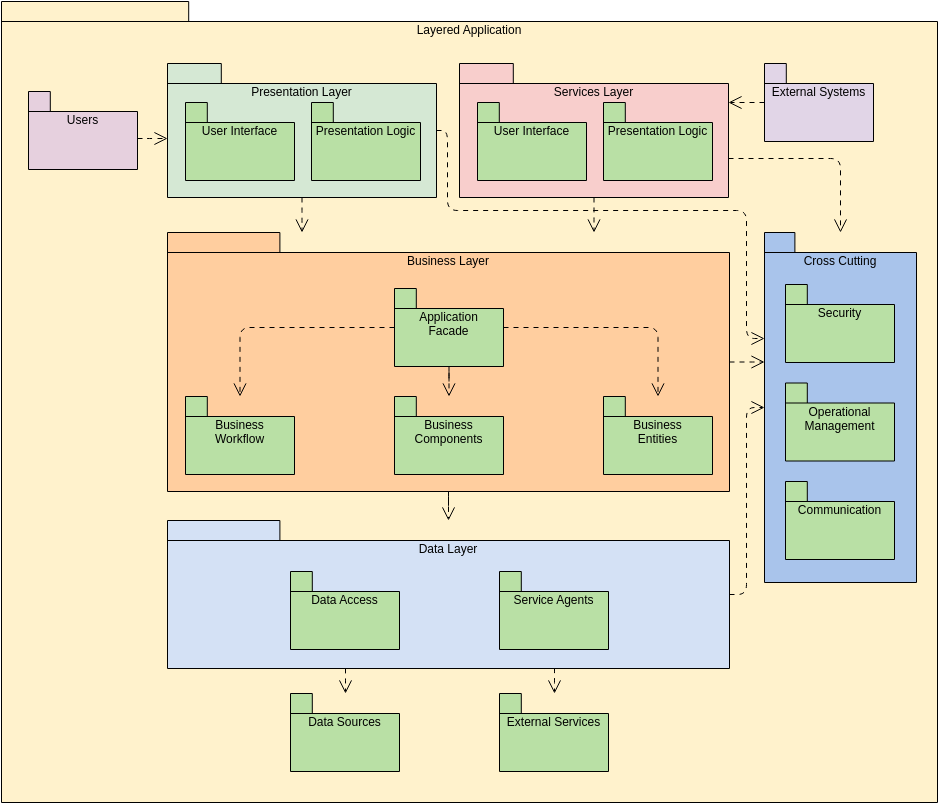
What the Package Diagram Represents
A Package Diagram focuses on how the model itself is organized, rather than how the system behaves. Think of it as a map that shows neighborhoods rather than individual buildings. Each “neighborhood” (or package) groups elements that belong together, whether they are classes, components, use cases, or even other packages.
In its simplest form, the diagram answers questions like:
- Which parts of the system belong to which domain?
- How do these domains depend on each other?
- How is the overall architecture divided or layered?
This makes the Package Diagram especially useful for teams who want a clear structural overview before diving into detailed models.
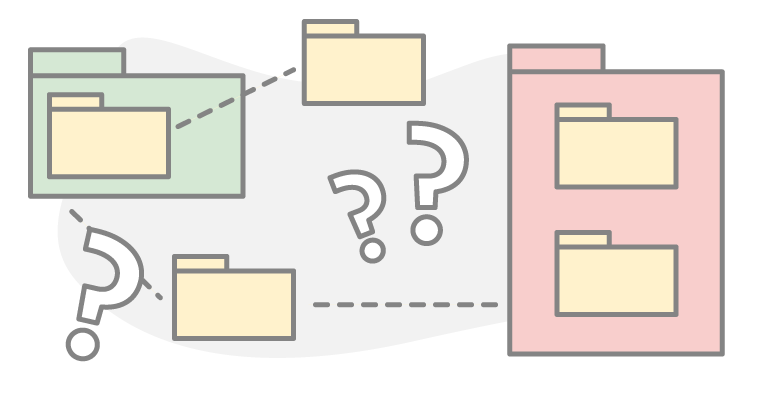
The Role of Packages in Architecture
A package gathers related elements under one umbrella, forming a logical boundary. Within that boundary, the elements are free to interact. Across boundaries, the diagram shows how one package relies on another through dependencies.
A few typical examples:
- A Billing package referencing services from an Account package
- A UI package depending on a Business Logic layer
- A Security package offering shared authentication modules
These relationships help teams understand how responsibilities are distributed and where coupling appears across the system.
Why This Diagram Matters in Real Projects
When designing or maintaining a sizable system, knowing the details of every class is unnecessary — or even counterproductive. What you need is a way to see:
- The major domains of the system
- How each domain relates to others
- Which modules are stable and which are tightly coupled
- Where architectural bottlenecks might form
A Package Diagram reveals that architecture clearly. It is often one of the first diagrams created when planning a new product, and one of the most valuable when documenting an existing one.
Typical Uses of Package Diagrams
You will see this diagram appear in several situations:
- Structuring the Overall System
Before anyone writes classes or interfaces, architects can sketch the major groups of functionality. - Defining Layers
Presentation, business logic, data access — these layers can be arranged and connected visually. - Refining Modular Boundaries
Teams can verify whether certain areas are self-contained or leaking responsibilities into others. - Managing Large Repositories
When working with hundreds or thousands of model elements, packages bring order and clarity. - Coordinating Team Work
Different teams or contributors can own specific packages, helping divide responsibilities cleanly.
Patterns and Elements Found in the Diagram
While the diagram is simple, a handful of concepts make it effective:
- Packages: the main containers.
- Sub-packages: nested groups for deeper structure.
- Dependencies: arrows indicating reliance or access.
- Visibility: rules defining what a package exposes.
- Import/Access Relationships: how elements are shared or protected.
Together, these pieces describe how the model is put together and how the architecture should be understood.
Industry Examples
Because every domain has complexity to manage, Package Diagrams appear everywhere:
- A financial platform grouping Transactions, Compliance, Risk Assessment, and Reporting.
- A healthcare application separating Patient Records, Scheduling, and Billing.
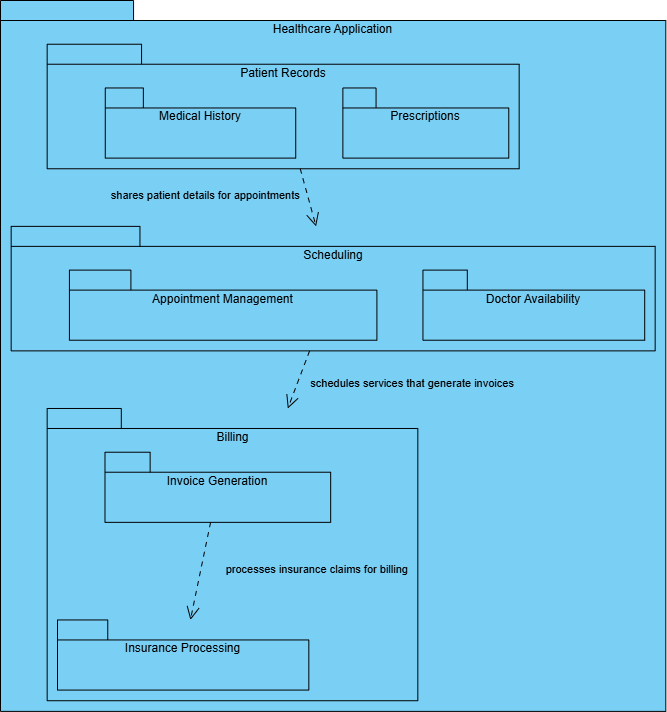
- A university system dividing Courses, Enrollment, Assessment, and Resources.
- A logistics application containing Inventory, Shipping, Warehousing, and Tracking modules.
There is no single “correct” structure — the diagram reflects the logic of your system.
What You Gain From Using Package Diagrams
By structuring a system in this manner, teams can quickly identify:
- Circular dependencies that need to be removed
- Modules that have grown too large
- Areas that can be refactored into smaller packages
- Clear boundaries that help maintain long-term stability
- Architecture aligned with layered, modular, or domain-driven principles
In short, a Package Diagram helps bring order to complexity.
For extra guidance on UML and how AI can turn it into visuals, browse our UML resource hub.
This post is also available in Deutsch, Español, فارسی, Français, English, Bahasa Indonesia, 日本語, Polski, Portuguese, Ру́сский, Việt Nam, 简体中文 and 繁體中文.