


Visual Paradigm AI ArchiMate diagram generation is an AI-powered feature integrated into Visual Paradigm’s modeling tool that automates the creation of compliant ArchiMate diagrams from natural language descriptions.

ArchiMate itself is an open standard from The Open Group for modeling enterprise architecture (EA), focusing on aligning business goals with IT capabilities through structured layers and relationships. The AI acts as a “co-pilot” by interpreting plain English prompts (e.g., “Model a cloud migration strategy”) to instantly generate multi-layer diagrams, apply correct notation, and ensure syntactic compliance—eliminating manual drawing errors and accelerating EA visualization.
Why Use It for Solving EA Problems?
Enterprise architecture problems often involve complexity, such as mapping business processes to IT infrastructure, analyzing change impacts, or aligning strategy with execution. Traditional manual modeling is time-intensive, error-prone, and requires deep expertise, slowing down decision-making. Visual Paradigm AI addresses this by:
- Mastering Complexity at Speed: Generates complete, layered models in seconds, reducing diagramming time from hours to minutes.
- Enabling Impact Analysis: Performs “what-if” queries (e.g., “What happens if we decommission the Legacy Billing System?”) to trace effects across layers, supporting risk assessment and change management.
- Democratizing EA: Makes modeling accessible to non-experts, fostering collaboration without sacrificing standards compliance.
- Focusing on Strategy: Frees architects to prioritize analysis and validation over rote drawing, improving business-IT alignment and agility.
Overall, it transforms EA from a siloed, slow process into an agile, inclusive practice that drives better outcomes like faster digital transformations.
When to Use It?
Leverage this feature in scenarios where quick, accurate EA visualization is critical:
- Collaborative Workshops: For real-time modeling with stakeholders to capture feedback and iterate on designs.
- Change Management Phases: Before major shifts (e.g., system upgrades or mergers) to simulate impacts and generate migration roadmaps.
- On-Demand Reporting: When stakeholders need tailored viewpoints (e.g., a security officer requesting a Technology Usage view) without rebuilding from scratch.
- Strategic Planning: During initial EA assessments or audits to rapidly prototype “as-is” vs. “to-be” states.
It’s ideal for fast-paced environments like agile teams or when dealing with evolving regulations (e.g., GDPR compliance tracing).
Who Should Use It?
This tool is designed for a broad range of EA stakeholders to make architecture inclusive:
- Enterprise Architects: For core modeling and viewpoint generation.
- Project Managers: To visualize dependencies and roadmaps for delivery teams.
- Security and Compliance Officers: For tracing risks across layers in GRC (Governance, Risk, Compliance) audits.
- Business Analysts and Executives: In workshops for high-level strategy alignment without needing modeling expertise.
- IT Teams: During integrations like M&A or cloud migrations.
It lowers the barrier for cross-functional collaboration, ensuring everyone contributes to EA decisions.
Key Concepts
| Concept | Description |
|---|---|
| ArchiMate Layers | Core structure: Business Layer (processes, services, actors); Application Layer (software components, data); Technology Layer (infrastructure like servers/networks). Extended by Strategy (goals/drivers) and Implementation & Migration (roadmaps). |
| Viewpoints | Tailored perspectives (e.g., Product Viewpoint for market analysis, Motivation Viewpoint for goal alignment) based on official ArchiMate specs, generated on-demand for specific audiences. |
| Relationships | Standardized links (e.g., “serves,” “realizes,” “triggers”) that enable cross-layer impact tracing, ensuring models show how changes propagate. |
| AI Integration | Uses generative AI to parse natural language, auto-apply notation/symbols/colors, and query models (e.g., for analysis). Supports refinement via editable drafts and iterative prompts. |
| Compliance & Automation | Ensures diagrams adhere to ArchiMate standards while automating 80% of initial setup, with tools for fact-checking and customization (e.g., tone for engineers vs. executives). |
These concepts emphasize holistic, traceable EA modeling powered by AI for precision and efficiency.
Examples
Here are practical examples of using Visual Paradigm AI for EA problem-solving, drawn from real scenarios. Each includes a sample prompt and output type:
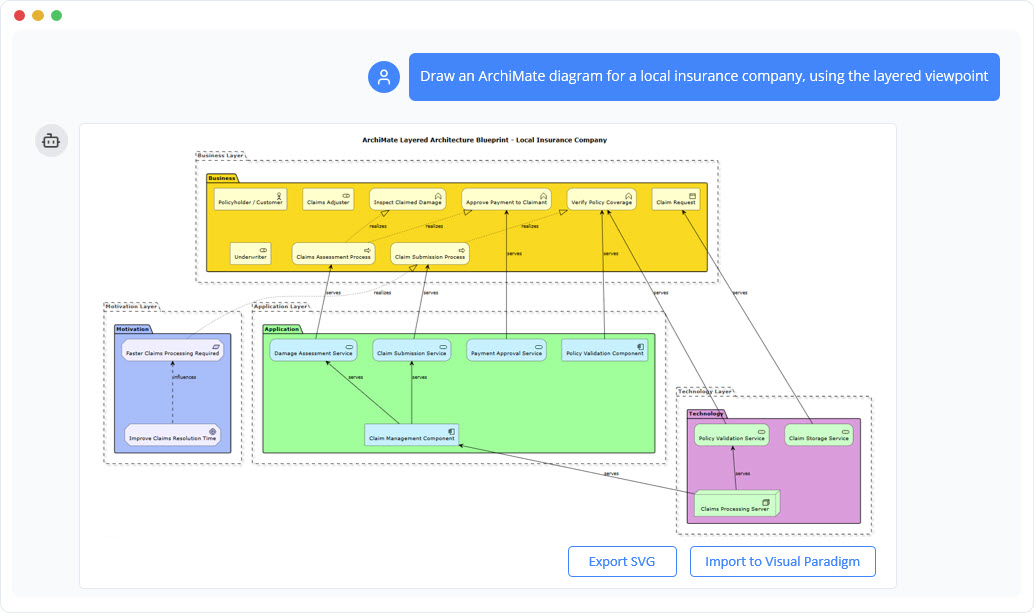
- Digital Transformation Roadmap (Solving: Legacy system modernization)
- Prompt: “Generate an ArchiMate diagram for a retail company’s shift to e-commerce, including business processes for order fulfillment, application services like inventory management, and technology nodes for cloud hosting.”
- Output: A multi-layer diagram showing “as-is” (on-premise servers) vs. “to-be” (cloud migration), with relationships tracing process impacts. Use for stakeholder buy-in during planning.
- Cloud Migration Strategy (Solving: IT cost optimization)
- Prompt: “Create a Technology Usage viewpoint for migrating a banking app to AWS, comparing re-hosting vs. re-platforming options.”
- Output: Layered model visualizing dependencies (e.g., app services on virtual machines), enabling “what-if” analysis for downtime risks. Ideal for project managers evaluating options.
- Mergers & Acquisitions Integration (Solving: Overlap identification post-merger)
- Prompt: “Model the integration of two insurance firms’ capabilities, with business actors, shared application components, and unified tech infrastructure.”
- Output: Capability map viewpoint highlighting gaps (e.g., duplicate quoting engines) and synergies, supporting due diligence reports.
- GRC Audit Tracing (Solving: Regulatory compliance)
- Prompt: “Produce a Motivation viewpoint linking GDPR requirements to customer data processes, CRM applications, and secure storage tech.”
- Output: Diagram with goal realization relationships for audit trails, querying impacts like “How does a data breach affect business services?”
- Disaster Response System (Solving: Operational resilience)
- Prompt: “Draw an ArchiMate model for a fleet management system’s disaster coordination, across business coordination, app interfaces, and network tech.”
- Output: Full layered diagram for emergency planning, visualizing coordination flows.
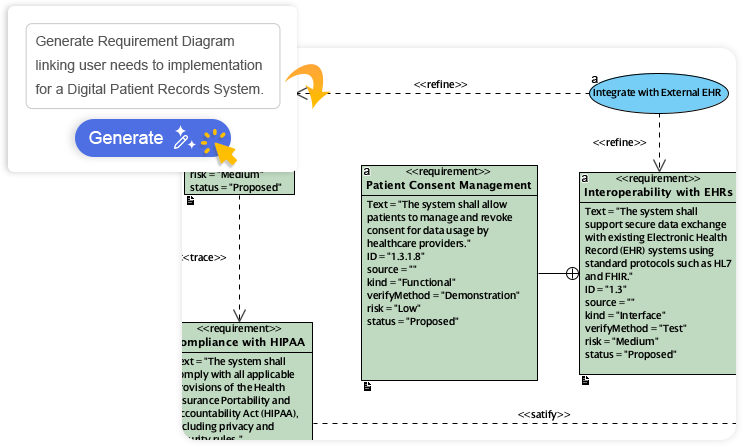
To get started: In Visual Paradigm, go to Tools > AI Diagram, select “ArchiMate Viewpoint” (e.g., Business Process), enter your prompt, and refine the editable result. For chatbot-style interaction, use the AI ArchiMate tool in Visual Paradigm Online.
This post is also available in Deutsch, Español, فارسی, Français, English, Bahasa Indonesia, 日本語, Polski, Portuguese, Ру́сский, Việt Nam, 简体中文 and 繁體中文.